AA

Featured products

    Popular categories

      Trending searches

        Articles

          Blog

            Products

              Categories

                Suggested searches

                  Searching…
                  No results
                  Something went wrong.
                  ↑↓ Select↵ OpenEsc Close search
                  • English
                  • Čeština
                  • Deutsch
                  • Español
                  • Français
                  • Italiano
                  • Polski
                  • 日本語
                  • Orders
                  • Address
                  • In-stock Alerts
                  • My Courses
                  • Subscription
                  • Edit Account
                  • 3D printers9+▾

                    3D printersnew

                    newPrusa CORE One L+Learn more
                    newPrusa CORE One+ (Gen 2)Learn more
                    newPrusa CORE One L+ INDX 8-ToolnewPrusa CORE One+ (Gen 2) INDX 8-ToolPrusa CORE One L+: Critical InfrastructureOriginal Prusa MK4SnewOriginal Prusa XL+Original Prusa XL+: Critical Infrastructure

                    Printer upgrades

                    newINDX Conversion KitsnewPrusa CORE One L to CORE One L+ upgradenewPrusa CORE One+ to Prusa CORE One+ (Gen 2)newPrusa XL to Prusa XL+ Upgrade
                    Prusa Reward ProgramLove your Prusa printer? Share your experience and earn $30 Prusa e-shop vouchers.
                    How to Choose a 3D Printer?We’ll walk you through the basics to find the exact machine for your space, budget, and ideas.
                    Free E-bookDownload a free e-book Basics of 3D Printing with Josef Prusa and make your first steps in 3D printing world
                    Original Prusa Printable PartsCollections of printable spare parts for Original Prusa 3D printers and upgrades.
                    Shipping informationRegularly updated info about the current manufacturing capacity and delivery times of our printers.
                    Custom 3D PrintingProfessional custom 3D printing from various materials according to your requirements.
                  • Materials▾

                    Filaments

                    PrusamentPLAPETGASA / ABSPC (Polycarbonate)PA (Nylon)FlexCompositesSpecialMaterials clearance sale

                    Resin

                    Prusament ResinResin Cleaner
                    Filament GuideCheck my Prusament Spool
                    Prusament.com
                  • Parts & Accessories▾

                    Accessories

                    EnclosuresNozzlesPrint SheetsEssential AccessoriesCameras & AddonsTools & CraftingAdhesives

                    Spare parts

                    Merchandise

                    Spare parts - All PrintersCORE OneMK4/S & MK3.9/SMK3/S/+XL
                    Merch
                  • For Business▾
                    Prusa Pro HT90Prusa Pro SLXPrusa Pro AFSPrusa Pro Medical OneOriginal Prusa XLOriginal Prusa XL: Critical Infrastructure
                    Prusa CORE One+Learn more
                    Prusa CORE One LLearn more
                    Prusa CORE One L: Critical Infrastructure Edition

                    3D Printing for

                    Manufacturing and R&DAutomotive IndustryHealthcareEducation and Academic ResearchArchitects and DesignersFilm IndustryCritical Infrastructure

                    3D Printing Stories

                    • How 3D printing started: About Rep-rap and open-source with Adrian Bowyer
                    • Teaching mathematics redefined with 3D printing at JKU Linz
                    • The story behind the LTT screwdriver
                    • Victoria Hand Project: Changing Prosthetic Care with 3D Printing
                    Official Prusa Resellers
                    Sustainability
                    Prusa Education
                    Contact and Inquiry
                    Custom 3D Printing
                    ISO Certified
                  • Software▾
                    PrusaSlicer

                    PrusaSlicerPrusaSlicer

                    PrusaSlicer is an open-source, feature-rich, frequently updated tool that contains everything you need to export the perfect print files for your 3D printer.

                    WindowsMacOSLinux
                    Prusa Connect

                    Prusa Connect

                    Prusa Connect is a cloud service enabling remote control and monitoring of your 3D printers, offering secure data handling, easy setup, and support for managing multiple printers from anywhere.

                    Log in to Connect
                    Prusa.app

                    Prusa.app

                    Control your printer/s remotely from anywhere using the Prusa Connect technology behind. Prusa.app brings a new level of Prusa printer experience to Android and iOS phones.

                    Try it now!
                    Drivers & FirmwareDownload the latest firmware and drivers for your 3D printer.
                    PrusaSlicer Support
                    Prusa Connect Support
                  • 3D Models▾
                    3D PrintersArt & DesignHobby & MakersHouseholdTabletop MiniaturesToys & GamesPrintables Store

                    Popular 3D models

                    • Strong garden hose holder
                    • Prusa Spool Bot
                    • Build Tray — Modular Organizer for Assembly, Disassembly and Maintenance
                    • Broom Holder
                    • Octagon Fabric
                    • Prusa CORE One ? (Mimic Skin)

                    Design Contests

                    • Framework Laptop 12 Mainboard Re-Use9/1/2026 – 9/30/2026
                    • 🏆 Designer Challenge: Magic tricks!9/1/2026 – 9/22/2026
                    • Makeup Organizers9/4/2026 – 9/20/2026
                  • Community▾

                    Upcoming Events

                    • Maker Faire Tokyo 20269/5/2026 – 9/6/2026 · Tokyo, Japan · Prusa Team
                    • IFA 20269/4/2026 – 9/8/2026 · Berlin, Germany · Prusa Team
                    • 3D Printopia 20269/26/2026 – 9/27/2026 · Pennsylvania, United States · Prusa Team
                    • Maker Faire Bay Area9/25/2026 – 9/27/2026 · Kalifornie, United States · Prusa Team

                    Prusa Forum

                    • Printer dont transport Filament and Bricked the Nozzle
                    • Trying to use the core one+ bed and chamber for filament drying, is it doable?
                    • upgrade to Gen2: nozzle scratches build sheet instead of using the wiper
                    Prusa World MapPrusa World MapFind local 3D printing users and explore the community around you.
                  • Help▾
                    Guides & TutorialsPrusaSlicerPrusa ConnectMaterials

                    Printer Model

                    CORE One INDXCORE One LCORE One+CORE One

                    Hardware Troubleshooting

                    • Selftest failed (CORE One/+)
                    • Clogged nozzle (CORE One, CORE One L, XL, MK4/S, MK3.9/S)
                    • Adjusting belt tension (CORE One/+, CORE One INDX, CORE One L/+)
                    • Prusa Connect and PrusaLink explained

                    Drivers & Firmware

                    INDX familyCORE One familyMK4 familyXL familyMMU familyPRO family
                  • Courses▾

                    Become an expert in 3D printing

                    Prusa Academy offers online courses on various 3D printing related topics. Each course features:

                    • easy-to-read text with many pictures and short videos
                    • links for inspiration and further study
                    • quizzes for testing your knowledge along the way
                    • certificate of completion
                    Browse all coursesMy courses library
                    • 3D Modeling in Autodesk Fusion
                    • PrusaSlicer Masterclass – Beginner to Advanced
                    • Complete Guide to 3D Print Postprocessing, Painting, and Detailing
                    • Airbrush Your 3D Prints: From Basics to Advanced Tricks
                  • Blog▾
                    • Back-to-School 2026 Deals Are Here!
                    • PrusaSlicer 3.0 Preview – Built for the Future of 3D Printing
                    • Prusa CORE One+ (Gen 2) INDX, Shipping Has Started, Complete Printers Open for Orders
                    E-Book: Basics of 3D Printing
                  • Company▾

                    About Prusa Research

                    We are the largest maker of 3D printers in Europe and the United States.

                    Founded as a one-man startup in 2012 by Josef Prusa, a Czech hobbyist, maker, and inventor. In just 15 years, we've grown into a company of more than 1,200 people. Every month, we design, build, and ship over 10,000 innovative and secure 3D printers from our headquarters in Prague, Czech Republic, and Delaware, USA, to users in more than 160 countries.

                    Watch a video and find out how Prusa Research was born and what we achieved within only 10 years!

                    About UsTimelineSustainabilityOpen-source
                    About Us
                    Contact Us
                    Logo and Photos
                    ISO Certified
                  1. Support
                  2. Using the printer

                  Blog

                  • Back-to-School 2026 Deals Are Here!
                  • PrusaSlicer 3.0 Preview – Built for the Future of 3D Printing
                  • Prusa CORE One+ (Gen 2) INDX, Shipping Has Started, Complete Printers Open for Orders

                  Newsletter

                  Signup and get our monthly squeeze on updates, blog, printables and much more.

                  By clicking, you agree to receive our newsletter.

                  This site is protected by reCAPTCHA Enterprise and the Google Privacy Policy and Terms of Service apply.

                  Strong garden hose holder
                  E-shop
                  • 3D Printers
                  • Printer Upgrades
                  • Filaments
                  • Accessories
                  • Prusa Merchandise

                  © Prusa Research a.s.

                  Printables
                  • 3D Models
                  • Store
                  • Clubs
                  • 3D Design Contests
                  • Brands
                  Community
                  • World Map
                  • Forum
                  • User Groups
                  • Events
                  Help
                  • Prusa Help
                  • Prusa Academy
                  • 3D Printing Calculators
                  Software
                  • PrusaSlicer
                  • Prusa.app
                  • Prusa Connect
                  • Drivers and Software
                  Company
                  • About Us
                  • Blog
                  • Official Prusa Resellers
                  • Contact Us
                  • Certified for ISO 9001, ISO 14001, ISO 45001
                  • General Terms and Conditions
                  • General Terms and Conditions of Use of the PRUSA Websites
                  • Privacy Policy
                  • Information about cookies
                  • Customer Complaints Policy
                  • Status Page
                  • Do Not Sell or Share My Personal Information
                  • Supplemental Statements
                  • General Terms and Conditions
                  • General Terms and Conditions of Use of the PRUSA Websites
                  • Privacy Policy
                  • Information about cookies
                  • Customer Complaints Policy
                  • Status Page
                  • Do Not Sell or Share My Personal Information
                  • Supplemental Statements

                  © Prusa Research a.s.

                  JOSEF PRUSA®, PRUSA RESEARCH®, PRUSA POLYMERS®, PRUSA ORANGE®, PRUSA 3D ® AND PRUSAMENT® are registered trademarks of Prusa Development a.s. used by Prusa Research a.s. under licence from Prusa Development a.s.

                  Topics

                  • 3D models
                  • Material guide
                  • Slicing
                  • Printer maintenance
                  • Prusa Connect & PrusaLink

                  Using the printer

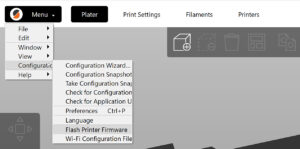
                  How to update firmware (MK3S+/MK3S/MK3)

                  How to update firmware (MK3S+/MK3S/MK3)

                  Updating the firmware is recommended for all users as every new version brings new features and fixes. To utilize the new SuperPINDA, your MK3S must at least have firmware version…

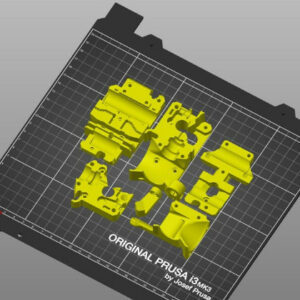
                  Printable parts for Original Prusa

                  Printable parts for Original Prusa

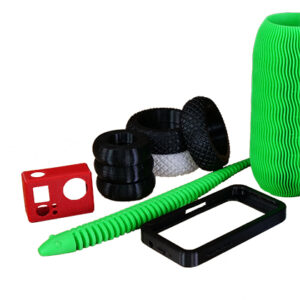
                  Plastic parts used on our 3D printers are printed by the same machines, holding on to the original idea of the RepRap project. If you want to print replacement parts or upgrades,…

                  PETG

                  PETG

                  Basic info PETG is one of the most easily printable materials, it is inexpensive and suitable for beginners. Relatively high tenacity and temperature resistance make it suitable…

                  Adjusting belt tension (MK4/S, MK3.9/S, MK3.5/S, MK3/S/+)

                  Adjusting belt tension (MK4/S, MK3.9/S, MK3.5/S, MK3/S/+)

                  Loose belts would cause a printer to malfunction and prevent proper printing. It can cause Layer shifting, Ghosting, or other print abnormalities like getting an irregular shape…

                  Firmware updating (MINI/MINI+)

                  Firmware updating (MINI/MINI+)

                  On the MINI you flash the firmware using a USB flash drive. Download the Zip file for the firmware and extract it on your computer. Copy the .bbf file in your chosen language…

                  Changing or replacing the nozzle (MK2.5/S, MK3/S/+, MK3.5/S)

                  Changing or replacing the nozzle (MK2.5/S, MK3/S/+, MK3.5/S)

                  The Original Prusa MK2.5/S, MK3/S/+, and MK3.5/S use the E3D V6 Hotend. Any nozzle that is compatible with the E3D V6 Hotend can be installed on it. The stock nozzle that accompanies…

                  Cold pull (MK3/S/+, MK2.5/S, MK3.5/S)

                  Cold pull (MK3/S/+, MK2.5/S, MK3.5/S)

                  A 'cold pull' is a technique that allows you to clean your printer’s nozzle and hotend from any material that may be stuck or burnt inside. You can also use it to clean your hotend…

                  Prusa Connect and PrusaLink explained

                  Prusa Connect and PrusaLink explained

                  Prusa Connect and PrusaLink are two remote printing solutions developed in-house by Prusa. Its origin is in the management system used in our record-sized print farm located in…

                  Drying filament

                  Drying filament

                  The materials used for FFF 3D printing are mostly hygroscopic. This means that they readily attract water molecules from the environment they are in. When used for printing, a…

                  ASA

                  ASA

                  Basic info ASA is a technical material suitable for outdoor use, due to its high UV light and temperature resistance. Unlike other materials that are soluble in more dangerous…

                  How to update firmware (CORE One L, CORE One, CORE One INDX, MK4/S, MK3.9/S, MK3.5/S, XL)

                  How to update firmware (CORE One L, CORE One, CORE One INDX, MK4/S, MK3.9/S, MK3.5/S, XL)

                  On the Prusa CORE One L/+, Prusa CORE One/+, Prusa CORE One/+ INDX, Original Prusa MK4/S, MK3.9/S, MK3.5/S, and XL, the firmware is flashed using a USB flash drive. This is valid…
                  i3 Printer Regular Maintenance

                  i3 Printer Regular Maintenance

                  It is recommended to regularly take some time to maintain your printer. This should be done even if the printer is working perfectly. The inspection and maintenance of its various…

                  Flexible materials

                  Flexible materials

                  Basic info Flexible materials are characterized by their excellent flexibility, tenacity, and chemical resistance. These materials are relatively uncommon, expensive, and suitable…

                  SD cards and USB drives

                  SD cards and USB drives

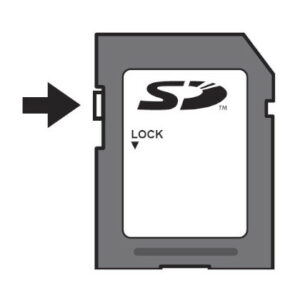
                  As there are ways of remotely transferring files and starting prints, an SD card or USB flash drive is the most common and reliable way to get your files to your machine. Though…

                  Removing filament from extruder manually

                  Removing filament from extruder manually

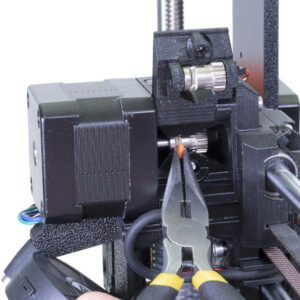
                  In case there is a clog in your hotend, the filament might grind against the Bondtech-gears and be damaged enough so it can't be unloaded. It might snap right above the PTFE-tube…

                  Polycarbonate (PC)

                  Polycarbonate (PC)

                  Basic info Polycarbonate (PC) is a technical material with great tenacity, tensile strength, and heat resistance. However, it’s very hard to print, therefore suitable mainly for…

                  Changing/replacing the nozzle (MINI)

                  Changing/replacing the nozzle (MINI)

                  This article will guide you through the replacement of the nozzle on your Original Prusa MINI printer. Note that this requires you to have some tools available and also be careful…

                  PLA

                  PLA

                  Basic info PLA is one of the easiest materials to print. It is inexpensive and suitable (not only) for beginners. It’s usually used for printing detailed models, figures, and…
                  ABS

                  ABS

                  Basic info Due to its high tenacity and temperature resistance, ABS is a technical material suitable for printing mechanically stressed parts. Its surface can be smoothed with…
                  Regular maintenance (MINI/MINI+)

                  Regular maintenance (MINI/MINI+)

                  It is recommended to take some time to maintain your Original Prusa MINI/+ regularly. This should be done even if the printer is working perfectly.  Clean the sheet If the printed…
                  Prusa Connect Local (MINI)

                  Prusa Connect Local (MINI)

                  ATTENTION: This article is obsolete and no longer maintained. Please update your MINI/MINI+ to the latest available firmware and then use newer web user interface PrusaLink.   Starting…
                  Creating your own 3D models

                  Creating your own 3D models

                  Creating a brand new 3D model from scratch can be a little daunting if you have no prior experience. However, at some point, you might want to give 3D modeling a go. There are…

                  Polyamide (Nylon)

                  Polyamide (Nylon)

                  Basic info Polyamide (Nylon) is a versatile material with excellent thermal and mechanical resistance. It is suitable for printing functional technical parts with high temperature…

                  Cold pull (MINI)

                  Cold pull (MINI)

                  A cold pull is a technique used to clear the printer’s hotend and nozzle of possible obstructions such as filament and other debris. It is also recommended to be part of the regular…

                  Adjusting belt tension (XL)

                  Adjusting belt tension (XL)

                  On the Original Prusa XL, adjusting the belt to the optimal tension is crucial to achieving good quality on the prints. A loose belt can cause Layer shifting, Ghosting, or other…

                  Sending G-codes to printer via network (Prusa Connect, PrusaLink, Octoprint)

                  Sending G-codes to printer via network (Prusa Connect, PrusaLink, Octoprint)

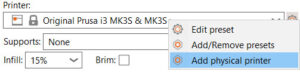
                  PrusaSlicer separates the printer connection settings from the Printer profile into a Physical printer profile.  Using PrusaConnect through the Physical Printer settings is supported,…

                  Adjusting belt tension (MINI/MINI+)

                  Adjusting belt tension (MINI/MINI+)

                  Loose belts would cause a printer malfunction and prevent proper printing. The easiest way to check is printing a round object - if any of the belts are not tightened properly…

                  Cold pull #26702 (MK4S) #13702 (MK4) #28702 (MK3.9S) #21702 (MK3.9) #23702 (MK3.5) #28702 (MK3.5S) #17702 (XL)

                  Cold pull #26702 (MK4S) #13702 (MK4) #28702 (MK3.9S) #21702 (MK3.9) #23702 (MK3.5) #28702 (MK3.5S) #17702 (XL)

                  The  'cold pull' technique allows you to clean your printer’s nozzle and hotend from any material that may be stuck or burnt inside. You can also use it to clean your hotend during…

                  Hotend disassembly & heatbreak stuck in the heatsink

                  Hotend disassembly & heatbreak stuck in the heatsink

                  This guide is for the E3D V6 Hotend on the MK-series. NOT FOR THE PRUSA MINI! You can find the complete E3Ds assembly manual of the V6 hotend, which can be followed backward for…

                  Checking/re-aligning the Bondtech gear (MK3.5/S, MK3S/+, MK2.5S)

                  Checking/re-aligning the Bondtech gear (MK3.5/S, MK3S/+, MK2.5S)

                  The Bondtech gears have a lot of pulling force. They might seem secure, but unless properly tightened, on the flat side of the motor's shaft, they can come loose and remain stationary…

                  Composite materials (filled with carbon, kevlar or glass)

                  Composite materials (filled with carbon, kevlar or glass)

                  Basic info Composite materials (PC, PETG, Polyamide, PP, or other materials filled with carbon, glass, etc.) usually have different mechanical properties than unaltered filaments.…

                  Where can you get 3D models?

                  Where can you get 3D models?

                  The best way to get started with 3D printing is to find pre-made models on the internet - they should be in the .stl, .obj or .3mf format to be used with PrusaSlicer. Fortunately,…

                  HIPS

                  HIPS

                  Basic info HIPS is a relatively soft material suitable for printing large objects or supports for large models printed from PETG, for example. It has good print surface adhesion…

                  Polypropylene (PP)

                  Polypropylene (PP)

                  Basic info Polypropylene (PP) is a lightweight material resistant to chemicals and is commonly used for storage and packing in the food processing industry. It’s usable for printing…

                  Regular printer maintenance (MK4/S, MK3.9/S)

                  Regular printer maintenance (MK4/S, MK3.9/S)

                  It is recommended to take some time to maintain your Original Prusa MK4/S and MK3.9/S regularly. This should be done even if the printer is working perfectly.  Useful tools Besides…

                  PVB

                  PVB

                  Basic info Polyvinyl butyral (PVB) is a material designed for easy smoothing with isopropyl alcohol (IPA). Thanks to its transparency, it’s suitable for printing vases, lamp shades…

                  Firmware updating (MMU2S)

                  Firmware updating (MMU2S)

                  When updating from the 1.0.6 to the 3.0.0 firmware version or above, go in LCD menu - Settings - MMU, and set it to ON. Updating the firmware is recommended for all users as every…

                  Modeling with 3D printing in mind

                  Modeling with 3D printing in mind

                  Modeling for 3D printing presents several interesting challenges. FFF (Fused Filament Fabrication), with its layer-by-layer manufacturing process, the orientation and geometry…

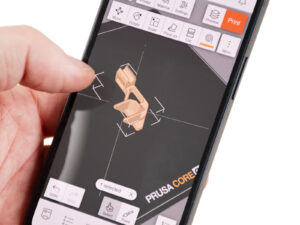
                  Prusa Mobile App

                  Prusa Mobile App

                  Our Prusa app offers the option of using Prusa Connect from your smartphone. The app includes observational features for printers and teams, a basic direct print option, working…

                  Water soluble (BVOH/PVA)

                  Water soluble (BVOH/PVA)

                  Basic info BVOH and PVA are special water-soluble materials used mainly for printing supports. The model itself is printed from standard materials, like PLA, and the BVOH or PVA…

                  Modifier-meshes: Custom supports and other magic

                  Modifier-meshes: Custom supports and other magic

                  This will be covered more extensively in the near future, but for now, we want to give you a quick overview on how to use some of the amazing new features available in PrusaSlicer.…

                  CPE

                  CPE

                  Basic info CPE is a material suitable for prototyping various mechanical parts. Its mechanical and printing qualities are similar to PETG. CPE has good chemical resistance, layer…

                  Connect Registration Failed

                  Connect Registration Failed

                  What happened?  During the configuration of Prusa Connect on the Original Prusa MINI/+, MK4/S, MK3.9/S, MK3.5/S or XL an error on this configuration can occur and the printer shows…

                  NGEN

                  NGEN

                  Basic info NGEN is a material similar to PETG, but with better printability, high mechanical and chemical resistance, and a wide range of usage from prototypes and aesthetic models…

                  Corrupted 3D models for printing

                  Corrupted 3D models for printing

                  You’d be surprised how many 3D models you can find on the internet are broken in some way. Modern slicers are pretty good at repairing the models without you even noticing. However,…

                  Resin Calibration (SL1/SL1S)

                  Resin Calibration (SL1/SL1S)

                  Both Original Prusa SL1 and SL1S SPEED have a growing library of resin print profiles in the PrusaSlicer, which were tested and verified by Prusa Research. However, the printers…

                  Regular printer maintenance (XL)

                  Regular printer maintenance (XL)

                  It is recommended to regularly take some time to maintain your Original Prusa XL. This should be done even if the printer is working perfectly. The inspection and maintenance of…

                  Camera compatibility (RPi + PrusaLink)

                  Camera compatibility (RPi + PrusaLink)

                  PrusaLink for Original Prusa MK2.5/S or MK3/S/+ printers is powered by an Raspberry Pi (RPi) board. A camera can be connected to it either using CSI or USB connection. Alternatively,…

                  Composite materials (with metal or wood particles)

                  Composite materials (with metal or wood particles)

                  Basic info Composite materials filled with metal or wood powder are usually PLA or PETG filaments. The additives may give them special properties and attractive looks. They are…

                  Firmware updating (MK2.5S/MK2S)

                  Firmware updating (MK2.5S/MK2S)

                  Updating the firmware is recommended for all users as every new version brings new features and fixes. To flash the firmware onto your printer, you need: Computer running Windows,…

                  Buddy electronics Wiring (MINI)

                  Buddy electronics Wiring (MINI)

                  With the release of the Original Prusa MINI, we have again developed a new mainboard, which is a 32-bit platform. It still works on 24V and uses Trinamic drivers for motors, allowing…

                  Testing safety features (MK3/MK3S)

                  Testing safety features (MK3/MK3S)

                  Our brand new Original Prusa i3 MK3 comes with lots of new safety features. That makes printing a lot more reliable and safe. In this article, we will showcase how to properly…

                  How to prepare .stl files and G-codes for Multi Material upgrade

                  How to prepare .stl files and G-codes for Multi Material upgrade

                  Preparing .stl files and G-codes which are supposed to be printed in one material is a rather easy process. This process became quite tricky once we must cope with up to 5 materials.…

                  Vibration/noise when printing (MINI/MINI+)

                  Vibration/noise when printing (MINI/MINI+)

                  Your Original Prusa MINI and MINI+ printer may be causing some vibrations during use. In most cases, this will not cause any printing issues, however, we will show you how to minimize…

                  PTFE tubes in Original Prusa i3 printers

                  PTFE tubes in Original Prusa i3 printers

                  What is PTFE and where do I find it? Polytetrafluoroethylene (PTFE) is a synthetic material, similar to Teflon (and closely related to it). Thanks to their low friction coefficient,…

                  Prusa Connect - Camera API

                  Prusa Connect - Camera API

                  Prusa Connect's Open API allows for seamless integration of third-party cameras, allowing you to link your camera to the given printer in Prusa Connect to retrieve images (snapshots).…

                  SL1/SL1S maintenance

                  SL1/SL1S maintenance

                  Regular Printer Maintenance Although the Original Prusa SL1/SL1S has a number of smart sensors and has been carefully designed to be easy to use, it’s still a machine and requires…

                  Resins

                  Resins

                  Liquid resins are photosensitive materials used for printing on DLP, SLA and MSLA 3D printers. Resins are also known as photopolymers and they are cured (solidified) by UV light…

                  Tested resins

                  Tested resins

                  We have tested hundreds of resins before we released the SL1, and still are trying out different types, colors and brands. The table below is extracted from PrusaSlicer, per January…

                  PrusaLink (SL1/SL1S)

                  PrusaLink (SL1/SL1S)

                  Via the web interface called PrusaLink, you can monitor and control your Original Prusa SL1/SL1S over your local network. You will be able to: Upload project files. Start and…

                  How to remove a stripped screw

                  How to remove a stripped screw

                  If you are trying to unscrew any of the screws in the printer, and the key keeps turning without releasing the screw, it means that the screw is stripped. You might wish to drill…

                  How to use Prusament refill 1kg

                  How to use Prusament refill 1kg

                  Prusament Refill is designed to fill up empty filament spools. Once you run out of filament, detach the black plastic sides of the spool and attach them to the Prusament Refill.…

                  Firmware updating (SL1/SL1S)

                  Firmware updating (SL1/SL1S)

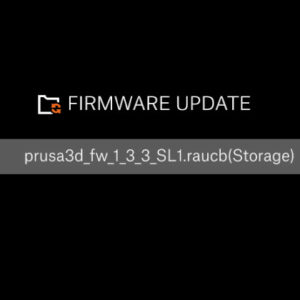
                  The Original Prusa SL1 has an update-server, which is checking for updates automatically. There is no need to do it manually, but this option is still possible. Starting from firmware…

                  Buddy3D Camera

                  Buddy3D Camera

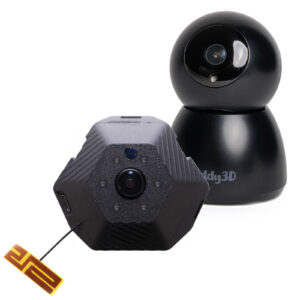
                  The Buddy3D camera features high-quality optics and IR illumination, allowing you to monitor your printer even in complete darkness.  A USB-C connection can power the camera. The…

                  MMU3 regular maintenance

                  MMU3 regular maintenance

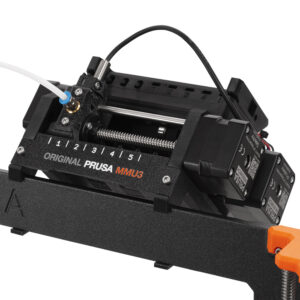
                  Regular maintenance is recommended for your Original Prusa MMU3 upgrade. Refer to the images below to familiarize yourself with the names of each part of the MMU3 unit. Idler…

                  FEP film replacement (SL1)

                  FEP film replacement (SL1)

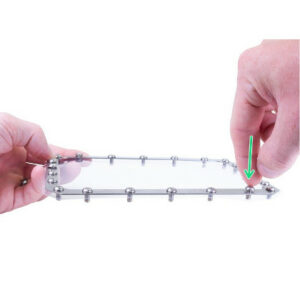
                  Please note: Every time you replace the FEP film, tighten the screws properly, but don’t use excessive force. Overtightening the screws may lead to issues with their removal, during…

                  Firmware updating (CW1)

                  Firmware updating (CW1)

                  Updating the firmware is recommended for all users as every new version brings new features and fixes. To flash the firmware onto your printer, you need: Computer running Windows,…

                  Print surface preparation

                  Print surface preparation

                  Before you start printing, you should know that various materials have different adhesions on various surfaces. It is crucial to pick the right steel sheet for your printer and…

                  Printing without purge tower on the XL (Multi-Tool)

                  Printing without purge tower on the XL (Multi-Tool)

                  The Original Prusa XL can print true multi-material prints without the need for any purge or wipe tower. The purge tower is turned ON by default (when you are mixing materials…

                  Connect Registration Failed #12401 (MINI)

                  Connect Registration Failed #12401 (MINI)

                  What happened?  During the configuration of Prusa Connect on the Original Prusa MINI/+, an error on this configuration can occur and the printer shows the message "Registration…

                  How to set a Static IP Address

                  How to set a Static IP Address

                  This article is intended for experienced users only! When using PrusaLink, you connect to your printer via its IP address, which is assigned to it by the DHCP server on your network.…

                  Connect Registration Failed #17401 (XL)

                  Connect Registration Failed #17401 (XL)

                  What happened?  During the configuration of Prusa Connect on the Original Prusa XL, an error on this configuration can occur and the printer shows the message "Registration to…

                  MMU2S regular maintenance

                  MMU2S regular maintenance

                  For future reference, see the picture below and try to remember the name of each part of the MMU unit. You will find this information in your printed MMU handbook as well. Hobbed…

                  How to replace a M.I.N.D.A. sensor (MINI)

                  How to replace a M.I.N.D.A. sensor (MINI)

                  How to replace a hotend PTFE tube (MINI/MINI+)

                  How to replace a hotend PTFE tube (MINI/MINI+)

                  Community translations

                  Community translations

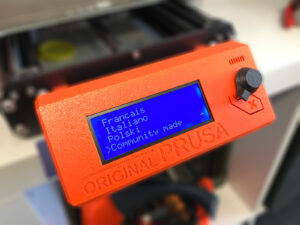
                  The firmware for each Original Prusa printer is currently translated into multiple languages and we would like to expand it further. We welcome everyone to join us and localize…

                  SL1/SL1S print removing

                  SL1/SL1S print removing

                  In this guide, we will show you what to do when your SL1 print is successfully finished and you want to remove it from the metal platform. When handling resins, always wear protective…

                  How to access and clean the extruder-pulley (MINI/MINI+)

                  How to access and clean the extruder-pulley (MINI/MINI+)

                  How to replace a hotend PTFE tube (MK3S+/MK3S/MK2.5S/MMU2S)

                  How to replace a hotend PTFE tube (MK3S+/MK3S/MK2.5S/MMU2S)

                  How to print with PEI 1010

                  How to print with PEI 1010

                  You’ve probably guessed it already but the PEI 1010 isn’t exactly a “plug and print” material like our basic Prusaments (PLA, PETG…). Although we do our best to make our filaments…

                  Maintenance tips

                  Maintenance tips

                  How to replace a heatbreak/heatsink/heaterblock (MK3S+/MK3S/MK2.5S/MMU2S)

                  How to replace a heatbreak/heatsink/heaterblock (MK3S+/MK3S/MK2.5S/MMU2S)

                  How to update firmware (MINI/MINI+)

                  How to update firmware (MINI/MINI+)

                  How to trim PTFE tube - Original Prusa printers

                  How to trim PTFE tube - Original Prusa printers

                  How to import profiles to Cura 4.x (Windows & macOS)

                  How to import profiles to Cura 4.x (Windows & macOS)

                  How to replace a heatbed thermistor (MK3S+/MK3S/MK2.5S/MK2S)

                  How to replace a heatbed thermistor (MK3S+/MK3S/MK2.5S/MK2S)

                  How to replace a heaterblock/heatbreak (MINI/MINI+)

                  How to replace a heaterblock/heatbreak (MINI/MINI+)

                  IPA pigment filter (CW1/CW1S)

                  IPA pigment filter (CW1/CW1S)

                  The Original Prusa Curing and Washing Machine (CW1/S) uses isopropyl alcohol (IPA) to wash the uncured resin around the print model before curing it. The resin usually leaves pigment…

                  How to downgrade firmware (CORE One/+, MK4/S, MK3.9/S, MK3.5/S, XL)

                  How to downgrade firmware (CORE One/+, MK4/S, MK3.9/S, MK3.5/S, XL)

                  Sometimes it is necessary to reinstall an older version of the firmware. The method to update the firmware only allows newer firmware versions to be flashed. To flash the same…

                  CW1 maintenance

                  CW1 maintenance

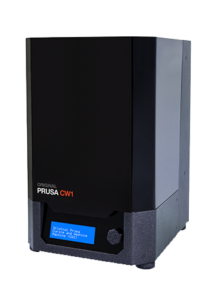
                  To ensure that the CW1 remains in proper working order, ​keep the device clean, and never leave the tank with isopropyl alcohol inside of the device when the machine is off / not…

                  Replacing the PEI sheet on the (MK3S/MK3/MK2.5S/MK2.5)

                  Replacing the PEI sheet on the (MK3S/MK3/MK2.5S/MK2.5)

                  How to replace a PTFE tube (MK3/MK2.5)

                  How to replace a PTFE tube (MK3/MK2.5)

                  How to replace a hotend thermistor (MK3S/MK3S+)

                  How to replace a hotend thermistor (MK3S/MK3S+)

                  How to import profiles to Simplify3D 4.x (Windows & macOS)

                  How to import profiles to Simplify3D 4.x (Windows & macOS)

                  How to replace the print display (SL1)

                  How to replace the print display (SL1)

                  How to replace an IR-sensor (MK3S/MK3S+)

                  How to replace an IR-sensor (MK3S/MK3S+)

                  How to replace a heatbed thermistor (MINI/MINI+)

                  How to replace a heatbed thermistor (MINI/MINI+)

                  How to replace a hotend thermistor (MINI/MINI+)

                  How to replace a hotend thermistor (MINI/MINI+)

                  How to replace a heatbreak/heaterblock/heatsink (MK3/MK2.5)

                  How to replace a heatbreak/heaterblock/heatsink (MK3/MK2.5)

                  How to replace a hotend thermistor (MK2S)

                  How to replace a hotend thermistor (MK2S)

                  How to trim PTFE tube - Multi Material

                  How to trim PTFE tube - Multi Material

                  How to replace PSU on MK3 printers

                  How to replace PSU on MK3 printers

                  How to post-process the printed parts

                  How to post-process the printed parts

                  How to replace a heatsink (MINI/MINI+)

                  How to replace a heatsink (MINI/MINI+)

                  Replacing the PEI sheet on the MK2/S

                  Replacing the PEI sheet on the MK2/S

                  Height adjustment of M.I.N.D.A./SuperPINDA sensor (MINI/+)

                  Height adjustment of M.I.N.D.A./SuperPINDA sensor (MINI/+)

                  G-code preparation for MMU2S

                  G-code preparation for MMU2S

                  How to replace a print fan (MK3S/MK3S+)

                  How to replace a print fan (MK3S/MK3S+)

                  How to replace a hotend heater (MINI/MINI+)

                  How to replace a hotend heater (MINI/MINI+)

                  Creating MMU models: Export model from Fusion 360

                  Creating MMU models: Export model from Fusion 360

                  How to replace a print head PTFE tube (MINI/MINI+)

                  How to replace a print head PTFE tube (MINI/MINI+)

                  How to replace SuperPINDA (MINI/MINI+)

                  How to replace SuperPINDA (MINI/MINI+)

                  Changing or replacing the Prusa Nozzle

                  Changing or replacing the Prusa Nozzle

                  Replacing the Prusa Nozzle on your printer varies depending on the model of your printer. This article provides an overview of the different methods to replace the Prusa Nozzle,…

                  How to update firmware (MMU3)

                  How to update firmware (MMU3)

                  When updating from the 1.0.6 to the 3.0.0 firmware version or above, go to LCD menu - Settings - MMU, and set it to ON. Updating the firmware is recommended for all users as every…

                  How to replace a hotend (MK3S/MK3S+)

                  How to replace a hotend (MK3S/MK3S+)

                  How to replace a print fan (MINI)

                  How to replace a print fan (MINI)

                  How to replace a hotend fan (MINI)

                  How to replace a hotend fan (MINI)

                  How to replace a Buddy control board (MINI)

                  How to replace a Buddy control board (MINI)

                  Splitting STL with single compact part

                  Splitting STL with single compact part

                  How to replace an extruder motor (MINI/MINI+)

                  How to replace an extruder motor (MINI/MINI+)

                  How to connect to RPi via SSH

                  How to connect to RPi via SSH

                  This article is intended for experienced users only! During the regular RPi + PrusaLink operation, there should be no need to set up and use SSH. Since we develop neither Raspberry…

                  Splitting STL using MeshMixer

                  Splitting STL using MeshMixer

                  PETG sheets (Enclosure)

                  PETG sheets (Enclosure)

                  The Original Prusa Enclosure has side panels made of PETG. See below some maintenance tips for the sheets. Cleaning The PETG sheets in your enclosure can be cleaned by washing…

                  How to replace a UV LED assembly (SL1)

                  How to replace a UV LED assembly (SL1)

                  How to replace SuperPINDA (MK3S/MK3S+)

                  How to replace SuperPINDA (MK3S/MK3S+)

                  G-code preparation for MMU1

                  G-code preparation for MMU1

                  How to replace a P.I.N.D.A. sensor (MK3S)

                  How to replace a P.I.N.D.A. sensor (MK3S)

                  How to replace a heatbed (MINI/MINI+)

                  How to replace a heatbed (MINI/MINI+)

                  HueForge filament transparency values and HexCodes

                  HueForge filament transparency values and HexCodes

                  If you're using the HueForge program, you might find these values useful. The HueForge transparency (TD) and HexCode values are measured for all of our Prusament materials and…

                  How to replace the power button (SL1/SL1S)

                  How to replace the power button (SL1/SL1S)

                  PrusaLink and Prusa Connect setup (MK3/S/+)

                  PrusaLink and Prusa Connect setup (MK3/S/+)

                  How to replace bearings on the X-axis (MINI/MINI+)

                  How to replace bearings on the X-axis (MINI/MINI+)

                  How to replace bearings on the Y-axis (MINI/MINI+)

                  How to replace bearings on the Y-axis (MINI/MINI+)

                  Installing Wi-Fi and PrusaLink (MINI/+)

                  Installing Wi-Fi and PrusaLink (MINI/+)

                  How to replace bearings on the X-axis (MK3S+)

                  How to replace bearings on the X-axis (MK3S+)

                  How to replace a blower fan (SL1)

                  How to replace a blower fan (SL1)

                  How to replace bearings on the Y-axis (MK3S+)

                  How to replace bearings on the Y-axis (MK3S+)

                  How to replace an optical sensor (SL1)

                  How to replace an optical sensor (SL1)

                  How to replace the A64 board (SL1)

                  How to replace the A64 board (SL1)

                  How to replace a Lid safety switch (CW1)

                  How to replace a Lid safety switch (CW1)

                  How to replace UV LED assembly (SL1S)

                  How to replace UV LED assembly (SL1S)

                  Fire Suppression system (Enclosure)

                  Fire Suppression system (Enclosure)

                  The Original Prusa Enclosure can have as an add-on a Self-contained tube-style BlazeCut Fire Suppression System. The system operates automatically and independently of any power…

                  Resin yellowing and how to reduce it

                  Resin yellowing and how to reduce it

                  When printing various resins, you may notice a more or less significant yellowing effect after curing your models. This affects most MSLA materials, including all of our Prusament…

                  How to replace the USB connector (SL1/SL1S)

                  How to replace the USB connector (SL1/SL1S)

                  How to replace the FEP film (SL1S)

                  How to replace the FEP film (SL1S)

                  How to disassemble the CW1

                  How to disassemble the CW1

                  Sending files from PrusaSlicer to PrusaLink

                  Sending files from PrusaSlicer to PrusaLink

                  How to replace the print display (SL1S)

                  How to replace the print display (SL1S)

                  How to replace a filter (SL1/SL1S)

                  How to replace a filter (SL1/SL1S)

                  Changing or replacing the Nextruder Hotend

                  Changing or replacing the Nextruder Hotend

                  Replacing the Nextruder Hotend assembly on your printer may differ depending on the specific model you own. This article outlines various approaches for replacing the Nextruder…

                  How to replace a display (CW1)

                  How to replace a display (CW1)

                  Connect Registration Failed #23401 (MK3.5)

                  Connect Registration Failed #23401 (MK3.5)

                  What happened?  During the configuration of Prusa Connect on the Original Prusa MK3.5, an error on this configuration can occur and the printer shows the message "Registration…

                  How to replace a hotend heater (MK3S/MK3S+)

                  How to replace a hotend heater (MK3S/MK3S+)

                  PPS (Polyphenylene sulfide)

                  PPS (Polyphenylene sulfide)

                  PPS or Polyphenylene sulfide is a semi-crystalline technical thermoplastic material suitable for 3D printing characterized by high resistance to heat and chemicals. The main characteristic…

                  Prusament Resin Model Color Kit

                  Prusament Resin Model Color Kit

                  Introduction In this article, you will learn everything you need to know when mixing resin colors using the Prusament Model Resin Color Kit - either with the help of the Sample…

                  How to replace a UV LED fan (SL1S)

                  How to replace a UV LED fan (SL1S)

                  PEI (Ultem)

                  PEI (Ultem)

                  Basic info Ultem, also known as PEI (Polyetherimide), is a high-performance thermoplastic material ideal for 3D printing. Its extreme resistance to heat and chemicals makes it…

                  How to replace a blower fan (SL1S)

                  How to replace a blower fan (SL1S)

                  LW PLA

                  LW PLA

                  Basic info LW PLA is a filament that can expand during printing. It is useful for parts that need to be light. Recommended nozzle temperature: 210 - 250 ºC.   Recommended bed…

                  Nozzle replacement (HT90)

                  Nozzle replacement (HT90)

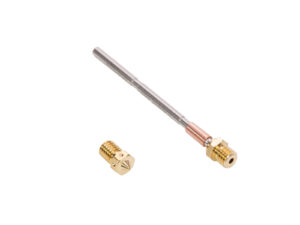
                  The Prusa PRO HT90 uses quick-swap REVO nozzles. To change a nozzle, go to More -> Nozzle change in the printer menu. If the nozzle is too hot at this point, you will be presented…

                  Printing on MK3/S/+ via PrusaLink

                  Printing on MK3/S/+ via PrusaLink

                  Changing the print head

                  Changing the print head

                  The Prusa Pro HT90 supports two print head configurations. The default high flow print head handles materials up to 300°C. For industrial materials like PEI, PEKK, and PEEK, use…

                  PEEK-CF (Polyetheretherketone)

                  PEEK-CF (Polyetheretherketone)

                  PEEK-CF is an advanced thermoplastic filament with excellent mechanical properties and high-temperature resistance. This material is based on polyetheretherketone (PEEK) with added…

                  Prusa Connect setup (SL1/S)

                  Prusa Connect setup (SL1/S)

                  Starting from firmware 1.8.0, the Original Prusa SL1/S can be added to Prusa Connect. There are three ways to do it. Touchscreen GUI on the printer Go to the printer menu to Settings…

                  Regular printer maintenance (MK3.5/S)

                  Regular printer maintenance (MK3.5/S)

                  It is recommended to regularly take some time to maintain your printer. This should be done even if the printer is working perfectly. The inspection and maintenance of its various…

                  HEPA filter replacement (HT90)

                  HEPA filter replacement (HT90)

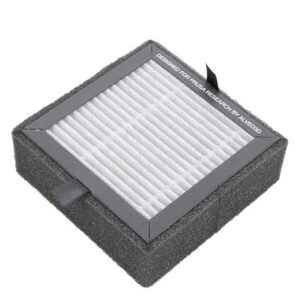
                  The Prusa Pro HT90 has a HEPA filter in the upper part of the printer through which air passes from the printer into the room. The filter needs to be replaced every 600 print hours.…

                  How to update firmware (HT90)

                  How to update firmware (HT90)

                  The Prusa Pro HT90 has firmware installed during production. It is possible to update the firmware in three ways. Menu update Connect the printer to the internet network. Then…

                  Regular printer maintenance (HT90)

                  Regular printer maintenance (HT90)

                  The Prusa Pro HT90 is engineered for maximum efficiency and reliability. However, it is still a mechanical device with components that require regular maintenance. Follow the guidelines…

                  PSU (Polysulfone)

                  PSU (Polysulfone)

                  PSU, or Polysulfone, is a technical thermoplastic material with an excellent combination of properties that make it suitable for various applications including 3D printing. Its…

                  Installing or changing the Nextruder V6 Nozzle Adapter

                  Installing or changing the Nextruder V6 Nozzle Adapter

                  The Nextruder V6 Nozzle Adapter enables the use of V6-compatible nozzles on printers equipped with the Nextruder. Installing the Nextruder V6 Nozzle Adapter on your printer varies…

                  PEKK-CF (Polyetherketoneketone)

                  PEKK-CF (Polyetherketoneketone)

                  PEKK-CF is an advanced thermoplastic filament combining excellent mechanical properties, high-temperature resistance, and chemical stability. This material is based on polyetherketoneketone…

                  PPSU (Polyphenylsulfone)

                  PPSU (Polyphenylsulfone)

                  PPSU (polyphenylsulfone) is a technical thermoplastic material with excellent resistance to heat and chemicals and superior hydrolytic stability. The main characteristic of this…

                  Prusa Connect (HT90)

                  Prusa Connect (HT90)

                  It is possible to connect your Prusa Pro HT90 to PrusaConnect in order to print and monitor your printer remotely. Connecting Go to the printer menu to More -> Settings -> Prusa…

                  How to install the Nextruder V6 Nozzle Adapter (CORE One)

                  How to install the Nextruder V6 Nozzle Adapter (CORE One)

                  Connect Registration Failed #21401 (MK3.9)

                  Connect Registration Failed #21401 (MK3.9)

                  What happened?  During the configuration of Prusa Connect on the Original Prusa MK3.9, an error on this configuration can occur and the printer shows the message "Registration…

                  How to replace Heatbed Thermistor (CORE One)

                  How to replace Heatbed Thermistor (CORE One)

                  How to replace Heatbed (CORE One)

                  How to replace Heatbed (CORE One)

                  How to replace the CoreXY plastic parts

                  How to replace the CoreXY plastic parts

                  Regular printer maintenance (CORE One/+)

                  Regular printer maintenance (CORE One/+)

                  It is recommended to regularly take some time to maintain your Prusa CORE One/+. This should be done even if the printer is working perfectly.  Useful tools Besides the usual tools,…

                  MK3 Series Hotend Guide

                  MK3 Series Hotend Guide

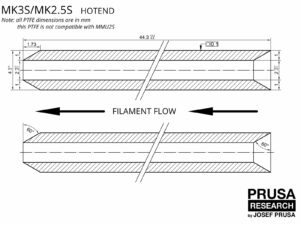
                  Since 6/2025, the hotend for MK3 series printers comes as a universal package consisting of a hotend with pre-installed PTFE Tube compatible with MK3S+ or MK3.5/S printers, and…

                  Prusament TPU 95A material guide

                  Prusament TPU 95A material guide

                  Prusament TPU 95A is a flexible material with high mechanical resistance and print reliability. Although it’s one of the easiest flexible materials to print, it still requires…

                  Prusament PETG Ultraglow troubleshooting

                  Prusament PETG Ultraglow troubleshooting

                  Prusament PETG Ultraglow green is the brightest glow-in-the-dark filament on the market. It is filled with the highest possible amount of strontium aluminate, which is the hardest…

                  Prusament Woodfill

                  Prusament Woodfill

                  Prusament Woodfill is our own in-house-made filament with ±0.04 mm manufacturing tolerance. The material is filled with wood for great looks, while it maintains very easy printability. Recommended…

                  PETG V0

                  PETG V0

                  PETG V0 is the one-in-the-world UL-certified self-extinguishing PETG filament. It is especially suitable for housings and insulating parts in electronics, due to its self-extinguishing…

                  PETG Magnetite 40%

                  PETG Magnetite 40%

                  Prusament PETG Magnetite 40% is a specialized technical material with unique paramagnetic properties and high density. It is filled with fine magnetite powder, making it responsive…

                  PETG Tungsten

                  PETG Tungsten

                  Prusament PETG Tungsten 75% is a high-density material containing 75% tungsten powder. This non-reactive, hypoallergenic, and non-toxic filament is designed primarily for printing…

                  How to replace a heatbed set (MINI/MINI+)

                  How to replace a heatbed set (MINI/MINI+)

                  How to lubricate linear bearing rails (XL)

                  How to lubricate linear bearing rails (XL)

                  How to set up a Buddy3D Cam

                  How to set up a Buddy3D Cam

                  How to replace a hotend assembly (CORE One)

                  How to replace a hotend assembly (CORE One)

                  How to replace a print fan (MK4S / MK3.9S)

                  How to replace a print fan (MK4S / MK3.9S)

                  How to lubricate the magballs (HT90)

                  How to lubricate the magballs (HT90)

                  How to replace Nextruder heatsink (XL Single-tool)

                  How to replace Nextruder heatsink (XL Single-tool)

                  IPA pigment filter

                  IPA pigment filter

                  How to install the Nextruder V6 Nozzle Adapter (XL single-tool)

                  How to install the Nextruder V6 Nozzle Adapter (XL single-tool)

                  Buddy3D Camera for CORE One Installation

                  Buddy3D Camera for CORE One Installation

                  How to replace the Prusa Nozzle (XL single-tool)

                  How to replace the Prusa Nozzle (XL single-tool)

                  How to replace the side filament sensor (CORE One)

                  How to replace the side filament sensor (CORE One)

                  How to replace the Hotend assembly (XL single-tool)

                  How to replace the Hotend assembly (XL single-tool)

                  Filament Guide addon (MK4S/MK4)

                  Filament Guide addon (MK4S/MK4)

                  How to install the Nextruder V6 Nozzle Adapter (MK4/MK3.9)

                  How to install the Nextruder V6 Nozzle Adapter (MK4/MK3.9)

                  How to replace the Prusa Nozzle (MK4/MK3.9)

                  How to replace the Prusa Nozzle (MK4/MK3.9)

                  How to use Prusament Refill 900g

                  How to use Prusament Refill 900g

                  How to replace the door sensor (CORE One)

                  How to replace the door sensor (CORE One)

                  How to replace a Nextruder (XL single-tool)

                  How to replace a Nextruder (XL single-tool)

                  How to replace the Prusa Nozzle (XL multi-tool)

                  How to replace the Prusa Nozzle (XL multi-tool)

                  How to replace a Z-axis motor (XL)

                  How to replace a Z-axis motor (XL)

                  Packing the Prusa XL printer for return - Original Packing material

                  Packing the Prusa XL printer for return - Original Packing material

                  How to replace a heatbed tile and a heatbed tile cable (XL)

                  How to replace a heatbed tile and a heatbed tile cable (XL)

                  How to replace a print fan (XL single tool)

                  How to replace a print fan (XL single tool)

                  How to fix Modular bed error (HW solution)

                  How to fix Modular bed error (HW solution)

                  How to replace Loveboard (MK4S/MK4/MK3.9S/MK3.9)

                  How to replace Loveboard (MK4S/MK4/MK3.9S/MK3.9)

                  How to replace trapezoid nuts (XL)

                  How to replace trapezoid nuts (XL)

                  How to clean the side filament sensor (XL)

                  How to clean the side filament sensor (XL)

                  How to change xLCD and xLCD cable (XL single-tool)

                  How to change xLCD and xLCD cable (XL single-tool)

                  How to replace a Dwarf board (XL multi-tool)

                  How to replace a Dwarf board (XL multi-tool)

                  How to replace Nextruder heatsink (XL Multi-tool)

                  How to replace Nextruder heatsink (XL Multi-tool)

                  How to replace a Dwarf board (XL single-tool)

                  How to replace a Dwarf board (XL single-tool)

                  How to replace the filament sensor (HT90)

                  How to replace the filament sensor (HT90)

                  How to replace the silver PSU with the black PSU

                  How to replace the silver PSU with the black PSU

                  How to replace the Hotend assembly (XL multi-tool)

                  How to replace the Hotend assembly (XL multi-tool)

                  How to replace a hotend thermistor (XL Single-Tool)

                  How to replace a hotend thermistor (XL Single-Tool)

                  How to replace Z motors (CORE One)

                  How to replace Z motors (CORE One)

                  How to replace a Z-axis linear rail (XL)

                  How to replace a Z-axis linear rail (XL)

                  How to replace a profile insert (XL)

                  How to replace a profile insert (XL)

                  How to replace the hotend fan (XL Multi-tool)

                  How to replace the hotend fan (XL Multi-tool)

                  How to replace a PSU (XL)

                  How to replace a PSU (XL)

                  How to replace a hotend heater (XL Single-Tool)

                  How to replace a hotend heater (XL Single-Tool)

                  How to replace a hotend heater (MK4/MK3.9)

                  How to replace a hotend heater (MK4/MK3.9)

                  How to replace a hotend thermistor (MK4/MK3.9)

                  How to replace a hotend thermistor (MK4/MK3.9)

                  How to lubricate the coupler pins on Original Prusa XL (Multi-Tool)

                  How to lubricate the coupler pins on Original Prusa XL (Multi-Tool)

                  How to replace a hotend fan (MK4 / MK3.9)

                  How to replace a hotend fan (MK4 / MK3.9)

                  How to replace the xBuddy board (MK4/MK3.9/MK3.5)

                  How to replace the xBuddy board (MK4/MK3.9/MK3.5)

                  How to replace the tch-profile-insert (XL)

                  How to replace the tch-profile-insert (XL)

                  How to replace a print fan (MK4 / MK3.9)

                  How to replace a print fan (MK4 / MK3.9)

                  How to replace a hotend assembly (MK4 / MK3.9)

                  How to replace a hotend assembly (MK4 / MK3.9)

                  How to replace a Heatbed Thermistor (MK4/S, MK3.9/S, MK3.5/S)

                  How to replace a Heatbed Thermistor (MK4/S, MK3.9/S, MK3.5/S)

                  How to replace the Sandwich Board (XL)

                  How to replace the Sandwich Board (XL)

                  How to replace the rubber band on Original Prusa XL (Multi-tool)

                  How to replace the rubber band on Original Prusa XL (Multi-tool)

                  How replace the CoreXY Cover Rear (Original Prusa XL)

                  How replace the CoreXY Cover Rear (Original Prusa XL)

                  How to install the Nextruder V6 Nozzle Adapter (XL Multi-Tool)

                  How to install the Nextruder V6 Nozzle Adapter (XL Multi-Tool)

                  How to replace a XY motor (XL)

                  How to replace a XY motor (XL)

                  How to replace a hotend heatsink (MK4 / MK3.9)

                  How to replace a hotend heatsink (MK4 / MK3.9)

                  How to replace xLCD (MK4/MK3.9/MK3.5)

                  How to replace xLCD (MK4/MK3.9/MK3.5)

                  Packing the XL Enclosure for return - Original Packing material

                  Packing the XL Enclosure for return - Original Packing material

                  Unpacking the printer (HT90)

                  Unpacking the printer (HT90)

                  How to change the belt (XL)

                  How to change the belt (XL)

                  How to replace the Prusa Nozzle (MK4S/MK3.9S)

                  How to replace the Prusa Nozzle (MK4S/MK3.9S)

                  How to use accelerometer (MK3.5/S)

                  How to use accelerometer (MK3.5/S)

                  How to replace a hotend assembly (MK4S / MK3.9S)

                  How to replace a hotend assembly (MK4S / MK3.9S)

                  How to install the Nextruder V6 Nozzle Adapter (MK4S/MK3.9S)

                  How to install the Nextruder V6 Nozzle Adapter (MK4S/MK3.9S)

                  How to install the Camera dummy module (HT90)

                  How to install the Camera dummy module (HT90)

                  How to change the xLCD (XL)

                  How to change the xLCD (XL)

                  How to replace the door (HT90)

                  How to replace the door (HT90)

                  How to replace the Prusa Nozzle (CORE One)

                  How to replace the Prusa Nozzle (CORE One)

                  How to reverse the door orientation (CORE One)

                  How to reverse the door orientation (CORE One)

                  How to pack the Prusa CORE One for return - Original Packing material

                  How to pack the Prusa CORE One for return - Original Packing material

                  How to replace the main cable connector cover (XL)

                  How to replace the main cable connector cover (XL)

                  Maintenance warning #31117 (CORE One) #26117 (MK4S) #13117 (MK4) #27117 (MK3.9S) #21117 (MK3.9) #28117 (MK3.5S) #23117 (MK3.5)

                  Maintenance warning #31117 (CORE One) #26117 (MK4S) #13117 (MK4) #27117 (MK3.9S) #21117 (MK3.9) #28117 (MK3.5S) #23117 (MK3.5)

                  What happened?  The Prusa CORE One/+, and the Original Prusa MK4/S, MK3.9/S, MK3.5/S can be equipped with an MMU3 upgrade kit. Having the MMU3 upgrade kit installed significantly…

                  Maintenance failure warning #28116 (MK3.5S) #23116 (MK3.5)

                  Maintenance failure warning #28116 (MK3.5S) #23116 (MK3.5)

                  What happened?  The Original Prusa MK3.5/S can be equipped with an MMU3 upgrade kit. Having the MMU3 upgrade kit installed significantly increases the number of loads and unloads.  After…

                  Maintenance failure warning #31116 (CORE One) #26116 (MK4S) #13116 (MK4) #27116 (MK3.9S) #21116 (MK3.9)

                  Maintenance failure warning #31116 (CORE One) #26116 (MK4S) #13116 (MK4) #27116 (MK3.9S) #21116 (MK3.9)

                  What happened? The Prusa CORE One/+ and the Original Prusa MK4/S and MK3.9/S can be equipped with an MMU3 upgrade kit. Having the MMU3 upgrade kit installed significantly increases…

                  How to lubricate linear bearing rails (HT90)

                  How to lubricate linear bearing rails (HT90)

                  How to install Advanced Filtration (CORE One)

                  How to install Advanced Filtration (CORE One)

                  How to replace HEPA filter (HT90)

                  How to replace HEPA filter (HT90)

                  How to clean external filters (HT90)

                  How to clean external filters (HT90)

                  How to replace the desiccant in the Prusa Pro Filament Drybox

                  How to replace the desiccant in the Prusa Pro Filament Drybox

                  How to put on Prusa socks

                  How to put on Prusa socks

                  How to replace a high-temperature nozzle (HT90)

                  How to replace a high-temperature nozzle (HT90)

                  How to tension the belts (HT90)

                  How to tension the belts (HT90)

                  How to pack the Prusa CORE One for return - Custom Packing material

                  How to pack the Prusa CORE One for return - Custom Packing material

                  Prusa Pro HT90 Maintenance Kit

                  Prusa Pro HT90 Maintenance Kit

                  Regular maintenance is key to ensuring long-term reliability, high-quality prints, and trouble-free operation of your Prusa Pro HT90. A dedicated Maintenance Kit for HT90 is available,…

                  How to assemble the spool holder (HT90)

                  How to assemble the spool holder (HT90)

                  How to replace external input fuse (HT90)

                  How to replace external input fuse (HT90)

                  How to replace the LCD control panel (HT90)

                  How to replace the LCD control panel (HT90)

                  How to replace the PDU splitter (XL)

                  How to replace the PDU splitter (XL)

                  How to replace the PTFE Bowden tube (HT90)

                  How to replace the PTFE Bowden tube (HT90)

                  How to replace the heatbed (XL)

                  How to replace the heatbed (XL)

                  How to replace the xBuddy board (CORE One)

                  How to replace the xBuddy board (CORE One)

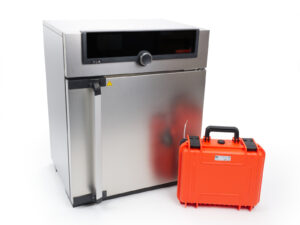
                  Drying filament in Memmert UF-series universal oven

                  Drying filament in Memmert UF-series universal oven

                  Drying filament before printing is a critical step when working with high-performance materials. The Memmert UF-series ovens offer precise temperature control, active ventilation,…

                  Packing the MK4/S + MMU3 bundle for return - original packaging

                  Packing the MK4/S + MMU3 bundle for return - original packaging

                  How to replace Hotend fan (CORE One)

                  How to replace Hotend fan (CORE One)

                  How to replace Nextruder Filament Sensor (CORE One)

                  How to replace Nextruder Filament Sensor (CORE One)

                  How to replace Heatsink NTC Thermistor (CORE One)

                  How to replace Heatsink NTC Thermistor (CORE One)

                  How to replace Hotend Heatsink (CORE One)

                  How to replace Hotend Heatsink (CORE One)

                  How to replace X and Y Motors (CORE One)

                  How to replace X and Y Motors (CORE One)

                  Cold Pull #31702 (CORE One) #35702 (CORE One L)

                  Cold Pull #31702 (CORE One) #35702 (CORE One L)

                  A 'cold pull' is a technique for cleaning your printer’s nozzle and hotend from any material that may be stuck or burnt inside. You can also use it to clean your hotend during…

                  How to replace the print fan (XL multi-tool)

                  How to replace the print fan (XL multi-tool)

                  How to replace the print fan (CORE One)

                  How to replace the print fan (CORE One)

                  How to install the Nextruder V6 nozzle adapter (CORE One L/+)

                  How to install the Nextruder V6 nozzle adapter (CORE One L/+)

                  How to replace the Prusa Nozzle (CORE One L)

                  How to replace the Prusa Nozzle (CORE One L)

                  How to replace a hotend assembly (CORE One L)

                  How to replace a hotend assembly (CORE One L)

                  How to replace the hotend fan (CORE One L)

                  How to replace the hotend fan (CORE One L)

                  How to replace the Heatbed Power Cables (CORE One)

                  How to replace the Heatbed Power Cables (CORE One)

                  How to replace the side filament sensor (CORE One L)

                  How to replace the side filament sensor (CORE One L)

                  How to install the Advanced Filtration (CORE One L)

                  How to install the Advanced Filtration (CORE One L)

                  How to replace the Buddy3D camera cable (CORE One L)

                  How to replace the Buddy3D camera cable (CORE One L)

                  How to replace the Chamber fan (CORE One)

                  How to replace the Chamber fan (CORE One)

                  How to replace a Hotend Heater (CORE One L)

                  How to replace a Hotend Heater (CORE One L)

                  How to replace a Heatsink Thermistor (CORE One L)

                  How to replace a Heatsink Thermistor (CORE One L)

                  How to replace Nextruder Filament Sensor (CORE One L)

                  How to replace Nextruder Filament Sensor (CORE One L)

                  How to replace the print fan (CORE One L)

                  How to replace the print fan (CORE One L)

                  How to replace a Hotend Thermistor (CORE One)

                  How to replace a Hotend Thermistor (CORE One)

                  How to replace a Hotend Heater (CORE One)

                  How to replace a Hotend Heater (CORE One)

                  How to replace the Accelerometer (CORE One L)

                  How to replace the Accelerometer (CORE One L)

                  How to replace the Belt Tensioner Pulley (CORE One)

                  How to replace the Belt Tensioner Pulley (CORE One)

                  How to replace Hotend Heatsink (CORE One L)

                  How to replace Hotend Heatsink (CORE One L)

                  How to replace the Belt Tensioner Left (CORE One)

                  How to replace the Belt Tensioner Left (CORE One)

                  How to replace the Belt Tensioner Right (CORE One)

                  How to replace the Belt Tensioner Right (CORE One)

                  How to reverse the door orientation (CORE One L)

                  How to reverse the door orientation (CORE One L)

                  Care and maintenance of wooden parts (Prusa Signature Oak)

                  Care and maintenance of wooden parts (Prusa Signature Oak)

                  The Prusa Signature Oak is a unique edition of the 3D printer featuring structural components made from solid oak wood. As a natural material, wood is susceptible to environmental…

                  Blown fuse (XL)

                  Blown fuse (XL)

                  The Original Prusa XL electronics are equipped with fuses to protect crucial components. If your printer or some of its components suddenly stop working, it is recommended to…

                  How to replace Loveboard (CORE One L)

                  How to replace Loveboard (CORE One L)

                  How to replace Loveboard (CORE One)

                  How to replace Loveboard (CORE One)

                  How to replace a Hotend Thermistor (CORE One L)

                  How to replace a Hotend Thermistor (CORE One L)

                  Regular printer maintenance (CORE One L)

                  Regular printer maintenance (CORE One L)

                  It is recommended to regularly take some time to maintain your Prusa CORE One L regularly. This should be done even if the printer is working perfectly.  Useful tools Besides the…

                  How to replace trapezoid nuts (XL)

                  How to replace trapezoid nuts (XL)

                  How to replace the White LED strip (CORE One L)

                  How to replace the White LED strip (CORE One L)

                  How to pack CORE One L for return

                  How to pack CORE One L for return

                  How to replace the heatbed fans (CORE One L)

                  How to replace the heatbed fans (CORE One L)

                  How to replace the heatbed (CORE One L)

                  How to replace the heatbed (CORE One L)

                  How to replace the AC box (CORE One L)

                  How to replace the AC box (CORE One L)

                  Regular printer maintenance (Signature Oak)

                  Regular printer maintenance (Signature Oak)

                  The Prusa Signature Oak was designed from the beginning as a true print "workhorse". Despite its high reliability, it is still a device with mechanical components that require…

                  First setup and filament loading (USS Drybox)

                  First setup and filament loading (USS Drybox)

                  Before using the Prusa USS Drybox for the first time, it is important to prepare it correctly to ensure a stable low-humidity environment for your filament. This article covers…

                  Prusa USS Drybox - Installation on CORE One

                  Prusa USS Drybox - Installation on CORE One

                  This guide describes how to install the Prusa USS Drybox on the Prusa CORE One printer. The CORE One uses a different spool holder system compared to CORE One+ and CORE One L,…

                  Prusa USS Drybox - Installation on CORE One L / CORE One+

                  Prusa USS Drybox - Installation on CORE One L / CORE One+

                  This guide describes how to install the Prusa USS Drybox on Prusa CORE One+ and CORE One L printers. Both printers use the same spool mounting system and filament routing interface,…

                  Prusa USS Drybox - Installation on HT90

                  Prusa USS Drybox - Installation on HT90

                  This guide describes how to install the Prusa USS Drybox on the Prusa HT90 printer. The installation includes an adapter between the printer and the Drybox mounting puck. This…

                  Prusa USS Drybox - Installation on XL

                  Prusa USS Drybox - Installation on XL

                  This guide describes how to install the Prusa USS Drybox on the Prusa XL printer. The XL uses a multi-toolhead system, and each toolhead requires a different PTFE length and mounting…

                  Prusa USS Drybox - Installation on MK4/3.9 series

                  Prusa USS Drybox - Installation on MK4/3.9 series

                  This guide describes how to install the Prusa USS Drybox on Prusa MK4/S and MK3.9/S The Drybox is not compatible with MK printers installed in the Enclosure or with the MK3/S/+ All…

                  How to replace the main cable (CORE One/+)

                  How to replace the main cable (CORE One/+)

                  How to replace a hotend heatsink (MK4S / MK3.9S)

                  How to replace a hotend heatsink (MK4S / MK3.9S)

                  Regular printer maintenance (CORE One INDX)

                  Regular printer maintenance (CORE One INDX)

                  It is recommended to regularly take some time to maintain your Prusa CORE One INDX. This should be done even if the printer is working perfectly.  Useful tools Besides the usual…

                  ESP Camera for Prusa Connect

                  ESP Camera for Prusa Connect

                  Wi-Fi and Prusa Connect/Link setup (CORE One, MK4/S, MK3.9, MK3.5, XL, MINI/+)

                  Wi-Fi and Prusa Connect/Link setup (CORE One, MK4/S, MK3.9, MK3.5, XL, MINI/+)

                  Adding the printer to Prusa Connect (CORE One, MK4/S, MK3.9/S, MK3.5/S, XL, MINI/+)

                  Adding the printer to Prusa Connect (CORE One, MK4/S, MK3.9/S, MK3.5/S, XL, MINI/+)

                  Wi-Fi and PrusaLink setup (XL firmware up to 4.7.5)

                  Wi-Fi and PrusaLink setup (XL firmware up to 4.7.5)

                  Adding the printer to Prusa Connect (XL firmware up to 4.7.5)

                  Adding the printer to Prusa Connect (XL firmware up to 4.7.5)

                  PrusaLink / Prusa Connect with RPi 3/4 USB (MK2.5/S MK3/S/+)

                  PrusaLink / Prusa Connect with RPi 3/4 USB (MK2.5/S MK3/S/+)

                  Camera setup for PrusaLink / Prusa Connect

                  Camera setup for PrusaLink / Prusa Connect

                  Prusa Connect - Telegram notifications setup

                  Prusa Connect - Telegram notifications setup

                  Prusa Connect - Discord notifications setup

                  Prusa Connect - Discord notifications setup

                  Prusa Connect - Slack notifications setup

                  Prusa Connect - Slack notifications setup

                  How to update PrusaLink (MK2.5/S MK3/S/+)

                  How to update PrusaLink (MK2.5/S MK3/S/+)