Prusa
  • SHOP
    • Learn more
    • All deals
    3D printers
    • CORE One+ (Gen2)
    • CORE One L+
    • XL+
    • MK4S
    • Mini+
    • HT90
    Consumables and Merch
    • Prusament
    • Resin
    • Buddy filament
    • Merch
    • Accessories
  • SHOP
    • Latest products
    BY CATEGORY
    • 3D printersnew
    • Upgradesnew
    • Materials
    • Accessories
    • Spare parts
    • Courses
    • Merch
    • Sales inquiry & Price quote
    QUICK LINKS
    • Shipping information
    • Refunds & returns
    • Payment options
    • Warranty
    • VAT & Customs fees
    • FAQ

    0 item in your cartitems in your cart

    Your cart is empty

    Go to cartShop 3D printers

    My profile

    Log in to see orders, saved items

    My profile

    Signed in as

    • Orders
    • Logout
  • 3D PRINTING
    • Explore 3D printing
    FOR BEGINNERS
    • 3D printing 101
    • Types of printers (FDM/SLA)
    • How to choose a 3D Printer
    • Printables (3D models)
    BY APPLICATION
    • Rapid prototyping
    • Manufacturing
    • Engineering
    • Research
    • Arts & design
    GO DEEPER
    • Materials guide
    • Courses
    • Webinars
    • Case studies
    • Custom 3D printing
  • 3D PRINTERS
    • All 3D printers
    FOR
    • Home or garageHobbyists, tinkerers and home printing
    • Shop or studioIn-house production for small teams
    • EnterpriseFleets, security and scale
    • How to choose a 3D Printer
    SHOP & BROWSE
    • CORE One+new
    • CORE One+ INDXnew
    • CORE One L+new
    • CORE One L+ INDXnew
    • XL+new
    • MK4S
    • Prusa Pro HT90
    • Prusa Pro AFS
    • Prusa Pro SLX
    MORE FROM PRINTERS
    • Upgradesnew
    • Spare parts
    • Critical infrastructure
    • Case studies
    • Signature Oak
    • Kits
  • MATERIALS
    • All materials
    BY USE
    • Every-day & design
    • Functional engineering
    • Composites
    • Pro speciality
    • SLA resins
    PRUSAMENT
    • PLA
    • PETG
    • ASA
    • PC
    • PA11
    • Flex
    • TPU
    MORE FROM MATERIALS
    • Materials guide
    • We make material in house
    • Sustainability
    • Order on the store
  • SOFTWARE
    • All software
    PREPARE THE PRINT
    • PrusaSlicer 3.0New
    PRINT & MONITOR
    • Prusa Connect
    • EasyPrint
    • iOS & Android app
    • Prusa Farm
    GET STARTED
    • Download & install
    • Knowledge base
    MORE FROM SOFTWARE
    • Printables (3D models)
  • SUPPORT
    • Explore support
    FIND ANSWERS
    • Knowledge base
    • Troubleshooting
    • Courses
    • Webinars
    GET HELP
    • Contact us
    • Livechat
    • Shipping information
    • Warranty
    • Refunds & returns
    • Spare parts
    • Factory repair
    COMMUNITY
    • Forum
    • Reddit
    • Printables
  • TRUST CENTER
    • Trust Center overview
    BY TOPIC
    • GDPR
    • Certificates
    • Security
    • Compliance
    COMMITMENTS
    • Sustainability report
    TALK TO US
    • Contact the security team
  • COMPANY
    • About Prusa
    GET TO KNOW US
    • Our story
    • How we make printers
    • Open source
    • Brand & media kit
    NEWS
    • Blog
    • Newsroom
    • Events
    TRUST & PARTNERS
    • Sustainability
    • Resellers & distributors
    • Affiliate program
    • Contact
    • English
    • Čeština
    • Deutsch
    • Español
    • Français
    • Italiano
    • Polski
    • 日本語
  • Signed in as

    • Orders
    • Address
    • In-stock Alerts
    • My Courses
    • Subscription
    • Edit Account
    • Logout

Log in to see orders, saved items

Signed in as
  • Orders
  • Address
  • In-stock Alerts
  • My Courses
  • Subscription
  • Edit Account
  • English
  • Čeština
  • Deutsch
  • Español
  • Français
  • Italiano
  • Polski
  • 日本語
Shop

0 item in your cartitems in your cart

Your cart is empty

Go to cartShop 3D printers

My profile

Log in to see orders, saved items

My profile

Signed in as

  • Orders
  • Logout
SHOP
  • Latest products
BY CATEGORY
  • 3D printersnew
  • Upgradesnew
  • Materials
  • Accessories
  • Spare parts
  • Courses
  • Merch
  • Sales inquiry & Price quote
QUICK LINKS
  • Shipping information
  • Refunds & returns
  • Payment options
  • Warranty
  • VAT & Customs fees
  • FAQ

Featured products

    Popular categories

      Trending searches

        Articles

          Blog

            Products

              Categories

                Suggested searches

                  Searching…
                  No results
                  Something went wrong.
                  ↑↓ Select↵ OpenEsc Close search
                  1. Support
                  2. Printer maintenance
                  3. FEP film replacement (SL1)
                   

                  Contents

                  • How to replace the FEP film:

                  Blog

                  • 400°C HT Hotend is out! Plus: New Materials and HighTemp Sheets for CORE One+/L+.
                  • Blender for 3D Printing: The 5-Minute Guide to STL Editing
                  • Prusament Pellets: Raw material batches for large-format 3D printing or small-scale polymer research & development

                  Newsletter

                  Signup and get our monthly squeeze on updates, blog, printables and much more.

                  By clicking, you agree to receive our newsletter.

                  This site is protected by reCAPTCHA Enterprise and the Google Privacy Policy and Terms of Service apply.

                  Heavy Duty Keyboard Holder (No Supports)
                  E-shop
                  • 3D Printers
                  • Printer Upgrades
                  • Filaments
                  • Accessories
                  • Prusa Merchandise
                  Prusa

                  © Prusa Research a.s.

                  Printables
                  • 3D Models
                  • Store
                  • Clubs
                  • 3D Design Contests
                  • Brands
                  Community
                  • World Map
                  • Forum
                  • User Groups
                  • Events
                  Help
                  • Prusa Help
                  • Prusa Academy
                  • 3D Printing Calculators
                  Software
                  • PrusaSlicer
                  • Prusa.app
                  • Prusa Connect
                  • Drivers and Software
                  Company
                  • About Us
                  • Blog
                  • Official Prusa Resellers
                  • Contact Us
                  • Certified for ISO 9001, ISO 14001, ISO 45001
                  • General Terms and Conditions
                  • General Terms and Conditions of Use of the PRUSA Websites
                  • Privacy Policy
                  • Information about cookies
                  • Customer Complaints Policy
                  • Status Page
                  • Do Not Sell or Share My Personal Information
                  • Supplemental Statements
                  Prusa
                  • General Terms and Conditions
                  • General Terms and Conditions of Use of the PRUSA Websites
                  • Privacy Policy
                  • Information about cookies
                  • Customer Complaints Policy
                  • Status Page
                  • Do Not Sell or Share My Personal Information
                  • Supplemental Statements

                  © Prusa Research a.s.

                  JOSEF PRUSA®, PRUSA RESEARCH®, PRUSA POLYMERS®, PRUSA ORANGE®, PRUSA 3D ® AND PRUSAMENT® are registered trademarks of Prusa Development a.s. used by Prusa Research a.s. under licence from Prusa Development a.s.

                  FEP film replacement (SL1)

                  Relevant for

                  SL1
                  5 comments
                  Article is also available in following languages
                  English
                  Čeština
                  Polski
                  Deutsch
                  Français
                  Español
                  Italiano
                  日本語

                  Please note: Every time you replace the FEP film, tighten the screws properly, but don’t use excessive force. Overtightening the screws may lead to issues with their removal, during the next FEP film replacement.

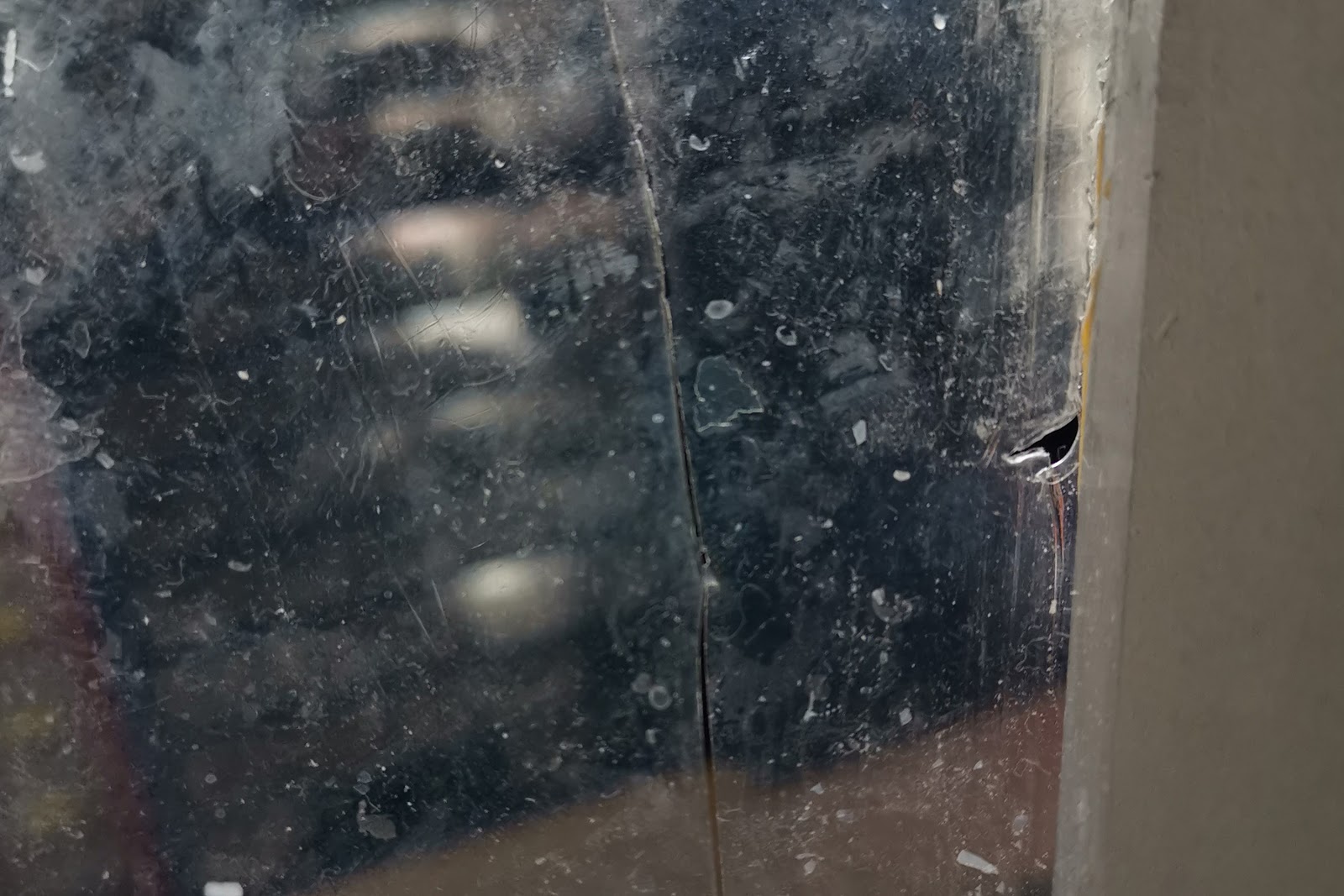
                  An extreme case of FEP film damage

                  The FEP film is a consumable item, which means it will degrade after a certain time. You can order replaceable FEP films from our e-shop.

                  If you replace the FEP film you must re-calibrate the printer!

                  How to replace the FEP film:

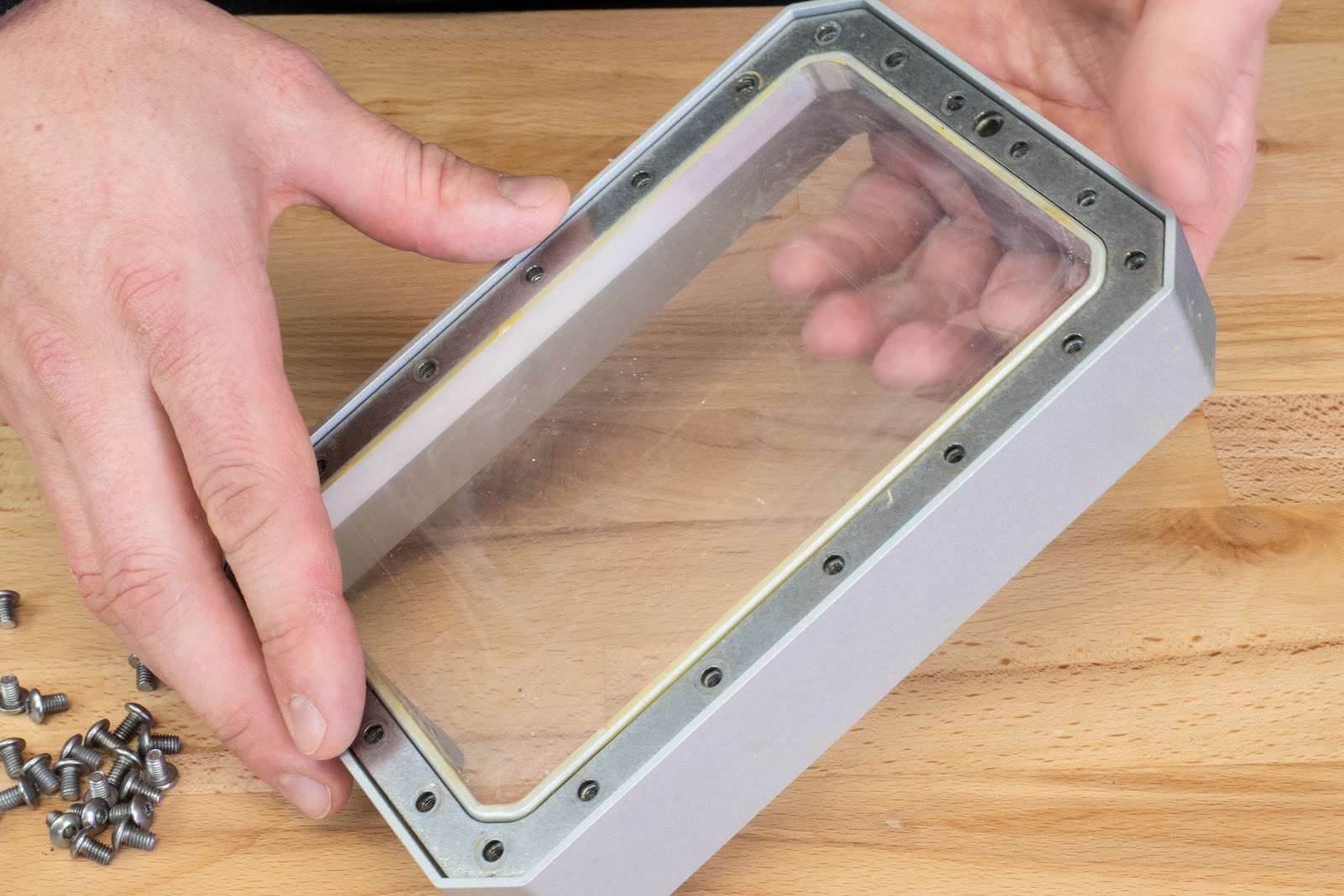
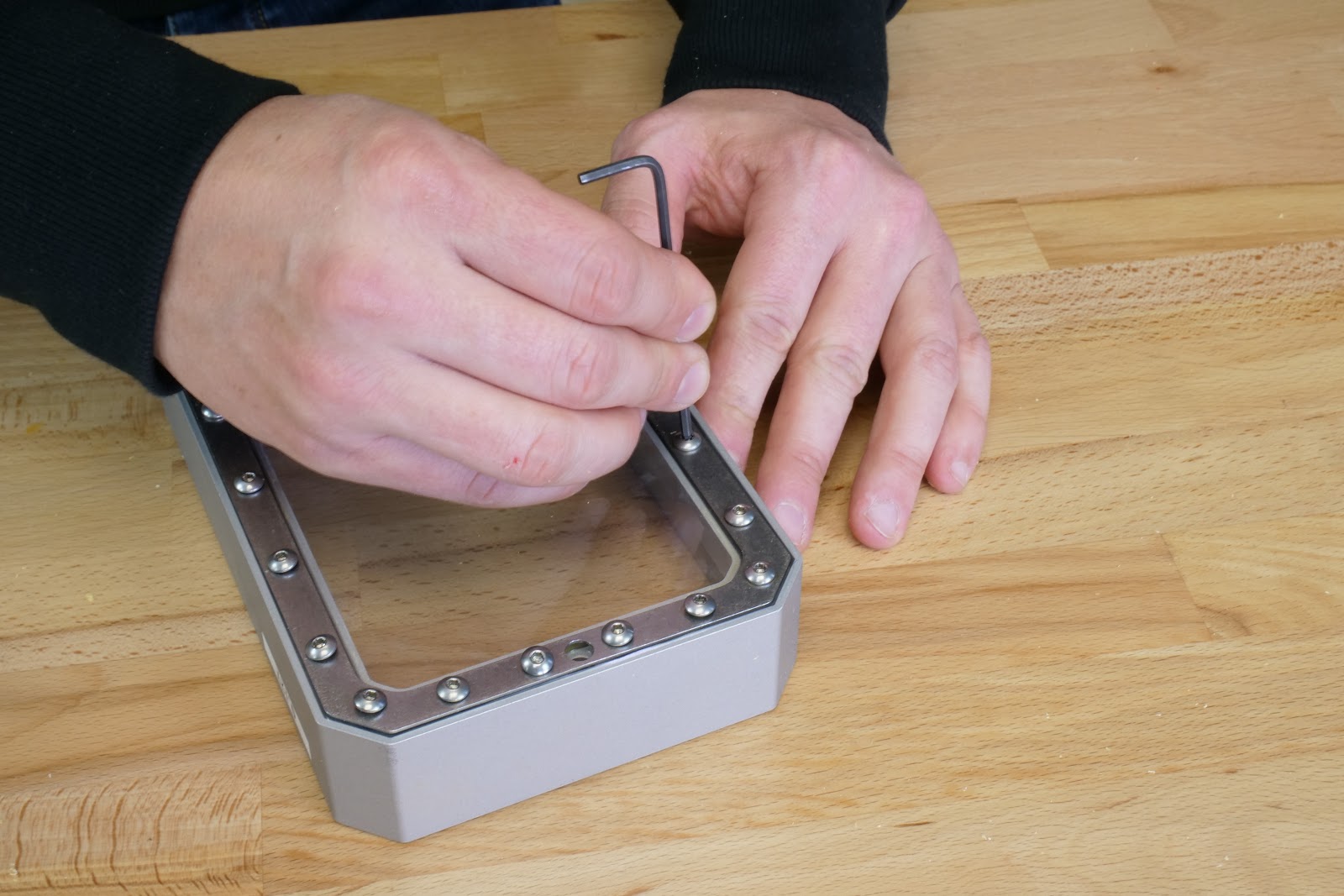
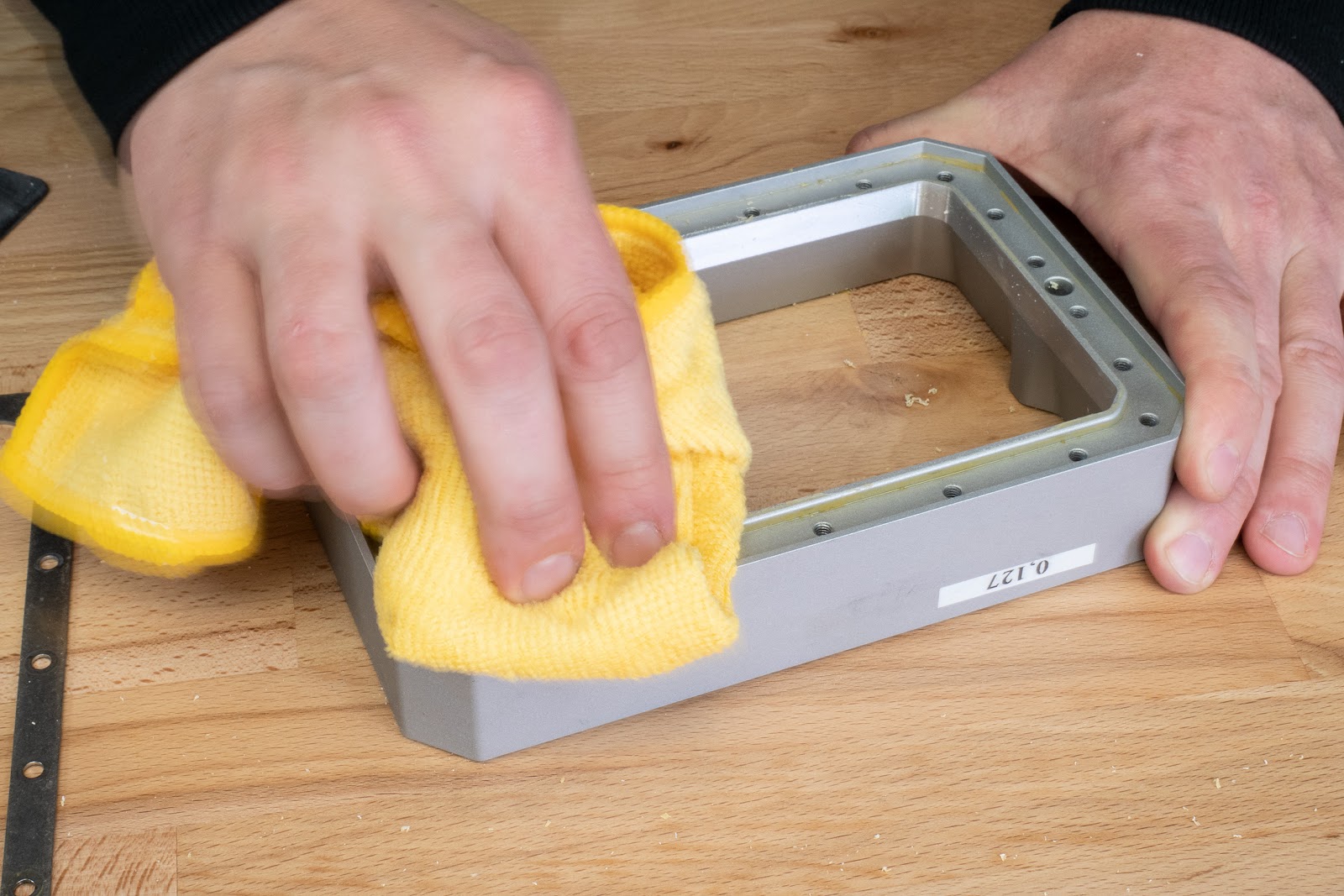
                  Before you start, clean the tank thoroughly and wipe it clean. Use T20 Torx key to loosen the screws. Remove all screws and gently press your fingers against the used FEP film to release it.

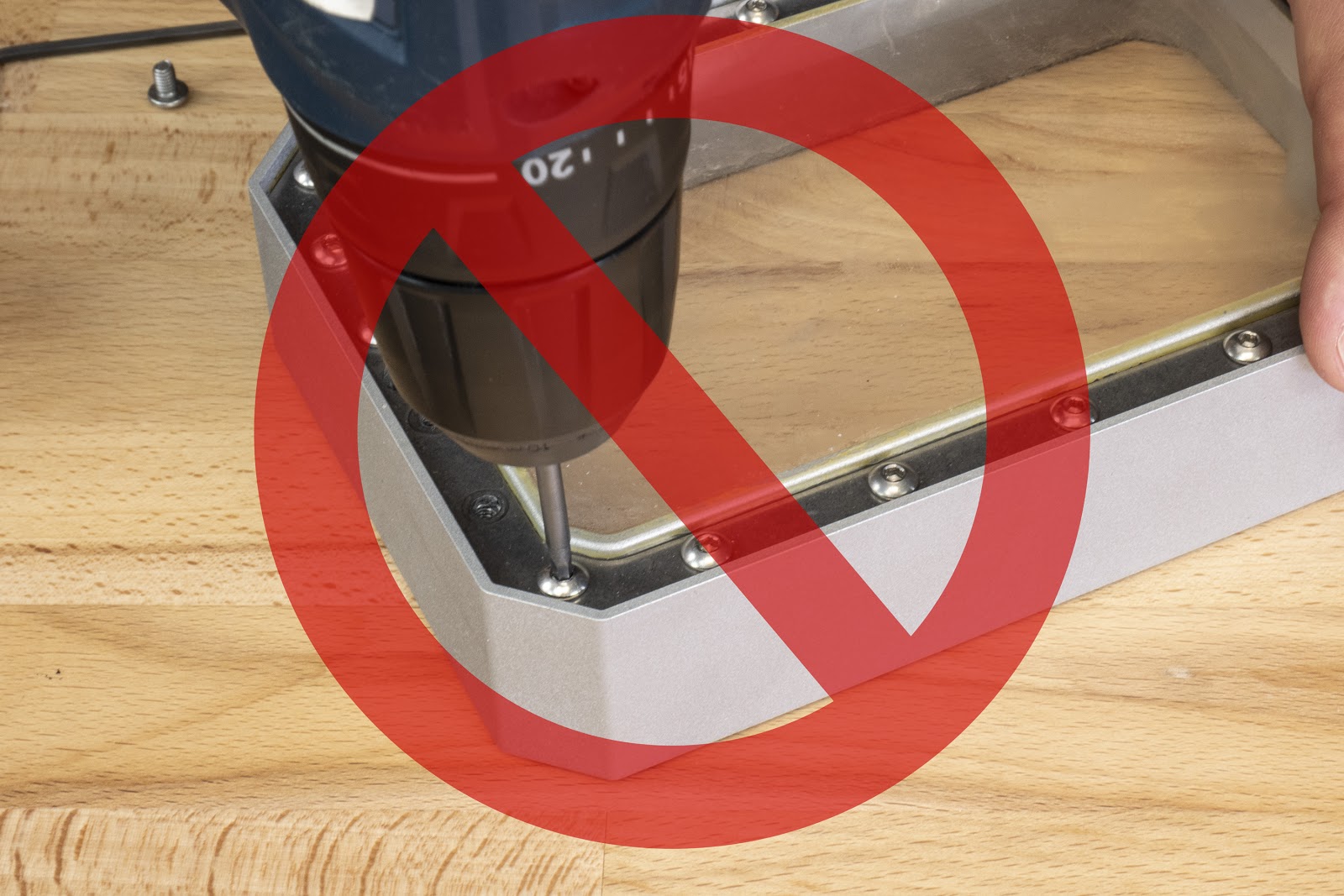
                  DON’T use a cordless screwdriver, as it has too much torque.

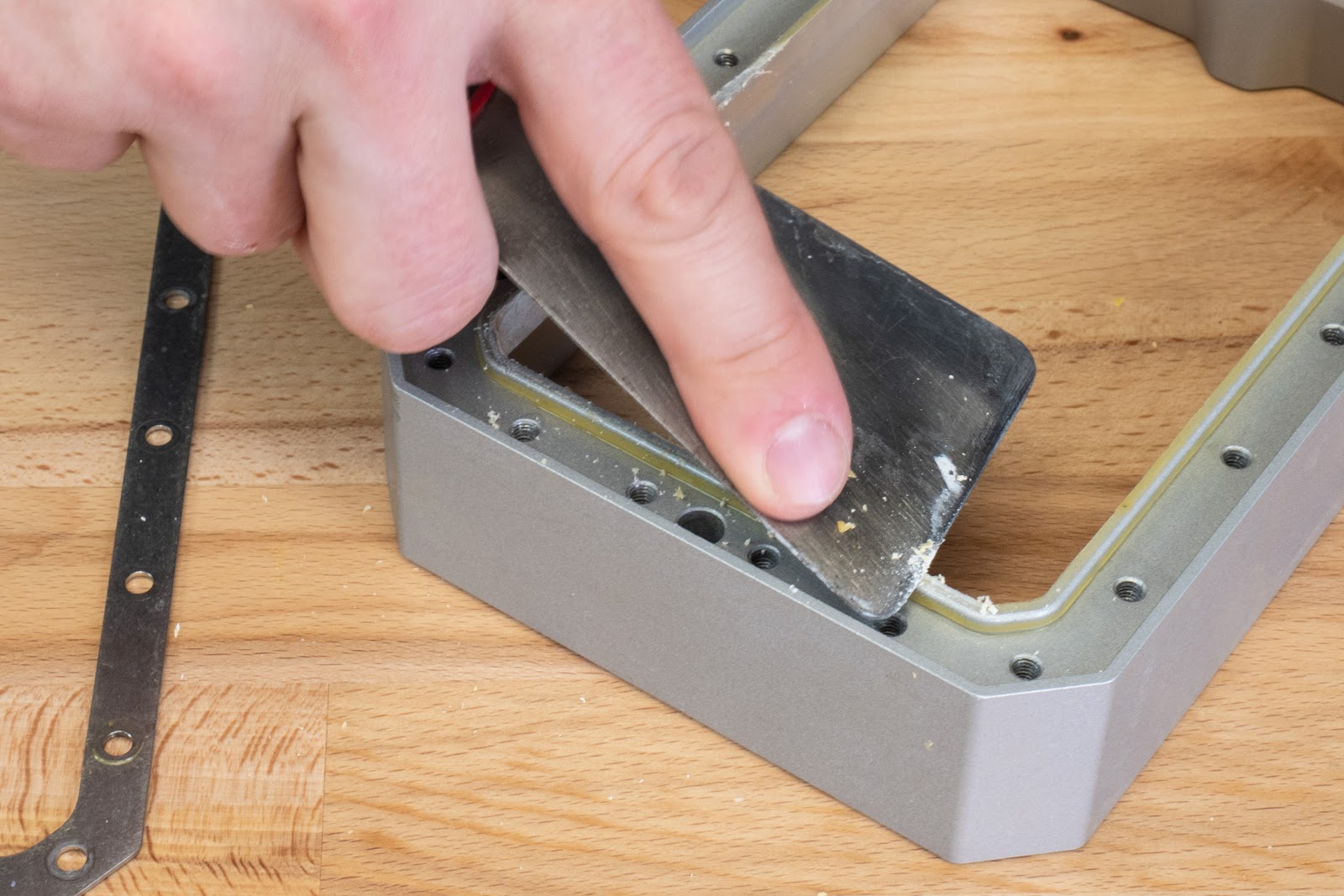
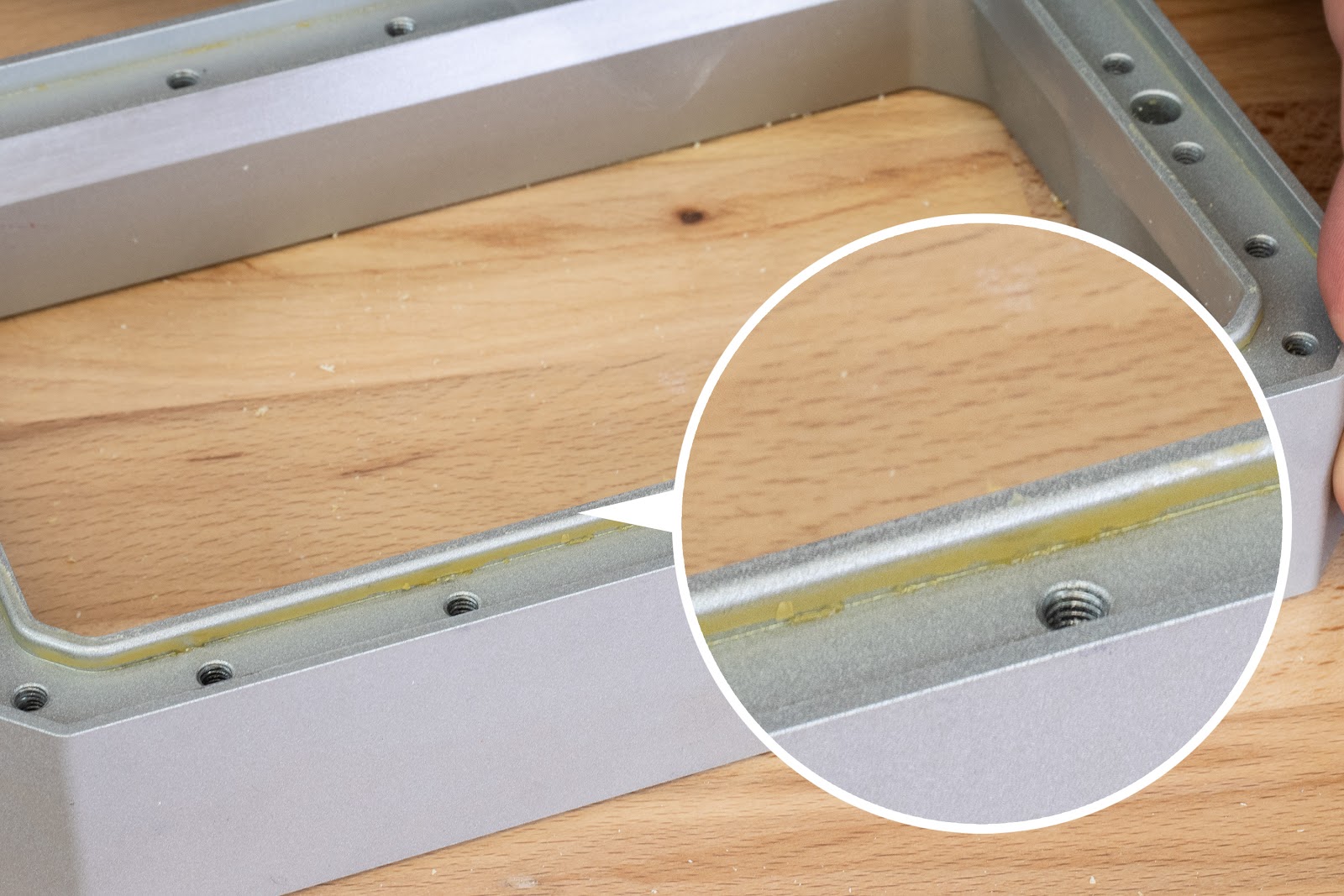
                  After you remove the FEP film, take a spatula and scrape all bits of leftover resin from the edges. The edges must be perfectly clean, otherwise, the tank will leak
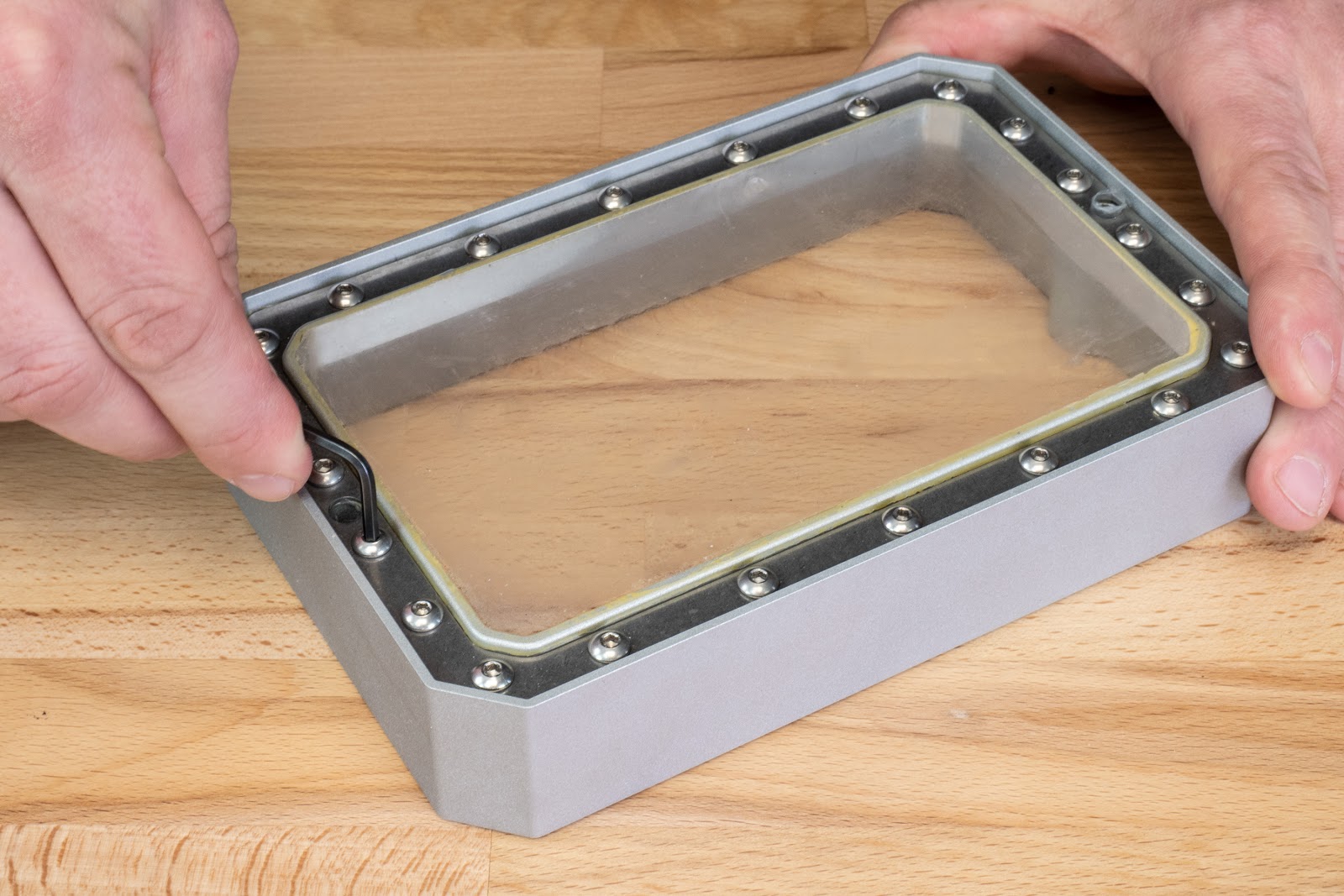
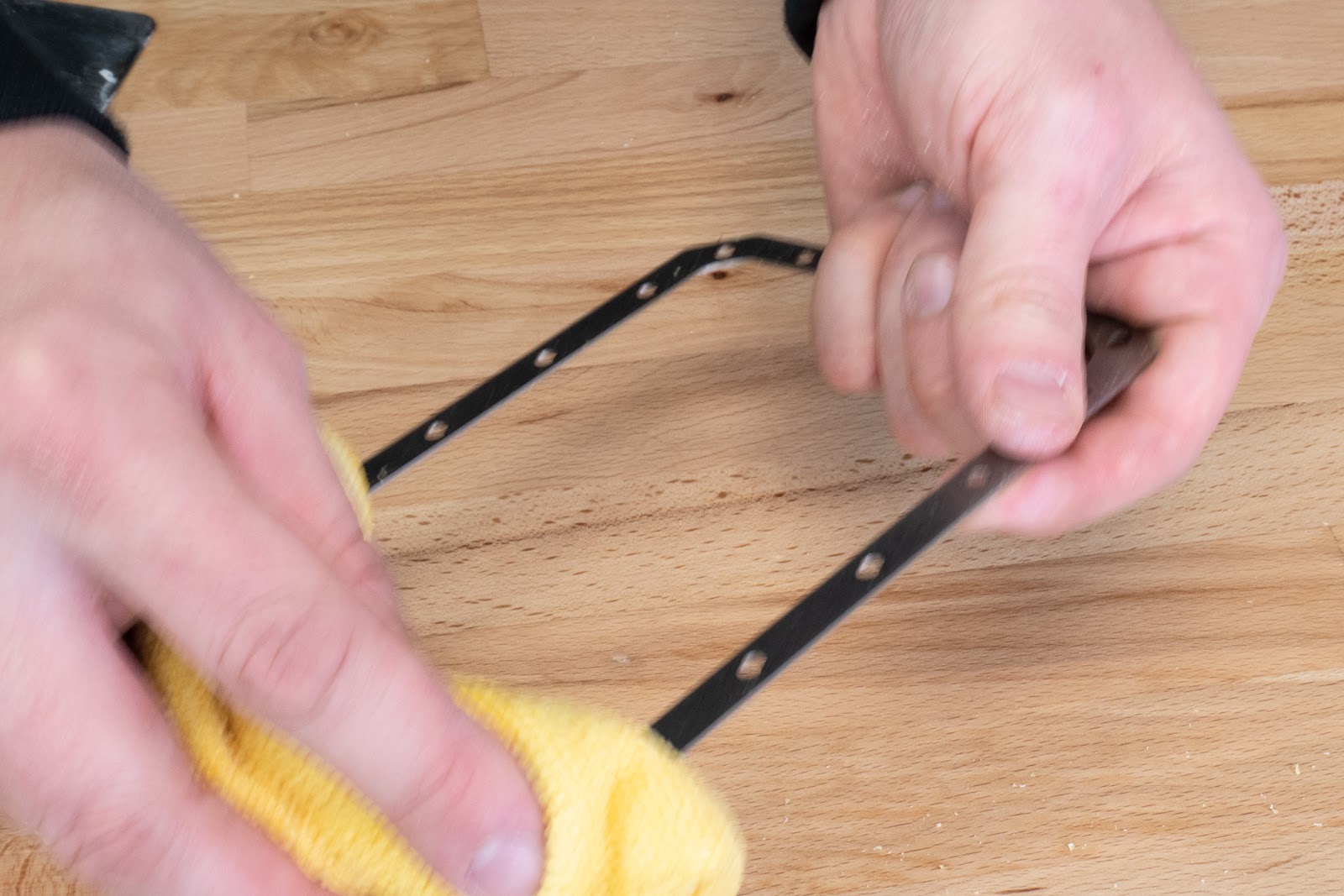
                  Clean the tank and frame using isopropyl alcohol

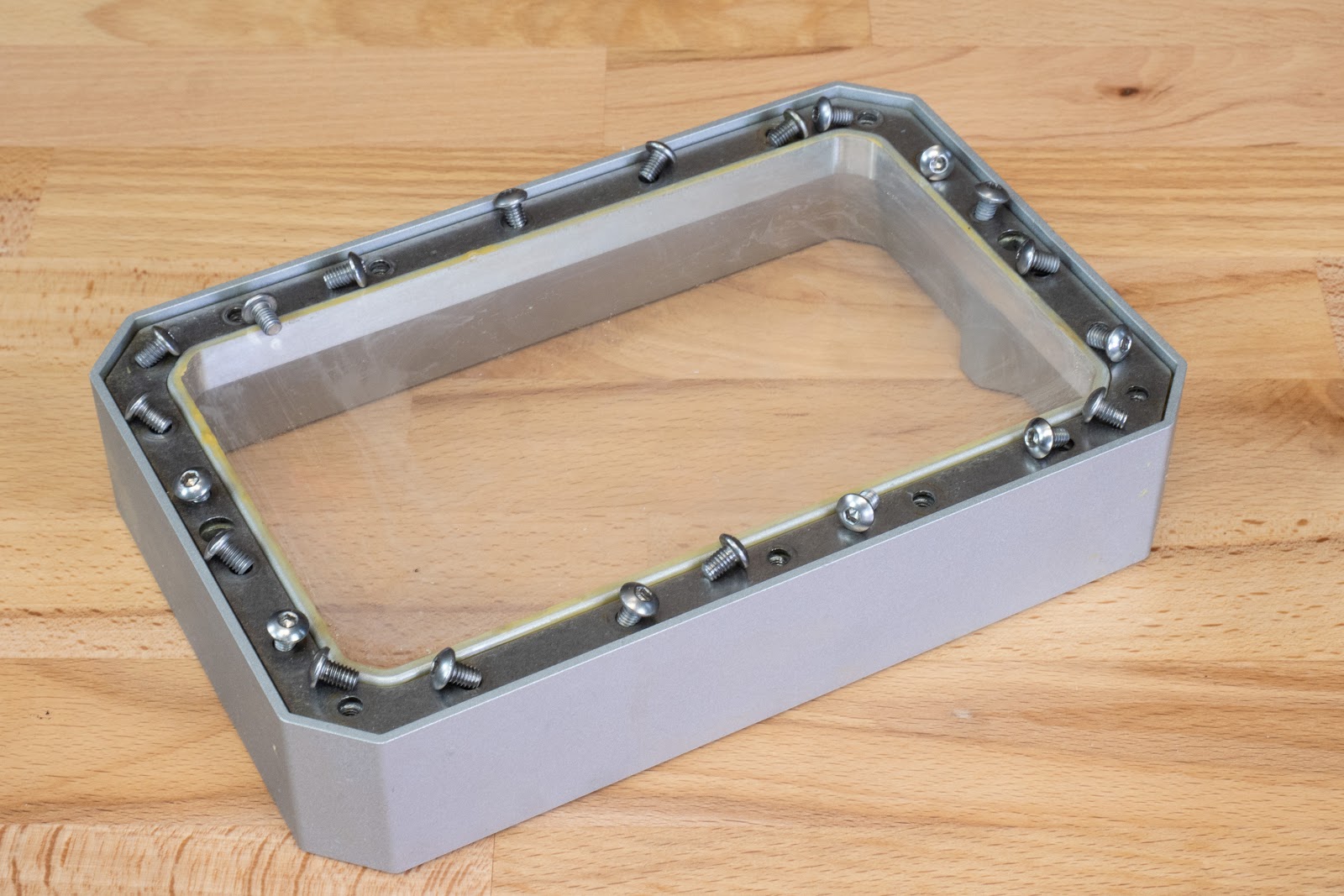
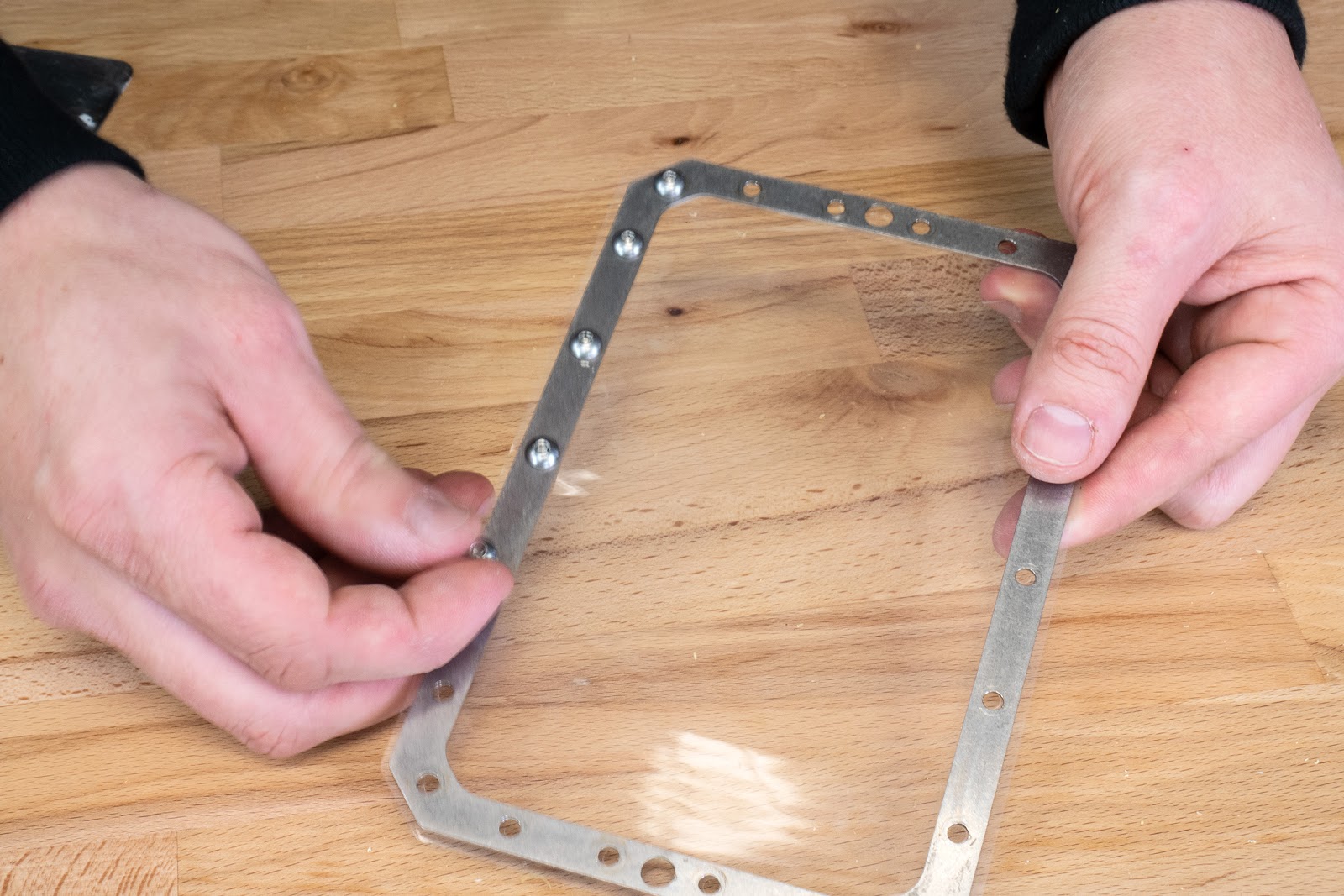
                  Remember to remove the protective plastic, on both sides of the new FEP film. Align the frame with the new FEP film, so the holes match, then start adding screws one by one.

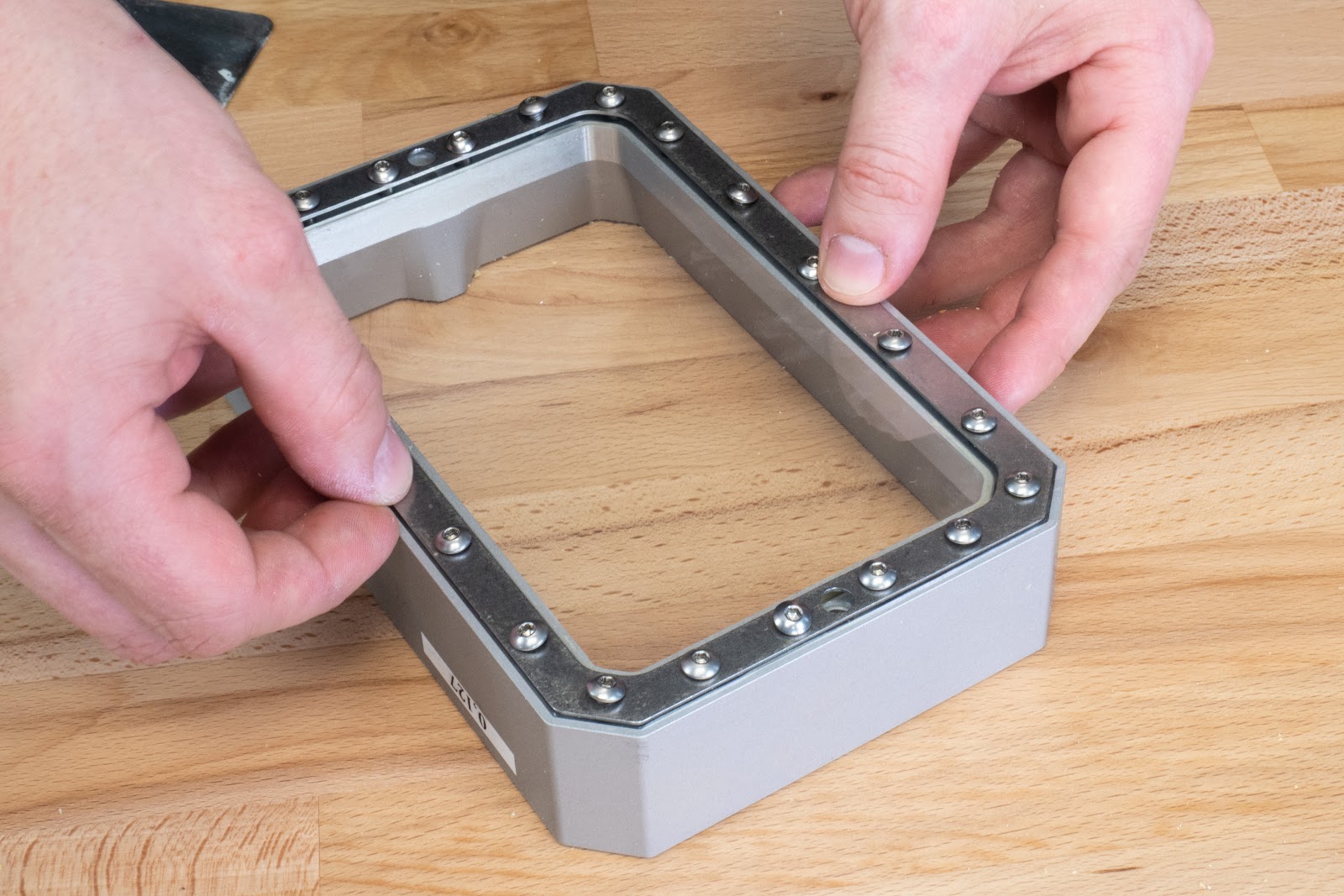
                  Place the assembly onto the tank body and align the screws with the holes. Don’t create holes for resin tank screws yet!

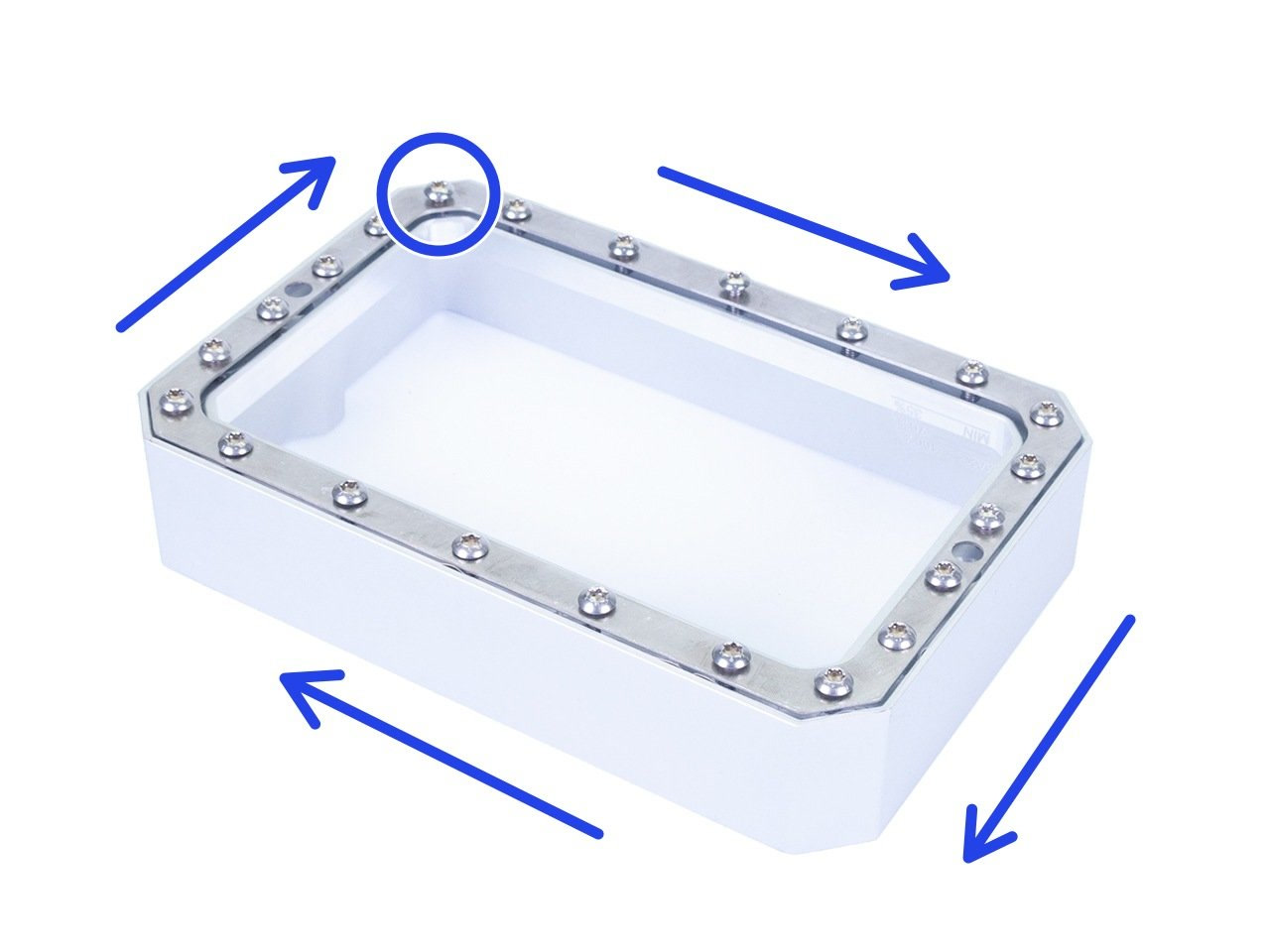
                  Start tightening the screws only halfway one by one clockwise, as shown in the picture. After all the screws are inserted but not tightened, reseat the parts if necessary and tighten the screws in the same order. Make sure that all screws are tightly screwed.
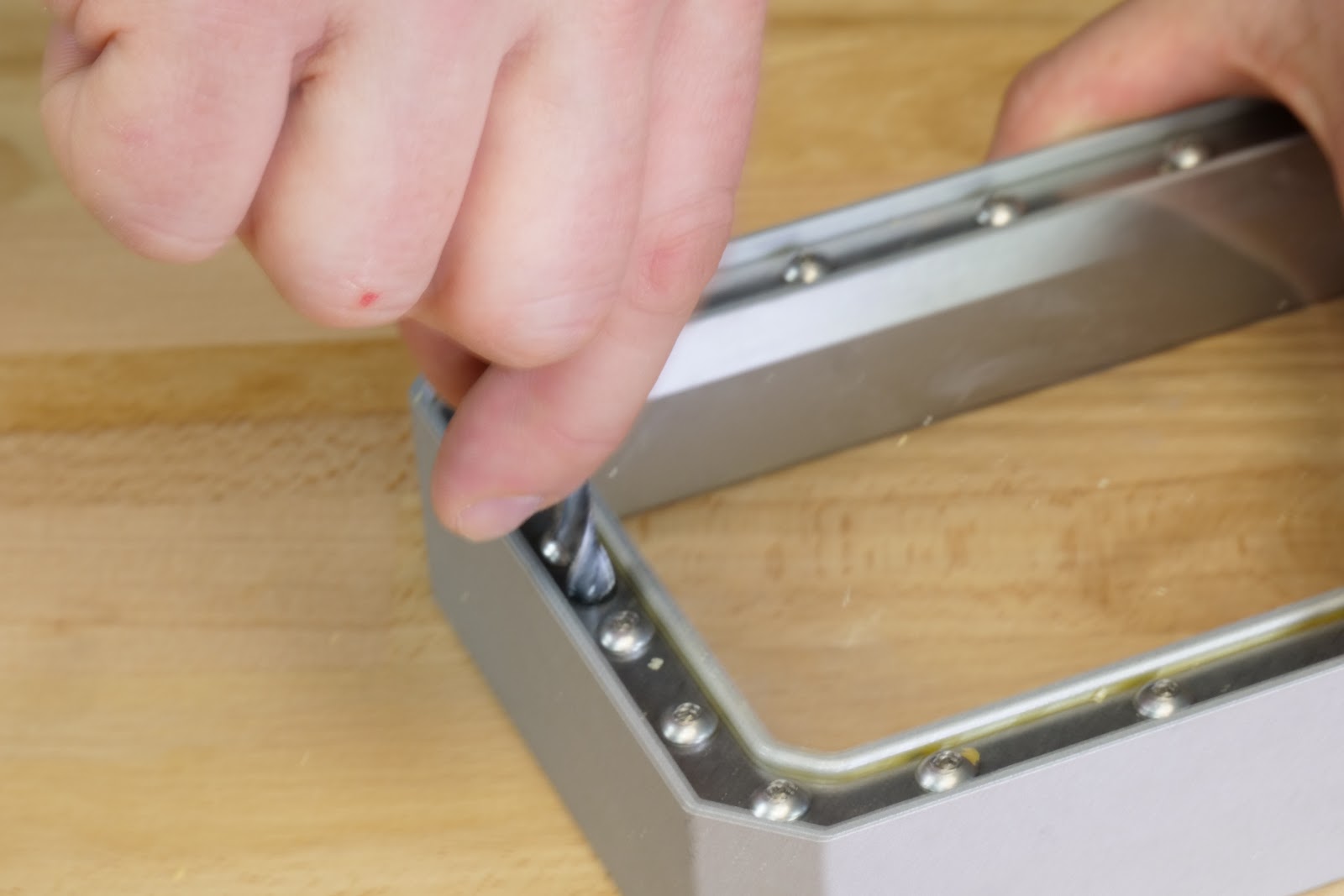
                  Once everything is in place, take an object with a sharp tip (e.g. a 6mm drill bit) and puncture two holes for resin tank screws.

                  Re-calibrate the printer, using the tank with the new FEP film.
                   
                  Was this article helpful?
                  This action is available only to registered users. Please log-in.

                  4 comments

                  Log in  to post a comment
                  Rob Meades
                  •
                  The pictures above show the SL1-style metal tank, whereas in my SL1->SL1S converted printer there is a plastic tank into which the 22 tiny torx screws must self-tap. The problem with this is that you can never be _quite_ sure when a self-tapped screw is "home" and any screw left slightly proud of the base of the tank will cause failed prints from then onwards because the tank will never be properly level.

                  It is a _really_ good idea to run the edge of a ruler across the base of the tank when done to check that you have not left a screw slightly high; without this you may find that your prints mysteriously start failing from then on, despite the new FEP and recent calibration.
                  Reply
                  Alex Lichius
                  •
                  I cannot see the assembly order in the images ambigiously clear: it seems logical that the FEP film is pressed down by the metal frame. Hence, the screws go through the metal frame first, then through the FEP film before fixing into the plastic. Is that correct? Thanks.
                  Reply
                  3dMakerparts
                  •
                  The FEP film on my printer is mounted with Torx20 instead of Allen key 2.5mm. Works also fine.
                  Reply
                  Brandon
                  •
                  It should be added to the instructions, that you need to remove the plastic film from BOTH sides of the FEP film prior to installation.
                  Reply
                  William H. - Official Prusa
                  •
                  Thank you. Included the reminder and freshened up the article a little.
                  Reply

                  Topics

                  • Using the printer
                    • Printer maintenance
                      • How to remove a stripped screw
                      • Firmware updating (SL1/SL1S)
                      • How to replace a blower fan (SL1)
                      • How to replace an optical sensor (SL1)
                      • How to replace the print display (SL1)
                      • How to replace the power button (SL1/SL1S)
                      • How to replace the A64 board (SL1)
                      • How to replace the USB connector (SL1/SL1S)
                      • How to post-process the printed parts
                      • How to replace a UV LED assembly (SL1)
                      • How to replace a filter (SL1/SL1S)
                      • SL1/SL1S print removing
                      • FEP film replacement (SL1)
                      • SL1/SL1S maintenance
                    • 3D models
                    • Material guide
                    • Slicing
                    • Prusa Connect & PrusaLink