Prusa
  • SHOP
    • Learn more
    • All deals
    3D printers
    • CORE One+ (Gen2)
    • CORE One L+
    • XL+
    • MK4S
    • Mini+
    • HT90
    Consumables and Merch
    • Prusament
    • Resin
    • Buddy filament
    • Merch
    • Accessories
  • SHOP
    • Latest products
    BY CATEGORY
    • 3D printers
    • Upgrades
    • Materials
    • Accessories
    • Spare parts
    • Courses
    • Merch
    • Sales inquiry & Price quote
    QUICK LINKS
    • Shipping information
    • Refunds & returns
    • Payment options
    • Warranty
    • VAT & Customs fees
    • FAQ

    0 item in your cartitems in your cart

    Your cart is empty

    Go to cartShop 3D printers

    My profile

    Log in to see orders, saved items

    My profile

    Signed in as

    • Orders
    • Logout
  • 3D PRINTING
    • Explore 3D printing
    FOR BEGINNERS
    • 3D printing 101
    • Types of printers (FDM/SLA)
    • How to choose a 3D Printer
    • Printables (3D models)
    BY APPLICATION
    • Rapid prototyping
    • Manufacturing
    • Engineering
    • Research
    • Arts & design
    GO DEEPER
    • Materials guide
    • Courses
    • Webinars
    • Case studies
    • Custom 3D printing
  • 3D PRINTERS
    • All 3D printers
    FOR
    • Home or garageHobbyists, tinkerers and home printing
    • Shop or studioIn-house production for small teams
    • EnterpriseFleets, security and scale
    • How to choose a 3D Printer
    SHOP & BROWSE
    • CORE One+
    • CORE One+ INDX
    • CORE One L+
    • CORE One L+ INDX
    • XL+
    • MK4S
    • Prusa Pro HT90
    • Prusa Pro AFS
    • Prusa Pro SLX
    MORE FROM PRINTERS
    • Upgrades
    • Spare parts
    • Critical infrastructure
    • Case studies
    • Signature Oak
    • Kits
  • MATERIALS
    • All materials
    BY USE
    • Every-day & design
    • Functional engineering
    • Composites
    • Pro speciality
    • SLA resins
    PRUSAMENT
    • PLA
    • PETG
    • ASA
    • PC
    • PA11
    • Flex
    • TPU
    MORE FROM MATERIALS
    • Materials guide
    • We make material in house
    • Sustainability
    • Order on the store
  • SOFTWARE
    • All software
    PREPARE THE PRINT
    • PrusaSlicer
    PRINT & MONITOR
    • Prusa Connect
    • EasyPrint
    • iOS & Android app
    • Prusa Farm
    GET STARTED
    • Download & install
    • Knowledge base
    MORE FROM SOFTWARE
    • Printables (3D models)
  • SUPPORT
    • Explore support
    FIND ANSWERS
    • Knowledge base
    • Troubleshooting
    • Courses
    • Webinars
    GET HELP
    • Contact us
    • Livechat
    • Shipping information
    • Warranty
    • Refunds & returns
    • Spare parts
    • Factory repair
    COMMUNITY
    • Forum
    • Reddit
    • Printables
  • TRUST CENTER
    • Trust Center overview
    BY TOPIC
    • GDPR
    • Certificates
    • Security
    • Compliance
    COMMITMENTS
    • Sustainability report
    TALK TO US
    • Contact the security team
  • COMPANY
    • About Prusa
    GET TO KNOW US
    • Our story
    • How we make printers
    • Open source
    • Brand & media kit
    NEWS
    • Blog
    • Newsroom
    • Events
    TRUST & PARTNERS
    • Sustainability
    • Resellers & distributors
    • Affiliate program
    • Contact
    • English
    • Čeština
    • Deutsch
    • Español
    • Français
    • Italiano
    • Polski
    • 日本語
  • Signed in as

    • Orders
    • Address
    • In-stock Alerts
    • My Courses
    • Subscription
    • Edit Account
    • Logout

Log in to see orders, saved items

Signed in as
  • Orders
  • Address
  • In-stock Alerts
  • My Courses
  • Subscription
  • Edit Account
  • English
  • Čeština
  • Deutsch
  • Español
  • Français
  • Italiano
  • Polski
  • 日本語
Shop

0 item in your cartitems in your cart

Your cart is empty

Go to cartShop 3D printers

My profile

Log in to see orders, saved items

My profile

Signed in as

  • Orders
  • Logout
SHOP
  • Latest products
BY CATEGORY
  • 3D printers
  • Upgrades
  • Materials
  • Accessories
  • Spare parts
  • Courses
  • Merch
  • Sales inquiry & Price quote
QUICK LINKS
  • Shipping information
  • Refunds & returns
  • Payment options
  • Warranty
  • VAT & Customs fees
  • FAQ

Featured products

    Popular categories

      Trending searches

        Articles

          Blog

            Products

              Categories

                Suggested searches

                  Searching…
                  No results
                  Something went wrong.
                  ↑↓ Select↵ OpenEsc Close search
                  1. Support
                  2. Printer maintenance
                  3. Prusa USS Drybox - Installation on MK4/3.9 series
                   

                  Contents

                  • PTFE tube preparation
                  • Installation

                  Blog

                  • Prusa Black Friday 2026 Is Here! Grab the Biggest Deals of the Year
                  • 400°C HT Hotend is out! Plus: New Materials and HighTemp Sheets for CORE One+/L+.
                  • Blender for 3D Printing: The 5-Minute Guide to STL Editing

                  Newsletter

                  Signup and get our monthly squeeze on updates, blog, printables and much more.

                  By clicking, you agree to receive our newsletter.

                  This site is protected by reCAPTCHA Enterprise and the Google Privacy Policy and Terms of Service apply.

                  Heavy Duty Keyboard Holder (No Supports)
                  E-shop
                  • 3D Printers
                  • Printer Upgrades
                  • Filaments
                  • Accessories
                  • Prusa Merchandise
                  Prusa

                  © Prusa Research a.s.

                  Printables
                  • 3D Models
                  • Store
                  • Clubs
                  • 3D Design Contests
                  • Brands
                  Community
                  • World Map
                  • Forum
                  • User Groups
                  • Events
                  Help
                  • Prusa Help
                  • Prusa Academy
                  • 3D Printing Calculators
                  Software
                  • PrusaSlicer
                  • Prusa.app
                  • Prusa Connect
                  • Drivers and Software
                  Company
                  • About Us
                  • Blog
                  • Official Prusa Resellers
                  • Contact Us
                  • Certified for ISO 9001, ISO 14001, ISO 45001
                  • General Terms and Conditions
                  • General Terms and Conditions of Use of the PRUSA Websites
                  • Privacy Policy
                  • Information about cookies
                  • Customer Complaints Policy
                  • Status Page
                  • Do Not Sell or Share My Personal Information
                  • Supplemental Statements
                  Prusa
                  • General Terms and Conditions
                  • General Terms and Conditions of Use of the PRUSA Websites
                  • Privacy Policy
                  • Information about cookies
                  • Customer Complaints Policy
                  • Status Page
                  • Do Not Sell or Share My Personal Information
                  • Supplemental Statements

                  © Prusa Research a.s.

                  JOSEF PRUSA®, PRUSA RESEARCH®, PRUSA POLYMERS®, PRUSA ORANGE®, PRUSA 3D ® AND PRUSAMENT® are registered trademarks of Prusa Development a.s. used by Prusa Research a.s. under licence from Prusa Development a.s.

                  Prusa USS Drybox - Installation on MK4/3.9 series

                  Relevant for

                  MK4 family
                  MK3.9 family
                  Accessories
                  11 comments
                  Article is also available in following languages
                  English
                  Čeština
                  Polski
                  Deutsch
                  Français
                  Español
                  Italiano
                  日本語

                  This guide describes how to install the Prusa USS Drybox on Prusa MK4/S and MK3.9/S

                  The Drybox is not compatible with MK printers installed in the Enclosure or with the MK3/S/+

                  All supported MK printers use the same Drybox mounting principle with a printed adapter, dual puck system, and direct PTFE routing to the extruder.

                  This guide covers adapter assembly, Drybox mounting, and PTFE connection to the extruder.

                  Before starting, make sure the Drybox is fully assembled and loaded with filament. If not, follow the First setup and filament loading (USS Drybox) article.

                  PTFE tube preparation

                  For installation, the PTFE tube must be cut to 50 cm.

                  Ensure a clean, straight cut to avoid filament friction or misalignment.

                  Installation

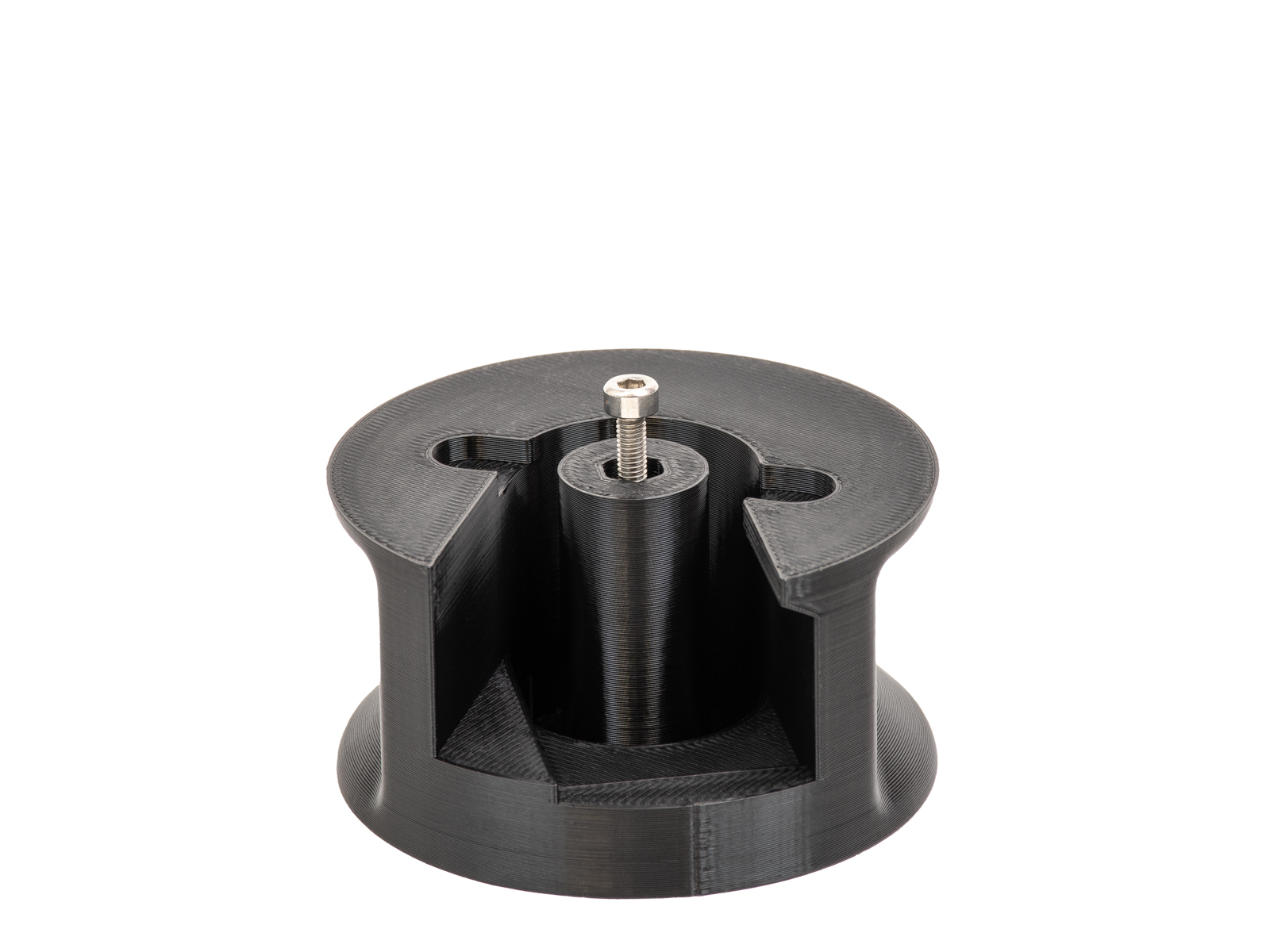
                  Before starting the Drybox installation, print the required adapter parts available on Printables, including:

                  • Adapter
                  • 2x Pucks
                  • 2x Removable spoolholders (If you only have one drybox, only one spool holder is needed.)

                  You will need:

                  • Spoolholder (It is already included with the printers)
                  • 2.5 mm Allen key
                  • 4x M4x6 screws
                  • 2x M3x18 screw
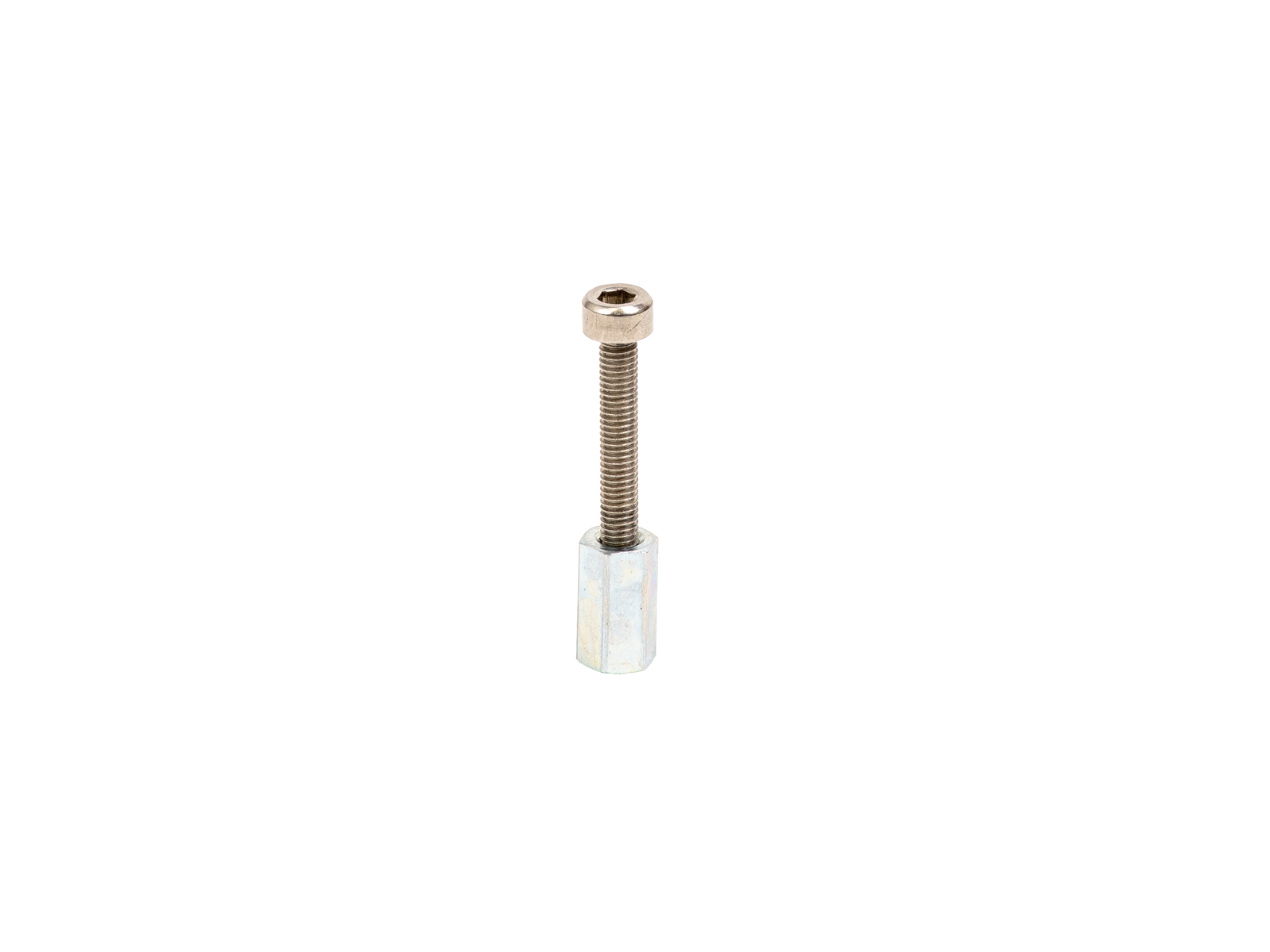
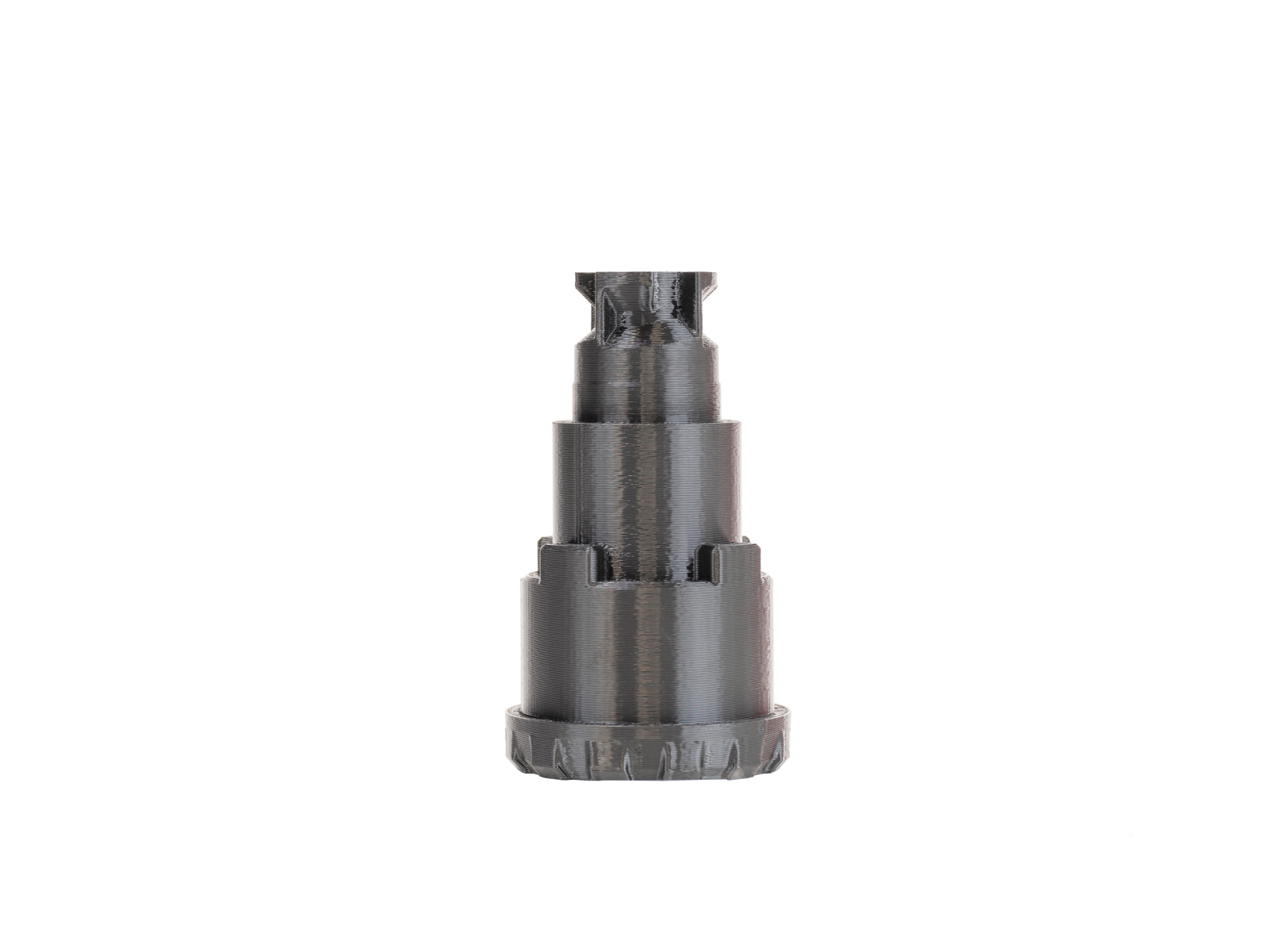
                  • Hexagonal spacer
                  • M5-4 fitting (available on our e-shop
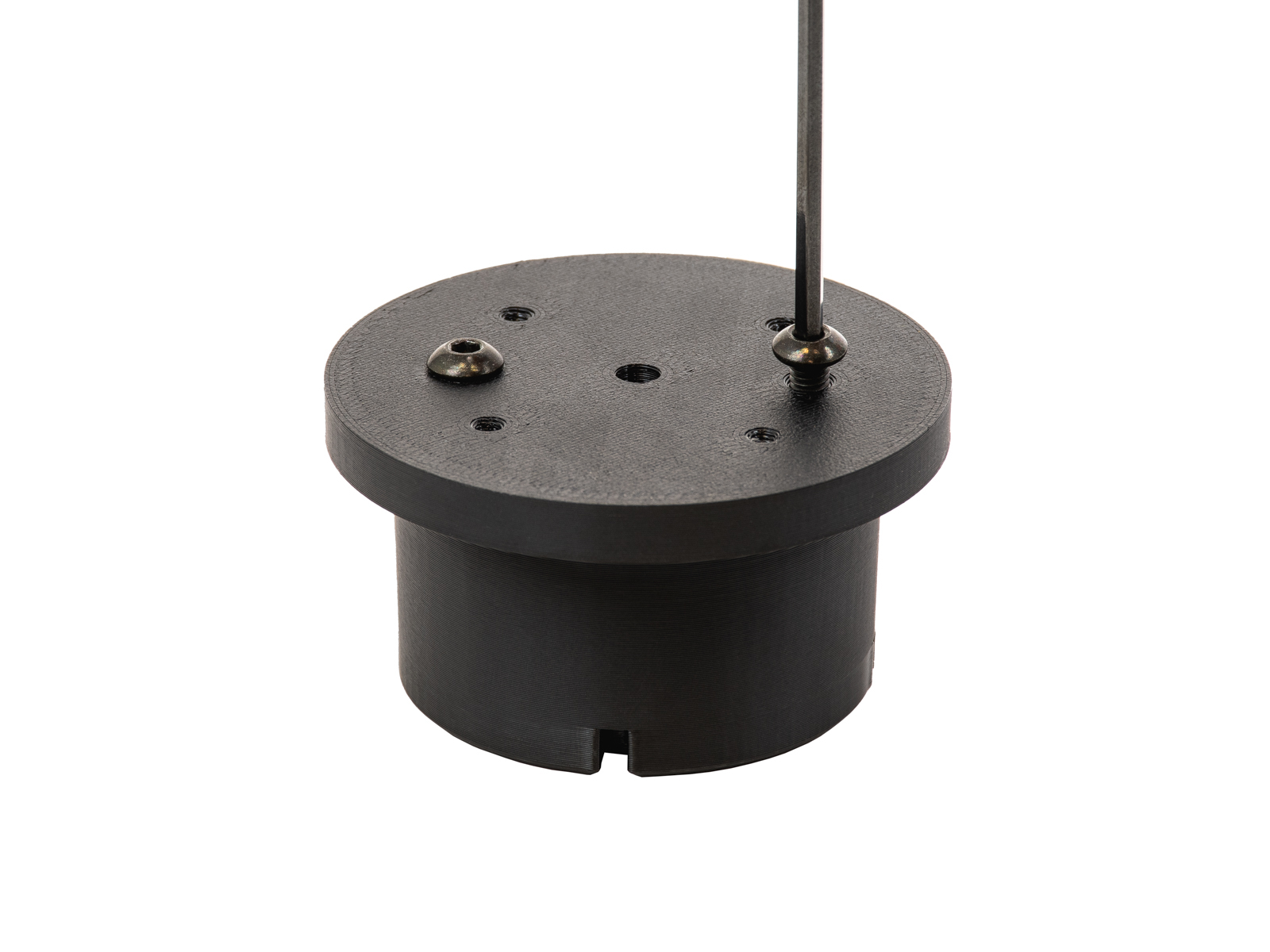
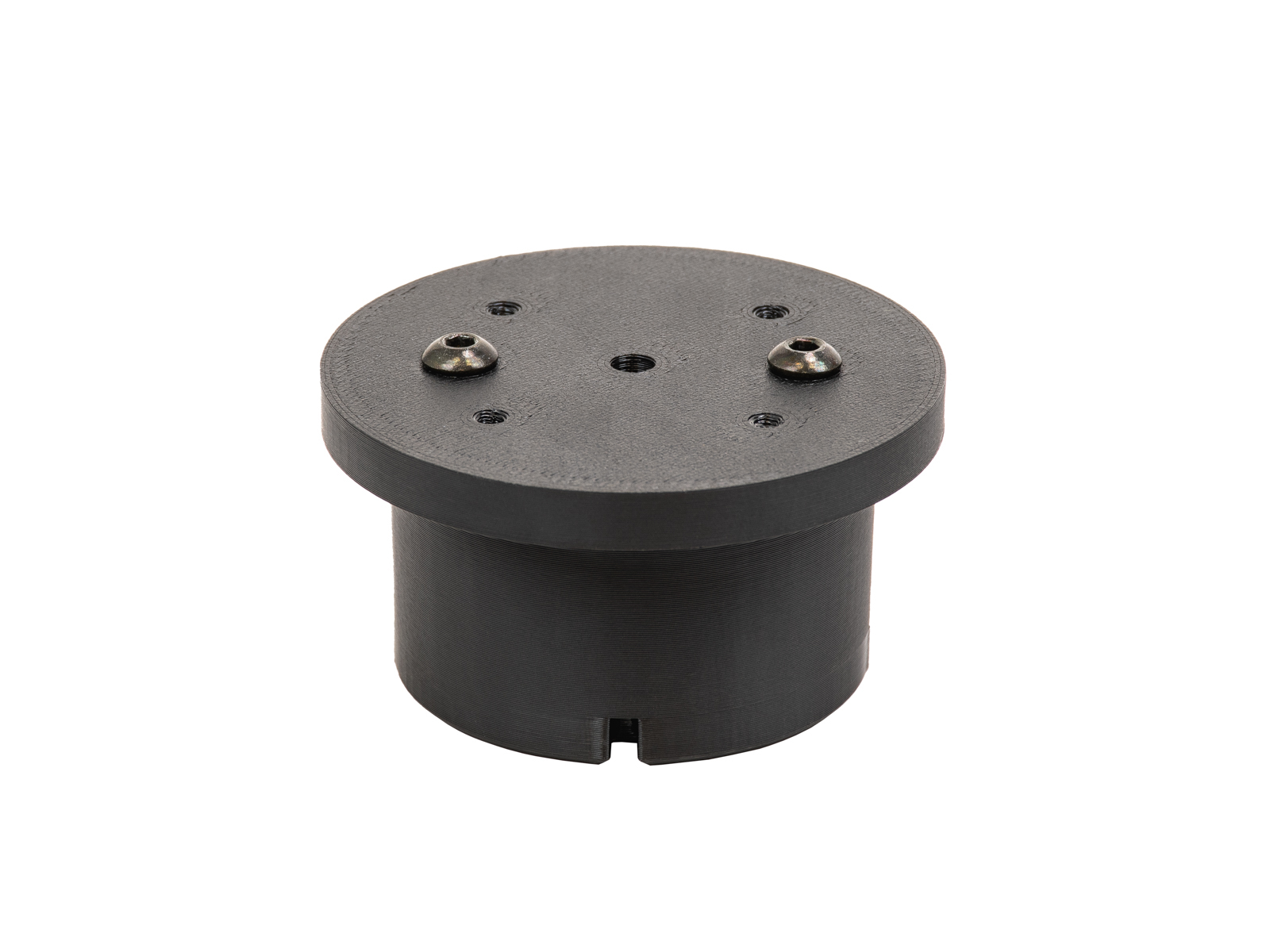
                  1. Prepare two pucks by placing two M4x6 screws on their flat part.
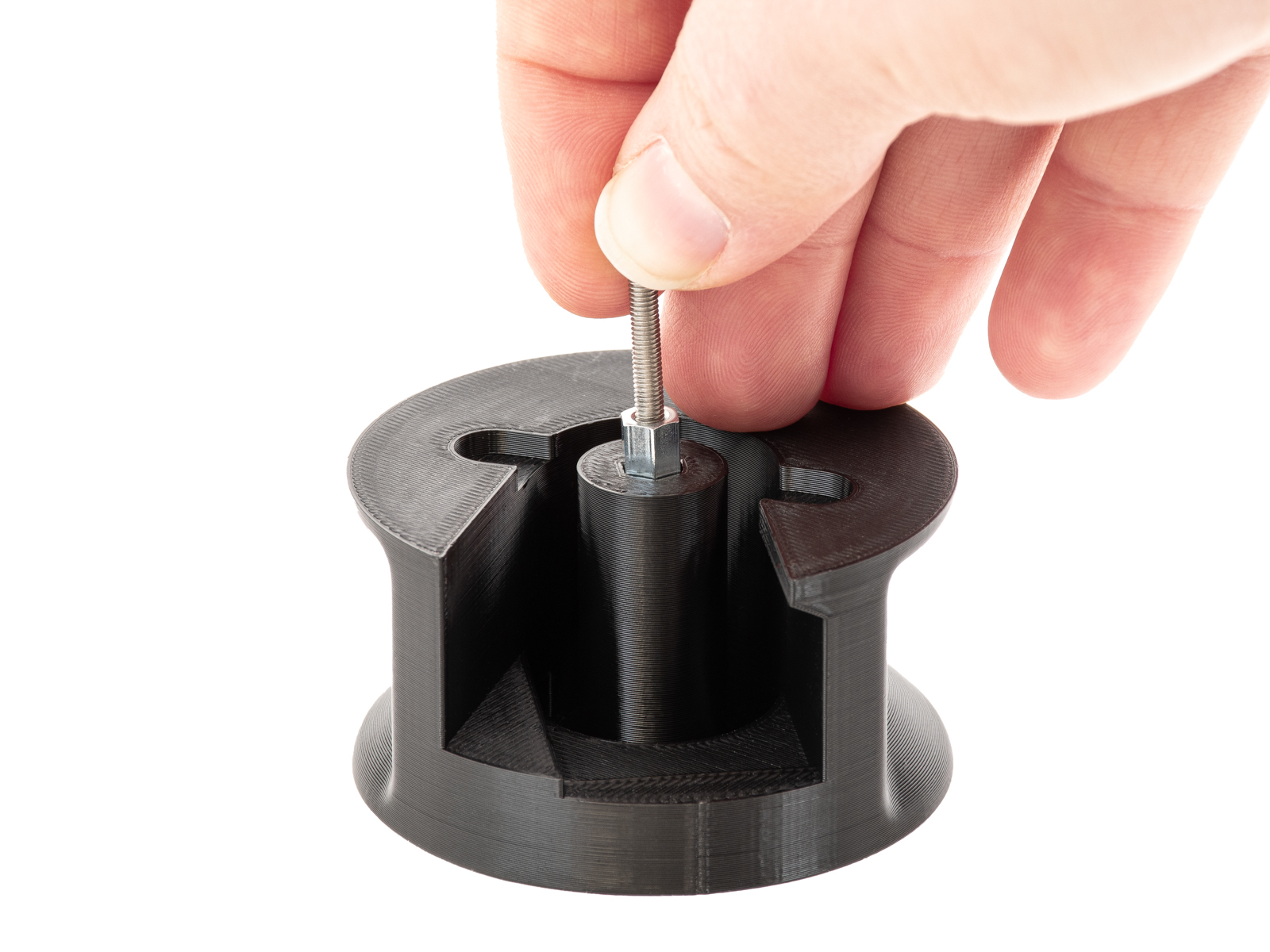
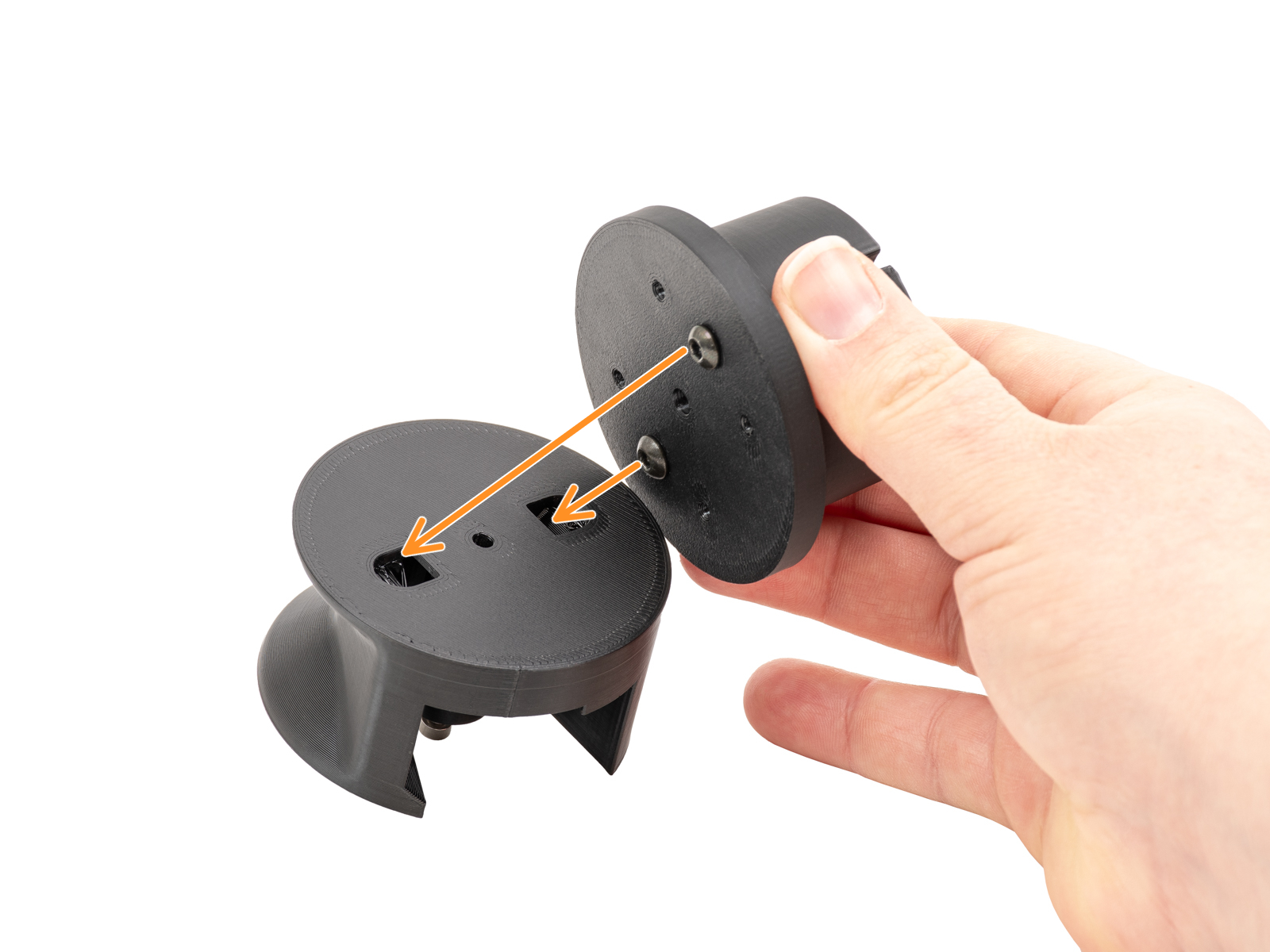
                  1. Thread an M3x18 screw until the middle of the spacer, and insert it into the middle opening of the adapter.
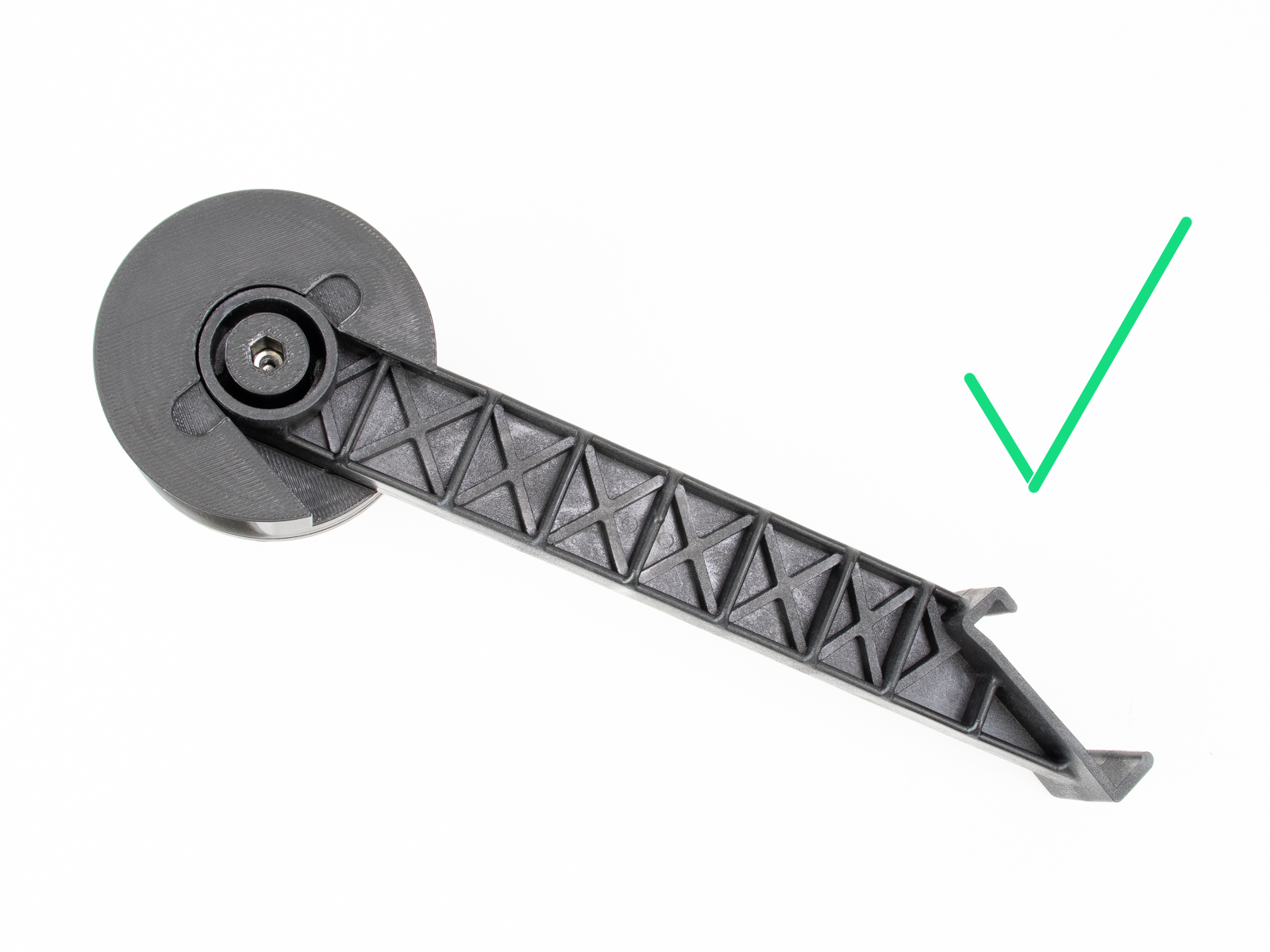
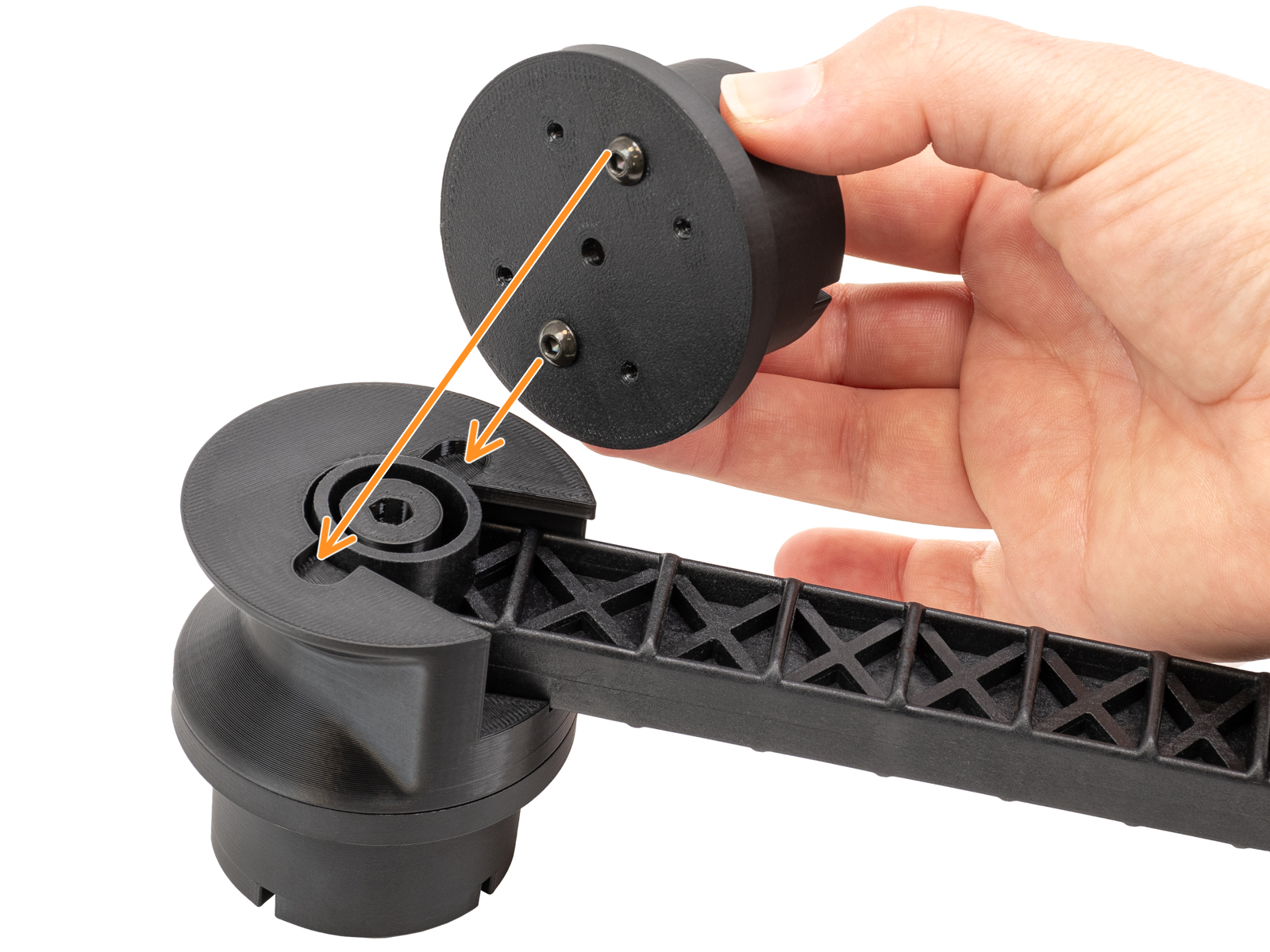
                  1. Join the adapter and the puck as shown below using another M3x18 screw. Use the side of the adapter that does not contain the screw from the previous step.
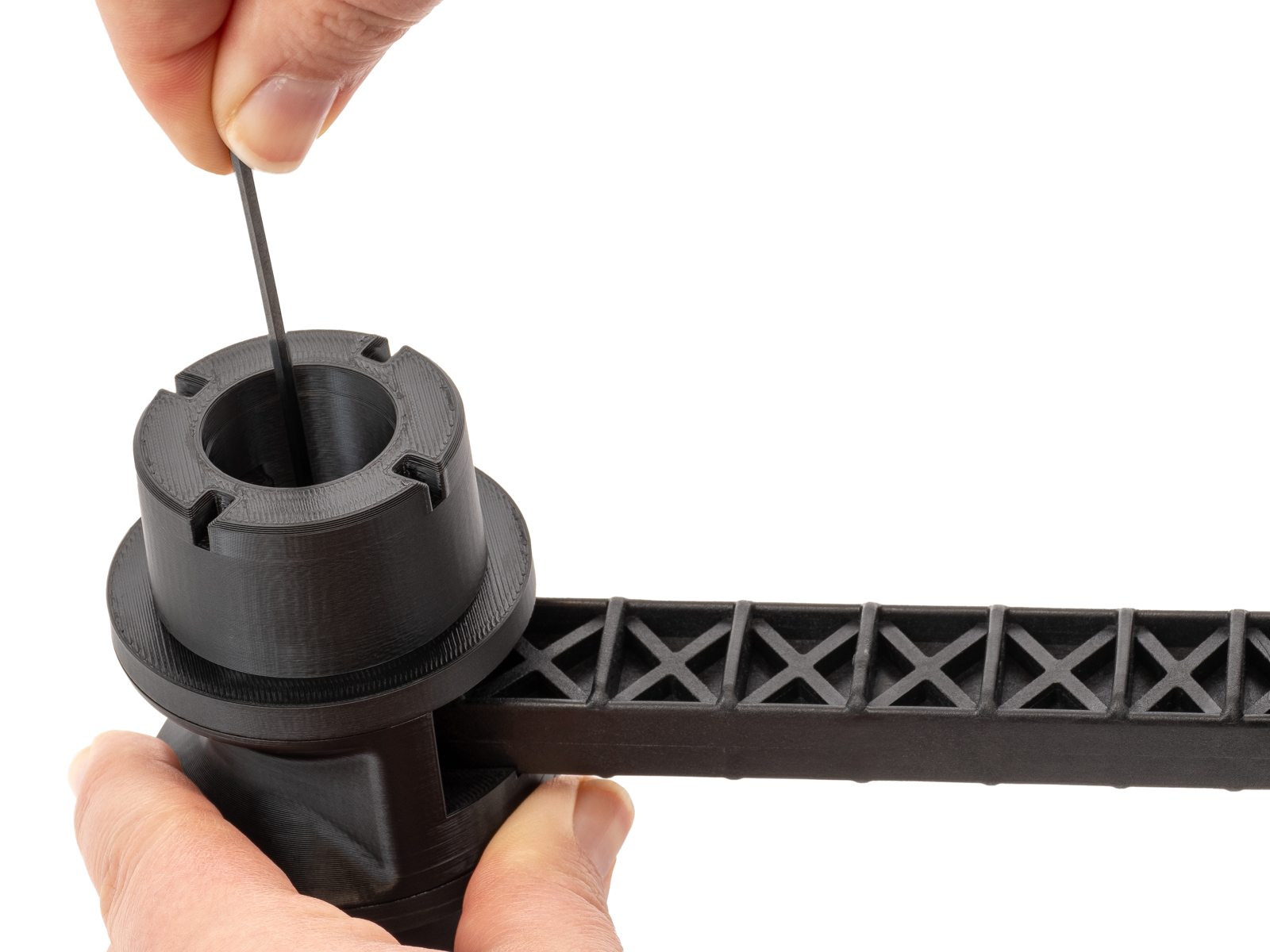
                  1. Turn the adapter over and unscrew the screw from the nut in the adapter.
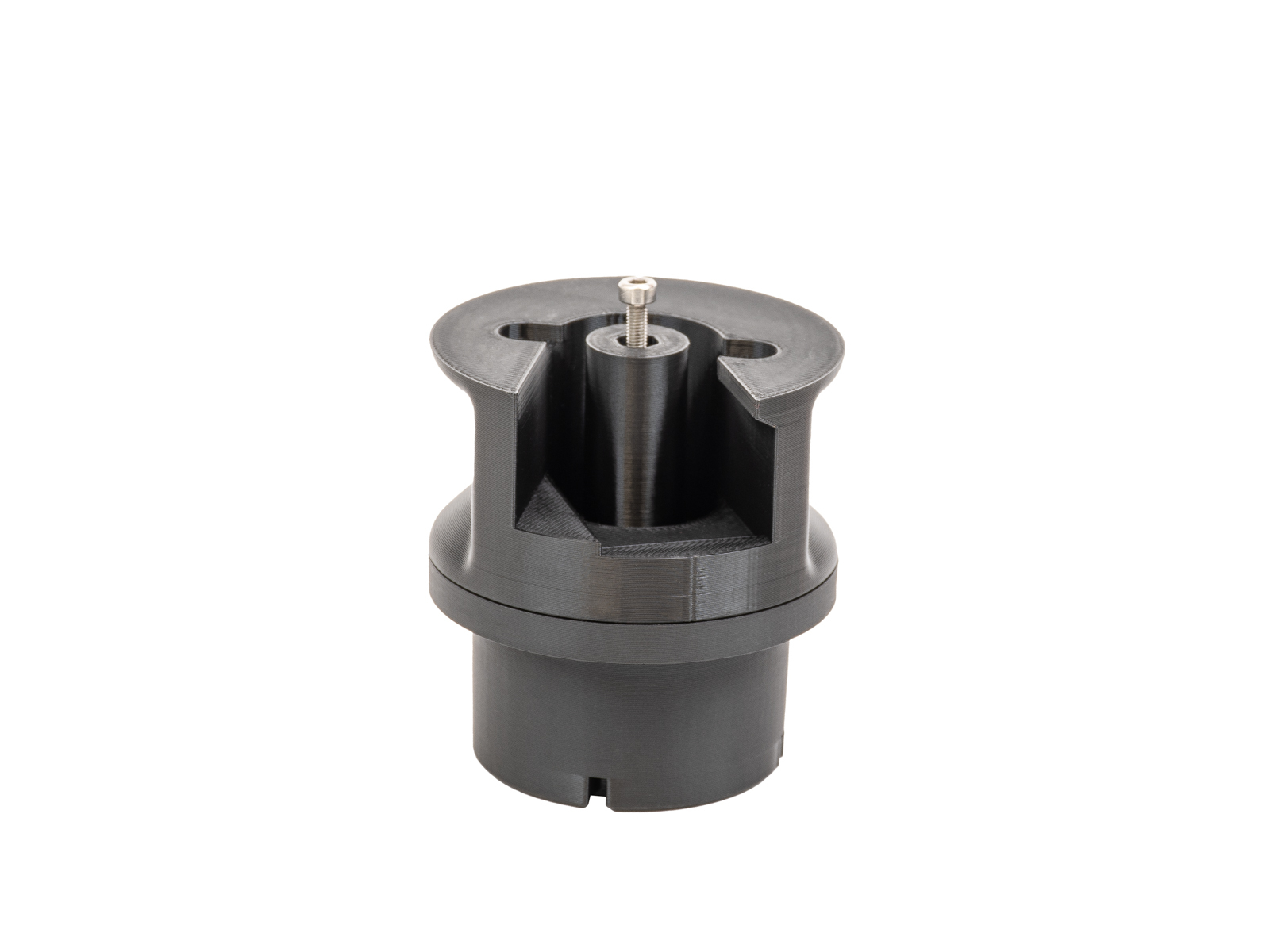
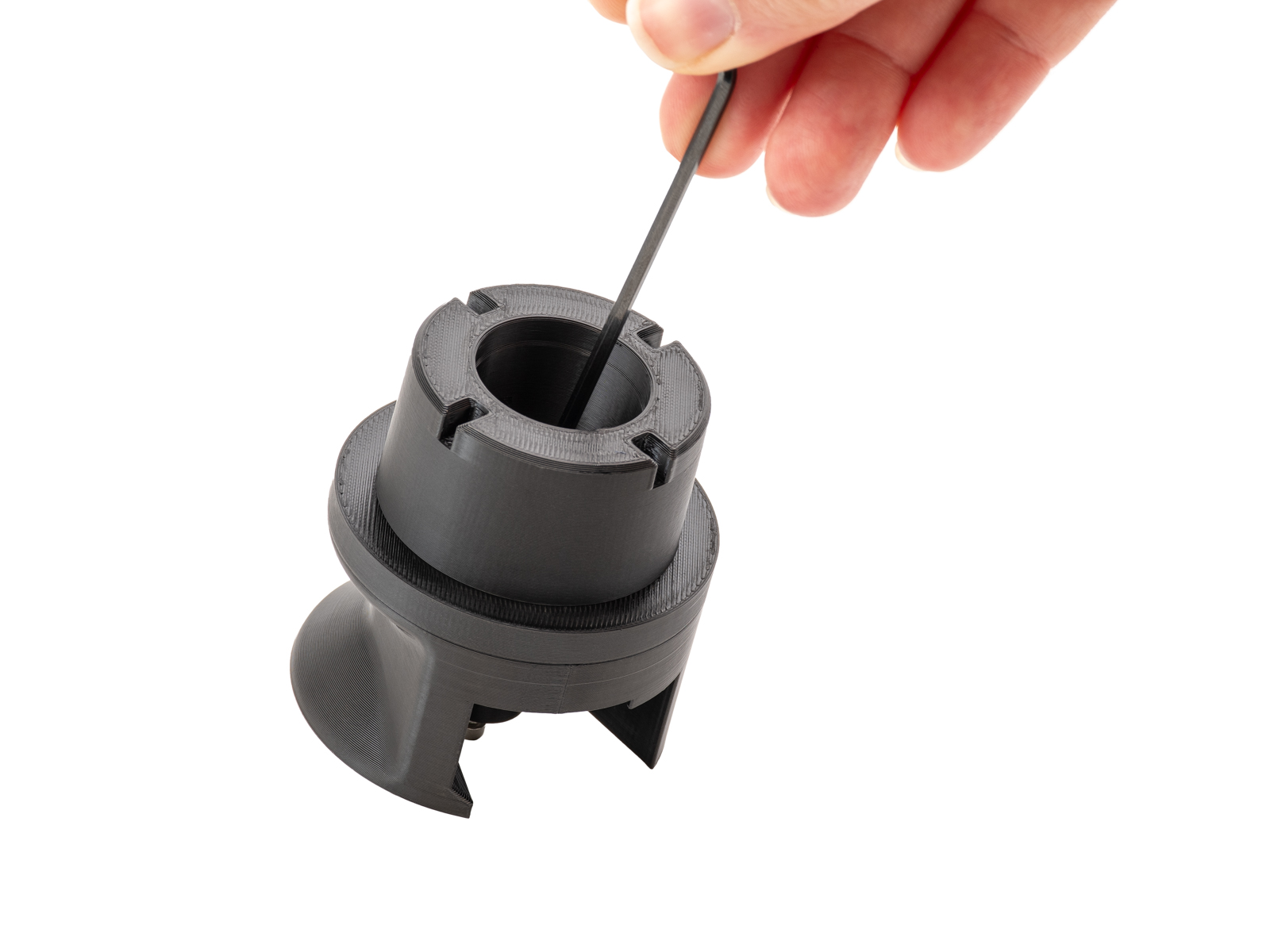
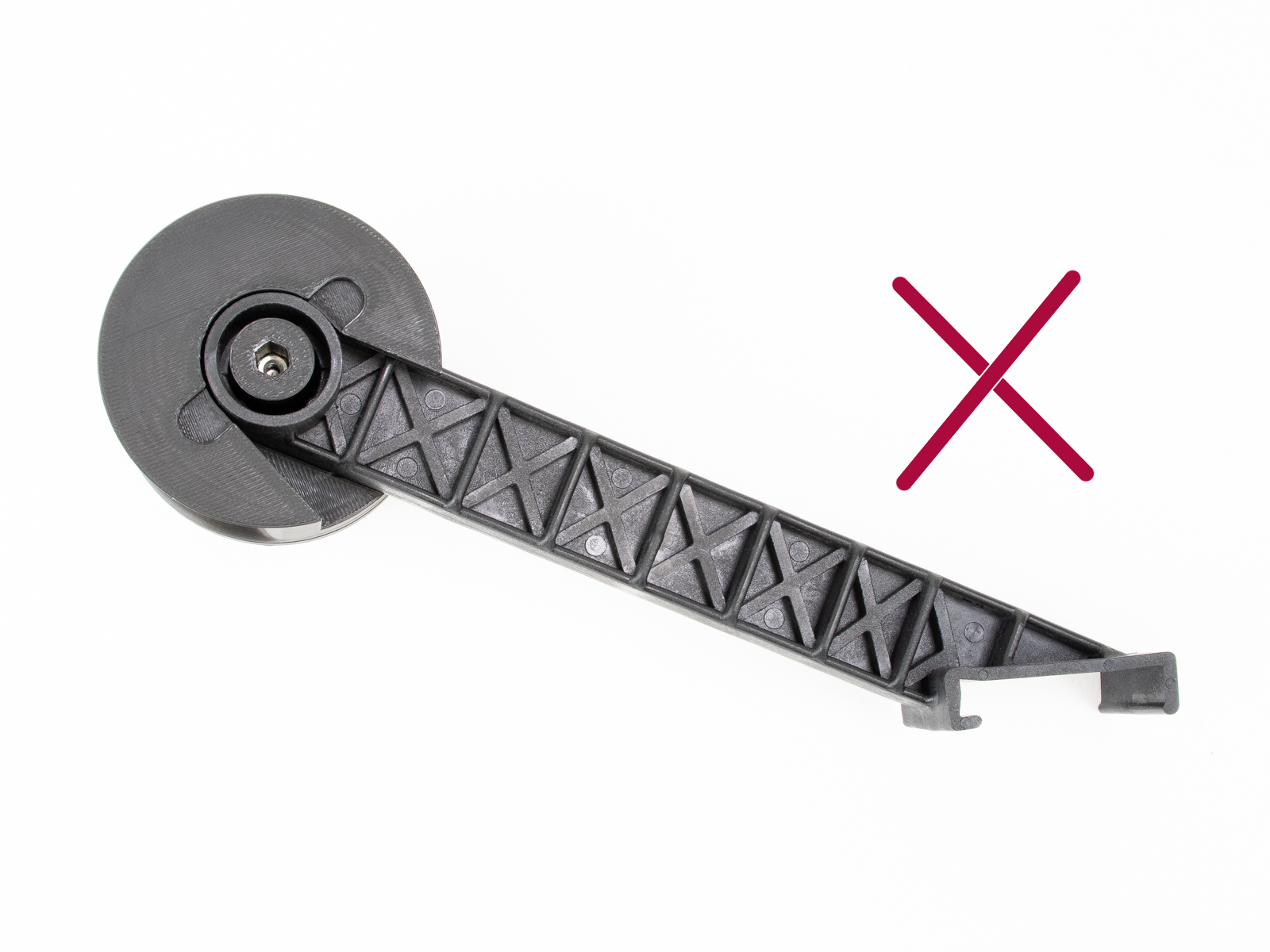
                  1.  Remove the spoolholder from the printer and prepare it with the adapter and puck. Insert the spool holder into the adapter. It is important to keep the correct orientation. 
                  1. Screw a puck onto the other side of the adapter.
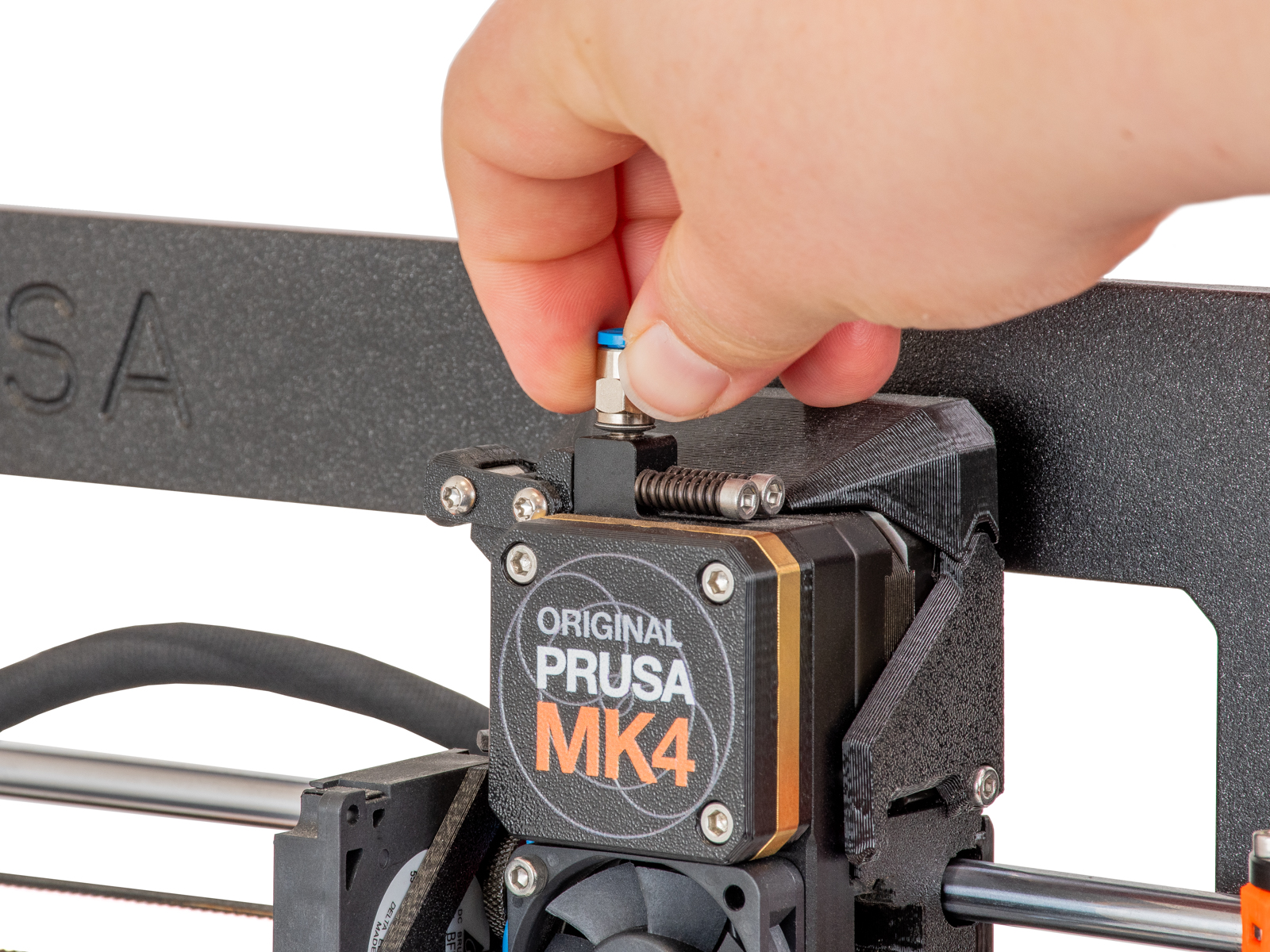
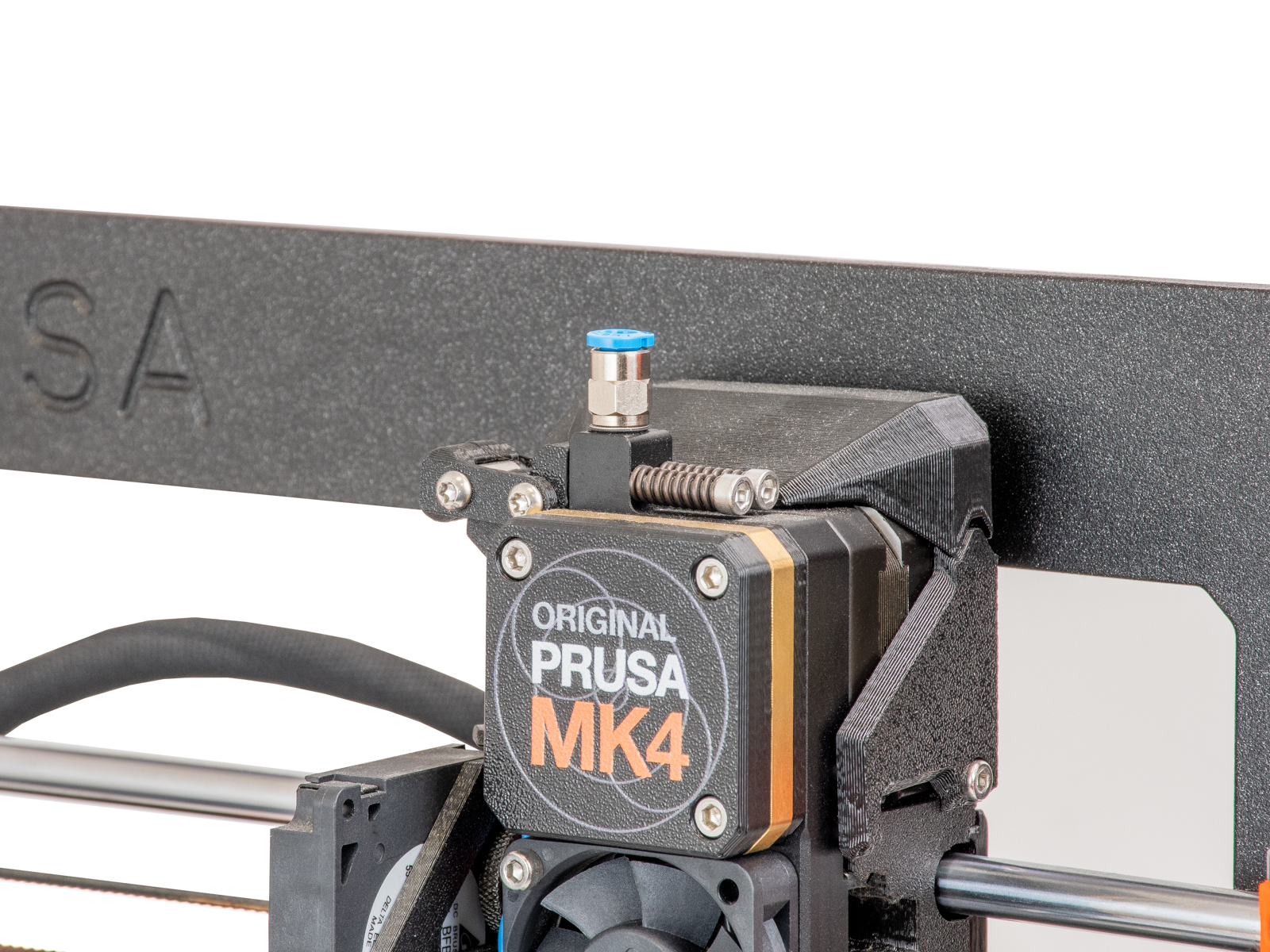
                  1. Screw an M5-4 fitting to the top of the extruder. 
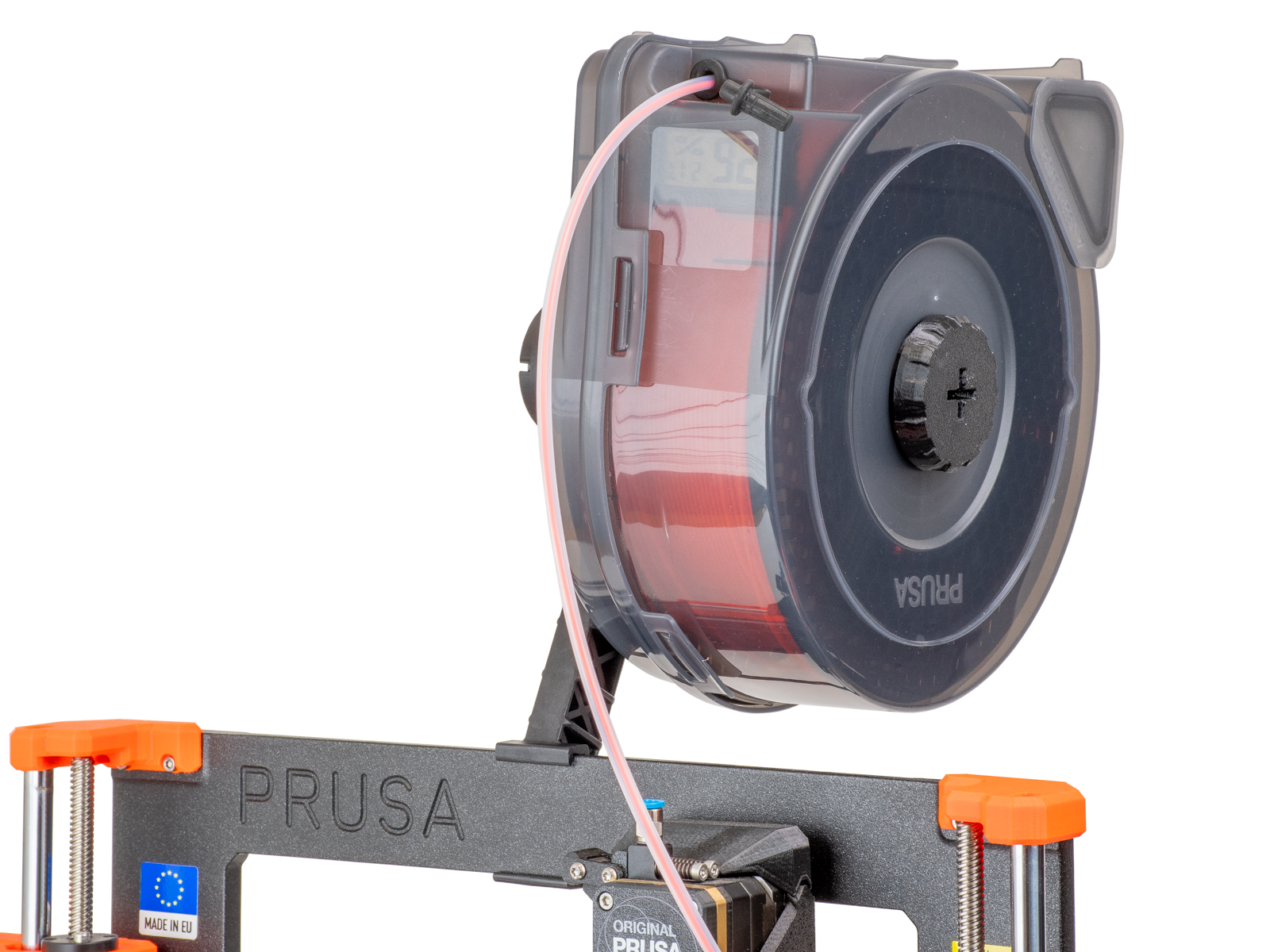
                  1. Install the complete spool holder with the adapters onto the printer.
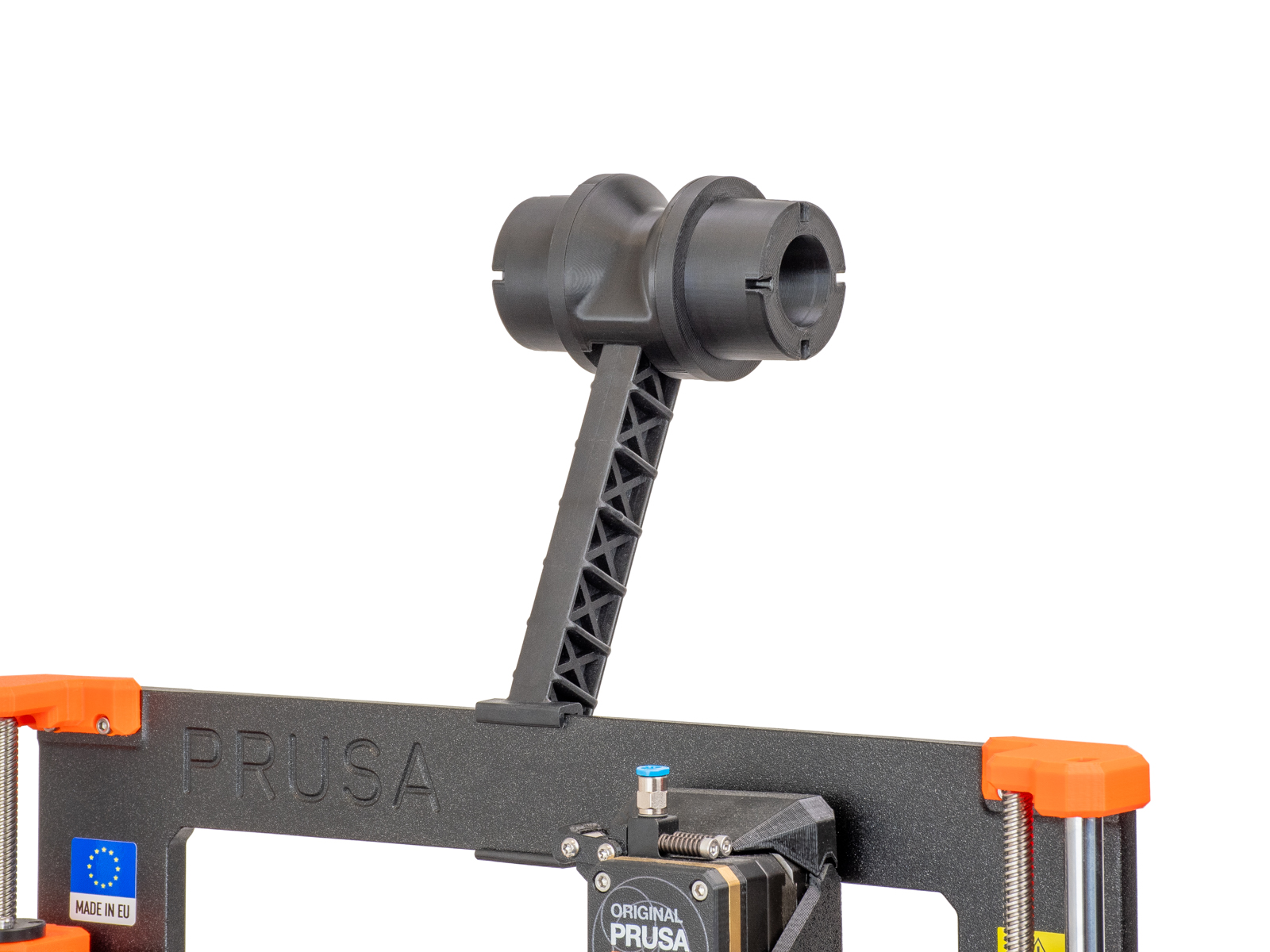
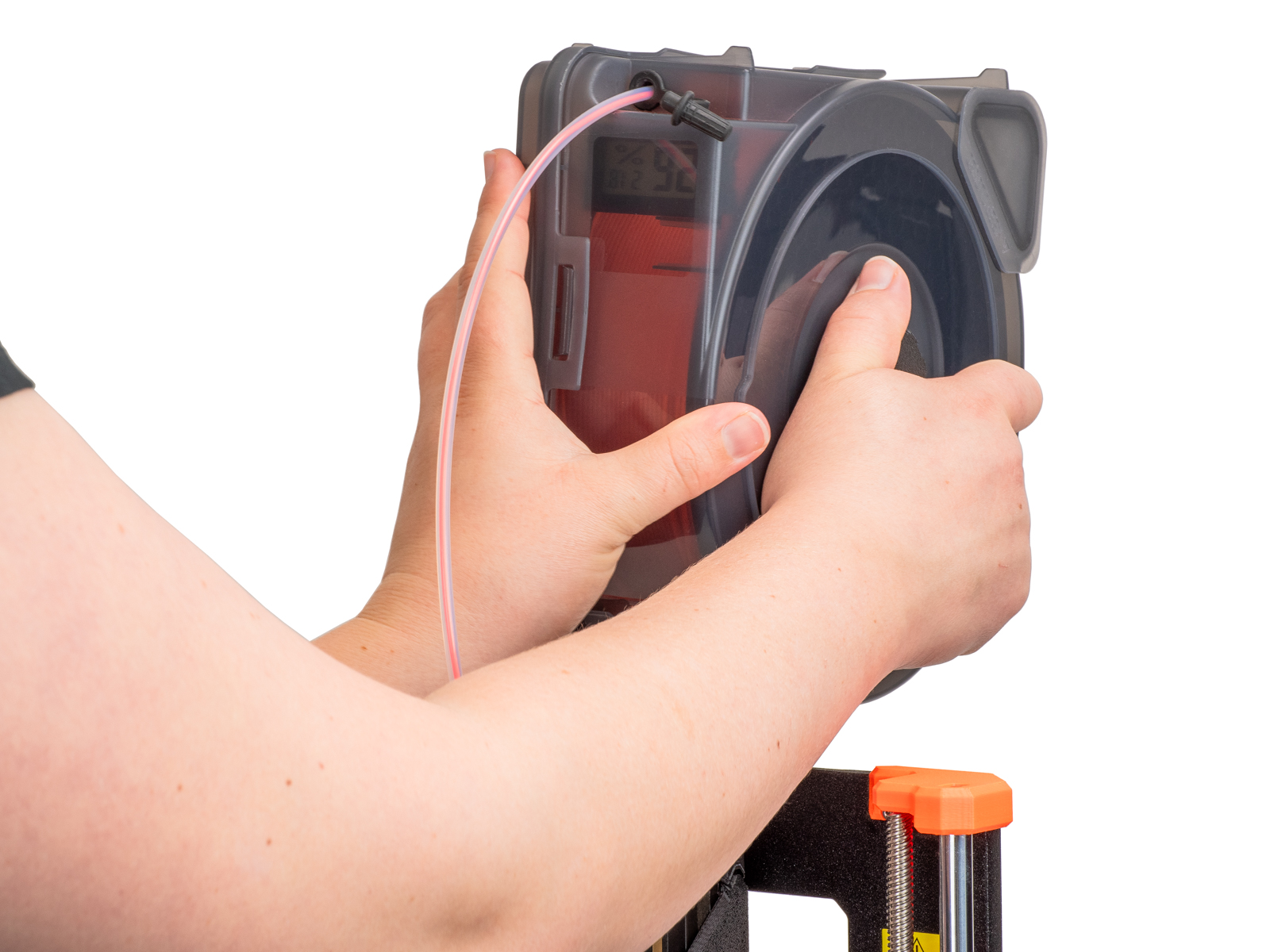
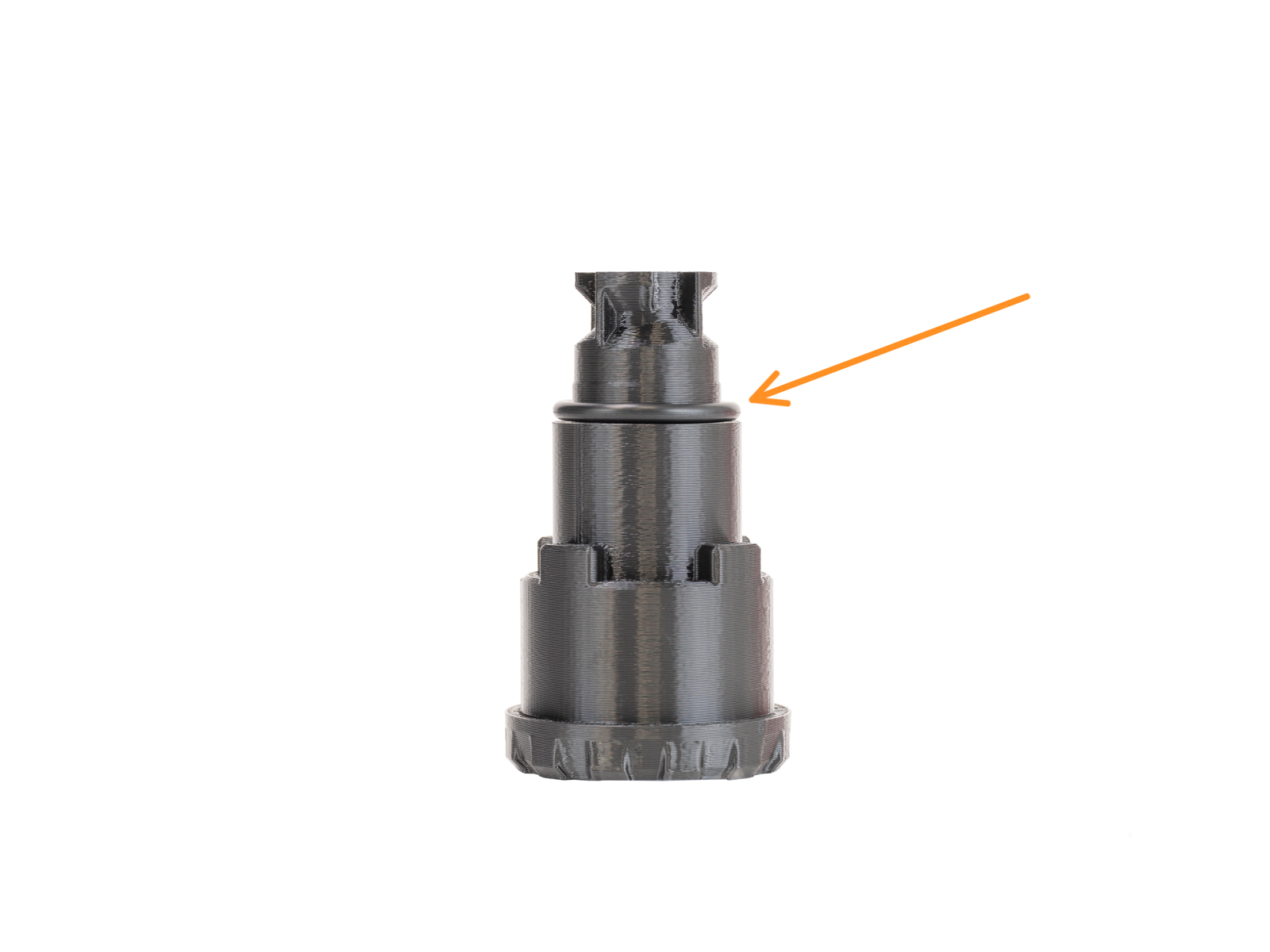
                  1. Place the drybox in the puck, and lock it with the removable spoolholder. Ensure that the seal is installed on the removable spool holder.
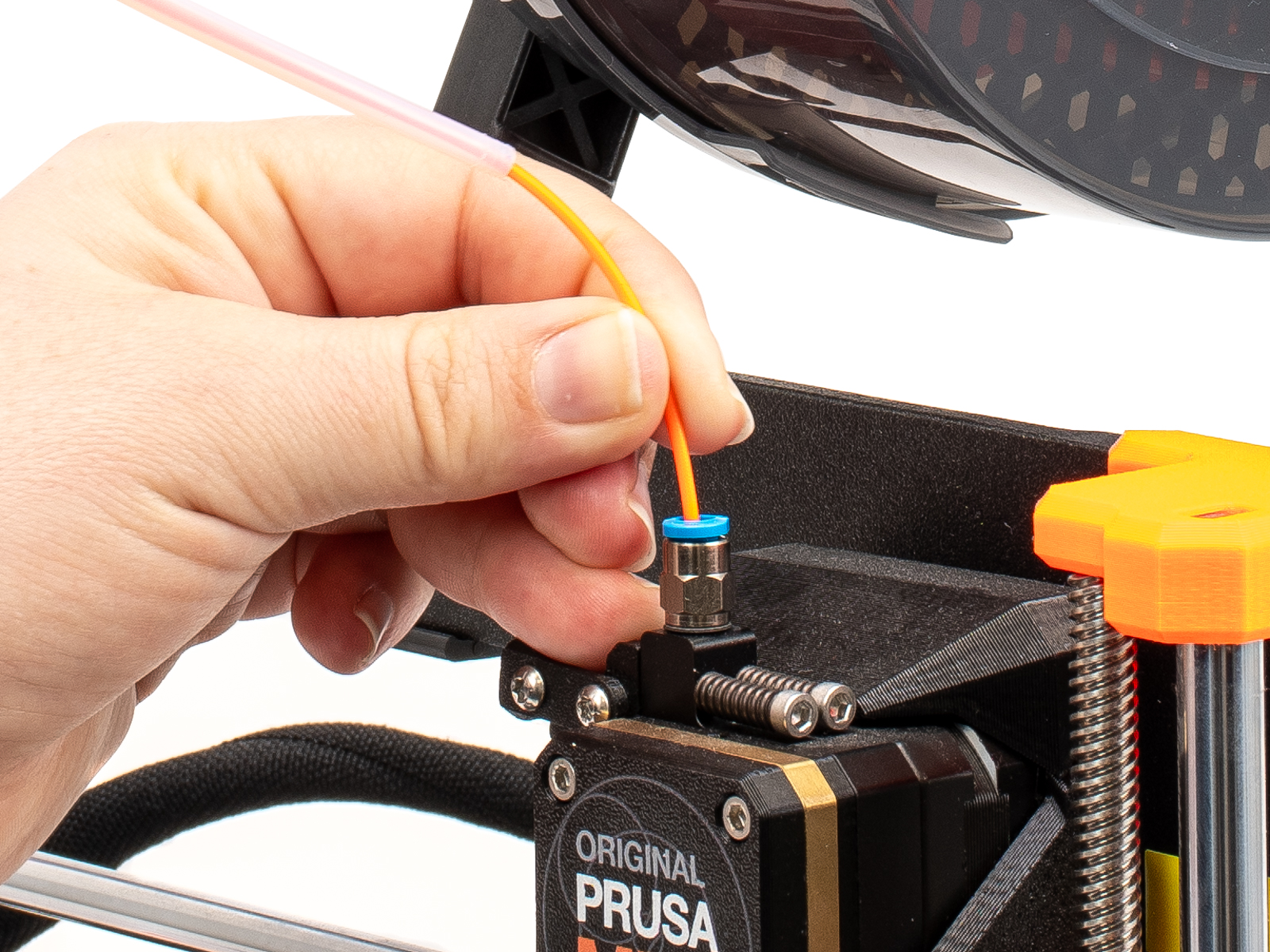
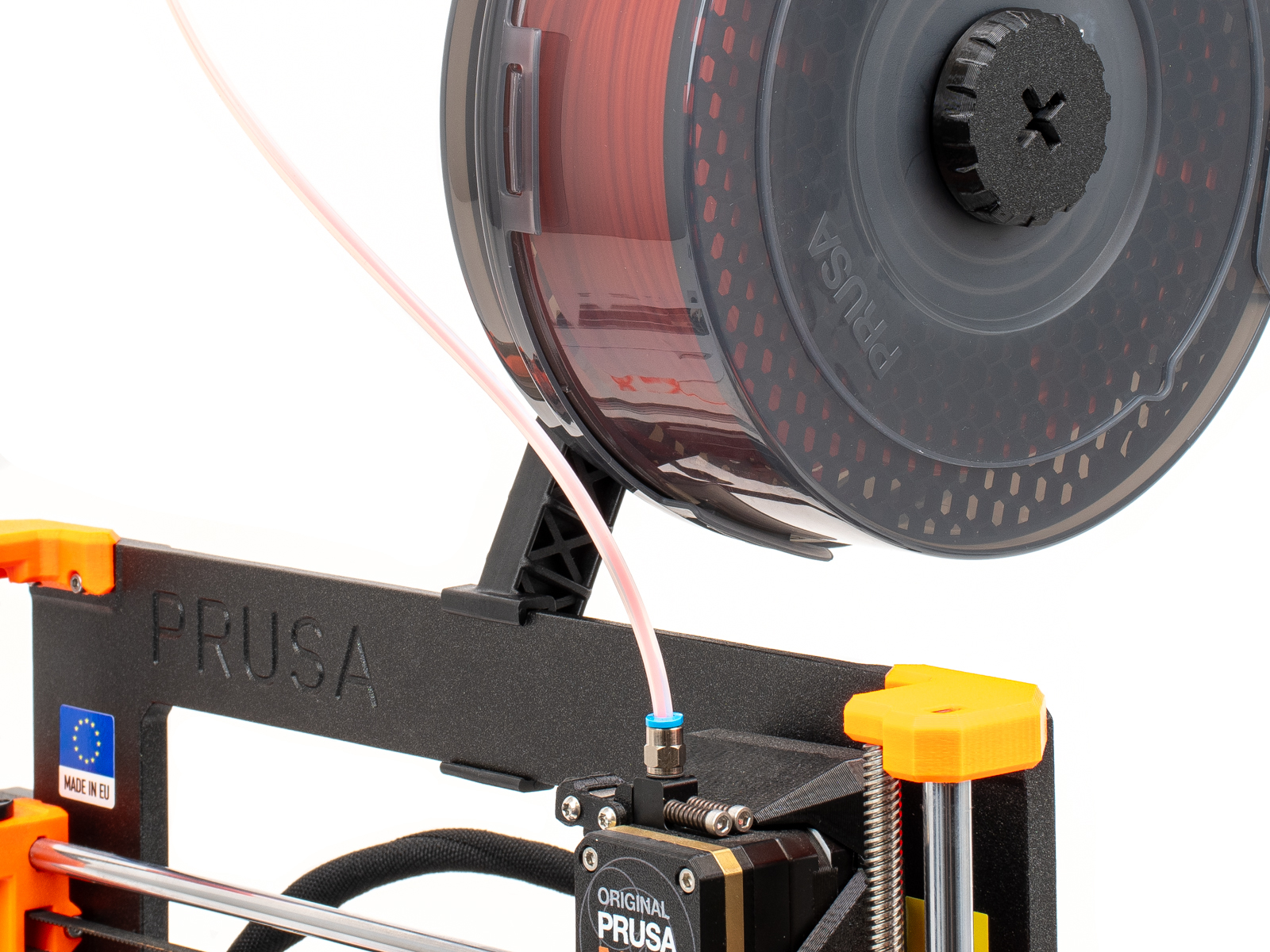
                  1. Load the filament inside the drybox, and insert the PTFE tube into the fitting.
                  Was this article helpful?
                  This action is available only to registered users. Please log-in.

                  Topics

                  • Using the printer
                    • Printer maintenance
                      • First setup and filament loading (USS Drybox)
                      • Prusa USS Drybox - Installation on CORE One
                      • Prusa USS Drybox - Installation on CORE One L / CORE One+
                      • Prusa USS Drybox - Installation on HT90
                      • Prusa USS Drybox - Installation on XL
                      • Prusa USS Drybox - Installation on MK4/3.9 series
                      • How to install Prusa OpenPrintTag upgrade (CORE One+/CORE One L)
                      • How to replace a HT Hotend Thermistor
                      • How to replace a HT Hotend Heater
                      • How to replace the Prusa Nozzle (HT Hotend)
                      • How to update firmware (CORE One L, CORE One, CORE One INDX, MK4/S, MK3.9/S, MK3.5/S, XL)
                      • How to use Prusament Refill 900g
                      • Cold pull #26702 (MK4S) #13702 (MK4) #28702 (MK3.9S) #21702 (MK3.9) #23702 (MK3.5) #28702 (MK3.5S) #17702 (XL)
                      • How to downgrade firmware (CORE One/+, MK4/S, MK3.9/S, MK3.5/S, XL)
                      • Maintenance failure warning #31116 (CORE One) #26116 (MK4S) #13116 (MK4) #27116 (MK3.9S) #21116 (MK3.9)
                      • Drying filament in Memmert UF-series universal oven
                    • 3D models
                    • Material guide
                    • Slicing
                    • Prusa Connect & PrusaLink

                  4 comments

                  Log in  to post a comment
                  PrintAndShare
                  •
                  I bought the USS Drybox for my MK3/S+. I don't think I can screw in a M5-4 fitting. How do I make the connection between the extruder and the drybox tube?
                  Reply
                  PrintAndShare
                  •
                  I was in contact with Prusa support. I needed the tube to be in place to prevent pulling force from buckling the print head. Unfortunate the cardboard filament spool I have is causing an amount of friction that causes the tube to slide into the USS Drybox. I'm now considering creating a stopper for the tube, or simply place an Fitting M5-4 between the tube and the drybox.
                  Reply
                  CW
                  •
                  I had a similar thing happening with an XL, and I found that the collet for the PTFE tube (https://www.prusa3d.com/product/heatsink-collet/) fits in the rubber drybox grommet and is just tight enough to keep the PTFE tube from being pulled into the drybox. The best option is to do whatever it takes to get the spool to rotate freely inside the drybox so there's no drag on the filament, but maybe this tip will help a bit.
                  Reply
                  Otso
                  •
                  You can print the FS-cover part from the enclosure, which is specifically for the M5-4 fitting: https://www.printables.com/model/251931-enclosure-printable-parts/files

                  I don’t understand why this page says “ The Drybox is not compatible … with the MK3/S/+”. I see no reason why it wouldn’t be.
                  Reply
                  hanakus
                  •
                  Hey, a couple of suggestions:
                  * The hole for M4x6 could be made deeper to accommodate for M4x10 which is included in MK3 spare parts set.
                  * Hexagonal spacer - I'd specify that it's M3 and recommend a 20 mm length, longer than the one shown in the picture.
                  * Place a washer under the head of each M3×18 screw.
                  * The PTFE tube bundled with USS Dry Box seems to be already 50 cm.
                  Reply
                  pmuller99
                  •
                  Hello, is there any installation guide for MK4/S installed in a Prusa Enclosure?
                  Reply
                  Jan Kratochvíl
                  •
                  Hello. Unfortunately we do not support the Drybox with Prusa Enclosure.
                  Reply
                  nurp
                  •
                  Hi. Did you find a solution?
                  Reply
                  CW
                  •
                  @nurp, @pmuller99, try this: https://www.printables.com/model/1731908-prusa-uss-drybox-puck-mount-for-prusa-original-enc/comments
                  Reply
                  mownby1
                  •
                  With a 50cm PFTE tube, you can't mount the drybox. The nextruder can't reach the bed. You have to tilt the drybox foward to work.
                  Reply
                  Jan Kratochvíl
                  •
                  Hello. Thank you for noticing, we are working on a fix. Putting an adapter other way around will allow to install drybox more horizontal and the PTFE tube will have correct length.
                  Reply