AA

Featured products

    Popular categories

      Trending searches

        Articles

          Blog

            Products

              Categories

                Suggested searches

                  Searching…
                  No results
                  Something went wrong.
                  ↑↓ Select↵ OpenEsc Close search
                  • English
                  • Čeština
                  • Deutsch
                  • Español
                  • Français
                  • Italiano
                  • Polski
                  • 日本語
                  • Orders
                  • Address
                  • In-stock Alerts
                  • My Courses
                  • Subscription
                  • Edit Account
                  • 3D printers9+▾

                    3D printersnew

                    newPrusa CORE One L+Learn more
                    newPrusa CORE One+ (Gen 2)Learn more
                    newPrusa CORE One L+ INDX 8-ToolnewPrusa CORE One+ (Gen 2) INDX 8-ToolPrusa CORE One L+: Critical InfrastructureOriginal Prusa MK4SnewOriginal Prusa XL+Original Prusa XL+: Critical Infrastructure

                    Printer upgrades

                    newINDX Conversion KitsnewPrusa CORE One L to CORE One L+ upgradenewPrusa CORE One+ to Prusa CORE One+ (Gen 2)newPrusa XL to Prusa XL+ Upgrade
                    Prusa Reward ProgramLove your Prusa printer? Share your experience and earn $30 Prusa e-shop vouchers.
                    How to Choose a 3D Printer?We’ll walk you through the basics to find the exact machine for your space, budget, and ideas.
                    Free E-bookDownload a free e-book Basics of 3D Printing with Josef Prusa and make your first steps in 3D printing world
                    Original Prusa Printable PartsCollections of printable spare parts for Original Prusa 3D printers and upgrades.
                    Shipping informationRegularly updated info about the current manufacturing capacity and delivery times of our printers.
                    Custom 3D PrintingProfessional custom 3D printing from various materials according to your requirements.
                  • Materials▾

                    Filaments

                    PrusamentPLAPETGASA / ABSPC (Polycarbonate)PA (Nylon)FlexCompositesSpecialMaterials clearance sale

                    Resin

                    Prusament ResinResin Cleaner
                    Filament GuideCheck my Prusament Spool
                    Prusament.com
                  • Parts & Accessories▾

                    Accessories

                    EnclosuresNozzlesPrint SheetsEssential AccessoriesCameras & AddonsTools & CraftingAdhesives

                    Spare parts

                    Merchandise

                    Spare parts - All PrintersCORE OneMK4/S & MK3.9/SMK3/S/+XL
                    Merch
                  • For Business▾
                    Prusa Pro HT90Prusa Pro SLXPrusa Pro AFSPrusa Pro Medical OneOriginal Prusa XLOriginal Prusa XL: Critical Infrastructure
                    Prusa CORE One+Learn more
                    Prusa CORE One LLearn more
                    Prusa CORE One L: Critical Infrastructure Edition

                    3D Printing for

                    Manufacturing and R&DAutomotive IndustryHealthcareEducation and Academic ResearchArchitects and DesignersFilm IndustryCritical Infrastructure

                    3D Printing Stories

                    • How 3D printing started: About Rep-rap and open-source with Adrian Bowyer
                    • Teaching mathematics redefined with 3D printing at JKU Linz
                    • The story behind the LTT screwdriver
                    • Victoria Hand Project: Changing Prosthetic Care with 3D Printing
                    Official Prusa Resellers
                    Sustainability
                    Prusa Education
                    Contact and Inquiry
                    Custom 3D Printing
                    ISO Certified
                  • Software▾
                    PrusaSlicer

                    PrusaSlicerPrusaSlicer

                    PrusaSlicer is an open-source, feature-rich, frequently updated tool that contains everything you need to export the perfect print files for your 3D printer.

                    WindowsMacOSLinux
                    Prusa Connect

                    Prusa Connect

                    Prusa Connect is a cloud service enabling remote control and monitoring of your 3D printers, offering secure data handling, easy setup, and support for managing multiple printers from anywhere.

                    Log in to Connect
                    Prusa.app

                    Prusa.app

                    Control your printer/s remotely from anywhere using the Prusa Connect technology behind. Prusa.app brings a new level of Prusa printer experience to Android and iOS phones.

                    Try it now!
                    Drivers & FirmwareDownload the latest firmware and drivers for your 3D printer.
                    PrusaSlicer Support
                    Prusa Connect Support
                  • 3D Models▾
                    3D PrintersArt & DesignHobby & MakersHouseholdTabletop MiniaturesToys & GamesPrintables Store

                    Popular 3D models

                    • Strong garden hose holder
                    • Prusa Spool Bot
                    • Build Tray — Modular Organizer for Assembly, Disassembly and Maintenance
                    • Broom Holder
                    • Octagon Fabric
                    • Prusa CORE One ? (Mimic Skin)

                    Design Contests

                    • Framework Laptop 12 Mainboard Re-Use9/1/2026 – 9/30/2026
                    • 🏆 Designer Challenge: Magic tricks!9/1/2026 – 9/22/2026
                    • Od prototypu k produktu: Příslušenství ke kamerám8/1/2026 – 9/14/2026
                  • Community▾

                    Upcoming Events

                    • Maker Faire Tokyo 20269/5/2026 – 9/6/2026 · Tokyo, Japan · Prusa Team
                    • IFA 20269/4/2026 – 9/8/2026 · Berlin, Germany · Prusa Team
                    • 3D Printopia 20269/26/2026 – 9/27/2026 · Pennsylvania, United States · Prusa Team
                    • Maker Faire Bay Area9/25/2026 – 9/27/2026 · Kalifornie, United States · Prusa Team

                    Prusa Forum

                    • [PrusaSlicer 3.0 Plugin] Filament Sample Card Generator
                    • Main-plate can't be removed (Filament stuck)
                    • Core One UI freeze
                    Prusa World MapPrusa World MapFind local 3D printing users and explore the community around you.
                  • Help▾
                    Guides & TutorialsPrusaSlicerPrusa ConnectMaterials

                    Printer Model

                    CORE One INDXCORE One LCORE One+CORE One

                    Hardware Troubleshooting

                    • Selftest failed (CORE One/+)
                    • Clogged nozzle (CORE One, CORE One L, XL, MK4/S, MK3.9/S)
                    • Adjusting belt tension (CORE One/+, CORE One INDX, CORE One L/+)
                    • Prusa Connect and PrusaLink explained

                    Drivers & Firmware

                    INDX familyCORE One familyMK4 familyXL familyMMU familyPRO family
                  • Courses▾

                    Become an expert in 3D printing

                    Prusa Academy offers online courses on various 3D printing related topics. Each course features:

                    • easy-to-read text with many pictures and short videos
                    • links for inspiration and further study
                    • quizzes for testing your knowledge along the way
                    • certificate of completion
                    Browse all coursesMy courses library
                    • 3D Modeling in Autodesk Fusion
                    • PrusaSlicer Masterclass – Beginner to Advanced
                    • Complete Guide to 3D Print Postprocessing, Painting, and Detailing
                    • Airbrush Your 3D Prints: From Basics to Advanced Tricks
                  • Blog▾
                    • Back-to-School 2026 Deals Are Here!
                    • PrusaSlicer 3.0 Preview – Built for the Future of 3D Printing
                    • Prusa CORE One+ (Gen 2) INDX, Shipping Has Started, Complete Printers Open for Orders
                    E-Book: Basics of 3D Printing
                  • Company▾

                    About Prusa Research

                    We are the largest maker of 3D printers in Europe and the United States.

                    Founded as a one-man startup in 2012 by Josef Prusa, a Czech hobbyist, maker, and inventor. In just 15 years, we've grown into a company of more than 1,200 people. Every month, we design, build, and ship over 10,000 innovative and secure 3D printers from our headquarters in Prague, Czech Republic, and Delaware, USA, to users in more than 160 countries.

                    Watch a video and find out how Prusa Research was born and what we achieved within only 10 years!

                    About UsTimelineSustainabilityOpen-source
                    About Us
                    Contact Us
                    Logo and Photos
                    ISO Certified
                  1. Support
                  2. Printer maintenance
                  3. Drying filament in Memmert UF-series universal oven
                   

                  Contents

                  • Product specifications
                  • Inserting filament
                  • Exhaust flap settings
                  • Recommended settings for drying
                  • Material handling process

                  Blog

                  • Back-to-School 2026 Deals Are Here!
                  • PrusaSlicer 3.0 Preview – Built for the Future of 3D Printing
                  • Prusa CORE One+ (Gen 2) INDX, Shipping Has Started, Complete Printers Open for Orders

                  Newsletter

                  Signup and get our monthly squeeze on updates, blog, printables and much more.

                  By clicking, you agree to receive our newsletter.

                  This site is protected by reCAPTCHA Enterprise and the Google Privacy Policy and Terms of Service apply.

                  Strong garden hose holder
                  E-shop
                  • 3D Printers
                  • Printer Upgrades
                  • Filaments
                  • Accessories
                  • Prusa Merchandise

                  © Prusa Research a.s.

                  Printables
                  • 3D Models
                  • Store
                  • Clubs
                  • 3D Design Contests
                  • Brands
                  Community
                  • World Map
                  • Forum
                  • User Groups
                  • Events
                  Help
                  • Prusa Help
                  • Prusa Academy
                  • 3D Printing Calculators
                  Software
                  • PrusaSlicer
                  • Prusa.app
                  • Prusa Connect
                  • Drivers and Software
                  Company
                  • About Us
                  • Blog
                  • Official Prusa Resellers
                  • Contact Us
                  • Certified for ISO 9001, ISO 14001, ISO 45001
                  • General Terms and Conditions
                  • General Terms and Conditions of Use of the PRUSA Websites
                  • Privacy Policy
                  • Information about cookies
                  • Customer Complaints Policy
                  • Status Page
                  • Do Not Sell or Share My Personal Information
                  • Supplemental Statements
                  • General Terms and Conditions
                  • General Terms and Conditions of Use of the PRUSA Websites
                  • Privacy Policy
                  • Information about cookies
                  • Customer Complaints Policy
                  • Status Page
                  • Do Not Sell or Share My Personal Information
                  • Supplemental Statements

                  © Prusa Research a.s.

                  JOSEF PRUSA®, PRUSA RESEARCH®, PRUSA POLYMERS®, PRUSA ORANGE®, PRUSA 3D ® AND PRUSAMENT® are registered trademarks of Prusa Development a.s. used by Prusa Research a.s. under licence from Prusa Development a.s.

                  Drying filament in Memmert UF-series universal oven

                  Relevant for

                  HT90
                  MK4 family
                  XL family
                  MINI family
                  MMU family
                  +
                  Article is also available in following languages
                  English
                  Čeština
                  Polski
                  Deutsch
                  Français
                  Español
                  Italiano
                  日本語

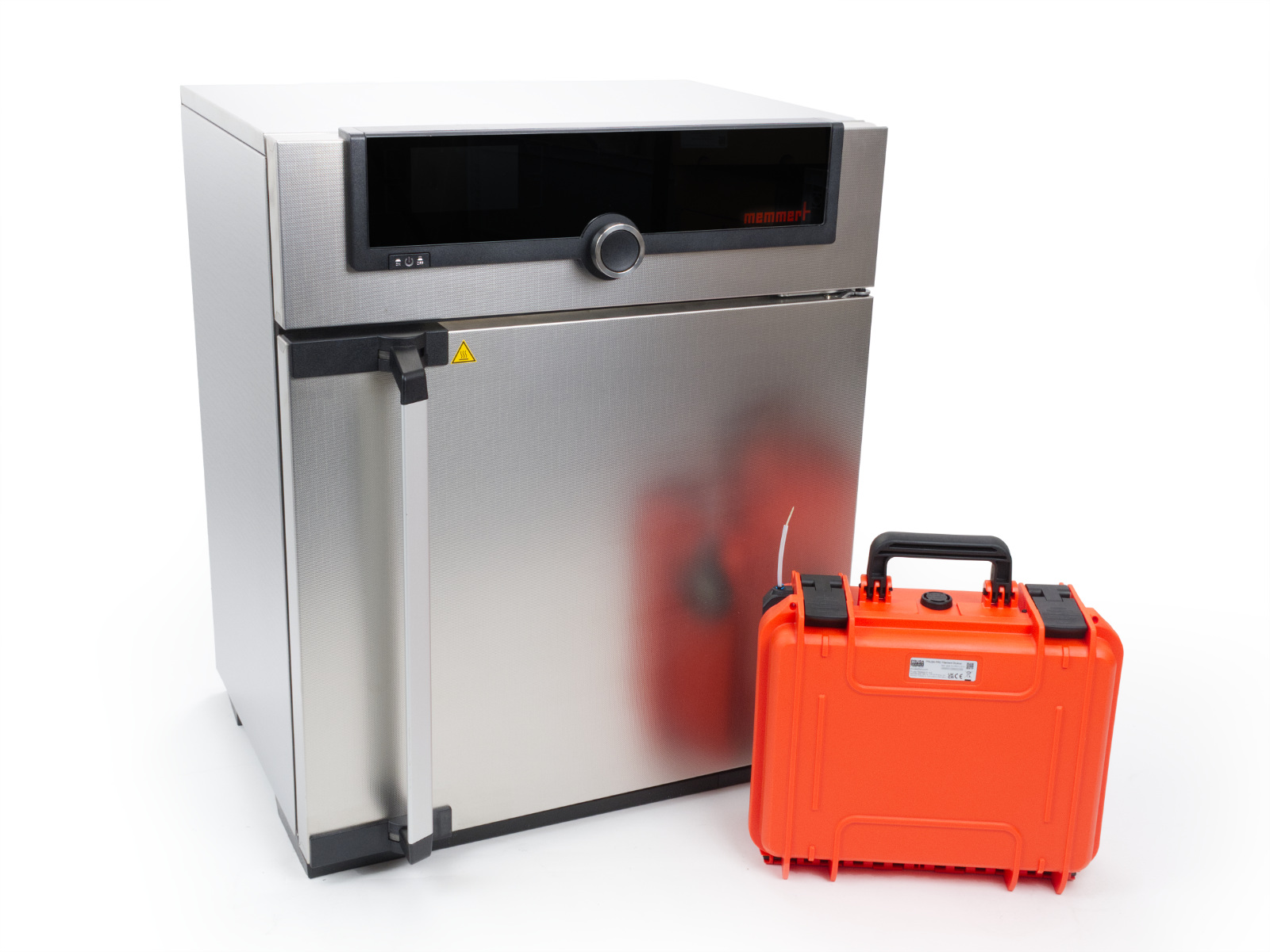
                  Drying filament before printing is a critical step when working with high-performance materials. The Memmert UF-series ovens offer precise temperature control, active ventilation, and adjustable humidity exhaust, making them ideal for drying hygroscopic filaments before use. Unlike passive storage solutions, a drying oven actively removes moisture already present inside the filament. 

                  To maintain low humidity during printing, we recommend using the Prusa Pro Filament Drybox.

                  We offer two models: UF30 and UF55. Both provide identical functionality, with the only difference being internal volume. Both models are available on our eshop at prusa3d.com.

                  Product specifications

                  ModelInternal volumeMax temperatureExternal dimensions (W x D x H)Power
                  UF3032 liters300 °C 585 x 510 x 705 mm 1.6 kW
                  UF5553 liters300 °C 745 x 584 x 864 mm 2.1 kW

                  Oven features:

                  • precise temperature control up to 300 °C
                  • adjustable exhaust flap for controlled humidity removal
                  • controllable fan speed for optimized airflow

                  Official Memmert user manuals and quick start guides

                  Please note: The Memmert UF-series drying oven is a product of Memmert GmbH + Co. KG and is not manufactured by Prusa Research.

                  We recommend reviewing the official Memmert documentation before using the oven for drying filament. The manuals include safety information, installation, interface instructions, maintenance, and advanced configuration options. All the manuals are available on the official memmert.com.

                  Inserting filament

                  You can place up to four Prusament spools upright inside the oven for batch drying. Ensure there is space between spools and that they do not touch the heating surfaces (left, right, top, and bottom sides).

                  For drying a single spool, you may also lay it flat on the wire shelf. The shelf height can be adjusted to fit various spool sizes.

                  Only insert unwrapped filament spools. Do not dry filament in its original packaging.
                  Do not insert multiple different materials simultaneously, as each material requires different drying settings.

                  Exhaust flap settings

                  The exhaust flap, located at the rear of the Memmert oven, regulates the exhaust airflow and influences how much moist air is removed from the chamber. Fresh air is drawn in passively through intake vents, preheated in a separate channel, and introduced into the chamber. The flap position determines the overall air exchange rate, which impacts both drying performance and temperature stability.

                  The flap can be adjusted from 0% (closed) to 100% (fully open) in 10% increments using the control display.

                  Do not attempt to force or adjust the flap position manually.

                  Flap positions

                  • 0% (closed): The exhaust flap is fully closed. Moist air is retained longer in the chamber, and fresh air intake is minimal. This setting favors stable internal temperature but reduces moisture removal.
                  • 50% (partially open): At 50%, the flap is partially open, angled at 45 degrees. This position allows for a balanced air exchange, introducing some fresh air while still maintaining a controlled environment. It is suitable for most drying processes.
                  • 100% (fully open): When the flap is fully open, the oven operates in fresh air mode. This position allows for maximum air exchange, introducing a significant amount of fresh air and removing exhaust air. 


                  Recommended settings for drying 

                  A fan speed of 70 % and flap position of 30 % is a commonly used setting that balances airflow and temperature stability. These values are not mandatory but have worked well in our internal testing. Exact settings may vary depending on material and oven load.

                  For a comprehensive list of recommended drying temperatures and times for various filament types, consult our dedicated Drying filament article.

                  Material handling process

                  Do not open the oven during operation. Internal components such as shelves, walls, and air outlets may reach high temperatures and can cause burns. Always wear heat-resistant gloves when opening the oven or handling any parts inside.
                  1.  Place filament spool(s) in the chamber as described and close the door.
                  2.  Select the Temperature on the control display and turning the knob to adjust the temperature to target value. Press the rotary knob to confirm. 
                    For details on how to operate the control display and its capacitive buttons, please refer to section 6.4 Operating the Appliance in the official Memmert User manual.
                  3.  Set the Fan speed. Press the rotary knob to confirm. 
                  4.  Set the Flap position. Press the rotary knob to confirm.
                  5.  Set the desired time on the Timer. The timer will start immediately after confirmation by pressing the knob. 
                    Keep the timer set to start once the target temperature is reached (default setting). This ensures accurate drying time. For details, see section 8.3.5 Timer Mode in the official Memmert User manual.
                  6.  The oven will now begin the drying process. 
                  7.  After drying, immediately transfer the filament spool into the filament dry box and close it to prevent reabsorption of moisture. 
                    Note: The humidity display on the LCD will spike when the dry box is opened. It's critical for it to return to 10% after closing. If it doesn't, you'll need to replace the desiccant. To do this, refer to the How to replace the desiccant' guide for the Prusa Pro Filament Drybox.
                  8. Connect the dry box to the printer and begin printing.
                  Ensure that the filament path between the dry box and printer is not exposed to ambient humidity, to prevent reabsorption of moisture after drying.


                  Was this article helpful?
                  This action is available only to registered users. Please log-in.
                  Log in  to post a comment
                  No comments

                  Topics

                  • Using the printer
                    • Printer maintenance
                      • Prusa USS Drybox - Installation on MK4/3.9 series
                      • How to update firmware (CORE One L, CORE One, CORE One INDX, MK4/S, MK3.9/S, MK3.5/S, XL)
                      • How to use Prusament Refill 900g
                      • Cold pull #26702 (MK4S) #13702 (MK4) #28702 (MK3.9S) #21702 (MK3.9) #23702 (MK3.5) #28702 (MK3.5S) #17702 (XL)
                      • How to replace the filament sensor (HT90)
                      • Unpacking the printer (HT90)
                      • How to downgrade firmware (CORE One/+, MK4/S, MK3.9/S, MK3.5/S, XL)
                      • Regular printer maintenance (HT90)
                      • HEPA filter replacement (HT90)
                      • How to update firmware (HT90)
                      • Changing the print head
                      • Nozzle replacement (HT90)
                      • How to install the Camera dummy module (HT90)
                      • How to replace the door (HT90)
                      • Maintenance failure warning #31116 (CORE One) #26116 (MK4S) #13116 (MK4) #27116 (MK3.9S) #21116 (MK3.9)
                      • How to lubricate linear bearing rails (HT90)
                      • How to replace HEPA filter (HT90)
                      • How to clean external filters (HT90)
                      • How to replace the desiccant in the Prusa Pro Filament Drybox
                      • How to replace a high-temperature nozzle (HT90)
                      • How to tension the belts (HT90)
                      • Prusa Pro HT90 Maintenance Kit
                      • How to assemble the spool holder (HT90)
                      • How to replace external input fuse (HT90)
                      • How to replace the LCD control panel (HT90)
                      • How to replace the PTFE Bowden tube (HT90)
                      • Drying filament in Memmert UF-series universal oven
                      • How to lubricate the magballs (HT90)
                      • MK3 Series Hotend Guide
                    • 3D models
                    • Material guide
                    • Slicing
                    • Prusa Connect & PrusaLink