AA

Featured products

    Popular categories

      Trending searches

        Articles

          Blog

            Products

              Categories

                Suggested searches

                  Searching…
                  No results
                  Something went wrong.
                  ↑↓ Select↵ OpenEsc Close search
                  • English
                  • Čeština
                  • Deutsch
                  • Español
                  • Français
                  • Italiano
                  • Polski
                  • 日本語
                  • Orders
                  • Address
                  • In-stock Alerts
                  • My Courses
                  • Subscription
                  • Edit Account
                  • 3D printers9+▾

                    3D printersnew

                    newPrusa CORE One L+Learn more
                    newPrusa CORE One+ (Gen 2)Learn more
                    newPrusa CORE One L+ INDX 8-ToolnewPrusa CORE One+ (Gen 2) INDX 8-ToolPrusa CORE One L+: Critical InfrastructureOriginal Prusa MK4SnewOriginal Prusa XL+Original Prusa XL+: Critical Infrastructure

                    Printer upgrades

                    newINDX Conversion KitsnewPrusa CORE One L to CORE One L+ upgradenewPrusa CORE One+ to Prusa CORE One+ (Gen 2)newPrusa XL to Prusa XL+ Upgrade
                    Prusa Reward ProgramLove your Prusa printer? Share your experience and earn $30 Prusa e-shop vouchers.
                    How to Choose a 3D Printer?We’ll walk you through the basics to find the exact machine for your space, budget, and ideas.
                    Free E-bookDownload a free e-book Basics of 3D Printing with Josef Prusa and make your first steps in 3D printing world
                    Original Prusa Printable PartsCollections of printable spare parts for Original Prusa 3D printers and upgrades.
                    Shipping informationRegularly updated info about the current manufacturing capacity and delivery times of our printers.
                    Custom 3D PrintingProfessional custom 3D printing from various materials according to your requirements.
                  • Materials▾

                    Filaments

                    PrusamentPLAPETGASA / ABSPC (Polycarbonate)PA (Nylon)FlexCompositesSpecialMaterials clearance sale

                    Resin

                    Prusament ResinResin Cleaner
                    Filament GuideCheck my Prusament Spool
                    Prusament.com
                  • Parts & Accessories▾

                    Accessories

                    EnclosuresNozzlesPrint SheetsEssential AccessoriesCameras & AddonsTools & CraftingAdhesives

                    Spare parts

                    Merchandise

                    Spare parts - All PrintersCORE OneMK4/S & MK3.9/SMK3/S/+XL
                    Merch
                  • For Business▾
                    Prusa Pro HT90Prusa Pro SLXPrusa Pro AFSPrusa Pro Medical OneOriginal Prusa XLOriginal Prusa XL: Critical Infrastructure
                    Prusa CORE One+Learn more
                    Prusa CORE One LLearn more
                    Prusa CORE One L: Critical Infrastructure Edition

                    3D Printing for

                    Manufacturing and R&DAutomotive IndustryHealthcareEducation and Academic ResearchArchitects and DesignersFilm IndustryCritical Infrastructure

                    3D Printing Stories

                    • How 3D printing started: About Rep-rap and open-source with Adrian Bowyer
                    • Teaching mathematics redefined with 3D printing at JKU Linz
                    • The story behind the LTT screwdriver
                    • Victoria Hand Project: Changing Prosthetic Care with 3D Printing
                    Official Prusa Resellers
                    Sustainability
                    Prusa Education
                    Contact and Inquiry
                    Custom 3D Printing
                    ISO Certified
                  • Software▾
                    PrusaSlicer

                    PrusaSlicerPrusaSlicer

                    PrusaSlicer is an open-source, feature-rich, frequently updated tool that contains everything you need to export the perfect print files for your 3D printer.

                    WindowsMacOSLinux
                    Prusa Connect

                    Prusa Connect

                    Prusa Connect is a cloud service enabling remote control and monitoring of your 3D printers, offering secure data handling, easy setup, and support for managing multiple printers from anywhere.

                    Log in to Connect
                    Prusa.app

                    Prusa.app

                    Control your printer/s remotely from anywhere using the Prusa Connect technology behind. Prusa.app brings a new level of Prusa printer experience to Android and iOS phones.

                    Try it now!
                    Drivers & FirmwareDownload the latest firmware and drivers for your 3D printer.
                    PrusaSlicer Support
                    Prusa Connect Support
                  • 3D Models▾
                    3D PrintersArt & DesignHobby & MakersHouseholdTabletop MiniaturesToys & GamesPrintables Store

                    Popular 3D models

                    • Strong garden hose holder
                    • Prusa Spool Bot
                    • Build Tray — Modular Organizer for Assembly, Disassembly and Maintenance
                    • Broom Holder
                    • Octagon Fabric
                    • Prusa CORE One ? (Mimic Skin)

                    Design Contests

                    • Framework Laptop 12 Mainboard Wiederverwendung9/1/2026 – 9/30/2026
                    • 🏆 Designer Herausforderung: Zaubertricks!9/1/2026 – 9/22/2026
                    • Make-up Aufbewahrungslösungen9/4/2026 – 9/20/2026
                  • Community▾

                    Upcoming Events

                    • IFA 20269/4/2026 – 9/8/2026 · Berlin, Germany · Prusa Team
                    • Maker Faire Bay Area9/25/2026 – 9/27/2026 · Kalifornie, United States · Prusa Team
                    • 3D Printopia 20269/26/2026 – 9/27/2026 · Pennsylvania, United States · Prusa Team
                    • Hobby Messe10/2/2026 – 10/4/2026 · Sachsen, Germany · Prusa Team

                    Prusa Forum

                    • Index Layer Shifts?
                    • firmware error - screen freeze
                    • Nozzle stuck with filament
                    Prusa World MapPrusa World MapFind local 3D printing users and explore the community around you.
                  • Help▾
                    Guides & TutorialsPrusaSlicerPrusa ConnectMaterials

                    Printer Model

                    CORE One INDXCORE One LCORE One+CORE One

                    Hardware Troubleshooting

                    • Selftest failed (CORE One/+)
                    • Clogged nozzle (CORE One, CORE One L, XL, MK4/S, MK3.9/S)
                    • Adjusting belt tension (CORE One/+, CORE One INDX, CORE One L/+)
                    • Prusa Connect and PrusaLink explained

                    Drivers & Firmware

                    INDX familyCORE One familyMK4 familyXL familyMMU familyPRO family
                  • Courses▾

                    Become an expert in 3D printing

                    Prusa Academy offers online courses on various 3D printing related topics. Each course features:

                    • easy-to-read text with many pictures and short videos
                    • links for inspiration and further study
                    • quizzes for testing your knowledge along the way
                    • certificate of completion
                    Browse all coursesMy courses library
                    • 3D Modeling in Autodesk Fusion
                    • PrusaSlicer Masterclass – Beginner to Advanced
                    • Complete Guide to 3D Print Postprocessing, Painting, and Detailing
                    • Airbrush Your 3D Prints: From Basics to Advanced Tricks
                  • Blog▾
                    • Prusament PLA ColorMix: Print 45 color shades using just five filament spools (and more)
                    • Back-to-School 2026 Deals Are Here!
                    • PrusaSlicer 3.0 Preview – Built for the Future of 3D Printing
                    E-Book: Basics of 3D Printing
                  • Company▾

                    About Prusa Research

                    We are the largest maker of 3D printers in Europe and the United States.

                    Founded as a one-man startup in 2012 by Josef Prusa, a Czech hobbyist, maker, and inventor. In just 15 years, we've grown into a company of more than 1,200 people. Every month, we design, build, and ship over 10,000 innovative and secure 3D printers from our headquarters in Prague, Czech Republic, and Delaware, USA, to users in more than 160 countries.

                    Watch a video and find out how Prusa Research was born and what we achieved within only 10 years!

                    About UsTimelineSustainabilityOpen-source
                    About Us
                    Contact Us
                    Logo and Photos
                    ISO Certified
                  1. Support
                  2. Material guide
                  3. PLA
                   

                  Contents

                  • Basic info
                  • Description
                  • Best use
                  • Tips for successful printing
                  • Sample prints

                  Blog

                  • Prusament PLA ColorMix: Print 45 color shades using just five filament spools (and more)
                  • Back-to-School 2026 Deals Are Here!
                  • PrusaSlicer 3.0 Preview – Built for the Future of 3D Printing

                  Newsletter

                  Signup and get our monthly squeeze on updates, blog, printables and much more.

                  By clicking, you agree to receive our newsletter.

                  This site is protected by reCAPTCHA Enterprise and the Google Privacy Policy and Terms of Service apply.

                  Strong garden hose holder
                  E-shop
                  • 3D Printers
                  • Printer Upgrades
                  • Filaments
                  • Accessories
                  • Prusa Merchandise

                  © Prusa Research a.s.

                  Printables
                  • 3D Models
                  • Store
                  • Clubs
                  • 3D Design Contests
                  • Brands
                  Community
                  • World Map
                  • Forum
                  • User Groups
                  • Events
                  Help
                  • Prusa Help
                  • Prusa Academy
                  • 3D Printing Calculators
                  Software
                  • PrusaSlicer
                  • Prusa.app
                  • Prusa Connect
                  • Drivers and Software
                  Company
                  • About Us
                  • Blog
                  • Official Prusa Resellers
                  • Contact Us
                  • Certified for ISO 9001, ISO 14001, ISO 45001
                  • General Terms and Conditions
                  • General Terms and Conditions of Use of the PRUSA Websites
                  • Privacy Policy
                  • Information about cookies
                  • Customer Complaints Policy
                  • Status Page
                  • Do Not Sell or Share My Personal Information
                  • Supplemental Statements
                  • General Terms and Conditions
                  • General Terms and Conditions of Use of the PRUSA Websites
                  • Privacy Policy
                  • Information about cookies
                  • Customer Complaints Policy
                  • Status Page
                  • Do Not Sell or Share My Personal Information
                  • Supplemental Statements

                  © Prusa Research a.s.

                  JOSEF PRUSA®, PRUSA RESEARCH®, PRUSA POLYMERS®, PRUSA ORANGE®, PRUSA 3D ® AND PRUSAMENT® are registered trademarks of Prusa Development a.s. used by Prusa Research a.s. under licence from Prusa Development a.s.

                  PLA

                  Relevant for

                  MK4 family
                  XL family
                  MMU family
                  MINI family
                  MK3 family
                  +
                  11 comments
                  Article is also available in following languages
                  English
                  Čeština
                  Polski
                  Deutsch
                  Français
                  Español
                  Italiano
                  日本語

                  Basic info

                  PLA is one of the easiest materials to print. It is inexpensive and suitable (not only) for beginners. It’s usually used for printing detailed models, figures, and quick prototypes that don’t require high mechanical, chemical, or temperature resistance.
                   
                  Recommended nozzle temperature: 215 °C for the first layer, 210 °C for other layers
                   
                  Recommended bed temperature: 60 °C
                   
                  Heatbed: Satin or Smooth PEI sheet will provide the best adhesion.

                  Description

                  PLA (Polylactic acid) is a plant-based polyester. PLA does not require a heated bed, can be printed fast and with low temperatures (melting point is somewhere around 175 °C). With PLA you can print both small, detailed models and large objects filling almost the entire print volume. Unlike some other filaments, PLA is not prone to significant warping. It is good for quick prototyping and creation of nice, low-cost models: concepts, prototypes, simple toys, jewelry, statues, etc. It is not suitable for technical and outdoor use. It doesn’t resist high temperatures (it gets soft and deforms at temperatures over 60 °C), degrades under UV light and its mechanical resistance is also inferior - it breaks along layers or into shards upon impact. Layer adhesion is weaker compared to other materials. Sanding PLA is possible with sandpaper but needs water cooling (wet sanding).

                  Various sources claim that PLA is biologically degradable. The material is made from corn, sugar cane, or sugar beet and indeed can be decomposed, but only in specialized composting facilities where temperatures exceed 80 °C. It is definitely not a good idea to throw the PLA waste into your garden compost - the material will not disintegrate, plus you will contaminate the soil with plastic microparticles.

                  Although the PLA material itself is food-safe, we do not recommend it (or any other filament material) for printing dishes or other stuff that comes into direct contact with food. The main reason is tiny print layers/grooves that can support bacterial growth. If you still want 3D printed dishes or food containers, we suggest applying a special layer that seals the surface (food-safe coating) and printing with a stainless steel nozzle.

                  To compare supported material properties, see our material table.

                  Pros

                  Cons

                  ✔ Low price

                  ✖ Brittle and inflexible

                  ✔ Easy to print, suitable for beginners

                  ✖ Low UV and temperature resistance

                  ✔ Good detail and low warping

                  ✖ Difficult post-processing

                  ✔ Suitable for large models


                  Best use

                  The best use of PLA is for printing concept models, prototypes, or low-wear toys.

                  Tips for successful printing

                  Consider using a smooth PEI sheet

                  If you print with PLA on our Original Prusa i3 printers, you can print on either a smooth, powder-coated TXT or powder-coated satin sheet. However, the smooth sheet works better for printing parts that have a small contact area with the print surface. With a powder-coated sheet, you should move your live-Z lower: Filament must fill in the sheet texture. However, you need to be careful and not move the nozzle too low, or you will damage your sheet! Info for different printer users: PLA is printable not only on PEI surface, but also on glass, Kapton tape, or using a glue stick.

                  Try to adjust retractions for better results

                  PLA is sometimes prone to stringing and oozing - this can be reduced with proper retraction settings.

                  Chemical smoothing
                  Chemical smoothing of PLA is possible only in laboratory conditions - PLA can be dissolved in chloroform, hot benzene, or tetrahydrofuran. These are dangerous organic solvents that should be handled only by skilled lab technicians. Some of the PLA filaments can be also partially dissolved and glued with acetone (or you can simply glue it with superglue).

                  Sample prints

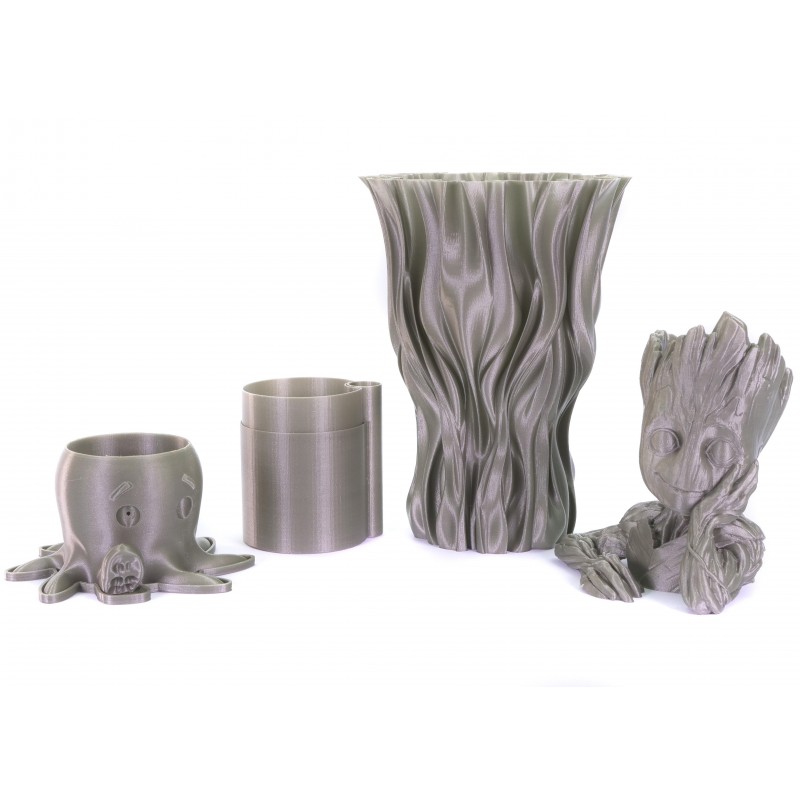
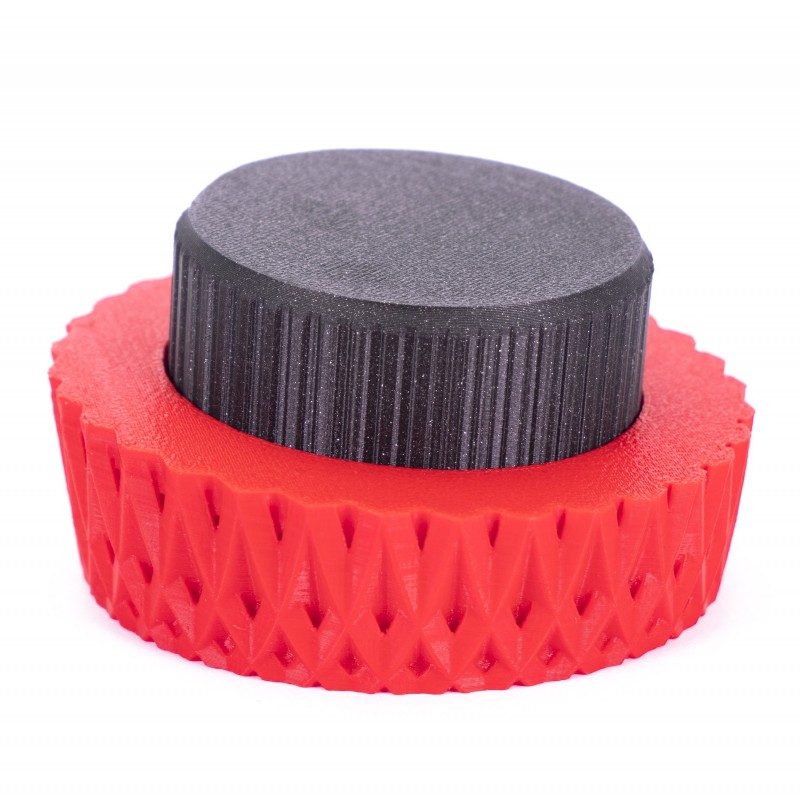
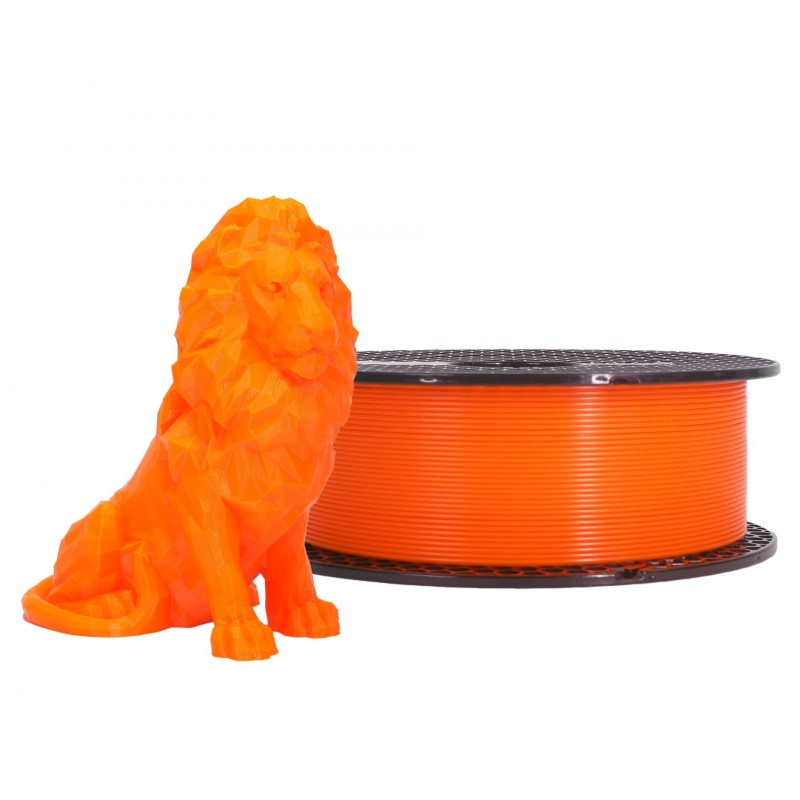
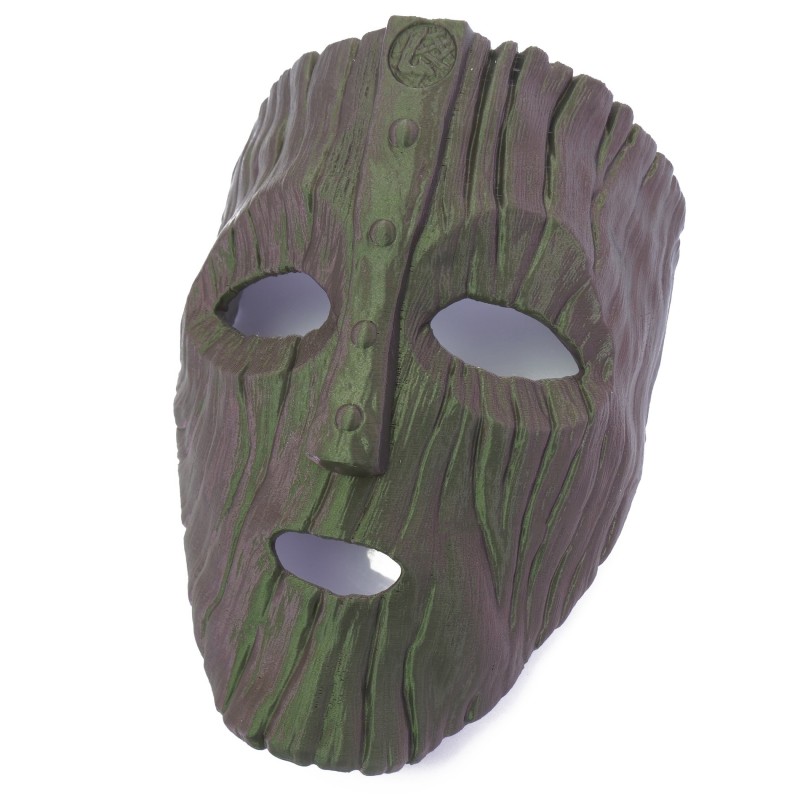
                  MasksStatic models
                  Vases, cups, and other tabletop modelsAudio volume knob and other electronic parts
                  Was this article helpful?
                  This action is available only to registered users. Please log-in.

                  Topics

                  • Using the printer
                    • Material guide
                      • ASA
                      • Flexible materials
                      • ABS
                      • PETG
                      • PLA
                      • Polycarbonate (PC)
                      • Composite materials (with metal or wood particles)
                      • CPE
                      • Water soluble (BVOH/PVA)
                      • HIPS
                      • Polypropylene (PP)
                      • NGEN
                      • Polyamide (Nylon)
                      • Composite materials (filled with carbon, kevlar or glass)
                      • PVB
                      • LW PLA
                      • Drying filament
                      • How to use Prusament refill 1kg
                      • HueForge filament transparency values and HexCodes
                      • Prusament TPU 95A material guide
                      • Prusament PETG Ultraglow troubleshooting
                      • Prusament Woodfill
                    • 3D models
                    • Slicing
                    • Printer maintenance
                    • Prusa Connect & PrusaLink

                  5 comments

                  Log in  to post a comment
                  Scryptic
                  •
                  It would be useful to state wether we should use Glue stick, Windex etc for PLA on a smooth build plate.
                  Reply
                  David B.
                  •

                  Hi! 
                  No, you don’t have to use anything other than a proper degreasing of the print surface.

                  Reply
                  Wolfgang
                  •
                  Ich habe die Bauplatte mit Isopropanol sauber gemacht. Trotzdem rutscht bei manchen Teilen nach der zweiten oder dritten Lage das Fundament weg. Was ist mit PEI? Wird von Prusa als Hilfe empfohlen. Wenn ja, wo bekommt man das?
                  Reply
                  Giuliano - Official Prusa CS
                  •
                  Hallo. Die PEI-Platte (glatt) funktioniert besser mit PLA, sie sorgt für eine bessere Haftung. Wenn die Haftung schwach ist, können Sie auch die Betttemperatur um etwa 5 °C erhöhen.
                  Reply
                  Dai Wee Mike
                  •
                  Hello. I see that Prusament PLA temp settings in this article are recomended as215 for base and then 210 for the rest, but on Prusa Slicer the default is 215 base and 215 other layers. Why the difference? Thanks.
                  Reply
                  David
                  •

                  Hi! Testing proved it works better for Prusament. For other manufacturers, the ideal temps may differ ranging from 185 to 235 :)

                  Reply
                  Baddog1958
                  •
                  I am looking to add Kimya PLA-HI to my list of materials. I have not found where in the PrusaSlicer in would allow to complete that task. I could use a little help, please and thank you.
                  Reply
                  David
                  •
                  Hi! Start with a different PLA profile, go to Filament settings tab, change the settings which differs for Kimya PLA, click the floppy disk icon next to the filament list, name it and save it :)
                  Reply
                  Skreelink
                  •
                  There's a typo "Tops for successful printing" I assume you meant tips. :)
                  Reply
                  Giuliano - Official Prusa CS
                  •
                  Hi. Indeed. Thanks for bringing this to our attention.
                  Reply
                  fabnavigator
                  •
                  Hi, Why aren't the recommended temperatures the defaults in PrusaSlicer? Never mind. I see that these are the default temperatures for generic PLA. I assumed that you were talking about Prusament.
                  Reply