AA

Featured products

    Popular categories

      Trending searches

        Articles

          Blog

            Products

              Categories

                Suggested searches

                  Searching…
                  No results
                  Something went wrong.
                  ↑↓ Select↵ OpenEsc Close search
                  • English
                  • Čeština
                  • Deutsch
                  • Español
                  • Français
                  • Italiano
                  • Polski
                  • 日本語
                  • Orders
                  • Address
                  • In-stock Alerts
                  • My Courses
                  • Subscription
                  • Edit Account
                  • 3D printers9+▾

                    3D printersnew

                    newPrusa CORE One L+Learn more
                    newPrusa CORE One+ (Gen 2)Learn more
                    newPrusa CORE One L+ INDX 8-ToolnewPrusa CORE One+ (Gen 2) INDX 8-ToolPrusa CORE One L+: Critical InfrastructureOriginal Prusa MK4SnewOriginal Prusa XL+Original Prusa XL+: Critical Infrastructure

                    Printer upgrades

                    newINDX Conversion KitsnewPrusa CORE One L to CORE One L+ upgradenewPrusa CORE One+ to Prusa CORE One+ (Gen 2)newPrusa XL to Prusa XL+ Upgrade
                    Prusa Reward ProgramLove your Prusa printer? Share your experience and earn $30 Prusa e-shop vouchers.
                    How to Choose a 3D Printer?We’ll walk you through the basics to find the exact machine for your space, budget, and ideas.
                    Free E-bookDownload a free e-book Basics of 3D Printing with Josef Prusa and make your first steps in 3D printing world
                    Original Prusa Printable PartsCollections of printable spare parts for Original Prusa 3D printers and upgrades.
                    Shipping informationRegularly updated info about the current manufacturing capacity and delivery times of our printers.
                    Custom 3D PrintingProfessional custom 3D printing from various materials according to your requirements.
                  • Materials▾

                    Filaments

                    PrusamentPLAPETGASA / ABSPC (Polycarbonate)PA (Nylon)FlexCompositesSpecialMaterials clearance sale

                    Resin

                    Prusament ResinResin Cleaner
                    Filament GuideCheck my Prusament Spool
                    Prusament.com
                  • Parts & Accessories▾

                    Accessories

                    EnclosuresNozzlesPrint SheetsEssential AccessoriesCameras & AddonsTools & CraftingAdhesives

                    Spare parts

                    Merchandise

                    Spare parts - All PrintersCORE OneMK4/S & MK3.9/SMK3/S/+XL
                    Merch
                  • For Business▾
                    Prusa Pro HT90Prusa Pro SLXPrusa Pro AFSPrusa Pro Medical OneOriginal Prusa XLOriginal Prusa XL: Critical Infrastructure
                    Prusa CORE One+Learn more
                    Prusa CORE One LLearn more
                    Prusa CORE One L: Critical Infrastructure Edition

                    3D Printing for

                    Manufacturing and R&DAutomotive IndustryHealthcareEducation and Academic ResearchArchitects and DesignersFilm IndustryCritical Infrastructure

                    3D Printing Stories

                    • How 3D printing started: About Rep-rap and open-source with Adrian Bowyer
                    • Teaching mathematics redefined with 3D printing at JKU Linz
                    • The story behind the LTT screwdriver
                    • Victoria Hand Project: Changing Prosthetic Care with 3D Printing
                    Official Prusa Resellers
                    Sustainability
                    Prusa Education
                    Contact and Inquiry
                    Custom 3D Printing
                    ISO Certified
                  • Software▾
                    PrusaSlicer

                    PrusaSlicerPrusaSlicer

                    PrusaSlicer is an open-source, feature-rich, frequently updated tool that contains everything you need to export the perfect print files for your 3D printer.

                    WindowsMacOSLinux
                    Prusa Connect

                    Prusa Connect

                    Prusa Connect is a cloud service enabling remote control and monitoring of your 3D printers, offering secure data handling, easy setup, and support for managing multiple printers from anywhere.

                    Log in to Connect
                    Prusa.app

                    Prusa.app

                    Control your printer/s remotely from anywhere using the Prusa Connect technology behind. Prusa.app brings a new level of Prusa printer experience to Android and iOS phones.

                    Try it now!
                    Drivers & FirmwareDownload the latest firmware and drivers for your 3D printer.
                    PrusaSlicer Support
                    Prusa Connect Support
                  • 3D Models▾
                    3D PrintersArt & DesignHobby & MakersHouseholdTabletop MiniaturesToys & GamesPrintables Store

                    Popular 3D models

                    • Strong garden hose holder
                    • Prusa Spool Bot
                    • Build Tray — Modular Organizer for Assembly, Disassembly and Maintenance
                    • Broom Holder
                    • Octagon Fabric
                    • Prusa CORE One ? (Mimic Skin)

                    Design Contests

                    • De Prototipo a Producto: Accesorios para Cámaras8/1/2026 – 9/14/2026
                    • Vuelta al Cole 20268/21/2026 – 9/6/2026
                  • Community▾

                    Upcoming Events

                    • Maker Faire Tokyo 20269/5/2026 – 9/6/2026 · Tokyo, Japan · Prusa Team
                    • IFA 20269/4/2026 – 9/8/2026 · Berlin, Germany · Prusa Team
                    • 3D Printopia 20269/26/2026 – 9/27/2026 · Pennsylvania, United States · Prusa Team
                    • Maker Faire Bay Area9/25/2026 – 9/27/2026 · Kalifornie, United States · Prusa Team

                    Prusa Forum

                    • INDX calibrations...
                    • Core One L to Core One L+ (aka Gen2) Discussion
                    • FW 6.10.1+16383 Y-axis homing failure
                    Prusa World MapPrusa World MapFind local 3D printing users and explore the community around you.
                  • Help▾
                    Guides & TutorialsPrusaSlicerPrusa ConnectMaterials

                    Printer Model

                    CORE One INDXCORE One LCORE One+CORE One

                    Hardware Troubleshooting

                    • Selftest failed (CORE One/+)
                    • Clogged nozzle (CORE One, CORE One L, XL, MK4/S, MK3.9/S)
                    • Adjusting belt tension (CORE One/+, CORE One INDX, CORE One L/+)
                    • Prusa Connect and PrusaLink explained

                    Drivers & Firmware

                    INDX familyCORE One familyMK4 familyXL familyMMU familyPRO family
                  • Courses▾

                    Become an expert in 3D printing

                    Prusa Academy offers online courses on various 3D printing related topics. Each course features:

                    • easy-to-read text with many pictures and short videos
                    • links for inspiration and further study
                    • quizzes for testing your knowledge along the way
                    • certificate of completion
                    Browse all coursesMy courses library
                    • 3D Modeling in Autodesk Fusion
                    • PrusaSlicer Masterclass – Beginner to Advanced
                    • Complete Guide to 3D Print Postprocessing, Painting, and Detailing
                    • Airbrush Your 3D Prints: From Basics to Advanced Tricks
                  • Blog▾
                    • PrusaSlicer 3.0 Preview – Built for the Future of 3D Printing
                    • Prusa CORE One+ (Gen 2) INDX, Shipping Has Started, Complete Printers Open for Orders
                    • Better Prints, Easier Use: Prusa XL+, CORE One L+ and CORE One+ (Gen 2), Our Big Product Upgrade
                    E-Book: Basics of 3D Printing
                  • Company▾

                    About Prusa Research

                    We are the largest maker of 3D printers in Europe and the United States.

                    Founded as a one-man startup in 2012 by Josef Prusa, a Czech hobbyist, maker, and inventor. In just 15 years, we've grown into a company of more than 1,200 people. Every month, we design, build, and ship over 10,000 innovative and secure 3D printers from our headquarters in Prague, Czech Republic, and Delaware, USA, to users in more than 160 countries.

                    Watch a video and find out how Prusa Research was born and what we achieved within only 10 years!

                    About UsTimelineSustainabilityOpen-source
                    About Us
                    Contact Us
                    Logo and Photos
                    ISO Certified
                  1. Support
                  2. Printer troubleshooting

                  Blog

                  • PrusaSlicer 3.0 Preview – Built for the Future of 3D Printing
                  • Prusa CORE One+ (Gen 2) INDX, Shipping Has Started, Complete Printers Open for Orders
                  • Better Prints, Easier Use: Prusa XL+, CORE One L+ and CORE One+ (Gen 2), Our Big Product Upgrade

                  Newsletter

                  Signup and get our monthly squeeze on updates, blog, printables and much more.

                  By clicking, you agree to receive our newsletter.

                  This site is protected by reCAPTCHA Enterprise and the Google Privacy Policy and Terms of Service apply.

                  Strong garden hose holder
                  E-shop
                  • 3D Printers
                  • Printer Upgrades
                  • Filaments
                  • Accessories
                  • Prusa Merchandise

                  © Prusa Research a.s.

                  Printables
                  • 3D Models
                  • Store
                  • Clubs
                  • 3D Design Contests
                  • Brands
                  Community
                  • World Map
                  • Forum
                  • User Groups
                  • Events
                  Help
                  • Prusa Help
                  • Prusa Academy
                  • 3D Printing Calculators
                  Software
                  • PrusaSlicer
                  • Prusa.app
                  • Prusa Connect
                  • Drivers and Software
                  Company
                  • About Us
                  • Blog
                  • Official Prusa Resellers
                  • Contact Us
                  • Certified for ISO 9001, ISO 14001, ISO 45001
                  • General Terms and Conditions
                  • General Terms and Conditions of Use of the PRUSA Websites
                  • Privacy Policy
                  • Information about cookies
                  • Customer Complaints Policy
                  • Status Page
                  • Do Not Sell or Share My Personal Information
                  • Supplemental Statements
                  • General Terms and Conditions
                  • General Terms and Conditions of Use of the PRUSA Websites
                  • Privacy Policy
                  • Information about cookies
                  • Customer Complaints Policy
                  • Status Page
                  • Do Not Sell or Share My Personal Information
                  • Supplemental Statements

                  © Prusa Research a.s.

                  JOSEF PRUSA®, PRUSA RESEARCH®, PRUSA POLYMERS®, PRUSA ORANGE®, PRUSA 3D ® AND PRUSAMENT® are registered trademarks of Prusa Development a.s. used by Prusa Research a.s. under licence from Prusa Development a.s.

                  Topics

                  • Print Quality Troubleshooting
                  • QR Error codes
                  • Printer troubleshooting
                  • Print Error Messages

                  Printer troubleshooting

                  Clogged nozzle/hotend (MK3.5/S, MK3S+, MK2.5S)

                  Clogged nozzle/hotend (MK3.5/S, MK3S+, MK2.5S)

                  A 3D printer's hotend can get clogged. This article explains the most common causes of this issue, which are usually the same regardless of the printer type or model. We then have…

                  SD cards and USB drives

                  SD cards and USB drives

                  As there are ways of remotely transferring files and starting prints, an SD card or USB flash drive is the most common and reliable way to get your files to your machine. Though…

                  Extruder noises

                  Extruder noises

                  Filament grinding, which is accompanied by a “clicking” or "squeaking " sound coming from the extruder, usually happens when the extruder gears are unable to push the filament…

                  Extrusion stopped mid-print (Heat creep)

                  Extrusion stopped mid-print (Heat creep)

                  If your printer suddenly stops extruding filament, yet continues the print moves without reporting any error, you may be a victim of a heat creep. What does it look like Broadly…

                  P.I.N.D.A./SuperPINDA Sensor testing

                  P.I.N.D.A./SuperPINDA Sensor testing

                  P.I.N.D.A. stands for Prusa INDuction Autoleveling sensor and is a vital component facilitating the calibration of our printers. There are 3 different versions: P.I.N.D.A. V1…

                  Extruder blob

                  Extruder blob

                  The blob (mass of plastic accumulated around the hotend) is one of the most scary-looking printing problems you might face with your 3D printer. Removing it after it happens is…

                  Squaring your MINI

                  Squaring your MINI

                  During transport, assembly, or maintenance (like adjusting the belt tension) the printer can become slightly skewed, where one axis may not be perpendicular (90-degree angle) to…

                  Clogged nozzle/hotend (MINI/MINI+)

                  Clogged nozzle/hotend (MINI/MINI+)

                  A clogged nozzle or hotend is a common issue for the FFF/FDM printers. If there are no issues, the filament is pushed in the hotend, melted, and then extruded through the nozzle.…

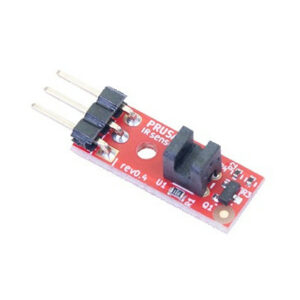
                  IR Filament Sensor Troubleshooting (MK2.5S, MK3S)

                  IR Filament Sensor Troubleshooting (MK2.5S, MK3S)

                  The IR sensor is a hybrid solution that combines an IR laser sensor triggered by a tiny mechanical lever. This means that in case one of the functions of the IR sensor is not working,…

                  Multimeter usage

                  Multimeter usage

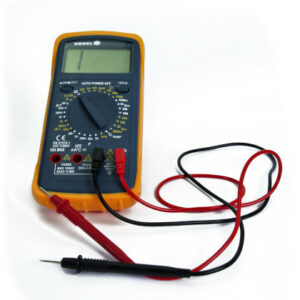
                  In many cases, we need to decide whether a component is faulty or just wrongly installed. There are also situations where we need to decide exactly which component should be replaced.…

                  Firmware updating issues (MK2.5S/MK3S+/MMU2S/MMU3)

                  Firmware updating issues (MK2.5S/MK3S+/MMU2S/MMU3)

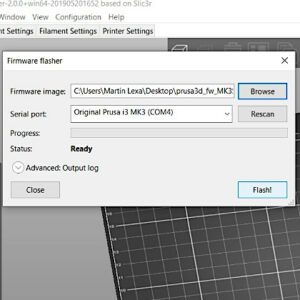
                  Flashing the firmware can sometimes fail, but most of the time it is nothing major. Before going deeper into issues related to flashing your printer, there are some initial steps…

                  Filament Not Loading

                  Filament Not Loading

                  If the filament is not loaded into the extruder, yet the printer is trying to pull the filament inside. It is usually a simple hardware problem, which we will fix in this article.  Ideal…

                  Clogged nozzle (CORE One, CORE One L, XL, MK4/S, MK3.9/S)

                  Clogged nozzle (CORE One, CORE One L, XL, MK4/S, MK3.9/S)

                  A clogged nozzle is a possible issue for FFF/FDM printers. If there are no issues, the filament is pushed into the hotend, melted, and then extruded through the nozzle. However,…

                  IR filament sensor calibration (MMU3, MMU2S)

                  IR filament sensor calibration (MMU3, MMU2S)

                  If you have the Original Prusa MMU2S or MMU3 installed in the MK3S/+ or MK3.5, the IR filament sensor needs to be calibrated before first use, in order to work properly. The calibration…

                  Factory reset (MK2S/MK2.5S/MK3S)

                  Factory reset (MK2S/MK2.5S/MK3S)

                  A factory reset can be used during troubleshooting to wipe configuration, calibration, and statistics data from your printer's memory. There are two ways how to perform a factory…

                  MMU2S LEDs meaning

                  MMU2S LEDs meaning

                  As you can see, there are five main LEDs on the MMU2 unit. Their arrangement corresponds to the arrangement of the 5 PTFE tubes and 5 filament channels. Each LED consists of two…

                  Blown Fuse (MK3/MK3S/MK3S+)

                  Blown Fuse (MK3/MK3S/MK3S+)

                  The Original Prusa i3 MK3 series printers are equipped with fuses to protect their crucial components. If your printer or some of its components suddenly stopped working, it is…

                  Mintemp error bed #12207 (MINI)

                  Mintemp error bed #12207 (MINI)

                  What happened? The printer will display "Mintemp error" for the heatbed if the printer's heatbed temperature goes below 15 ºC at any point. In this case, the printer will stop…

                  Nextruder filament sensor (CORE One, CORE One L, MK4/S, MK3.9/S, XL/+)

                  Nextruder filament sensor (CORE One, CORE One L, MK4/S, MK3.9/S, XL/+)

                  The filament sensor equipped on our Nextruder printers detects the presence of a filament and filament run-out. The sensor is a Hall sensor, triggered by a mechanism composed of…

                  Filament failed to unload (MINI/MINI+)

                  Filament failed to unload (MINI/MINI+)

                  When unloading the filament, the tip can have a large or irregular shape that is too big for the Bowden PTFE tube. You may hear some grinding sounds from the extruder as the printer…

                  Spaghetti monster

                  Spaghetti monster

                  Why the name spaghetti monster? This print issue looks exactly like it sounds, a big mess of "spaghetti" on and around your print. It is actually extruded filament, which was misplaced…

                  SD card not working

                  SD card not working

                  Our Original Prusa i3 printers offer two ways of printing: via a USB cable or by loading g-codes from an SD card. If you are experiencing SD-card-related issues, try some of our…

                  MK3S keeps prompting filament change

                  MK3S keeps prompting filament change

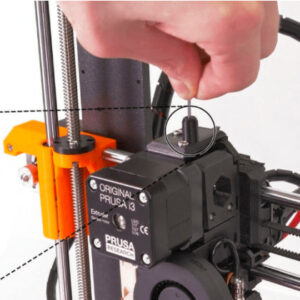
                  With the Original Prusa MK3S (and the Original Prusa MK2.5S upgrade), we are introducing a completely reworked extruder with a new filament sensing system. It is a hybrid solution,…

                  Failing Z calibration (MK3S/MK2.5S)

                  Failing Z calibration (MK3S/MK2.5S)

                  The size of the extruder and the length of travel of the Z-axis is coded into the firmware. Therefore, if the assembly of the extruder, or the firmware for your extruder, is not…

                  Heatbed not heating up properly

                  Heatbed not heating up properly

                  If your Heatbed does not heat up, there are a couple of things you should check to identify the source of the issue. Temperature measurements Measuring the temperature with an…

                  Print fan is not spinning

                  Print fan is not spinning

                  The print fan is the fan blowing on the printed object, right below the nozzle. Depending on the material and where you are in the print it might not always spin at full speed…

                  FINDA setup and troubleshooting

                  FINDA setup and troubleshooting

                  The FINDA sensor, sometimes referred to as F.I.N.D.A. is essentially the MK2/S PINDA sensor (without thermistor), upcycled to be used as a filament sensor. It is triggered by the…

                  Connect Registration Failed

                  Connect Registration Failed

                  What happened?  During the configuration of Prusa Connect on the Original Prusa MINI/+, MK4/S, MK3.9/S, MK3.5/S or XL an error on this configuration can occur and the printer shows…

                  LCD screen not working

                  LCD screen not working

                  The LCD screen is vital for operating the printer. Should you encounter any kind of trouble, such as a dead screen, corrupted text, or other issues, please refer to the guide below.  First…

                  Nozzle crashed into the heatbed

                  Nozzle crashed into the heatbed

                  If this occurs it indicates a problem with the P.I.N.D.A. or SuperPINDA sensor. P.I.N.D.A. stands for Prusa INDuction Auto leveling. It is the Z-axis end-stop on the MK2/S and…

                  Vibration when printing (MK3S+/MK2.5S)

                  Vibration when printing (MK3S+/MK2.5S)

                  Your Original Prusa MK3S+/MK3S/MK3 printer may be causing some vibrations during use. In most cases, this will not cause any printing issues, however, we will show you how to minimize…

                  Stuck filament detection #31101 (CORE One) #35101 (CORE One L) #26101 (MK4S) #13101 (MK4) #27101 (MK3.9S) #21101 (MK3.9) #17108 (XL)

                  Stuck filament detection #31101 (CORE One) #35101 (CORE One L) #26101 (MK4S) #13101 (MK4) #27101 (MK3.9S) #21101 (MK3.9) #17108 (XL)

                  The Prusa CORE One, CORE One L, and the Original Prusa XL, MK4/S, MK3.9/S are equipped with a loadcell. Thanks to this component, starting from firmware 6.0.0, the printer can…

                  PrusaLink Troubleshooting

                  PrusaLink Troubleshooting

                  This guide will help you solve the most common issues with the PrusaLink and Prusa Connect on your Original Prusa Printer. Original Prusa MK4/S, MK3.9/S, MK3.5/S, XL, MINI/+ Wi-Fi…

                  M.I.N.D.A./SuperPINDA sensor testing (MINI/MINI+)

                  M.I.N.D.A./SuperPINDA sensor testing (MINI/MINI+)

                  The Induction auto-leveling sensor is a vital component facilitating the calibration of the MINI and MINI+. It acts like the Z end-stop and is the main component in mesh-bed leveling.…

                  Firmware in the internal flash corrupted! #12608 (MINI)

                  Firmware in the internal flash corrupted! #12608 (MINI)

                  What happened? While flashing firmware to your printer an error might occur, and the screen will display the following message: "Firmware in the internal flash corrupted!". The…

                  Printer does not turn on or keeps turning off

                  Printer does not turn on or keeps turning off

                  If your printer doesn't turn on, keeps turning off, or is stuck in a boot loop, see here how to fix the issue. The printer must be powered off and disconnected from power when…

                  Hotend fan is not spinning

                  Hotend fan is not spinning

                  This issue can be preceded by the error Err: EXTR. FAN ERROR. Before we start checking your Hotend fan, power down and unplug your USB cable if it's connected. Open the electronics…

                  Thermal runaway print head #12204 (MINI)

                  Thermal runaway print head #12204 (MINI)

                  What happened? The printer will display "Thermal runaway" for the print head if the printer drops the print head temperature by 6 ºC for a long period of time. This temperature…

                  Factory reset (MMU2S pre firmware 1.0.6)

                  Factory reset (MMU2S pre firmware 1.0.6)

                  As the MMU unit has its own separate logic board, it also has its separate firmware that is cooperating with the printer firmware. This MMU-specific firmware is flashed directly…

                  Preheat error print head #12202 (MINI)

                  Preheat error print head #12202 (MINI)

                  What happened? The message "Preheat error print head" is shown when the printer is unable to heat up the hotend more than 2 ºC for 20 seconds. The printer starts a safety feature,…

                  IR Filament Sensor Troubleshooting (MINI/MINI+)

                  IR Filament Sensor Troubleshooting (MINI/MINI+)

                  When purchasing the Original Prusa MINI+, kit or semi-assembled, there is an option to add a filament sensor to the printer. It can also be purchased separately later. This sensor…

                  Mintemp error print head #12208 (MINI)

                  Mintemp error print head #12208 (MINI)

                  What happened? The printer will display "Mintemp error" for the print head if the printer's hotend temperature goes below 15 ºC at any point. In this case, the printer will stop…

                  FINDA: Filament Stuck #04102 (MMU)

                  FINDA: Filament Stuck #04102 (MMU)

                  What happened? While the MMU unit was unloading a filament, the SuperFINDA sensor inside the selector stayed triggered/detecting a filament, while it shouldn’t.  The superFINDA…

                  Filament not loading (MK4/S, MK3.9/S)

                  Filament not loading (MK4/S, MK3.9/S)

                  If the filament is not loaded into the extruder, yet the printer is trying to pull the filament inside, there might be a hardware problem in some of the extruder components: we…

                  Misaligned PINDA Sensor (MK2/S)

                  Misaligned PINDA Sensor (MK2/S)

                  A misaligned P.I.N.D.A. Sensor is an issue that can be fixed by fine-tuning the printer. To do that, you need to calibrate the P.I.N.D.A. sensor position on multiple spots around…

                  Homing error X #26304 (MK4S) #13304 (MK4) #27304 (MK3.9S) #21304 (MK3.9) #28304 (MK3.5S) #23304 (MK3.5)

                  Homing error X #26304 (MK4S) #13304 (MK4) #27304 (MK3.9S) #21304 (MK3.9) #28304 (MK3.5S) #23304 (MK3.5)

                  What happened? The Original Prusa MK4/S, MK3.9/S, MK3.5/S displays the message: "Failed to home the extruder in X-axis, make sure there is no obstacle on X-axis". Error name: Homing…

                  First layer does not stick (SL1/SL1S)

                  First layer does not stick (SL1/SL1S)

                  If there is no object to be seen on the metal platform as it raises from the resin tank, it usually means that the first layer didn’t adhere properly to the platform. Let’s find…

                  MMU2S Selector not moving

                  MMU2S Selector not moving

                  If the selector of your MMU2S upgrade is not moving smoothly, or if it cannot reach a certain position, the cause is usually one of the following issues: The selector blade is…

                  Factory reset (CORE One L, CORE One, MK4/S, MK3.9/S, MK3.5/S, MINI/+, XL)

                  Factory reset (CORE One L, CORE One, MK4/S, MK3.9/S, MK3.5/S, MINI/+, XL)

                  During normal function, your printer saves statistics, calibration data, and personalized settings, even after it is turned off. If you feel like you changed settings that have…

                  Clogged hotend (XL)

                  Clogged hotend (XL)

                  A clogged nozzle or hotend is a common issue for FFF/FDM printers. If there are no issues, the filament is pushed in the hotend, melted, and then extruded through the nozzle. However,…

                  Preheat error bed #12201 (MINI)

                  Preheat error bed #12201 (MINI)

                  What happened? A printer displaying the message "Preheat error bed" encountered an error while heating up the heatbed. If the heatbed temperature does not increase more than 2…

                  MMU2S idler unable to move freely

                  MMU2S idler unable to move freely

                  If your Original Prusa Multi Material idler barrel has some issues moving, makes clicking noises, or gives the error #04125 Idler cannot home, something is preventing the full…

                  Blown Fuse (MK2S/MK2.5/MK2.5S)

                  Blown Fuse (MK2S/MK2.5/MK2.5S)

                  The Original Prusa i3 MK2 series printer is equipped with fuses to protect the most important peripheries. If your printer or some of its components suddenly stopped working, it…

                  Hotend preheat error #31202 (CORE One) #35202 (CORE One L) #26202 (MK4S) #13202 (MK4) #27202 (MK3.9S) #21202 (MK3.9) 

                  Hotend preheat error #31202 (CORE One) #35202 (CORE One L) #26202 (MK4S) #13202 (MK4) #27202 (MK3.9S) #21202 (MK3.9) 

                  What happened? The printer is showing the message "Hotend preheat error: Check the print head heater and thermistor wiring for potential damage" Error name: Hotend preheat error Error…

                  Bed preheat error #31201 (CORE One) #35201 (CORE One L) #36201 (CORE One INDX) #26201 (MK4S) #13201 (MK4) #27201 (MK3.9S) #21201 (MK3.9) #28201 (MK3.5S) #23201 (MK3.5) 

                  Bed preheat error #31201 (CORE One) #35201 (CORE One L) #36201 (CORE One INDX) #26201 (MK4S) #13201 (MK4) #27201 (MK3.9S) #21201 (MK3.9) #28201 (MK3.5S) #23201 (MK3.5) 

                  What happened? The printer is showing the message "Check the heatbed heater & thermistor wiring for possible damage." Error name: Bed preheat error Error code: #31201 (CORE One)…

                  Homing error Y #26305 (MK4S) #13305 (MK4) #21305 (MK3.9) #23305 (MK3.5)

                  Homing error Y #26305 (MK4S) #13305 (MK4) #21305 (MK3.9) #23305 (MK3.5)

                  What happened? The Original Prusa MK4S/MK4/MK3.9/MK3.5 displays the message: "Failed to home the Y-axis, make sure there is no obstacle on Y-axis". Error name: Homing error Y Error…

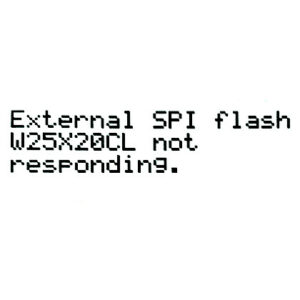
                  External SPI flash W25X20CL/xFLASH not responding - error

                  External SPI flash W25X20CL/xFLASH not responding - error

                  This occurs on some boards and its cause can be somewhat elusive. The W25X20CL is a memory chip on the Einsy Rambo board. It is an issue when flashing the firmware and is normally…

                  Ambient temperature check (MK3/MK3S)

                  Ambient temperature check (MK3/MK3S)

                  The Einsy board of your printer is equipped with an NTC thermistor, which is used to measure the surrounding ambient temperature. The sensor is located right above the main power…

                  Maxtemp error print head #12206 (MINI)

                  Maxtemp error print head #12206 (MINI)

                  What happened? The printer will display "Maxtemp error" for the print head if the printer's hotend temperature goes 305 ºC at any point. This is a safety feature to prevent printer…

                  Factory reset (MINI)

                  Factory reset (MINI)

                  Stored separately from the firmware itself, in the mainboard's EEPROM, you have statistics of your printer, calibration data related to the movement of the printer, and PID values…

                  Blown Fuse (MINI)

                  Blown Fuse (MINI)

                  The Original Prusa MINI is equipped with a 24V Buddy mainboard. This 32-bit logic board has two removable automotive fuses protecting the crucial components. If your printer or…

                  Hotend mintemp error #31208 (CORE One) #35208 (CORE One L) #26208 (MK4S) #13208 (MK4) #27208 (MK3.9S) #21208 (MK3.9)

                  Hotend mintemp error #31208 (CORE One) #35208 (CORE One L) #26208 (MK4S) #13208 (MK4) #27208 (MK3.9S) #21208 (MK3.9)

                  What happened? The printer is showing the message "Check the print head thermistor wiring for possible damage." Error name: Hotend mintemp error Error code: #31208 (CORE One) #35208…

                  Thermal runaway bed #12203 (MINI)

                  Thermal runaway bed #12203 (MINI)

                  What happened? The printer will display "Thermal runaway" for the heatbed if the printer drops the heatbed temperature by 25 ºC for an extended period of time. A general temperature…

                  MMU Overcurrent #31310 (CORE One) #35310 (CORE One L) #26310 (MK4S) #13310 (MK4) #27310 (MK3.9S) #21310 (MK3.9) #28310 (MK3.5S) #23310 (MK3.5)

                  MMU Overcurrent #31310 (CORE One) #35310 (CORE One L) #26310 (MK4S) #13310 (MK4) #27310 (MK3.9S) #21310 (MK3.9) #28310 (MK3.5S) #23310 (MK3.5)

                  What happened? The printer with the xBuddy board is equipped with a safety mechanism to detect power supply overcurrent situations in the Multi-material unit (MMU) connection.…

                  Factory Reset (MMU)

                  Factory Reset (MMU)

                  This procedure is the same for the MMU3 and MMU2S units running firmware 3.0.0 or newer. In case you are running MMU2S with older FW, please go to Factory reset (MMU2S pre firmware…

                  Loud noises from printer (SL1/SL1S)

                  Loud noises from printer (SL1/SL1S)

                  When your printer emits loud noises, sounding like hammering onto sheet-metal. This can be caused by a firmware issue, or if resin has leaked into your printer through the tilt…

                  Maxtemp error bed #12205 (MINI)

                  Maxtemp error bed #12205 (MINI)

                  What happened? The printer will display "Maxtemp error" for the heatbed if the printer's heatbed temperature goes above 110 ºC at any point. This is a safety feature to prevent…

                  Extruder preheat error #17202 (XL)

                  Extruder preheat error #17202 (XL)

                  What happened? The message "Extruder preheat error: Check the heater and thermistor wiring for potential damage" is shown when the printer is unable to heat up the nozzle more…

                  Connect Registration Failed #12401 (MINI)

                  Connect Registration Failed #12401 (MINI)

                  What happened?  During the configuration of Prusa Connect on the Original Prusa MINI/+, an error on this configuration can occur and the printer shows the message "Registration…

                  Heatbed Port Overcurrent #31309 (CORE One) #35309 (CORE One L) #26309 (MK4S) #13309 (MK4) #27309 (MK3.9S) #21309 (MK3.9) #28309 (MK3.5S) #23309 (MK3.5) #12309 (MINI) #36309 (INDX)

                  Heatbed Port Overcurrent #31309 (CORE One) #35309 (CORE One L) #26309 (MK4S) #13309 (MK4) #27309 (MK3.9S) #21309 (MK3.9) #28309 (MK3.5S) #23309 (MK3.5) #12309 (MINI) #36309 (INDX)

                  What happened? Your printer is showing the message: "Overcurrent detected on xBuddy/Buddy heatbed port, disconnect the device." Error name: Heatbed Port Overcurrent Error code:…

                  Live Z adjust not saving

                  Live Z adjust not saving

                  The Live Z Adjust is a tool that is used for easy corrections of the 1st three layers of your prints. In this article, we will look at the most common problem associated with it,…

                  No file on USB #12604 (MINI/MINI+)

                  No file on USB #12604 (MINI/MINI+)

                  What happened? When flashing the firmware with the Alternative Method, you might get the text "Firmware file missing in the USB flash!". Error name: No file on USB Error code:…

                  Missing parts (SL1/SL1S)

                  Missing parts (SL1/SL1S)

                  A print can finish even if some parts of the object weren’t printed fully, though a missing part of an object will more often cause the whole print-job to fail. Try printing a…

                  Connect Registration Failed #17401 (XL)

                  Connect Registration Failed #17401 (XL)

                  What happened?  During the configuration of Prusa Connect on the Original Prusa XL, an error on this configuration can occur and the printer shows the message "Registration to…

                  Hotend thermal runaway #31204 (CORE One) #35204 (CORE One L) #26204 (MK4S) #13204 (MK4) #27204 (MK3.9S) #21204 (MK3.9)

                  Hotend thermal runaway #31204 (CORE One) #35204 (CORE One L) #26204 (MK4S) #13204 (MK4) #27204 (MK3.9S) #21204 (MK3.9)

                  What happened? The printer is showing the error "Hotend thermal runaway: Check the print head thermistor wiring for potential damage". Error name: Hotend thermal runaway  Error…

                  Nozzle Cleaning Failed #17834 (XL)

                  Nozzle Cleaning Failed #17834 (XL)

                  To achieve good quality prints, it is fundamental that the nozzle can make the right amount of contact with the print surface. In case this is not achieved, the printer will show…

                  Blown Fuse (MK4/S, MK3.9/S)

                  Blown Fuse (MK4/S, MK3.9/S)

                  The Original Prusa MK4/S and MK3.9/S are equipped with a 24V xBuddy mainboard. This 32-bit logic board has three removable automotive fuses protecting the crucial components. If…

                  Saving log file (SL1/SL1S)

                  Saving log file (SL1/SL1S)

                  If you encounter an issue, we may request the log file from your Original Prusa SL1. This contains a wide range of info specific to your unit. By going to the printer menu to Settings…

                  SL1 Tilt-mechanism error

                  SL1 Tilt-mechanism error

                  This error was changed in firmware version 1.5.0! This article only applies to SL1 printers with firmware older than 1.5.0. During the Wizard, the SL1 will test the tilting-motion…

                  Filament not loading (XL)

                  Filament not loading (XL)

                  If the filament is not loaded into the extruder, yet the printer is trying to pull the filament inside, there might be a hardware problem in some of the extruder components: we…

                  Resin sensor error #10307 (SL1/SL1S)

                  Resin sensor error #10307 (SL1/SL1S)

                  What happened? The printer displays the message: The resin sensor was not triggered. Check whether the tank and the platform are properly secured. Error name: Resin sensor error Error…

                  Homing error Z #17301 (XL)

                  Homing error Z #17301 (XL)

                  What happened? The printer displays the message "Failed to home the Z-axis, make sure the loadcell is working". Error name: Homing error Z Error code: #17301  How to fix it? Check…

                  Extruder thermal runaway #17204 (XL)

                  Extruder thermal runaway #17204 (XL)

                  What happened? The printer will display "Extruder thermal runaway: Check the thermistor wiring for potential damage" if the temperature on the nozzle drops by 6 ºC for an extended…

                  Troubleshooting the MINI/MINI+ assembly

                  Troubleshooting the MINI/MINI+ assembly

                  Service menu - Individual Filament Calibration

                  Service menu - Individual Filament Calibration

                  Bed thermal runaway #31203 (CORE One) #35203 (CORE One L) #36203 (CORE One INDX) #26203 (MK4S) #13203 (MK4) #27203 (MK3.9S) #21203 (MK3.9) #28203 (MK3.5S) #23203 (MK3.5) 

                  Bed thermal runaway #31203 (CORE One) #35203 (CORE One L) #36203 (CORE One INDX) #26203 (MK4S) #13203 (MK4) #27203 (MK3.9S) #21203 (MK3.9) #28203 (MK3.5S) #23203 (MK3.5) 

                  What happened? The printer is showing the message "Check the heatbed thermistor wiring for possible damage." Error name: Bed thermal runaway  Error code: #31203 (CORE One) #35203…

                  Selftest failed (XL)

                  Selftest failed (XL)

                  On the Original Prusa XL, the selftest checks for issues in the assembly of the printer, its wiring and the electronic components. It is the first part of the Calibration Wizard,…

                  Puppy error #17514 (XL)

                  Puppy error #17514 (XL)

                  What happened? On the Original Prusa XL, communication with the peripheral boards (e.g. Dwarf board) is achieved using the MODBUS protocol. In MODBUS, there are two types of devices:…

                  Homing Error #12301 (MINI)

                  Homing Error #12301 (MINI)

                  What happened? During calibration, mesh bed leveling, or before a print, it is crucial for the printer firmware to determine the print head and heatbed position. This is done through…

                  Fan failure #10106 (SL1/SL1S)

                  Fan failure #10106 (SL1/SL1S)

                  What happened? The printer is displaying the message: Incorrect RPM reading of the fan. Please check its wiring and connection. Error name: Fan failure Error code: #10106 This…

                  I2C Send failed #31311 (CORE One) #35311 (CORE One L) #36311 (CORE One INDX) #26311 (MK4S) #13311 (MK4) #27311 (MK3.9S) #21311 (MK3.9) #28311 (MK3.5S) #23311 (MK3.5) #12311 (MINI/+)

                  I2C Send failed #31311 (CORE One) #35311 (CORE One L) #36311 (CORE One INDX) #26311 (MK4S) #13311 (MK4) #27311 (MK3.9S) #21311 (MK3.9) #28311 (MK3.5S) #23311 (MK3.5) #12311 (MINI/+)

                  What happened? On your Prusa Printer, the I2C bus is used for the xBuddy and Buddy boards to communicate with other printer components. If there is an error in sending data from…

                  Tool offset out of bounds #17104 (XL)

                  Tool offset out of bounds #17104 (XL)

                  What happened? On the multi-tool versions of the Original Prusa XL, the offset of the tools compared to the first is calibrated through the Tool Offset Calibration. If the offset…

                  Dock position out of bounds #17103 (XL)

                  Dock position out of bounds #17103 (XL)

                  What happened? The XL tool heads are connected to a metal profile on the back extrusion of the XL. During the selftest of the multi-tool head, the wizard will guide you through…

                  Invalid API key #10405 (SL1/SL1S)

                  Invalid API key #10405 (SL1/SL1S)

                  What happened? The printer is displaying the message: Please turn on the HTTP digest (which is the recommended security option) or update the API key. You can find it in Settings…

                  Factory reset (SL1/SL1S)

                  Factory reset (SL1/SL1S)

                  Stored separately from the firmware itself, you have calibration data related to the operation of the printer and various statistics. If these values become corrupted or are not…

                  Display test failed #10120 (SL1/SL1S)

                  Display test failed #10120 (SL1/SL1S)

                  What happened? The printer is displaying the message: Display test failed, check the connection between the display and the A64 board. Error name: Display test failed Error code:…

                  Bed mintemp error #31207 (CORE One) #35207 (CORE One L) #36207 (CORE One INDX) #26207 (MK4S) #13207 (MK4) #27207 (MK3.9S) #21207 (MK3.9) #28207 (MK3.5S) #23207 (MK3.5)

                  Bed mintemp error #31207 (CORE One) #35207 (CORE One L) #36207 (CORE One INDX) #26207 (MK4S) #13207 (MK4) #27207 (MK3.9S) #21207 (MK3.9) #28207 (MK3.5S) #23207 (MK3.5)

                  What happened? The printer is showing  the message "Check the heatbed thermistor wiring for possible damage." Error name: Bed mintemp error  Error code: #31207 (CORE One) #35207…

                  Puppy error #17513 (XL)

                  Puppy error #17513 (XL)

                  What happened? On the Original Prusa XL, communication with the peripheral boards (e.g. Dwarf board) is achieved using the MODBUS protocol. In MODBUS, there are two types of devices:…

                  Expect overheating #10714 (SL1/SL1S)

                  Expect overheating #10714 (SL1/SL1S)

                  What happened? The printer is displaying the message: Incorrect RPM reading of the fan. The print may continue, however, there's a risk of overheating. Warning name: Expect overheating Warning…

                  Status LED explained (MMU3)

                  Status LED explained (MMU3)

                  This article is describing the status of the LEDs located on the multi material unit. Together there are five LEDs on the unit that correspond to the five available filament positions.  Attention:…

                  Unauthorized #10406 (SL1/SL1S)

                  Unauthorized #10406 (SL1/SL1S)

                  What happened? The printer is displaying the message: The printer uses HTTP digest security. Please enable it also in your slicer (recommended), or turn off this security option…

                  Service menu - Factory Reset

                  Service menu - Factory Reset

                  Loadcell Timeout #31528 (CORE One) #35528 (CORE One L) #26528 (MK4S) #36528 (CORE One INDX) #13528 (MK4) #27528 (MK3.9S) #21528 (MK3.9)

                  Loadcell Timeout #31528 (CORE One) #35528 (CORE One L) #26528 (MK4S) #36528 (CORE One INDX) #13528 (MK4) #27528 (MK3.9S) #21528 (MK3.9)

                  What happened? The Prusa CORE One/+, CORE One L, and the Original Prusa MK4/S, MK3.9/S are equipped with a loadcell, which detects whether the nozzle is close enough to the steel…

                  Extruder Mintemp error #17208 (XL)

                  Extruder Mintemp error #17208 (XL)

                  What happened? The printer will display the message "Extruder Mintemp error: Check the thermistor wiring for potential damage" if the printer's nozzle temperature goes below 15…

                  Internal memory full #10516 (SL1/SL1S)

                  Internal memory full #10516 (SL1/SL1S)

                  What happened? The printer displaying the message: Internal memory full, please delete some of your projects first. Error name: Internal memory full Error code: #10516 Projects…

                  USB drive not detected #10528 (SL1/SL1S)

                  USB drive not detected #10528 (SL1/SL1S)

                  What happened? The printer is displaying the message: No USB storage present Error name: USB drive not detected  Error code: #10528 How to fix it? The printer will copy the project…

                  Unknown printer model #10323 (SL1/SL1S)

                  Unknown printer model #10323 (SL1/SL1S)

                  What happened? The printer is displaying the message: The printer model was not detected. Error name: Unknown printer model Error code: #10323 This error happens when the printer…

                  Pin not reached #17107 (XL)

                  Pin not reached #17107 (XL)

                  What happened?  During the XYZ calibration, if the calibration pin is not reached, the printer is showing the message "Calibration pin has not been reached. Please check the pin…

                  Filament jam (MMU2S)

                  Filament jam (MMU2S)

                  XY position invalid #17106 (XL)

                  XY position invalid #17106 (XL)

                  What happened?  During XY probing, part of the Tool Offset calibration, if the offset in one of the tools is out of a range of acceptable values, the printer will show the message…

                  Ambient temperature too cold #10703 (SL1/SL1S)

                  Ambient temperature too cold #10703 (SL1/SL1S)

                  What happened? The printer is displaying the message The ambient temperature is too low, the print can continue, but it might fail. Error name: Ambient temp. too cold Error code:…

                  Wrong printer model #10544 (SL1/SL1S)

                  Wrong printer model #10544 (SL1/SL1S)

                  What happened? The printer is displaying the message: This project was prepared for a different printer. Error name: Wrong printer model Error code: #10544  This error informs…

                  Resin too high #10109 (SL1/SL1S)

                  Resin too high #10109 (SL1/SL1S)

                  What happened? The printer is displaying the message: Measured resin volume [amount] ml is higher than required for this print. Make sure that the resin level does not exceed the…

                  Unexpected error #10501 (SL1/SL1S)

                  Unexpected error #10501 (SL1/SL1S)

                  What happened? The printer is displaying the message: "An unexpected error has occurred. If print job is in progress, it should be finished. You can turn the printer off by pressing…

                  Loadcell Measure Failed #31526 (CORE One) #35526 (CORE One L) #36526 (CORE One INDX) #26526 (MK4S) #13526 (MK4) #27526 (MK3.9S) #21526 (MK3.9) #36526 (CORE One INDX)

                  Loadcell Measure Failed #31526 (CORE One) #35526 (CORE One L) #36526 (CORE One INDX) #26526 (MK4S) #13526 (MK4) #27526 (MK3.9S) #21526 (MK3.9) #36526 (CORE One INDX)

                  What happened? The Prusa CORE One INDX, CORE One/+, CORE One L, and the Original Prusa MK4/S, MK3.9/S are equipped with a loadcell, which detects whether the nozzle is close enough…

                  Logging data over serial line (MMU2S)

                  Logging data over serial line (MMU2S)

                  Information from the data logged via serial line can be useful when doing advanced troubleshooting with your MMU2S unit or for providing it to Customer support when requested. To…

                  Boost board problem #10320 (SL1S)

                  Boost board problem #10320 (SL1S)

                  What happened? The printer is displaying the message: Communication with the Booster board failed. Error name: Boost board problem Error code: #10320 This error happens when the…

                  Unable to unload filament MMU1

                  Unable to unload filament MMU1

                  Unsupported printer version #12611 (MINI/MINI+)

                  Unsupported printer version #12611 (MINI/MINI+)

                  What happened? While flashing firmware to your printer an error might occur, and the screen will display the following message: "Firmware/printer versions do not match! You are…

                  XY probe unstable #17105 (XL)

                  XY probe unstable #17105 (XL)

                  What happened?  During XY probing, part of the Tool Offset calibration, if the same probes are not repeatable after multiple attempts, the printer will show the message "XY probing…

                  Parameters out of range #10707 (SL1/SL1S)

                  Parameters out of range #10707 (SL1/SL1S)

                  What happened? The printer is displaying the message: The print parameters are out of range of the printer, the system can try to fix the project. Proceed? Error name: Parameters…

                  Not connected to network #10402 (SL1/SL1S)

                  Not connected to network #10402 (SL1/SL1S)

                  What happened? The printer is displaying the message: The printer is not connected to the internet, please check the connection in the Settings. Error name: Not connected to network Error…

                  Puppy error #17516 (XL)

                  Puppy error #17516 (XL)

                  What happened? On the Original Prusa XL, communication with the peripheral boards (e.g. Dwarf board) is achieved using the MODBUS protocol. In MODBUS there are two types of devices,…

                  Tower check failed #10118 (SL1/SL1S)

                  Tower check failed #10118 (SL1/SL1S)

                  What happened? The printer is displaying the message: Tower axis check failed! Please check if the ball-screw can move smoothly in its entire range. Error name: Tower check failed  Error…

                  Remote API error #10407 (SL1/SL1S)

                  Remote API error #10407 (SL1/SL1S)

                  What happened? The printer is displaying the message: This request is not compatible with the Prusa remote API. See our documentation for more details. Error name: Remote API error Error…

                  General troubleshooting MMU1

                  General troubleshooting MMU1

                  UV LED temperature error #10209 (SL1/SL1S)

                  UV LED temperature error #10209 (SL1/SL1S)

                  What happened? The printer is displaying the message: Reading of UV LED temperature has failed! This value is essential for the UV LED's lifespan and printer safety. Please contact…

                  Multi Material Post Processor Troubleshooting

                  Multi Material Post Processor Troubleshooting

                  Not enough layers #10540 (SL1/SL1S)

                  Not enough layers #10540 (SL1/SL1S)

                  What happened? The printer is displaying the message: The project must have at least one layer. Error name: Not enough layers Error code: #10540  This error happens when the project…

                  Resin measuring failed #10124 (SL1/SL1S)

                  Resin measuring failed #10124 (SL1/SL1S)

                  What happened? The printer is displaying the message: Measuring the resin failed. Check the presence of the platform and the amount of resin in the tank. Error name: Resin measuring…

                  File already exists! #10520 (SL1)

                  File already exists! #10520 (SL1)

                  What happened? The printer displaying the message: File already exists! Error name: File already exists! Error code: #10520 When initiating a transfer of files to the printer,…

                  Loadcell Not Calibrated #31523 (CORE One) #35223 (CORE One L) #26523 (MK4S) #13523 (MK4) #27523 (MK3.9S) #21523 (MK3.9)

                  Loadcell Not Calibrated #31523 (CORE One) #35223 (CORE One L) #26523 (MK4S) #13523 (MK4) #27523 (MK3.9S) #21523 (MK3.9)

                  What happened? The Prusa CORE One/+, CORE One L, and the Original Prusa MK4/S, MK3.9/S are equipped with a loadcell, which detects whether the nozzle is close enough to the steel…

                  Project is corrupted #10541 (SL1/SL1S)

                  Project is corrupted #10541 (SL1/SL1S)

                  What happened? The printer is displaying the message: Opening the project failed. The file is corrupted. Please re-slice or re-export the project and try again. Error name: Project…

                  Homing error Y #31305 (CORE One) #35305 (CORE One L) #36305 (CORE One INDX) #17305 (XL)

                  Homing error Y #31305 (CORE One) #35305 (CORE One L) #36305 (CORE One INDX) #17305 (XL)

                  What happened? The printer displays the message "Failed to home the Y-axis. Make sure there is no obstacle on the Y-axis." Error name: Homing error Y Error code: #31305 (CORE One)…

                  A64 Overheat #10207 (SL1/SL1S)

                  A64 Overheat #10207 (SL1/SL1S)

                  What happened? The printer is displaying the message: A64 temperature is too high. Measured: [temp] °C!. Error name: A64 Overheat Error code: #10207 This error is presented when…

                  Invalid FW size on USB #12603 (MINI/MINI+)

                  Invalid FW size on USB #12603 (MINI/MINI+)

                  What happened? While flashing firmware to your printer an error might occur, and the screen will display the following message: "Firmware file has invalid size! Check the file…

                  Can't copy project #10704 (SL1/SL1S)

                  Can't copy project #10704 (SL1/SL1S)

                  What happened? The printer is displaying the message: The internal memory is full, the project cannot be copied. You can continue printing - however, you must not remove the USB…

                  File not found #10518 (SL1/SL1S)

                  File not found #10518 (SL1/SL1S)

                  What happened? The printer displaying the message: Cannot find the selected file!  Error name: File not found Error code: #10518 General error when a file is not found. Possible…

                  UV led voltage error #10309 (SL1)

                  UV led voltage error #10309 (SL1)

                  What happened? The printer displaying the message: UV LED voltages differ too much. The LED module might be faulty, please contact our support. Error name: UV led voltage error Error…

                  Ambient temperature too high #10702 (SL1/SL1S)

                  Ambient temperature too high #10702 (SL1/SL1S)

                  What happened? The printer is displaying the message: The ambient temperature is too high, the print can continue, but it might fail. Error name: Ambient temp. too hot Error code:…

                  Opening project failed #10504 (SL1/SL1S)

                  Opening project failed #10504 (SL1/SL1S)

                  What happened? The printer displaying the message: Opening the project failed, the file is possibly corrupted. Please re-slice or re-export the project, try again. Error name:…

                  Fan warning #10713 (SL1/SL1S)

                  Fan warning #10713 (SL1/SL1S)

                  What happened? The printer is displaying the message: Incorrect RPM reading of the fan. Warning name: Fan warning Warning code: #10713 This warning is sent when the printer is…

                  Another action is already running #10506 (SL1/SL1S)

                  Another action is already running #10506 (SL1/SL1S)

                  What happened? The printer displaying the message: Another action is already running. Finish this action directly using the printer's touchscreen. Error name: Another action is…

                  Unexpected MC error #10306 (SL1/SL1S)

                  Unexpected MC error #10306 (SL1/SL1S)

                  What happened? The printer displaying the message: The motion controller has encountered an unexpected error, please restart the printer. Error name: Unexpected MC error Error…

                  Resin too low #10108 (SL1/SL1S)

                  Resin too low #10108 (SL1/SL1S)

                  What happened? The printer is displaying the message: Measured resin volume [amount] ml is lower than required for this print. Please refill the tank and restart the print. Error…

                  Not enough resin #10706 (SL1/SL1S)

                  Not enough resin #10706 (SL1/SL1S)

                  What happened? The printer is displaying the message: The amount of resin in the tank is not enough for the current project. Adding more resin will be required during the print. Error…

                  Modular Bed Error #17319 (XL)

                  Modular Bed Error #17319 (XL)

                  What happened? The Original Prusa XL can detect a power fault on the Modular Bed, with hardware measurements: in case this happens, the printer will show the message "Power failure". Error…

                  An unexpected error has occurred #10701 (SL1)

                  An unexpected error has occurred #10701 (SL1)

                  What happened? The printer displaying the message: An unexpected error has occurred. Please restart the printer. Contact our tech support if the problem persists. Error name: An…

                  Cannot read project #10539 (SL1/SL1S)

                  Cannot read project #10539 (SL1/SL1S)

                  What happened? The printer is displaying the message: Opening the project failed. The file is possibly corrupted. Please re-slice or re-export the project and try again. Error…

                  Homing error X #17304 (XL)

                  Homing error X #17304 (XL)

                  What happened? The printer displays the message "Failed to home the X-axis, make sure there is no obstacle on X-axis or Y-axis." Error name: Homing error X Error code: #17304 The…

                  Toolchanger error #17135 (XL) #36135 (CORE One INDX)

                  Toolchanger error #17135 (XL) #36135 (CORE One INDX)

                  What happened? The Original Prusa XL is showing the message "Check all tools if they are properly parked or picked". Error name: Toolchanger error Error code: #17135 (XL) #36135…

                  Disconnected UV LED panel #10321 (SL1/SL1S)

                  Disconnected UV LED panel #10321 (SL1/SL1S)

                  What happened? The printer is displaying the message: The UV LED panel is not detected. Error name: Disconnected UV LED panel Error code: #10321 This error is shown when the UV…

                  Directory not empty #10546 (SL1/SL1S)

                  Directory not empty #10546 (SL1/SL1S)

                  What happened? The printer is displaying the message: The directory is not empty. Error name: Directory not empty Error code: #10546 This error is shown when you try to remove…

                  Failed to read the configuration file #10505 (SL1)

                  Failed to read the configuration file #10505 (SL1)

                  What happened? The printer displaying the message: Failed to read the configuration file. Try to reset the printer. If the problem persists, contact support. Error name: Failed…

                  ESP error #17505 (XL)

                  ESP error #17505 (XL)

                  What happened? The printer is showing the message: "Command error" Error name: ESP command error Error code: #17505 On the Original Prusa XL, the XLBuddy board includes a WiFi…

                  EXTRUDER ERROR #17536 (XL)

                  EXTRUDER ERROR #17536 (XL)

                  What happened? The printer shows the message "Extruder motor is not spinning on tool #". In place of #, the number of the Dwarf board is shown.  This problem occurs due to increased…

                  Project analysis failed #10542 (SL1/SL1S)

                  Project analysis failed #10542 (SL1/SL1S)

                  What happened? The printer is displaying the message: Analysis of the project failed. Error name: Project analysis failed Error code: #10542 The printer can fail to analyze the…

                  Resin low #10712 (SL1/SL1S)

                  Resin low #10712 (SL1/SL1S)

                  What happened? The printer is displaying the message: Measured resin volume is too low. The print can continue, however, a refill might be required. Warning name: Resin low Warning…

                  Modular bed error #17250 (XL)

                  Modular bed error #17250 (XL)

                  What happened?  In case the printer detects a problem with the modular bed, the display will show the following message: "Heatbed tile no. #: Damaged tile or wiring. Follow online…

                  USB flash drive not connected #17602 (XL)

                  USB flash drive not connected #17602 (XL)

                  What happened? During firmware flashing on your Original Prusa XL, you might get the message "USB drive not connected! Please insert a USB drive with a valid firmware file". Error…

                  Cannot remove project #10545 (SL1/SL1S)

                  Cannot remove project #10545 (SL1/SL1S)

                  What happened? The printer is displaying the message: Removing this project is not possible. The project is locked by a print job. Error name: Cannot remove project Error code:…

                  Heatbreak Mintemp error #17211 (XL)

                  Heatbreak Mintemp error #17211 (XL)

                  What happened? The printer will display the message "Check the heatbreak thermistor wiring for possible damage" if the heatbreak temperature measures less than 5 °C at any point.…

                  Preload failed #10503 (SL1/SL1S)

                  Preload failed #10503 (SL1/SL1S)

                  What happened? The printer is displaying the message: Image preloader did not finish successfully! Error name: Preload failed Error code: #10503 This error shows that the printer…

                  Multiplexer

                  Multiplexer

                  Filament pulleys MMU1

                  Filament pulleys MMU1

                  Mask noavail warning #10709 (SL1/SL1S)

                  Mask noavail warning #10709 (SL1/SL1S)

                  What happened? The printer is displaying the message: Print mask is missing. Error name: Mask no avail warning Error code: #10709 This error shows when the print mask part of the…

                  Object cropped warning #10710 (SL1/SL1S)

                  Object cropped warning #10710 (SL1/SL1S)

                  What happened? The printer is displaying the message: Object was cropped because it does not fit the print area. Warning name: Object cropped warning Warning code: #10710 This…

                  Temperature out of range #10208 (SL1/SL1S)

                  Temperature out of range #10208 (SL1/SL1S)

                  What happened? The printer is displaying the message: (sensor)s not in range! Measured temperature: (temperature). Keep the printer out of direct sunlight at room temperature (18…

                  Incorrect printer model #10705 (SL1/SL1S)

                  Incorrect printer model #10705 (SL1/SL1S)

                  What happened? The printer is displaying the message: The model was sliced for a different printer model, please reslice. Error name: Printer model mismatch warning Error code:…

                  Heatbreak  MAXTEMP Error #31212 (CORE One) #35212 (CORE One L) #26212 (MK4S) #13212 (MK4) #27212 (MK3.9S) #21212 (MK3.9) 

                  Heatbreak MAXTEMP Error #31212 (CORE One) #35212 (CORE One L) #26212 (MK4S) #13212 (MK4) #27212 (MK3.9S) #21212 (MK3.9) 

                  What happened? The printer is showing the message "Check the heatbreak thermistor wiring for possible damage." Error name: Heatbreak MAXTEMP Error Error code: #31212 (CORE One)…

                  Cannot get update channel #10514 (SL1)

                  Cannot get update channel #10514 (SL1)

                  What happened? The printer displaying the message: Cannot get the update channel, please restart the printer and try again. Error name: Cannot set update channel Error code: #10514 This…

                  Wrong revision of motion controller #10301 (SL1)

                  Wrong revision of motion controller #10301 (SL1)

                  What happened? The printer displaying the message: Wrong revision of the motion controller. Please replace it or contact our support. Error name: Wrong revision of motion controller Error…

                  Bed maxtemp error #31205 (CORE One) #35205 (CORE One L) #36205 (CORE One INDX) #26205 (MK4S) #13205 (MK4) #27201 (MK3.9S) #21201 (MK3.9) #28201 (MK3.5S) #23201 (MK3.5)

                  Bed maxtemp error #31205 (CORE One) #35205 (CORE One L) #36205 (CORE One INDX) #26205 (MK4S) #13205 (MK4) #27201 (MK3.9S) #21201 (MK3.9) #28201 (MK3.5S) #23201 (MK3.5)

                  What happened? The printer shows the error "Check the heatbed thermistor wiring for possible damage." Error name: Bed Maxtemp error  Error code: #31205 (CORE One) #35205 (CORE…

                  Connect Registration Failed #23401 (MK3.5)

                  Connect Registration Failed #23401 (MK3.5)

                  What happened?  During the configuration of Prusa Connect on the Original Prusa MK3.5, an error on this configuration can occur and the printer shows the message "Registration…

                  Modular bed error #17257 (XL)

                  Modular bed error #17257 (XL)

                  What happened?  Before starting each print, your Original Prusa XL will test the resistance of the heatbed tile, by heating it and measuring its current. In case of an issue related…

                  Loadcell Bad Configuration #31527 (CORE One) #35527 (CORE One L) #36527 (CORE One INDX) #26527 (MK4S) #13527 (MK4) #27527 (MK3.9S) #21527 (MK3.9)

                  Loadcell Bad Configuration #31527 (CORE One) #35527 (CORE One L) #36527 (CORE One INDX) #26527 (MK4S) #13527 (MK4) #27527 (MK3.9S) #21527 (MK3.9)

                  What happened? The Prusa CORE One/+, CORE One L, and the Original Prusa MK4/S, MK3.9/S are equipped with a loadcell, which detects whether the nozzle is close enough to the steel…

                  Hotend preheat error #28202 (MK3.5S) #23202 (MK3.5)

                  Hotend preheat error #28202 (MK3.5S) #23202 (MK3.5)

                  What happened? The printer is showing the message "Hotend preheat error: Check the print head heater and thermistor wiring for potential damage" Error name: Hotend preheat error Error…

                  No file to reprint #10508 (SL1)

                  No file to reprint #10508 (SL1)

                  What happened? The printer displaying the message: Error, there is no file to reprint. Error name: No file to reprint Error code: #10508 This error is displayed in case of a reprint…

                  Unsupported firmware BBF file #17614 (XL)

                  Unsupported firmware BBF file #17614 (XL)

                  What happened? While flashing firmware to your Original Prusa XL, an error might occur, and the screen will display the following message: "USB flash drive contains unsupported…

                  Hotend thermal runaway #28204 (MK3.5S) #23204 (MK3.5)

                  Hotend thermal runaway #28204 (MK3.5S) #23204 (MK3.5)

                  What happened? The printer is showing the message "Hotend thermal runaway: Check the print head thermistor wiring for possible damage." Error name: Hotend thermal runaway Error…

                  Calibration project is invalid #10543 (SL1/SL1S)

                  Calibration project is invalid #10543 (SL1/SL1S)

                  What happened? The printer is displaying the message: Calibration project is invalid. Error name: Calibration project is invalid Error code: #10543 This error is shown when the…

                  Heatbreak MINTEMP Error #31211 (CORE One) #35211 (CORE One L) #26211 (MK4S) #13211 (MK4) #27211 (MK3.9S) #21211 (MK3.9)

                  Heatbreak MINTEMP Error #31211 (CORE One) #35211 (CORE One L) #26211 (MK4S) #13211 (MK4) #27211 (MK3.9S) #21211 (MK3.9)

                  What happened? The printer is showing the message "Check the heatbreak thermistor wiring for possible damage." Error name: Heatbreak MINTEMP Error Error code: #31211 (CORE One)…

                  Tangled filament

                  Tangled filament

                  A tangled filament spool can cause a print to fail, as a knot can form on the filament strand. This is caused by letting the filament end go, for example during a filament unloading,…

                  Loadcell not calibrated #17523 (XL)

                  Loadcell not calibrated #17523 (XL)

                  What happened? The Original Prusa XL is equipped with a loadcell, to detect that the nozzle is close enough to the steel sheet for printing, and to avoid damage that would be caused…

                  Print examples missing #10523 (SL1/SL1S)

                  Print examples missing #10523 (SL1/SL1S)

                  What happened? The printer is displaying the message: Examples (any projects) are missing in the user storage. Redownload them from the "Settings" menu. Error name: Print examples…

                  Modular bed error #17303 (XL)

                  Modular bed error #17303 (XL)

                  What happened?  The printer is showing the message: "Unexpected invalid current".  Error name: MB invalid current Error code: #17303 An LED on the Modular Bed lights up when this…

                  Puppy error #17521 (XL)

                  Puppy error #17521 (XL)

                  What happened? On the Original Prusa XL, communication with the peripheral boards (e.g. Dwarf board) is achieved using the MODBUS protocol. In MODBUS, there are two types of devices:…

                  I2C Send Failed #17311 (XL)

                  I2C Send Failed #17311 (XL)

                  What happened? On the Original Prusa XL, the I2C bus is used for the XLBuddy to communicate with other printer components. If there is an error in sending data from the XLBuddy,…

                  Hotend maxtemp error #31206 (CORE One) #35206 (CORE One L) #26206 (MK4S) #13206 (MK4) #27206 (MK3.9S) #21206 (MK3.9) #28206 (MK3.5S) #23206 (MK3.5)

                  Hotend maxtemp error #31206 (CORE One) #35206 (CORE One L) #26206 (MK4S) #13206 (MK4) #27206 (MK3.9S) #21206 (MK3.9) #28206 (MK3.5S) #23206 (MK3.5)

                  What happened? The printer is showing the message "Check the print head thermistor wiring for possible damage." Error name: Hotend Maxtemp error Error code: #31206 (CORE One) #35206…

                  Modular bed error #17256 (XL)

                  Modular bed error #17256 (XL)

                  What happened?  If your Original Prusa XL fails to heat correctly one of the heatbed tiles, the printer will show the message "Heatbed tile no. #: Preheat error".  Error name:…

                  Heatbreak Maxtemp error #17212 (XL)

                  Heatbreak Maxtemp error #17212 (XL)

                  What happened? The printer will display the message "Check the heatbreak thermistor wiring for possible damage" if the heatbreak temperature measures more than 100 °C at any point.…

                  Extruder temp not matching #17210 (XL)

                  Extruder temp not matching #17210 (XL)

                  The printer displays the message "Measured temperature is not matching expected value. Check the thermistor is in contact with hotend. In case of damage, replace it." when the…

                  USB not connected #12602 (MINI/MINI+)

                  USB not connected #12602 (MINI/MINI+)

                  What happened? If flash the firmware with the Alternative Method, you might get the text "USB drive not connected! Please insert a USB drive with a valid firmware file.". Error…

                  No FW on USB flash drive #17604 (XL)

                  No FW on USB flash drive #17604 (XL)

                  What happened? When flashing the firmware, you might get the message "Firmware file missing in the USB flash!". Error name: No FW on USB flash drive Error code: #17604 This error…

                  File system error #12613 (MINI/MINI+)

                  File system error #12613 (MINI/MINI+)

                  What happened? While flashing firmware to your printer an error might occur, and the screen will display the following message: "File system error! Try a different USB drive or…

                  Puppy error #17520 (XL)

                  Puppy error #17520 (XL)

                  What happened? On the Original Prusa XL, communication with the peripheral boards (e.g. Dwarf board) is achieved using the MODBUS protocol. In MODBUS, there are two types of devices:…

                  Flash erase error #12605 (MINI/MINI+)

                  Flash erase error #12605 (MINI/MINI+)

                  What happened? While flashing firmware to your printer an error might occur, and the screen will display the following message: "Error erasing flash! Restart the printer and try…

                  Extruder Maxtemp error #17206 (XL)

                  Extruder Maxtemp error #17206 (XL)

                  What happened? The Original Prusa XL will display the message "Extruder Maxtemp error: Check the thermistor wiring for potential damage" if the printer's nozzle temperature goes…

                  Toolchanger problem #17813 (XL multi-tool)

                  Toolchanger problem #17813 (XL multi-tool)

                  While printing on the multi-tool version of the Original Prusa XL, an issue with the tool-changer mechanism might occur. For example, the tool-changer might attempt parking a tool…

                  Bricked printer (SL1/SL1S)

                  Bricked printer (SL1/SL1S)

                  There are some fringe cases where some actions can cause the printer to stop responding to any commands. Note that these errors will not happen all the time that these actions…

                  Loadcell tare failed #17525 (XL)

                  Loadcell tare failed #17525 (XL)

                  What happened? The Original Prusa XL is equipped with a loadcell, to detect that the nozzle is close enough to the steel sheet for printing, and to avoid damage that would be caused…

                  Loadcell Tare Error #31524 (CORE One) #35524 (CORE One L) #26524 (MK4S) #13524 (MK4) #27524 (MK3.9S) #21524 (MK3.9)

                  Loadcell Tare Error #31524 (CORE One) #35524 (CORE One L) #26524 (MK4S) #13524 (MK4) #27524 (MK3.9S) #21524 (MK3.9)

                  What happened? The Prusa CORE One/+, CORE One L, and the Original Prusa MK4/S, MK3.9/S are equipped with a loadcell, to detect that the nozzle is close enough to the steel sheet…

                  Loadcell timeout #17528 (XL)

                  Loadcell timeout #17528 (XL)

                  What happened? The Original Prusa XL is equipped with a loadcell, to detect that the nozzle is close enough to the steel sheet for printing, and to avoid damage that would be caused…

                  Puppy error #17522 (XL)

                  Puppy error #17522 (XL)

                  What happened? On the Original Prusa XL, communication with the peripheral boards (e.g. Dwarf board) is achieved using the MODBUS protocol. In MODBUS, there are two types of devices:…

                  Modular bed error #17252 (XL)

                  Modular bed error #17252 (XL)

                  What happened?  The printer is showing the message: "Heatbed tile no. #: Temperature measurement error; thermistor may be faulty".  Error name: MB Mintemp Err Error code: #17252 The…

                  Selftest failed (XL multi-tool)

                  Selftest failed (XL multi-tool)

                  On the Original Prusa XL, the selftest checks for issues in the assembly of the printer, its wiring, and the electronic components. It is the first part of the Calibration Wizard,…

                  Modular bed error #17302 (XL)

                  Modular bed error #17302 (XL)

                  What happened?  The printer is showing the message: "Overcurrent detected".  Error name: MB overcurrent Error code: #17302 An LED on the Modular Bed lights up when this error occurs.…

                  No FW in internal flash #12612 (MINI/MINI+)

                  No FW in internal flash #12612 (MINI/MINI+)

                  What happened? While flashing firmware to your printer an error might occur, and the screen will display the following message: "No firmware found in the internal flash! Please…

                  Blue Screen of Death (BSOD) #31538 (CORE One) #35538 (CORE One L) #36538 (CORE One INDX) #26538 (MK4S) #13538 (MK4) #27538 (MK3.9S) #17538 (XL) #21538 (MK3.9) #28538 (MK3.5S) #23538 (MK3.5) #12538 (MINI)

                  Blue Screen of Death (BSOD) #31538 (CORE One) #35538 (CORE One L) #36538 (CORE One INDX) #26538 (MK4S) #13538 (MK4) #27538 (MK3.9S) #17538 (XL) #21538 (MK3.9) #28538 (MK3.5S) #23538 (MK3.5) #12538 (MINI)

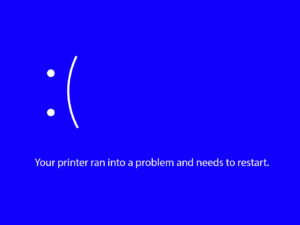
                  Some processes in your Original Prusa Printer might generate a rare outcome, not included on our red QR code errors or warning screens, and thus give you an error with a blue or…

                  Puppy error #17511 (XL)

                  Puppy error #17511 (XL)

                  What happened? On the Original Prusa XL, communication with the peripheral boards (e.g. Dwarf board) is achieved using the MODBUS protocol. In MODBUS, there are two types of devices:…

                  Puppy error #17519 (XL)

                  Puppy error #17519 (XL)

                  What happened? On the Original Prusa XL, communication with the peripheral boards (e.g. Dwarf board) is achieved using the MODBUS protocol. In MODBUS, there are two types of devices:…

                  ESP not connected #17533 (XL)

                  ESP not connected #17533 (XL)

                  What happened? The Original Prusa XL is equipped with an ESP Wi-Fi module. This module is part of the XLBuddy board. In case the printer cannot find the ESP module, this error…

                  Puppy error #17512 (XL)

                  Puppy error #17512 (XL)

                  What happened? On the Original Prusa XL, communication with the peripheral boards (e.g. Dwarf board) is achieved using the MODBUS protocol. In MODBUS, there are two types of devices:…

                  Hotend mintemp error #28208 (MK3.5S) #23208 (MK3.5)

                  Hotend mintemp error #28208 (MK3.5S) #23208 (MK3.5)

                  What happened? The printer is showing the message "Check the print head thermistor wiring for possible damage." Error name: Hotend mintemp error Error code: #28208 (MK3.5S) #23208…

                  Temp not matching print head #12210 (MINI/MINI+)

                  Temp not matching print head #12210 (MINI/MINI+)

                  The printer displays the message "Measured temperature is not matching expected value. Check the thermistor is in contact with hotend. In case of damage, replace it." when the…

                  FW in internal flash corrupted #17608 (XL)

                  FW in internal flash corrupted #17608 (XL)

                  What happened? When trying to flash the firmware on your Original Prusa XL, the printer shows the error: "Firmware in the internal flash corrupted! Please reflash the firmware." Error…

                  Loadcell measure failed #17526 (XL)

                  Loadcell measure failed #17526 (XL)

                  What happened? The Original Prusa XL is equipped with a loadcell, to detect that the nozzle is close enough to the steel sheet for printing, and to avoid damage that would be caused…

                  Loadcell Tare Failed #31525 (CORE One) #35525 (CORE One L) #26525 (MK4S) #13525 (MK4) #27525 (MK3.9S) #21525 (MK3.9)

                  Loadcell Tare Failed #31525 (CORE One) #35525 (CORE One L) #26525 (MK4S) #13525 (MK4) #27525 (MK3.9S) #21525 (MK3.9)

                  What happened? The Prusa CORE One/+, CORE One L, and the Original Prusa MK4/S, MK3.9/S are equipped with a loadcell, which detects whether the nozzle is close enough to the steel…

                  USB flash error #17613 (XL)

                  USB flash error #17613 (XL)

                  What happened? While flashing firmware to your Original Prusa XL, an error might occur, and the screen will display the following message: "File system error! Try a different USB…

                  Unsupported printer type #12610 (MINI/MINI+)

                  Unsupported printer type #12610 (MINI/MINI+)

                  What happened? While flashing firmware to your printer an error might occur, and the screen will display the following message: "Firmware/printer types do not match. Make sure…

                  Unsupported BBF version #12614 (MINI/MINI+)

                  Unsupported BBF version #12614 (MINI/MINI+)

                  What happened? While flashing firmware to your printer an error might occur, and the screen will display the following message: "USB flash drive contains unsupported firmware BBF…

                  Hash verification failed #12607 (MINI/MINI+)

                  Hash verification failed #12607 (MINI/MINI+)

                  What happened? When trying to flash the firmware, the printer shows the error: "Firmware hash verification failed! Firmware file is damaged. Try downloading and copying it onto…

                  Homing Error Z #23301 (MK3.5)

                  Homing Error Z #23301 (MK3.5)

                  What happened? During calibration, mesh bed leveling, or before a print, it is crucial for the printer firmware to determine the print head and heatbed position. This is done through…

                  Firmware missing #17612 (XL)

                  Firmware missing #17612 (XL)

                  What happened? While flashing firmware to your Original Prusa XL, an error might occur, and the screen will display the following message: "No firmware found in the internal flash!…

                  Imposter! Fake signature #17606 (XL)

                  Imposter! Fake signature #17606 (XL)

                  What happened? When trying to install non-official firmware on your Original Prusa XL, the screen shows "Firmware signature verification failed! Only official signed firmware can…

                  Marlin Request Timeout #17530 (XL)

                  Marlin Request Timeout #17530 (XL)

                  What happened? The Original Prusa XL is able to manage several tasks simultaneously (multithreading). In case of an issue related to multithreading, the printer will show the message…

                  ESP error #17506 (XL)

                  ESP error #17506 (XL)

                  What happened? The printer is showing the message: "Unknown error" Error name: ESP unknown error Error code: #17506 On the Original Prusa XL, the XLBuddy board includes a WiFi…

                  Modular bed error #17251 (XL)

                  Modular bed error #17251 (XL)

                  What happened?  In case the printer detects a problem with the modular bed, the display will show the following message: "Heatbed tile no. #: Damaged tile or wiring. Follow online…

                  USB Port Overcurrent #17306 (XL)

                  USB Port Overcurrent #17306 (XL)

                  What happened? The Original Prusa XL is showing the message "Overcurrent detected on USB port." Error name: USB Port Overcurrent  Error code: #17306  The error is shown when there…

                  Hotend temp not matching #28210 (MK3.5S) #23210 (MK3.5)

                  Hotend temp not matching #28210 (MK3.5S) #23210 (MK3.5)

                  What happened?  The Original Prusa MK3.5/S continuously monitors the temperature of the tool head in use and its variation with respect to an expected reference. In case the printer…

                  Emergency stop #12510 (MINI)

                  Emergency stop #12510 (MINI)

                  What happened? The Original Prusa MINI is showing the message: "Emergency stop invoked by G-code (M112)". Error name: Emergency stop Error code: #12510 This error message can be…

                  Loadcell troubleshooting

                  Loadcell troubleshooting

                  The Prusa CORE One, Original Prusa MK4/S, and MK3.9/S are equipped with a loadcell.  If you have installed the INDX in your CORE One/+, the loadcell cannot be accessed. In case…

                  Emergency stop #17510 (XL)

                  Emergency stop #17510 (XL)

                  What happened? The printer is showing the message: "Emergency stop invoked by G-code (M112)". Error name: Emergency stop Error code: #17510 This error message can be triggered…

                  Out of memory #17507 (XL)

                  Out of memory #17507 (XL)

                  What happened? The Original Prusa XL electronic boards have memory, including RAM (Random Access Memory). In rare cases, the RAM can be fully consumed, with the printer unable…

                  Temp not matching heatbed #12209 (MINI/MINI+)

                  Temp not matching heatbed #12209 (MINI/MINI+)

                  What happened? The printer displays the message "Temp not matching - Measured temperature is not matching expected value. Check the thermistor is in contact with heatbed. In case…

                  Unsupported Buddy FW #17611 (XL)

                  Unsupported Buddy FW #17611 (XL)

                  What happened? While flashing firmware to your Original Prusa XL, an error might occur, and the screen will display the following message: "Firmware/printer versions do not match!…

                  USB Device Overcurrent #17307 (XL)

                  USB Device Overcurrent #17307 (XL)

                  What happened? The Original Prusa XL is showing the message "Overcurrent detected on the connected USB device, disconnect it." Error name: USB Device Overcurrent Error code: #17307 The…

                  Loadcell tare error #17524 (XL)

                  Loadcell tare error #17524 (XL)

                  What happened? The Original Prusa XL is equipped with a loadcell, to detect that the nozzle is close enough to the steel sheet for printing, and to avoid damage that would be caused…

                  ESP error #17504 (XL)

                  ESP error #17504 (XL)

                  What happened? The printer is showing the message: "Reading ESP firmware failed" Error name: ESP FW read Error code: #17504 On the Original Prusa XL, the XLBuddy board includes…

                  Loadcell Bad Configuration #17527 (XL)

                  Loadcell Bad Configuration #17527 (XL)

                  What happened? The Original Prusa XL is equipped with a loadcell, to detect that the nozzle is close enough to the steel sheet for printing, and to avoid damage that would be caused…

                  Puppy error #17515 (XL)

                  Puppy error #17515 (XL)

                  What happened? On the Original Prusa XL, communication with the peripheral boards (e.g. Dwarf board) is achieved using the MODBUS protocol. In MODBUS, there are two types of devices:…

                  Puppy error #17518 (XL)

                  Puppy error #17518 (XL)

                  What happened? The printer is showing the message: "Puppy # firmware not found". Error name: Puppy FW not found Error code: #17518 The error message includes the name of the puppy…

                  Signature verification failed #12606 (MINI/MINI+)

                  Signature verification failed #12606 (MINI/MINI+)

                  What happened? When trying to install non-official firmware, the screen shows "Firmware signature verification failed! Only official signed firmware can be flashed.". Error name:…

                  Dwarf error #17503 (XL)

                  Dwarf error #17503 (XL)

                  What happened? On the Original Prusa XL Dwarf board, Marlin firmware is running. Marlin firmware has its own errors, and these will be propagated to the Dwarf board if that Marlin…

                  Hotend Heater Overcurrent #17322

                  Hotend Heater Overcurrent #17322

                  What happened? The Original Prusa XL is showing the message: "Check hotend heater and control electronics for possible damage". Error name: Hotend Heater Overcurrent  Error code:…

                  Modular bed error #17254 (XL)

                  Modular bed error #17254 (XL)

                  What happened?  The printer is showing the message "Heatbed tile no. #: Unexpected temperature drop detected".  Error name: MB drop temp Error code: #17254 The error message includes…

                  Puppy error #17517 (XL)

                  Puppy error #17517 (XL)

                  What happened? On the Original Prusa XL, communication with the peripheral boards (e.g. Dwarf board) is achieved using the MODBUS protocol. In MODBUS, there are two types of devices:…

                  Nozzle Heater Overcurrent #23308 (MK3.5)

                  Nozzle Heater Overcurrent #23308 (MK3.5)

                  What happened? The Original Prusa MK3.5 is showing the message: "Overcurrent detected on nozzle heater". Error name: Nozzle Heater Overcurrent Error code: #23308 (MK3.5) The error…

                  Unsupported printer model #17610 (XL)

                  Unsupported printer model #17610 (XL)

                  What happened? While flashing firmware to your Original Prusa XL an error might occur, and the screen will display the following message: "Firmware/printer types do not match.…

                  Modular bed error #17253 (XL)

                  Modular bed error #17253 (XL)

                  What happened?  The printer is showing the message "Heatbed tile no. #: Temperature measurement error; thermistor may be faulty".  Error name: MB Maxtemp Err Error code: #17253 The…

                  Hotend temp not matching #31210 (CORE One) #35210 (CORE One L) #26210 (MK4S) #13210 (MK4) #27210 (MK3.9S) #21210 (MK3.9)

                  Hotend temp not matching #31210 (CORE One) #35210 (CORE One L) #26210 (MK4S) #13210 (MK4) #27210 (MK3.9S) #21210 (MK3.9)

                  What happened?  The printer displays the message "Measured temperature is not matching expected value. Check the thermistor is in contact with hotend. In case of damage, replace…

                  BBF Initialization failed #17532 (XL)

                  BBF Initialization failed #17532 (XL)

                  What happened? The Original Prusa XL firmware is in BBF format. When flashing firmware, this is copied from the USB drive to the XL internal memory. In case of an issue at the…

                  Hotend maxtemp error #23206 (MK3.5)

                  Hotend maxtemp error #23206 (MK3.5)

                  What happened? The printer is showing the message "Check the print head thermistor wiring for possible damage." Error name: Hotend Maxtemp error Error code: #23206 (MK3.5) This…

                  Hash verification failed #17607 (XL)

                  Hash verification failed #17607 (XL)

                  What happened? When trying to flash the firmware on your Original Prusa XL, the printer shows the error: "Firmware hash verification failed! Firmware file is damaged. Try downloading…

                  I2C Send Busy #17312 (XL)

                  I2C Send Busy #17312 (XL)

                  What happened? On the Original Prusa XL, the I2C bus is used for the XLBuddy to communicate with other printer components. The components have different states, including a busy…

                  Modular bed error #17501 (XL)

                  Modular bed error #17501 (XL)

                  What happened? In case the printer detects an unknown problem with the modular bed, the display will show the following message "Heatbed tile no. #: Unknown error: #". Error name:…

                  BBF Allocation Failed #17531 (XL)

                  BBF Allocation Failed #17531 (XL)

                  What happened? The Original Prusa XL firmware is in BBF format. When flashing firmware, this is copied from the USB drive to the XL internal memory. In case of an issue in allocating…

                  Flash erase error #17605 (XL)

                  Flash erase error #17605 (XL)

                  What happened? While flashing firmware to your Original Prusa XL, an error might occur, and the screen will display the following message: "Error erasing flash! Restart the printer…

                  Modular Bed Error #17320 (XL)

                  Modular Bed Error #17320 (XL)

                  What happened? The Original Prusa XL can detect a power fault on the Modular Bed, with hardware measurements: in case this happens, and is related to the power panic feature, the…

                  I2C Receive undefined #17318 (XL)

                  I2C Receive undefined #17318 (XL)

                  What happened? On the Original Prusa XL, the I2C bus is used for the XLBuddy to communicate with other printer components. In case of an unknown error with receiving data to the…

                  I2C Send Timeout #17313 (XL)

                  I2C Send Timeout #17313 (XL)

                  What happened? On the Original Prusa XL, the I2C bus is used for the XLBuddy to communicate with other printer components. All communication is expected to occur within a timeframe:…

                  Invalid FW size on USB flash drive #17603 (XL)

                  Invalid FW size on USB flash drive #17603 (XL)

                  What happened? While flashing firmware to your Original Prusa XL, an error might occur, and the screen will display the following message: "Firmware file has invalid size! Check…

                  LED Memory Error #17529 (XL)

                  LED Memory Error #17529 (XL)

                  What happened? The Original Prusa XL memory allocation is managed autonomously. In case of an issue in memory management that affects an LED animation, the printer will show the…

                  EEPROM I2C Receive Busy #17316 (XL)

                  EEPROM I2C Receive Busy #17316 (XL)

                  What happened? On the Original Prusa XL, the I2C bus is used for the XLBuddy to communicate with other printer components. The components have different states, including a busy…

                  I2C Receive Timeout #17317 (XL)

                  I2C Receive Timeout #17317 (XL)

                  What happened? On the Original Prusa XL, the I2C bus is used for the XLBuddy to communicate with other printer components. All communication is expected to occur within a timeframe:…

                  Under-extrusion (Nextruder printers)

                  Under-extrusion (Nextruder printers)

                  You can recognize under extrusion when there is material missing in your print’s layers. Printed objects with under extruded layers can be fragile and tend to break apart. There…

                  Dwarf error #17502 (XL)

                  Dwarf error #17502 (XL)

                  What happened? The printer is showing the message "Dwarf board encountered the following problem #" Error name: Dwarf unknown err Error code: #17502 On the Original Prusa XL, the…

                  I2C Receive failed #17315 (XL)

                  I2C Receive failed #17315 (XL)

                  What happened? On the Original Prusa XL, the I2C bus is used for the XLBuddy to communicate with other printer components. If there is an error while the XLBuddy is receiving data,…

                  PNG Buffer Full #17508 (XL)

                  PNG Buffer Full #17508 (XL)

                  What happened? The Original Prusa XL electronic boards have memory, including a dedicated dynamic memory for processing the PNG files, to show an image preview of a model on the…

                  TMC driver shorted #04304 (MMU)

                  TMC driver shorted #04304 (MMU)

                  What happened? The Original Prusa MMU3 and MMU2S are equipped with a control board containing Trinamic (TMC) drivers to manage the motion from each of the connected motors. With…

                  I2C Send Undefined #17314 (XL)

                  I2C Send Undefined #17314 (XL)

                  What happened? On the Original Prusa XL, the I2C bus is used for the XLBuddy to communicate with other printer components. In case of an unknown error with sending data from the…

                  Homing error X #12304 (MINI/MINI+)

                  Homing error X #12304 (MINI/MINI+)

                  What happened? The Original Prusa MINI/+ displays the message: "Failed to home the extruder in X-axis, make sure there is no obstacle on X-axis". Error name: Homing error X Error…

                  Heatbed temp not matching #31209 (CORE One) #35209 (CORE One L) #26209 (MK4S) #13209 (MK4) #27209 (MK3.9S) #21209 (MK3.9) #28209 (MK3.5S) #23209 (MK3.5)

                  Heatbed temp not matching #31209 (CORE One) #35209 (CORE One L) #26209 (MK4S) #13209 (MK4) #27209 (MK3.9S) #21209 (MK3.9) #28209 (MK3.5S) #23209 (MK3.5)

                  What happened? The printer displays the message "Temp not matching - Measured temperature is not matching expected value. Check the thermistor is in contact with heatbed. In case…

                  TMC driver shorted #04324 (MMU)

                  TMC driver shorted #04324 (MMU)

                  What happened? The Original Prusa MMU3 and MMU2S are equipped with a control board containing Trinamic (TMC) drivers to manage the motion from each of the connected motors. With…

                  TMC driver shorted #04314 (MMU)

                  TMC driver shorted #04314 (MMU)

                  What happened? The Original Prusa MMU3 and MMU2S are equipped with a control board containing Trinamic (TMC) drivers to manage the motion from each of the connected motors. With…

                  Connect Registration Failed #21401 (MK3.9)

                  Connect Registration Failed #21401 (MK3.9)

                  What happened?  During the configuration of Prusa Connect on the Original Prusa MK3.9, an error on this configuration can occur and the printer shows the message "Registration…

                  Homing error Y #12305 (MINI/MINI+)

                  Homing error Y #12305 (MINI/MINI+)

                  What happened? The Original Prusa MINI/+ displays the message: "Failed to home the Y-axis, make sure there is no obstacle on Y-axis". Error name: Homing error Y Error code: #12305  The…

                  Heatbed temp not matching #17209 (XL)

                  Heatbed temp not matching #17209 (XL)

                  The printer displays the message "Temp not matching - Measured temperature is not matching expected value. Check the thermistor is in contact with heatbed. In case of damage, replace…

                  Adjusting belt tension (CORE One/+, CORE One INDX, CORE One L/+)

                  Adjusting belt tension (CORE One/+, CORE One INDX, CORE One L/+)

                  On the Prusa CORE One, CORE One+, CORE One INDX, and CORE One L/+, adjusting the belt to optimal tension is crucial for achieving high-quality prints. A loose belt can cause Layer…

                  Nozzle Timeout #31819 (CORE One) #35819 (CORE One L) #36819 (CORE One INDX) #26819 (MK4S) #13819 (MK4) #27819 (MK3.9S) #21819 (MK3.9) #28819 (MK3.5S) #23819 (MK3.5) #17819 (XL) #12819 (MINI)

                  Nozzle Timeout #31819 (CORE One) #35819 (CORE One L) #36819 (CORE One INDX) #26819 (MK4S) #13819 (MK4) #27819 (MK3.9S) #21819 (MK3.9) #28819 (MK3.5S) #23819 (MK3.5) #17819 (XL) #12819 (MINI)

                  What happened? As a safety feature, if our printers are in the idle state, they automatically disable any heating, including the nozzle, after 30 minutes of inactivity. If this…

                  Selftest failed (CORE One/+)

                  Selftest failed (CORE One/+)

                  On the Prusa CORE One/+, the selftest checks for issues in the printer's assembly, wiring, and electronic components. It is the first part of the Calibration Wizard, which is prompted…

                  Uneven bed #31111 (CORE One) #35111 (CORE One L) #36111 (CORE One INDX)

                  Uneven bed #31111 (CORE One) #35111 (CORE One L) #36111 (CORE One INDX)

                  What happened? The printer is showing the message "The bed doesn't seem to be aligned properly. Run Z alignment procedure?" before printing. Error name: Uneven bed Error code:…

                  Filament sensor stuck #31113 (CORE One) #35113 (CORE One L) #36113 (CORE One INDX) #17113 (XL) #26113 (MK4S) #13113 (MK4) #27113 (MK3.9S) #21113 (MK3.9) #28113 (MK3.5S) #23113 (MK3.5) #12113 (MINI/+)

                  Filament sensor stuck #31113 (CORE One) #35113 (CORE One L) #36113 (CORE One INDX) #17113 (XL) #26113 (MK4S) #13113 (MK4) #27113 (MK3.9S) #21113 (MK3.9) #28113 (MK3.5S) #23113 (MK3.5) #12113 (MINI/+)

                  What happened?  The filament sensor on the Prusa CORE One, CORE One L, and on the Original Prusa XL, MK4/S, MK3.9/S, MK3.5/S, and MINI/+ can detect filament runout, but also whether…

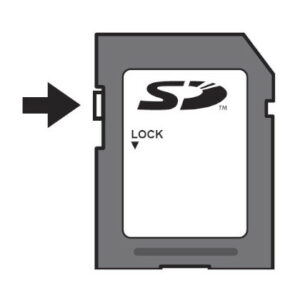
                  Chamber MAXTEMP error #31214 (CORE One) #35214 (CORE One L) #36214 (CORE One INDX)

                  Chamber MAXTEMP error #31214 (CORE One) #35214 (CORE One L) #36214 (CORE One INDX)

                  What happened? The printer shows the message "Check the chamber thermistor wiring for possible damage." Error name: Chamber MAXTEMP Error Error code: #31214 (CORE One) #35214 (CORE…

                  Homing error X #31304 (CORE One) #35304 (CORE One L) #36304 (CORE One INDX) #17304 (XL)

                  Homing error X #31304 (CORE One) #35304 (CORE One L) #36304 (CORE One INDX) #17304 (XL)

                  What happened? The printer displays the message "Failed to home the X-axis. Make sure there is no obstacle on the X-axis".  Error name: Homing error X Error code: #31304 (CORE…

                  Puppy error #31511 (CORE One) #35511 (CORE One L) #36511 (CORE One INDX)

                  Puppy error #31511 (CORE One) #35511 (CORE One L) #36511 (CORE One INDX)

                  What happened?  On the Prusa CORE One/+ and Prusa CORE One L, communication with the xBuddy extension board is achieved using the MODBUS protocol. In MODBUS, there are two types…

                  Platform too distant (CW1/S)

                  Platform too distant (CW1/S)

                  The CW1S can wash your liquid resin prints in a Stainless steel liquid container (gastro pan) filled with isopropyl alcohol (IPA). When the washing is being done, the IPA will…

                  Puppy error #31513 (CORE One) #35513 (CORE One L) #36513 (CORE One INDX)

                  Puppy error #31513 (CORE One) #35513 (CORE One L) #36513 (CORE One INDX)

                  What happened?  On the Prusa CORE One/+ and Prusa CORE One L, communication with the xBuddy extension board is achieved using the MODBUS protocol. In MODBUS, there are two types…

                  Fil. sensor troubleshooting #31114 (CORE One) #26114 (MK4S) #13114 (MK4) #27114 (MK3.9S) #21114 (MK3.9) #28114 (MK3.5S) #23114 (MK3.5)

                  Fil. sensor troubleshooting #31114 (CORE One) #26114 (MK4S) #13114 (MK4) #27114 (MK3.9S) #21114 (MK3.9) #28114 (MK3.5S) #23114 (MK3.5)

                  What happened?  The filament sensor on the print head of the Prusa CORE One, and of the Original Prusa MK4/S, MK3.9/S, MK3.5/S, equipped with an MMU3 upgrade kit, can detect filament…

                  Chamber Mintemp error #31215 (CORE One) #35215 (CORE One L) #36215 (CORE One INDX)

                  Chamber Mintemp error #31215 (CORE One) #35215 (CORE One L) #36215 (CORE One INDX)

                  What happened? Your printer is showing the message "Check the chamber thermistor wiring for possible damage." Error name: Chamber mintemp Error Number: #31215 (CORE One) #35215…

                  MCU in Buddy is overheated #31825 (CORE One) #35825 (CORE One L) #26825 (MK4S) #27825 (MK3.9S) #28825 (MK3.5S) #13825 (MK4) #21825 (MK3.9) #23825 (MK3.5) #17825 (XL) #12825 (MINI)

                  MCU in Buddy is overheated #31825 (CORE One) #35825 (CORE One L) #26825 (MK4S) #27825 (MK3.9S) #28825 (MK3.5S) #13825 (MK4) #21825 (MK3.9) #23825 (MK3.5) #17825 (XL) #12825 (MINI)

                  What happened?  If the thermistor integrated into the xBuddy, XLBuddy, or Buddy board measures a high temperature that would cause damage to the electronics at any point, the printer…
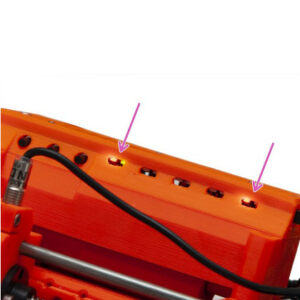
                  The heatbed cooled down during the power outage #31808 (CORE One) #35808 (CORE One L) #26808 (MK4S) #27808 (MK3.9S) #28808 (MK3.5S) #13808 (MK4) #21808 (MK3.9) #23808 (MK3.5) #17808 (XL) 

                  The heatbed cooled down during the power outage #31808 (CORE One) #35808 (CORE One L) #26808 (MK4S) #27808 (MK3.9S) #28808 (MK3.5S) #13808 (MK4) #21808 (MK3.9) #23808 (MK3.5) #17808 (XL) 

                  What happened?  The printer is equipped with a power panic feature. This makes it possible for the printer to resume a print interrupted by a power outage.  A prolonged power outage…

                  The G-code isn't fully compatible #31803 (CORE One) #26803 (MK4S) #27803 (MK3.9S) #28803 (MK3.5S) #13803 (MK4) #21803 (MK3.9) #23803 (MK3.5) #17803 (XL) #12803 (MINI)

                  The G-code isn't fully compatible #31803 (CORE One) #26803 (MK4S) #27803 (MK3.9S) #28803 (MK3.5S) #13803 (MK4) #21803 (MK3.9) #23803 (MK3.5) #17803 (XL) #12803 (MINI)

                  What happened?  The printer can detect if a loaded G-code is not compatible with the current printer setup, thanks to a set of saved hardware settings. In this scenario, the printer…

                  Filament not detected #31804 (CORE One) #35804 (CORE One L) #26804 (MK4S) #27804 (MK3.9S) #28804 (MK3.5S) #13804 (MK4) #21804 (MK3.9) #23804 (MK3.5) #17804 (XL) #12804 (MINI)

                  Filament not detected #31804 (CORE One) #35804 (CORE One L) #26804 (MK4S) #27804 (MK3.9S) #28804 (MK3.5S) #13804 (MK4) #21804 (MK3.9) #23804 (MK3.5) #17804 (XL) #12804 (MINI)

                  What happened? The printer is equipped with a filament sensor that can detect filament presence. In case the filament is not detected when the printer expects it to be loaded,…
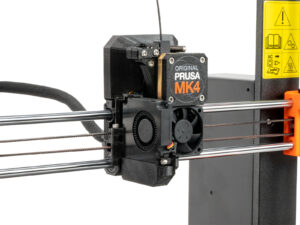
                  Print preview unfinished selftest #31801 (CORE One) #35801 (CORE One L) #26801 (MK4S) #27801 (MK3.9S) #28801 (MK3.5S) #13801 (MK4) #21801 (MK3.9) #23801 (MK3.5) #17801 (XL) #12801 (MINI)

                  Print preview unfinished selftest #31801 (CORE One) #35801 (CORE One L) #26801 (MK4S) #27801 (MK3.9S) #28801 (MK3.5S) #13801 (MK4) #21801 (MK3.9) #23801 (MK3.5) #17801 (XL) #12801 (MINI)

                  What happened?  In order for the printer to print well, it is necessary for it to pass a series of checks, called selftest. In case the selftest is not successfully completed before…

                  Crash recovery axis long #31809 (CORE One) #35809 (CORE One L) #26809 (MK4S) #13809 (MK4) #27809 (MK3.9S) #21809 (MK3.9) #28809 (MK3.5S) #23809 (MK3.5) #17809 (XL) #12809 (MINI)

                  Crash recovery axis long #31809 (CORE One) #35809 (CORE One L) #26809 (MK4S) #13809 (MK4) #27809 (MK3.9S) #21809 (MK3.9) #28809 (MK3.5S) #23809 (MK3.5) #17809 (XL) #12809 (MINI)

                  What happened? The printer is showing the text "Length of an axis is too long. Motor current is too low, probably. Retry check, pause or resume the print?" Error name: Crash recovery…

                  Crash recovery repeated crash #31811 (CORE One) #35811 (CORE One L) #26811 (MK4S) #13811 (MK4) #27811 (MK3.9S) #21811 (MK3.9) #28811 (MK3.5S) #23811 (MK3.5) #17811 (XL) #12811 (MINI)

                  Crash recovery repeated crash #31811 (CORE One) #35811 (CORE One L) #26811 (MK4S) #13811 (MK4) #27811 (MK3.9S) #21811 (MK3.9) #28811 (MK3.5S) #23811 (MK3.5) #17811 (XL) #12811 (MINI)

                  What happened?  The printer is showing the text "Repeated collision has been detected. Do you want to resume or pause the print?" Error name: crash recovery repeated crash Error…

                  Crash recovery axis short #31810 (CORE One) #35810 (CORE One L) #26810 (MK4S) #13810 (MK4) #27810 (MK3.9S) #21810 (MK3.9) #28810 (MK3.5S) #23810 (MK3.5) #17810 (XL) #12810 (MINI)

                  Crash recovery axis short #31810 (CORE One) #35810 (CORE One L) #26810 (MK4S) #13810 (MK4) #27810 (MK3.9S) #21810 (MK3.9) #28810 (MK3.5S) #23810 (MK3.5) #17810 (XL) #12810 (MINI)

                  What happened?  The printer is showing the message "Length of an axis is too short. There's an obstacle or bearing issue. Retry check, pause or resume the print?" Error name: Crash…

                  Crash recovery home fail #31812 (CORE One) #35812 (CORE One L) #26812 (MK4S) #13812 (MK4) #27812 (MK3.9S) #21812 (MK3.9) #28812 (MK3.5S) #23812 (MK3.5) #17812 (XL) #12812 (MINI)

                  Crash recovery home fail #31812 (CORE One) #35812 (CORE One L) #26812 (MK4S) #13812 (MK4) #27812 (MK3.9S) #21812 (MK3.9) #28812 (MK3.5S) #23812 (MK3.5) #17812 (XL) #12812 (MINI)

                  What happened? The printer is showing the text "Unable to home the printer. Do you want to try again?" Error name: Crash recovery home fail Error code: #31812 (CORE One) #35812…

                  Loading obstruction #31119 (CORE One) #35119 (CORE One L) #17119 (XL)

                  Loading obstruction #31119 (CORE One) #35119 (CORE One L) #17119 (XL)

                  What happened? During filament loading, the printer detected filament stuck or left behind in the extruder filament sensor area. The printer displays the message "Filament was…

                  Homing calibration needed #31118 (CORE One) #35118 (CORE One L) #36118 (CORE One INDX)#17118 (XL)

                  Homing calibration needed #31118 (CORE One) #35118 (CORE One L) #36118 (CORE One INDX)#17118 (XL)

                  What happened?  The printer is showing the message "Homing calibration is needed to ensure repeatable homing". This warning indicates that homing calibration is required to ensure…

                  Calibrate homing from menu #31120 (CORE One) #35120 (CORE One L) #36120 (CORE One INDX) #17120 (XL)

                  Calibrate homing from menu #31120 (CORE One) #35120 (CORE One L) #36120 (CORE One INDX) #17120 (XL)

                  What happened? This warning indicates that homing calibration is required to ensure precise and repeatable axis homing. However, unlike other cases, the printer cannot initiate…

                  Thermal runaway #17203 (XL)

                  Thermal runaway #17203 (XL)

                  The Original Prusa XL is showing the message "Check the heatbed thermistor wiring for possible damage". The error might indicate an issue with the thermistor that is part of a…

                  MCU overheat #35270

                  MCU overheat #35270

                  What happened?  The Modular Bed Control Unit (MCU) monitors temperature to ensure the printer operates within safe limits. When the internal temperature exceeds a defined threshold,…

                  PCB overheat #35271

                  PCB overheat #35271

                  What happened?  The printed circuit board (PCB) temperature is monitored to ensure the printer operates within safe limits. When the internal temperature exceeds a defined threshold,…

                  Data Timeout #35330

                  Data Timeout #35330

                  What happened?  The printer electronic components send messages and data to each other to ensure printer functioning. If the printer detects a component is not receiving data in…

                  AC Controller Fault #35273

                  AC Controller Fault #35273

                  What happened?  The Prusa CORE One L is equipped with a power supply that includes an internal temperature sensor. In the case of an implausible temperature sensor reading, the…

                  AC controller fault #35333 (CORE One L)

                  AC controller fault #35333 (CORE One L)

                  What happened? The printer is showing the message "Power panic situation detected".  The error is likely caused by a firmware issue. Less likely, it can be caused by a disconnected…

                  AC controller fault #35335 (CORE One L)

                  AC controller fault #35335 (CORE One L)

                  What happened? The printer is showing the message "Fan 0 of the heated bed is operating outside of specification". Error name: AC controller fault Error code: #35335 How to fix…

                  AC controller fault #35336 (CORE One L)

                  AC controller fault #35336 (CORE One L)

                  What happened? The printer is showing the message "Fan 1 of the heated bed is operating outside of specification". Error name: AC controller fault Error code: #35336 How to fix…

                  Selftest failed (CORE One L)

                  Selftest failed (CORE One L)

                  On the Prusa CORE One L, the selftest checks for issues in the printer's assembly, wiring, and electronic components. It is the Calibration Wizard, done during production before…

                  Bed fan is not spinning #35849 (CORE One L)

                  Bed fan is not spinning #35849 (CORE One L)

                  What happened? The printer is showing the message "Bed fan is not spinning. Check it for possible debris, then inspect the wiring". Error name: Bed fan is not spinning Error code:…

                  PSU fan is not spinning #35850 (CORE One)

                  PSU fan is not spinning #35850 (CORE One)

                   What happened?  The printer is equipped with an AC controller box, which serves as the printer's power supply, or in short, PSU.  One of the internal components of the AC controller…
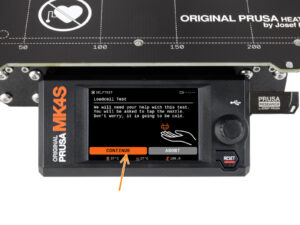
                  Nozzle tool remains attached to the print head (CORE One INDX)

                  Nozzle tool remains attached to the print head (CORE One INDX)

                  The nozzle tool remains attached to the print head after a tool change or print completion. The printer is unable to pick up or switch to another tool, and tool change operations…

                  Chamber overheating #36260 (INDX) #31260 (CORE One) #35260 (CORE One L) #17260 (XL)

                  Chamber overheating #36260 (INDX) #31260 (CORE One) #35260 (CORE One L) #17260 (XL)

                  What happened?  The enclosed printers have chamber temperature measurement.  In certain conditions, there is a risk of the chamber overheating. In this case, the printer pauses…

                  Chamber temperature is critical #36261 (INDX) #31261 (CORE One L) #35261 (CORE One) #17261 (XL)

                  Chamber temperature is critical #36261 (INDX) #31261 (CORE One L) #35261 (CORE One) #17261 (XL)

                  What happened?  The enclosed printers have chamber temperature measurement.  In certain conditions, the chamber temperature is measured as critical. In this case, the printer stops…

                  Selftest failed (CORE One INDX)

                  Selftest failed (CORE One INDX)

                  After installing the INDX on your Prusa CORE One/+, the selftest will check the printer's assembly, wiring, and electronic components. It is the first part of the Calibration Wizard,…