The nozzle tool remains attached to the print head after a tool change or print completion. The printer is unable to pick up or switch to another tool, and tool change operations may repeat or fail. Clicking sounds may be heard from the print head during parking attempts, but the tool does not release.
How to unlock the nozzle tool
WARNING: Turn off the printer and disconnect it from power before performing any intervention.
WARNING: Allow all components to cool down to room temperature before handling the nozzle tool.
Before you begin, remove the steel sheet and place an empty cardboard box on the heatbed (e.g. Prusament box) to protect it from accidental damage.
At first, skip the red-colored parts. In case the process does not work, repeat it including the red-colored steps.
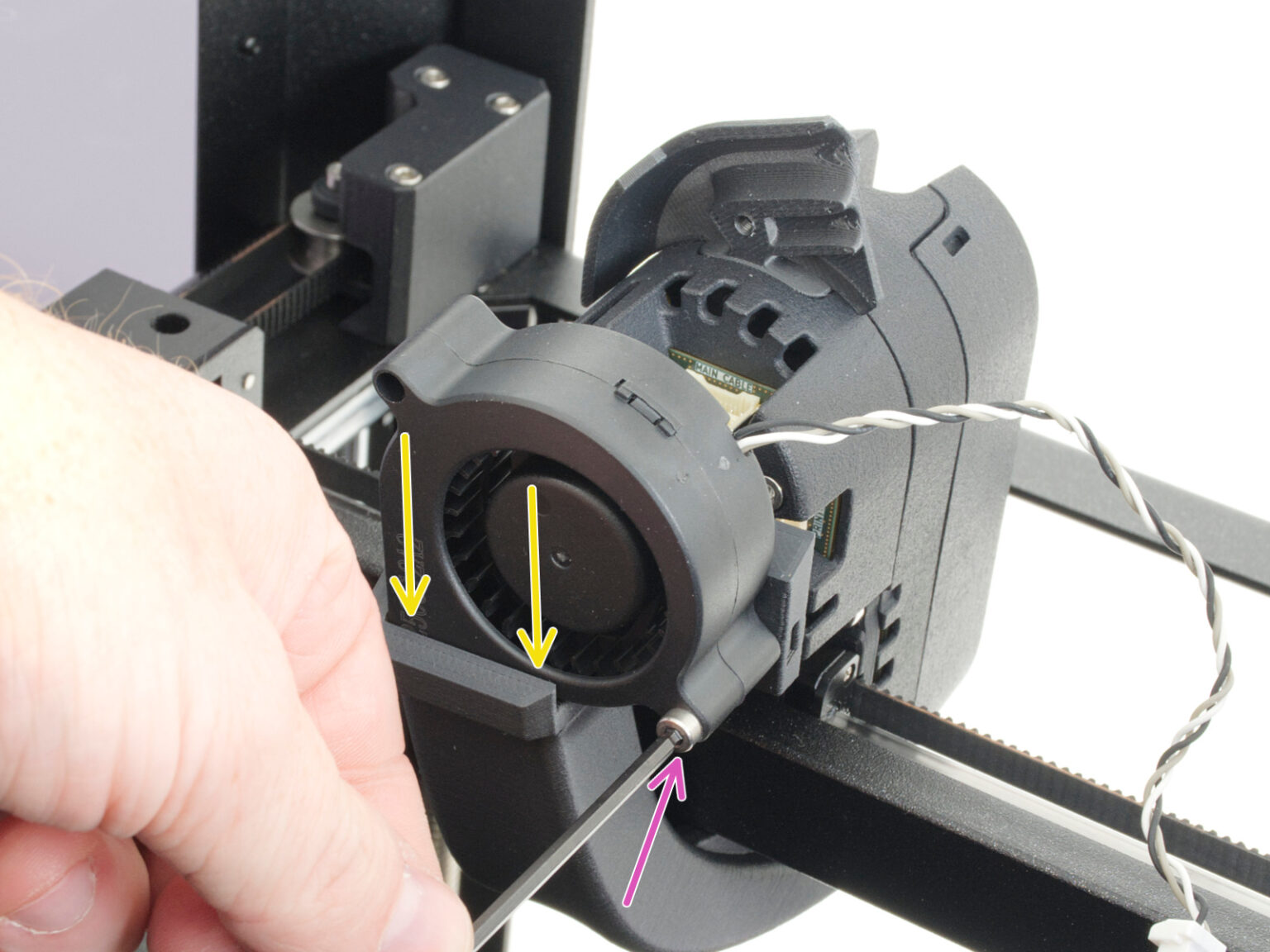
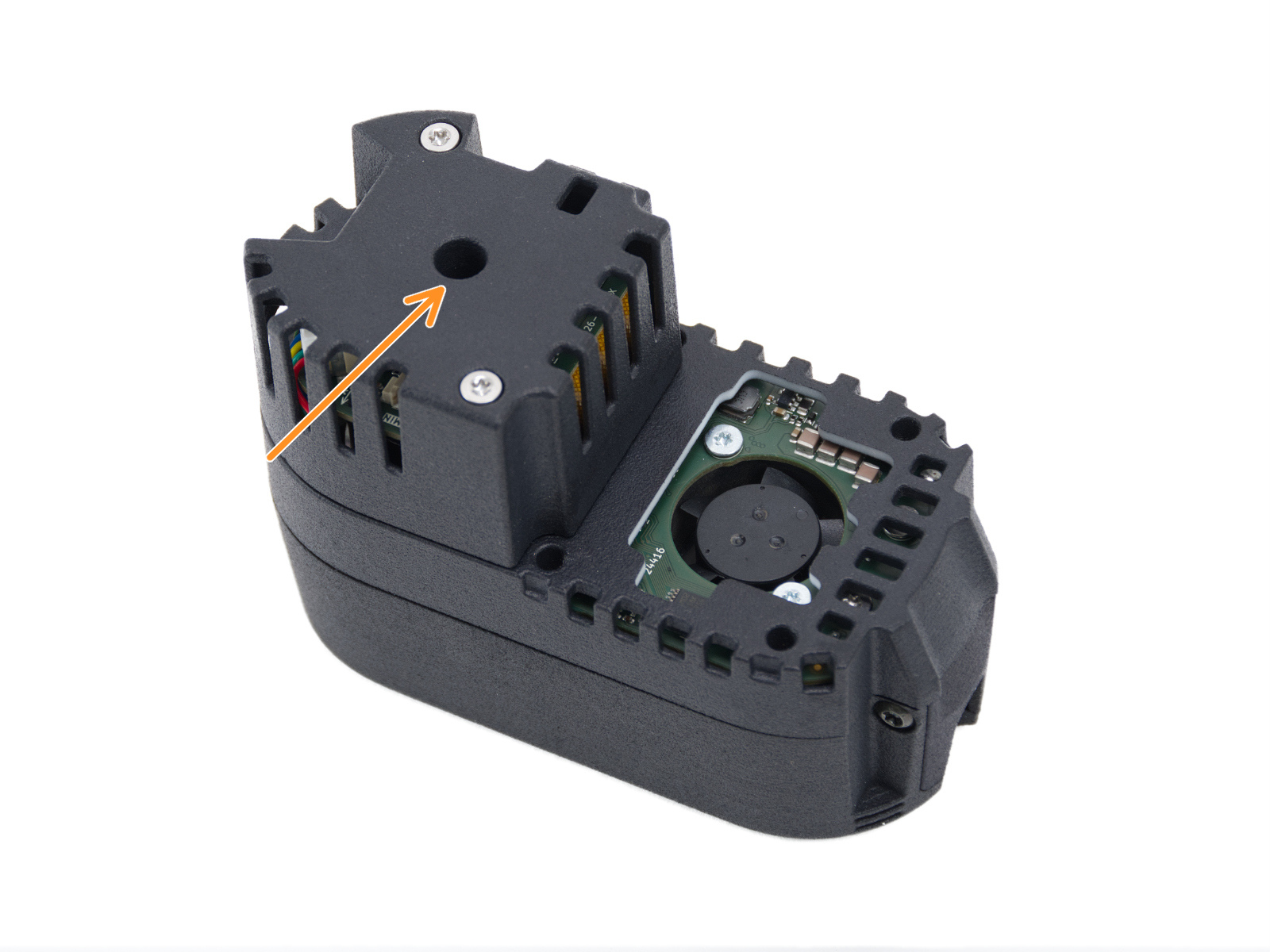
The manual release access hole is located behind the print fan assembly.
Loosen the print fan mounting screw and carefully remove the fan from the fan shroud.
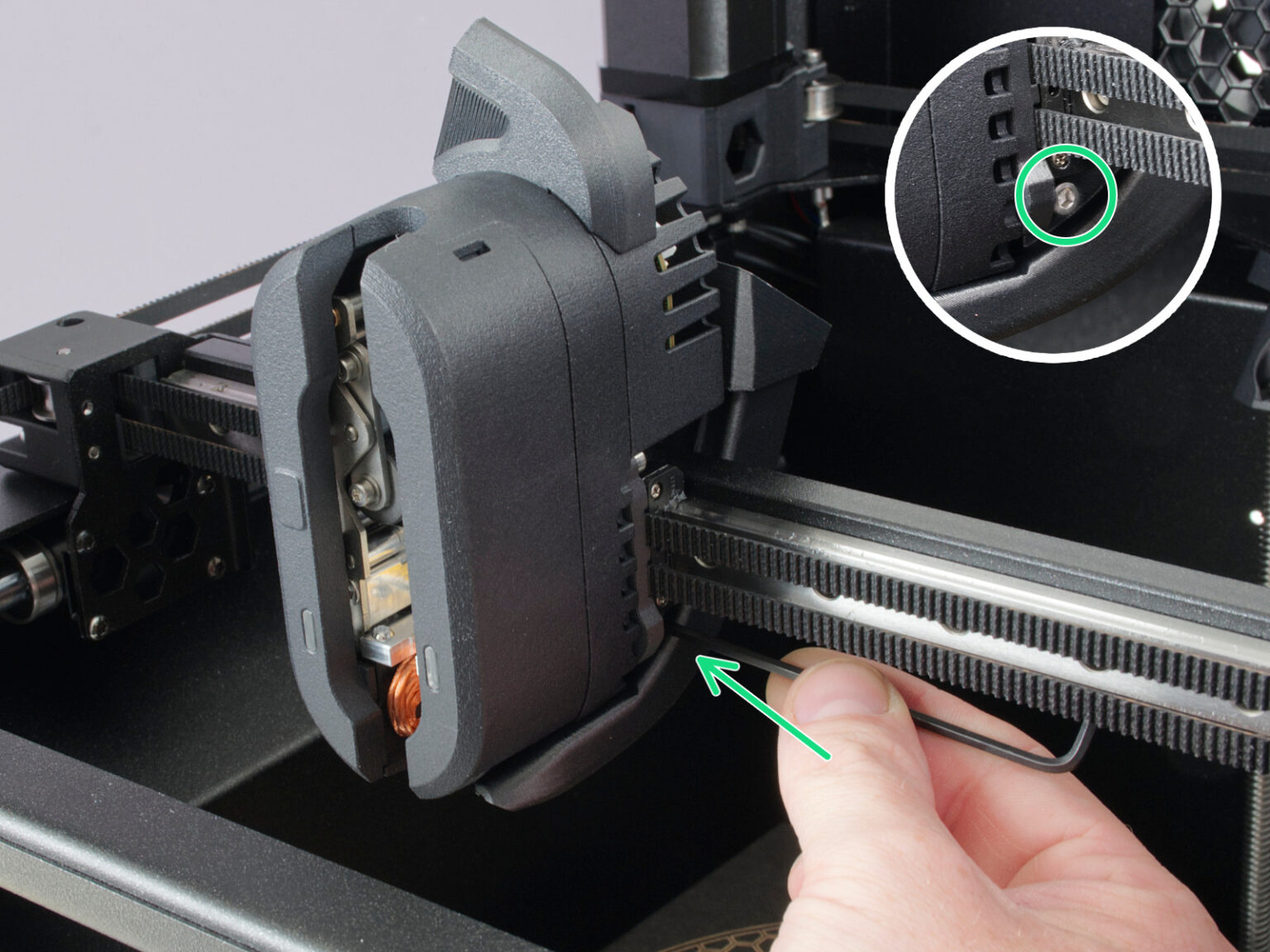
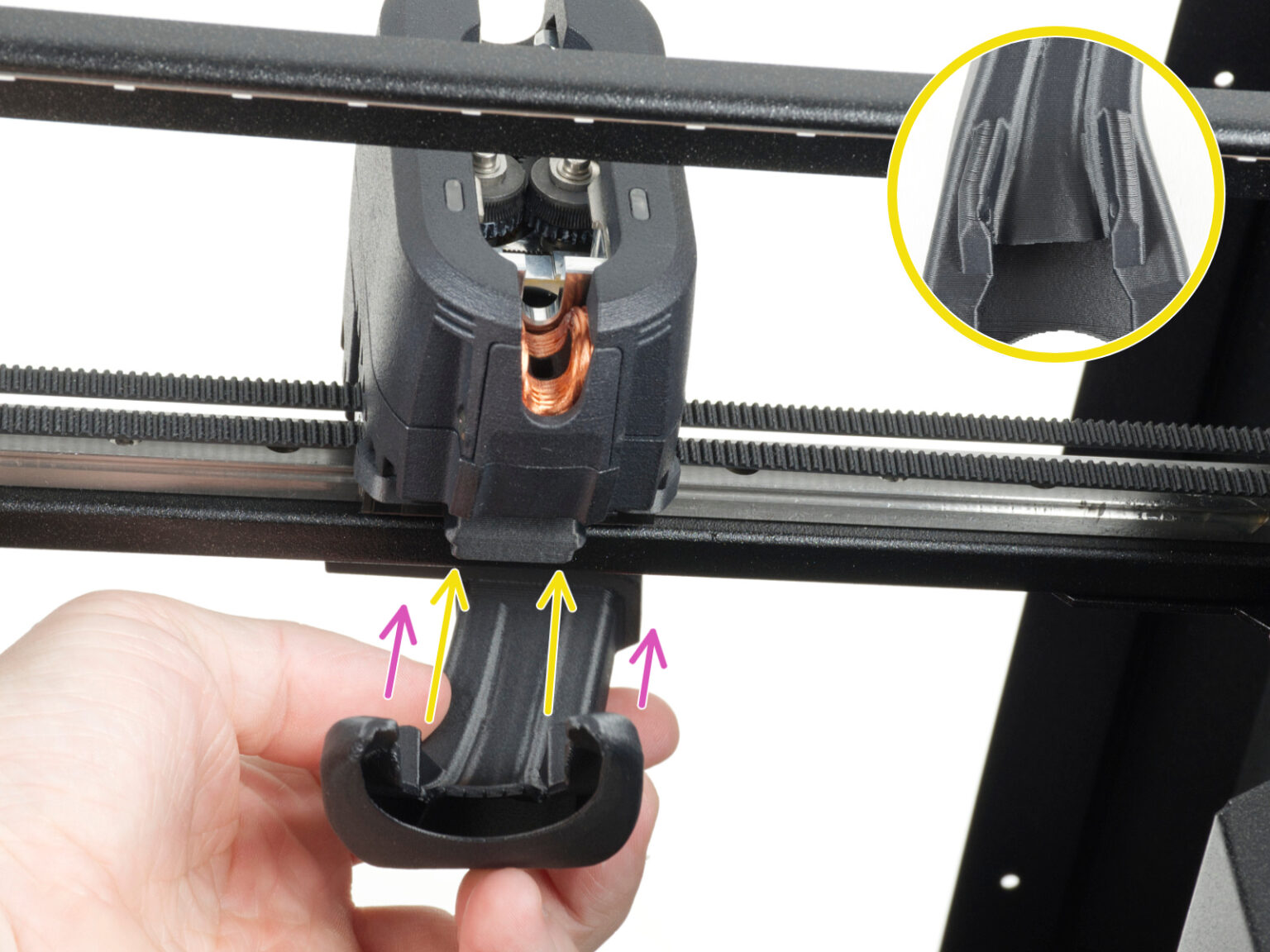
Loosen the two screws securing the fan shroud on both sides of the print head, then remove the fan shroud from the printer.
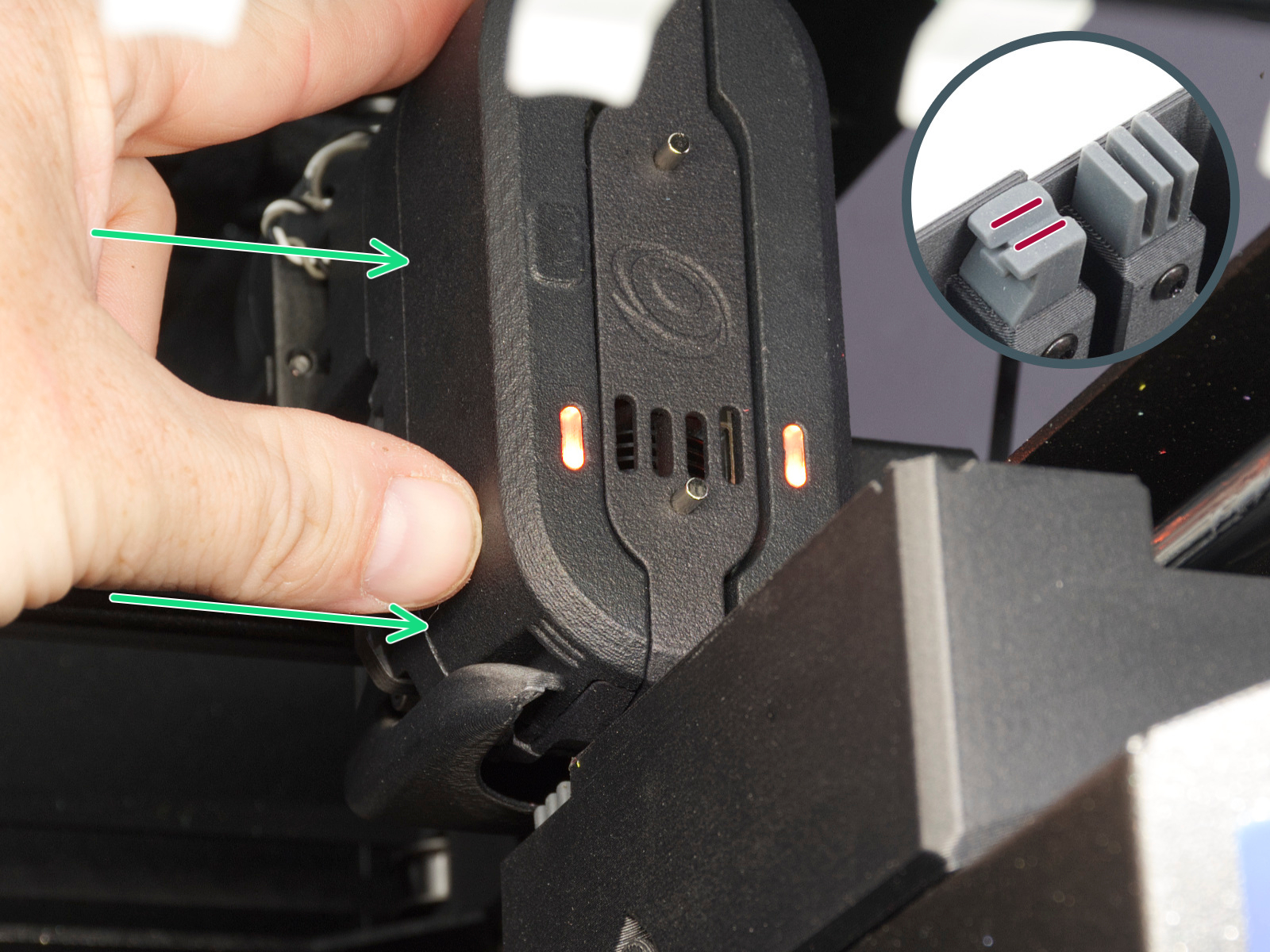
The release mechanism only activates when a magnet is touching a rectangle shaped point on the print head cover on left front (pictured in step 4), or if you move the print head close to the appropriate dock so the nozzle tool is aligned with it.
Attempt moving the print head to the dock position.
If the previous step was not enough to release the print head, place a magnet onto front notch, where the magnet from dock engages the gate.
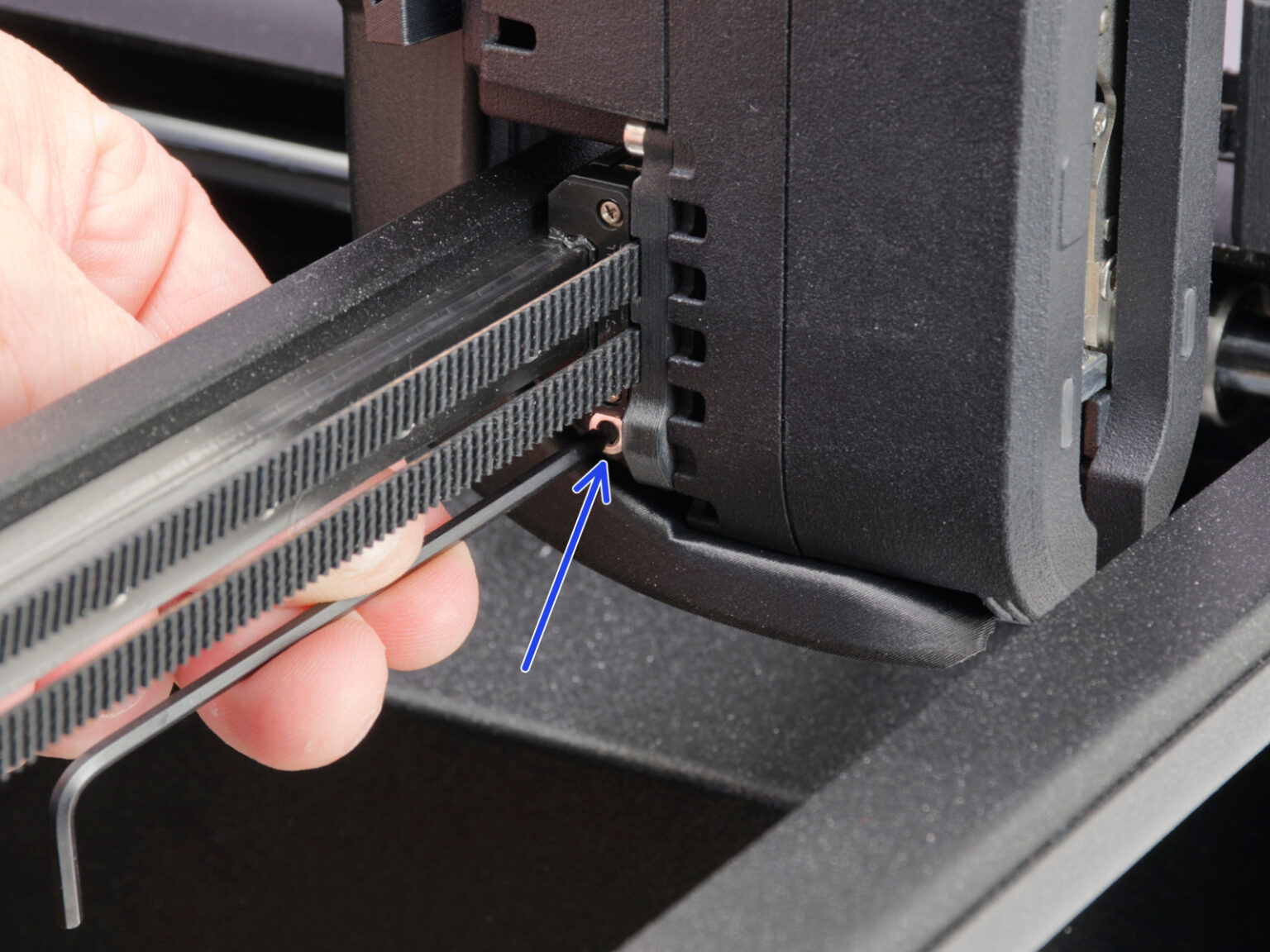
Locate the access hole behind the print fan.
Insert the flathead screwdriver into the center circle access hole until it engages with the internal mechanism. Only insert it on the center hole, any other hole such as rectangular hole on the side should not be used.
Note: Use a flathead screwdriver with a sufficiently thin shaft. Forcing a larger screwdriver into the access hole may damage the mechanism.
Clicking sounds usually indicate that the mechanism is being actuated. The release mechanism only activates when the printer detects the nozzle tool in the dock position. Move the print head close to the appropriate dock so the nozzle tool is aligned with it.
Note: If the nozzle tool is not correctly positioned near the dock magnet, rotating the mechanism may only move the extruder motor without releasing the tool.
Carefully rotate the screwdriver while keeping the nozzle tool aligned with the dock. This should disengage the mechanism.
Once the locking mechanism disengages, the nozzle tool should remain in the dock.
After manually releasing the tool:
Make sure the nozzle tool is fully seated in the dock.
Check whether the mechanism of the print head is clean without any bits or filament residue.
Check that the print head can move freely away from the dock.
Removing the fan and shroud was not too bad. pushing it into the dock wasn't enough for me. I used the magnet, attracting, not repelling, and used the small screwdriver (blade 3.3 mm wide, .75mm thick at end, length to handle 50 mm long). It takes several turns of the screwdriver once engaged, and you can see the nozzle being pushed out of the head. I was watching near the Teflon tube connector. Once the nozzle was out, re-dock it and all was well for me.
Some helpful details offered by Prusa's support chat:
The screwdriver's head width should be less than 6mm (but not much much smaller, the 1mm width screwdrivers I initially tried were way too small, and did not properly operate the mechanism) A 4mm wide by >20mm long screwdriver worked perfectly for me. Turning the screwdriver counter-clockwise (from its perspective, or clockwise from your perspective from the front of the printer) is the right direction to release the tool.
If it's still not releasing, the filament may be tangled around the gears, you can remove the side panels there's a M3x5rT screw at the bottom of the toolhead on either side, then the panels move up and out. From there you may see filament tangles, and can pull at them with pliers, hopefully releasing any tangles that way.
How can we tell if the screwdriver is engaging with the mechanism? What specific length and width of screwdriver is required? Is there a particular screwdriver that is recommended and known to work? As far as I can tell, most of my screwdrivers are too wide, and the ones that are narrow enough seem to be too short.


6 comments
The screwdriver's head width should be less than 6mm (but not much much smaller, the 1mm width screwdrivers I initially tried were way too small, and did not properly operate the mechanism) A 4mm wide by >20mm long screwdriver worked perfectly for me. Turning the screwdriver counter-clockwise (from its perspective, or clockwise from your perspective from the front of the printer) is the right direction to release the tool.
If it's still not releasing, the filament may be tangled around the gears, you can remove the side panels there's a M3x5rT screw at the bottom of the toolhead on either side, then the panels move up and out. From there you may see filament tangles, and can pull at them with pliers, hopefully releasing any tangles that way.