Relevant for


The printer will display "Extruder thermal runaway: Check the thermistor wiring for potential damage" if the temperature on the nozzle drops by 6 ºC for an extended period of time. This temperature drop would usually not be an issue, but if the heat is not recovered after 20 seconds the error will happen. In this case, the printer will stop the heating and display the message on the screen. The printer then waits for the user to inspect all parts and if needed fix the issue.
Error name: Hotend thermal runaway
Error code: #17204
The error might indicate some issue with the wiring, either the heater or the thermistor cables are possibly damaged.
Before breaking out the multimeter you should check the Dwarf board, where the thermistor and heater reside, to ensure that no wires have broken off, or are disconnected.
Place an empty Prusament cardboard box approximately to the front center part of the heated. Move the X-axis all the way to the front side of the printer, and move the extruder approximately to the center of the X-axis.
Open the dwarf-cover-door to access the Dwarf board.
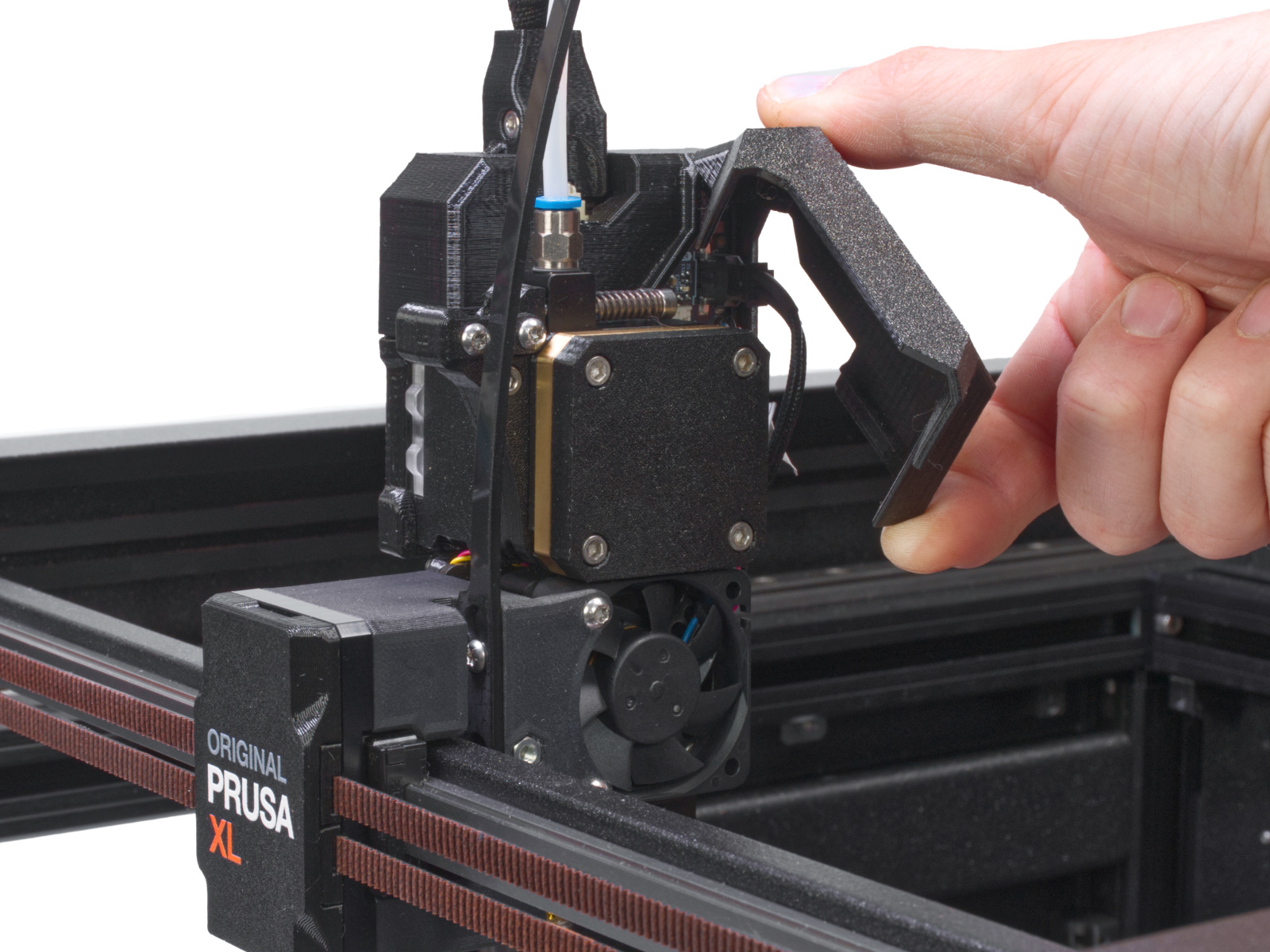
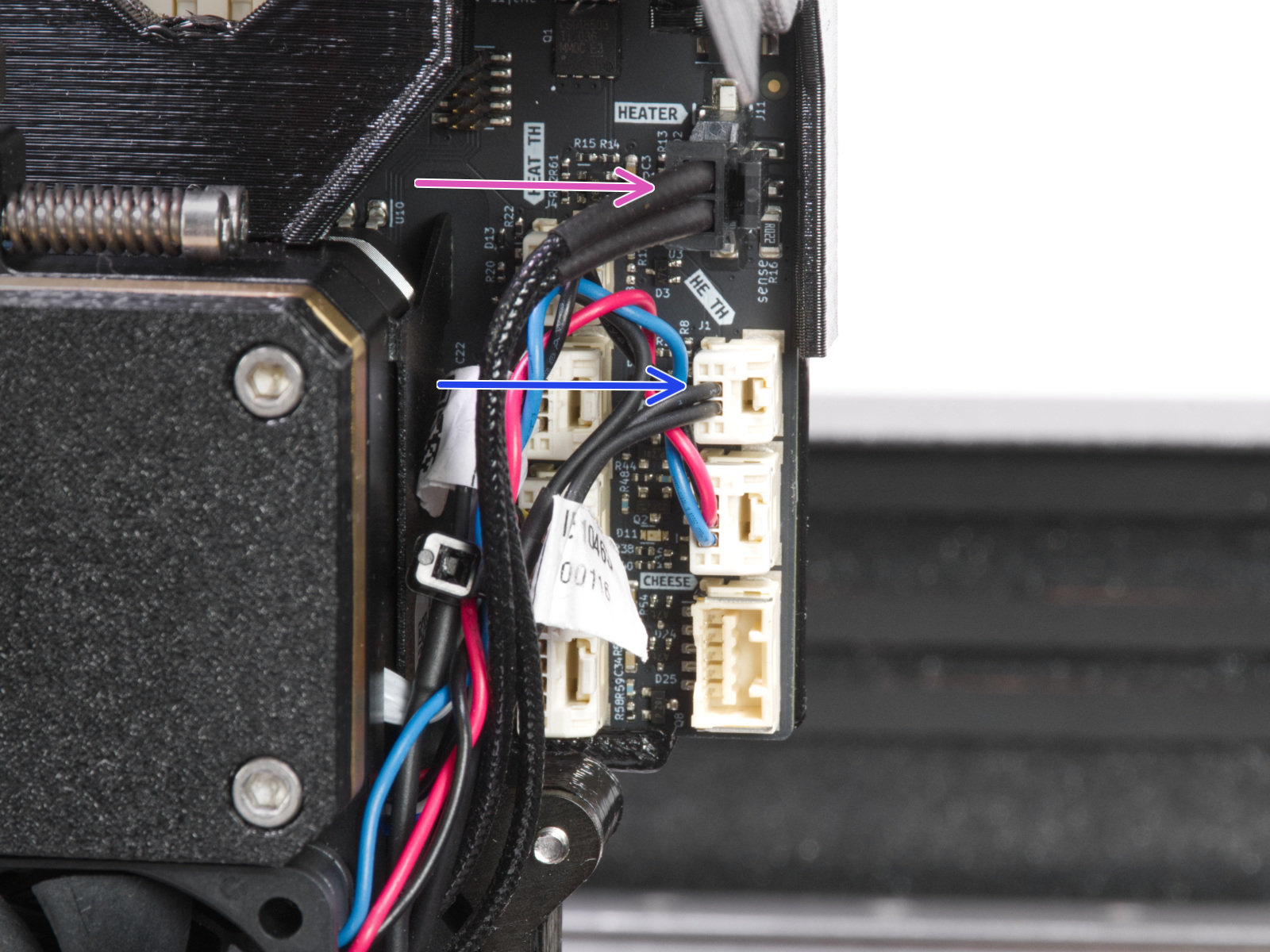
Check that all the connectors are secure in their sockets, according to the picture below. Focus on the thermistor and heater cables. Though unlikely, rough shipping or handling could have shaken the heater or thermistor cables loose.
The table below describes the correct resistance for each part, as well as what scale you should set your meter to. The hotend thermistor is rated to be 100 kΩ at 25 °C. To be realistic, with a varying temperature between 20 °C and 30 °C, you can expect a wider range of readings (~80-125 kΩ).
There can be micro-fractures in the cable, breaking the connections only at certain positions. Therefore, try to move the cable a bit while doing the measurement and see if the value changes drastically.
Part |
Resistance |
Multimeter scale |
|
Hotend thermistor |
[80 kΩ - 125 kΩ] |
200kΩ |
|
Hotend heater |
[12.3 Ω - 15.1 Ω] |
200Ω |
13 comments
Will update after more testing.
Interesting that after recent firmware updates I had to reduce my fan speed to 70% with my Mk2.5S to stop Thermal Runaway. Is this a hidden firmware problem in the basic Prusa line? Doubtful but worth a check.
Note that I have not done any XL FW updates recently.
Using PLA, .2 stock nozzle and have made no changes to the XL before starting this print.
This issue comes when the nozzle temperature can't reach the target temperature, i.e. the power of the heating element is not enough, no matter if it's trying its best.
The reasons are:
- Part failure (broken heater/cable).
- Loose connection = weak contact with the heating element and the alu block --> Use thermal paste, tighten the screw.
- MOST PROBABLE: Too high mass flow. You try to push filament so fast through the nozzle that the power of the heater is not enough to heat the filament and the temperature remains below target for extended period. This may happen when you use 0.8 mm or 0.6 CHT nozzle, have high speed and high layer height. I had ~30mm^3/s volymetric flow, and got this problem. I reduced it to ~25mm^3/s and got rid of the error.
>> How to verify your volumetric flow: Go to the Print Preview, choose "Volumetric Flow" from the pull-down menu and see what your flow is, check the problematic layers.
>> How to fix: Go to settings, "Speed", "Max volumetric speed" and set the value; the default is "0", which means no limit. Use the black silicone sock; it helps to maintain heat in the hot end.
I think Prusa should do someting to this, they should offer a high flow hot end with more powerful heating element. Currently you can't use fully your printer's speed but you must reduce it. What's the point of having a high-speed nozzle (CHT) if the heating element isn't up to its task? This is also a firmware issue: The printer could automatically slow down if the heater struggles to keep up with the temperature. That way your printout would get finished, although a bit slower but anyway. Much better than a 20-hour print work which fails after 1/2 hours.
After reading your comments I looked up the details of the filament profile.
The issue was, that the cooling in this profile was much higher than expected and seemed to cause the thermal runaway issue.