AA

Featured products

    Popular categories

      Trending searches

        Articles

          Blog

            Products

              Categories

                Suggested searches

                  Searching…
                  No results
                  Something went wrong.
                  ↑↓ Select↵ OpenEsc Close search
                  • English
                  • Čeština
                  • Deutsch
                  • Español
                  • Français
                  • Italiano
                  • Polski
                  • 日本語
                  • Orders
                  • Address
                  • In-stock Alerts
                  • My Courses
                  • Subscription
                  • Edit Account
                  • 3D printers9+▾

                    3D printersnew

                    newPrusa CORE One L+Learn more
                    newPrusa CORE One+ (Gen 2)Learn more
                    newPrusa CORE One L+ INDX 8-ToolnewPrusa CORE One+ (Gen 2) INDX 8-ToolPrusa CORE One L+: Critical InfrastructureOriginal Prusa MK4SnewOriginal Prusa XL+Original Prusa XL+: Critical Infrastructure

                    Printer upgrades

                    newINDX Conversion KitsnewPrusa CORE One L to CORE One L+ upgradenewPrusa CORE One+ to Prusa CORE One+ (Gen 2)newPrusa XL to Prusa XL+ Upgrade
                    Prusa Reward ProgramLove your Prusa printer? Share your experience and earn $30 Prusa e-shop vouchers.
                    How to Choose a 3D Printer?We’ll walk you through the basics to find the exact machine for your space, budget, and ideas.
                    Free E-bookDownload a free e-book Basics of 3D Printing with Josef Prusa and make your first steps in 3D printing world
                    Original Prusa Printable PartsCollections of printable spare parts for Original Prusa 3D printers and upgrades.
                    Shipping informationRegularly updated info about the current manufacturing capacity and delivery times of our printers.
                    Custom 3D PrintingProfessional custom 3D printing from various materials according to your requirements.
                  • Materials▾

                    Filaments

                    PrusamentPLAPETGASA / ABSPC (Polycarbonate)PA (Nylon)FlexCompositesSpecialMaterials clearance sale

                    Resin

                    Prusament ResinResin Cleaner
                    Filament GuideCheck my Prusament Spool
                    Prusament.com
                  • Parts & Accessories▾

                    Accessories

                    EnclosuresNozzlesPrint SheetsEssential AccessoriesCameras & AddonsTools & CraftingAdhesives

                    Spare parts

                    Merchandise

                    Spare parts - All PrintersCORE OneMK4/S & MK3.9/SMK3/S/+XL
                    Merch
                  • For Business▾
                    Prusa Pro HT90Prusa Pro SLXPrusa Pro AFSPrusa Pro Medical OneOriginal Prusa XLOriginal Prusa XL: Critical Infrastructure
                    Prusa CORE One+Learn more
                    Prusa CORE One LLearn more
                    Prusa CORE One L: Critical Infrastructure Edition

                    3D Printing for

                    Manufacturing and R&DAutomotive IndustryHealthcareEducation and Academic ResearchArchitects and DesignersFilm IndustryCritical Infrastructure

                    3D Printing Stories

                    • How 3D printing started: About Rep-rap and open-source with Adrian Bowyer
                    • Teaching mathematics redefined with 3D printing at JKU Linz
                    • The story behind the LTT screwdriver
                    • Victoria Hand Project: Changing Prosthetic Care with 3D Printing
                    Official Prusa Resellers
                    Sustainability
                    Prusa Education
                    Contact and Inquiry
                    Custom 3D Printing
                    ISO Certified
                  • Software▾
                    PrusaSlicer

                    PrusaSlicerPrusaSlicer

                    PrusaSlicer is an open-source, feature-rich, frequently updated tool that contains everything you need to export the perfect print files for your 3D printer.

                    WindowsMacOSLinux
                    Prusa Connect

                    Prusa Connect

                    Prusa Connect is a cloud service enabling remote control and monitoring of your 3D printers, offering secure data handling, easy setup, and support for managing multiple printers from anywhere.

                    Log in to Connect
                    Prusa.app

                    Prusa.app

                    Control your printer/s remotely from anywhere using the Prusa Connect technology behind. Prusa.app brings a new level of Prusa printer experience to Android and iOS phones.

                    Try it now!
                    Drivers & FirmwareDownload the latest firmware and drivers for your 3D printer.
                    PrusaSlicer Support
                    Prusa Connect Support
                  • 3D Models▾
                    3D PrintersArt & DesignHobby & MakersHouseholdTabletop MiniaturesToys & GamesPrintables Store

                    Popular 3D models

                    • Strong garden hose holder
                    • Prusa Spool Bot
                    • Build Tray — Modular Organizer for Assembly, Disassembly and Maintenance
                    • Broom Holder
                    • Octagon Fabric
                    • Prusa CORE One ? (Mimic Skin)

                    Design Contests

                    • Framework Laptop 12 Mainboard Re-Use9/1/2026 – 9/30/2026
                    • 🏆 Designer Challenge: Magic tricks!9/1/2026 – 9/22/2026
                    • Od prototypu k produktu: Příslušenství ke kamerám8/1/2026 – 9/14/2026
                  • Community▾

                    Upcoming Events

                    • Maker Faire Tokyo 20269/5/2026 – 9/6/2026 · Tokyo, Japan · Prusa Team
                    • IFA 20269/4/2026 – 9/8/2026 · Berlin, Germany · Prusa Team
                    • 3D Printopia 20269/26/2026 – 9/27/2026 · Pennsylvania, United States · Prusa Team
                    • Maker Faire Bay Area9/25/2026 – 9/27/2026 · Kalifornie, United States · Prusa Team

                    Prusa Forum

                    • Vent doesn't close for an ASA print
                    • Alignment tool?
                    • Is this spam?
                    Prusa World MapPrusa World MapFind local 3D printing users and explore the community around you.
                  • Help▾
                    Guides & TutorialsPrusaSlicerPrusa ConnectMaterials

                    Printer Model

                    CORE One INDXCORE One LCORE One+CORE One

                    Hardware Troubleshooting

                    • Selftest failed (CORE One/+)
                    • Clogged nozzle (CORE One, CORE One L, XL, MK4/S, MK3.9/S)
                    • Adjusting belt tension (CORE One/+, CORE One INDX, CORE One L/+)
                    • Prusa Connect and PrusaLink explained

                    Drivers & Firmware

                    INDX familyCORE One familyMK4 familyXL familyMMU familyPRO family
                  • Courses▾

                    Become an expert in 3D printing

                    Prusa Academy offers online courses on various 3D printing related topics. Each course features:

                    • easy-to-read text with many pictures and short videos
                    • links for inspiration and further study
                    • quizzes for testing your knowledge along the way
                    • certificate of completion
                    Browse all coursesMy courses library
                    • 3D Modeling in Autodesk Fusion
                    • PrusaSlicer Masterclass – Beginner to Advanced
                    • Complete Guide to 3D Print Postprocessing, Painting, and Detailing
                    • Airbrush Your 3D Prints: From Basics to Advanced Tricks
                  • Blog▾
                    • PrusaSlicer 3.0 Preview – Built for the Future of 3D Printing
                    • Prusa CORE One+ (Gen 2) INDX, Shipping Has Started, Complete Printers Open for Orders
                    • Better Prints, Easier Use: Prusa XL+, CORE One L+ and CORE One+ (Gen 2), Our Big Product Upgrade
                    E-Book: Basics of 3D Printing
                  • Company▾

                    About Prusa Research

                    We are the largest maker of 3D printers in Europe and the United States.

                    Founded as a one-man startup in 2012 by Josef Prusa, a Czech hobbyist, maker, and inventor. In just 15 years, we've grown into a company of more than 1,200 people. Every month, we design, build, and ship over 10,000 innovative and secure 3D printers from our headquarters in Prague, Czech Republic, and Delaware, USA, to users in more than 160 countries.

                    Watch a video and find out how Prusa Research was born and what we achieved within only 10 years!

                    About UsTimelineSustainabilityOpen-source
                    About Us
                    Contact Us
                    Logo and Photos
                    ISO Certified
                  1. Support
                  2. About your printer

                  Blog

                  • PrusaSlicer 3.0 Preview – Built for the Future of 3D Printing
                  • Prusa CORE One+ (Gen 2) INDX, Shipping Has Started, Complete Printers Open for Orders
                  • Better Prints, Easier Use: Prusa XL+, CORE One L+ and CORE One+ (Gen 2), Our Big Product Upgrade

                  Newsletter

                  Signup and get our monthly squeeze on updates, blog, printables and much more.

                  By clicking, you agree to receive our newsletter.

                  This site is protected by reCAPTCHA Enterprise and the Google Privacy Policy and Terms of Service apply.

                  Strong garden hose holder
                  E-shop
                  • 3D Printers
                  • Printer Upgrades
                  • Filaments
                  • Accessories
                  • Prusa Merchandise

                  © Prusa Research a.s.

                  Printables
                  • 3D Models
                  • Store
                  • Clubs
                  • 3D Design Contests
                  • Brands
                  Community
                  • World Map
                  • Forum
                  • User Groups
                  • Events
                  Help
                  • Prusa Help
                  • Prusa Academy
                  • 3D Printing Calculators
                  Software
                  • PrusaSlicer
                  • Prusa.app
                  • Prusa Connect
                  • Drivers and Software
                  Company
                  • About Us
                  • Blog
                  • Official Prusa Resellers
                  • Contact Us
                  • Certified for ISO 9001, ISO 14001, ISO 45001
                  • General Terms and Conditions
                  • General Terms and Conditions of Use of the PRUSA Websites
                  • Privacy Policy
                  • Information about cookies
                  • Customer Complaints Policy
                  • Status Page
                  • Do Not Sell or Share My Personal Information
                  • Supplemental Statements
                  • General Terms and Conditions
                  • General Terms and Conditions of Use of the PRUSA Websites
                  • Privacy Policy
                  • Information about cookies
                  • Customer Complaints Policy
                  • Status Page
                  • Do Not Sell or Share My Personal Information
                  • Supplemental Statements

                  © Prusa Research a.s.

                  JOSEF PRUSA®, PRUSA RESEARCH®, PRUSA POLYMERS®, PRUSA ORANGE®, PRUSA 3D ® AND PRUSAMENT® are registered trademarks of Prusa Development a.s. used by Prusa Research a.s. under licence from Prusa Development a.s.

                  Topics

                  • Printer description
                  • Printer features
                  • General Information

                  About your printer

                  Shipping information

                  Shipping information

                  Current lead time estimates for new orders Updated: December 10th, 2025 --> The…

                  Sample G-codes

                  Sample G-codes

                  Each Original Prusa printer is shipped with a bundle of sample G-codes. These G-codes are tested and tailored specifically for your printer model and can be used to see the printer's…

                  Prusa firmware-specific G-code commands

                  Prusa firmware-specific G-code commands

                  This is a list of currently implemented G-Codes in Prusa firmware for i3 series printers. The description is only for Prusa Research-specific G-codes. The rest can be found on…

                  Flexible steel sheets (guidepost)

                  Flexible steel sheets (guidepost)

                  The Original Prusa magnetic heatbed is designed to hold a removable double-sided flexible spring-steel sheet, designed specifically for easy removal of printed objects from the…

                  Customer support

                  Customer support

                  If you have any questions about 3D printing in general, about your order, shipping, calibration, or troubleshooting of your printer, don't hesitate to contact us! Printers that…

                  Thermal model calibration

                  Thermal model calibration

                  Starting from firmware 3.12.0, the Original Prusa MK3/S/+ has Thermal model protection. This results in better operation when dealing with thermal errors. How it works During the…

                  VAT (Value Added Tax) & Customs fees

                  VAT (Value Added Tax) & Customs fees

                  Orders within the EU As of 1 July 2021, updated EU VAT rules for business-to-consumer (B2C) transactions will apply. We, therefore, charge Value Added Tax (VAT), of the Standard…

                  Steel sheet profiles

                  Steel sheet profiles

                  The Magnetic heatbed enables you to use flexible, removable steel sheets. There are different properties and strengths of each sheet, but they also have different thickness which…

                  Pronterface and USB cable

                  Pronterface and USB cable

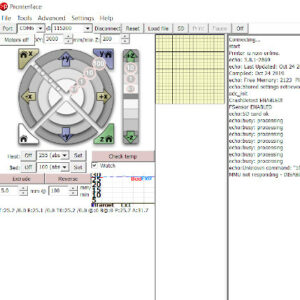
                  Pronterface is an application where you can monitor and send commands to your printer. It is also possible to use it to start prints over USB, however, performance may vary. Pronterface…

                  SD cards and USB drives

                  SD cards and USB drives

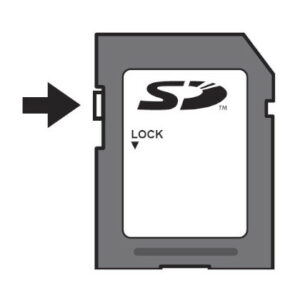
                  As there are ways of remotely transferring files and starting prints, an SD card or USB flash drive is the most common and reliable way to get your files to your machine. Though…

                  FAQ - Frequently Asked Questions

                  FAQ - Frequently Asked Questions

                  How do I get the kit or assembled printer owner discount? As stated on our website Prusa3D, if you purchase an assembled MK4S printer, we offer a 10% discount on your upcoming…

                  Einsy RAMBo electronics wiring (MK3/MK3S/MK3S+)

                  Einsy RAMBo electronics wiring (MK3/MK3S/MK3S+)

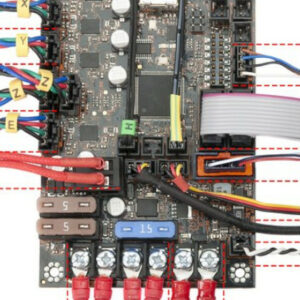
                  With our Original Prusa i3 MK3, we have introduced a logic board called Einsy RAMBo. It works on 24V and uses Trinamic drivers for motors, allowing for super silent printing and…

                  Input Shaper (CORE One, MK4/S, MK3.9/S, MK3.5/S, XL, MINI/+)

                  Input Shaper (CORE One, MK4/S, MK3.9/S, MK3.5/S, XL, MINI/+)

                  Starting from firmware 5.0.0 for the MK4, and firmware 5.1.0 for the MINI/+ and the XL, the printers have the Input Shaper feature. The Prusa CORE One/+, CORE One L/+, and the…

                  Notify me when available - How the system works

                  Notify me when available - How the system works

                  Our e-shop recognizes three types of product availability: In stock - The product is in our local warehouse, and we are ready to ship it as soon as possible. Depending on the product…

                  Satin steel sheet

                  Satin steel sheet

                  The Original Prusa magnetic heatbed is designed to hold a removable, double-sided, flexible print sheet, specifically designed for easy removal of printed objects from the print…

                  Crash detection

                  Crash detection

                  Trinamic drivers on the EINSY board can detect skipped steps and prevent layer shifting caused by a nozzle crash. It works only in the Normal mode (not in the Stealth mode). The…

                  Textured steel sheet

                  Textured steel sheet

                  The Original Prusa magnetic heatbed is designed to hold a removable, double-sided, flexible spring-print sheet, specifically designed for easy removal of printed objects from the…

                  Power-modes

                  Power-modes

                  Prusa printers are well known for being very silent, even in the standard mode. But actually, our printers also offer an option for even quieter operation. In the instructions…

                  Food safe FDM printing

                  Food safe FDM printing

                  Food-safe 3D printing is not as simple as it might seem. Here we outline some of the challenges. We also recommend you to check out our blog article where we present our research…

                  Smooth Steel Sheet

                  Smooth Steel Sheet

                  The Original Prusa magnetic heatbed is designed to hold a removable, double-sided, flexible spring-steel sheet, specifically designed for easy removal of printed objects from the…

                  Original Prusa Serial Number

                  Original Prusa Serial Number

                  Every Original Prusa printer has a unique serial number assigned to it. This is found on a silver sticker on every machine and is also hardcoded to the main controller board. Serial…

                  Warranty

                  Warranty

                  All of our products are covered under warranty. As we are based in Prague, Czech Republic, a European Union member state, European and Czech law apply. Rest assured that our Technical…

                  Filament sensor MK3 (non-S)

                  Filament sensor MK3 (non-S)

                  The optical filament sensor detects the presence of a filament and also its movement. Make sure you are running the latest firmware since new versions offer a higher-frequency…

                  Assembly manuals

                  Assembly manuals

                  One of the best things about getting your very first 3D printer kit is the assembly. Building your first 3D printer may take some time, however, it's the perfect way to get to…

                  Printer Handbooks

                  Printer Handbooks

                  All of our printers come with an instructional Handbook. This is not merely a collection of tips and tricks but is the instruction manual for your machine. They cover everything…

                  Power Panic

                  Power Panic

                  The printer can fully recover from a complete loss of power without the need for batteries or a UPS. A special sensor detects mains voltage, and in case of an interruption, it…

                  Refunds & returns

                  Refunds & returns

                  In case you are not happy with a product, or you have changed your mind about it, you are eligible for a return within 60 days after delivery. If you are struggling with the printer,…

                  Nextruder filament sensor (CORE One, CORE One L, MK4/S, MK3.9/S, XL/+)

                  Nextruder filament sensor (CORE One, CORE One L, MK4/S, MK3.9/S, XL/+)

                  The filament sensor equipped on our Nextruder printers detects the presence of a filament and filament run-out. The sensor is a Hall sensor, triggered by a mechanism composed of…

                  Combining materials (XL/+)

                  Combining materials (XL/+)

                  On the Original Prusa XL multi-tool, it is possible to combine different materials within the same print. The following aspects and considerations have to be kept in mind for a…

                  Flashing custom firmware (MINI/MINI+)

                  Flashing custom firmware (MINI/MINI+)

                  Every firmware version goes through intense testing to verify that every single feature works as it should. That applies especially to the safety features: for example, if the…

                  Water-soluble materials (PVA/BVOH)

                  Water-soluble materials (PVA/BVOH)

                  Supports can be hard to remove and leave imperfect surfaces above them. Depending on the shape of the object, there is also the risk of ruining the print in the process. Some geometry…

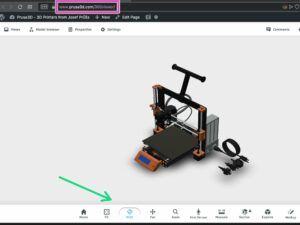
                  360 viewer

                  360 viewer

                  The 360 Viewer is a virtual tool you can use to inspect all parts of the Prusa printers. Rotate, zoom, hide layers, explode the model, and click on individual objects to see their…

                  LCD menu (Original Prusa i3)

                  LCD menu (Original Prusa i3)

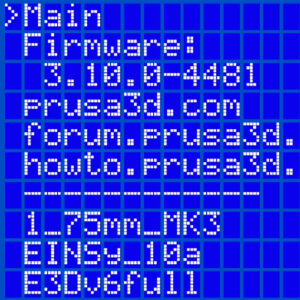
                  This article describes the menu introduced with firmware 3.13.0 for the Original Prusa i3 MK3S. Controlling the LCD screen is done by a single control element: a rotational knob…

                  Mini RAMBo electronics wiring (MK2S, MK2.5, MK2.5S)

                  Mini RAMBo electronics wiring (MK2S, MK2.5, MK2.5S)

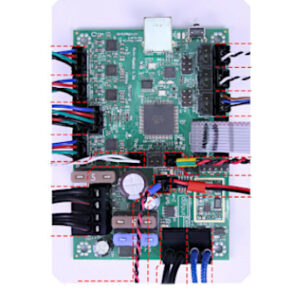
                  Written as Mini-RAMBo, Mini Rambo, or Rambo mini, the logic board used in the Original Prusa MK2 series is very simple. Please refer to the image below regarding wire colors and…

                  Nextruder silicone sock (CORE One/+, CORE One L/+, XL/+, MK4/S, MK3.9/S)

                  Nextruder silicone sock (CORE One/+, CORE One L/+, XL/+, MK4/S, MK3.9/S)

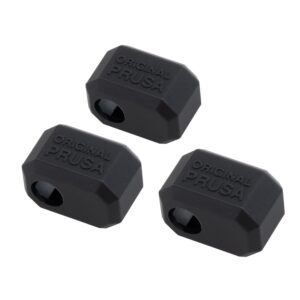
                  The Original Prusa Printers with the Nextruder are equipped with a Prusa Nozzle. A dedicated silicone sock can be attached to this nozzle. We offer Nextruder silicone socks in…

                  GPIO Module

                  GPIO Module

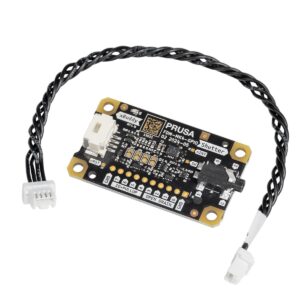
                  The GPIO module (General Purpose Input Output) is an additional, optional PCB that can be connected to the Prusa CORE One/+, and to the Original Prusa MK4/S, MK3.9/S, or MK3.5/S. IMPORTANT:…

                  Accelerometer (CORE One, MK4/S, MK3.9/S)

                  Accelerometer (CORE One, MK4/S, MK3.9/S)

                  The Input Shaper functionality on the Prusa CORE One/+, and on the Original Prusa MK4/S, MK3.9/S, and MK3.5/S can be calibrated using an optional accelerometer.  The accelerometer…

                  Resin Calibration (SL1/SL1S)

                  Resin Calibration (SL1/SL1S)

                  Both Original Prusa SL1 and SL1S SPEED have a growing library of resin print profiles in the PrusaSlicer, which were tested and verified by Prusa Research. However, the printers…

                  Types of printers and their differences

                  Types of printers and their differences

                  3D printing is an automated additive manufacturing process, where a 3D printer creates a physical model based on digital data (a 3D object). All types of 3D printing are based…

                  Order status

                  Order status

                  After making an order, it is possible to check the details of the order in your e-shop account. How to find the order details If you have an account, you can open the order details…

                  Buddy firmware-specific G-code commands

                  Buddy firmware-specific G-code commands

                  This is a list of currently implemented G-Codes in Prusa Buddy firmware for MINI/MINI+/XL/MK4/MK3.5 printers. The description is available only for Prusa Research-specific G-codes…
                  Packing i3 printer for return

                  Packing i3 printer for return

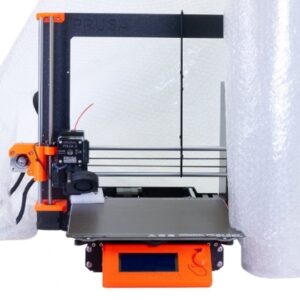
                  Do you need to send your printer back for a refund or repair? Unlike when returning a single part or component, when returning an assembled Original Prusa i3 printer (MK2/S, MK2.5/s,…

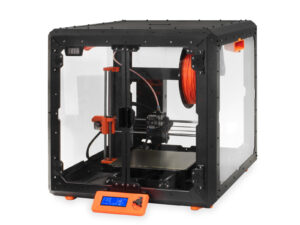
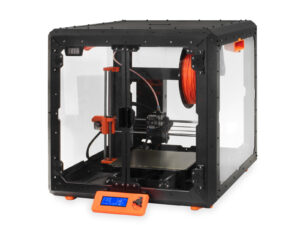
                  Original Prusa Enclosure

                  Original Prusa Enclosure

                  Enclosures help with stabilizing the inner environment and raising ambient temperatures, shields the printer from drafts and blasts of cold air, and reduces the build-up of dust…

                  IR Filament sensor detection (MK3S)

                  IR Filament sensor detection (MK3S)

                  With filament sensor detection, the printer will be able to recognize if the connection with the sensor was interrupted (e.g. broken wire or disconnected cable) and take appropriate…

                  Loadcell (MK4/S, MK3.9/S, XL/+)

                  Loadcell (MK4/S, MK3.9/S, XL/+)

                  The Original Prusa MK4/S, MK3.9/S, and XL/+ are equipped with a loadcell. This component incorporated in the hotend heatsink detects if the nozzle is close enough to the steel…

                  MMU3 Compatibility

                  MMU3 Compatibility

                  The Original Prusa MMU3 is the direct successor to the Original Prusa MMU2S, featuring substantial hardware updates and new firmware (version 3.0.0 or later). This updated firmware…

                  SpoolJoin (MMU2S)

                  SpoolJoin (MMU2S)

                  If you have spools with just a small amount of filament, and not enough for a print, you do not need to throw them away, or manually change the filament every time it ends. You…

                  Photo and video documentation

                  Photo and video documentation

                  Pictures and videos are an important part of troubleshooting. When one of our agents is trying to help you with an issue, they often rely on pictures and videos to get a better…

                  Unpacking an assembled i3 printer

                  Unpacking an assembled i3 printer

                  Congratulations on your new assembled Original Prusa printer. For any first-time users, we have prepared this article and video for you who are just starting out with a Prusa 3D…

                  xBuddy and LoveBoard electronics wiring (MK4/S, MK3.9/S)

                  xBuddy and LoveBoard electronics wiring (MK4/S, MK3.9/S)

                  The Original Prusa MK4/S and MK3.9/S are equipped with two proprietary boards: the xBuddy and the LoveBoard. The two are connected by a main cable. When replacing a part in the…

                  Spool placement

                  Spool placement

                  Where your spools are located can make the difference between trouble and smooth operation of the printer. It is also often desirable to reduce the footprint of the printer as…
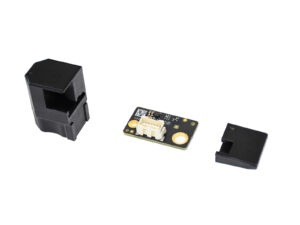
                  IR Filament Sensor (MK2.5S, MK3S/+, MK3.5/S)

                  IR Filament Sensor (MK2.5S, MK3S/+, MK3.5/S)

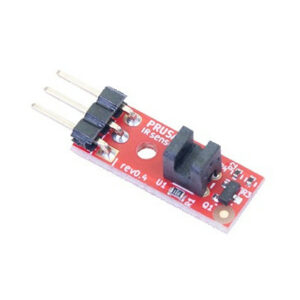
                  Due to some inconsistencies in readings from the optical filament sensor we created the MK3 to MK3S upgrade to address this. The new IR filament sensor still uses an optical sensor…

                  HW setup (MK2.5/S & MK3/S/+)

                  HW setup (MK2.5/S & MK3/S/+)

                  Introduced in the firmware version 3.8.0 on the MK2.5, MK2.5S, MK3, MK3S, and MK3S+ there is a section in the Settings menu, called “HW setup”. It allows you to inform the printer/firmware…

                  LCD menu (MK4/S, MK3.9/S)

                  LCD menu (MK4/S, MK3.9/S)

                  The Original Prusa MK4 and MK3.9 are equipped with a color LCD screen that, among other things, supports G-code thumbnails and QR codes. The footer of the main screen can be edited…

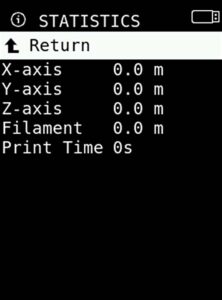
                  Print statistics

                  Print statistics

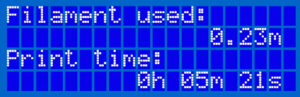
                  The printer tracks printing statistics. When you access this option during a print, you will see statistics for the running print. If you do so while the printer is idle, you will…

                  Payment options

                  Payment options

                  On our e-shop, we accept payments in US Dollars (USD), Euros (EUR), Pounds (GBP), Czech koruna (CZK), Złoty (PLN), and Australian Dollars (AUD).  Some payment options may not…

                  Experimental menu (MK3/S/+)

                  Experimental menu (MK3/S/+)

                  The components installed on your printer rely on firmware configuration. To facilitate the use of components sourced from third-party vendors, firmware version 3.9.1 introduced…

                  PrusaAccount 2-step Verification

                  PrusaAccount 2-step Verification

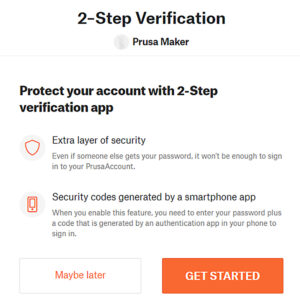
                  2-Step Verification, also called two-factor authentication (2FA) is a method of increasing your account’s security by combining the login with another device, such as your phone.…

                  Orders to the UK

                  Orders to the UK

                  There are two separate shipping destinations (countries) in our e-shop. You must always choose the correct location according to the shipping address, as different tax rules apply. United…

                  USB not detected (MINI/MINI+)

                  USB not detected (MINI/MINI+)

                  The Original Prusa MINI uses USB flash storage to read G-codes during printing. It can happen that the USB drive is not recognized when inserted and the display will say "No USB",…

                  Special PA Nylon steel sheet

                  Special PA Nylon steel sheet

                  The Original Prusa magnetic heatbed is designed to hold a removable, double-sided, flexible print sheet, specifically designed for easy removal of printed objects from the print…

                  Factory repair

                  Factory repair

                  If your printer has an issue you cannot solve by troubleshooting remotely with our Customer support, it is possible to send the printer to be repaired by one of our technicians.  Factory…

                  Prusa Account creation

                  Prusa Account creation

                  Prusa Account is the way to manage your logins to all Prusa services, like online store, forum, and Printables - online community and library of 3D models). Creating a new Prusa…

                  Experimental settings (MK4/S, MK3.9/S, MK3.5/S, XL/+, MINI/+)

                  Experimental settings (MK4/S, MK3.9/S, MK3.5/S, XL/+, MINI/+)

                  The components installed on your printer rely on firmware configuration. To facilitate the installation of components sourced from third-party vendors, we introduced an experimental…

                  Tune Menu

                  Tune Menu

                  Starting accidentally another action during the print (e.g. XYZ calibration, switching sheet profiles, ...) can cause damage to the printer. This is why during the entire printing…

                  UPS backup for your printer

                  UPS backup for your printer

                  If the printer is being used in an area where the power grid has issues constantly, you might wish to install a UPS (Uninterruptible Power Supply) with the printer. UPS can compensate…

                  Packing the Prusa MINI for return

                  Packing the Prusa MINI for return

                  Do you need to send your printer back for a refund or repair? Unlike when returning a single part, when returning a whole printer it must be packed down properly to prevent any…

                  Glossary MINI

                  Glossary MINI

                  3D printers have their own vocabulary and words for describing their various parts and functions. If you are doing maintenance or about to seek help online, it is necessary to…

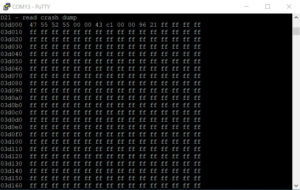
                  Crash dump (MK3/S/+, MK2.5/S)

                  Crash dump (MK3/S/+, MK2.5/S)

                  This article refers to legacy printers MK3/S/+ and MK2.5/S. For more recent models, refer to Blue Screen of Death (BSOD) #31538 (CORE One) #35538 (CORE One L) #36538 (CORE One…

                  LCD menu i3 (pre firmware 3.9.0)

                  LCD menu i3 (pre firmware 3.9.0)

                  This article describes the menu system BEFORE firmware 3.9.0 for the Original Prusa i3 MK3S. Controlling the LCD screen is done by a single control element: a rotational knob that…

                  FAQ - Extended buyers-guide

                  FAQ - Extended buyers-guide

                  From both individuals and companies in the market for a 3D printer, our customer support receives a lot of questions regarding our printers and what it takes to get started with…

                  Enclosure guidepost

                  Enclosure guidepost

                  Original Prusa i3 Printers are open-frame printers. While some printers are already enclosed by default, having an enclosed printer can dramatically increase the price of the printer,…

                  Sound mode (MINI/MINI+)

                  Sound mode (MINI/MINI+)

                  The Original Prusa MINI/MINI+ introduces 4 levels of acoustic signalization - Loud, Once, Silent and Assist. You are able to choose between each level in the printer's menu Settings…

                  Status LED explained (MK4/S, XL/+)

                  Status LED explained (MK4/S, XL/+)

                  Selected Original Prusa printers are equipped with status LEDs located on the lower edge of the LCD screen. Together there are three physical RGB LEDs. The system will change their…

                  Printed Solid Service center USA

                  Printed Solid Service center USA

                  To Accelerate the repair of our Original Prusa Printers within the USA, we have created a new Repair Center at our subsidiary branch, Printed Solid. Although Printed Solid has…

                  How do Prusameters on Printables work?

                  How do Prusameters on Printables work?

                  Prusameters is our unique reward system on Printables.com. You can collect Prusameters for various actions and achievements. Prusameters then can be exchanged for a real spool…

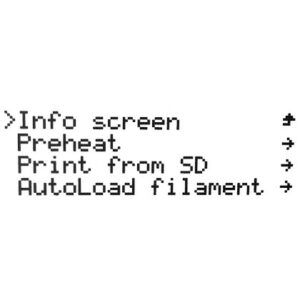
                  LCD menu (MINI/MINI+)

                  LCD menu (MINI/MINI+)

                  Navigating the LCD menu is done by a single control element: a rotational knob that you press to confirm a selection. In addition, you have a Reset button which will reset the…

                  LCD screen contrast adjustment (i3)

                  LCD screen contrast adjustment (i3)

                  In case you experiencing issues with the screen readability, you can try adjusting the contrast on the LCD-module. On the back of the LCD-module, you will find a small potentiometer…

                  SD card sorting

                  SD card sorting

                  The order of the files on the SD card can be changed. Change the sorting method in the LCD Menu -> Settings -> Sort: [name/date/no sorting]. Folders are always shown on the top…

                  Error when placing an order

                  Error when placing an order

                  After the order has been made, you can find it in your account's Orders. Please note that this is only for registered accounts. If you have made the order as a guest, you can ask…

                  Noisy filament sensor (MINI)

                  Noisy filament sensor (MINI)

                  An optional accessory for the Original Prusa MINI is its filament sensor. It uses a simple sensor mechanism to detect whether a strand of filament is inserted or not.  The mechanical…

                  Internet connection (SL1/SL1S)

                  Internet connection (SL1/SL1S)

                  Before you start the calibration process, it is advised to connect the printer to the internet, so that it can download updated firmware files (if they are available). There are…

                  Resin Tank Cleaning (SL1/SL1S)

                  Resin Tank Cleaning (SL1/SL1S)

                  Any cured bit of resin left in the tank after a print can cause failed prints (holes, missing geometry) and even damage to the print display. Firmware version 1.7.0 introduces…

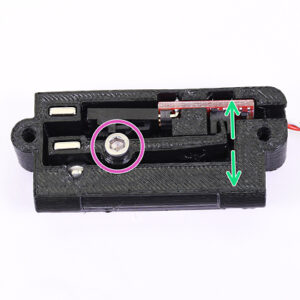
                  LCD brightness adjustment (MK3S)

                  LCD brightness adjustment (MK3S)

                  Starting firmware version 3.9.0, for the Original Prusa MK3S manufactured after June 2019, it is possible to adjust the brightness of the screen directly from the LCD menu and…

                  CW1/S - Basic use and LCD-menu

                  CW1/S - Basic use and LCD-menu

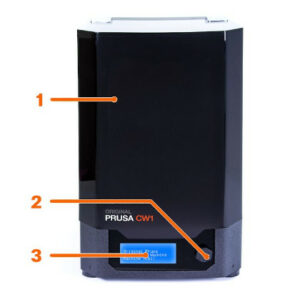
                  The Cure/Wash Station (CW1 or CW1S) is used to wash, dry, and cure your resin prints, all in one compact package. While your IPA tank is present, the CW1/S will automatically detect…

                  Glossary i3-Series

                  Glossary i3-Series

                  3D printers have their own vocabulary and words for describing their various parts and functions. If you are doing maintenance or about to seek help online, it is necessary to…

                  Unpacking a CW1

                  Unpacking a CW1

                  The Original Prusa Curing and Washing Machine (CW1) is a ​3-in-1 device​ designed for quick and easy post-processing of objects printed from liquid resins. Objects printed from…

                  Pouring resin and starting print

                  Pouring resin and starting print

                  Pouring resin into the tank Before you start printing, always make sure the FEP film on the bottom is clear (transparent), clean, and has no holes, dents, or deep scratches. Check…

                  Glossary MMU2S

                  Glossary MMU2S

                  3D printers have their own vocabulary and words for describing their various parts and functions. If you are doing maintenance or about to seek help online, it is necessary to…

                  Packing Multi Material upgrade for return

                  Packing Multi Material upgrade for return

                  Do you need to send your Multi Material upgrade back for a refund or repair? Unlike in the case of a return shipment of a single part, when returning an assembled Multi-material…

                  Packing SL1/CW1 for return

                  Packing SL1/CW1 for return

                  When returning an assembled Original Prusa SL1 printer, we would like you to secure it in a proper way, to prevent any damage during the transport. Before sending any product back…

                  Using the CW1 - Washing

                  Using the CW1 - Washing

                  Connect the external power supply to the CW1 and plug it into the power source. To disconnect the cable, push the connector’s cover away from the CW1 to unlock the connector, then…

                  Support settings for the XL/+

                  Support settings for the XL/+

                  This guide will show the easiest way to set up and print supports with different materials for the Original Prusa XL/+. Before starting, make sure you have the two or five tool-heads…
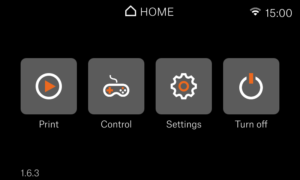
                  Prusa Academy

                  Prusa Academy

                  The Knowledge Base is aimed at helping users assemble the printer, service it, and, if needed, get instructions for troubleshooting. To expand your knowledge even further, we offer…
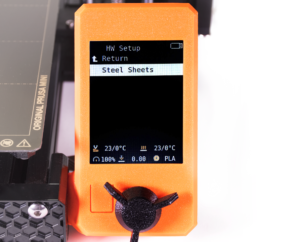
                  Info Screens (MINI/MINI+)

                  Info Screens (MINI/MINI+)

                  In the Original Prusa MINI and MINI+ menu, you can see the option Info. Here you will find different information on your printer. Within the Info menu, you have the following selection:  Network…

                  Using the CW1 - Drying and Curing

                  Using the CW1 - Drying and Curing

                  After you wash the object in isopropyl alcohol, we recommend rinsing it ​briefly under running water​ to remove the remnants of isopropyl alcohol. Then, dry it with a paper towel.…

                  Cancel Object (MK4/S, MK3.9/S, XL/+, CORE One+/GEN 2, MINI/+)

                  Cancel Object (MK4/S, MK3.9/S, XL/+, CORE One+/GEN 2, MINI/+)

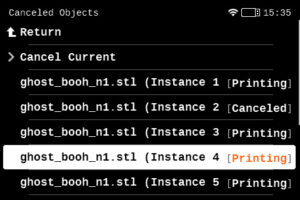
                  When printing multiple objects within the same print, it is possible that one or more objects might not have an optimal finish or get loose from the plate, while at the same time,…

                  Network Connection (CORE One L, CORE One, MK4S, MK3.9S)

                  Network Connection (CORE One L, CORE One, MK4S, MK3.9S)

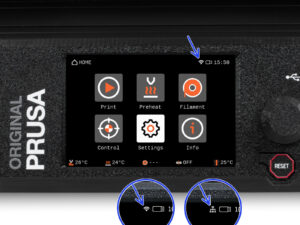
                  The Prusa CORE One L, Prusa CORE One, Original Prusa MK4S, and Original Prusa MK3.9S include an Ethernet port (RJ45) and a WiFi module. Connecting to Ethernet Connect a LAN cable…

                  E-shop order creation

                  E-shop order creation

                  In alternative to requesting a quotation, it is possible to generate an order, and its proforma invoice, through our e-shop.  Creating a new order Navigate to our e-shop. The…

                  Support menu (MK3/S/+)

                  Support menu (MK3/S/+)

                  At the bottom of the LCD menu on the Original Prusa MK2.5/S and MK3/S/+, you will find information on your specific machine's hardware, and firmware as well as real-time sensor…

                  Dump memory (MK3/S/+ and MK2.5/S)

                  Dump memory (MK3/S/+ and MK2.5/S)

                  The memory dump is not used for troubleshooting normal printer errors! Please only supply the Memory dump if requested. Starting from firmware version 3.10.1, the Original Prusa…

                  Glossary SL1/CW1

                  Glossary SL1/CW1

                  3D printers have their own vocabulary and words for describing their various parts and functions. If you are doing maintenance or about to seek help online, it is necessary to…

                  Tools Mapping (XL)

                  Tools Mapping (XL)

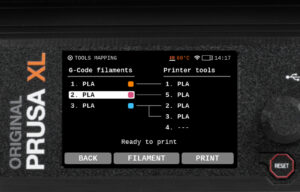
                  On the Original Prusa XL, when slicing for a Multi-Tool object, the resulting G-code carries information on how individual materials and extruders are assigned, along with the…

                  FAQ - Orders

                  FAQ - Orders

                  When will I receive an invoice?  For orders with the wire transfer payment method, our system generates a proforma invoice within a few minutes of order creation. For all orders…

                  Original Prusa SL1 vs. SL1S Speed

                  Original Prusa SL1 vs. SL1S Speed

                  With a brand new high-resolution monochrome LCD, larger print platform, and all cumulative updates from the entire lifespan of the SL1, the new SL1S SPEED is a lightning-fast machine…

                  NFC antenna

                  NFC antenna

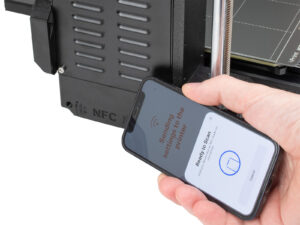
                  The Prusa CORE One, and the Original Prusa MK4S/MK3.9S are equipped with a Near Field Communication antenna, abbreviated NFC. This allows you to quickly write data into the NFC…

                  LCD menu (XL/+ Multi Tool)

                  LCD menu (XL/+ Multi Tool)

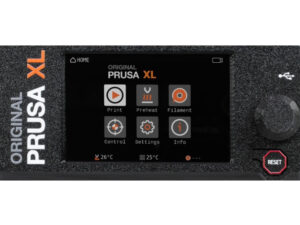
                  The Original Prusa XL/+ is equipped with a color LCD screen that, among other things, supports G-code thumbnails and QR codes. For the versions of the XL printer with a single…

                  Accessory connectors (MK4)

                  Accessory connectors (MK4)

                  This article describes connectors on the Original Prusa MK4, which can be used to connect your own or any 3rd party accessory.  Warning: Keep in mind the maximum allowable electric…

                  One-click print

                  One-click print

                  Both the Original Prusa MINI+ and the SL1 offers a user-friendly feature where the printer automatically displays the project ready for immediate print if: The USB flash drive…

                  Menu structure (SL1/SL1S)

                  Menu structure (SL1/SL1S)

                  The Original Prusa SL1/SL1S Speed comes with a touchscreen that can be used to navigate the printer menu. Touch each option to select them, and use the Back option on the top left…

                  Creating a resin calibration object (SL1/SL1S)

                  Creating a resin calibration object (SL1/SL1S)

                  This guide will show you how to use your own model to generate a resin Calibration-object. We recommend this approach only to experienced users. The pre-made Resin calibration…

                  HW setup (MINI/MINI+)

                  HW setup (MINI/MINI+)

                  Introduced in version 4.3.0 for the MINI and MINI+, there is a section in the Settings-menu, called “HW setup”. It allows you to inform the printer/firmware of hardware changes…

                  Touch screen (CORE One L, CORE One, MK4/S, MK3.9/S, MK3.5/S, XL/+)

                  Touch screen (CORE One L, CORE One, MK4/S, MK3.9/S, MK3.5/S, XL/+)

                  If your printer has the xLCD, you can navigate it by using the touchscreen. Note that some functions will still need the knob, such as setting the target temperature manually or…

                  How to check your Buddy board version

                  How to check your Buddy board version

                  The Original Prusa MINI and MINI+ are equipped with a mainboard called the Buddy board. It may be necessary to check the version of your board if Customer support asks for it during…

                  Registers MMU (MMU3)

                  Registers MMU (MMU3)

                  Starting from firmware 3.0.0, the Original Prusa Multi-material upgrade (MMU) has a set of runtime variables called registers. You can use these to read or write values into the…

                  PrusA64 mainboard electronics wiring (SL1)

                  PrusA64 mainboard electronics wiring (SL1)

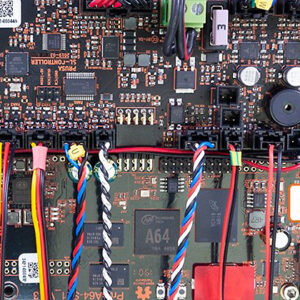
                  With the technology used in MSLA 3D printing, the Original Prusa SL1 has a different mainboard arrangement compared to our FFF printers. It uses two boards instead of one: PrusA64…

                  Brightness adjustment (SL1)

                  Brightness adjustment (SL1)

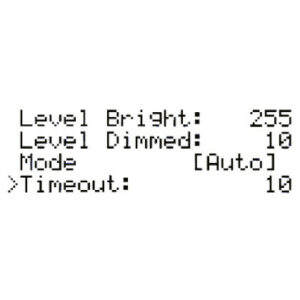
                  Starting from firmware 1.5.0, you are able to manually set the backlight intensity in the SL1. You can also configure a screensaver timer of how long the screen should be on. You…

                  Packing i3 printer for return - Custom Packing Material

                  Packing i3 printer for return - Custom Packing Material

                  Printer statistics and system information (SL1/SL1S)

                  Printer statistics and system information (SL1/SL1S)

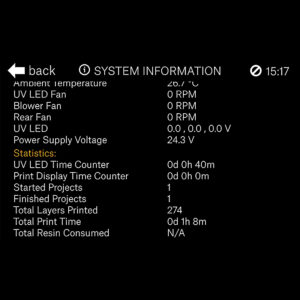
                  The printer has available all information on your specific machine, like temperatures, RPMs of fans, and voltages. Additionally, you can view your printer's statistics which cover…

                  Model preview

                  Model preview

                  On printers with a graphic display, like the Original Prusa MK4/S, MK3.9/S, MK3.5/S, Original Prusa MINI/+, and Original Prusa XL/+, it is possible to see a thumbnail of your print…

                  Top-bar Notifications (SL1/SL1S)

                  Top-bar Notifications (SL1/SL1S)

                  Starting from firmware 1.5.0, the Original Prusa SL1 will show top bar notifications. If you see an envelope on the top right of the screen near the time. To see the notifications…

                  Original Prusa XL/+ electronics

                  Original Prusa XL/+ electronics

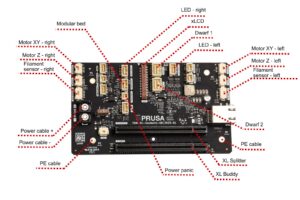
                  The Original Prusa XL/+ is equipped with multiple electronic boards. The number of boards depends on the number of tools.  The slots on the electronic boards have a label near…

                  Packing i3 printer for return - Original Packing Material

                  Packing i3 printer for return - Original Packing Material

                  LoveBoard status LEDs (MK4)

                  LoveBoard status LEDs (MK4)

                  The Original Prusa MK4 is equipped with a break-out board for the Nextruder, the LoveBoard. The LoveBoard has four status LEDs. These status LEDs are present only on some of the…

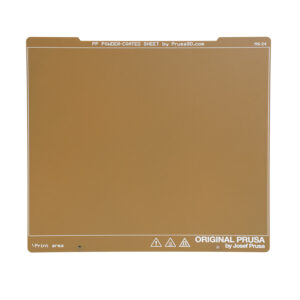
                  PP steel sheet

                  PP steel sheet

                  The Original Prusa magnetic heatbed is designed to hold a removable, double-sided, flexible print sheet, specifically designed for easy removal of printed objects from the print…

                  How to use Prusa 360 model

                  How to use Prusa 360 model

                  Packing MINI printer for return - Custom Packing Material

                  Packing MINI printer for return - Custom Packing Material

                  Supplemental Statements valid on Prusa websites

                  Supplemental Statements valid on Prusa websites

                  This is the current list of supplemental statements valid for users of Prusa websites: Supplemental Statement for California Consumers valid from 1st March 2023

                  LCD menu (XL/+ Single Tool)

                  LCD menu (XL/+ Single Tool)

                  The Original Prusa XL/+ is equipped with a color LCD screen that, among other things, supports G-code thumbnails and QR codes. For the versions of the XL printer with multiple…

                  Tune menu (XL)

                  Tune menu (XL)

                  Starting accidentally another action during the print (e.g. XYZ calibration, switching sheet profiles) can cause damage to the printer. This is why during the entire printing phase…

                  Prusa Pro Filament Drybox

                  Prusa Pro Filament Drybox

                  Some materials are hygroscopic, meaning it is necessary to dry them before printing and keep them in an environment with as low humidity as possible during printing. We offer the…

                  Prusa Printer Upgrades

                  Prusa Printer Upgrades

                  Original Prusa printers offer a range of upgrade options to keep your machine up-to-date with the latest features. This article overviews available upgrades for various models,…

                  MMU3 Prusa Nozzle vs. CHT nozzle

                  MMU3 Prusa Nozzle vs. CHT nozzle

                  On the Original Prusa MK4S and MK3.9S, it is possible to use a Prusa CHT nozzle or a Prusa Nozzle. These printers are also compatible with the Original Prusa MMU3. There are a…

                  xBuddy status LEDs (MK4, MK3.9)

                  xBuddy status LEDs (MK4, MK3.9)

                  The main board on the Original Prusa MK4 and MK3.9 is the xBuddy board. The xBuddy board has ten status LEDs.  Error lights MMU overcurrent The MMU overcurrent light indicates…

                  Vouchers/Discounts

                  Vouchers/Discounts

                  Prusa Discount Codes, Promo Codes, Voucher Codes, and similar terms might show up in your search engine results. Exercise caution when visiting websites promising these discounts.…

                  Tools Mapping and Filament Mapping (XL/+, MMU3)

                  Tools Mapping and Filament Mapping (XL/+, MMU3)

                  The Original Prusa XL/+ multi-tool and the Original Prusa MMU3 are suitable for multi-filament printing.  When slicing for a multi-filament object, the resulting G-code carries…

                  Printer repair centers

                  Printer repair centers

                  If your printer has an issue you cannot solve by troubleshooting remotely with our Customer support, it is possible to send the printer for repair. If the printer's warranty covers…

                  High flow print head (HT90)

                  High flow print head (HT90)

                  The default print head on the Prusa Pro HT90 is a high-flow print head. This allows a high volumetric rate which will let you print faster. The print head also has a fan control…

                  High temperature print head (HT90)

                  High temperature print head (HT90)

                  The Prusa Pro HT90 comes with a high-temperature print head that can be installed in the printer. The default on the printer is the High-flow print head. The print head can reach…

                  Purchasing and managing licenses for Prusa Academy courses

                  Purchasing and managing licenses for Prusa Academy courses

                  Prusa Academy is our learning platform and offers online courses targeted specifically on 3D printing topics.  Learn more about Prusa Academy on its dedicated page.  It is possible…

                  Flashing custom firmware (CORE One L, CORE One, MK4/S, MK3.9/S, MK3.5/S)

                  Flashing custom firmware (CORE One L, CORE One, MK4/S, MK3.9/S, MK3.5/S)

                  Your Original Prusa Printer has a main electronics board with the printer firmware. In their factory state, our printers only accept official firmware. To flash any unofficial…

                  Toolhead status LED explained (XL)

                  Toolhead status LED explained (XL)

                  Each XL toolhead is equipped with a Dwarf board, and a status LED with several possible colors. Below is an explanation of the meaning of each color.  Blue The Dwarf is in a "bootloader",…

                  Payment error

                  Payment error

                  Ordering an Original Prusa product is done by creating an order on our e-shop. During this procedure, a payment method is chosen. Among others, credit card payment is available.  By…

                  Buddy3D brand

                  Buddy3D brand

                  Buddy3D is a Prusa Research brand that collaborates with external suppliers to produce high-quality third-party accessories and materials. The goal is to expand the offering of…

                  LCD menu (HT90)

                  LCD menu (HT90)

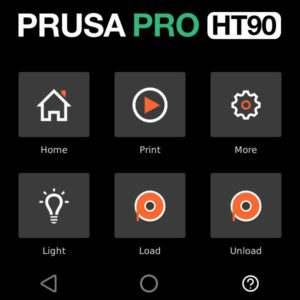
                  The Prusa Pro HT90 is operated through a touch screen. The screen is used to operate the printer, and it will show you images of the processes to be done on the printer. Menu…

                  HT90 - Power Consumption

                  HT90 - Power Consumption

                  The Prusa Pro HT90 features many elements, including among others an actively heated chamber, a high-performance heatbed, and a choice of high-flow or high-temperature hotend.  The…

                  LCD menu (MK3.5/S)

                  LCD menu (MK3.5/S)

                  The Original Prusa MK3.5S is equipped with a color LCD screen that, among other things, supports G-code thumbnails and QR codes. The footer of the main screen can be edited to…

                  LCD menu (CORE One/+)

                  LCD menu (CORE One/+)

                  The Prusa CORE One/+ is equipped with a color LCD screen that, among other things, supports G-code thumbnails and QR codes. The footer of the main screen can be edited to show…

                  Upgrade to Prusa CORE One

                  Upgrade to Prusa CORE One

                  It is possible to upgrade to the Prusa CORE One from MK4S, MK4, MK3.9S, MK3.9, and MK3S+ printers. However, each model has a different method, and some models must be upgraded…

                  Custom print profiles (SL1/SL1S)

                  Custom print profiles (SL1/SL1S)

                  Starting firmware 1.8.0, the Original Prusa SL1 and SL1S SPEED have customizable profile parameters. This gives users the ability to customize and fine-tune the individual parameters…

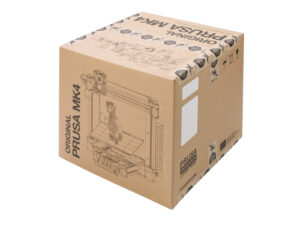
                  Packing the Original Prusa MK4 for return - Original Packing Material

                  Packing the Original Prusa MK4 for return - Original Packing Material

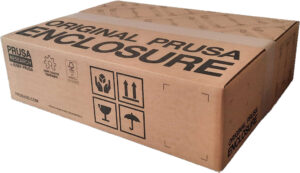
                  Packing the Enclosure for return - Original Packing material

                  Packing the Enclosure for return - Original Packing material

                  Packing the Enclosure for return - Custom Packing material

                  Packing the Enclosure for return - Custom Packing material

                  Product certifications

                  Product certifications

                  Our printers and products have certifications, such as a Declaration of Conformity. All certifications can be found at the bottom of each printer product page, on our eshop.  Certifications…

                  Global-e

                  Global-e

                  We are proud to have customers all over the world. To make shopping with us outside of the EU (where we're based) as smooth and efficient as possible, we work with Global-e, our…

                  OpenPrintTag

                  OpenPrintTag

                  OpenPrintTag The OpenPrintTag standard is an open-source initiative by Prusa Research, creating a single smart spool standard that works across all brands and ecosystems. It is…

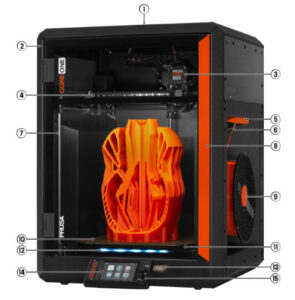
                  CORE One glossary

                  CORE One glossary

                  Ventilation grille (on the top): to maintain airflow when printing with materials such as PLA or PETG. Frame: an exoskeleton design for maximum strength and robustness. Nextruder:…

                  CORE One L/+ glossary

                  CORE One L/+ glossary

                  Ventilation grille (on the top): to maintain airflow when printing with materials such as PLA or PETG. Frame: an exoskeleton design for maximum strength and robustness. Nextruder:…

                  MK4S glossary

                  MK4S glossary

                  Filament spool: The Original Prusa MK4S is compatible with 1.75mm filaments. Frame. Z-Axis: vertical, consists of threaded and smooth rods, moves the Nextruder up and down. Nextruder:…

                  Prusa USS Drybox

                  Prusa USS Drybox

                  The Prusa USS Drybox is designed to keep filament in a low-humidity environment during printing. It is designed to slow moisture absorption by the inserted filament spool, using…

                  MMU3 glossary

                  MMU3 glossary

                  Idler motor - rotates the idler. Idler - contains five pulleys. By rotating the idler, a single pulley gets in direct contact with the filament and applies pressure on it. Then,…

                  XL glossary

                  XL glossary

                  Extruder (Nextruder) Filament sensor / Filament insertion point (on the side) Spoolholder (with a spool installed) Print sheet LCD Control Knob and Reset Button USB port Heatbed…

                  3D Printing Handbooks - Additional language versions

                  3D Printing Handbooks - Additional language versions

                  This page provides access to 3D Printing Handbooks in languages that are not currently supported as standard website localizations.It serves as a central reference for users who…

                  MMU filament loading options

                  MMU filament loading options

                  To make a successful multi-color print with the MMU, the filaments must all be loaded correctly. There are multiple options in the printer menu in Filament. Preload options In…

                  Cloud storage - Prusa Subscription

                  Cloud storage - Prusa Subscription

                  Prusa Connect is our cloud service. It allows control of entire print farms, while tracking each printer separately and providing valuable production statistics.  EasyPrint is…

                  Prusa CORE One electronics

                  Prusa CORE One electronics

                  The Prusa CORE One is equipped with multiple electronic boards. The slots on the electronic boards have a label near them indicating the component to connect to each slot. xBuddy,…

                  Prusa CORE One L electronics

                  Prusa CORE One L electronics

                  The Prusa CORE One L/+ is equipped with multiple electronic boards. The slots on the electronic boards have a label near them indicating the component to connect to each slot.  xBuddy,…

                  LCD menu (CORE One L)

                  LCD menu (CORE One L)

                  The Prusa CORE One L is equipped with a color LCD screen that, among other things, supports G-code thumbnails and QR codes. The footer of the main screen can be edited to show…

                  MK4S to CORE One+ Conversion kit - Old xLCD version

                  MK4S to CORE One+ Conversion kit - Old xLCD version

                  In early 2026, we discontinued the sale of MK4S to Prusa CORE One+ Conversion kit, compatible with the old version of xLCD.  This affects exclusively conversion kits for printers…

                  Assembling CORE One+ from a combined kit (C1 + upgrade pack)

                  Assembling CORE One+ from a combined kit (C1 + upgrade pack)

                  Thank you for purchasing the Prusa CORE One kit. Your package includes parts for both CORE One and CORE One+. If you want to assemble the CORE One+, this article will guide you…

                  LCD menu (CORE One INDX)

                  LCD menu (CORE One INDX)

                  The Prusa CORE One with INDX upgrade is equipped with a color LCD screen that, among other things, supports G-code thumbnails and QR codes. For the versions of the CORE One without…

                  Assemblling the Prusa INDX Core one with the Gen 2 upgrade

                  Assemblling the Prusa INDX Core one with the Gen 2 upgrade

                  If you received your Prusa CORE One INDX conversion kit with the Prusa CORE One+ Gen 2 upgrade, or bought the Gen 2 upgrade separately and want to install both at the same time,…

                  Safety and safety timer messages (CORE One, CORE One L, XL, MK4/S, MK3.9/S, MK3.5/S)

                  Safety and safety timer messages (CORE One, CORE One L, XL, MK4/S, MK3.9/S, MK3.5/S)

                  Safety is a crucial aspect of operating a machine, and we take it seriously. Our Prusa CORE One, CORE One L, and our Original Prusa XL, MK4/S, MK3.9/S, and MK3.5/S have dedicated…

                  Advanced filtration system for Prusa CORE One

                  Advanced filtration system for Prusa CORE One

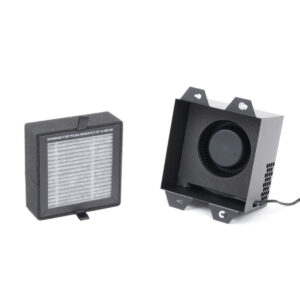
                  It is possible to have a HEPA filter on the CORE One/+ and the CORE One L. The XL enclosure comes with a HEPA filter. The filtration can be adjusted in the printer menu in Settings…

                  List of parts for MMU upgrades

                  List of parts for MMU upgrades

                  Below is a list of parts needed to upgrade an MMU2S to MMU3 (for MK3S+ or MK3.5/S), and to convert an MMU3 for MK3S+ to an MMU3 for MK4/S or MK3.9/S.  MMU2S to MMU3 (for MK3S+,…

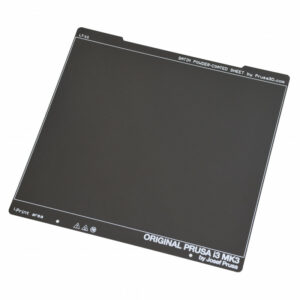
                  HT90 HighTemp Powder-coated Print Sheet

                  HT90 HighTemp Powder-coated Print Sheet

                  The Prusa Pro HT90 magnetic heatbed is designed to hold a removable double-sided flexible spring-steel sheet, designed specifically for easy removal of printed objects from the…

                  Offline Workflow with Prusa 3D Printers

                  Offline Workflow with Prusa 3D Printers

                  Air-gapped workflow One of the advantages of Prusa printers is their full-fledged functionality without an internet connection. This applies across the entire workflow - from designing…

                  Prusa CORE One to CORE One+ upgrade (community version)

                  Prusa CORE One to CORE One+ upgrade (community version)

                  This article guides you through the community version of the Prusa CORE One to the Prusa CORE One+ upgrade. It lists all the components required for the upgrade and provides instructions…

                  MMU3 for CORE One L

                  MMU3 for CORE One L

                  Although INDX is the go-to multi-material option for most CORE One L users, the MMU3 remains as a community-supported alternative for those preferring an efficient, classic multi-color…

                  Signature Oak profile in PrusaSlicer (2.9.4 and newer)

                  Signature Oak profile in PrusaSlicer (2.9.4 and newer)

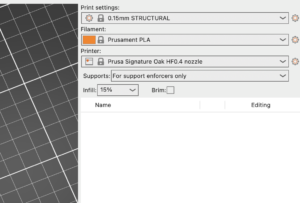
                  The Signature Oak print profile is available in PrusaSlicer 2.9.4 and newer. If you do not see Signature Oak in your printer list, it is most likely due to an outdated PrusaSlicer…

                  Install larger bucket on Prusa CORE One INDX

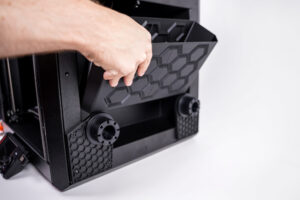
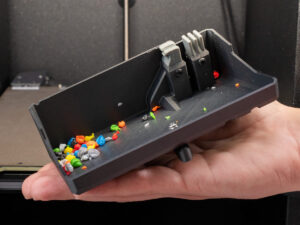
                  Install larger bucket on Prusa CORE One INDX

                  It is possible to install a larger bin for the nozzle cleaning residues. Below are the instructions for self-install. It is necessary to have the printed parts and a drill with…