AA

Featured products

    Popular categories

      Trending searches

        Articles

          Blog

            Products

              Categories

                Suggested searches

                  Searching…
                  No results
                  Something went wrong.
                  ↑↓ Select↵ OpenEsc Close search
                  • English
                  • Čeština
                  • Deutsch
                  • Español
                  • Français
                  • Italiano
                  • Polski
                  • 日本語
                  • Orders
                  • Address
                  • In-stock Alerts
                  • My Courses
                  • Subscription
                  • Edit Account
                  • 3D printers9+▾

                    3D printersnew

                    newPrusa CORE One L+Learn more
                    newPrusa CORE One+ (Gen 2)Learn more
                    newPrusa CORE One L+ INDX 8-ToolnewPrusa CORE One+ (Gen 2) INDX 8-ToolPrusa CORE One L+: Critical InfrastructureOriginal Prusa MK4SnewOriginal Prusa XL+Original Prusa XL+: Critical Infrastructure

                    Printer upgrades

                    newINDX Conversion KitsnewPrusa CORE One L to CORE One L+ upgradenewPrusa CORE One+ to Prusa CORE One+ (Gen 2)newPrusa XL to Prusa XL+ Upgrade
                    Prusa Reward ProgramLove your Prusa printer? Share your experience and earn $30 Prusa e-shop vouchers.
                    How to Choose a 3D Printer?We’ll walk you through the basics to find the exact machine for your space, budget, and ideas.
                    Free E-bookDownload a free e-book Basics of 3D Printing with Josef Prusa and make your first steps in 3D printing world
                    Original Prusa Printable PartsCollections of printable spare parts for Original Prusa 3D printers and upgrades.
                    Shipping informationRegularly updated info about the current manufacturing capacity and delivery times of our printers.
                    Custom 3D PrintingProfessional custom 3D printing from various materials according to your requirements.
                  • Materials▾

                    Filaments

                    PrusamentPLAPETGASA / ABSPC (Polycarbonate)PA (Nylon)FlexCompositesSpecialMaterials clearance sale

                    Resin

                    Prusament ResinResin Cleaner
                    Filament GuideCheck my Prusament Spool
                    Prusament.com
                  • Parts & Accessories▾

                    Accessories

                    EnclosuresNozzlesPrint SheetsEssential AccessoriesCameras & AddonsTools & CraftingAdhesives

                    Spare parts

                    Merchandise

                    Spare parts - All PrintersCORE OneMK4/S & MK3.9/SMK3/S/+XL
                    Merch
                  • For Business▾
                    Prusa Pro HT90Prusa Pro SLXPrusa Pro AFSPrusa Pro Medical OneOriginal Prusa XLOriginal Prusa XL: Critical Infrastructure
                    Prusa CORE One+Learn more
                    Prusa CORE One LLearn more
                    Prusa CORE One L: Critical Infrastructure Edition

                    3D Printing for

                    Manufacturing and R&DAutomotive IndustryHealthcareEducation and Academic ResearchArchitects and DesignersFilm IndustryCritical Infrastructure

                    3D Printing Stories

                    • How 3D printing started: About Rep-rap and open-source with Adrian Bowyer
                    • Teaching mathematics redefined with 3D printing at JKU Linz
                    • The story behind the LTT screwdriver
                    • Victoria Hand Project: Changing Prosthetic Care with 3D Printing
                    Official Prusa Resellers
                    Sustainability
                    Prusa Education
                    Contact and Inquiry
                    Custom 3D Printing
                    ISO Certified
                  • Software▾
                    PrusaSlicer

                    PrusaSlicerPrusaSlicer

                    PrusaSlicer is an open-source, feature-rich, frequently updated tool that contains everything you need to export the perfect print files for your 3D printer.

                    WindowsMacOSLinux
                    Prusa Connect

                    Prusa Connect

                    Prusa Connect is a cloud service enabling remote control and monitoring of your 3D printers, offering secure data handling, easy setup, and support for managing multiple printers from anywhere.

                    Log in to Connect
                    Prusa.app

                    Prusa.app

                    Control your printer/s remotely from anywhere using the Prusa Connect technology behind. Prusa.app brings a new level of Prusa printer experience to Android and iOS phones.

                    Try it now!
                    Drivers & FirmwareDownload the latest firmware and drivers for your 3D printer.
                    PrusaSlicer Support
                    Prusa Connect Support
                  • 3D Models▾
                    3D PrintersArt & DesignHobby & MakersHouseholdTabletop MiniaturesToys & GamesPrintables Store

                    Popular 3D models

                    • Strong garden hose holder
                    • Prusa Spool Bot
                    • Build Tray — Modular Organizer for Assembly, Disassembly and Maintenance
                    • Broom Holder
                    • Octagon Fabric
                    • Prusa CORE One ? (Mimic Skin)

                    Design Contests

                    • De Prototipo a Producto: Accesorios para Cámaras8/1/2026 – 9/14/2026
                    • Vuelta al Cole 20268/21/2026 – 9/6/2026
                  • Community▾

                    Upcoming Events

                    • Maker Faire Tokyo 20269/5/2026 – 9/6/2026 · Tokyo, Japan · Prusa Team
                    • IFA 20269/4/2026 – 9/8/2026 · Berlin, Germany · Prusa Team
                    • 3D Printopia 20269/26/2026 – 9/27/2026 · Pennsylvania, United States · Prusa Team
                    • Maker Faire Bay Area9/25/2026 – 9/27/2026 · Kalifornie, United States · Prusa Team

                    Prusa Forum

                    • INDX calibrations...
                    • Core One L to Core One L+ (aka Gen2) Discussion
                    • FW 6.10.1+16383 Y-axis homing failure
                    Prusa World MapPrusa World MapFind local 3D printing users and explore the community around you.
                  • Help▾
                    Guides & TutorialsPrusaSlicerPrusa ConnectMaterials

                    Printer Model

                    CORE One INDXCORE One LCORE One+CORE One

                    Hardware Troubleshooting

                    • Selftest failed (CORE One/+)
                    • Clogged nozzle (CORE One, CORE One L, XL, MK4/S, MK3.9/S)
                    • Adjusting belt tension (CORE One/+, CORE One INDX, CORE One L/+)
                    • Prusa Connect and PrusaLink explained

                    Drivers & Firmware

                    INDX familyCORE One familyMK4 familyXL familyMMU familyPRO family
                  • Courses▾

                    Become an expert in 3D printing

                    Prusa Academy offers online courses on various 3D printing related topics. Each course features:

                    • easy-to-read text with many pictures and short videos
                    • links for inspiration and further study
                    • quizzes for testing your knowledge along the way
                    • certificate of completion
                    Browse all coursesMy courses library
                    • 3D Modeling in Autodesk Fusion
                    • PrusaSlicer Masterclass – Beginner to Advanced
                    • Complete Guide to 3D Print Postprocessing, Painting, and Detailing
                    • Airbrush Your 3D Prints: From Basics to Advanced Tricks
                  • Blog▾
                    • PrusaSlicer 3.0 Preview – Built for the Future of 3D Printing
                    • Prusa CORE One+ (Gen 2) INDX, Shipping Has Started, Complete Printers Open for Orders
                    • Better Prints, Easier Use: Prusa XL+, CORE One L+ and CORE One+ (Gen 2), Our Big Product Upgrade
                    E-Book: Basics of 3D Printing
                  • Company▾

                    About Prusa Research

                    We are the largest maker of 3D printers in Europe and the United States.

                    Founded as a one-man startup in 2012 by Josef Prusa, a Czech hobbyist, maker, and inventor. In just 15 years, we've grown into a company of more than 1,200 people. Every month, we design, build, and ship over 10,000 innovative and secure 3D printers from our headquarters in Prague, Czech Republic, and Delaware, USA, to users in more than 160 countries.

                    Watch a video and find out how Prusa Research was born and what we achieved within only 10 years!

                    About UsTimelineSustainabilityOpen-source
                    About Us
                    Contact Us
                    Logo and Photos
                    ISO Certified
                  1. Support
                  2. General Information
                  3. Input Shaper (CORE One, MK4/S, MK3.9/S, MK3.5/S, XL, MINI/+)
                   

                  Contents

                  • How does it affect my printer?
                  • PrusaSlicer Profiles
                  • How to set it in the G-code
                  • Input Shaper calibration

                  Blog

                  • PrusaSlicer 3.0 Preview – Built for the Future of 3D Printing
                  • Prusa CORE One+ (Gen 2) INDX, Shipping Has Started, Complete Printers Open for Orders
                  • Better Prints, Easier Use: Prusa XL+, CORE One L+ and CORE One+ (Gen 2), Our Big Product Upgrade

                  Newsletter

                  Signup and get our monthly squeeze on updates, blog, printables and much more.

                  By clicking, you agree to receive our newsletter.

                  This site is protected by reCAPTCHA Enterprise and the Google Privacy Policy and Terms of Service apply.

                  Strong garden hose holder
                  E-shop
                  • 3D Printers
                  • Printer Upgrades
                  • Filaments
                  • Accessories
                  • Prusa Merchandise

                  © Prusa Research a.s.

                  Printables
                  • 3D Models
                  • Store
                  • Clubs
                  • 3D Design Contests
                  • Brands
                  Community
                  • World Map
                  • Forum
                  • User Groups
                  • Events
                  Help
                  • Prusa Help
                  • Prusa Academy
                  • 3D Printing Calculators
                  Software
                  • PrusaSlicer
                  • Prusa.app
                  • Prusa Connect
                  • Drivers and Software
                  Company
                  • About Us
                  • Blog
                  • Official Prusa Resellers
                  • Contact Us
                  • Certified for ISO 9001, ISO 14001, ISO 45001
                  • General Terms and Conditions
                  • General Terms and Conditions of Use of the PRUSA Websites
                  • Privacy Policy
                  • Information about cookies
                  • Customer Complaints Policy
                  • Status Page
                  • Do Not Sell or Share My Personal Information
                  • Supplemental Statements
                  • General Terms and Conditions
                  • General Terms and Conditions of Use of the PRUSA Websites
                  • Privacy Policy
                  • Information about cookies
                  • Customer Complaints Policy
                  • Status Page
                  • Do Not Sell or Share My Personal Information
                  • Supplemental Statements

                  © Prusa Research a.s.

                  JOSEF PRUSA®, PRUSA RESEARCH®, PRUSA POLYMERS®, PRUSA ORANGE®, PRUSA 3D ® AND PRUSAMENT® are registered trademarks of Prusa Development a.s. used by Prusa Research a.s. under licence from Prusa Development a.s.

                  Input Shaper

                  (CORE One, MK4/S, MK3.9/S, MK3.5/S, XL, MINI/+)

                  Relevant for

                  CORE One family
                  MK4 family
                  XL family
                  MK3.9 family
                  MK3.5 family
                  +
                  12 comments
                  Article is also available in following languages
                  English
                  Čeština
                  Polski
                  Deutsch
                  Français
                  Español
                  Italiano
                  日本語

                  Starting from firmware 5.0.0 for the MK4, and firmware 5.1.0 for the MINI/+ and the XL, the printers have the Input Shaper feature. The Prusa CORE One/+, CORE One L/+, and the Original Prusa MK4S, MK3.9/S, and MK3.5/S also have Input Shaper. 

                  Input Shaper is a feature designed to reduce ghosting by canceling resonance vibrations. It works by analyzing the printer’s movements and applying a filter to the input signals. Thanks to faster travel speed and acceleration, it minimizes stringing and enables faster printing. The pressure in the nozzle from the faster printing is compensated by another firmware feature, the Pressure Advance.

                  How does it affect my printer? 

                  We strongly suggest performing basic maintenance on your printer before you start to use the Input shaper to achieve the best possible print performance. Ensure the belts on the X and Y axes are not loose, the nozzle is in good shape, and there’s no debris on the smooth rods. 

                  Crash detection

                  Due to high accelerations and print speed, the crash detection feature is not compatible. 
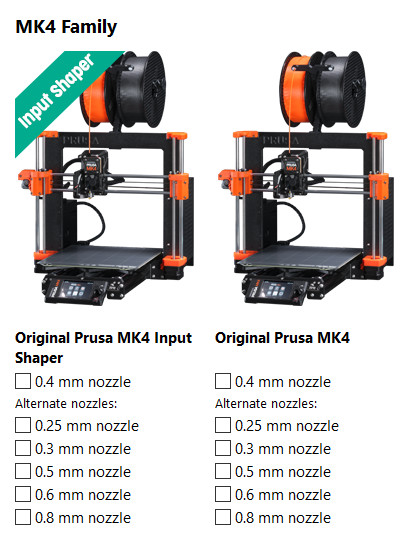
                  PrusaSlicer Profiles

                  Non-Input-Shaper profiles for printers that have it available have been moved to the Legacy category. 

                  To use the Input shaper, it is not only necessary to have the proper firmware, but also the Input shaper profile on PrusaSlicer. Once the profile is selected, you will see that the layer height profiles have been renamed to better reflect their use.

                  On the non-Input-Shaper profile, the two qualities for each Layer height are

                  • Quality: settings primarily focused on the overall look and precision, with a compromise to the speed, thus taking longer to print.
                  • Speed: settings primarily focused on time savings, with some compromise to the look and precision.

                  With the Input Shaper profile, the two qualities for each Layer height are:

                  • Structural: settings focused on quality, precision, and structural integrity while retaining reasonably high printing speed (still much faster than printing without Input shaping).
                  • Speed: Short printing times are the top priority with this profile. It pushes the printer closer to its limits while keeping good quality and accuracy.

                  The Ultradetail profile in the Input Shaper settings is the Fast detail, which is the smallest layer height for the 0.4 mm nozzle Input Shaper profile.

                  Note that the Input Shaper is not only determined by the printing (or travel) speed and acceleration, the firmware, or the hardware limits of the printer. The printing material is also a limiting factor. Every filament needs to be properly melted in the nozzle, extruded at the correct temperature, and cooled once deposited on the layer below. If the temperature and cooling are too high or too low, the print will inevitably have problems, mostly poor interlayer connection and compromised structural integrity in general. The "Speed" profiles for our printers are optimized, so a printed object can be finished fast, but with only a small impact on its structural integrity.

                  How to set it in the G-code

                  The G-code to apply is M593. Below are the parameters that can be set. 

                  Damping Ratio
                  D - Set the Input Shaper damping ratio. If axes (X, Y, etc.) are not specified, set it for all axes. The default value is 0.1. 

                  Frequency
                  F - Set the Input Shaper frequency. If axes (X, Y, etc.) are not specified, set it for all axes. The default value is 0Hz,  which means that the Input Shaper is disabled. 

                  Type
                  T[map] - Set the Input Shaper type, 0:ZV, 1:ZVD, 2:MZV, 3:EI, 4:2HUMP_EI, and 5:3HUMP_EI. The default value is 0:ZV. 

                  Vibration Reduction
                  R - Set the Input Shaper vibration reduction. This parameter is used just for 3:EI, 4:2HUMP_EI, and 5:3HUMP_EI. The default value is 20.

                  Limit to X-axis or Y-axis
                  X<1> - Set the Input Shaper parameters only for the X-axis.
                  Y<1> - Set the Input Shaper parameters only for the Y-axis. 

                  Input Shaper calibration

                  The Input Shaper functionality can be calibrated using an optional accelerometer. 

                  The CORE One L and XL don't need an external accelerometer set, they feature an integrated accelerometer. 

                  This is pre-calibrated from the factory, so this calibration is usually unnecessary on a stock printer. However, if you've made any modifications to the printer hardware, it may be beneficial to recalibrate the settings using the accelerometer. 

                  More information on the topic is available on the dedicated accelerometer article.

                  Was this article helpful?
                  This action is available only to registered users. Please log-in.

                  Topics

                  • About your printer
                    • General Information
                      • FAQ - Frequently Asked Questions
                      • Assembly manuals
                      • Refunds & returns
                      • Customer support
                      • Warranty
                      • Original Prusa Serial Number
                      • Payment options
                      • Orders to the UK
                      • 3D Printing Handbooks - Additional language versions
                      • Factory repair
                      • Input Shaper (CORE One, MK4/S, MK3.9/S, MK3.5/S, XL, MINI/+)
                      • Vouchers/Discounts
                      • Upgrade to Prusa CORE One
                      • Product certifications
                      • Global-e
                      • OpenPrintTag
                      • CORE One glossary
                      • CORE One L/+ glossary
                      • Prusa USS Drybox
                      • XL glossary
                      • Shipping information
                    • Printer description
                    • Printer features

                  5 comments

                  Log in  to post a comment
                  John Swamp
                  •
                  I occasionally run my old Mini+ on the same table with my Mk4, both with input shaper. Is there a possibility two input shapers will resonate between the machines causing trouble?  I havent noticed anything yet.
                  Reply
                  J.J. Kucharczyk
                  •
                  THERE IS NON choice for NON IS for MK4S with HF nozzle... So now the best quality of prints is 0.1mm FAST DETAIL.... Nice downgrade I have bought :/
                  Reply
                  Sir. PrintsALot
                  •
                  You can manually bring layer hight to 0.05mm. I have done it before. This is done in Prusa Slicer.
                  Reply
                  Prune
                  •
                  When running InputShaprer calibration on an XL Multi-tool, it's telling me the Y frequency is too low... how to debug that ?All links here point to MK3/4 that are not made the same... XL seems to only allow X belt tension ?
                  Reply
                  Alessandro Pantaleo
                  •
                  Hi, thanks for the comment, and sorry for the late response. XL belts work for both axes more interconnectedly, due to the different geometry than bed-slingers like MK3 or MK4-family. So it's different in that way than our bed-slingers, where one belt controls one axis.
                  But Input Shaper calibration is based on the axis, also on the XL, so low frequency still points to mechanical aspects such as loose belts or misaligned/loosened motor pulleys and their set screws.
                  Reply
                  ex-nerd
                  •
                  Is there any chance we can get a better set of instructions for the XL? Or at least update the firmware so it gives useful responses? Mine continues to complain about a loose X belt even though (for testing) the belts are actually tightened above where they're supposed to be.
                  Reply
                  Balance
                  •
                  Would changing the weight of my print head require me to alter the input shaper settings?
                  Reply
                  Jan Kratochvíl
                  •

                  Hello. Yes, changing the weight significantly impacts the Input Shaper settings.

                  Reply
                  AGriggs191
                  •
                  Will Input shaper ever come to the MK3?
                  Reply
                  Codeplayer
                  •
                  That's what I also want to know. Since if MK3 will have it, so will my MK2.5S+.
                  Reply
                  David B.
                  •

                  It is definitely possible to make it work even on these machines, using a 3rd-party hardware and firmware.

                  However, the MK3 gains the Input shaping capabilities after upgrading it to either MK3.5, MK3.9 or MK4.

                  Reply
                  Ro3Deee
                  •
                  install klipper on it (you will need a raspberry) and you will have input shaper and speeds like mk4s: https://www.youtube.com/shorts/xXVbB1f6OKI
                  Reply