Relevant for


The Prusa OpenPrintTag upgrade for CORE One/+ and CORE One L/+ is an add-on that brings effortless material recognition to your 3D printer.
By installing an NFC reader board connected to your printer's motherboard and using spools equipped with OpenPrintTag NFC tags, the printer automatically reads the filament data as soon as it's loaded.
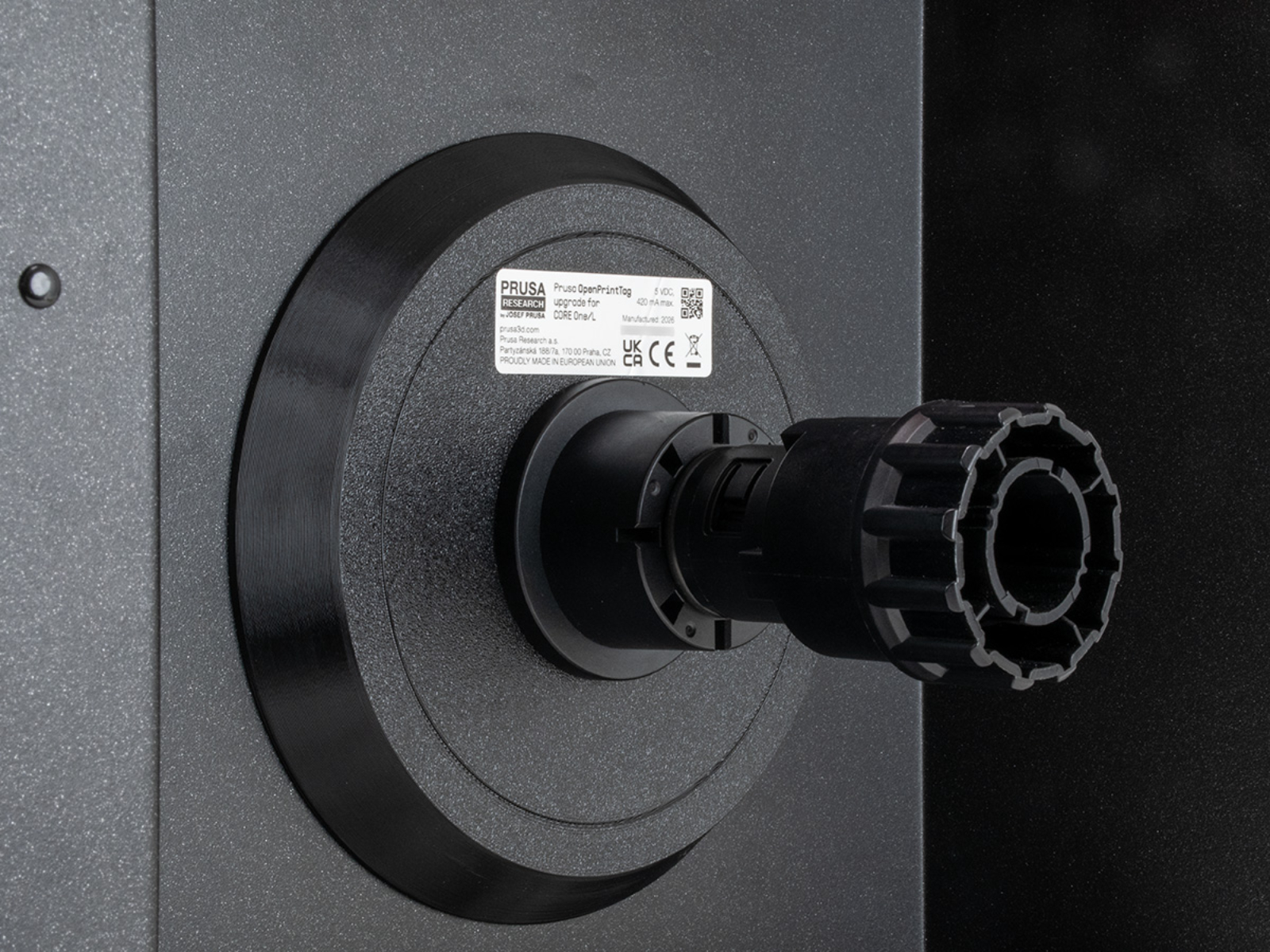
Step-by-step assembly instructions are available on the dedicated guide How to install Prusa OpenPrintTag upgrade (CORE One+/CORE One L).
The OpenPrintTag upgrade is not compatible with the Prusa Orange spoolholder.
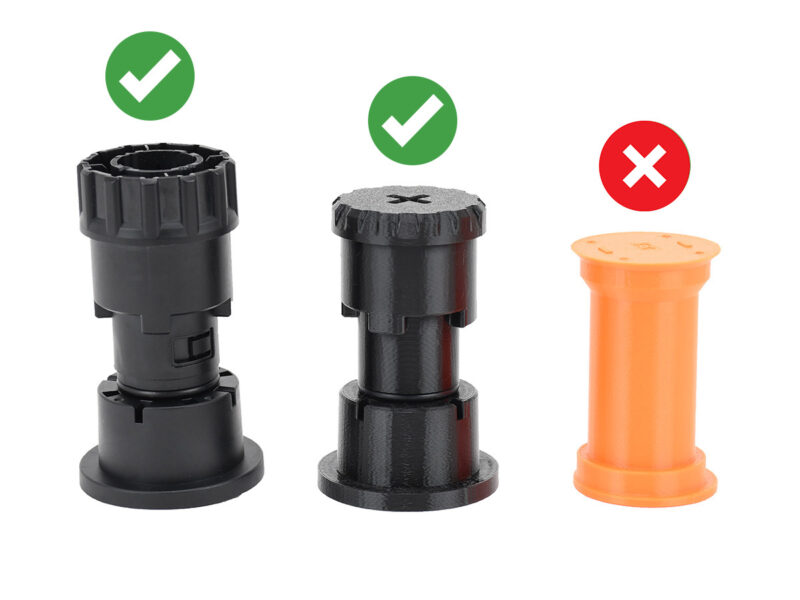
The assembled version of Prusa CORE One+ (Gen2), and Prusa CORE One L+ have the related cable pre-installed.
Once installed, the printer reads data from compatible spools equipped with OpenPrintTag NFC tags. After you place the spool on the spool holder and insert the filament into the filament sensor, the printer starts heating up and loading the filament. The printer also writes information to the spool's NFC tag, such as the remaining amount of filament.
It is possible to open detailed info about the scanned spool from the printer's LCD Menu >Filament.
It is possible that the printer shows an error message if scanning an empty or corrupt NFC tags.
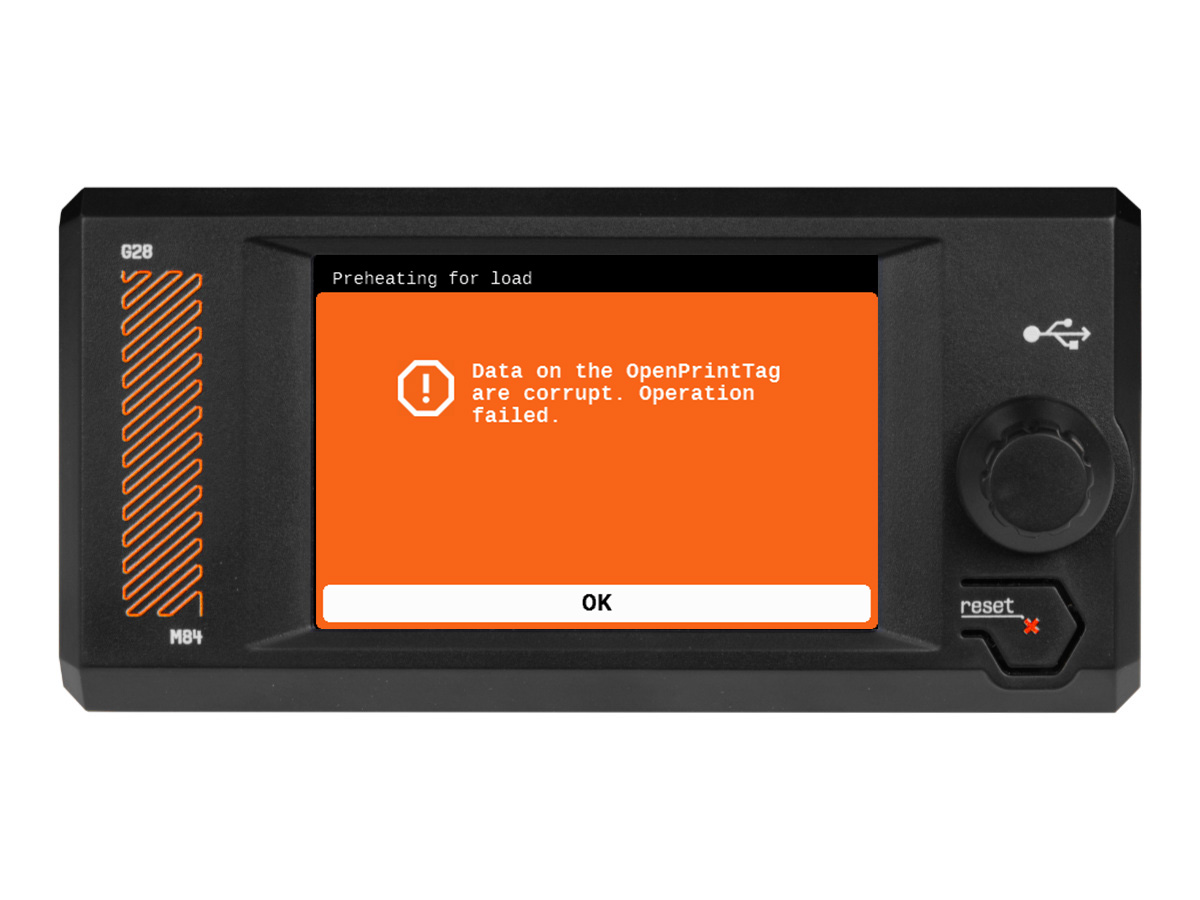 In most cases, this is fixed by reprogramming the NFC tag using our Prusa App. OpenPrintTag - NFC filaments with Prusa App