Prusa
  • SHOP
    • Latest products
    BY CATEGORY
    • 3D printersnew
    • 3D printer upgradesnew
    • Materials
    • Accessories
    • Spare parts
    • Courses
    • Merch
    • Get a price quote
    QUICK LINKS
    • Shipping & delivery
    • Returns & refunds
    • Payment & financing
    • Warranty
    • VAT & Customs fees
    • FAQ

    0 item in your cartitems in your cart

    Your cart is empty

    Go to cartShop 3D printers

    My profile

    Log in to see orders, saved items

    My profile

    Signed in as

    • Orders
    • Logout
  • 3D PRINTING
    • Explore 3D printing
    FOR BEGINNERS
    • 3D printing 101
    • How FDM printing works
    • Buying your first printer
    • 3D model catalog
    BY APPLICATION
    • Rapid prototyping
    • Manufacturing
    • Engineering
    • Research
    • Arts & design
    GO DEEPER
    • Materials guide
    • Courses
    • Webinars
    • Case studies
    • Custom 3D printing
  • 3D PRINTERS
    • All 3D printers
    FOR
    • Home or garageHobbyists, tinkerers and home printing
    • BusinessIn-house production for small teams
    • EnterpriseFleets, security and scale
    • Which Prusa is right for me
    SHOP & BROWSE
    • CORE One+new
    • CORE One+ INDXnew
    • CORE One L+new
    • CORE One L+ INDXnew
    • XL+new
    • MK4S
    • Prusa Pro HT90
    • Prusa Pro AFS
    • Prusa Pro SLX
    MORE FROM PRINTERS
    • Parts & upgradesnew
    • Critical infrastructure
    • Case studies
    • Signature Oak
    • Kits
  • MATERIALS
    • All materials
    BY USE
    • Every-day & design
    • Functional engineering
    • Composites
    • Pro speciality
    • SLA resins
    PRUSAMENT
    • PLA
    • PETG
    • ASA
    • PC
    • PA11
    • Flex
    • TPU
    MORE FROM MATERIALS
    • Materials guide
    • We make material in house
    • Sustainability
    • Order on the store
  • SOFTWARE
    • All software
    PREPARE THE PRINT
    • PrusaSlicer 3.0New
    PRINT & MONITOR
    • Prusa Connect
    • EasyPrint
    • iOS & Android app
    • Prusa Farm
    GET STARTED
    • Download & install
    • Knowledge base
    MORE FROM SOFTWARE
    • 3D model catalog
  • SUPPORT
    • Explore support
    FIND ANSWERS
    • Knowledge base
    • Troubleshooting
    • Courses
    • Webinars
    GET HELP
    • Contact us
    • Livechat
    • Shipping & delivery
    • Warranty
    • Returns & refunds
    • Service & spare parts
    • Service & Repair
    COMMUNITY
    • Forum
    • Reddit
    • Printables
  • TRUST CENTER
    • Trust Center overview
    BY TOPIC
    • GDPR
    • Certificates
    • Security
    • Compliance
    COMMITMENTS
    • Sustainability report
    TALK TO US
    • Contact the security team
  • COMPANY
    • About Prusa
    GET TO KNOW US
    • Our story
    • How we make printers
    • Open source
    • Brand & media kit
    NEWS
    • Blog
    • Newsroom
    • Events
    TRUST & PARTNERS
    • Sustainability
    • Resellers & distributors
    • Affiliate program
    • Contact
    • English
    • Čeština
    • Deutsch
    • Español
    • Français
    • Italiano
    • Polski
    • 日本語
  • Signed in as

    • Orders
    • Address
    • In-stock Alerts
    • My Courses
    • Subscription
    • Edit Account
    • Logout

Log in to see orders, saved items

Signed in as
  • Orders
  • Address
  • In-stock Alerts
  • My Courses
  • Subscription
  • Edit Account
  • English
  • Čeština
  • Deutsch
  • Español
  • Français
  • Italiano
  • Polski
  • 日本語
Shop

0 item in your cartitems in your cart

Your cart is empty

Go to cartShop 3D printers

My profile

Log in to see orders, saved items

My profile

Signed in as

  • Orders
  • Logout
SHOP
  • Latest products
BY CATEGORY
  • 3D printersnew
  • 3D printer upgradesnew
  • Materials
  • Accessories
  • Spare parts
  • Courses
  • Merch
  • Get a price quote
QUICK LINKS
  • Shipping & delivery
  • Returns & refunds
  • Payment & financing
  • Warranty
  • VAT & Customs fees
  • FAQ

Featured products

    Popular categories

      Trending searches

        Articles

          Blog

            Products

              Categories

                Suggested searches

                  Searching…
                  No results
                  Something went wrong.
                  ↑↓ Select↵ OpenEsc Close search
                  1. Support
                  2. Printer features

                  Blog

                  • Print colorful and glowing Halloween decorations with our spooky offer
                  • Factorio Has Arrived on Printables
                  • Prusament PLA Lightweight: 65% lighter than regular PLA. Perfect choice for aircraft, cosplay, and more.

                  Newsletter

                  Signup and get our monthly squeeze on updates, blog, printables and much more.

                  By clicking, you agree to receive our newsletter.

                  This site is protected by reCAPTCHA Enterprise and the Google Privacy Policy and Terms of Service apply.

                  Factorio Transport Belts
                  E-shop
                  • 3D Printers
                  • Printer Upgrades
                  • Filaments
                  • Accessories
                  • Prusa Merchandise

                  © Prusa Research a.s.

                  Printables
                  • 3D Models
                  • Store
                  • Clubs
                  • 3D Design Contests
                  • Brands
                  Community
                  • World Map
                  • Forum
                  • User Groups
                  • Events
                  Help
                  • Prusa Help
                  • Prusa Academy
                  • 3D Printing Calculators
                  Software
                  • PrusaSlicer
                  • Prusa.app
                  • Prusa Connect
                  • Drivers and Software
                  Company
                  • About Us
                  • Blog
                  • Official Prusa Resellers
                  • Contact Us
                  • Certified for ISO 9001, ISO 14001, ISO 45001
                  • General Terms and Conditions
                  • General Terms and Conditions of Use of the PRUSA Websites
                  • Privacy Policy
                  • Information about cookies
                  • Customer Complaints Policy
                  • Status Page
                  • Do Not Sell or Share My Personal Information
                  • Supplemental Statements
                  • General Terms and Conditions
                  • General Terms and Conditions of Use of the PRUSA Websites
                  • Privacy Policy
                  • Information about cookies
                  • Customer Complaints Policy
                  • Status Page
                  • Do Not Sell or Share My Personal Information
                  • Supplemental Statements

                  © Prusa Research a.s.

                  JOSEF PRUSA®, PRUSA RESEARCH®, PRUSA POLYMERS®, PRUSA ORANGE®, PRUSA 3D ® AND PRUSAMENT® are registered trademarks of Prusa Development a.s. used by Prusa Research a.s. under licence from Prusa Development a.s.

                  Topics

                  • Printer description
                  • Printer features
                  • General Information

                  Printer features

                  Sample G-codes

                  Sample G-codes

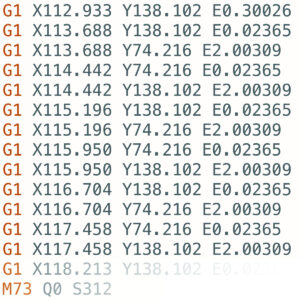
                  Each Original Prusa printer is shipped with a bundle of sample G-codes. These G-codes are tested and tailored specifically for your printer model and can be used to see the printer's…

                  Prusa firmware-specific G-code commands

                  Prusa firmware-specific G-code commands

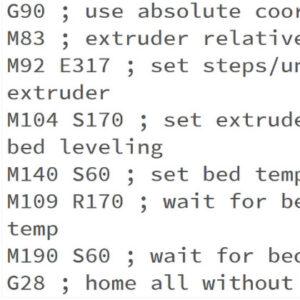
                  This is a list of currently implemented G-Codes in Prusa firmware for i3 series printers. The description is only for Prusa Research-specific G-codes. The rest can be found on…

                  Flexible steel sheets (guidepost)

                  Flexible steel sheets (guidepost)

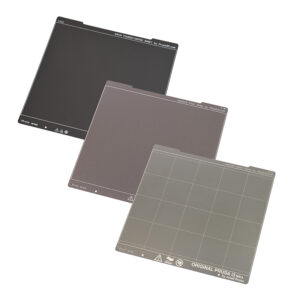
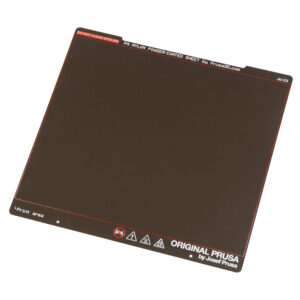
                  The Original Prusa magnetic heatbed is designed to hold a removable double-sided flexible spring-steel sheet, designed specifically for easy removal of printed objects from the…

                  Thermal model calibration

                  Thermal model calibration

                  Starting from firmware 3.12.0, the Original Prusa MK3/S/+ has Thermal model protection. This results in better operation when dealing with thermal errors. How it works During the…

                  Steel sheet profiles

                  Steel sheet profiles

                  The Magnetic heatbed enables you to use flexible, removable steel sheets. There are different properties and strengths of each sheet, but they also have different thickness which…

                  Pronterface and USB cable

                  Pronterface and USB cable

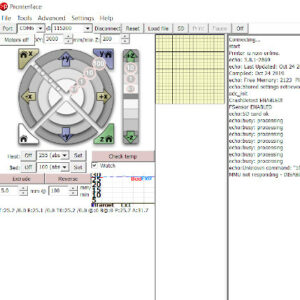
                  Pronterface is an application where you can monitor and send commands to your printer. It is also possible to use it to start prints over USB, however, performance may vary. Pronterface…

                  Satin steel sheet

                  Satin steel sheet

                  The Original Prusa magnetic heatbed is designed to hold a removable, double-sided, flexible print sheet, specifically designed for easy removal of printed objects from the print…

                  Crash detection

                  Crash detection

                  Trinamic drivers on the EINSY board can detect skipped steps and prevent layer shifting caused by a nozzle crash. It works only in the Normal mode (not in the Stealth mode). The…

                  Textured steel sheet

                  Textured steel sheet

                  The Original Prusa magnetic heatbed is designed to hold a removable, double-sided, flexible spring-print sheet, specifically designed for easy removal of printed objects from the…

                  Power-modes

                  Power-modes

                  Prusa printers are well known for being very silent, even in the standard mode. But actually, our printers also offer an option for even quieter operation. In the instructions…

                  Smooth Steel Sheet

                  Smooth Steel Sheet

                  The Original Prusa magnetic heatbed is designed to hold a removable, double-sided, flexible spring-steel sheet, specifically designed for easy removal of printed objects from the…

                  Filament sensor MK3 (non-S)

                  Filament sensor MK3 (non-S)

                  The optical filament sensor detects the presence of a filament and also its movement. Make sure you are running the latest firmware since new versions offer a higher-frequency…

                  Power Panic

                  Power Panic

                  The printer can fully recover from a complete loss of power without the need for batteries or a UPS. A special sensor detects mains voltage, and in case of an interruption, it…

                  Nextruder filament sensor (CORE One, CORE One L, MK4/S, MK3.9/S, XL/+)

                  Nextruder filament sensor (CORE One, CORE One L, MK4/S, MK3.9/S, XL/+)

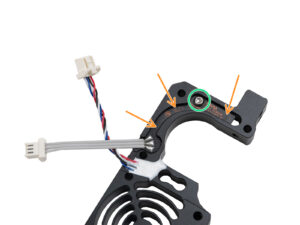
                  The filament sensor equipped on our Nextruder printers detects the presence of a filament and filament run-out. The sensor is a Hall sensor, triggered by a mechanism composed of…

                  Water-soluble materials (PVA/BVOH)

                  Water-soluble materials (PVA/BVOH)

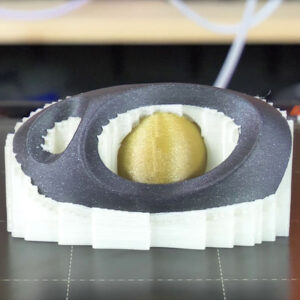
                  Supports can be hard to remove and leave imperfect surfaces above them. Depending on the shape of the object, there is also the risk of ruining the print in the process. Some geometry…

                  Nextruder silicone sock (CORE One/+, CORE One L/+, XL/+, MK4/S, MK3.9/S)

                  Nextruder silicone sock (CORE One/+, CORE One L/+, XL/+, MK4/S, MK3.9/S)

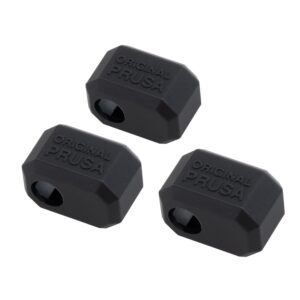
                  The Original Prusa Printers with the Nextruder are equipped with a Prusa Nozzle. A dedicated silicone sock can be attached to this nozzle. We offer Nextruder silicone socks in…

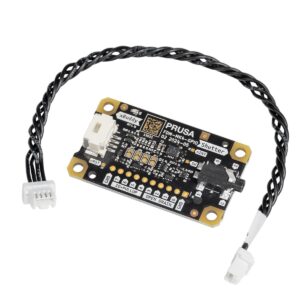
                  GPIO Module

                  GPIO Module

                  The GPIO module (General Purpose Input Output) is an additional, optional PCB that can be connected to the Prusa CORE One/+, and to the Original Prusa MK4/S, MK3.9/S, or MK3.5/S. IMPORTANT:…

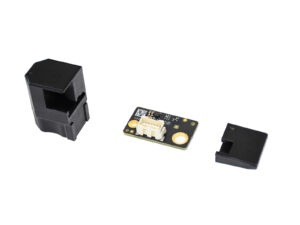
                  Accelerometer (CORE One, MK4/S, MK3.9/S)

                  Accelerometer (CORE One, MK4/S, MK3.9/S)

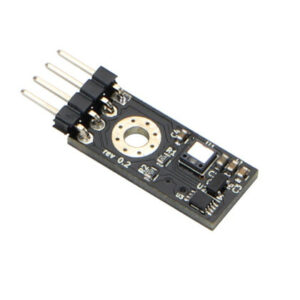
                  The Input Shaper functionality on the Prusa CORE One/+, and on the Original Prusa MK4/S, MK3.9/S, and MK3.5/S can be calibrated using an optional accelerometer.  The accelerometer…

                  Resin Calibration (SL1/SL1S)

                  Resin Calibration (SL1/SL1S)

                  Both Original Prusa SL1 and SL1S SPEED have a growing library of resin print profiles in the PrusaSlicer, which were tested and verified by Prusa Research. However, the printers…

                  Buddy firmware-specific G-code commands

                  Buddy firmware-specific G-code commands

                  This is a list of currently implemented G-Codes in Prusa Buddy firmware for MINI/MINI+/XL/MK4/MK3.5 printers. The description is available only for Prusa Research-specific G-codes…

                  IR Filament sensor detection (MK3S)

                  IR Filament sensor detection (MK3S)

                  With filament sensor detection, the printer will be able to recognize if the connection with the sensor was interrupted (e.g. broken wire or disconnected cable) and take appropriate…

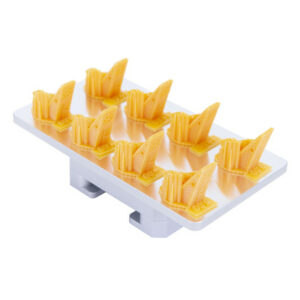
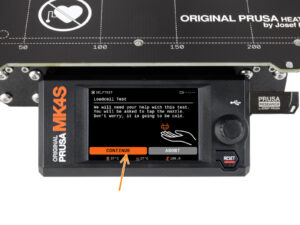
                  Loadcell (MK4/S, MK3.9/S, XL/+)

                  Loadcell (MK4/S, MK3.9/S, XL/+)

                  The Original Prusa MK4/S, MK3.9/S, and XL/+ are equipped with a loadcell. This component incorporated in the hotend heatsink detects if the nozzle is close enough to the steel…

                  SpoolJoin (MMU2S)

                  SpoolJoin (MMU2S)

                  If you have spools with just a small amount of filament, and not enough for a print, you do not need to throw them away, or manually change the filament every time it ends. You…

                  IR Filament Sensor (MK2.5S, MK3S/+, MK3.5/S)

                  IR Filament Sensor (MK2.5S, MK3S/+, MK3.5/S)

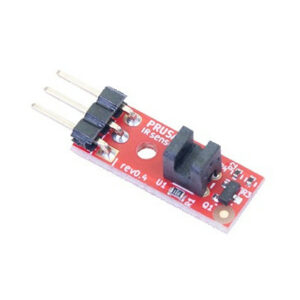
                  Due to some inconsistencies in readings from the optical filament sensor we created the MK3 to MK3S upgrade to address this. The new IR filament sensor still uses an optical sensor…

                  HW setup (MK2.5/S & MK3/S/+)

                  HW setup (MK2.5/S & MK3/S/+)

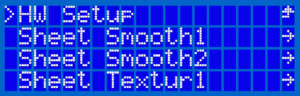
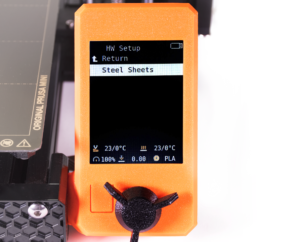
                  Introduced in the firmware version 3.8.0 on the MK2.5, MK2.5S, MK3, MK3S, and MK3S+ there is a section in the Settings menu, called “HW setup”. It allows you to inform the printer/firmware…

                  Print statistics

                  Print statistics

                  The printer tracks printing statistics. When you access this option during a print, you will see statistics for the running print. If you do so while the printer is idle, you will…

                  Experimental menu (MK3/S/+)

                  Experimental menu (MK3/S/+)

                  The components installed on your printer rely on firmware configuration. To facilitate the use of components sourced from third-party vendors, firmware version 3.9.1 introduced…

                  Special PA Nylon steel sheet

                  Special PA Nylon steel sheet

                  The Original Prusa magnetic heatbed is designed to hold a removable, double-sided, flexible print sheet, specifically designed for easy removal of printed objects from the print…

                  Experimental settings (MK4/S, MK3.9/S, MK3.5/S, XL/+, MINI/+)

                  Experimental settings (MK4/S, MK3.9/S, MK3.5/S, XL/+, MINI/+)

                  The components installed on your printer rely on firmware configuration. To facilitate the installation of components sourced from third-party vendors, we introduced an experimental…

                  Tune Menu

                  Tune Menu

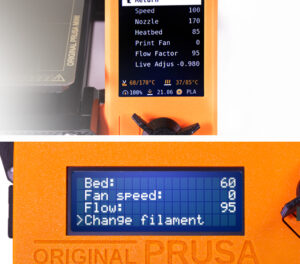
                  Starting accidentally another action during the print (e.g. XYZ calibration, switching sheet profiles, ...) can cause damage to the printer. This is why during the entire printing…

                  Crash dump (MK3/S/+, MK2.5/S)

                  Crash dump (MK3/S/+, MK2.5/S)

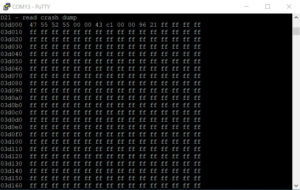
                  This article refers to legacy printers MK3/S/+ and MK2.5/S. For more recent models, refer to Blue Screen of Death (BSOD) #31538 (CORE One) #35538 (CORE One L) #36538 (CORE One…

                  Sound mode (MINI/MINI+)

                  Sound mode (MINI/MINI+)

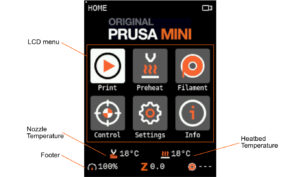
                  The Original Prusa MINI/MINI+ introduces 4 levels of acoustic signalization - Loud, Once, Silent and Assist. You are able to choose between each level in the printer's menu Settings…

                  Status LED explained (MK4/S, XL/+)

                  Status LED explained (MK4/S, XL/+)

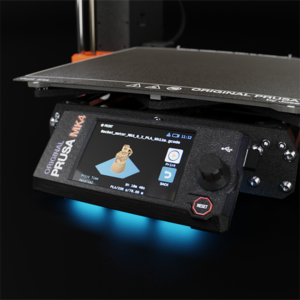
                  Selected Original Prusa printers are equipped with status LEDs located on the lower edge of the LCD screen. Together there are three physical RGB LEDs. The system will change their…

                  LCD screen contrast adjustment (i3)

                  LCD screen contrast adjustment (i3)

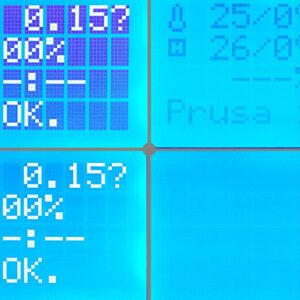
                  In case you experiencing issues with the screen readability, you can try adjusting the contrast on the LCD-module. On the back of the LCD-module, you will find a small potentiometer…

                  SD card sorting

                  SD card sorting

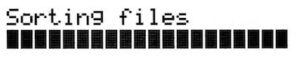
                  The order of the files on the SD card can be changed. Change the sorting method in the LCD Menu -> Settings -> Sort: [name/date/no sorting]. Folders are always shown on the top…

                  Noisy filament sensor (MINI)

                  Noisy filament sensor (MINI)

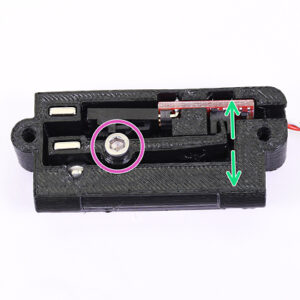
                  An optional accessory for the Original Prusa MINI is its filament sensor. It uses a simple sensor mechanism to detect whether a strand of filament is inserted or not.  The mechanical…

                  Internet connection (SL1/SL1S)

                  Internet connection (SL1/SL1S)

                  Before you start the calibration process, it is advised to connect the printer to the internet, so that it can download updated firmware files (if they are available). There are…

                  Resin Tank Cleaning (SL1/SL1S)

                  Resin Tank Cleaning (SL1/SL1S)

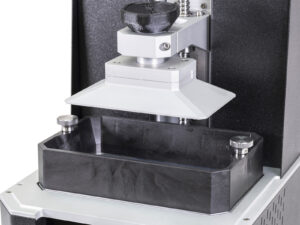
                  Any cured bit of resin left in the tank after a print can cause failed prints (holes, missing geometry) and even damage to the print display. Firmware version 1.7.0 introduces…

                  LCD brightness adjustment (MK3S)

                  LCD brightness adjustment (MK3S)

                  Starting firmware version 3.9.0, for the Original Prusa MK3S manufactured after June 2019, it is possible to adjust the brightness of the screen directly from the LCD menu and…

                  Pouring resin and starting print

                  Pouring resin and starting print

                  Pouring resin into the tank Before you start printing, always make sure the FEP film on the bottom is clear (transparent), clean, and has no holes, dents, or deep scratches. Check…

                  Support settings for the XL/+

                  Support settings for the XL/+

                  This guide will show the easiest way to set up and print supports with different materials for the Original Prusa XL/+. Before starting, make sure you have the two or five tool-heads…

                  Cancel Object (MK4/S, MK3.9/S, XL/+, CORE One+/GEN 2, MINI/+)

                  Cancel Object (MK4/S, MK3.9/S, XL/+, CORE One+/GEN 2, MINI/+)

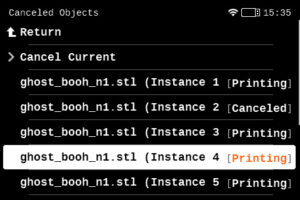
                  When printing multiple objects within the same print, it is possible that one or more objects might not have an optimal finish or get loose from the plate, while at the same time,…

                  Network Connection (CORE One L, CORE One, MK4S, MK3.9S)

                  Network Connection (CORE One L, CORE One, MK4S, MK3.9S)

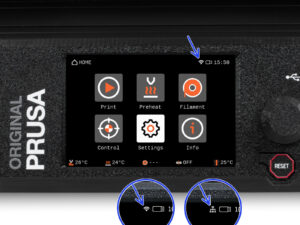
                  The Prusa CORE One L, Prusa CORE One, Original Prusa MK4S, and Original Prusa MK3.9S include an Ethernet port (RJ45) and a WiFi module. Connecting to Ethernet Connect a LAN cable…

                  Support menu (MK3/S/+)

                  Support menu (MK3/S/+)

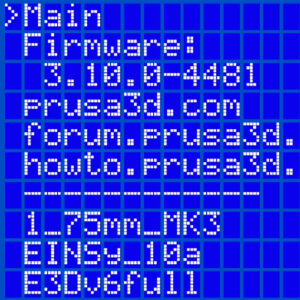
                  At the bottom of the LCD menu on the Original Prusa MK2.5/S and MK3/S/+, you will find information on your specific machine's hardware, and firmware as well as real-time sensor…

                  Dump memory (MK3/S/+ and MK2.5/S)

                  Dump memory (MK3/S/+ and MK2.5/S)

                  The memory dump is not used for troubleshooting normal printer errors! Please only supply the Memory dump if requested. Starting from firmware version 3.10.1, the Original Prusa…

                  Tools Mapping (XL)

                  Tools Mapping (XL)

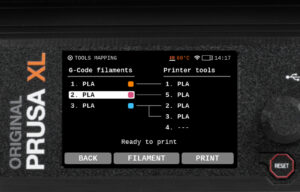
                  On the Original Prusa XL, when slicing for a Multi-Tool object, the resulting G-code carries information on how individual materials and extruders are assigned, along with the…

                  NFC antenna

                  NFC antenna

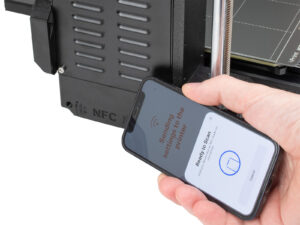
                  The Prusa CORE One, and the Original Prusa MK4S/MK3.9S are equipped with a Near Field Communication antenna, abbreviated NFC. This allows you to quickly write data into the NFC…

                  One-click print

                  One-click print

                  Both the Original Prusa MINI+ and the SL1 offers a user-friendly feature where the printer automatically displays the project ready for immediate print if: The USB flash drive…

                  Menu structure (SL1/SL1S)

                  Menu structure (SL1/SL1S)

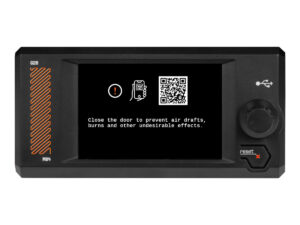
                  The Original Prusa SL1/SL1S Speed comes with a touchscreen that can be used to navigate the printer menu. Touch each option to select them, and use the Back option on the top left…

                  Creating a resin calibration object (SL1/SL1S)

                  Creating a resin calibration object (SL1/SL1S)

                  This guide will show you how to use your own model to generate a resin Calibration-object. We recommend this approach only to experienced users. The pre-made Resin calibration…

                  HW setup (MINI/MINI+)

                  HW setup (MINI/MINI+)

                  Introduced in version 4.3.0 for the MINI and MINI+, there is a section in the Settings-menu, called “HW setup”. It allows you to inform the printer/firmware of hardware changes…

                  Touch screen (CORE One L, CORE One, MK4/S, MK3.9/S, MK3.5/S, XL/+)

                  Touch screen (CORE One L, CORE One, MK4/S, MK3.9/S, MK3.5/S, XL/+)

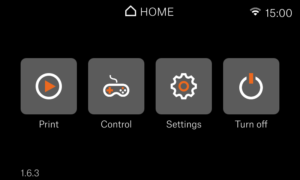
                  If your printer has the xLCD, you can navigate it by using the touchscreen. Note that some functions will still need the knob, such as setting the target temperature manually or…

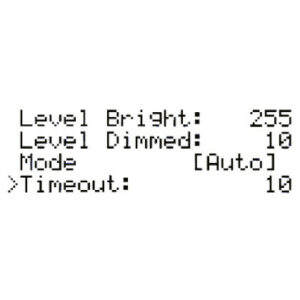
                  Brightness adjustment (SL1)

                  Brightness adjustment (SL1)

                  Starting from firmware 1.5.0, you are able to manually set the backlight intensity in the SL1. You can also configure a screensaver timer of how long the screen should be on. You…

                  Printer statistics and system information (SL1/SL1S)

                  Printer statistics and system information (SL1/SL1S)

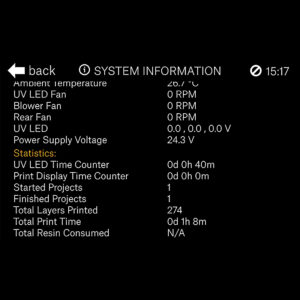
                  The printer has available all information on your specific machine, like temperatures, RPMs of fans, and voltages. Additionally, you can view your printer's statistics which cover…

                  Model preview

                  Model preview

                  On printers with a graphic display, like the Original Prusa MK4/S, MK3.9/S, MK3.5/S, Original Prusa MINI/+, and Original Prusa XL/+, it is possible to see a thumbnail of your print…

                  Top-bar Notifications (SL1/SL1S)

                  Top-bar Notifications (SL1/SL1S)

                  Starting from firmware 1.5.0, the Original Prusa SL1 will show top bar notifications. If you see an envelope on the top right of the screen near the time. To see the notifications…

                  PP steel sheet

                  PP steel sheet

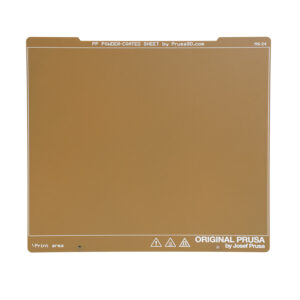
                  The Original Prusa magnetic heatbed is designed to hold a removable, double-sided, flexible print sheet, specifically designed for easy removal of printed objects from the print…

                  Prusa Pro Filament Drybox

                  Prusa Pro Filament Drybox

                  Some materials are hygroscopic, meaning it is necessary to dry them before printing and keep them in an environment with as low humidity as possible during printing. We offer the…

                  MMU3 Prusa Nozzle vs. CHT nozzle

                  MMU3 Prusa Nozzle vs. CHT nozzle

                  On the Original Prusa MK4S and MK3.9S, it is possible to use a Prusa CHT nozzle or a Prusa Nozzle. These printers are also compatible with the Original Prusa MMU3. There are a…

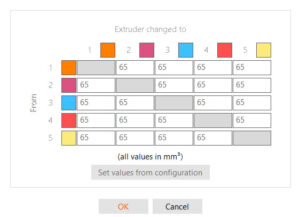
                  Tools Mapping and Filament Mapping (XL/+, INDX, MMU3)

                  Tools Mapping and Filament Mapping (XL/+, INDX, MMU3)

                  The Original Prusa XL/+ multi-tool, the Original Prusa MMU3, and CORE One/+ equipped with INDX are suitable for multi-filament printing.  When slicing for a multi-filament object,…

                  High flow print head (HT90)

                  High flow print head (HT90)

                  The default print head on the Prusa Pro HT90 is a high-flow print head. This allows a high volumetric rate which will let you print faster. The print head also has a fan control…

                  High temperature print head (HT90)

                  High temperature print head (HT90)

                  The Prusa Pro HT90 comes with a high-temperature print head that can be installed in the printer. The default on the printer is the High-flow print head. The print head can reach…

                  Flashing custom firmware (CORE One L, CORE One, MK4/S, MK3.9/S, MK3.5/S)

                  Flashing custom firmware (CORE One L, CORE One, MK4/S, MK3.9/S, MK3.5/S)

                  Your Original Prusa Printer has a main electronics board with the printer firmware. In their factory state, our printers only accept official firmware. To flash any unofficial…

                  Custom print profiles (SL1/SL1S)

                  Custom print profiles (SL1/SL1S)

                  Starting firmware 1.8.0, the Original Prusa SL1 and SL1S SPEED have customizable profile parameters. This gives users the ability to customize and fine-tune the individual parameters…

                  Safety and safety timer messages (CORE One, CORE One L, XL, MK4/S, MK3.9/S, MK3.5/S)

                  Safety and safety timer messages (CORE One, CORE One L, XL, MK4/S, MK3.9/S, MK3.5/S)

                  Safety is a crucial aspect of operating a machine, and we take it seriously. Our Prusa CORE One, CORE One L, and our Original Prusa XL, MK4/S, MK3.9/S, and MK3.5/S have dedicated…

                  Advanced filtration system for Prusa CORE One

                  Advanced filtration system for Prusa CORE One

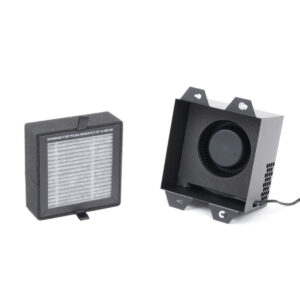
                  It is possible to have a HEPA filter on the CORE One/+ and the CORE One L. The XL enclosure comes with a HEPA filter. The filtration can be adjusted in the printer menu in Settings…

                  List of parts for MMU upgrades

                  List of parts for MMU upgrades

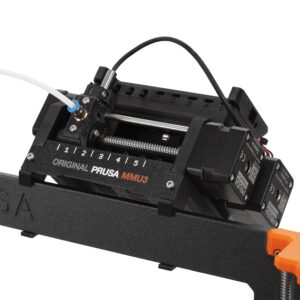
                  Below is a list of parts needed to upgrade an MMU2S to MMU3 (for MK3S+ or MK3.5/S), and to convert an MMU3 for MK3S+ to an MMU3 for MK4/S or MK3.9/S.  MMU2S to MMU3 (for MK3S+,…

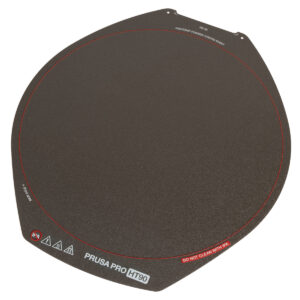
                  HT90 HighTemp Powder-coated Print Sheet

                  HT90 HighTemp Powder-coated Print Sheet

                  The Prusa Pro HT90 magnetic heatbed is designed to hold a removable double-sided flexible spring-steel sheet, designed specifically for easy removal of printed objects from the…

                  Offline Workflow with Prusa 3D Printers

                  Offline Workflow with Prusa 3D Printers

                  Air-gapped workflow One of the advantages of Prusa printers is their full-fledged functionality without an internet connection. This applies across the entire workflow - from designing…

                  Prusa CORE One to CORE One+ upgrade (community version)

                  Prusa CORE One to CORE One+ upgrade (community version)

                  This article guides you through the community version of the Prusa CORE One to the Prusa CORE One+ upgrade. It lists all the components required for the upgrade and provides instructions…

                  MMU3 for CORE One L

                  MMU3 for CORE One L

                  Although INDX is the go-to multi-material option for most CORE One L users, the MMU3 remains as a community-supported alternative for those preferring an efficient, classic multi-color…

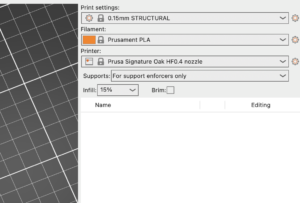
                  Signature Oak profile in PrusaSlicer (2.9.4 and newer)

                  Signature Oak profile in PrusaSlicer (2.9.4 and newer)

                  The Signature Oak print profile is available in PrusaSlicer 2.9.4 and newer. If you do not see Signature Oak in your printer list, it is most likely due to an outdated PrusaSlicer…

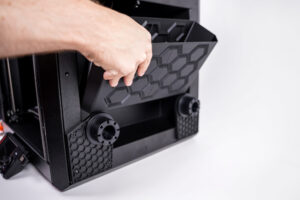
                  Install larger bucket on Prusa CORE One INDX

                  Install larger bucket on Prusa CORE One INDX

                  It is possible to install a larger bin for the nozzle cleaning residues. Below are the instructions for self-install. It is necessary to have the printed parts and a drill with…

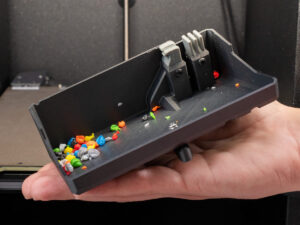
                  Empty nozzle cleaner

                  Empty nozzle cleaner

                  During multicolor printing, the Prusa CORE One INDX wipes the nozzle along the side of the print area, shedding excess filament pellets into a collection container. When is it…

                  Saving Log File (CORE One, CORE One L, XL, MK4/S, MK3.9/S, MK3.5/S, MINI)

                  Saving Log File (CORE One, CORE One L, XL, MK4/S, MK3.9/S, MK3.5/S, MINI)

                  The Save Logs to File feature records real-time internal diagnostic data directly to an attached USB flash drive. When activated, the printer writes system events sequentially…