Relevant for


This warning indicates that homing calibration is required to ensure precise and repeatable axis homing. However, unlike other cases, the printer cannot initiate the process directly from the warning dialog. Instead, you must start it manually from the printer menu.
Error name: Calibrate homing from menu
Error code: #31120 (CORE One) #35120 (CORE One L) #36120 (CORE One INDX) #17120 (XL)
On the printer screen, navigate to LCD Menu -> Control -> Autohome to start the calibration.
Observe the printer's movement:
CORE One, CORE One L
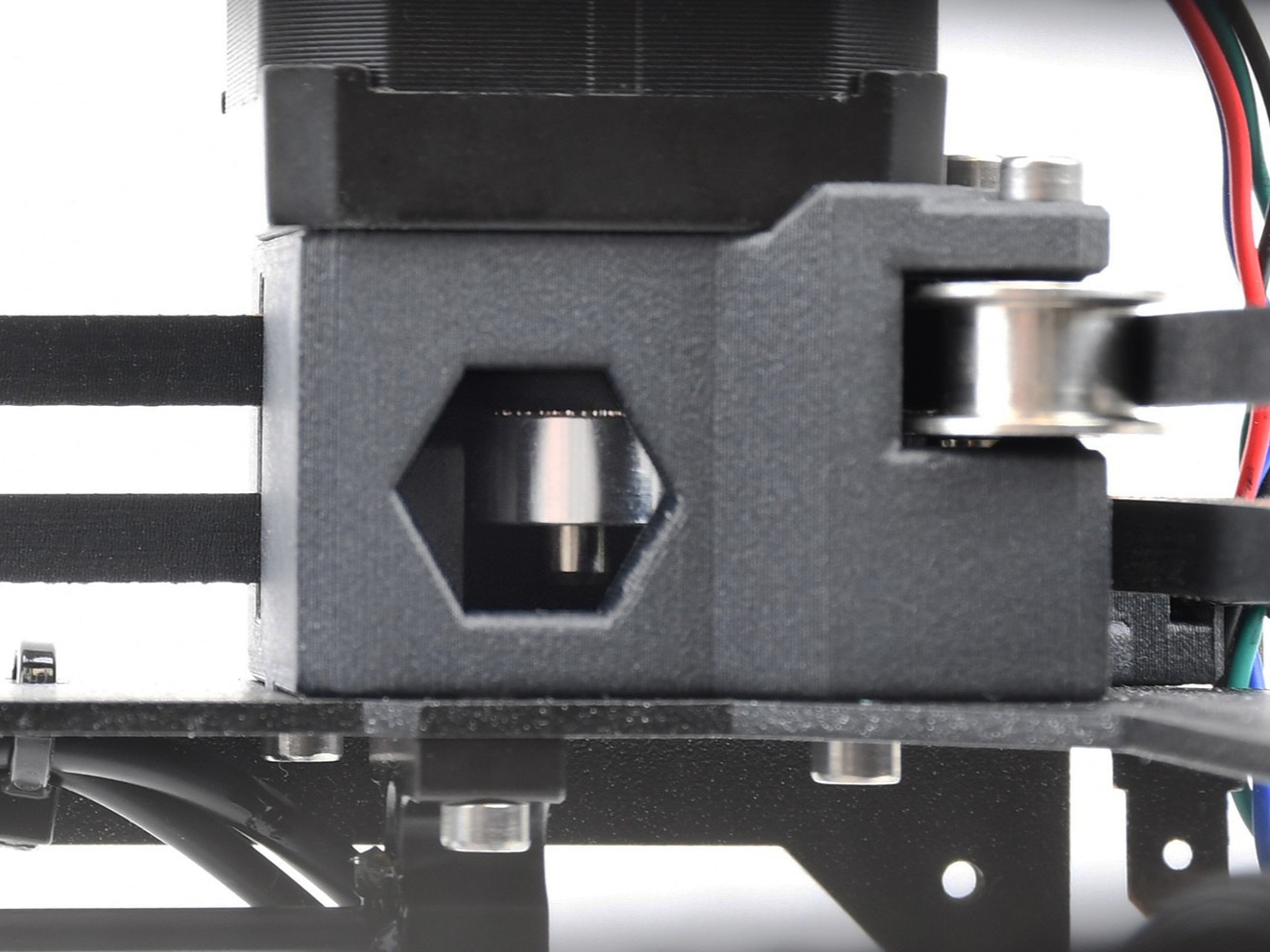 | 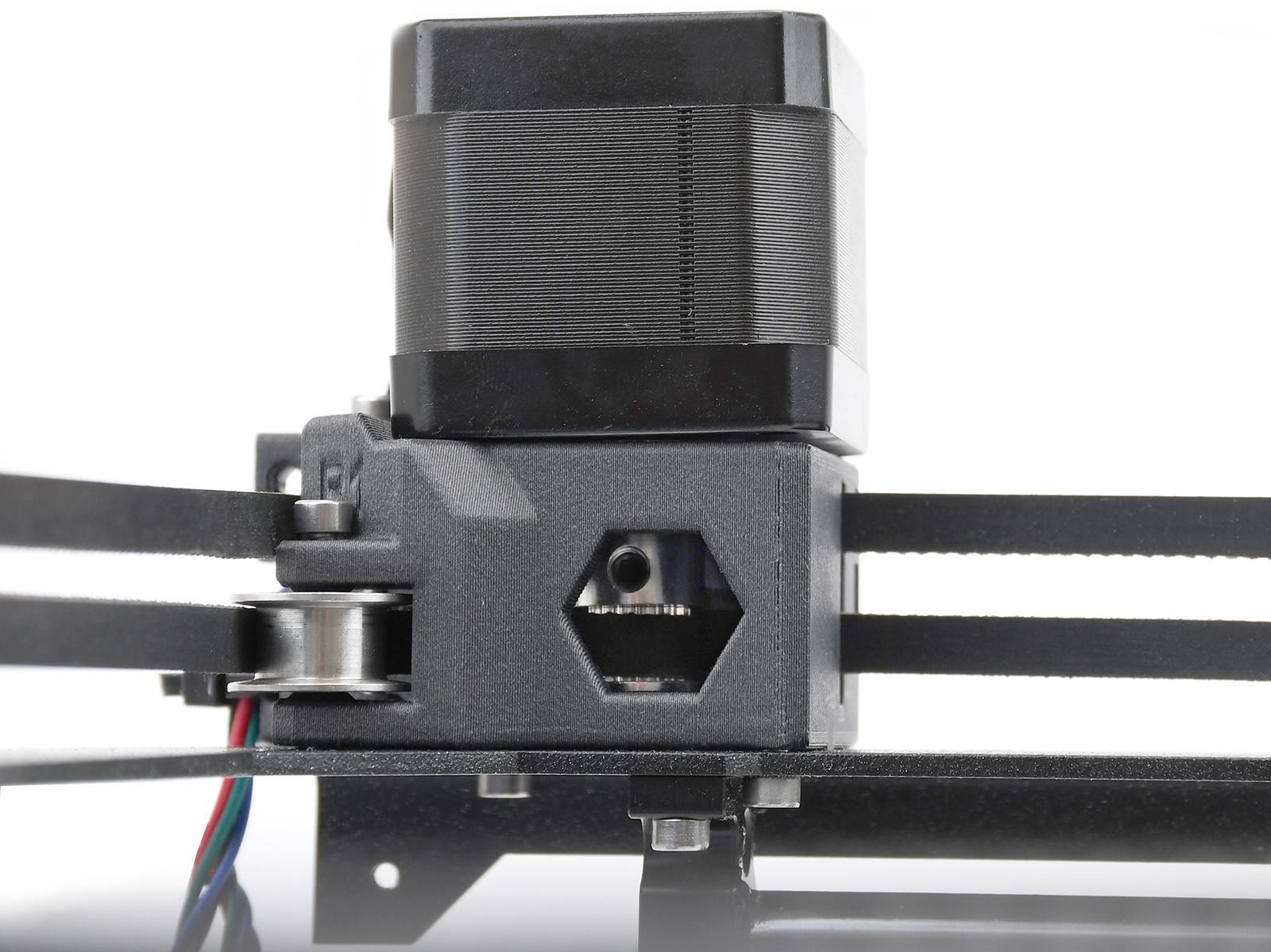 |
| CORE One, CORE One L. Looking from the front, left side. The teeth for the belt are above the set screws. | CORE One, CORE One L. Looking from the front, right side. The teeth for the belt are below the set screws. |
XL
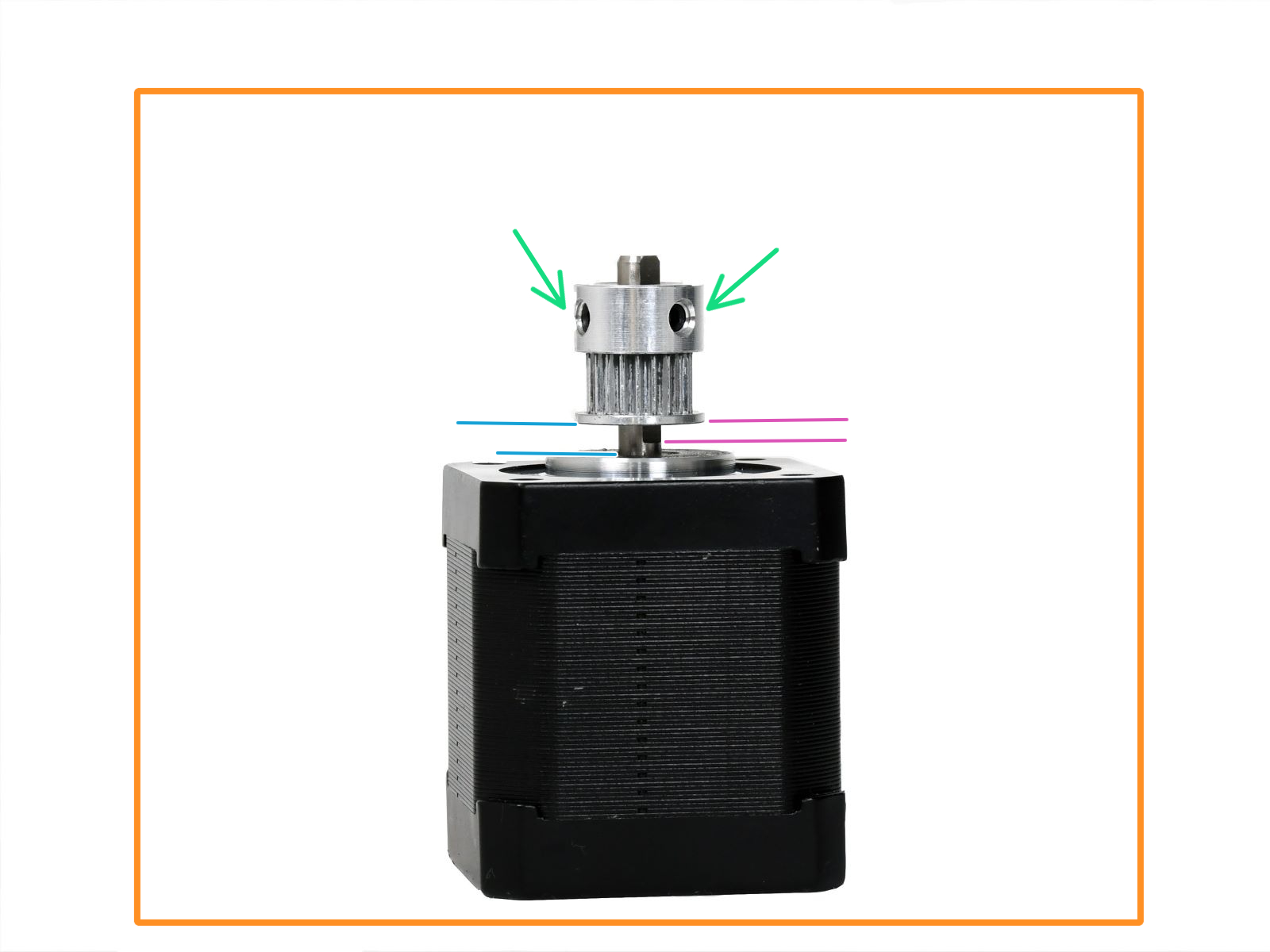 |  |
| XL. Looking from the front, left side. The teeth for the belt are below the set screws. The pulley is 2.5mm higher than the start of the flat part of the motor shaft. | XL. Looking from the front, right side. The teeth for the belt are above the set screws. The pulley is flush with the top edge of the motor shaft. |
If the problem persists after inspection, do not hesitate to contact our technical support.