Prusa
  • SHOP
    • Learn more
    • All deals
    3D printers
    • CORE One+ (Gen2)
    • CORE One L+
    • XL+
    • MK4S
    • Mini+
    • HT90
    Consumables and Merch
    • Prusament
    • Resin
    • Buddy filament
    • Merch
    • Accessories
  • SHOP
    • Latest products
    BY CATEGORY
    • 3D printers
    • Upgrades
    • Materials
    • Accessories
    • Spare parts
    • Courses
    • Merch
    • Sales inquiry & Price quote
    QUICK LINKS
    • Shipping information
    • Refunds & returns
    • Payment options
    • Warranty
    • VAT & Customs fees
    • FAQ

    0 item in your cartitems in your cart

    Your cart is empty

    Go to cartShop 3D printers

    My profile

    Log in to see orders, saved items

    My profile

    Signed in as

    • Orders
    • Logout
  • 3D PRINTING
    • Explore 3D printing
    FOR BEGINNERS
    • 3D printing 101
    • Types of printers (FDM/SLA)
    • How to choose a 3D Printer
    • Printables (3D models)
    BY APPLICATION
    • Rapid prototyping
    • Manufacturing
    • Engineering
    • Research
    • Arts & design
    GO DEEPER
    • Materials guide
    • Courses
    • Webinars
    • Case studies
    • Custom 3D printing
  • 3D PRINTERS
    • All 3D printers
    FOR
    • Home or garageHobbyists, tinkerers and home printing
    • Shop or studioIn-house production for small teams
    • EnterpriseFleets, security and scale
    • How to choose a 3D Printer
    SHOP & BROWSE
    • CORE One+
    • CORE One+ INDX
    • CORE One L+
    • CORE One L+ INDX
    • XL+
    • MK4S
    • Prusa Pro HT90
    • Prusa Pro AFS
    • Prusa Pro SLX
    MORE FROM PRINTERS
    • Upgrades
    • Spare parts
    • Critical infrastructure
    • Case studies
    • Signature Oak
    • Kits
  • MATERIALS
    • All materials
    BY USE
    • Every-day & design
    • Functional engineering
    • Composites
    • Pro speciality
    • SLA resins
    PRUSAMENT
    • PLA
    • PETG
    • ASA
    • PC
    • PA11
    • Flex
    • TPU
    MORE FROM MATERIALS
    • Materials guide
    • We make material in house
    • Sustainability
    • Order on the store
  • SOFTWARE
    • All software
    PREPARE THE PRINT
    • PrusaSlicer
    PRINT & MONITOR
    • Prusa Connect
    • EasyPrint
    • iOS & Android app
    • Prusa Farm
    GET STARTED
    • Download & install
    • Knowledge base
    MORE FROM SOFTWARE
    • Printables (3D models)
  • SUPPORT
    • Explore support
    FIND ANSWERS
    • Knowledge base
    • Troubleshooting
    • Courses
    • Webinars
    GET HELP
    • Contact us
    • Livechat
    • Shipping information
    • Warranty
    • Refunds & returns
    • Spare parts
    • Factory repair
    COMMUNITY
    • Forum
    • Reddit
    • Printables
  • TRUST CENTER
    • Trust Center overview
    BY TOPIC
    • GDPR
    • Certificates
    • Security
    • Compliance
    COMMITMENTS
    • Sustainability report
    TALK TO US
    • Contact the security team
  • COMPANY
    • About Prusa
    GET TO KNOW US
    • Our story
    • How we make printers
    • Open source
    • Brand & media kit
    NEWS
    • Blog
    • Newsroom
    • Events
    TRUST & PARTNERS
    • Sustainability
    • Resellers & distributors
    • Affiliate program
    • Contact
    • English
    • Čeština
    • Deutsch
    • Español
    • Français
    • Italiano
    • Polski
    • 日本語
  • Signed in as

    • Orders
    • Address
    • In-stock Alerts
    • My Courses
    • Subscription
    • Edit Account
    • Logout

Log in to see orders, saved items

Signed in as
  • Orders
  • Address
  • In-stock Alerts
  • My Courses
  • Subscription
  • Edit Account
  • English
  • Čeština
  • Deutsch
  • Español
  • Français
  • Italiano
  • Polski
  • 日本語
Shop

0 item in your cartitems in your cart

Your cart is empty

Go to cartShop 3D printers

My profile

Log in to see orders, saved items

My profile

Signed in as

  • Orders
  • Logout
SHOP
  • Latest products
BY CATEGORY
  • 3D printers
  • Upgrades
  • Materials
  • Accessories
  • Spare parts
  • Courses
  • Merch
  • Sales inquiry & Price quote
QUICK LINKS
  • Shipping information
  • Refunds & returns
  • Payment options
  • Warranty
  • VAT & Customs fees
  • FAQ

Featured products

    Popular categories

      Trending searches

        Articles

          Blog

            Products

              Categories

                Suggested searches

                  Searching…
                  No results
                  Something went wrong.
                  ↑↓ Select↵ OpenEsc Close search
                  1. Support
                  2. Original Prusa i3 MK2.5S
                  3. Printer features
                  4. Textured steel sheet
                   

                  Contents

                  • Print sheet color
                  • Main attributes
                  • Considerations
                  • Supported printers
                  • Filaments
                  • Prints don’t stick

                  Blog

                  • Prusa Black Friday 2026 Is Here! Grab the Biggest Deals of the Year
                  • 400°C HT Hotend is out! Plus: New Materials and HighTemp Sheets for CORE One+/L+.
                  • Blender for 3D Printing: The 5-Minute Guide to STL Editing

                  Newsletter

                  Signup and get our monthly squeeze on updates, blog, printables and much more.

                  By clicking, you agree to receive our newsletter.

                  This site is protected by reCAPTCHA Enterprise and the Google Privacy Policy and Terms of Service apply.

                  Heavy Duty Keyboard Holder (No Supports)
                  E-shop
                  • 3D Printers
                  • Printer Upgrades
                  • Filaments
                  • Accessories
                  • Prusa Merchandise
                  Prusa

                  © Prusa Research a.s.

                  Printables
                  • 3D Models
                  • Store
                  • Clubs
                  • 3D Design Contests
                  • Brands
                  Community
                  • World Map
                  • Forum
                  • User Groups
                  • Events
                  Help
                  • Prusa Help
                  • Prusa Academy
                  • 3D Printing Calculators
                  Software
                  • PrusaSlicer
                  • Prusa.app
                  • Prusa Connect
                  • Drivers and Software
                  Company
                  • About Us
                  • Blog
                  • Official Prusa Resellers
                  • Contact Us
                  • Certified for ISO 9001, ISO 14001, ISO 45001
                  • General Terms and Conditions
                  • General Terms and Conditions of Use of the PRUSA Websites
                  • Privacy Policy
                  • Information about cookies
                  • Customer Complaints Policy
                  • Status Page
                  • Do Not Sell or Share My Personal Information
                  • Supplemental Statements
                  Prusa
                  • General Terms and Conditions
                  • General Terms and Conditions of Use of the PRUSA Websites
                  • Privacy Policy
                  • Information about cookies
                  • Customer Complaints Policy
                  • Status Page
                  • Do Not Sell or Share My Personal Information
                  • Supplemental Statements

                  © Prusa Research a.s.

                  JOSEF PRUSA®, PRUSA RESEARCH®, PRUSA POLYMERS®, PRUSA ORANGE®, PRUSA 3D ® AND PRUSAMENT® are registered trademarks of Prusa Development a.s. used by Prusa Research a.s. under licence from Prusa Development a.s.

                  Textured steel sheet

                  Relevant for

                  PRO family
                  OLD PRODUCTS
                  MK4 family
                  XL family
                  MK3.9 family
                  +
                  24 comments
                  Article is also available in following languages
                  English
                  Čeština
                  Polski
                  Deutsch
                  Français
                  Español
                  Italiano
                  日本語

                  The Original Prusa magnetic heatbed is designed to hold a removable, double-sided, flexible spring-print sheet, specifically designed for easy removal of printed objects from the print surface.

                  The powder-coated sheet, also referred to as the textured sheet, has its surface covered with a special polymer (Ultem PEI) to ensure perfect adhesion. These have been used in our print farm for many years and are perfect when printing a lot of high-adhesion filaments like PETG, and are also ideal for printing flexible filaments (TPU). It has a rougher texture than the Satin sheet and is more durable with some filaments than the Smooth sheet.
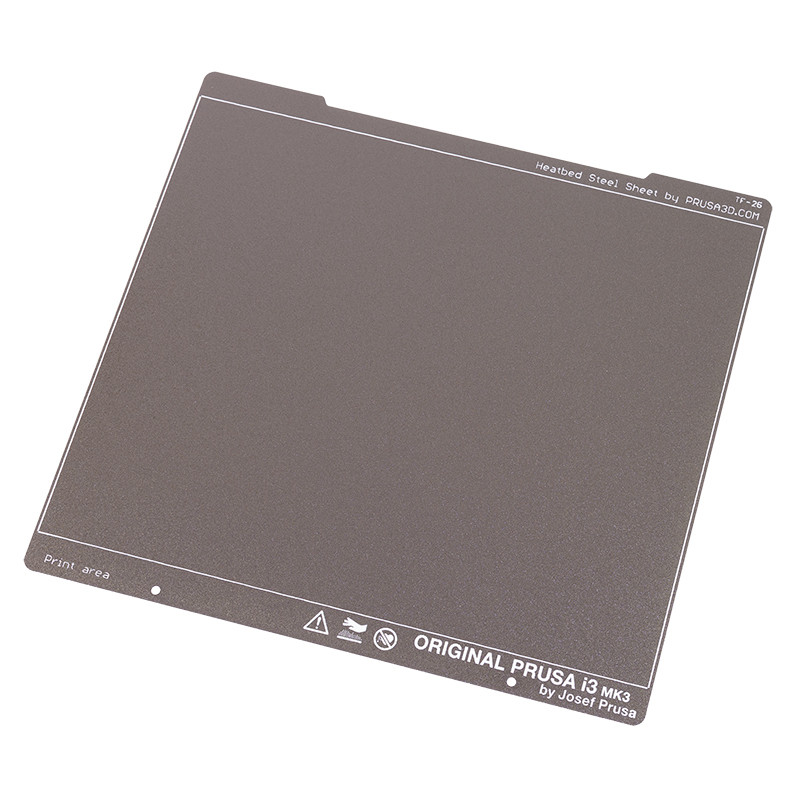
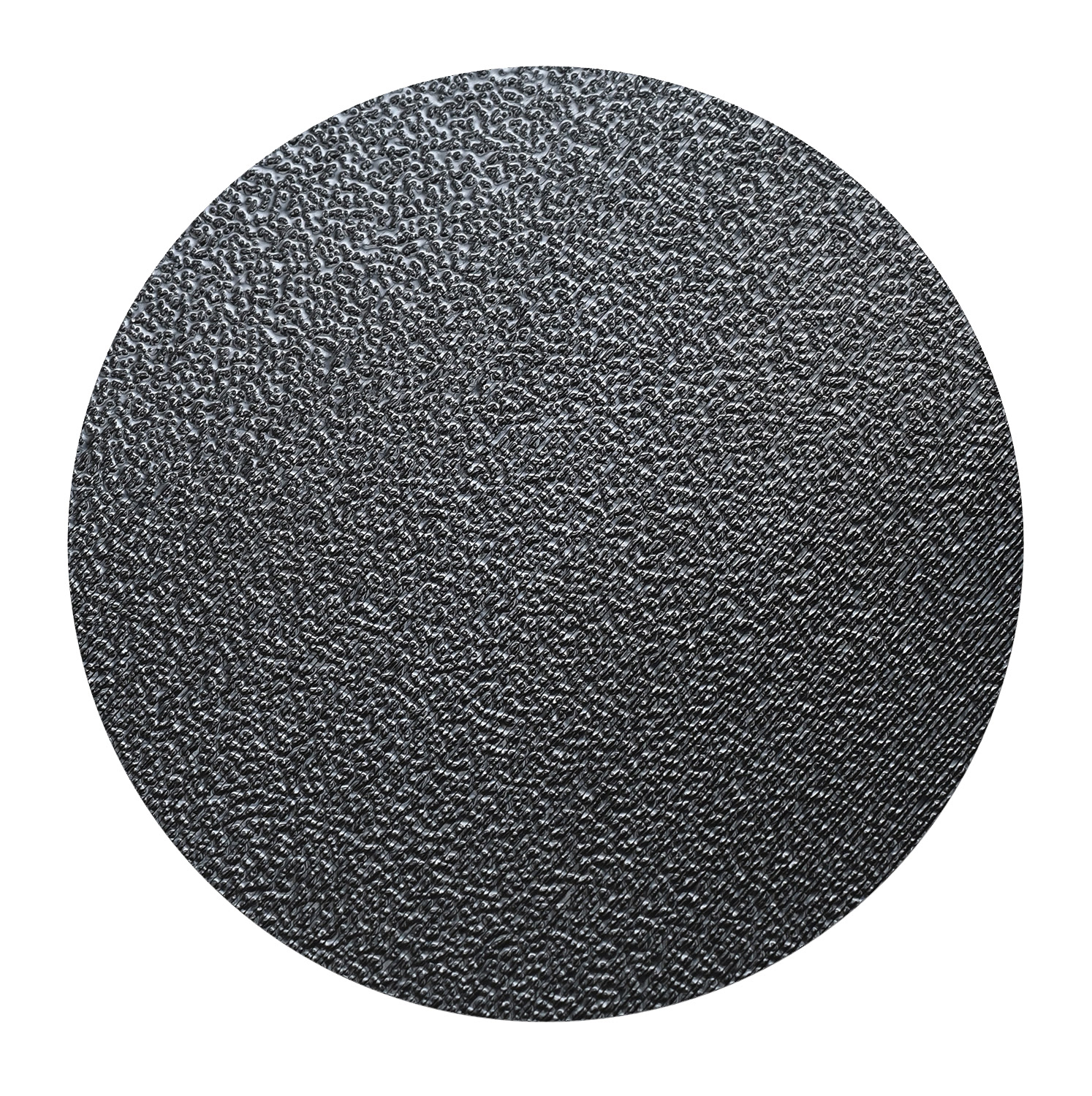
                  Textured SheetThe underside of a printed object

                  Print sheet color

                  The exact color depicted in the e-shop and our knowledge base may differ from yours. All sheets are checked and verified to be within tight specifications. These specifications are both considering the manufacturing method and the sheet's function (adhesion and durability used with certain material types), but not the cosmetic aspect of the sheet or pattern left on printed parts. We can not guarantee the pattern left on your printed objects will match perfectly from sheet to sheet.

                  Main attributes

                  • Textured finish.
                  • Double-sided! Both sides can be used interchangeably.
                  • Thinner than its smooth counterpart.
                  • Ideal for extensive printing of PETG, CPE, TPEE/TPU.
                  • No need for glue-stick with flexible filaments (TPU/TPEE).
                  • Prints automatically detach after the sheet cools down.
                  • To be cleaned with ~90% IPA or denatured alcohol when cold. Do not use anything made for skin! It can contain oils/sugars that ruin adhesion.
                  See our blog article on how to print on a powder-coated sheet.

                  Considerations

                  • Never clean the sheet with acetone! It will deteriorate the surface!
                  • Never apply ABS juice to it!
                  • Never put the sheet in the freezer.
                  • Prints from ASA, ABS, Nylon, and PC Blend require the application of a glue stick (separation layer).
                  • The live Z value needs to be readjusted when switching sheets if your printer uses a PINDA for bed leveling. See Steel sheet profiles.
                  • Not scratch-resistant. Do not use metal spatulas, etc., to remove the prints. We recommend printing a plastic spatula, like this one.
                  • Small PLA prints may require a Brim.
                  Consumable parts, such as print sheets (satin, smooth, textured, etc.), are not covered by warranty as the coatings will diminish over time. Unless failure has occurred due to a defect in materials or workmanship, cosmetic damage, including but not limited to scratches, dents, cracks, or other cosmetic damage, is also not covered by the warranty. Only defective sheets on arrival are covered by warranty.

                  Supported printers

                  Note that the sheets for the CORE One and the MK series sheets are interchangeable, just with different designs.

                  • CORE One
                  • XL
                  • HT90
                  • MK4/S, MK3.9/S, MK3.5/S, MK3/S/+, MK2.5/S (Also offered as Factory second)
                  • MINI/+ (Also offered as Factory second)

                  Filaments

                  We have done a lot of testing and compiled our results for you to use. To easily see how to prepare your sheet for any filament type, please see our Material table.

                  Prints don’t stick

                  If your print surface is perfectly clean and all grease has been removed by wiping it with a paper towel soaked in isopropyl alcohol, ~90%. Also, make sure the first layer height is set up perfectly.

                  If your prints still do not adhere reliably to the print surface, try to wash the sheet in warm water (not hot!) with a few drops of liquid dish soap (not hand soap). This should not be done often, and do not submerge the sheet completely in hot water, but this can clean away oils/sugars that are not affected by rubbing alcohol. However, the textured sheet is not waterproof, so consider this a last resort, which should not be done often.

                  For more info on how to deal with adhesion issues, please see First layer issues.

                  Was this article helpful?
                  This action is available only to registered users. Please log-in.

                  Topics

                  • About your printer
                    • Printer features
                      • HW setup (MK2.5/S & MK3/S/+)
                      • Steel sheet profiles
                      • Power Panic
                      • Filament sensor MK3 (non-S)
                      • Flexible steel sheets (guidepost)
                      • Print statistics
                      • Power-modes
                      • SD card sorting
                      • Pronterface and USB cable
                      • Prusa firmware-specific G-code commands
                      • IR Filament Sensor (MK2.5S, MK3S/+, MK3.5/S)
                      • Tune Menu
                      • LCD screen contrast adjustment (i3)
                      • Satin steel sheet
                      • Textured steel sheet
                      • Smooth Steel Sheet
                      • Support menu (MK3/S/+)
                      • Dump memory (MK3/S/+ and MK2.5/S)
                      • Special PA Nylon steel sheet
                      • Crash dump (MK3/S/+, MK2.5/S)
                      • Sample G-codes
                      • Buddy firmware-specific G-code commands
                      • Cancel Object (MK4/S, MK3.9/S, XL/+, CORE One+/GEN 2, MINI/+)
                      • Touch screen (CORE One L, CORE One, MK4/S, MK3.9/S, MK3.5/S, XL/+)
                      • Prusa Pro Filament Drybox
                      • High temperature print head (HT90)
                      • High flow print head (HT90)
                      • Network Connection (CORE One L, CORE One, MK4S, MK3.9S)
                      • Flashing custom firmware (CORE One L, CORE One, MK4/S, MK3.9/S, MK3.5/S)
                      • PP steel sheet
                      • Safety and safety timer messages (CORE One, CORE One L, XL, MK4/S, MK3.9/S, MK3.5/S)
                      • Advanced filtration system for Prusa CORE One
                      • HT90 HighTemp Powder-coated Print Sheet
                      • Offline Workflow with Prusa 3D Printers
                      • Saving Log File (CORE One, CORE One L, XL, MK4/S, MK3.9/S, MK3.5/S, MINI)
                      • Prusa OpenPrintTag upgrade for CORE One/L
                    • Printer description
                    • General Information

                  13 comments

                  Log in  to post a comment
                  Mac-N4MCC
                  •
                  I have a net satin sheet for a core one that has a very thin layer of PLA stuck on it I can not get off. Suggestions, please.
                  Reply
                  thephilperry
                  •
                  Isopropyl alcohol should do it. highest percentage you can fine. try with a plastic scraper.
                  Reply
                  JDubs
                  •
                  I had something similar with a printer recently that was having first layer issues. Running the first layer calibration, It started out fine, and then for some reason, the line got thinner and thinner, to the point where it looked like someone had drawn on the sheet with pencil.

                  I left the stuff I couldn't get off, and re-printed the calibration print. All of the PLA that was stuck in the sheet bonded with the fresh plastic, and all of it came off when I removed that print.

                  Admittedly, this was as smooth sheet, not satin. So, I can't guarantee that it'll work for you, but it worked for me.
                  Reply
                  raylepper
                  •
                  For years I have cleaned my PEI sheets with 90% IPA and paper towel. But when printing PC Blend, for instance, I noticed white discoloration on the bottom of the part. After a light cleaning with Dawn dish soap and warm water, The white discoloration was gone. I believe that the white discoloration was tiny particles of paper towel left behind after the IPA wipe. From now on I will clean with IPA and a microfiber cloth. Doing this between successive PC Blend prints has stopped the white discoloration completely. I never new.
                  Reply
                  Reedy
                  •
                  >bu this can clean away oils/sugars that are not affected by rubbing alcohol.
                  ^ bu is a typo for but
                  Reply
                  J.J. Kucharczyk
                  •
                  Today I printed PETG for the first time for a test on the MK4. After printing there were small pieces of filament left in two places that I can't remove. I tried using a plastic spatula and a metal spatula which scratched the surface slightly. How can I remove these residues. I understand that I should use glue for PETG prints next time. If I rotate the plate, won't the PETG residue damage the hotplate? Best regards.Edit:  Isopropylalkohol 99% is good for this?
                  Reply
                  Darsch
                  •
                  This article states "To be cleaned with ~90% IPA or denaturd alcohol when cold." but I didn't really listen to the cold part.  Not sure if this is the main reason for it needing to be cold, but I was in a hurry and cleaned my textured PEI sheet when it was very hot, close to the starting 85c for PETG.  Obviously I had some quick evaporation, but I just really loaded up the paper towel with 91% alchohol, no additives.  Oddly, I immediately had adhesion issues after this cleaning and I thought my z height needed to be adjusted a bit because it had been working for several days printing the same project.  I tried adjusting a number of different things, but in the end the water a dish soap fixed it.  I am afraid to  test my theory, but if using alchohol on a hot sheet actually causes adhesion issues, you might want to emphasize that a little more in the reason for why the sheet is supposed to be cold.
                  Reply
                  Buxton
                  •
                  Agreed, I run into the same thing
                  Reply