Relevant for


The printer is showing the message "Check the heatbreak thermistor wiring for possible damage."
Error name: Heatbreak MAXTEMP Error
Error code: #31212 (CORE One) #35212 (CORE One L) #26212 (MK4S) #13212 (MK4) #27212 (MK3.9S) #21212 (MK3.9)
The error is shown when the heatbreak thermistor measures over 100 ºC at any point.
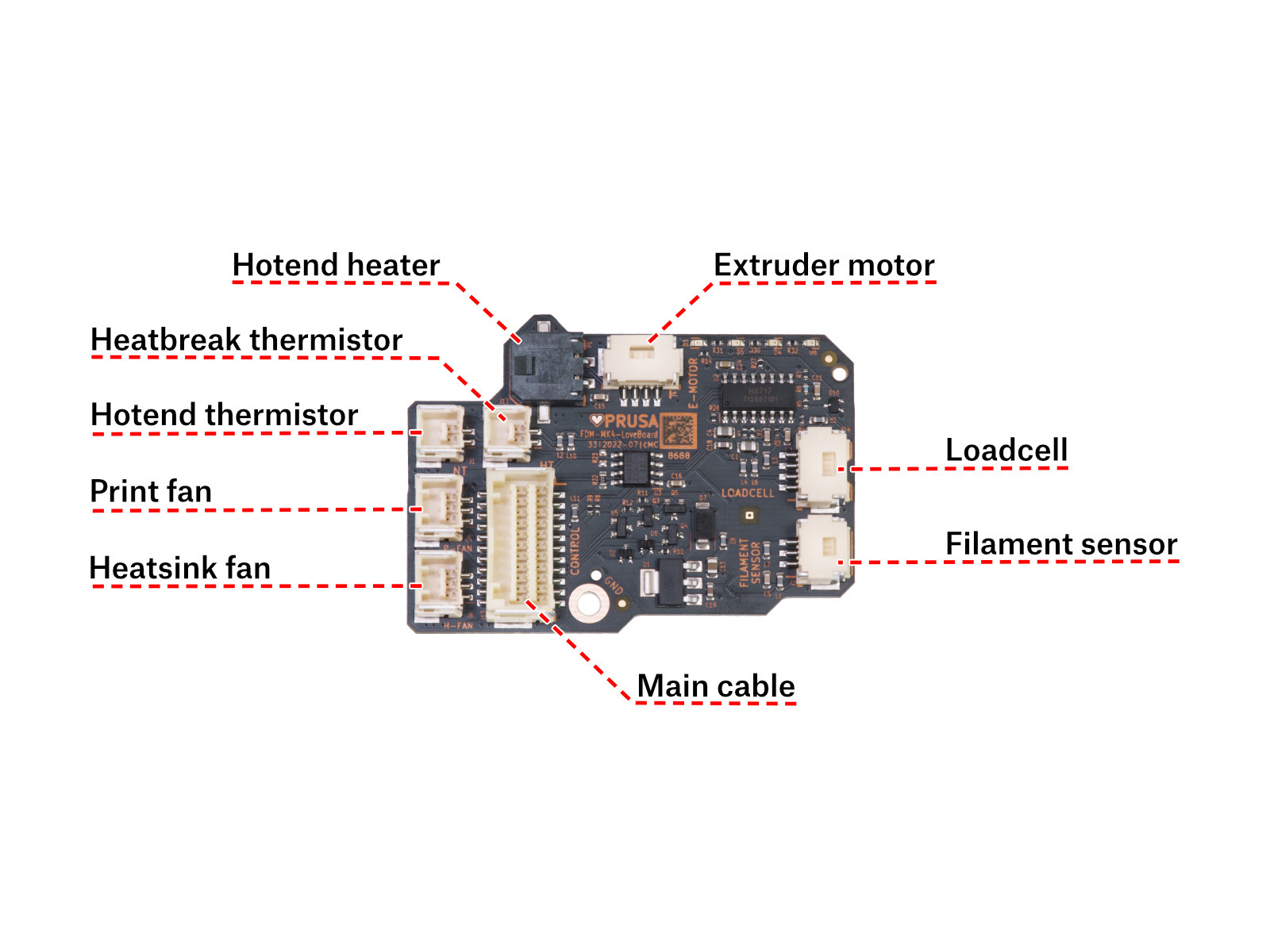
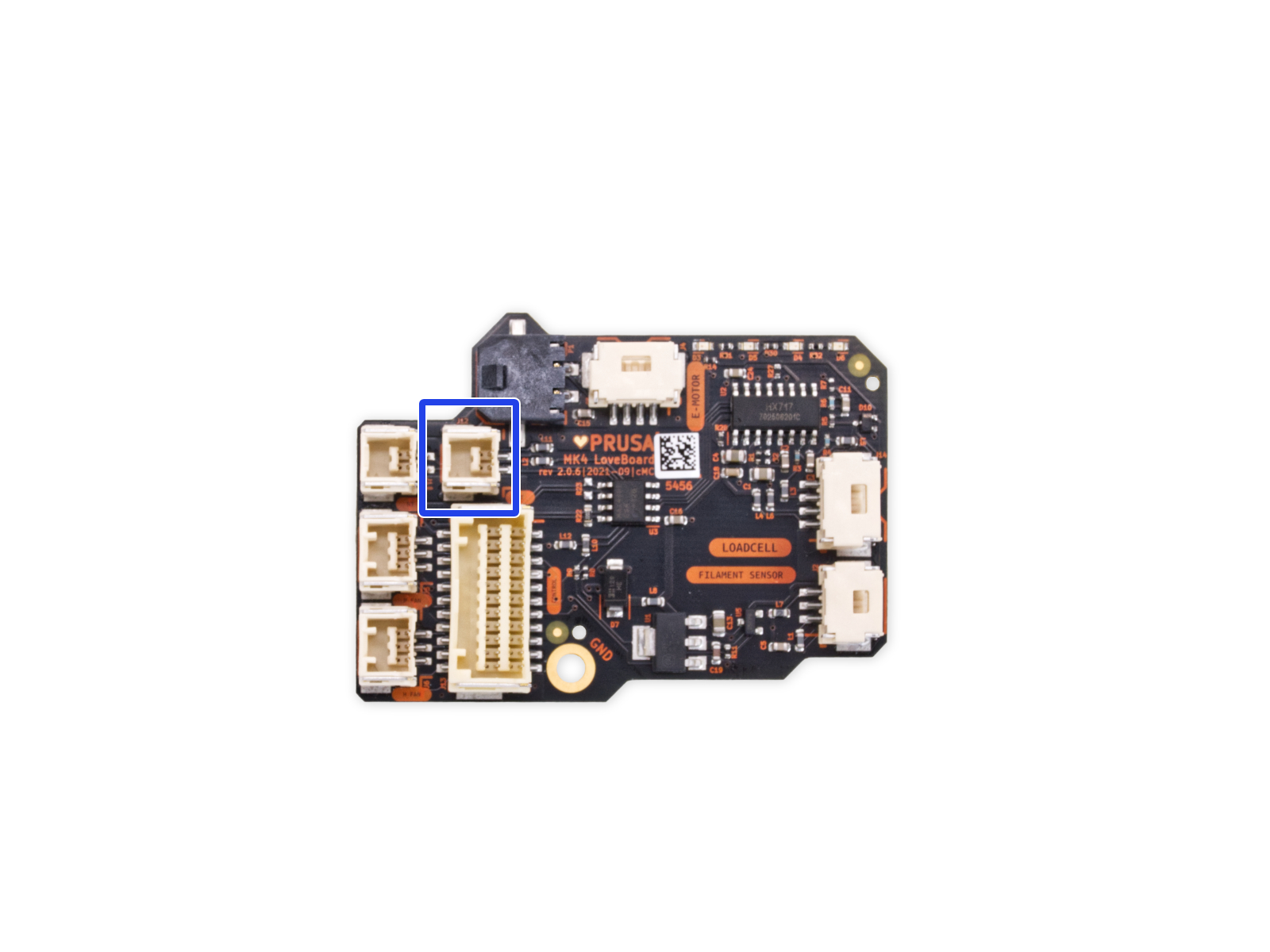
Access the LoveBoard. Check if the thermistor is connected correctly and if there is no damage along the cable length.
If you have a multimeter, it is possible to check the resistance of the cables to verify if they are damaged. For that, use our Multimeter usage guide.
 |  |
2 comments
The one to the left of the blue square gets the one with the sticker on it that has "HTC something" (mine is already closed up and back in action, so the "something" could be thermistor or hotend, or whatever). The point is it has "HTC" on it and a QR code.
After upgrading my Core One+ to v2 last night, I had them in backwards, and got error 31212.
Shutting down, swapping them back, and powering up cured the problem.