Relevant for


If your printer has the xLCD, you can navigate it by using the touchscreen. Note that some functions will still need the knob, such as setting the target temperature manually or while moving with any of the axes. The feature is available from firmware 6.0.0 and successive versions.
The touch feature needs to be manually enabled. For that, go into the printer menu to Settings -> User interface -> Touch.
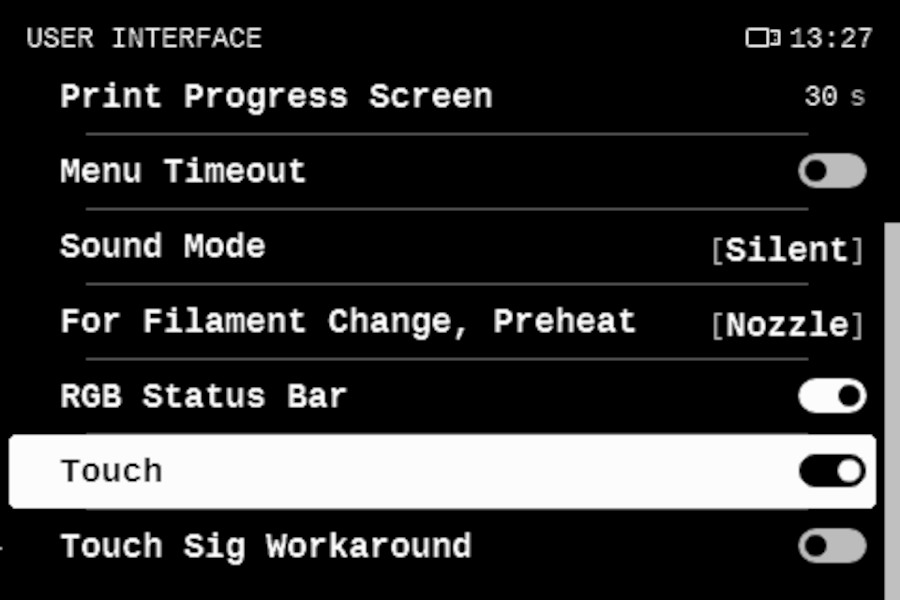 Screenshot from the Original Prusa MK4
If there is a lot of delay between touching the screen and the action you selected, or multiple touches generate just one action, activate the function Touch Sig Workaround in Settings -> User interface.
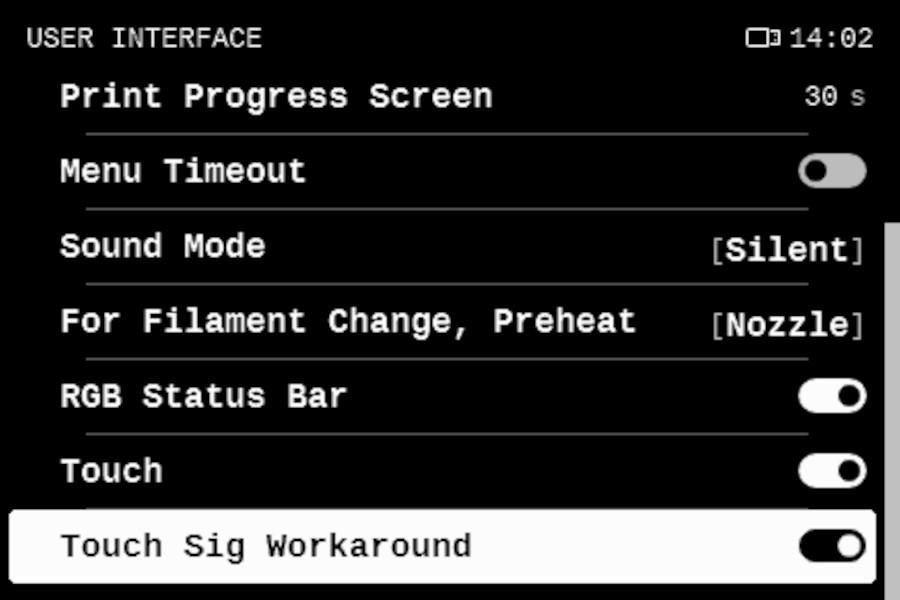 Screenshot from the Original Prusa MK4
2 comments
Je suis désolé que vous rencontriez ce problème.
Veuillez contacter notre assistance technique afin que nous puissions examiner l'imprimante et résoudre le problème ensemble.
https://help.prusa3d.com/fr/article/support-client_2287
Well done as always Prusa, now I can use my machine for a couple of more years without having feel like replacing it with something "woodsounding" just beacause it has new technology, Prusa ticks all my boxes at least :)