Relevant for


If your Heatbed does not heat up, there are a couple of things you should check to identify the source of the issue.
Measuring the temperature with an IR thermometer is not the correct way to measure it. It measures an average of a circle that is much bigger than the laser point in its center, so it may show significantly lower temp at the side of the heatbed. Furthermore, it also has a parameter called emissivity, which is usually fixed for cheaper thermometers. To simplify emissivity, it measures different temperatures based on the surface.
The correct way to measure the temperature is a thermistor or contact temperature probe fixed to the sheet with a bit of thermal paste. This may still measure around 5°C lower than the actual temperature.
If you received an error, we recommend start checking the respective articles of that error, like:
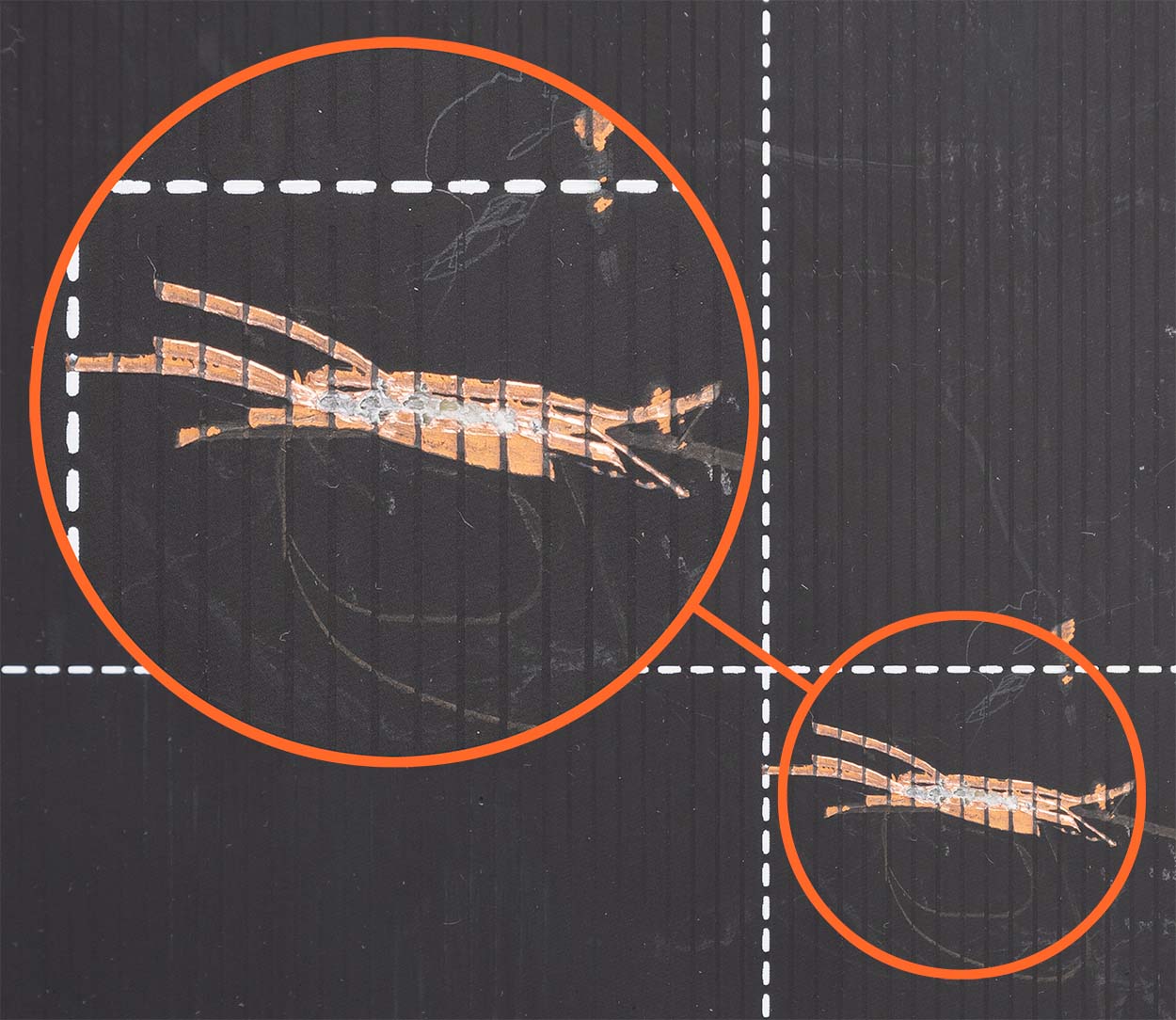 | 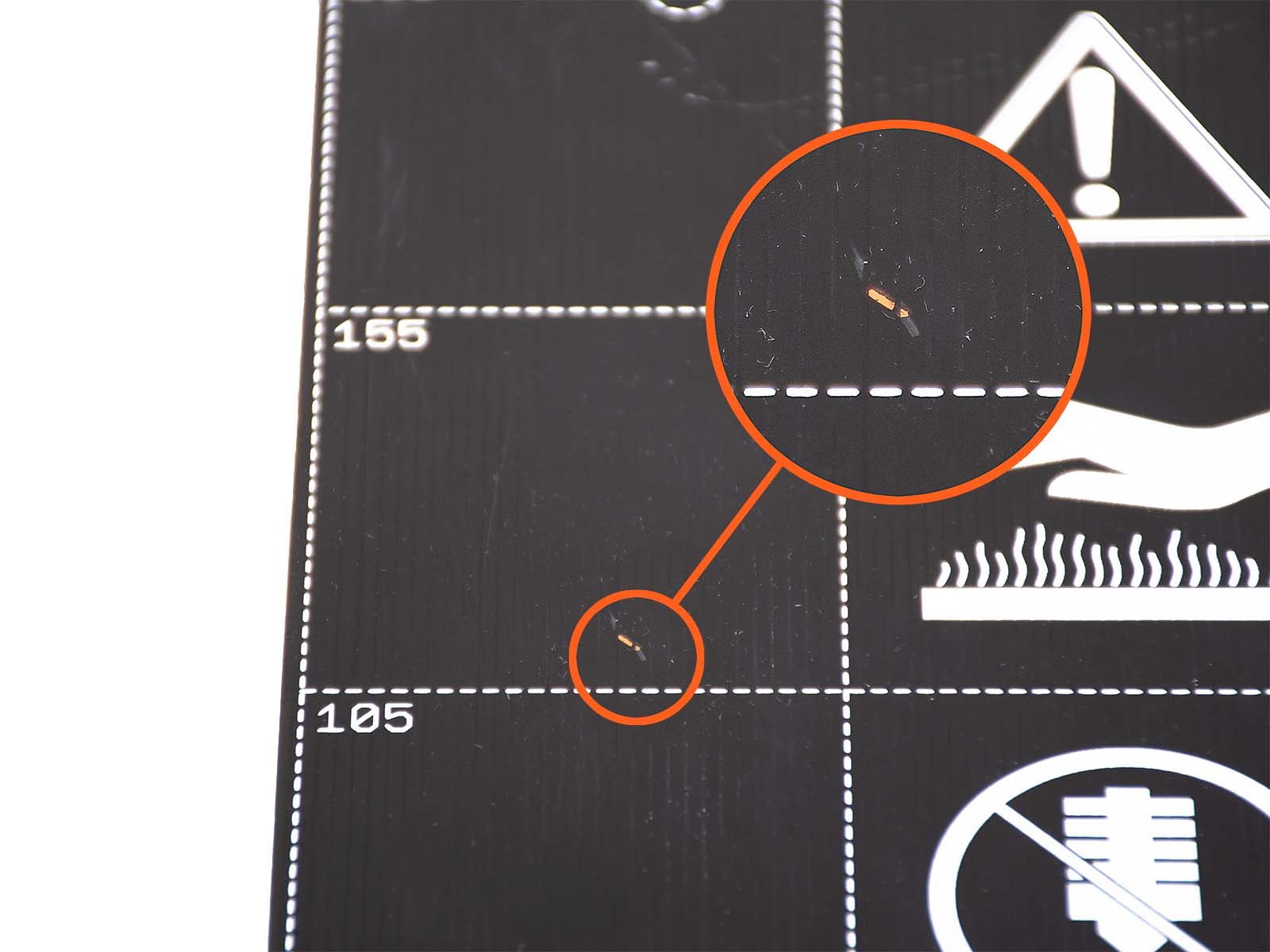 |
| Traces cut. Replacement required. | Superficial scratch. Can be mended. |
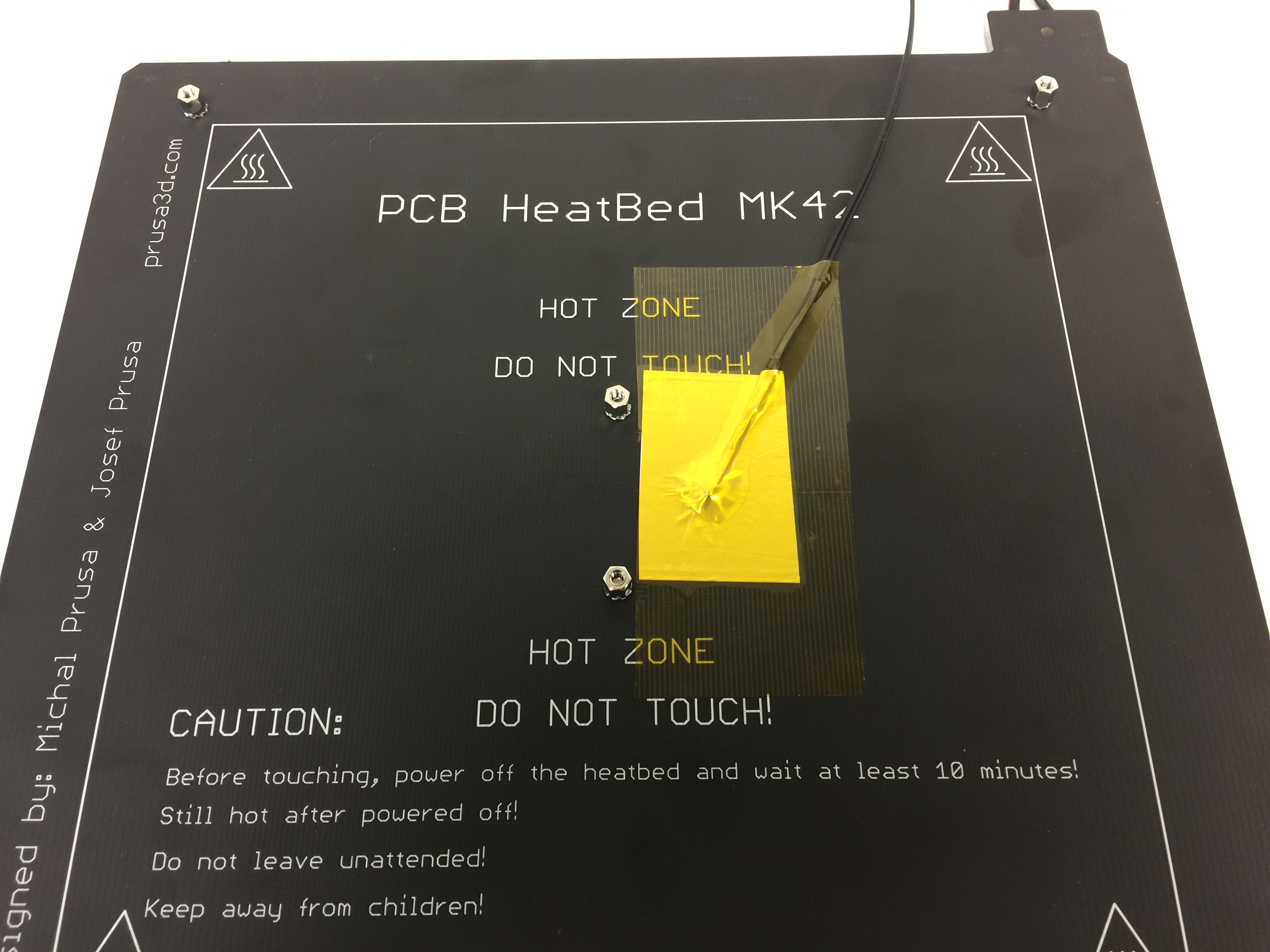 |  |
| Correctly secured thermistor | Loose thermistor. Will not work! |
The best and easiest way is to take a hairdryer and blow hot air in below the Heatbed. During this process, check if there is any temperature change on the LCD. If there is a change it means your thermistor is working. If there is no change at all, your thermistor is defective.
If the hairdryer test is inconclusive you can test whether the port on the mainboard is damaged. Swap the connection of the Hotend thermistor and heatbed thermistor.
To see whether the surface is heating evenly or at all, we suggest wiping down the heat bed surface with Isopropyl alcohol (IPA) cold and then heating the heatbed through the Preheat menu or LCD menu -> Temperatures -> Bed. The alcohol will evaporate when heated, exposing areas that are not heating at all.
Remove the printed cover at the back left of the heated bed and check the following.
The resistance of the heated bed thermistor should be approximately 100K at room temperature (the same goes for the thermistor on the hot end if you are curious!)
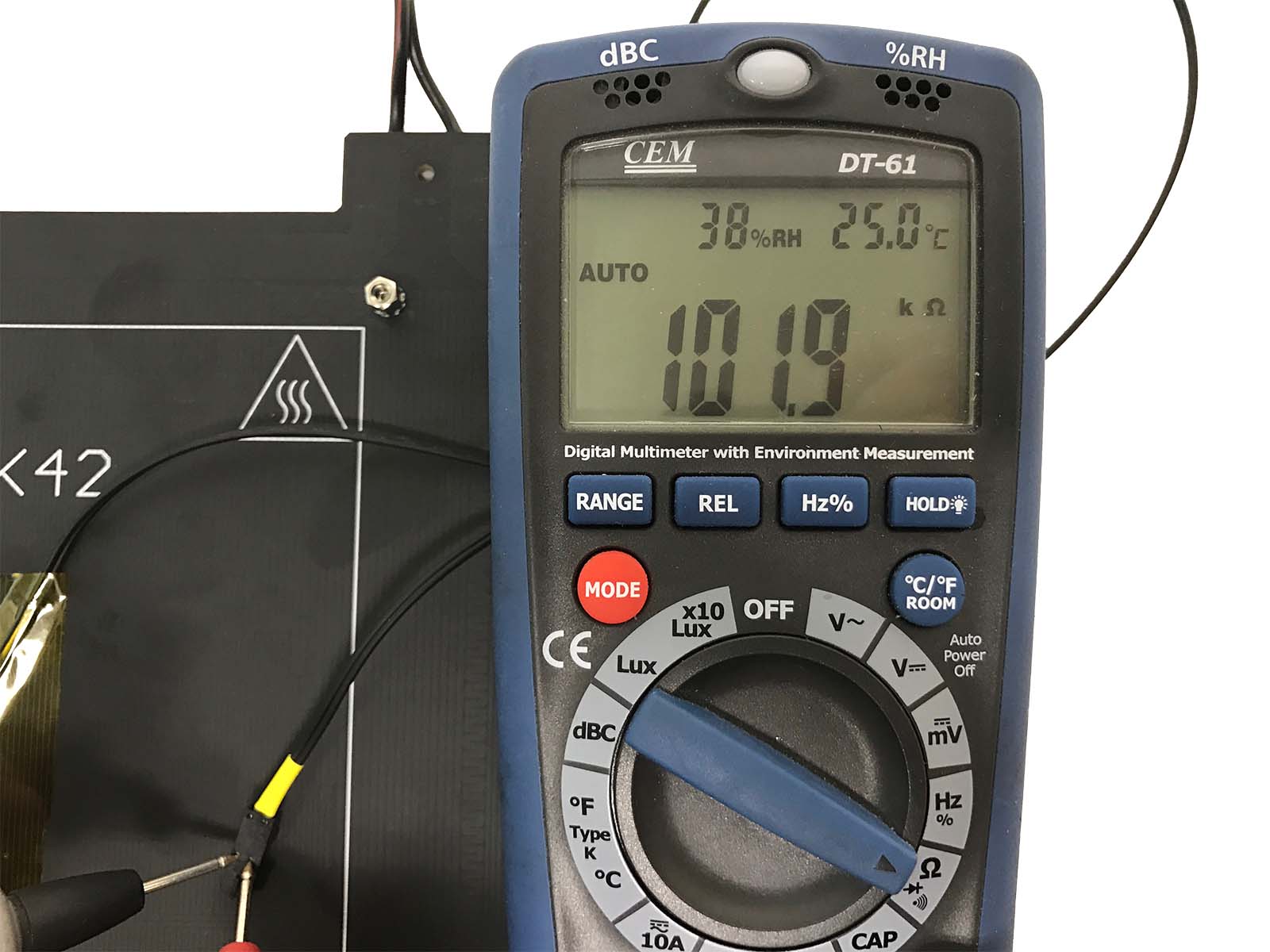
The resistance of the heated bed should be:
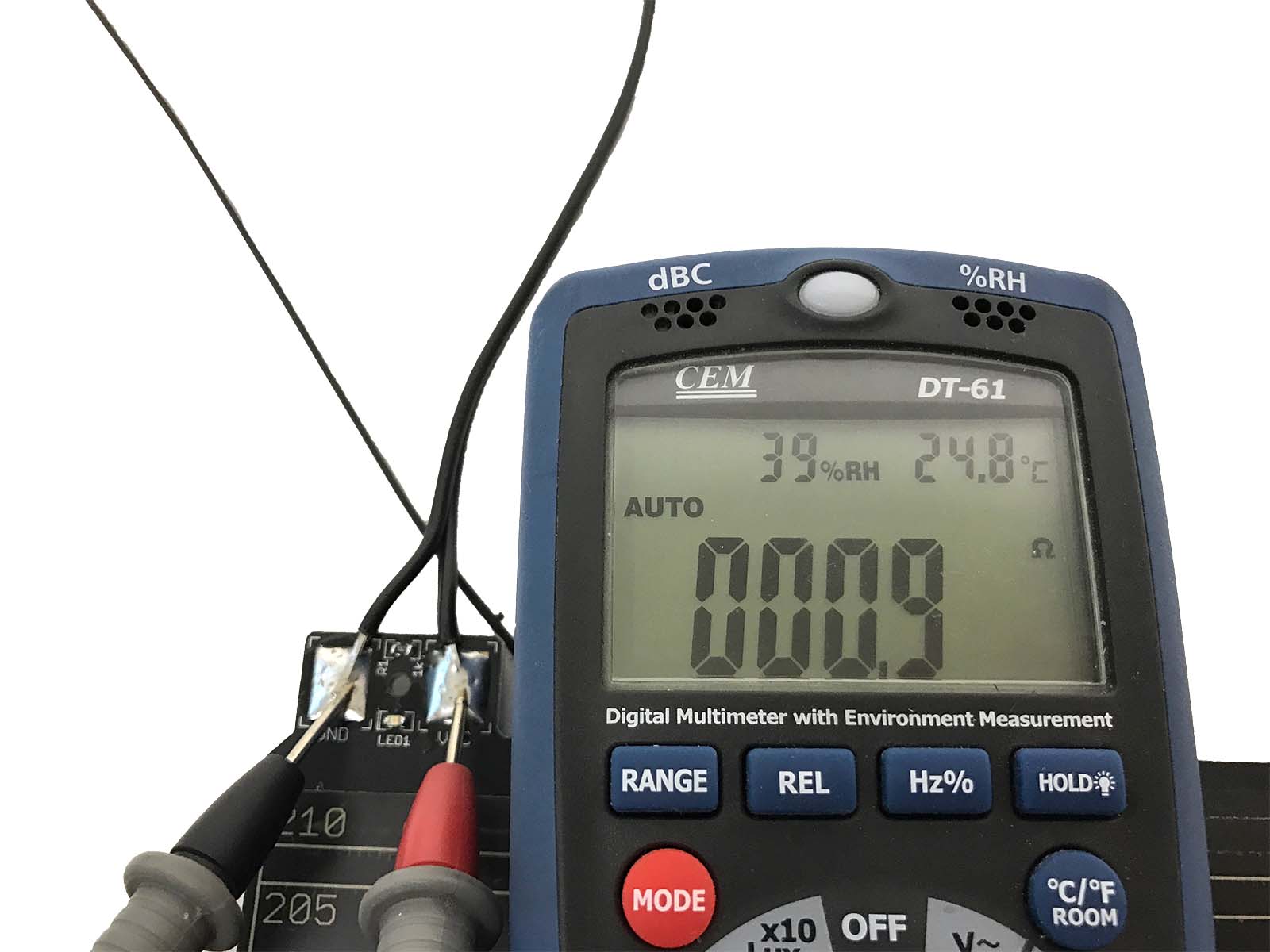
Original Prusa MK2/S:
Original Prusa MK3/S:
In some rare cases, the PowerPanic has interfered with the operation of MK3/S/+. If non of the steps outlined above resolves it, try to disconnect the PowerPanic cable from the EinsyRAMBo. Please see Einsy RAMBo electronics wiring (MK3/MK3S/MK3S+) for what to disconnect.
11 comments
D Towell
Hi! It is within the specs if your bed is at 55-60C temperature.
https://help.prusa3d.com/en/article/multimeter-usage_2117
The voltage was solid at 24.3v but the resistance was 7ohms, which is nearly double the specs. I ordered a new heated bed from Prusa, installed it and the problem is fixed. I used a thermal camera to take pictures of the malfunctioning bed, and of the new one. The pics show a big difference in the distribution of heat. I made a video of my experience here which includes the thermal camera images:
https://www.youtube.com/watch?v=iJB2P6fX6DQ
Hopefully this wil help anyone having the same issues, as I could not find much information on this particular problem
I haven't contacted Prusa support, but searching around only points me to the Pinda, and not to the bed.
I would contact support with some pictures/video of what is happening, the wiring to the board and info which printer it is. I am sure they will figure it out with your help:)