Prusa
  • SHOP
    • Latest products
    BY CATEGORY
    • 3D printersnew
    • 3D printer upgradesnew
    • Materials
    • Accessories
    • Spare parts
    • Courses
    • Merch
    • Get a price quote
    QUICK LINKS
    • Shipping & delivery
    • Returns & refunds
    • Payment & financing
    • Warranty
    • VAT & Customs fees
    • FAQ

    0 item in your cartitems in your cart

    Your cart is empty

    Go to cartShop 3D printers

    My profile

    Log in to see orders, saved items

    My profile

    Signed in as

    • Orders
    • Logout
  • 3D PRINTING
    • Explore 3D printing
    FOR BEGINNERS
    • 3D printing 101
    • How FDM printing works
    • Buying your first printer
    • 3D model catalog
    BY APPLICATION
    • Rapid prototyping
    • Manufacturing
    • Engineering
    • Research
    • Arts & design
    GO DEEPER
    • Materials guide
    • Courses
    • Webinars
    • Case studies
    • Custom 3D printing
  • 3D PRINTERS
    • All 3D printers
    FOR
    • Home or garageHobbyists, tinkerers and home printing
    • BusinessIn-house production for small teams
    • EnterpriseFleets, security and scale
    • Which Prusa is right for me
    SHOP & BROWSE
    • CORE One+new
    • CORE One+ INDXnew
    • CORE One L+new
    • CORE One L+ INDXnew
    • XL+new
    • MK4S
    • Prusa Pro HT90
    • Prusa Pro AFS
    • Prusa Pro SLX
    MORE FROM PRINTERS
    • Parts & upgradesnew
    • Critical infrastructure
    • Case studies
    • Signature Oak
    • Kits
  • MATERIALS
    • All materials
    BY USE
    • Every-day & design
    • Functional engineering
    • Composites
    • Pro speciality
    • SLA resins
    PRUSAMENT
    • PLA
    • PETG
    • ASA
    • PC
    • PA11
    • Flex
    • TPU
    MORE FROM MATERIALS
    • Materials guide
    • We make material in house
    • Sustainability
    • Order on the store
  • SOFTWARE
    • All software
    PREPARE THE PRINT
    • PrusaSlicer 3.0New
    PRINT & MONITOR
    • Prusa Connect
    • EasyPrint
    • iOS & Android app
    • Prusa Farm
    GET STARTED
    • Download & install
    • Knowledge base
    MORE FROM SOFTWARE
    • 3D model catalog
  • SUPPORT
    • Explore support
    FIND ANSWERS
    • Knowledge base
    • Troubleshooting
    • Courses
    • Webinars
    GET HELP
    • Contact us
    • Livechat
    • Shipping & delivery
    • Warranty
    • Returns & refunds
    • Service & spare parts
    • Service & Repair
    COMMUNITY
    • Forum
    • Reddit
    • Printables
  • TRUST CENTER
    • Trust Center overview
    BY TOPIC
    • GDPR
    • Certificates
    • Security
    • Compliance
    COMMITMENTS
    • Sustainability report
    TALK TO US
    • Contact the security team
  • COMPANY
    • About Prusa
    GET TO KNOW US
    • Our story
    • How we make printers
    • Open source
    • Brand & media kit
    NEWS
    • Blog
    • Newsroom
    • Events
    TRUST & PARTNERS
    • Sustainability
    • Resellers & distributors
    • Affiliate program
    • Contact
    • English
    • Čeština
    • Deutsch
    • Español
    • Français
    • Italiano
    • Polski
    • 日本語
  • Signed in as

    • Orders
    • Address
    • In-stock Alerts
    • My Courses
    • Subscription
    • Edit Account
    • Logout

Log in to see orders, saved items

Signed in as
  • Orders
  • Address
  • In-stock Alerts
  • My Courses
  • Subscription
  • Edit Account
  • English
  • Čeština
  • Deutsch
  • Español
  • Français
  • Italiano
  • Polski
  • 日本語
Shop

0 item in your cartitems in your cart

Your cart is empty

Go to cartShop 3D printers

My profile

Log in to see orders, saved items

My profile

Signed in as

  • Orders
  • Logout
SHOP
  • Latest products
BY CATEGORY
  • 3D printersnew
  • 3D printer upgradesnew
  • Materials
  • Accessories
  • Spare parts
  • Courses
  • Merch
  • Get a price quote
QUICK LINKS
  • Shipping & delivery
  • Returns & refunds
  • Payment & financing
  • Warranty
  • VAT & Customs fees
  • FAQ

Featured products

    Popular categories

      Trending searches

        Articles

          Blog

            Products

              Categories

                Suggested searches

                  Searching…
                  No results
                  Something went wrong.
                  ↑↓ Select↵ OpenEsc Close search
                  1. Support
                  2. PrusaSlicer
                  3. Configuration and profiles
                  4. Configuration Wizard
                   

                  Contents

                  • Opening PrusaSlicer for the first time
                  • Profiles
                  • Other options

                  Blog

                  • Print colorful and glowing Halloween decorations with our spooky offer
                  • Factorio Has Arrived on Printables
                  • Prusament PLA Lightweight: 65% lighter than regular PLA. Perfect choice for aircraft, cosplay, and more.

                  Newsletter

                  Signup and get our monthly squeeze on updates, blog, printables and much more.

                  By clicking, you agree to receive our newsletter.

                  This site is protected by reCAPTCHA Enterprise and the Google Privacy Policy and Terms of Service apply.

                  Factorio Transport Belts
                  E-shop
                  • 3D Printers
                  • Printer Upgrades
                  • Filaments
                  • Accessories
                  • Prusa Merchandise

                  © Prusa Research a.s.

                  Printables
                  • 3D Models
                  • Store
                  • Clubs
                  • 3D Design Contests
                  • Brands
                  Community
                  • World Map
                  • Forum
                  • User Groups
                  • Events
                  Help
                  • Prusa Help
                  • Prusa Academy
                  • 3D Printing Calculators
                  Software
                  • PrusaSlicer
                  • Prusa.app
                  • Prusa Connect
                  • Drivers and Software
                  Company
                  • About Us
                  • Blog
                  • Official Prusa Resellers
                  • Contact Us
                  • Certified for ISO 9001, ISO 14001, ISO 45001
                  • General Terms and Conditions
                  • General Terms and Conditions of Use of the PRUSA Websites
                  • Privacy Policy
                  • Information about cookies
                  • Customer Complaints Policy
                  • Status Page
                  • Do Not Sell or Share My Personal Information
                  • Supplemental Statements
                  • General Terms and Conditions
                  • General Terms and Conditions of Use of the PRUSA Websites
                  • Privacy Policy
                  • Information about cookies
                  • Customer Complaints Policy
                  • Status Page
                  • Do Not Sell or Share My Personal Information
                  • Supplemental Statements

                  © Prusa Research a.s.

                  JOSEF PRUSA®, PRUSA RESEARCH®, PRUSA POLYMERS®, PRUSA ORANGE®, PRUSA 3D ® AND PRUSAMENT® are registered trademarks of Prusa Development a.s. used by Prusa Research a.s. under licence from Prusa Development a.s.

                  Configuration Wizard

                  Relevant for

                  MMU family
                  MINI family
                  MK3 family
                  OLD PRODUCTS
                  SLA family
                  +
                  18 comments
                  Article is also available in following languages
                  English
                  Čeština
                  Polski
                  Deutsch
                  Français
                  Español
                  Italiano
                  日本語

                  When you launch PrusaSlicer for the first time, a Configuration Wizard window opens automatically. 

                  Configuration Wizard can also be launched manually from the top menu by selecting Menu -> Configuration -> Configuration Wizard. 

                  Opening PrusaSlicer for the first time

                  The following screen is shown when opening PrusaSlicer for the first time. The program needs a way to download the configuration files. This can be done by logging in to your Prusa Account or selecting configuration sources. 
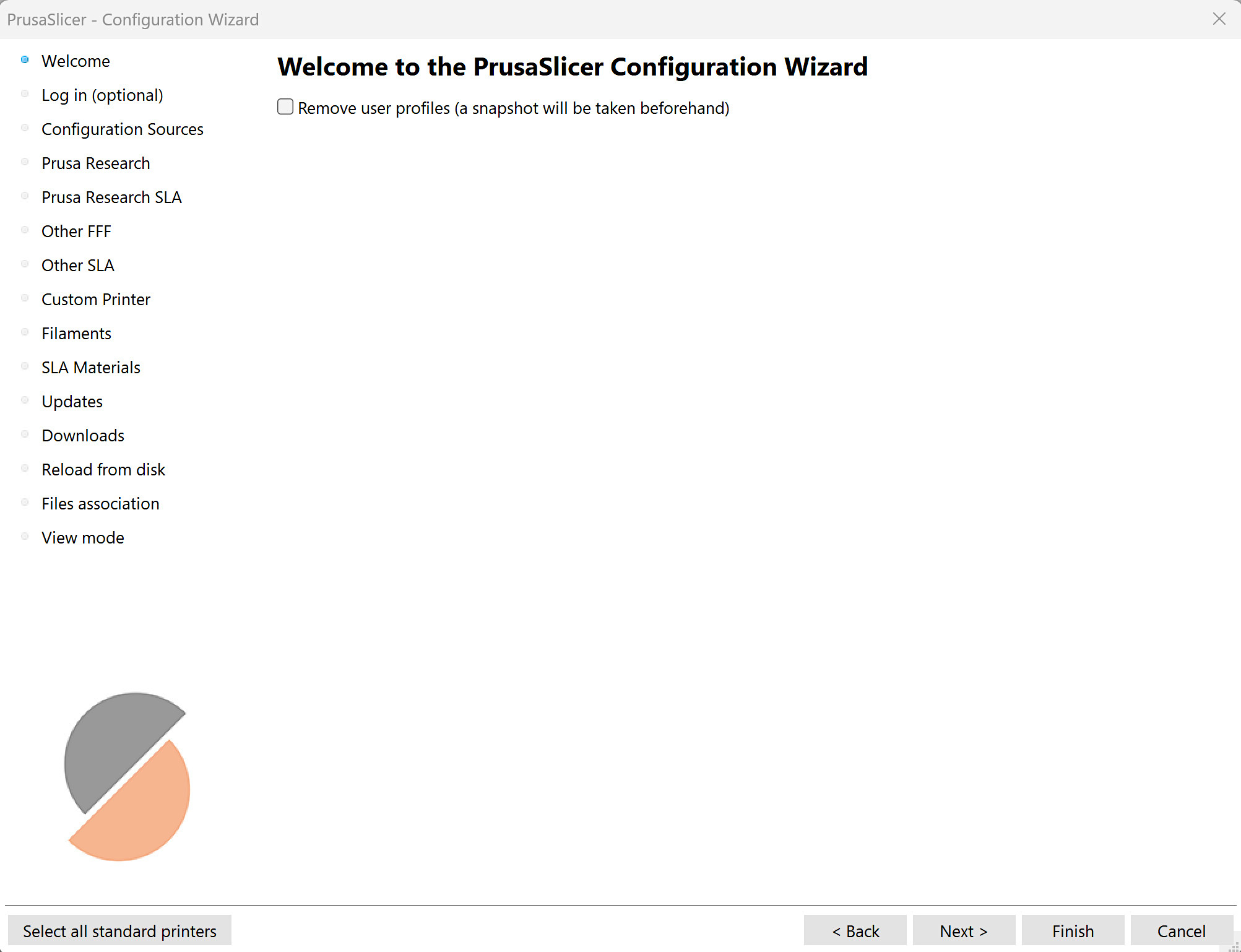
                  Welcome (remove user profiles)

                  The first welcome tab offers the option to remove all user profiles. 
                  Log in with your Prusa Account (optional)

                  It is possible to control your printer through the built-in Prusa Connect in PrusaSlicer, if logged in to your Prusa Account.

                  By logging in with your Prusa Account, the profiles are automatically downloaded, with no need to download them from the configuration sources. 
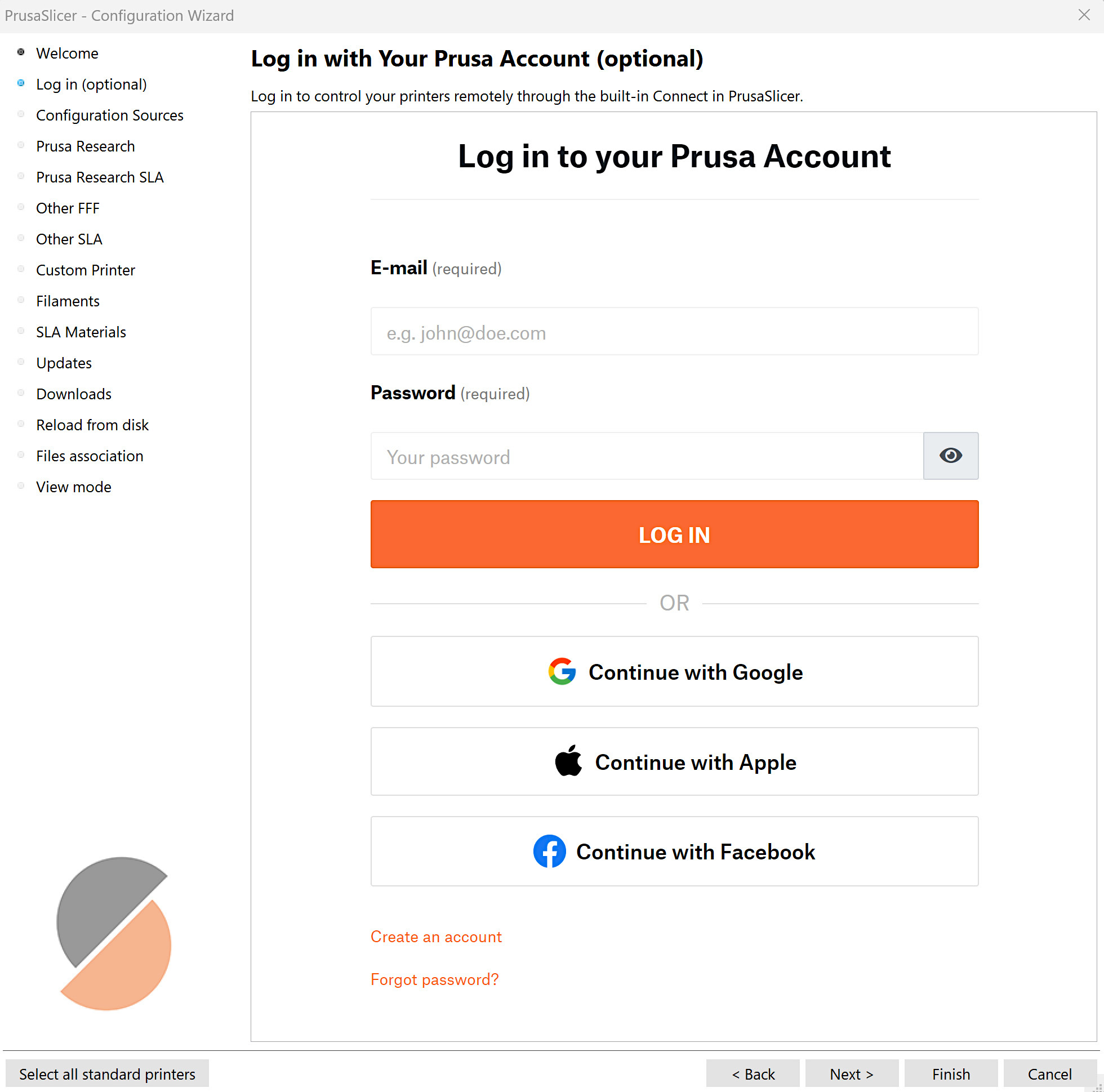
                  This function is optional. It is always possible to use PrusaSlicer without an account login. In that case, the next screen, Configuration Sources, will be used. 

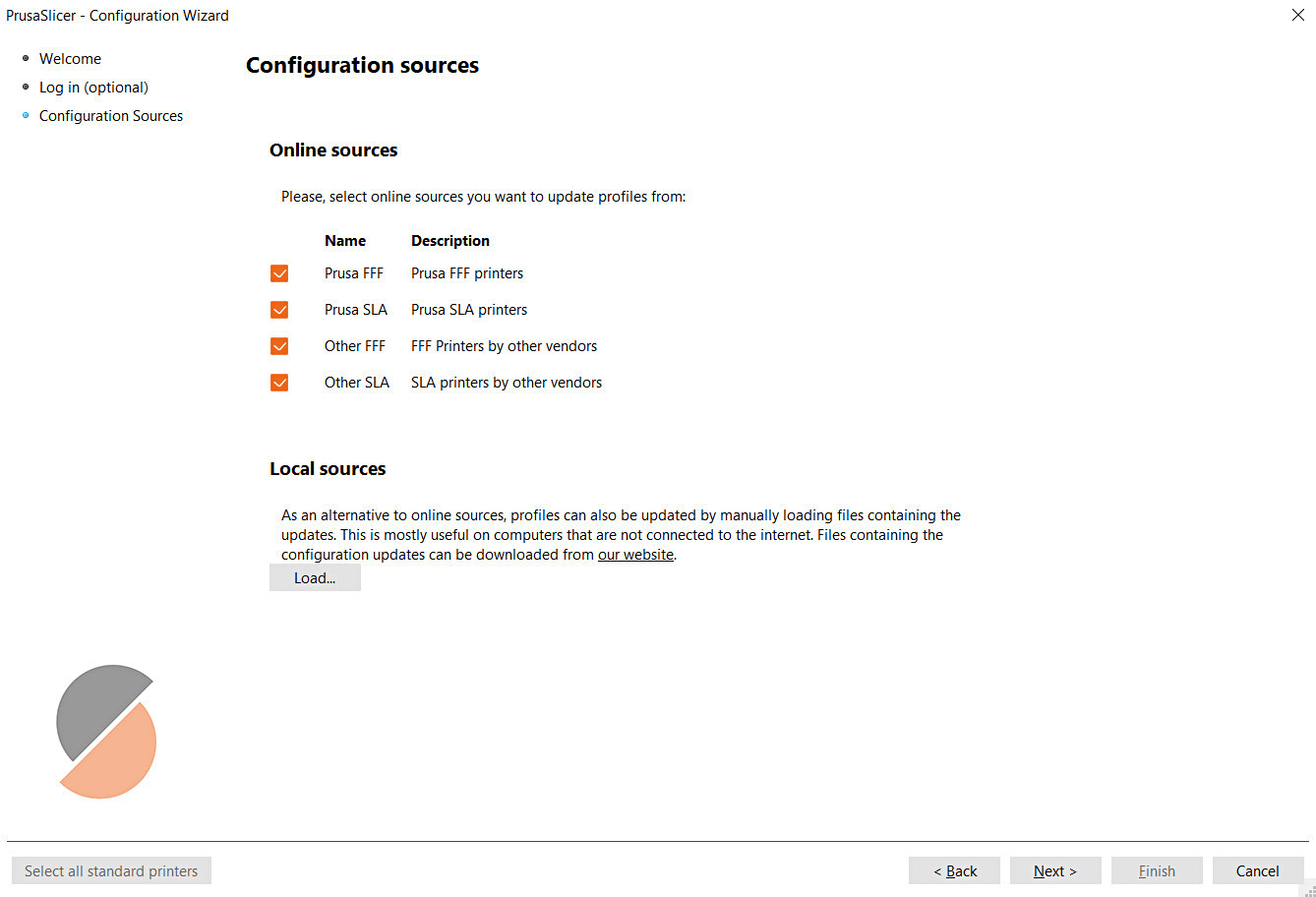
                  Configuration sources

                  This function is necessary when not logged in with a Prusa Account. There is an option to enable our online sources, that way the program automatically uses the source files from our webpage. 

                  Alternatively, it is possible to load your local sources for configuration files. We have our profiles on this dedicated page. The download button downloads a zip file that can be directly uploaded as a local source.
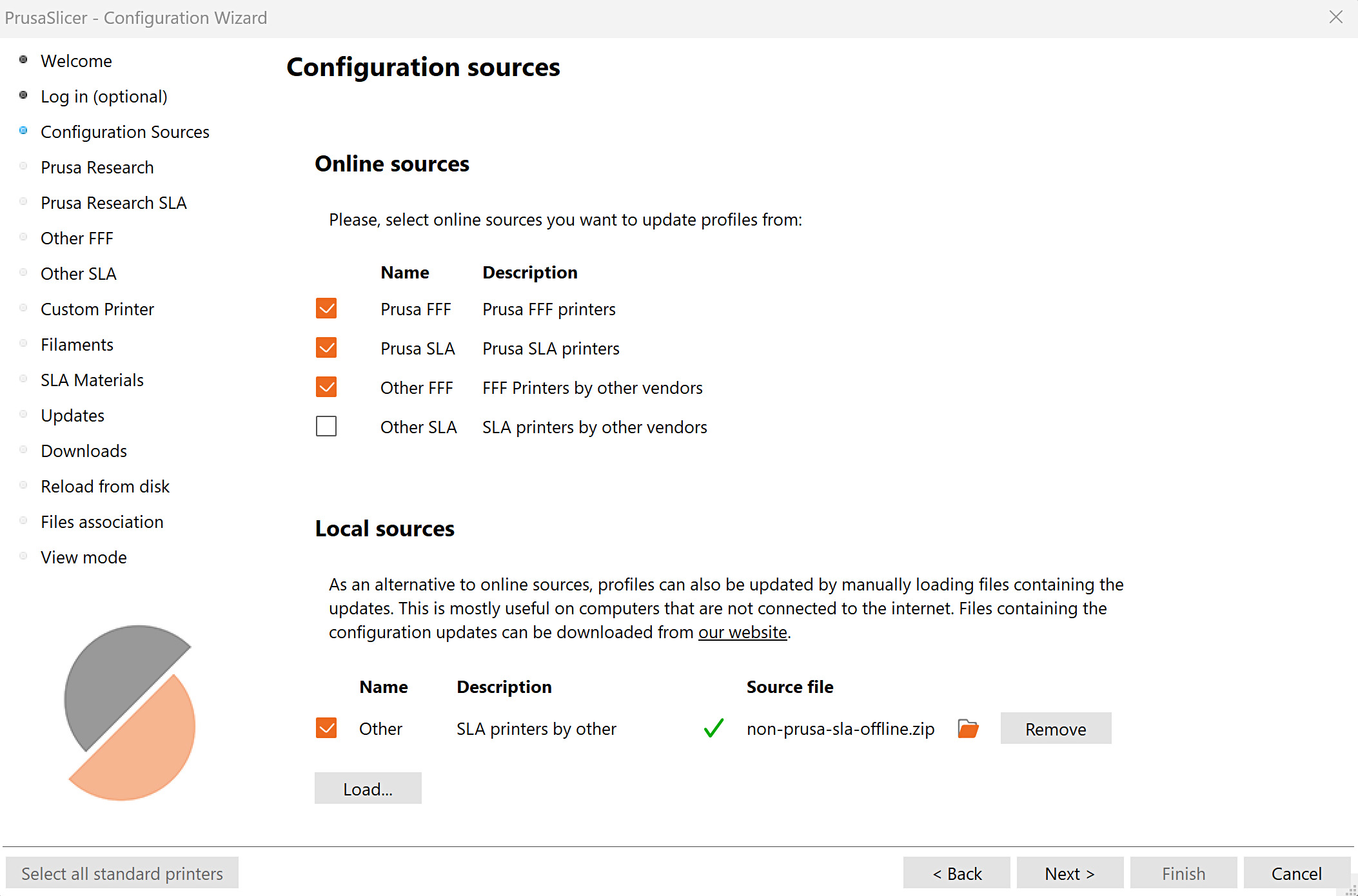
                  For the Prusa Pro HT90, it is necessary to load a local source, available only to HT90 owners on the manual profile download page, after logging in to your Prusa Account. 

                  Profiles

                  Prusa Research

                  The section shows a list of Original Prusa FFF printers, with different nozzle sizes. 
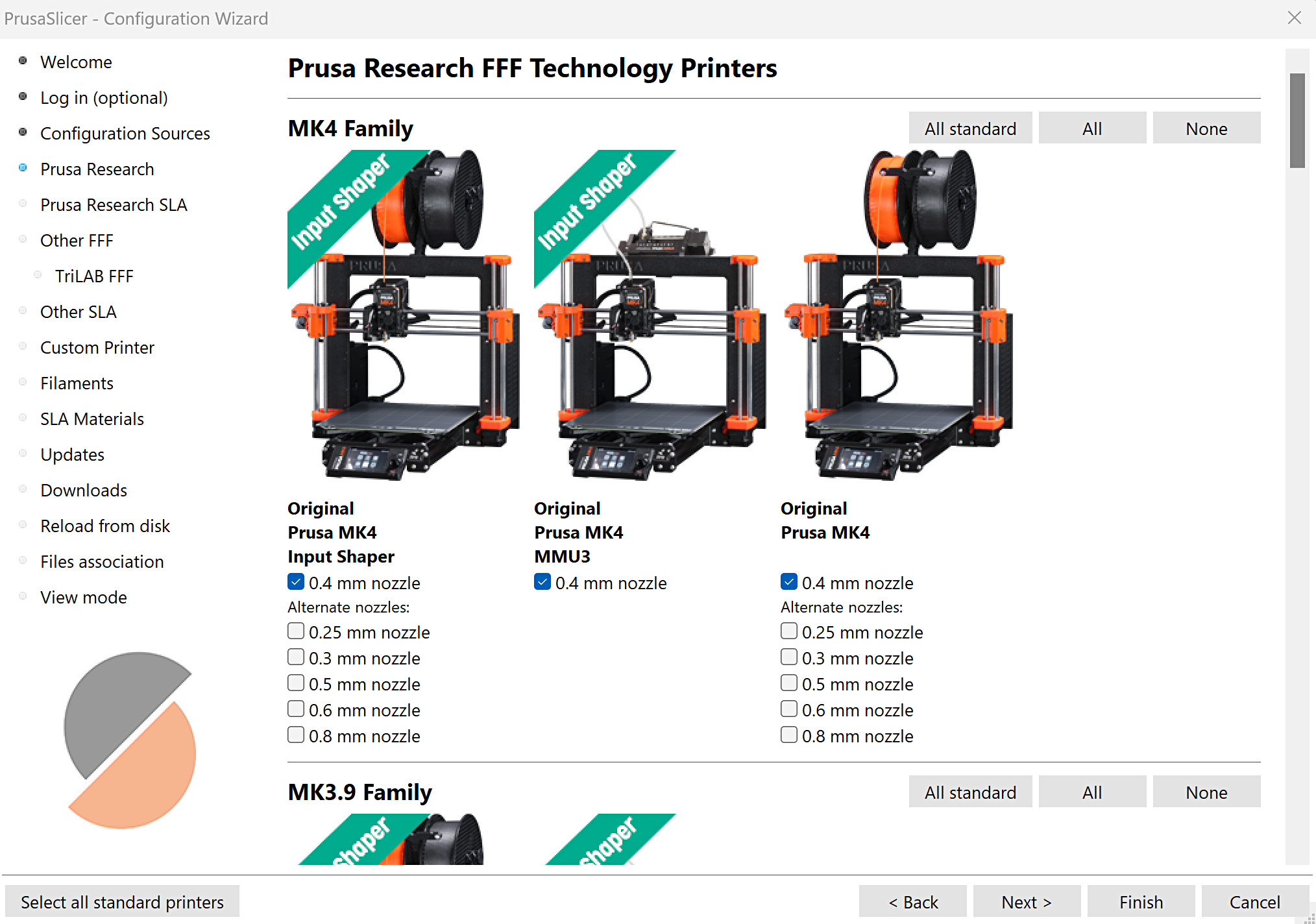
                  If a printer has both Input Shaper and non-Input Shaper profiles, this will be seen as two different printers. 

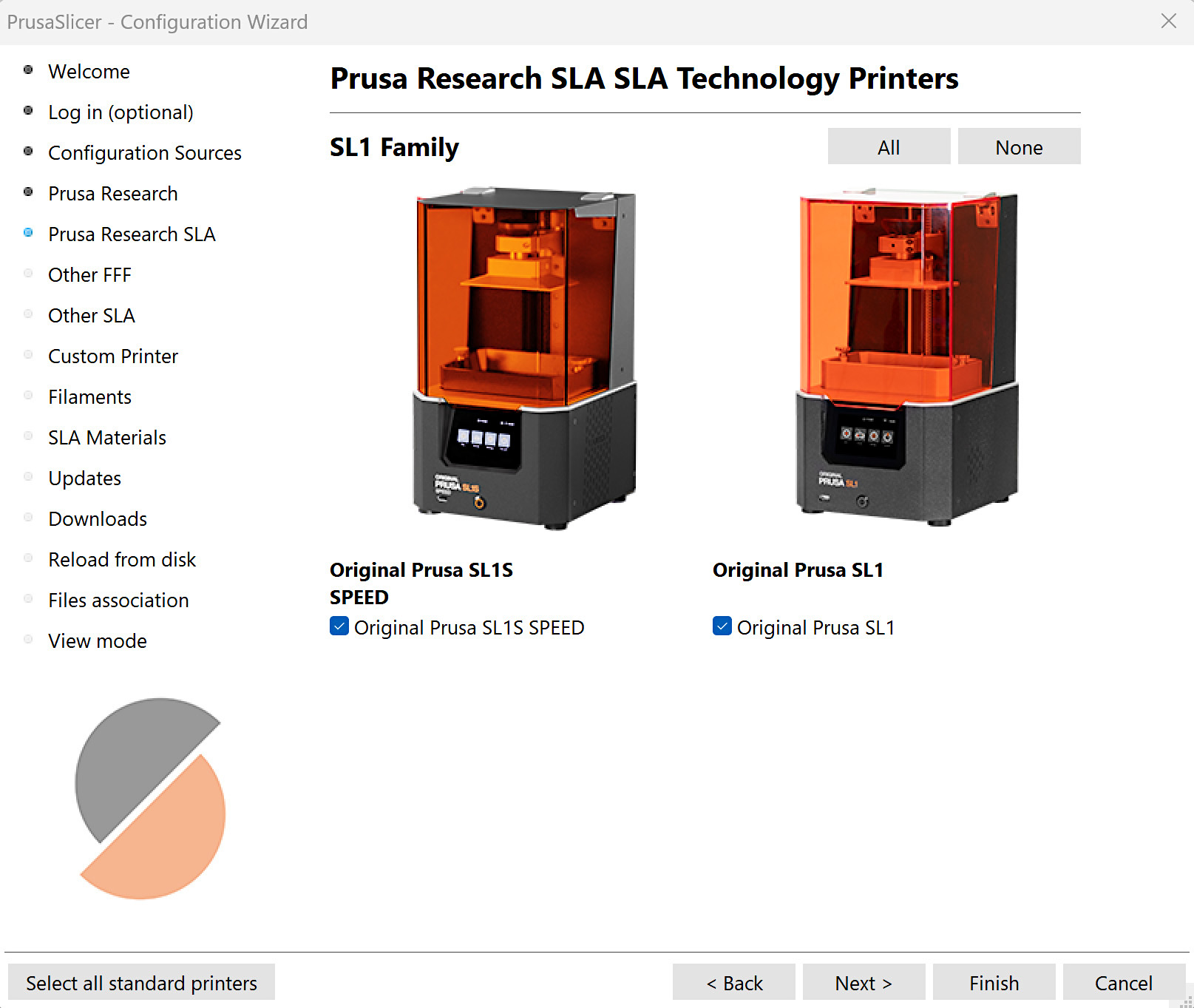
                  Prusa Research SLA

                  The section shows our Original Prusa SLA printers. 
                  Other FFF, Other SLA

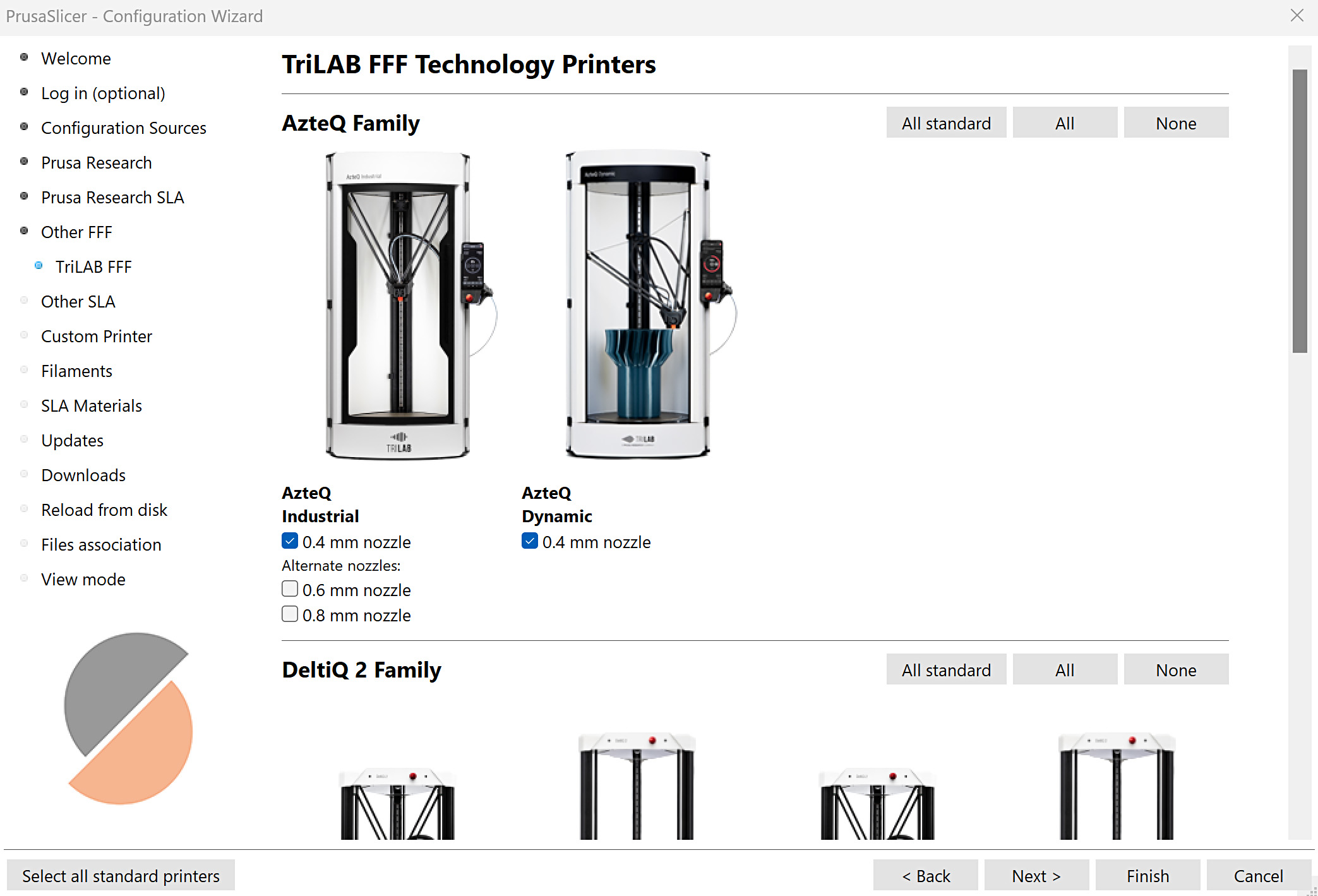
                  PrusaSlicer includes profiles for 3rd party vendors. Select the 3rd party vendor, this opens a new indented tab. Enter the indented tab and select the printer(s). More info is in a dedicated article on profiles for 3rd party printers. 
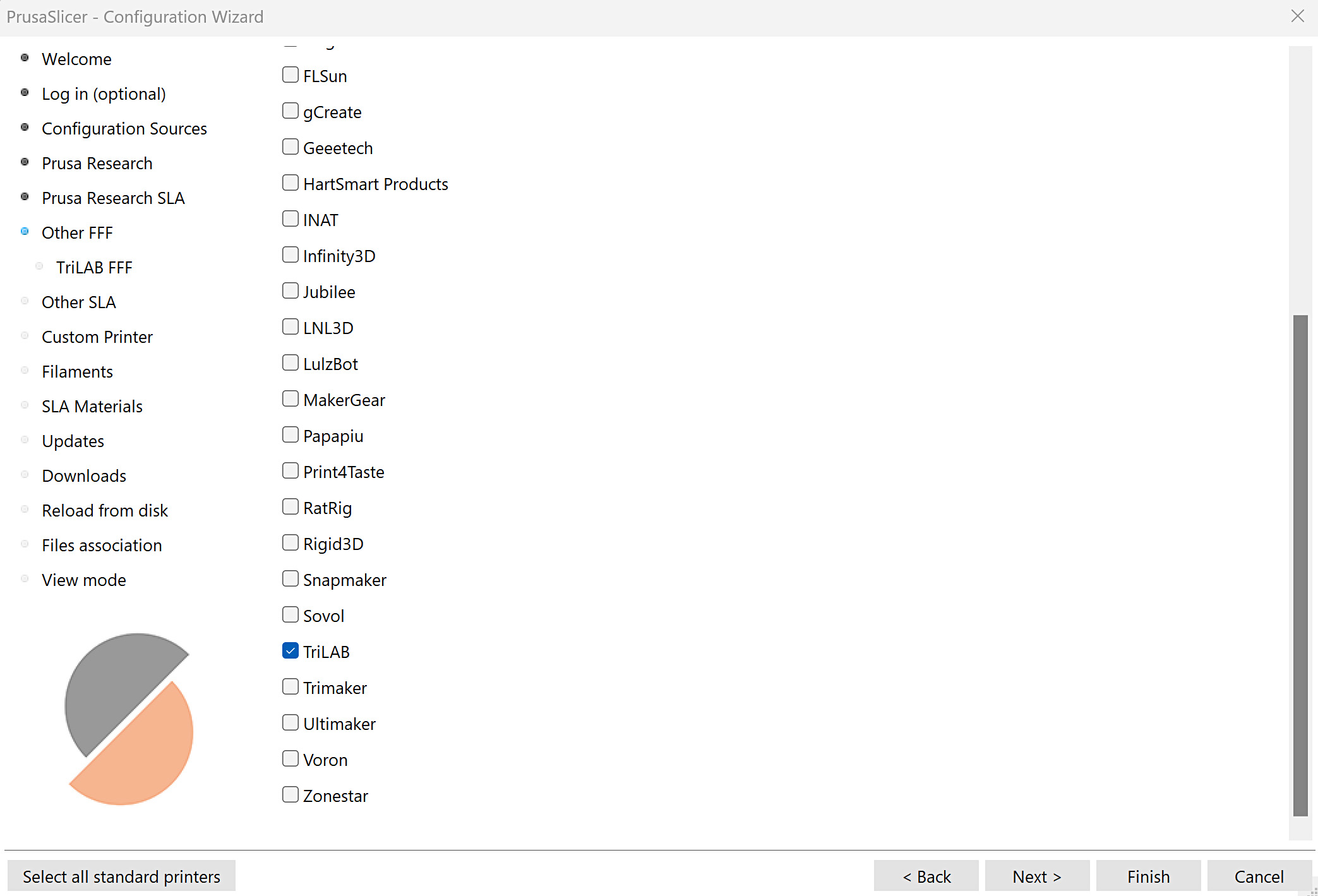
                  Custom printer

                  It is possible to define a custom printer profile. Ticking on the define a custom printer profile box opens new tabs under the Custom Printer tab, where it is possible to set the main parameters of the custom printer. 
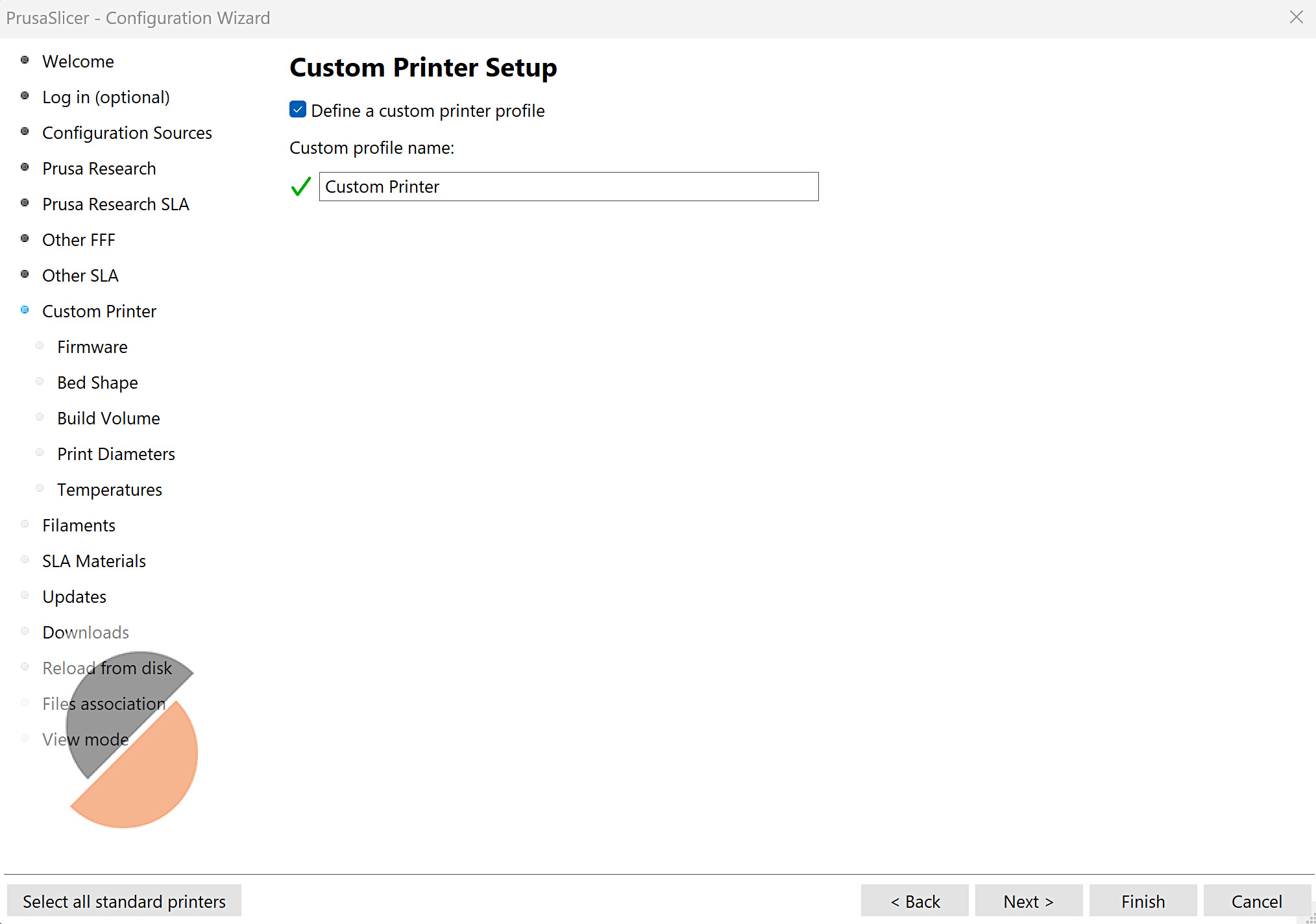
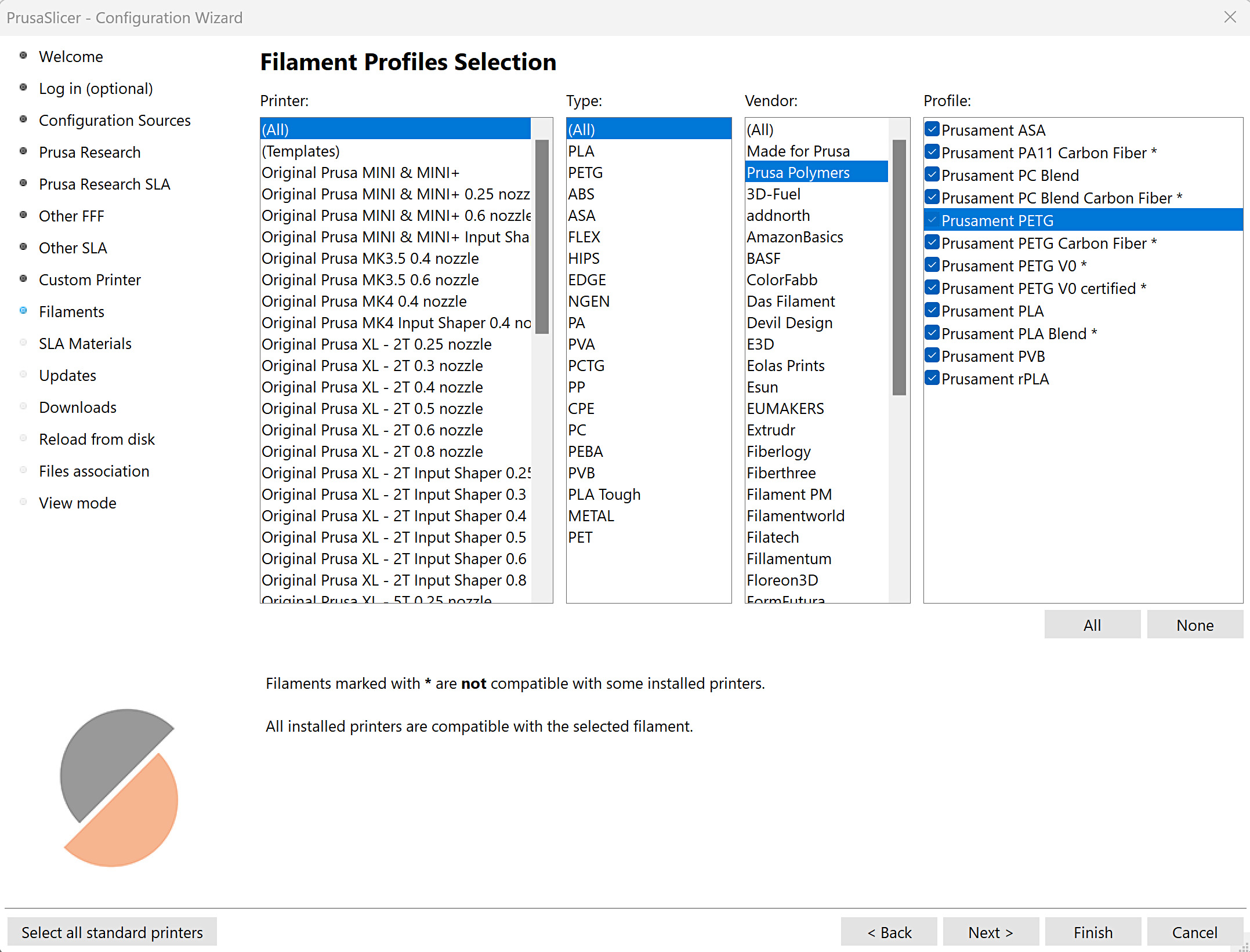
                  Filaments, SLA materials

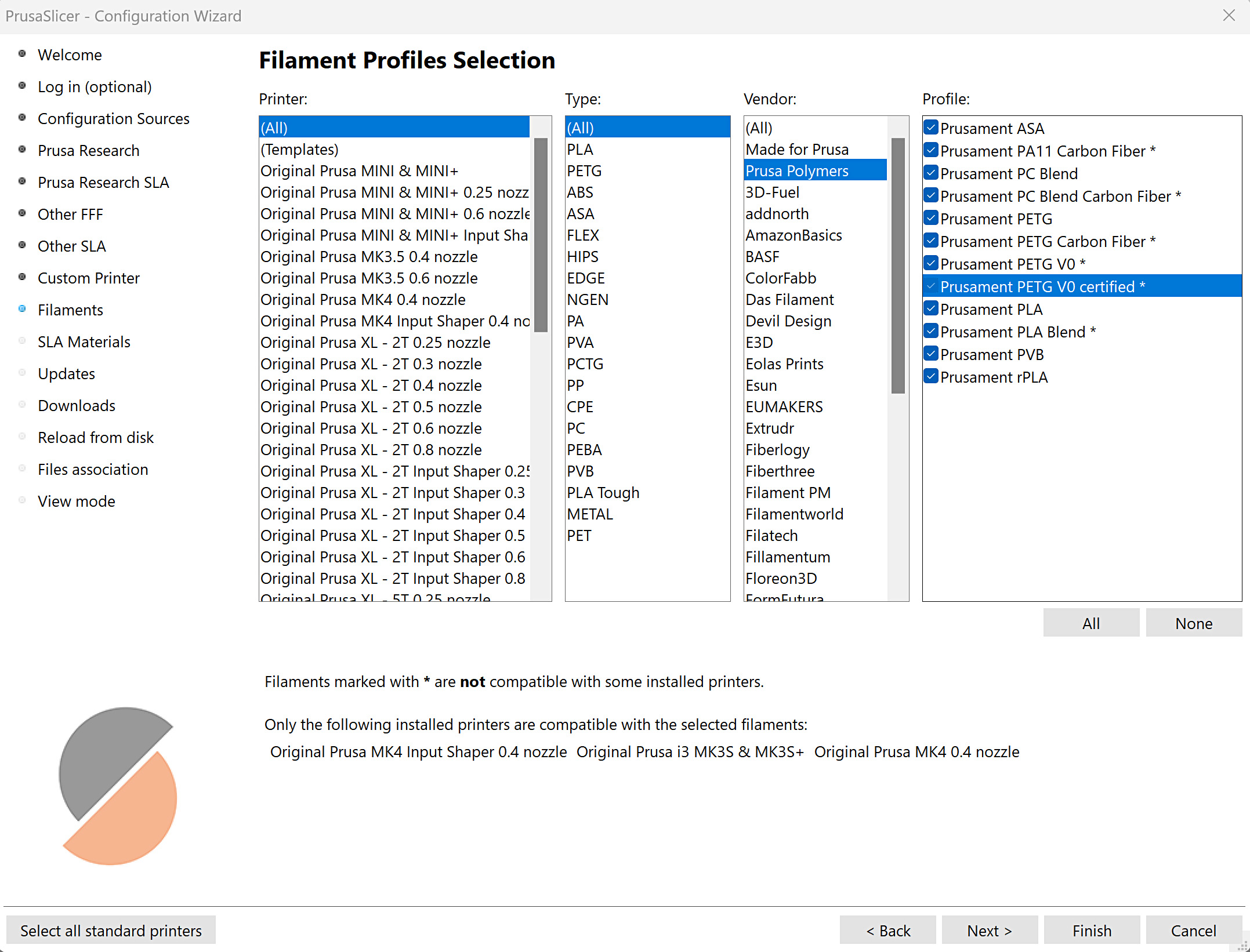
                  The section displays a list of selectable filaments or SLA materials, categorized by compatible printers, materials, and vendors. Materials marked with * are not compatible with one or more installed printers. 
                  Other options

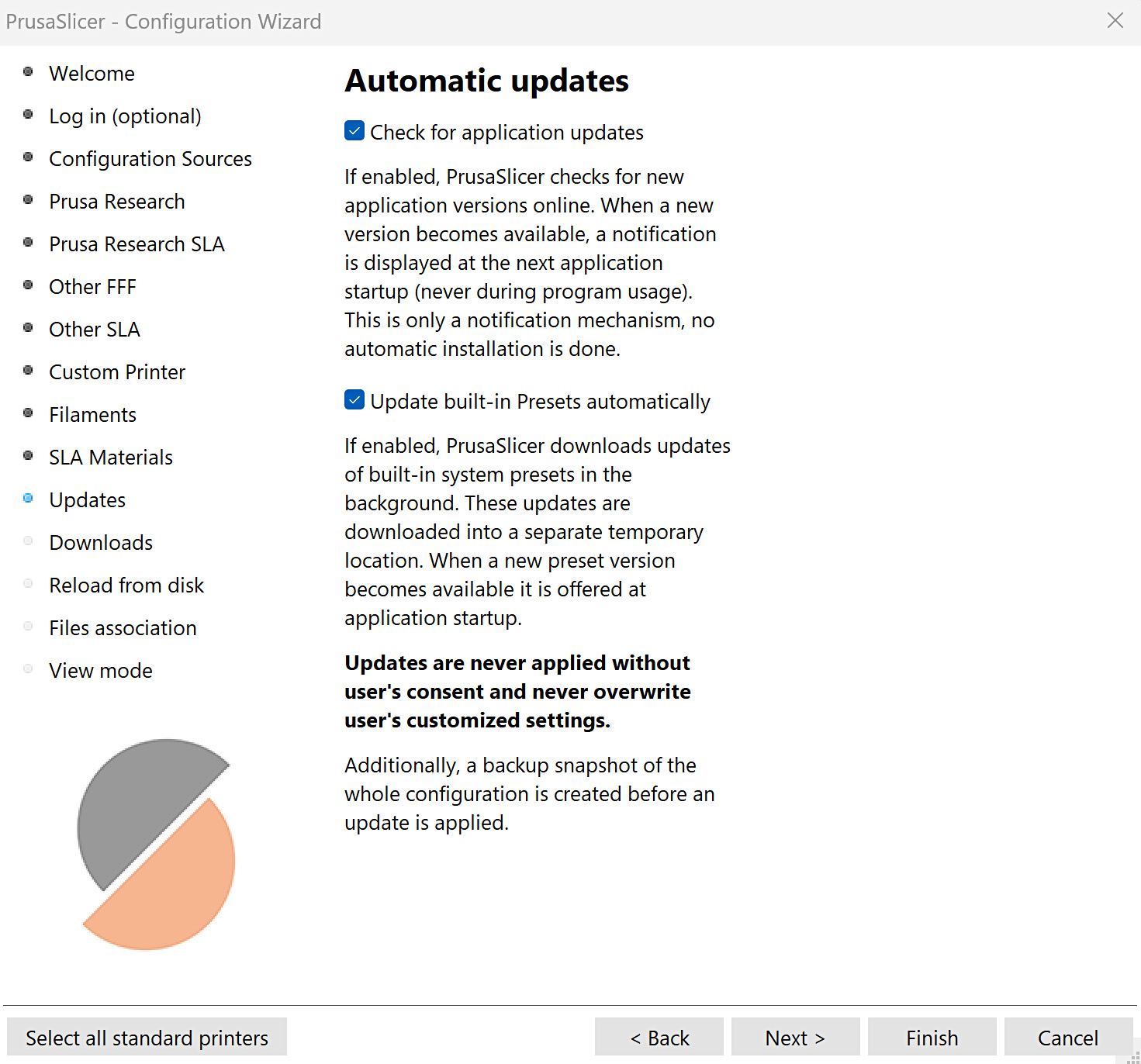
                  Updates

                  PrusaSlicer can be set to automatically check for application updates and to automatically update the built-in profiles. 
                  Downloads

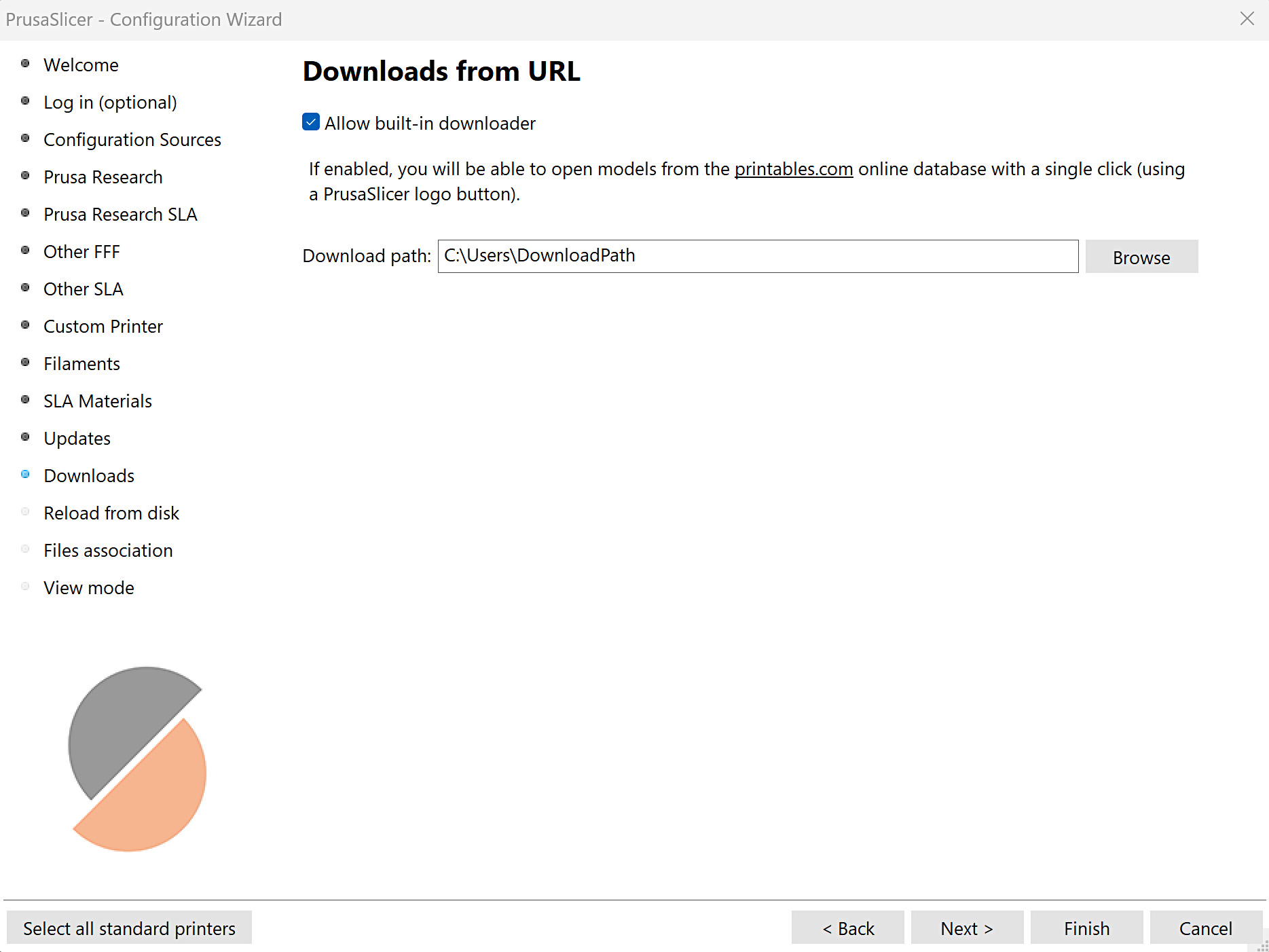
                  Selection for allowing built-in downloader. Enabling it makes it possible to open models from our online database Printables.com with a single click, using a PrusaSlicer logo button visible on the Printables.com model page. 
                  Reload from disk

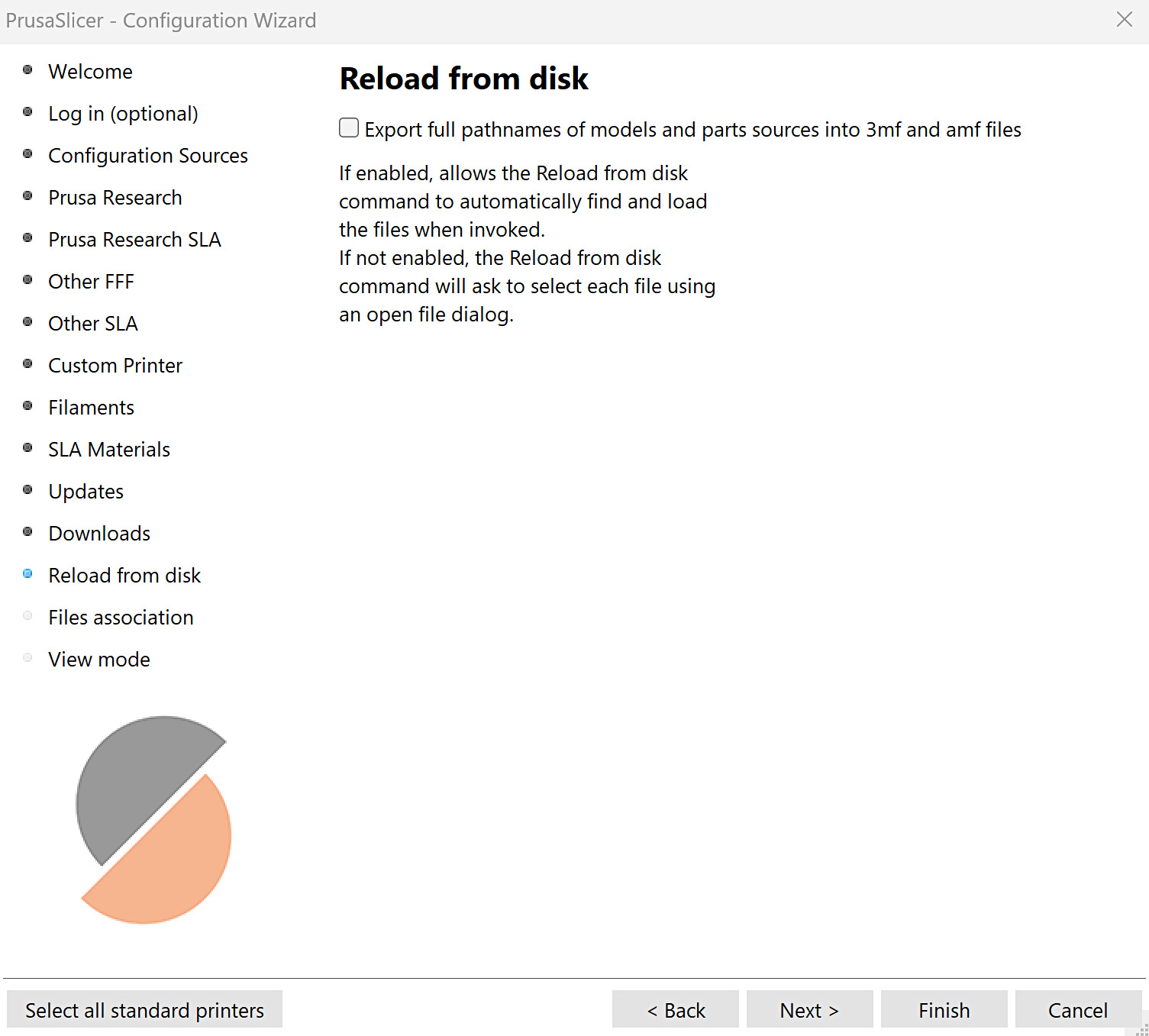
                  By default, 3MF project files are configured to not save the full path to the source models, as this can pose a security risk when sharing such a file. If the full path is not saved and Reload from disk is requested, PrusaSlicer will ask for the location of the source file. 
                  Files association

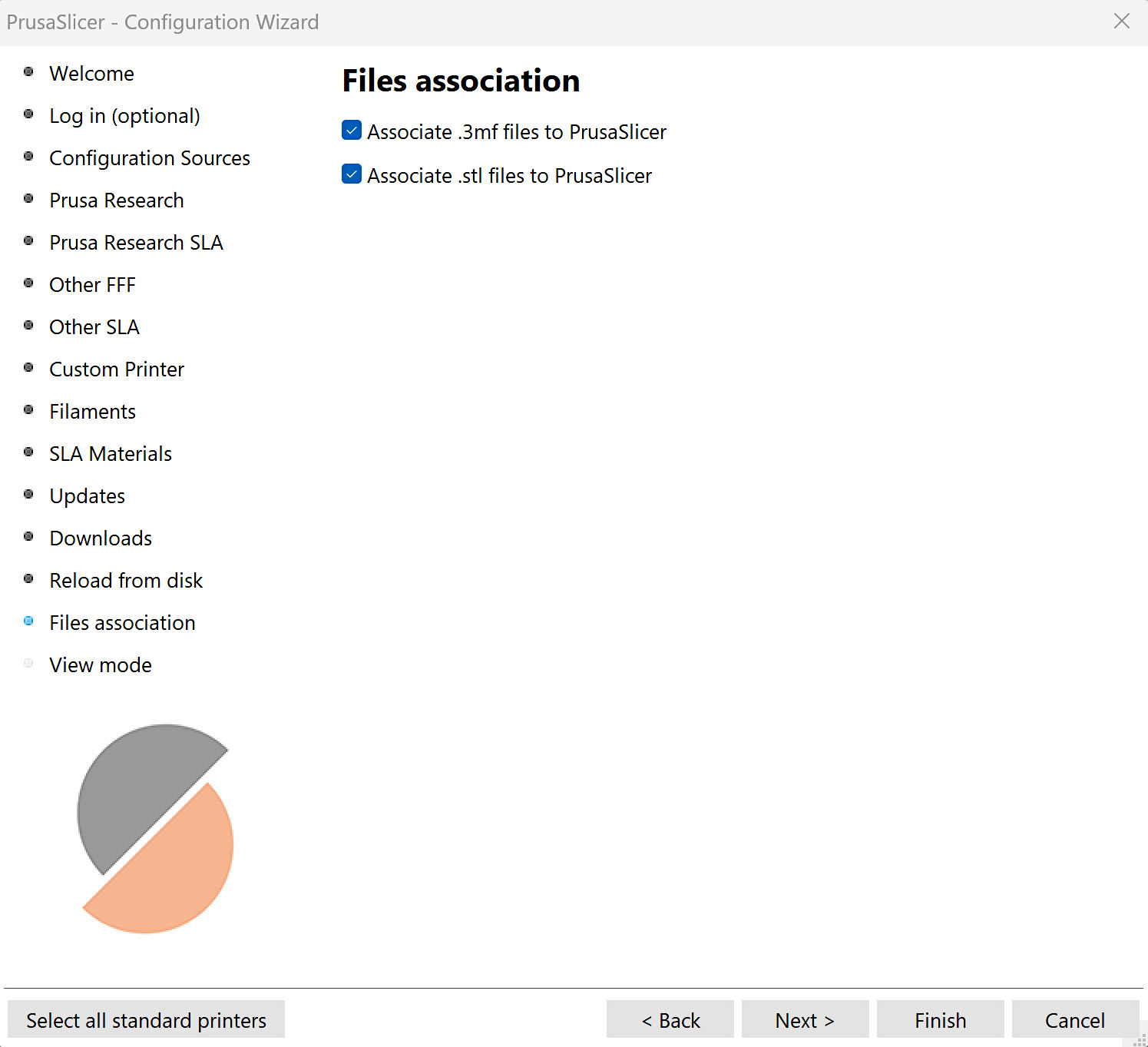
                  Associate 3mf and/or stl files with PrusaSlicer. If enabled, PrusaSlicer is set as the default program to open these formats. 
                  View mode

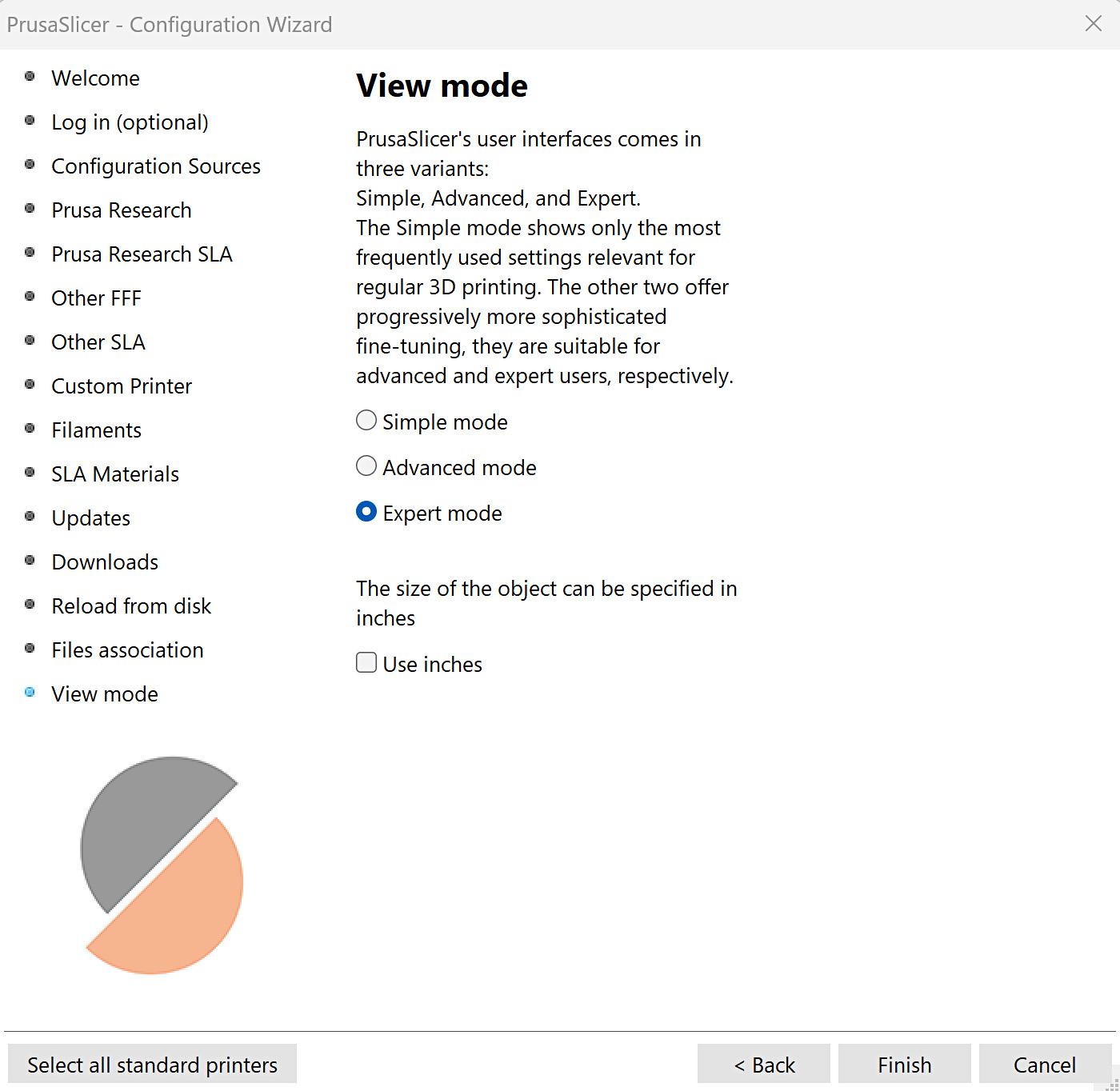
                  Select the view mode, between simple, advanced, and expert modes. Select a preference between metric or imperial measurements. 
                  Was this article helpful?
                  This action is available only to registered users. Please log-in.

                  Topics

                  • PrusaSlicer 2.9 (Legacy)
                    • Configuration and profiles
                      • Configuration Wizard
                      • Configuration snapshots
                      • Prusa firmware-specific G-code commands
                      • Preferences
                      • Sending G-codes to printer via network (Prusa Connect, PrusaLink, Octoprint)
                      • Profiles for 3rd party printers
                      • How to import and export custom profiles in PrusaSlicer
                      • Template filaments
                      • Buddy firmware-specific G-code commands
                      • Manual profile download for PrusaSlicer 2.9
                      • Importing profiles (HT90)
                    • About PrusaSlicer
                    • User interface
                    • Input/output
                    • Left toolbar
                    • Top toolbar
                    • Print settings
                    • Filament settings
                    • Printer settings
                    • Advanced features
                    • Multi-material slicing
                    • SLA slicing
                    • Other (PrusaSlicer)

                  10 comments

                  Log in  to post a comment
                  G Henry Bowser
                  •
                  Just installed the slicer on a new computer, windows 11. This machine is used by multiple students. How can we avoid each person having to log in and go through the configuration process. Is there a way to bypass the configuration process for each new user.
                  Reply
                  dirk.dijkstra
                  •
                  Hello Henry, I have the exact same question! Did you already find out how?
                  Reply
                  François75
                  •
                  Each time I have to cancel the config assistant and load the .ini config file.
                  How can I make the config permanent so it does not start the config assistant anymore ?
                  Reply
                  Pablo A.
                  •
                  Hello! I'm trying to add a new printer profile (Prusa XL) by using the configuration wizard, but no Prusa Research FFF printer are showing. I'm ticking the box Prusa FFF in the Configuration Sources section, but in the next step nothing appears. Prusa SLA seems to be working fine though.I also tried to add a local source, but the result is the same. Uninstalling and reinstalling the app didn't help. I'm using PrusaSlicer 2.9.
                  Could you please tell me if there is something else I can try?
                  Thanks!
                  Reply
                  AGriggs191
                  •
                  I use multiple computers for editing models and adjusting printing parameters for multiple printers. Is there a way I can transfer all settings, including printer profiles, added printers and all associated PrusaSlicer settings between computers via external storage? Thanks!
                  Reply
                  dirk.dijkstra
                  •
                  Hello AGriggs. I have the exact same question! Dit you already find out how?
                  Reply
                  dtburke
                  •
                  I just updated to PrusaSlicer 2.8.1. I use CAD FUSION360. In PrusaSlicer 2.8.0, I was able to have a 3D object move directly from Fusion360 to the build plate on Prusa Slicer, using Print Utility>Prusa Slicer>select the object>OK. I just select an object in Fusion and then the print utility, and the object appears on the build plate ready to slice.
                  In 2.8.1 this will not work if PrusaSlicer is already open. The window for PrusaSlicer appears, but the object is not on the build plate. Very weird.
                   However, if PrusaSlicer is not open and I use Print Utility>PrusaSlicer>select object>OK then PrusaSlicer is loaded up and the object appears on the build plate! However, any additional objects I then try to add to the build plate do not appear.
                  Reply