Relevant for


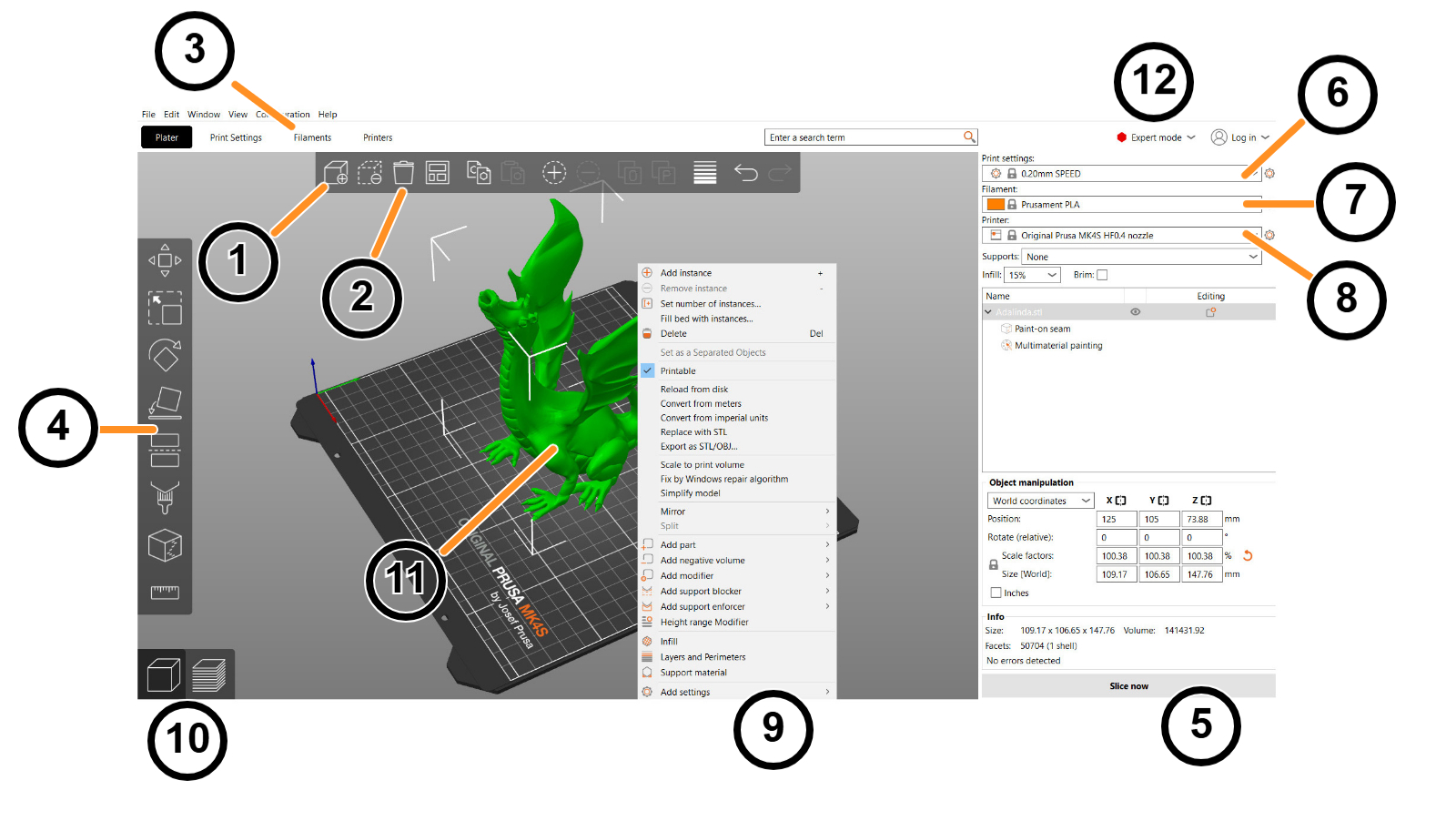
PrusaSlicer has a fairly simple user interface. Most of the screen is dedicated to the 3D view, which is used to manipulate 3D models. The top toolbar (1, 2) adds and removes objects. The left toolbar (4) has tools for manipulation with 3D models, such as the scale or rotate tool. The right panel is used mainly to select a print, filament, and printer profile (6, 7, 8) and to choose whether or not to generate supports or brim.
The “Slice now” button (5) is used to generate G-code, which can then be exported to an SD card or sent directly to a printer. Some of the advanced functions are hidden by default, you can enable them later by switching to the Advanced or Expert mode (12).
2 comments
We don't have this documentation yet. Please contact our customer support and they can help you.
The sentence about the right panel should mention the object list, at least.