Prusa
  • SHOP
    • Latest products
    BY CATEGORY
    • 3D printersnew
    • 3D printer upgradesnew
    • Materials
    • Accessories
    • Spare parts
    • Courses
    • Merch
    • Get a price quote
    QUICK LINKS
    • Shipping & delivery
    • Returns & refunds
    • Payment & financing
    • Warranty
    • VAT & Customs fees
    • FAQ

    0 item in your cartitems in your cart

    Your cart is empty

    Go to cartShop 3D printers

    My profile

    Log in to see orders, saved items

    My profile

    Signed in as

    • Orders
    • Logout
  • 3D PRINTING
    • Explore 3D printing
    FOR BEGINNERS
    • 3D printing 101
    • How FDM printing works
    • Buying your first printer
    • 3D model catalog
    BY APPLICATION
    • Rapid prototyping
    • Manufacturing
    • Engineering
    • Research
    • Arts & design
    GO DEEPER
    • Materials guide
    • Courses
    • Webinars
    • Case studies
    • Custom 3D printing
  • 3D PRINTERS
    • All 3D printers
    FOR
    • Home or garageHobbyists, tinkerers and home printing
    • BusinessIn-house production for small teams
    • EnterpriseFleets, security and scale
    • Which Prusa is right for me
    SHOP & BROWSE
    • CORE One+new
    • CORE One+ INDXnew
    • CORE One L+new
    • CORE One L+ INDXnew
    • XL+new
    • MK4S
    • Prusa Pro HT90
    • Prusa Pro AFS
    • Prusa Pro SLX
    MORE FROM PRINTERS
    • Parts & upgradesnew
    • Critical infrastructure
    • Case studies
    • Signature Oak
    • Kits
  • MATERIALS
    • All materials
    BY USE
    • Every-day & design
    • Functional engineering
    • Composites
    • Pro speciality
    • SLA resins
    PRUSAMENT
    • PLA
    • PETG
    • ASA
    • PC
    • PA11
    • Flex
    • TPU
    MORE FROM MATERIALS
    • Materials guide
    • We make material in house
    • Sustainability
    • Order on the store
  • SOFTWARE
    • All software
    PREPARE THE PRINT
    • PrusaSlicer 3.0New
    PRINT & MONITOR
    • Prusa Connect
    • EasyPrint
    • iOS & Android app
    • Prusa Farm
    GET STARTED
    • Download & install
    • Knowledge base
    MORE FROM SOFTWARE
    • 3D model catalog
  • SUPPORT
    • Explore support
    FIND ANSWERS
    • Knowledge base
    • Troubleshooting
    • Courses
    • Webinars
    GET HELP
    • Contact us
    • Livechat
    • Shipping & delivery
    • Warranty
    • Returns & refunds
    • Service & spare parts
    • Service & Repair
    COMMUNITY
    • Forum
    • Reddit
    • Printables
  • TRUST CENTER
    • Trust Center overview
    BY TOPIC
    • GDPR
    • Certificates
    • Security
    • Compliance
    COMMITMENTS
    • Sustainability report
    TALK TO US
    • Contact the security team
  • COMPANY
    • About Prusa
    GET TO KNOW US
    • Our story
    • How we make printers
    • Open source
    • Brand & media kit
    NEWS
    • Blog
    • Newsroom
    • Events
    TRUST & PARTNERS
    • Sustainability
    • Resellers & distributors
    • Affiliate program
    • Contact
    • English
    • Čeština
    • Deutsch
    • Español
    • Français
    • Italiano
    • Polski
    • 日本語
  • Signed in as

    • Orders
    • Address
    • In-stock Alerts
    • My Courses
    • Subscription
    • Edit Account
    • Logout

Log in to see orders, saved items

Signed in as
  • Orders
  • Address
  • In-stock Alerts
  • My Courses
  • Subscription
  • Edit Account
  • English
  • Čeština
  • Deutsch
  • Español
  • Français
  • Italiano
  • Polski
  • 日本語
Shop

0 item in your cartitems in your cart

Your cart is empty

Go to cartShop 3D printers

My profile

Log in to see orders, saved items

My profile

Signed in as

  • Orders
  • Logout
SHOP
  • Latest products
BY CATEGORY
  • 3D printersnew
  • 3D printer upgradesnew
  • Materials
  • Accessories
  • Spare parts
  • Courses
  • Merch
  • Get a price quote
QUICK LINKS
  • Shipping & delivery
  • Returns & refunds
  • Payment & financing
  • Warranty
  • VAT & Customs fees
  • FAQ

Featured products

    Popular categories

      Trending searches

        Articles

          Blog

            Products

              Categories

                Suggested searches

                  Searching…
                  No results
                  Something went wrong.
                  ↑↓ Select↵ OpenEsc Close search
                  1. Support
                  2. About PrusaSlicer
                  3. First print with PrusaSlicer (2.9)
                   

                  Contents

                  • Model import
                  • Model orientation
                  • Selecting printer
                  • Selecting material
                  • Selecting a print profile/layer height
                  • Supports
                  • Infill
                  • brim
                  • Previewing G-code before print
                  • Exporting the G-code

                  Blog

                  • Prusament Pellets: Raw material batches for large-format 3D printing or small-scale polymer research & development
                  • Print colorful and glowing Halloween decorations with our spooky offer
                  • Factorio Has Arrived on Printables

                  Newsletter

                  Signup and get our monthly squeeze on updates, blog, printables and much more.

                  By clicking, you agree to receive our newsletter.

                  This site is protected by reCAPTCHA Enterprise and the Google Privacy Policy and Terms of Service apply.

                  Factorio Transport Belts
                  E-shop
                  • 3D Printers
                  • Printer Upgrades
                  • Filaments
                  • Accessories
                  • Prusa Merchandise

                  © Prusa Research a.s.

                  Printables
                  • 3D Models
                  • Store
                  • Clubs
                  • 3D Design Contests
                  • Brands
                  Community
                  • World Map
                  • Forum
                  • User Groups
                  • Events
                  Help
                  • Prusa Help
                  • Prusa Academy
                  • 3D Printing Calculators
                  Software
                  • PrusaSlicer
                  • Prusa.app
                  • Prusa Connect
                  • Drivers and Software
                  Company
                  • About Us
                  • Blog
                  • Official Prusa Resellers
                  • Contact Us
                  • Certified for ISO 9001, ISO 14001, ISO 45001
                  • General Terms and Conditions
                  • General Terms and Conditions of Use of the PRUSA Websites
                  • Privacy Policy
                  • Information about cookies
                  • Customer Complaints Policy
                  • Status Page
                  • Do Not Sell or Share My Personal Information
                  • Supplemental Statements
                  • General Terms and Conditions
                  • General Terms and Conditions of Use of the PRUSA Websites
                  • Privacy Policy
                  • Information about cookies
                  • Customer Complaints Policy
                  • Status Page
                  • Do Not Sell or Share My Personal Information
                  • Supplemental Statements

                  © Prusa Research a.s.

                  JOSEF PRUSA®, PRUSA RESEARCH®, PRUSA POLYMERS®, PRUSA ORANGE®, PRUSA 3D ® AND PRUSAMENT® are registered trademarks of Prusa Development a.s. used by Prusa Research a.s. under licence from Prusa Development a.s.

                  First print with PrusaSlicer (2.9)

                  Relevant for

                  MK4 family
                  XL family
                  MMU family
                  MINI family
                  MK3 family
                  +
                  14 comments
                  Article is also available in following languages
                  English
                  Čeština
                  Polski
                  Deutsch
                  Français
                  Español
                  Italiano
                  日本語

                  If you are using PrusaSlicer for the first time to generate a gcode or bgcode for printing, you can follow the steps below.

                  Click on the links to get more information about the available features.

                  The images below might be from old PrusaSlicer versions, but the functionalities are the same even if the interface looks different.

                  Model import

                  First, you have to import your model. You can either drag and drop it directly to the PrusaSlicer window, use the Add button in the top toolbar, or choose File - Import.

                  Supported 3D formats are STL, STEP, 3MF, OBJ, and AMF.

                  Model orientation

                  Your model may be oriented incorrectly after import. If that’s the case you can use the Rotate tool R to manually adjust to the object’s orientation. When you pick a rotation axis, you can use the short guidelines to rotate by 5-degree increments or the long guidelines, which snap to 45-degree increments.

                  Alternatively, you can use the Place on Face tool. When you select it, several white planes will appear on your model. Clicking on the white plane will align it with the virtual print bed.


                  Selecting printer

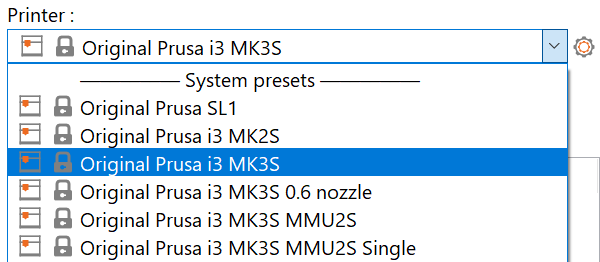
                  If you only selected one printer and nozzle size in the Configuration Wizard, you already have the correct printer selected. If you choose to import multiple printer profiles, select the one you wish to use from the drop-down menu in the right panel.
                  Selecting material

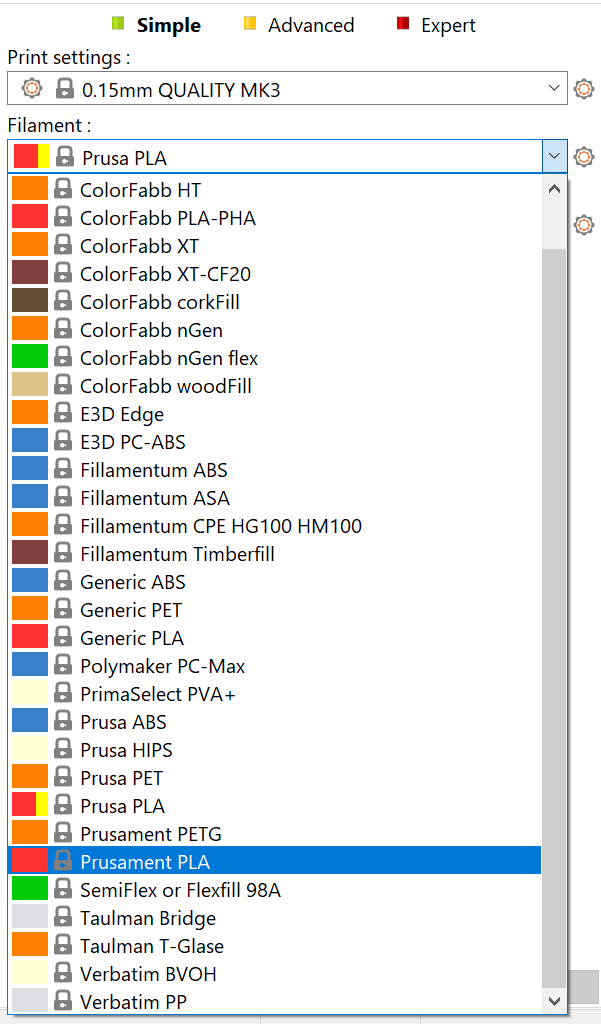
                  Different materials require different print temperatures, print speed, cooling, and a variety of other settings. Luckily, PrusaSlicer comes with presets for many different materials, so you just have to select one from the drop-down menu in the right panel.
                  Selecting a print profile/layer height

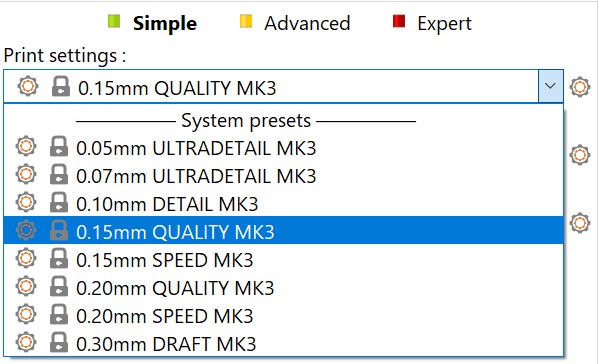
                  By adjusting the height of the individual printed layers you can balance the print quality and the print time. PrusaSlicer has various print profiles to select from. To start we suggest using 0.15 or 0.2 mm layers as they offer very good print quality at reasonable print times.
                  Supports

                  Because each layer rests on top of the previous one, it may be necessary to print a support structure underneath parts, that would otherwise be printed in mid-air. Additionally, it’s difficult for the printer to reproduce very steep overhangs. PrusaSlicer can detect where to place supports and generate them automatically. To turn supports on pick either Supports: Everywhere or Supports: On build plate only from the drop-down menu in the right panel.
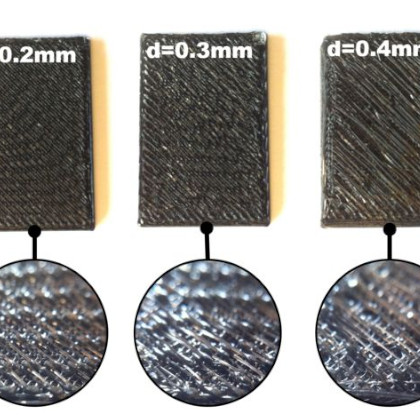
                  A model that needs supports (left), a model with generated supports (right)

                  Infill

                  Objects are typically not printed solid, but not hollow either. A sparse infill pattern is used to fill the inside of the model. The main purpose of the infill is to provide an internal support structure for top layers, as well as to improve the mechanical properties of the print. On the other hand, we usually want to get away with as little infill as possible to reduce both print times and material consumption.

                  The amount of infill can be adjusted in the right panel. Generally, values around 15% work well.
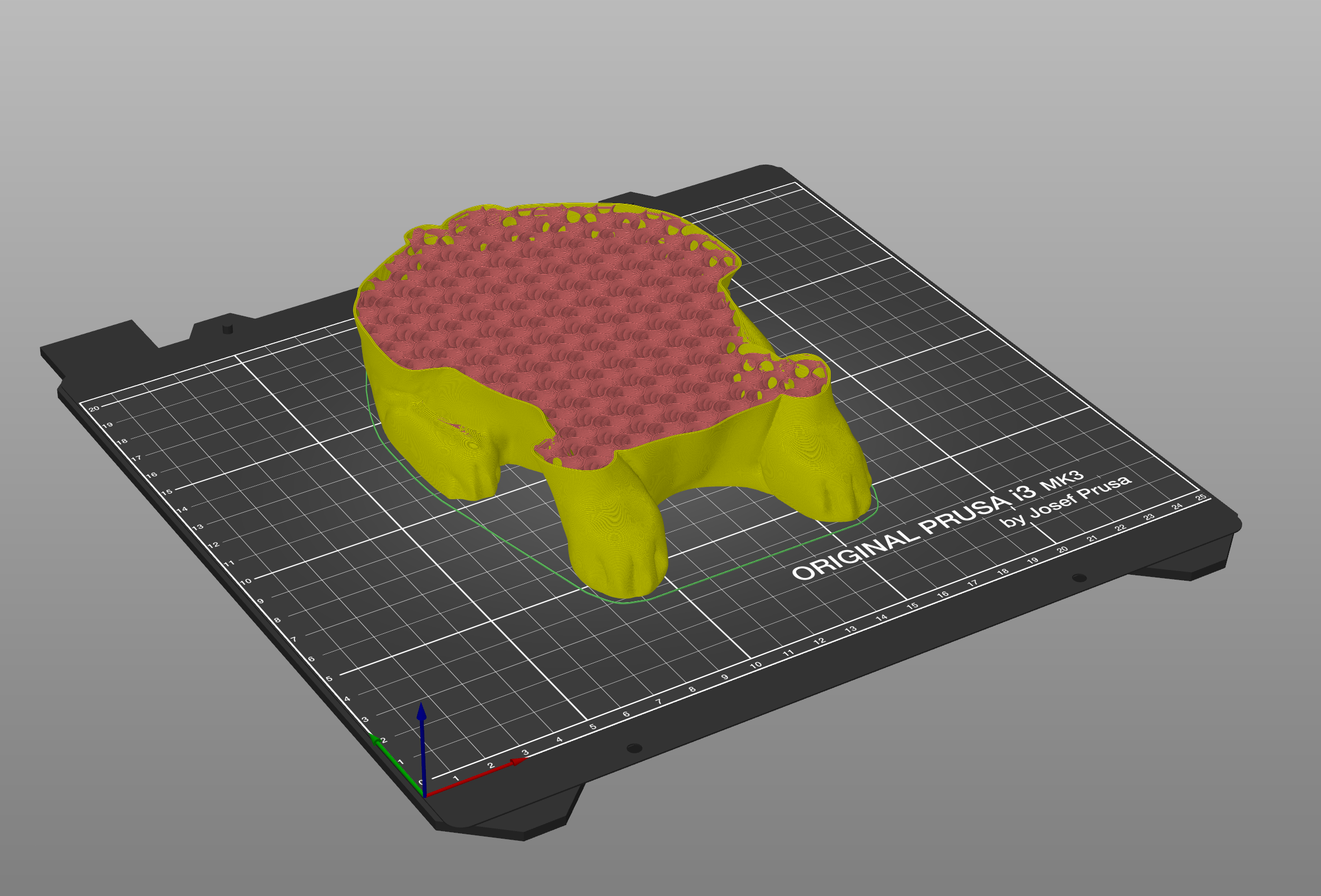
                  brim

                  A brim is used to increase adhesion to the print bed and decrease the possibility of warping. This is done by printing extra outlines of the first layer and it’s especially useful when the footprint of the first layer is very small. You can turn it on with a checkbox in the right panel. When the print is finished, it’s usually very easy to remove the brim by hand.
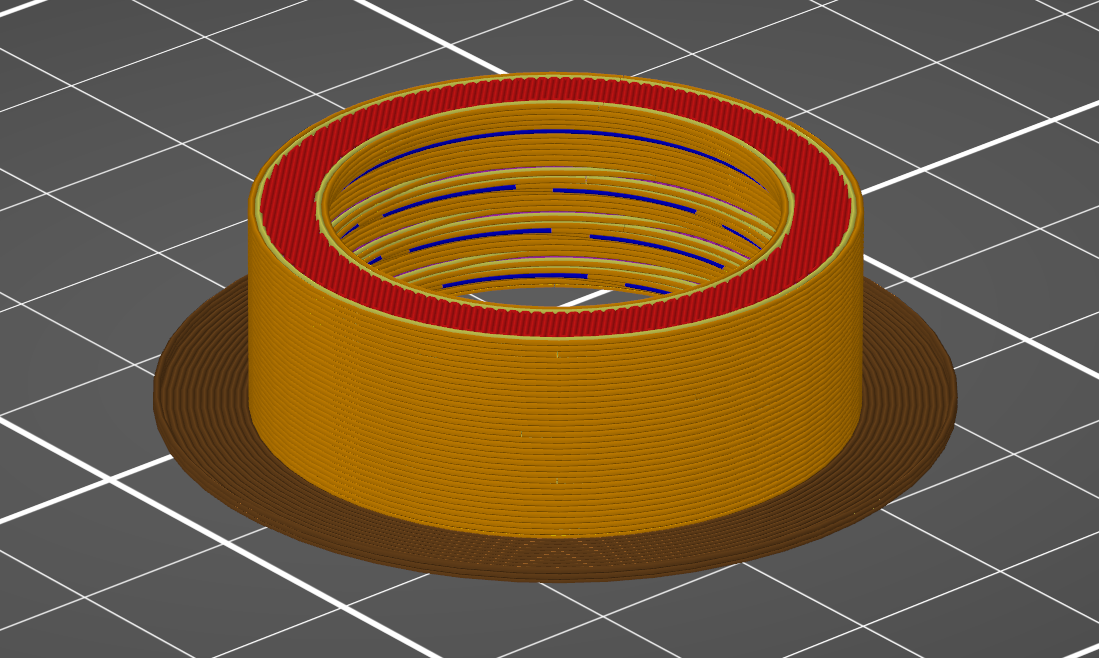
                  Previewing G-code before print

                  It’s a good practice to always preview the G-code before printing it. When you click the "Slice now" button, you’ll be automatically switched to the preview mode. Alternatively, you can use the switch between 3D view and preview mode in the lower-left corner or press the TAB key. Using the slider on the right, you can adjust the preview and inspect individual layers. Check the overall shape of the model and make sure it matches the 3D object. Watch out for parts, that would start printing in mid-air, if you notice any, it’s necessary to turn on support generation. If everything looks alright, you can proceed and select Export G-code.
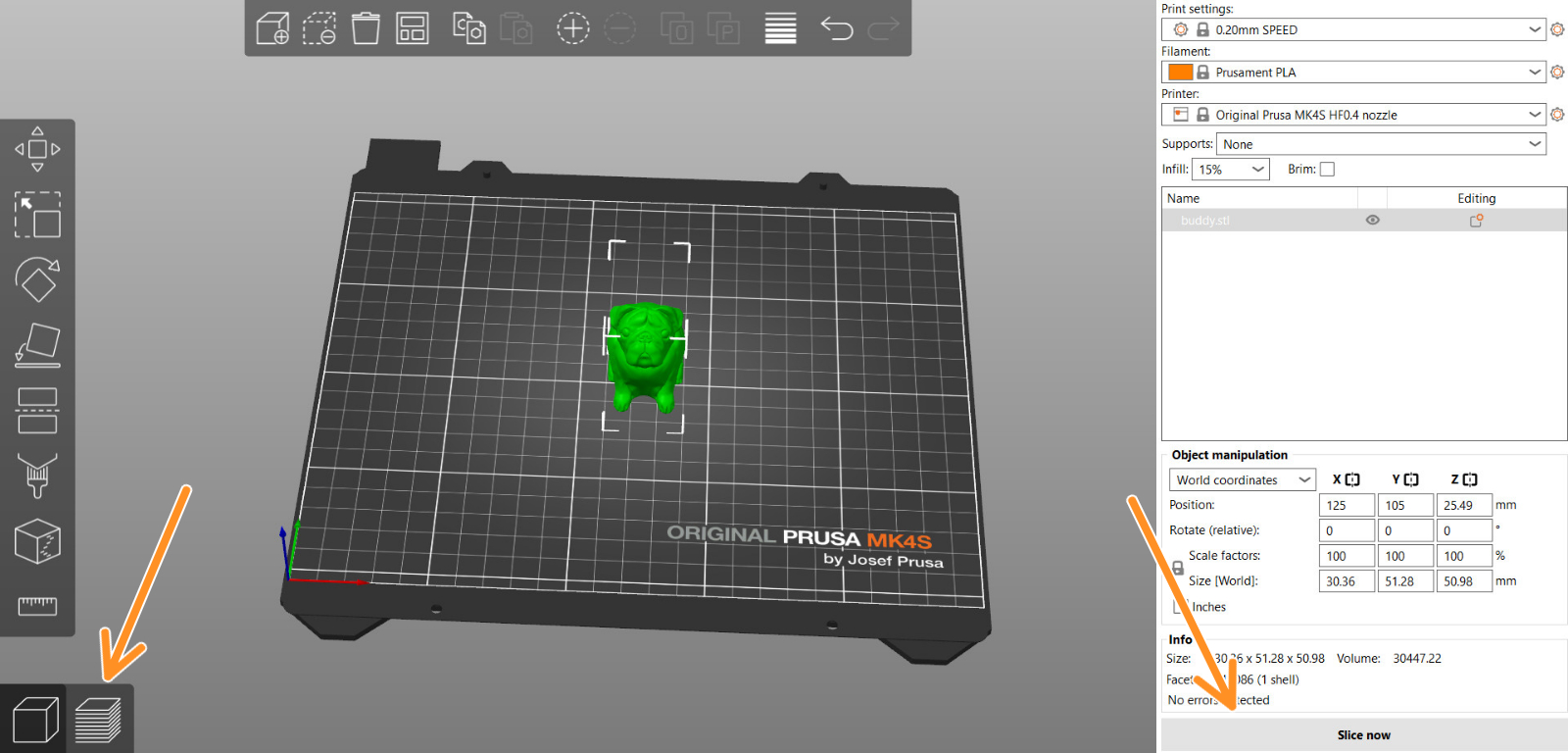
                  Exporting the G-code

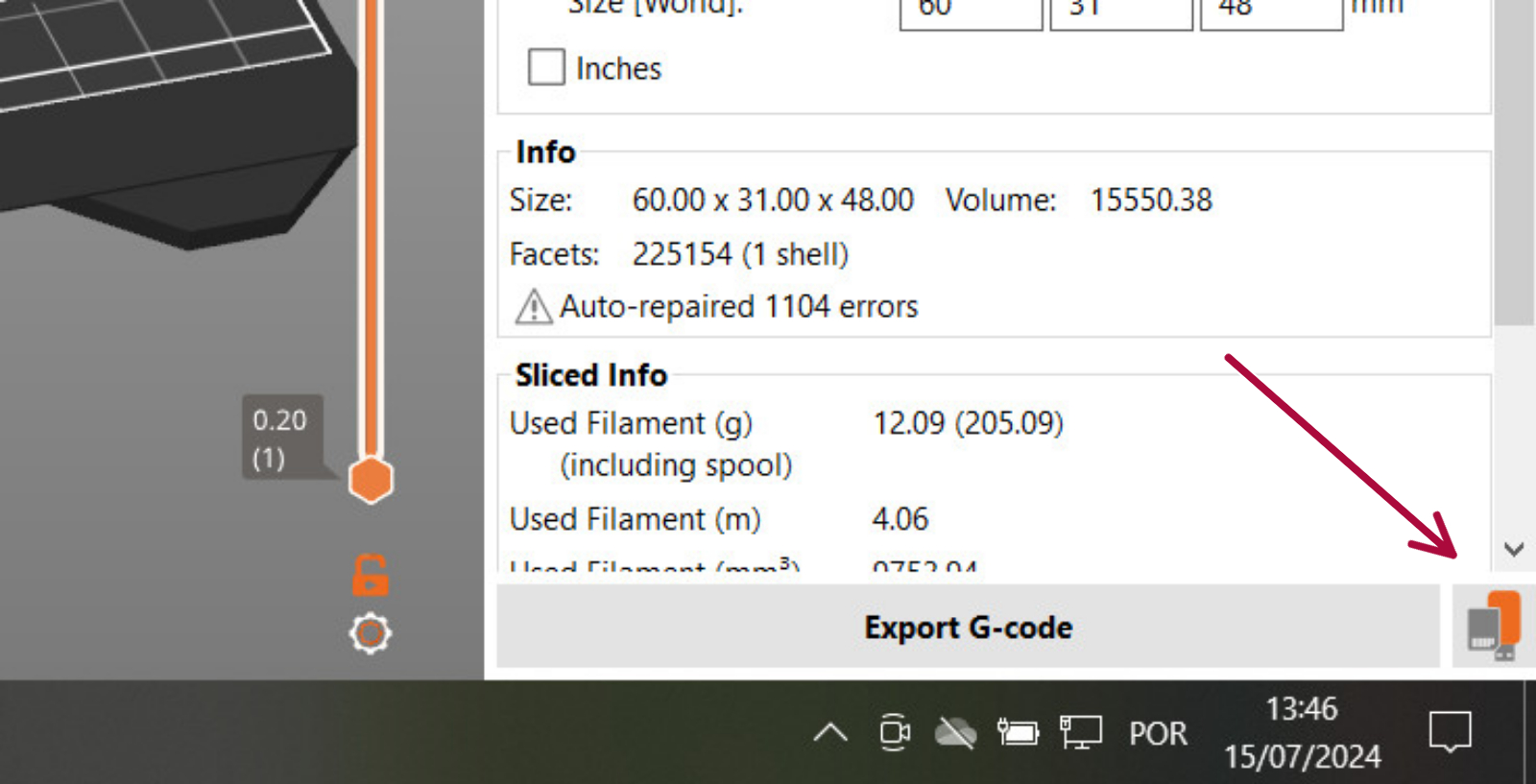
                  PrusaSlicer automatically detects if you insert an SD card, USB flash drive, or other removable media.

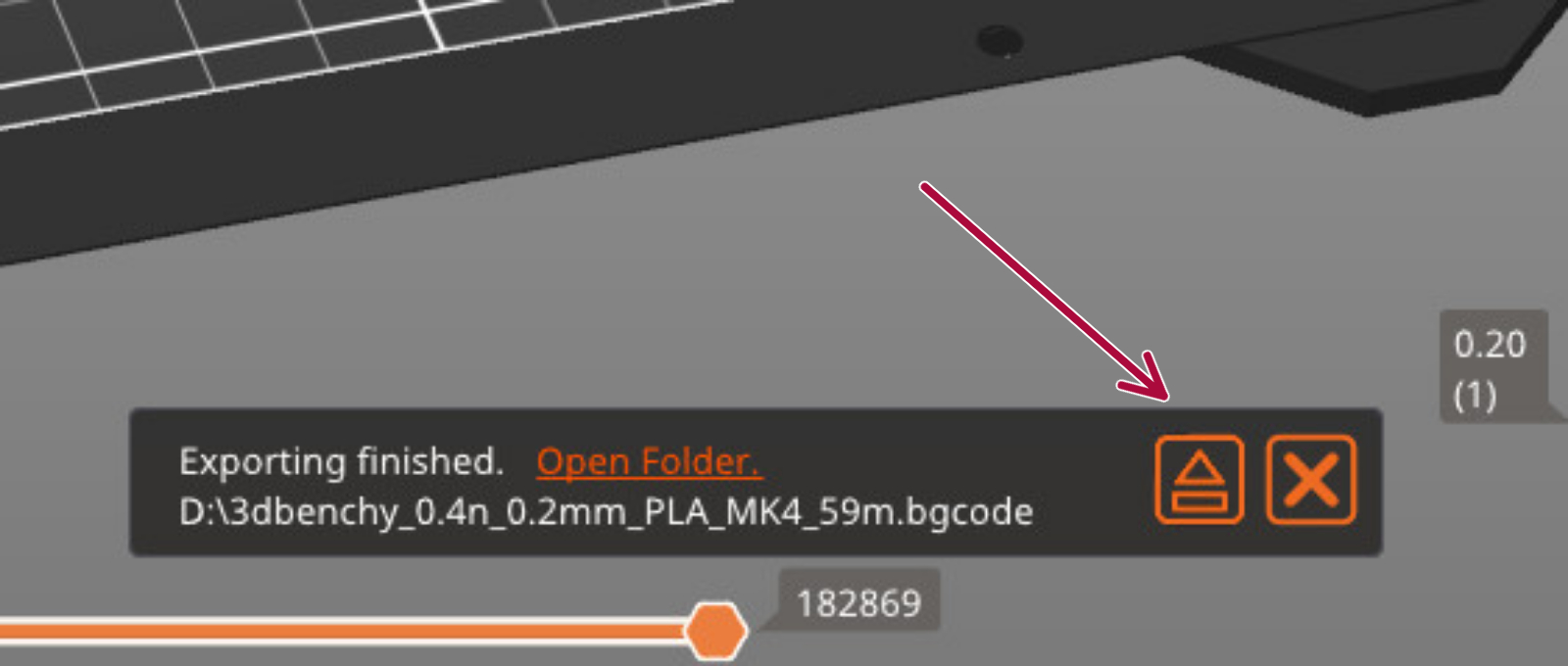
                  When detected, a new Export to SD/USB drive button will appear next to the Export G-code button (bottom right corner). Clicking it will open the file save dialog with the path initialized to the SD card or USB flash drive.

                  If multiple SD cards or USB flash drives are detected, the file dialog is opened at the last visited removable media.

                  Once a G-code is exported to a removable media, an Eject button is shown on the bottom right of the plater, which will safely disconnect your device.
                  Was this article helpful?
                  This action is available only to registered users. Please log-in.

                  Topics

                  • PrusaSlicer 2.9 (Legacy)
                    • About PrusaSlicer
                      • First print with PrusaSlicer (2.9)
                      • FAQ - PrusaSlicer
                      • Install PrusaSlicer
                      • Get support
                      • PrusaSlicer General info
                      • Download PrusaSlicer
                      • Minimum system requirements
                      • Printables in PrusaSlicer
                      • Multiple build plates on PrusaSlicer
                      • EasyPrint
                    • Configuration and profiles
                    • User interface
                    • Input/output
                    • Left toolbar
                    • Top toolbar
                    • Print settings
                    • Filament settings
                    • Printer settings
                    • Advanced features
                    • Multi-material slicing
                    • SLA slicing
                    • Other (PrusaSlicer)

                  9 comments

                  Log in  to post a comment
                  Courtney Reis
                  •
                  can someone please help me good firmware for the mk3s+ with revo 6 i cant seem to get it i got 3 laptops and not one iac i can get everything to work on for a hp with windows 11 of new dell
                  Reply
                  Анатолій Сидоренко
                  •
                  Is it possible to set the print start at a specific height? Let's say we printed half a part, and then print the other half in a different color. So, we need to start the second print at a specific height (halfway up the part).
                  Reply
                  Wolfgang
                  •
                  Ich habe mir den CORE One gekauft. Möchte den Drucker jetzt hinzufügen. Jetzt werde ich nach einem Code gefragt. Kann mir jemand mitteilen wo ich den finde? Danke im vorraus
                  Reply
                  Giuliano - Official Prusa CS
                  •
                  Hallo. Bei der Bestellung gibt es ein Feld für einen Gutscheincode, unabhängig davon, ob Sie einen Code haben oder nicht. Wenn Sie kürzlich einen Kauf getätigt haben, der Sie zu einem Gutschein berechtigt, sollten Sie diesen in Ihrem Mailbox erhalten haben. Andernfalls können Sie das Feld für den Code einfach ignorieren und die Bestellung ohne Code bestätigen.
                  Reply
                  HR Myler
                  •
                  One only wonders why there is no "Print to Printer" button. The printer is wireless, pretty much everything in this ecosphere is wireless, but almost none of it works seamlessly.

                  Everytime I turn the printer on, the camera says "Failed to connect to network..."

                  Reply
                  chrisqc
                  •
                  I just got the mmu3 for my i3 MK3S and I am having difficulty setting it up to print supports for the model I want to print using a water soluble filament. I seem have set it up correctly except when it starts printing it does not select the water soluble filament in position 2 just the pla in position 1. What am I doing wrong. I watched a few videos but found none relating my problem with the supports. Thank you.
                  Reply