AA

Featured products

    Popular categories

      Trending searches

        Articles

          Blog

            Products

              Categories

                Suggested searches

                  Searching…
                  No results
                  Something went wrong.
                  ↑↓ Select↵ OpenEsc Close search
                  • English
                  • Čeština
                  • Deutsch
                  • Español
                  • Français
                  • Italiano
                  • Polski
                  • 日本語
                  • Orders
                  • Address
                  • In-stock Alerts
                  • My Courses
                  • Subscription
                  • Edit Account
                  • 3D printers9▾

                    3D printers

                    newPrusa CORE One L+Learn more
                    newPrusa CORE One+ (Gen 2)Learn more
                    newPrusa CORE One L+ INDX 8-ToolPrusa CORE One+ (Gen 2) INDX 8-ToolPrusa CORE One L+: Critical InfrastructureOriginal Prusa MK4SnewPrusa CORE One L+ (HighTemp Hotend)newOriginal Prusa XL+Original Prusa XL+: Critical Infrastructure

                    Printer upgrades

                    INDX Conversion KitsnewPrusa CORE One L to CORE One L+ upgradenewPrusa CORE One+ to Prusa CORE One+ (Gen 2)newPrusa XL to Prusa XL+ UpgradenewHT Hotend Upgrade
                    Prusa Reward ProgramLove your Prusa printer? Share your experience and earn $30 Prusa e-shop vouchers.
                    How to Choose a 3D Printer?We’ll walk you through the basics to find the exact machine for your space, budget, and ideas.
                    Free E-bookDownload a free e-book Basics of 3D Printing with Josef Prusa and make your first steps in 3D printing world
                    Original Prusa Printable PartsCollections of printable spare parts for Original Prusa 3D printers and upgrades.
                    Shipping informationRegularly updated info about the current manufacturing capacity and delivery times of our printers.
                    Custom 3D PrintingProfessional custom 3D printing from various materials according to your requirements.
                  • Materials▾

                    Filaments

                    PrusamentPLAPETGASA / ABSPC (Polycarbonate)PA (Nylon)FlexCompositesSpecialMaterials clearance sale

                    Resin

                    Prusament ResinResin Cleaner
                    Filament GuideCheck my Prusament Spool
                    Prusament.com
                  • Parts & Accessories▾

                    Accessories

                    EnclosuresNozzlesPrint SheetsEssential AccessoriesCameras & AddonsTools & CraftingAdhesives

                    Spare parts

                    Merchandise

                    Spare parts - All PrintersCORE OneMK4/S & MK3.9/SMK3/S/+XL
                    Merch
                  • For Business▾
                    Prusa Pro HT90Prusa Pro SLXPrusa Pro AFSPrusa Pro Medical OneOriginal Prusa XL+Original Prusa XL: Critical Infrastructure
                    Prusa CORE One+ (Gen 2)Learn more
                    Prusa CORE One L+Learn more
                    Prusa CORE One L: Critical Infrastructure Edition

                    3D Printing for

                    Manufacturing and R&DAutomotive IndustryHealthcareEducation and Academic ResearchArchitects and DesignersFilm IndustryCritical Infrastructure

                    3D Printing Stories

                    • How 3D printing started: About Rep-rap and open-source with Adrian Bowyer
                    • Teaching mathematics redefined with 3D printing at JKU Linz
                    • The story behind the LTT screwdriver
                    • Victoria Hand Project: Changing Prosthetic Care with 3D Printing
                    Official Prusa Resellers
                    Sustainability
                    Prusa Education
                    Contact and Inquiry
                    Custom 3D Printing
                    ISO Certified
                  • Software▾
                    PrusaSlicer

                    PrusaSlicerPrusaSlicer

                    PrusaSlicer is an open-source, feature-rich, frequently updated tool that contains everything you need to export the perfect print files for your 3D printer.

                    WindowsMacOSLinux
                    Prusa Connect

                    Prusa Connect

                    Prusa Connect is a cloud service enabling remote control and monitoring of your 3D printers, offering secure data handling, easy setup, and support for managing multiple printers from anywhere.

                    Log in to Connect
                    Prusa.app

                    Prusa.app

                    Control your printer/s remotely from anywhere using the Prusa Connect technology behind. Prusa.app brings a new level of Prusa printer experience to Android and iOS phones.

                    Try it now!
                    Drivers & FirmwareDownload the latest firmware and drivers for your 3D printer.
                    PrusaSlicer Support
                    Prusa Connect Support
                  • 3D Models▾
                    3D PrintersArt & DesignHobby & MakersHouseholdTabletop MiniaturesToys & GamesPrintables Store

                    Popular 3D models

                    • Factorio Transport Belts
                    • Parametric Laptop Stand
                    • Official MX Keyboard CAD Templates
                    • Vertical PS5 Tentacle Holder (xbox, switch pro and 8bit do)
                    • Top tether hook
                    • SQUATCHEE-SPIN

                    Design Contests

                    • Adaptivní doplňky pro Logitech MX Keyboard9/20/2026 – 10/19/2026
                    • Custom Spoolholder Caps9/18/2026 – 10/4/2026
                    • Framework Laptop 12 Mainboard Re-Use9/1/2026 – 9/30/2026
                  • Community▾

                    Upcoming Events

                    • Hobby Messe10/2/2026 – 10/4/2026 · Sachsen, Germany · Prusa Team
                    • Mezinárodní strojírenský veletrh10/6/2026 – 10/9/2026 · Jihomoravský kraj, Czechia · Prusa Team
                    • Maker Faire Brno10/17/2026 – 10/18/2026 · Jihomoravský kraj, Czechia · Prusa Team
                    • Maker Faire Rome10/23/2026 – 10/25/2026 · Lazio, Italy · Prusa Team

                    Prusa Forum

                    • Core one INDX in factory reset loop
                    • Emergency Shutdown & Resume Mode for Unexpected Power-Offs
                    • Print aborted error after reverting from Klipper to Prusa-E3D firmware
                    Prusa World MapPrusa World MapFind local 3D printing users and explore the community around you.
                  • Help▾
                    Guides & TutorialsPrusaSlicerPrusa ConnectMaterials

                    Printer Model

                    CORE One INDXCORE One LCORE One+CORE One

                    Hardware Troubleshooting

                    • Selftest failed (CORE One/+)
                    • Clogged nozzle (CORE One, CORE One L, XL, MK4/S, MK3.9/S)
                    • Adjusting belt tension (CORE One/+, CORE One INDX, CORE One L/+)
                    • Prusa Connect and PrusaLink explained

                    Drivers & Firmware

                    INDX familyCORE One familyMK4 familyXL familyMMU familyPRO family
                  • Courses▾

                    Become an expert in 3D printing

                    Prusa Academy offers online courses on various 3D printing related topics. Each course features:

                    • easy-to-read text with many pictures and short videos
                    • links for inspiration and further study
                    • quizzes for testing your knowledge along the way
                    • certificate of completion
                    Browse all coursesMy courses library
                    • 3D Modeling in Autodesk Fusion
                    • PrusaSlicer Masterclass – Beginner to Advanced
                    • Complete Guide to 3D Print Postprocessing, Painting, and Detailing
                    • Beginners' Guide to Blender for 3D Printing: Edit and Remix STLs
                  • Blog▾
                    • Factorio Has Arrived on Printables
                    • Prusament PLA Lightweight: 65% lighter than regular PLA. Perfect choice for aircraft, cosplay, and more.
                    • Prusament PLA ColorMix: Print 45 color shades using just five filament spools (and more)
                    E-Book: Basics of 3D Printing
                  • Company▾

                    About Prusa Research

                    We are the largest maker of 3D printers in Europe and the United States.

                    Founded as a one-man startup in 2012 by Josef Prusa, a Czech hobbyist, maker, and inventor. In just 15 years, we've grown into a company of more than 1,200 people. Every month, we design, build, and ship over 10,000 innovative and secure 3D printers from our headquarters in Prague, Czech Republic, and Delaware, USA, to users in more than 160 countries.

                    Watch a video and find out how Prusa Research was born and what we achieved within only 10 years!

                    About UsTimelineSustainabilityOpen-source
                    About Us
                    Contact Us
                    Logo and Photos
                    ISO Certified
                  1. Support
                  2. Multi-material slicing
                  3. ColorMix
                   

                  Contents

                  • Compatibility
                  • ColorMix painting in PrusaSlicer
                  • Physical extruders preset
                  • Setting up virtual extruders
                  • Assigning (virtual) colors and painting
                  • Print settings
                  • Opening a ColorMix model
                  • Practical tips
                  • Examples of ColorMix models
                  • References

                  Blog

                  • Factorio Has Arrived on Printables
                  • Prusament PLA Lightweight: 65% lighter than regular PLA. Perfect choice for aircraft, cosplay, and more.
                  • Prusament PLA ColorMix: Print 45 color shades using just five filament spools (and more)

                  Newsletter

                  Signup and get our monthly squeeze on updates, blog, printables and much more.

                  By clicking, you agree to receive our newsletter.

                  This site is protected by reCAPTCHA Enterprise and the Google Privacy Policy and Terms of Service apply.

                  Factorio Transport Belts
                  E-shop
                  • 3D Printers
                  • Printer Upgrades
                  • Filaments
                  • Accessories
                  • Prusa Merchandise

                  © Prusa Research a.s.

                  Printables
                  • 3D Models
                  • Store
                  • Clubs
                  • 3D Design Contests
                  • Brands
                  Community
                  • World Map
                  • Forum
                  • User Groups
                  • Events
                  Help
                  • Prusa Help
                  • Prusa Academy
                  • 3D Printing Calculators
                  Software
                  • PrusaSlicer
                  • Prusa.app
                  • Prusa Connect
                  • Drivers and Software
                  Company
                  • About Us
                  • Blog
                  • Official Prusa Resellers
                  • Contact Us
                  • Certified for ISO 9001, ISO 14001, ISO 45001
                  • General Terms and Conditions
                  • General Terms and Conditions of Use of the PRUSA Websites
                  • Privacy Policy
                  • Information about cookies
                  • Customer Complaints Policy
                  • Status Page
                  • Do Not Sell or Share My Personal Information
                  • Supplemental Statements
                  • General Terms and Conditions
                  • General Terms and Conditions of Use of the PRUSA Websites
                  • Privacy Policy
                  • Information about cookies
                  • Customer Complaints Policy
                  • Status Page
                  • Do Not Sell or Share My Personal Information
                  • Supplemental Statements

                  © Prusa Research a.s.

                  JOSEF PRUSA®, PRUSA RESEARCH®, PRUSA POLYMERS®, PRUSA ORANGE®, PRUSA 3D ® AND PRUSAMENT® are registered trademarks of Prusa Development a.s. used by Prusa Research a.s. under licence from Prusa Development a.s.

                  ColorMix

                  Relevant for

                  XL family
                  MMU family
                  PrusaSlicer
                  INDX family
                  Article is also available in following languages
                  English
                  Čeština
                  Polski
                  Deutsch
                  Français
                  Español
                  Italiano
                  日本語

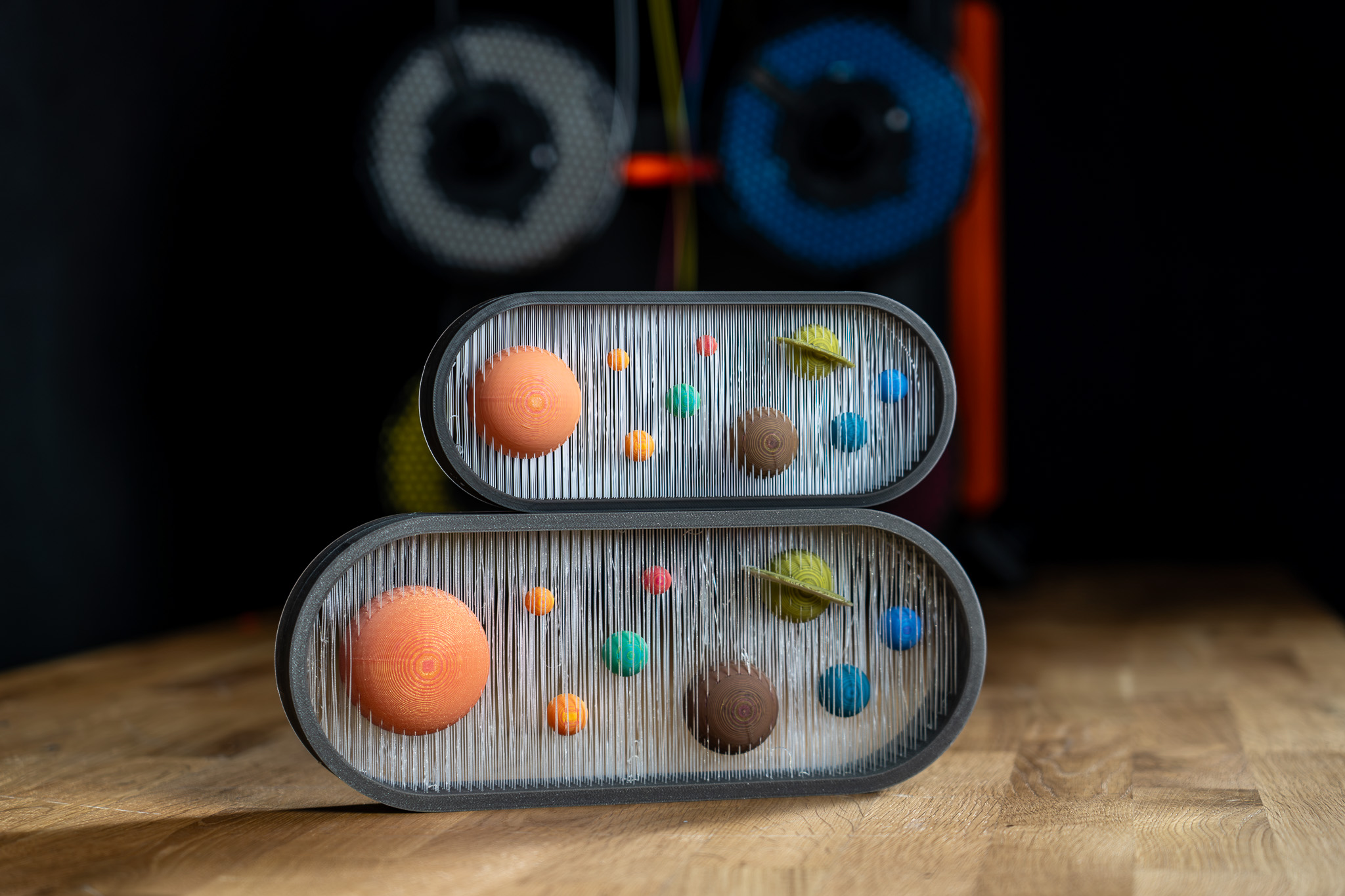
                  The ColorMix is as a feature in PrusaSlicer and  EasyPrint. Using any multi-color printer, it allows you to create additional color tones from the loaded filaments. It works similarly to inkjet 2D printing. There, thanks to a method called Halftoning, all colors are printed from just Cyan, Magenta, Yellow, and Black (CMYK) ink in a varying pattern of dots. 

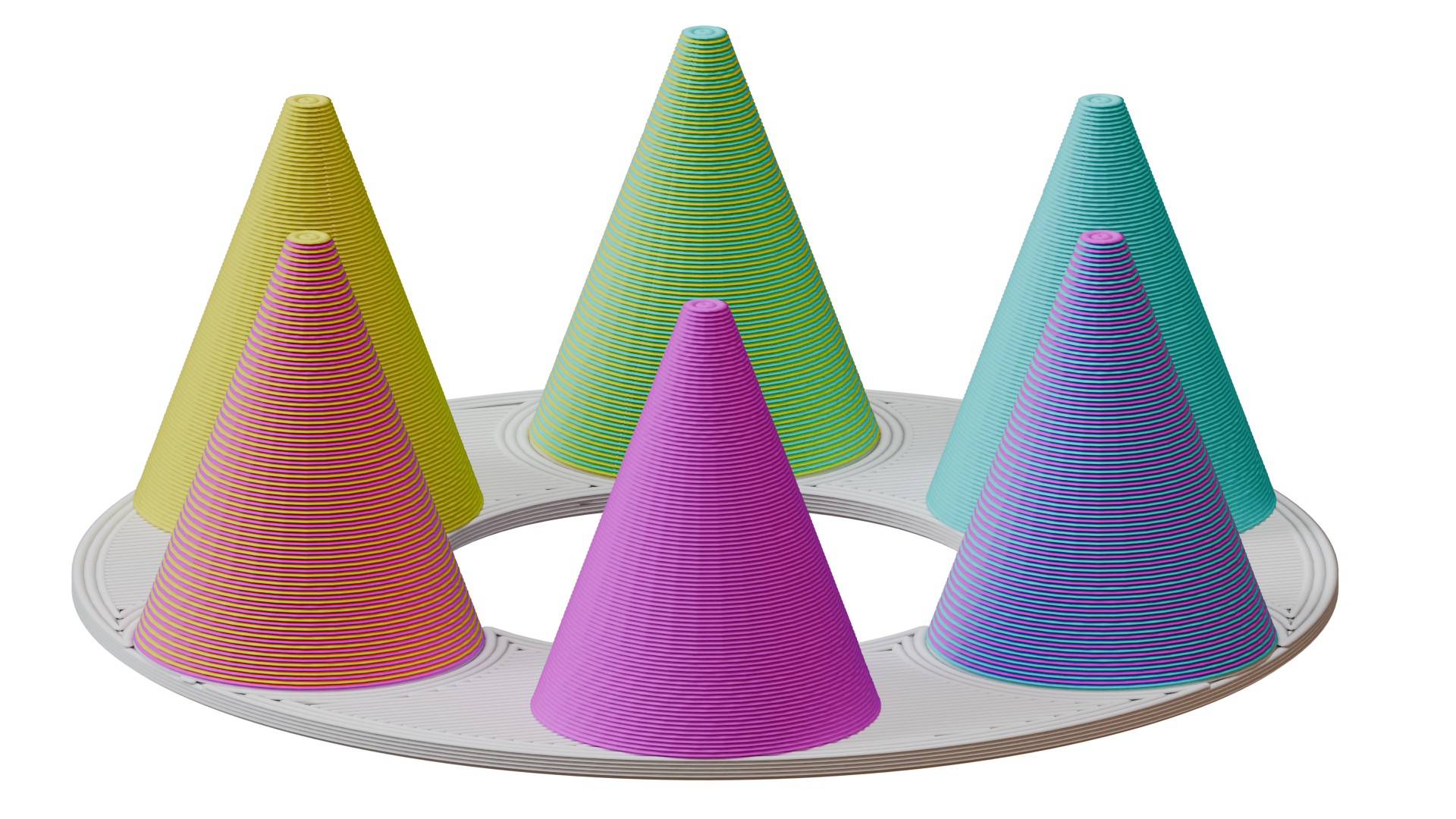
                  In 3D printing, the colors alternate by layers. For example, a 50% cyan, 50% yellow combination creates green when viewed from a normal viewing distance. 

                  This article explains how to set it up in PrusaSlicer and use it to color and print ColorMix models. 
                  Compatibility 

                  ColorMix printing is possible on any multi-color 3D printer: any printer equipped with the MMU, XL/+ in a 2T or 5T version, CORE One+/L with the INDX upgrade, or any other multi-filament system available on the market. 

                  Because the mixed colors require many tool changes, these prints produce more waste than classical colored models. It is significantly more efficient to print them using the INDX toolchanger. 

                  The slicer feature is available in EasyPrint and in PrusaSlicer from version 2.9.6. 

                  We demonstrate the feature with the Prusament ColorMix PLA bundle, but it is not dependent on these colors nor on PLA as a material. Any colors of any material can be combined in this way, and even different materials can be combined if they are printable together. 

                  ColorMix painting in PrusaSlicer 

                  Physical extruders preset 

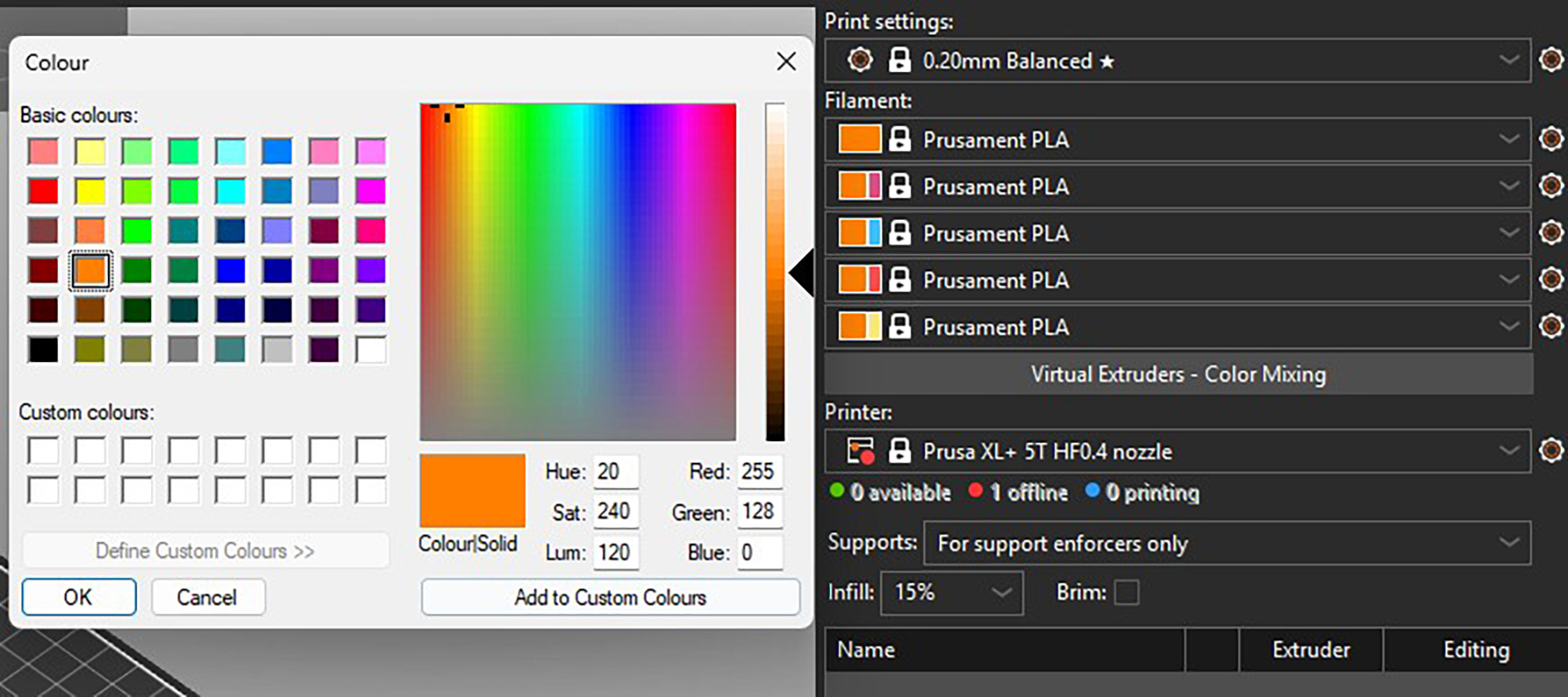
                  Open PrusaSlicer and select your multi-color printer. Change the preview colors of the filaments to match your spools. You can change the color assigned to an extruder by clicking on the color box next to the profile name in the Filament profile selection. 
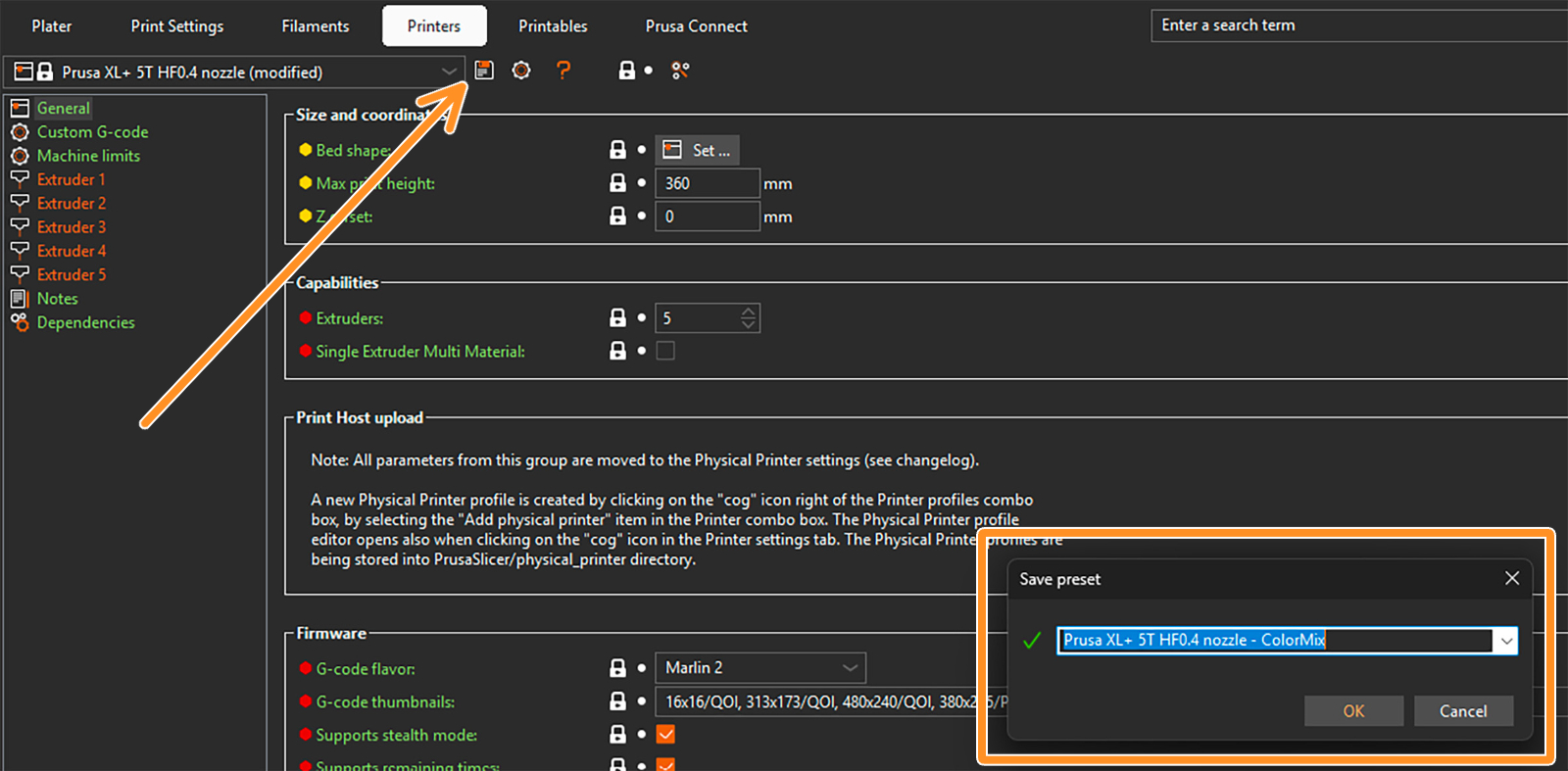
                  Recommended: All the models designed for the ColorMix filament that we share have them loaded in the following order: Cyan, Magenta, Yellow, White, Black, Gold, and Silver. The order is the same whether the printer has four, five, or eight tools. You can set this in PrusaSlicer and save it as a preset. Always sticking to the same order helps to avoid remapping the G-code extruders before every print.  

                  To save a preset, click on the gear next to the printer profile and select Edit preset. Then click on the Save preset icon (orange arrow), and in the pop-up window, save the preset with the word "ColorMix" in the name. 
                  Setting up virtual extruders 

                  The ColorMix colors are represented by so-called virtual extruders. You can set them up under the filament profiles. The following window opens. 
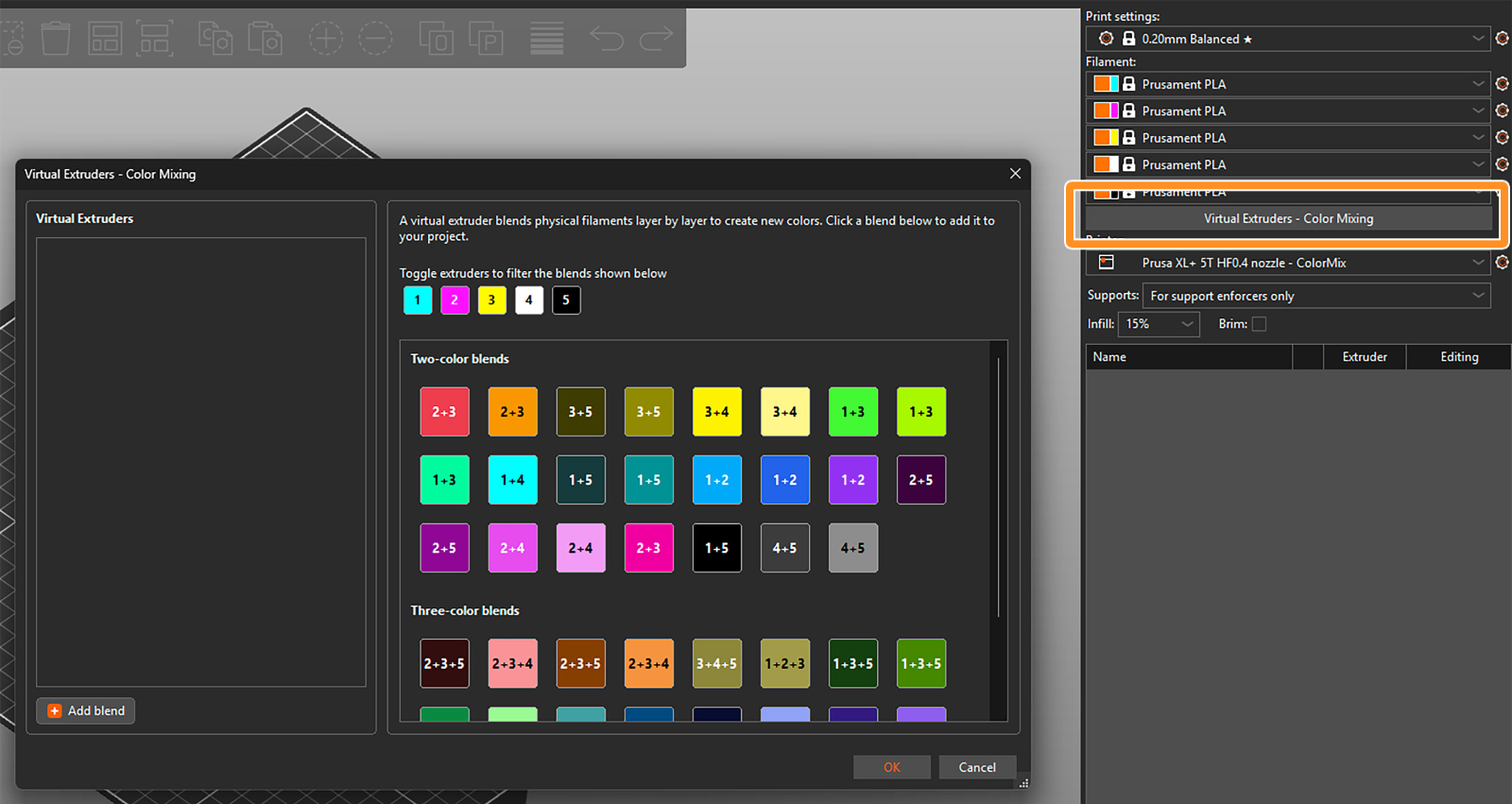
                  There are two ways to assign the virtual extruders. Firstly, you can select them from the blends available on the right side of the widow. The selected ones appear in the list of virtual extruders on the left side. 

                  Toggle the available extruders and filter the blends shown in the section. 
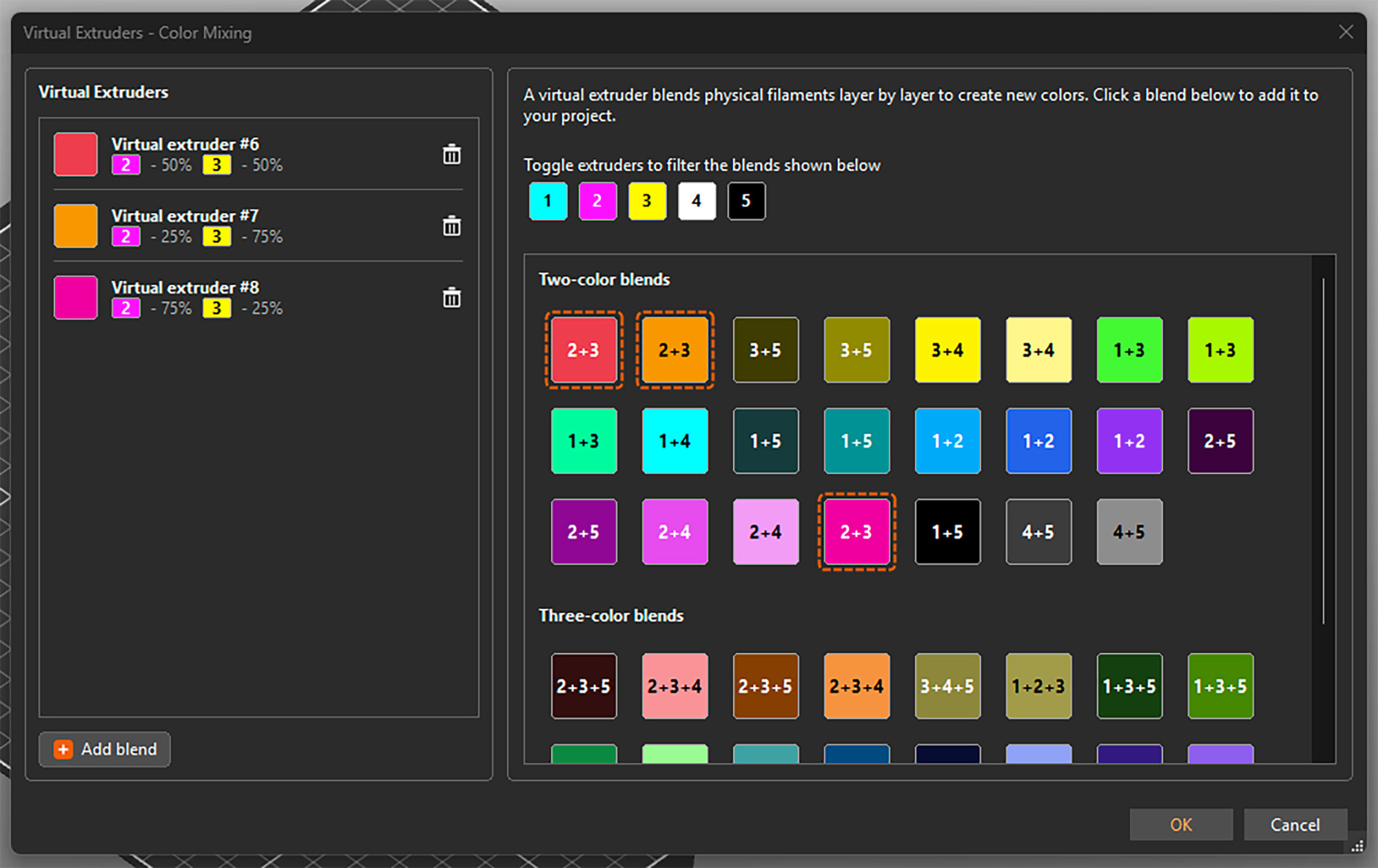
                  Alternatively, you can add them by clicking Add blend in the bottom left corner and manually setting up the ratio of the colors. This adds the virtual extruder to the list and also directly opens its settings on the right side. 
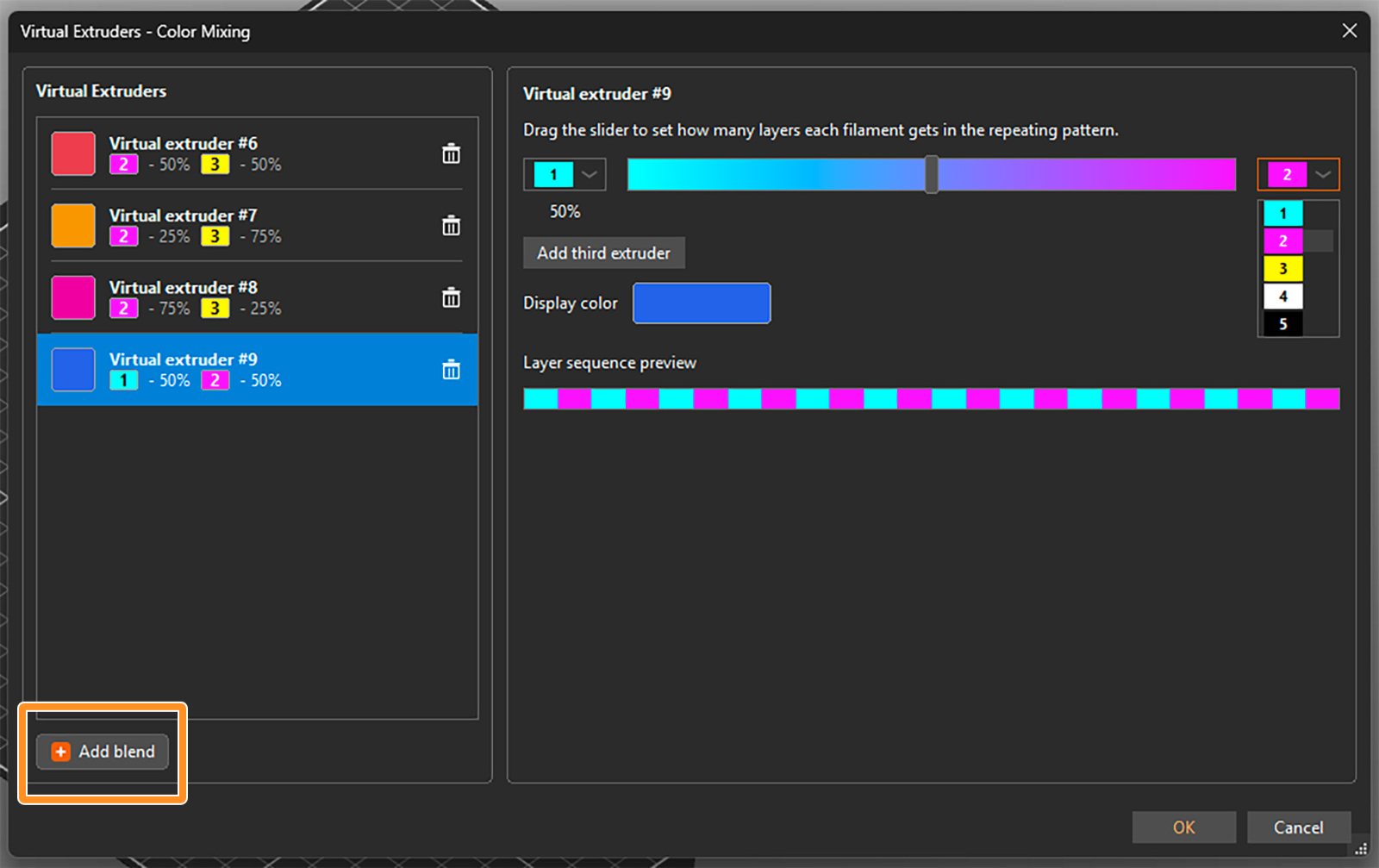
                  You can select the two filaments to be mixed from drop-down menus and set their ratio using a slider. An estimated display color is shown, but you can click on it and change it if you need. The layer sequence shows how the filaments are alternated to appear as the virtual color. 

                  For a three-color blend, click on Add third extruder. Then you can again select the extruders from the drop-down menus and change their relative ratio by dragging the grey circle inside the color triangle. 
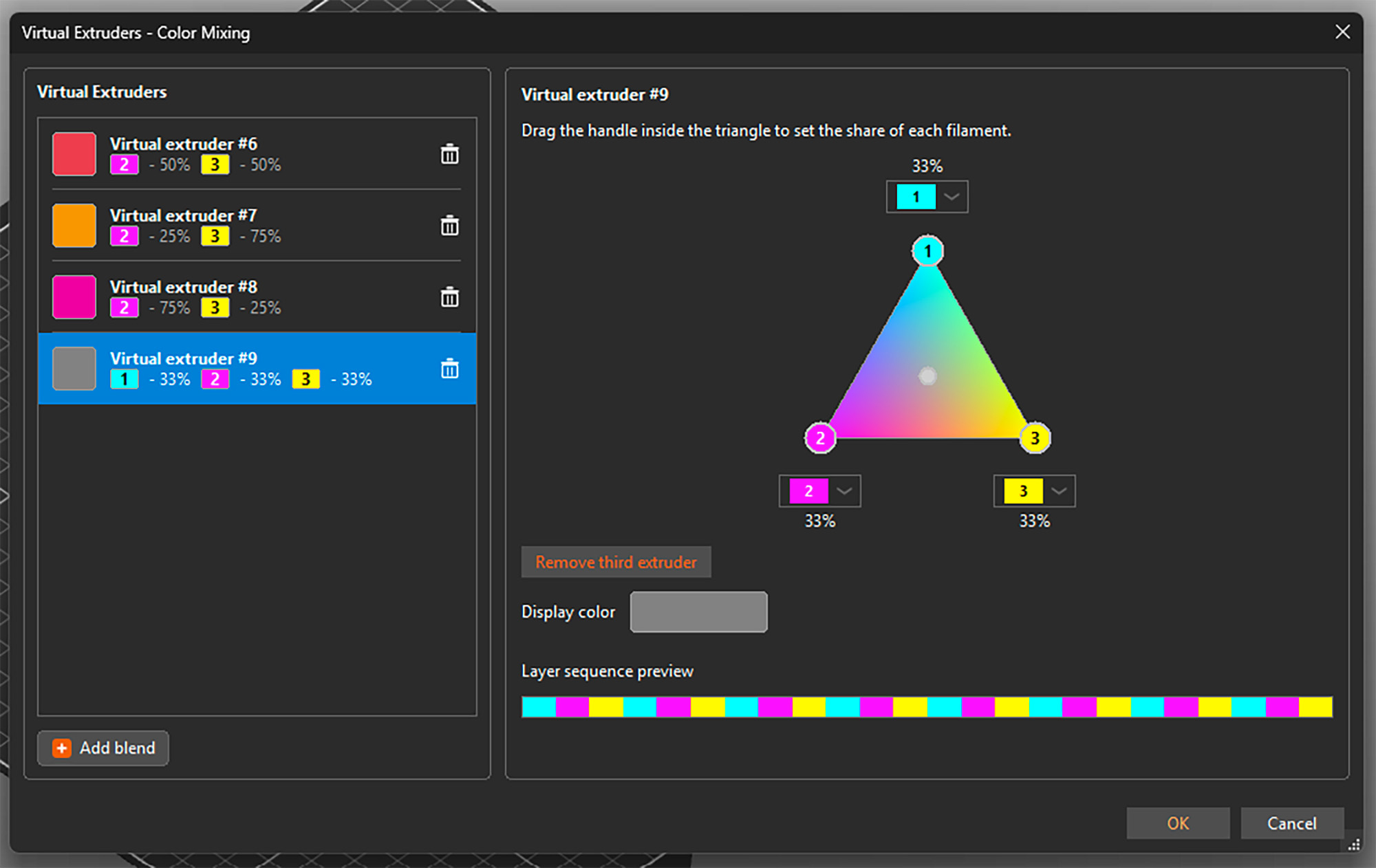
                  You can open the setting by selecting any virtual extruder on the left side and adjust its properties. You can also delete any of them by clicking the trashcan icon. See that besides a display color, each virtual extruder is assigned a number 

                  Once you're all set, confirm all virtual extruders and close the window by clicking OK in the bottom right corner. You can reopen it and add or change extruders at any point, even if they are already used for painting the model. 

                  Important: The tested and reasonable ratios for two-color blends are 25% : 75%, 50% : 50%, and 75% : 25%. For three-color blends, the optimal mix is 33% : 33% : 33%. 

                  Assigning (virtual) colors and painting

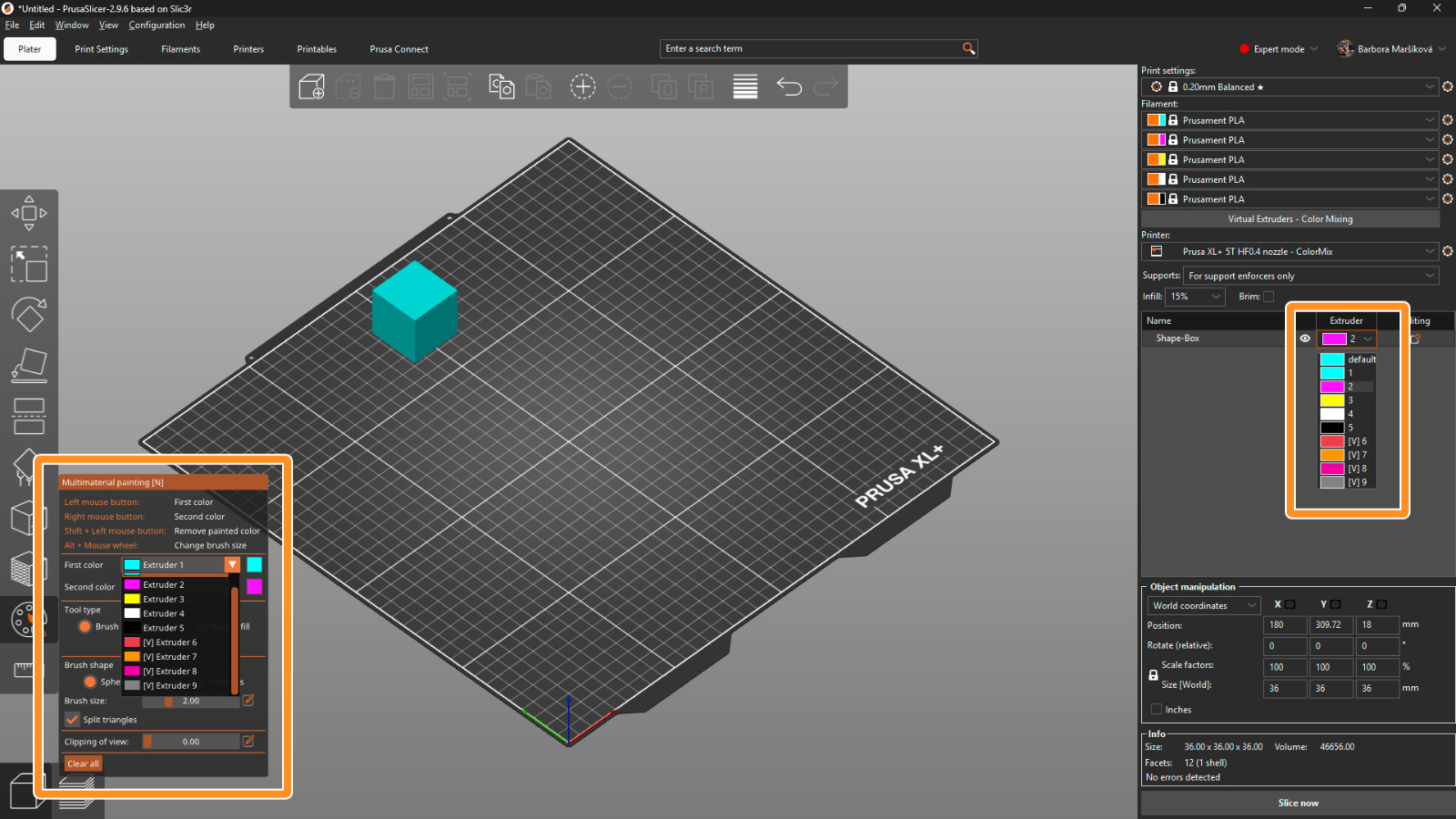
                  When the virtual extruders are set up as shown above, PrusaSlicer works with them just the same as with the physical ones. This means you can assign colors to different models and their parts and use all multi-material painting tools, such as brushes or Smart fill. 

                  The only difference is that the virtual extruders appear with a [V] in the drop-down menus. 
                  Print settings 

                  For optimal results, use a layer height of a maximum of 0.15 mm. For a perfect outcome, 0.1 mm layer height would be even better, but it adds a lot of printing time, and usually it’s not necessary.

                  The recommended infill type is gyroid with 5-10% density, depending on the model’s geometry. Because of the translucency, the infill might sometimes be visible, and this way the structure is uniform. 

                  The mixing itself is done by PrusaSlicer automatically whenever you use a virtual extruder. Simply slice the model, upload the G-code to the printer, and make sure that the correct extruder colors are assigned with respect to the loaded filaments. 

                  Opening a ColorMix model 

                  To open a model that was colored using the virtual extruders, always use File → Open Project (Ctrl + O). If you use Import, all virtual extruders will be merged into the last physical one. 
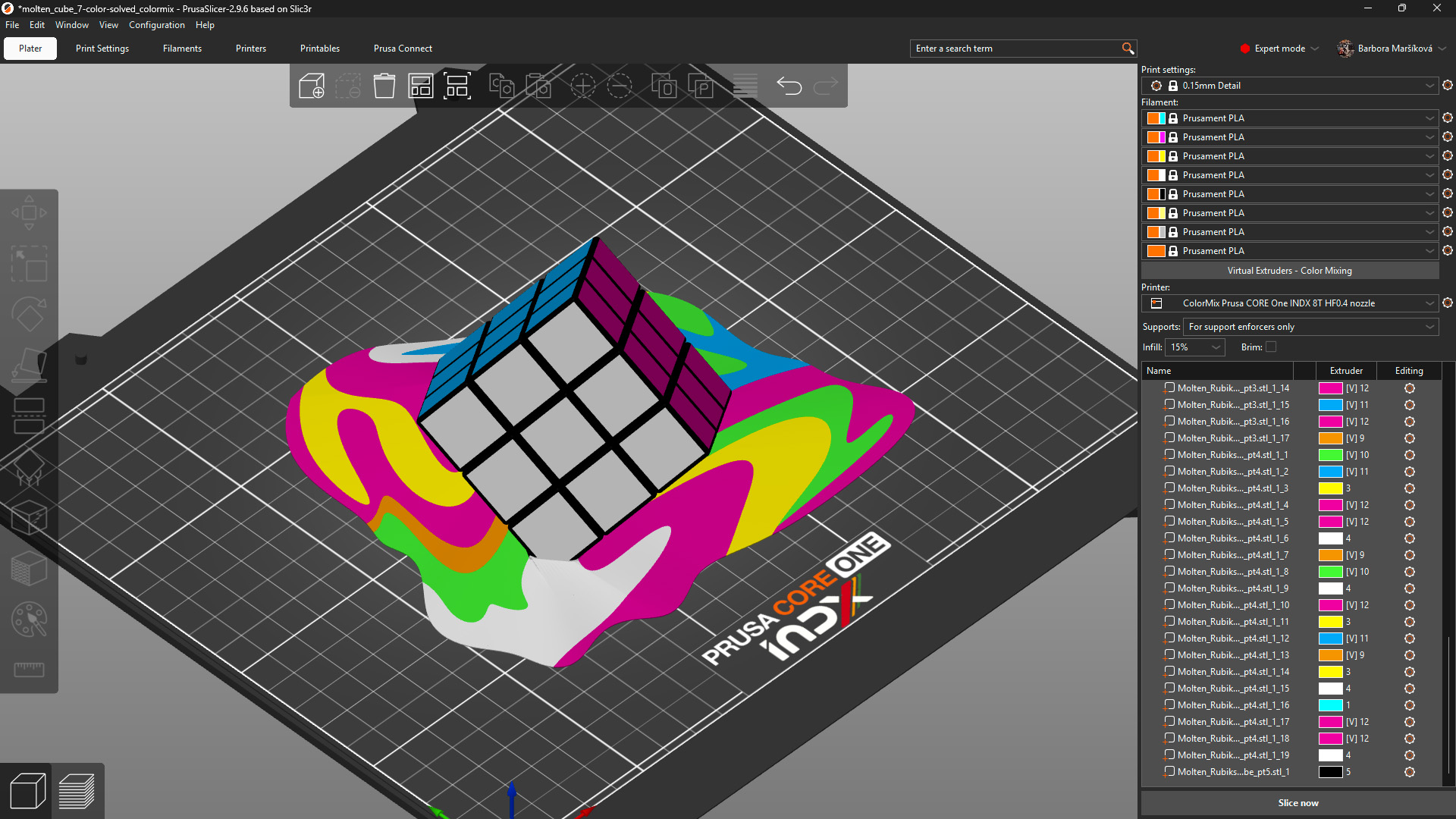
                  Model: Solved ColorMix Rubik's cube by MrFlippant. 

                  Practical tips 

                  Even with the semi-translucent Prusament PLA ColorMix, the mixing effect works the best on vertical and almost vertical surfaces.

                  See the printed molten cube below. The parts on the cube itself, which are printed under a steep angle, appear in a mixed color with only a slightly stripy pattern. The melting colors visibly show the different layers printed from different filaments. 
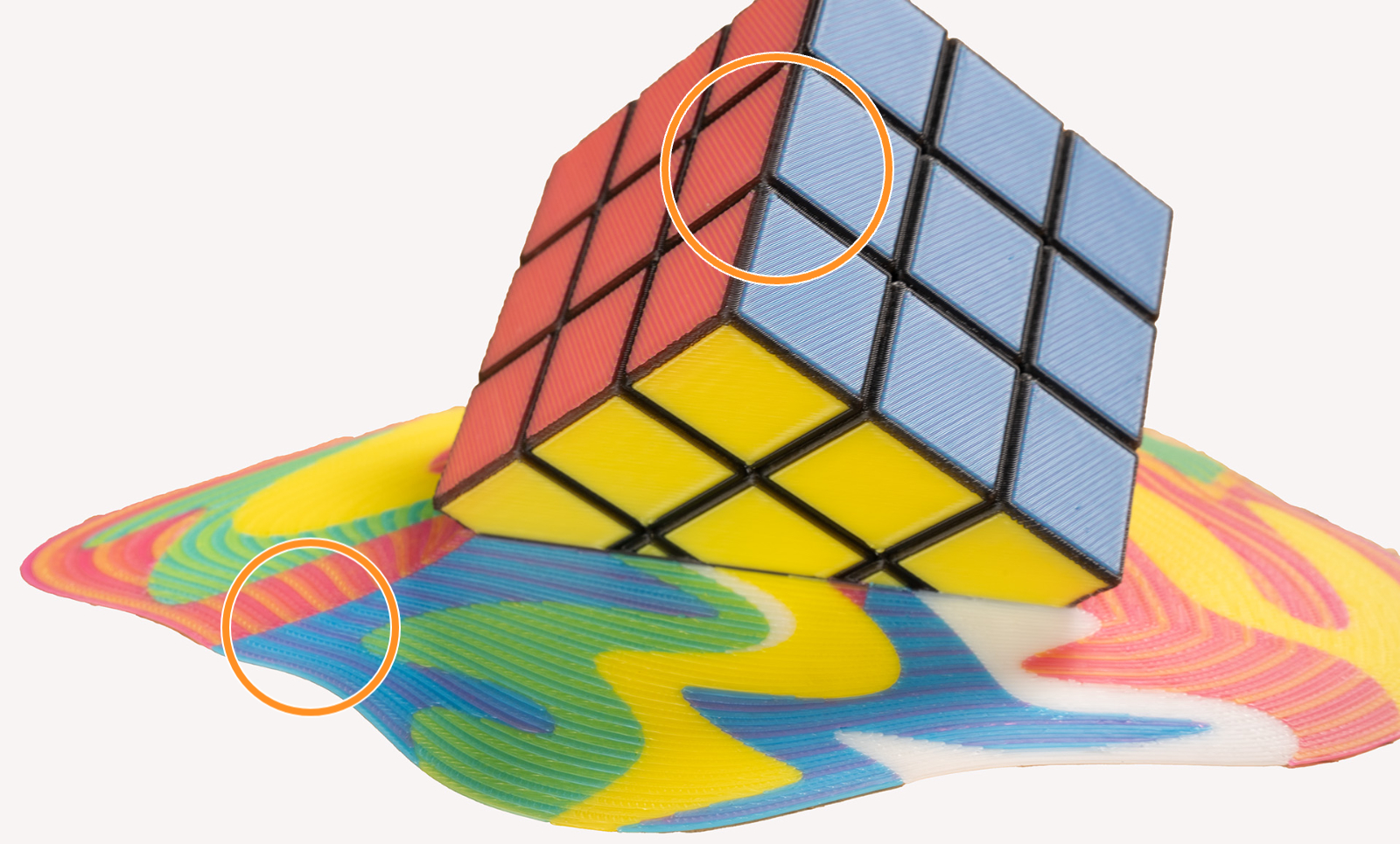
                  This effect is even more visible when using filament of highly saturated colors. It is a physical limitation of the method itself, not a printing error. Consider this when painting and printing your models. 

                  To visualize the colors, you can print a test model such as the ColorMix Calibration Cones or this ColorMix Test palette. 
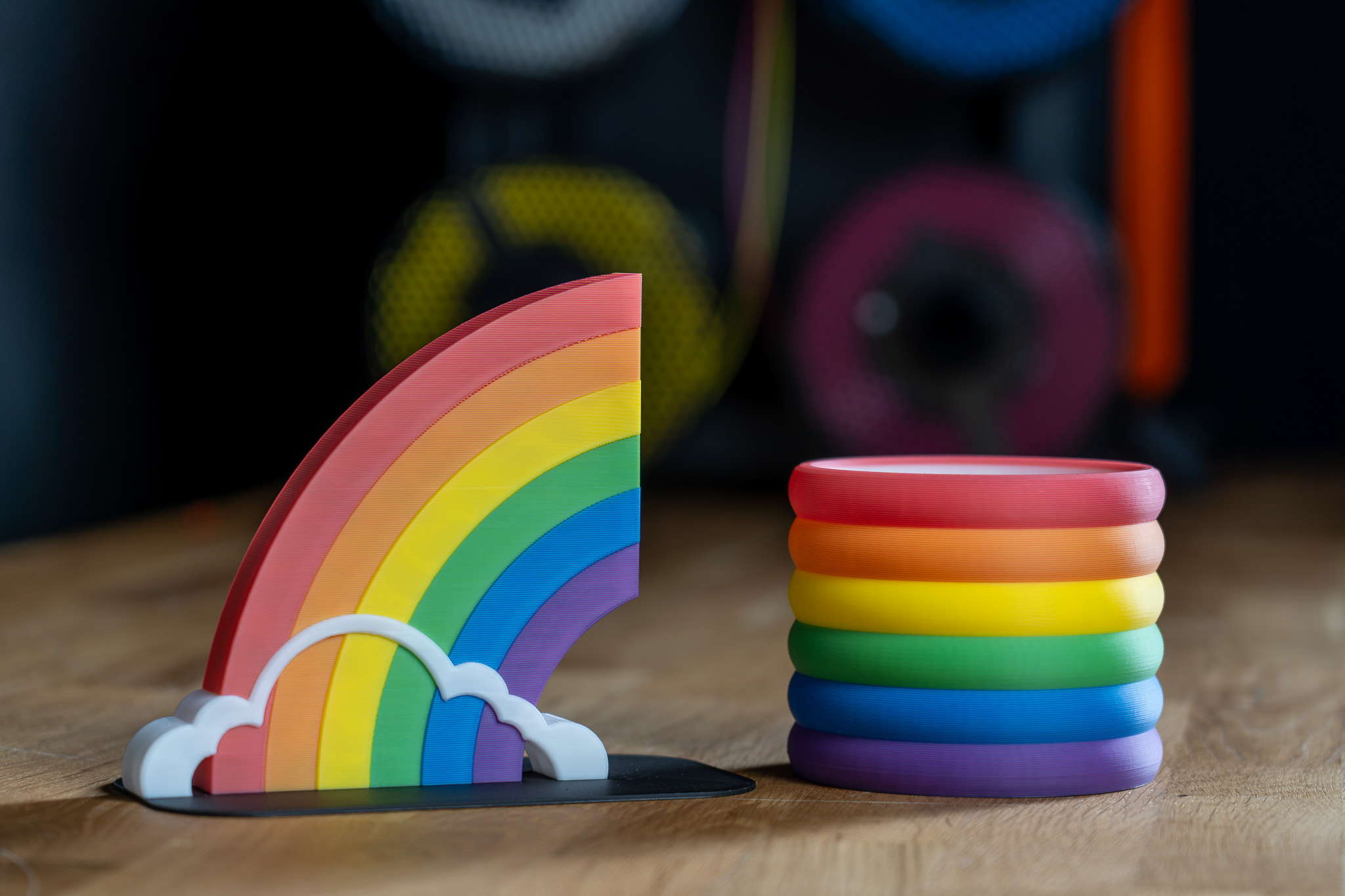
                  Examples of ColorMix models 

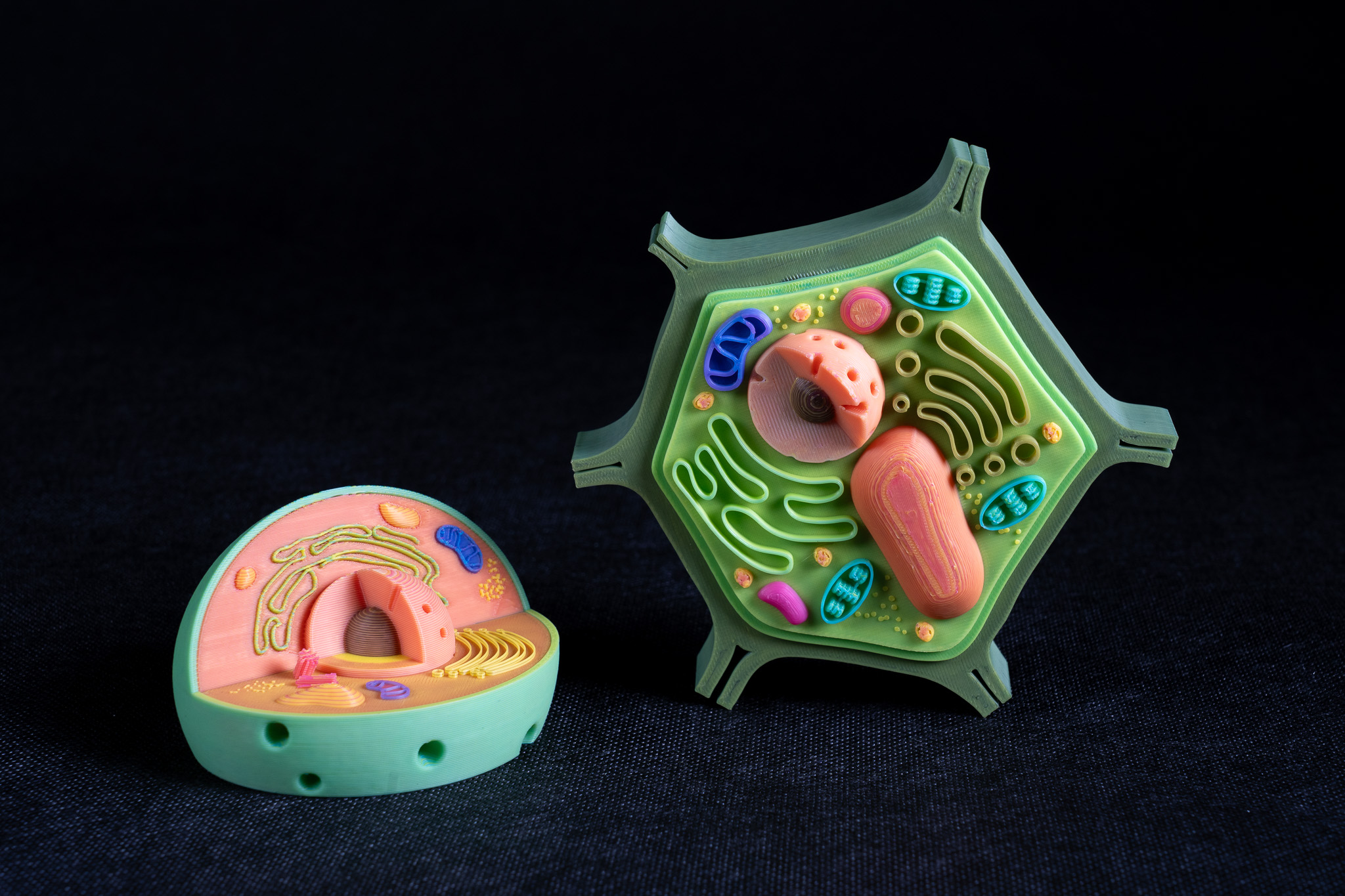
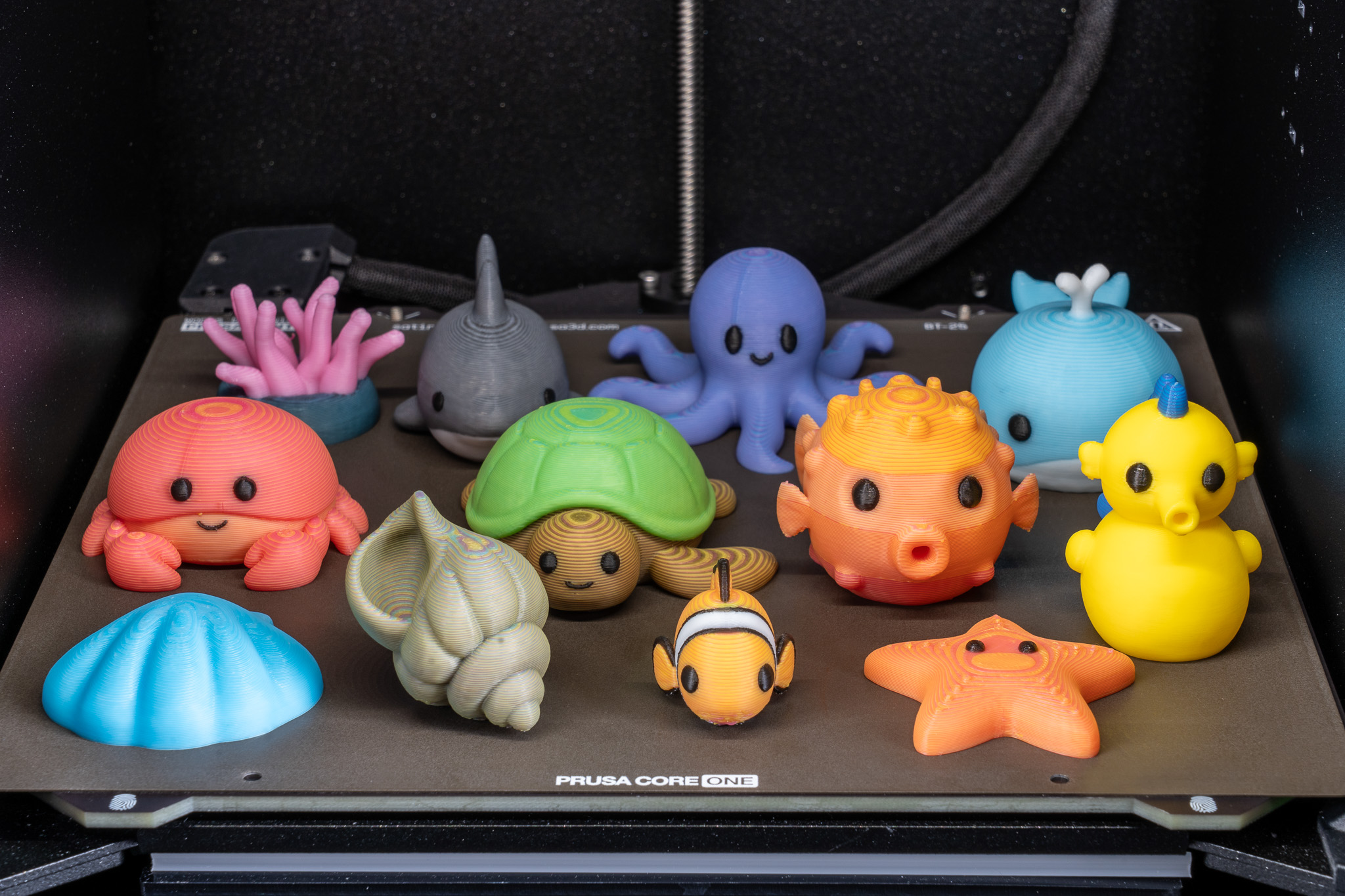
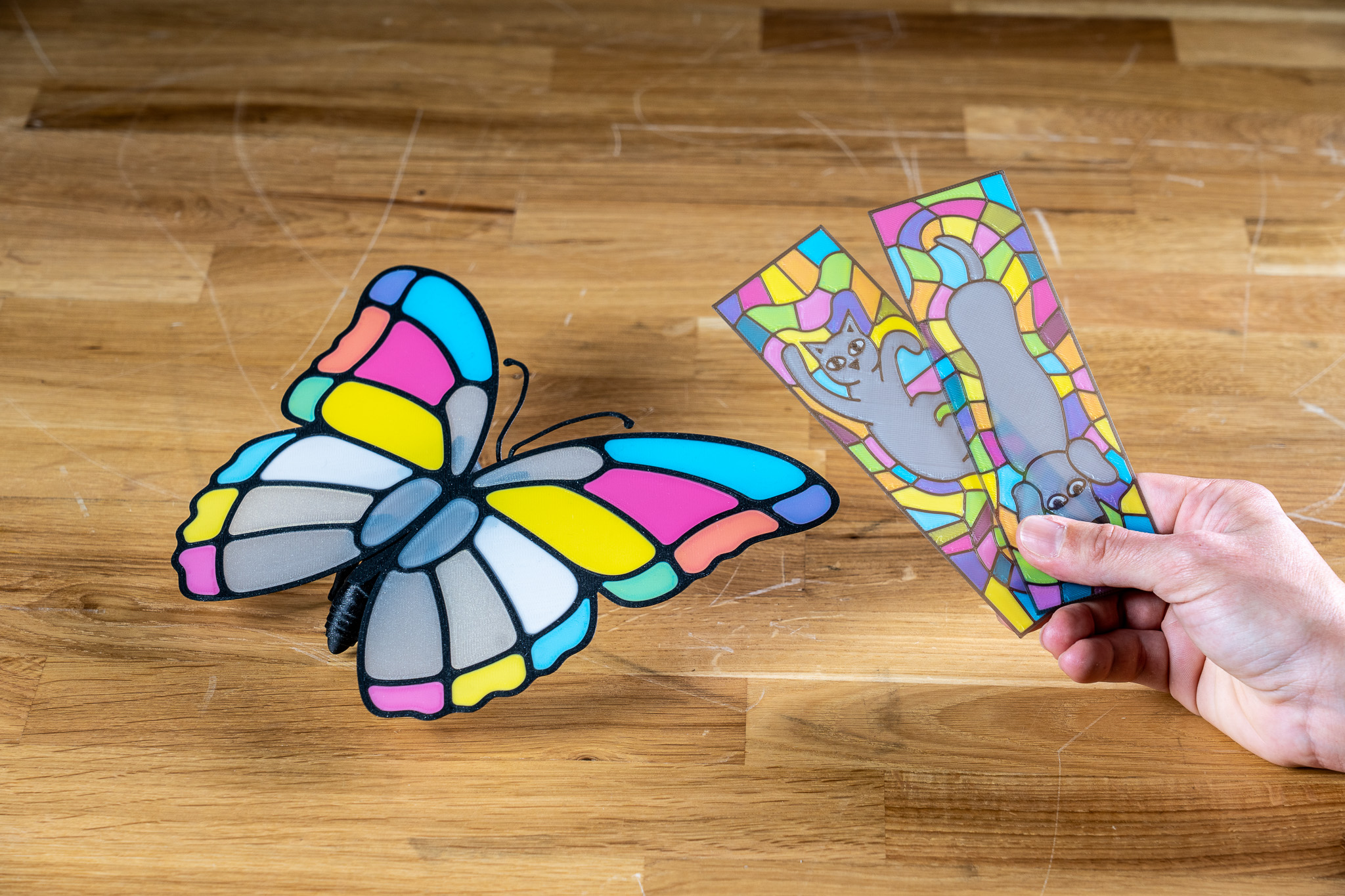
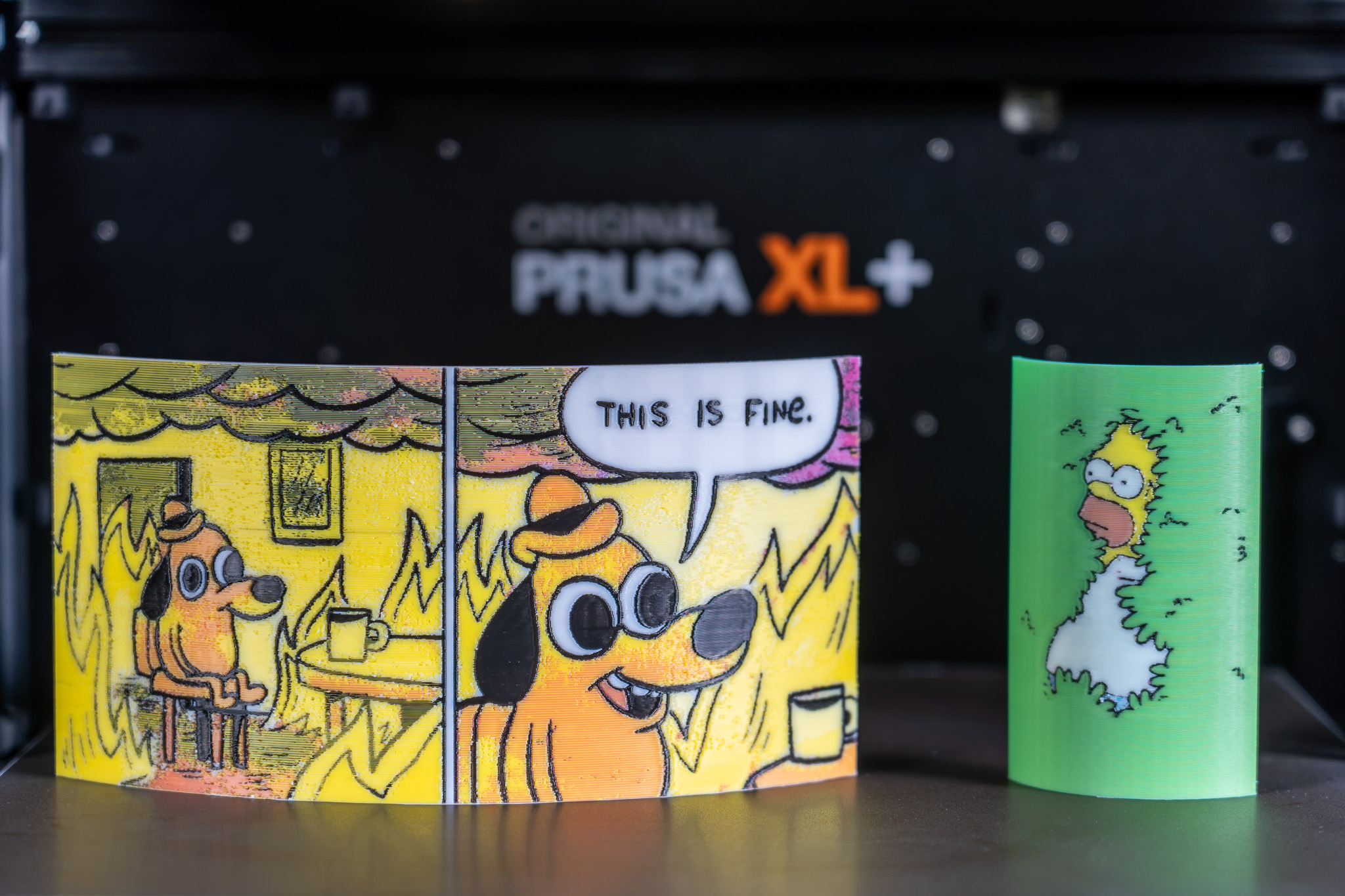
                  All displayed models are available on Printables and they were printed using the ColorMix filament bundle. 

                  References 

                  To learn more about the ColorMix and see more examples of printed models, see the release article and the filament announcement. 

                  The ColorMix feature is based on the works of the 3D printing community. Ratdoux’s OrcaSlicer-FullSpectrum showed how virtual mixed-color filaments could be created by alternating thin layers of differently colored materials. Justin H. Rahb’s filament-mixer helped predict what those colors might look like, and projects like PeggyPalette made it easier to compare and share results.

                  Was this article helpful?
                  This action is available only to registered users. Please log-in.
                  Log in  to post a comment
                  No comments

                  Topics

                  • PrusaSlicer 2.9 (Legacy)
                    • Multi-material slicing
                      • Importing Multi Material model
                      • Patterns - set extruder sequence
                      • Assigning tools / colors / extruders
                      • ColorPrint with the MMU
                      • Wipe tower
                      • Purging volumes (MMU)
                      • Multi material painting
                      • Experimental Printing with Different Nozzle Diameters
                      • Mutliple extruders settings, Interlocking & Advanced bonding
                      • ColorMix
                    • About PrusaSlicer
                    • Configuration and profiles
                    • User interface
                    • Input/output
                    • Left toolbar
                    • Top toolbar
                    • Print settings
                    • Filament settings
                    • Printer settings
                    • Advanced features
                    • SLA slicing
                    • Other (PrusaSlicer)