


What happened?
The printer is displaying the message: Communication with the Booster board failed.
Error name: Boost board problem
Error code: #10320
This error happens when the Boost board is not found by the printer.
How to fix it?
Make sure that you have firmware 1.6.6 or newer installed. Some versions of the Boost board will not work with older firmware.
Check the cable connection of the Boost A64 cable (indicated by a green arrow) and the Boost Motion cable (indicated by a blue arrow) to the Boost board and to the Motion controller board.
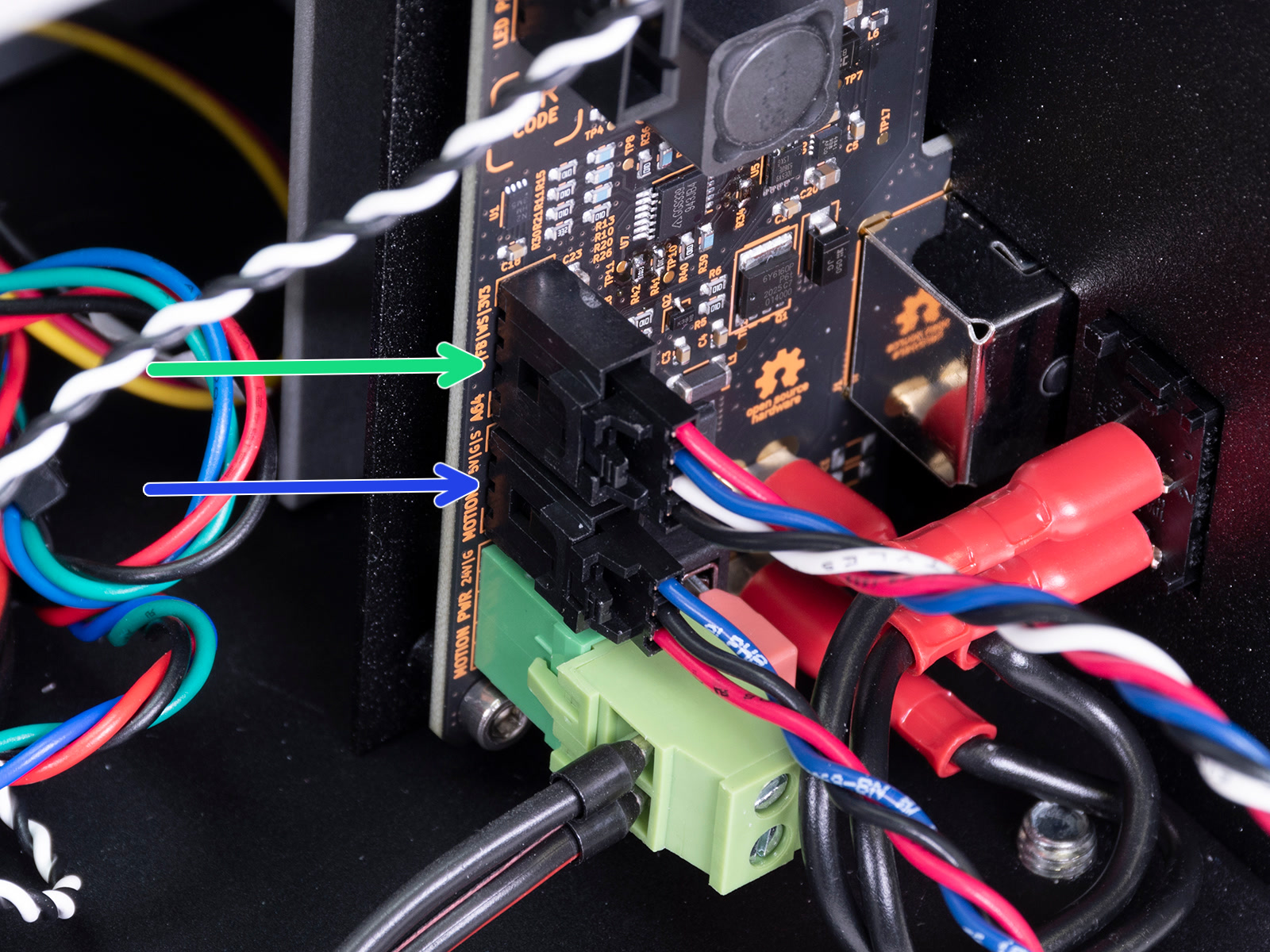
Boost board and its connections.
 |  |
| Boost A64 cable connected to the A64 logic board. | Boost Motion cable connected to the Motion controller board. |
If the cables are connected but the error persists, the Boost board might be damaged.
Was this article helpful?
This action is available only to registered users. Please log-in.