0 item in your cartitems in your cart
Your cart is empty
My profile
Log in to see orders, saved items
Signed in as
Smart wipe tower The smart wipe tower ensures sharp color transitions and stable filament flow after a color change while aiming to waste as little filament as possible. There…
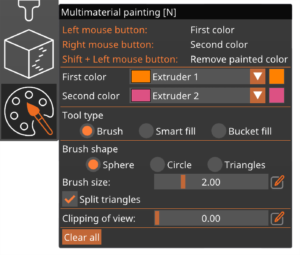
Preparing models for multi-material FDM prints used to be a fairly complicated and time-consuming process. Starting with PrusaSlicer 2.4, coloring an object for multi-material…
During a filament change, a small amount of melted plastic remains in the nozzle. As the new filament is loaded, it’s melted as well and starts pushing the nozzle content out.…
PrusaSlicer supports the following scenarios: Single material printer (or MMU2 in Single extruder mode). In this case, color-changes (manual filament swaps) can be added, but…
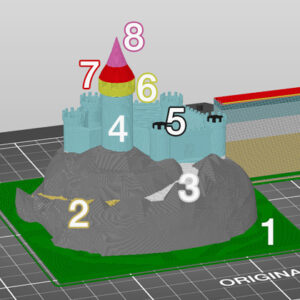
Assigning tool heads/colors/extruders to different features You can assign different print features to be printed with a different tool in the Print Settings - Multiple Extruders…
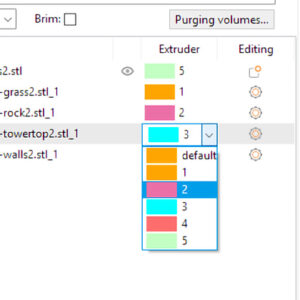
Importing multiple STL files as a single multi-material model First of all, switch the printer preset to a Multi Material printer (such as the MMU2S), otherwise, the following…
PrusaSlicer lets you define a repeating pattern of color changes. You can access this feature by clicking the gear icon in the bottom right corner of the preview screen. The color…
Printing with different nozzle diameters is an experimental workflow as it requires tweaking several settings in profiles, and some nozzle combinations may be incompatible, potentially…
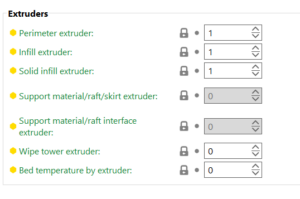
Extruders In this section, it is possible to choose which extruder in your printer to print specific parts. Perimeter extruder Extruder to use when printing perimeters and brim. Infill…
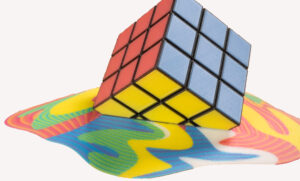
The ColorMix is as a feature in PrusaSlicer and EasyPrint. Using any multi-color printer, it allows you to create additional color tones from the loaded filaments. It works similarly…