0 item in your cartitems in your cart
Your cart is empty
My profile
Log in to see orders, saved items
Signed in as
The First Layer Calibration is used to calibrate the distance between the tip of the nozzle and the print surface. The aim is to adjust the nozzle height until the extruded plastic…
Every FFF (Fused Filament Fabrication) printer requires a First Layer Calibration, which sets the vertical "Z" distance between the nozzle and the print surface. Sometimes this…
The Original Prusa FFF printers and upgrades use a screw(s) with a spring(s) to provide tension between the filament and the filament pulley. It is important to have this tension…
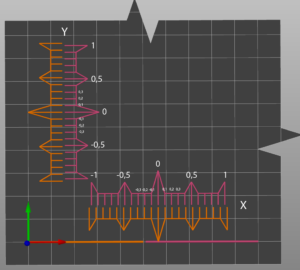
The XYZ calibration is a process, which checks, whether the printer was assembled correctly and the axes are perpendicular to each other. It measures the skew of your X/Y axis…
The Original Prusa FDM printers have a sensor to detect distance from the print surface. During a calibration, and before each print, the sensor will go through a number of points,…
While troubleshooting your printer, you should always try to fix the isolated issue by either replacing the damaged component or flashing a new firmware, which fixes the bug. However,…
All induction proximity probes alter the sensing distance with increased temperature. This might affect the quality of the first printed layer. P.I.N.D.A. v2 probe, included in…
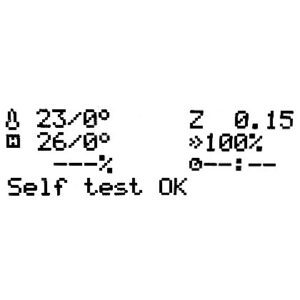
The Selftest checks for issues in the assembly of the printer, its wiring and the electronic components. It is the first part of the Calibration Wizard, which is prompted automatically…
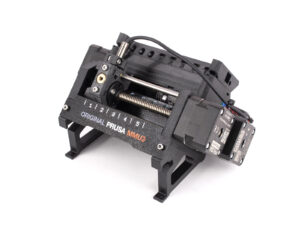
After successfully finishing the build of your Original Prusa MMU2S upgrade and going through 8. Preflight check & Calibration of the assembly manual you should be good to go.…
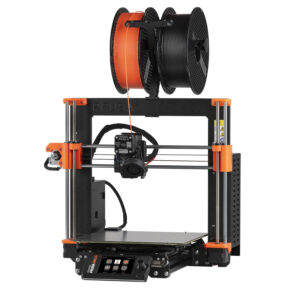
When you first turn on your Original Prusa MK4/S, MK3.9/S printer, it will start a selftest to verify the most common components of the printer. Make sure that your Firmware is…
The size of the extruder and the length of travel of the Z-axis is coded into the firmware. Therefore, if the assembly of the extruder, or the firmware for your extruder, is not…
The selftest verifies the most important components of the printer. It is the first part of the wizard, which will start when you turn on the printer for the first time, or you…
Starting with the firmware version 3.0.12, more detailed information about XYZ calibration results becomes available. This feature can be found in LCD menu -> Support -> XYZ cal.…
The multi-tool manual calibration for the multi-tool versions of the Original Prusa XL can be done to ensure that the Tool Offset Calibration worked correctly and to fine-tune…
XYZ calibration is a procedure that will tell you how well you have assembled your printer. Essentially, it measures the skew of your X/Y axis and compensates for any imperfections.…
The first thing you need to do after assembling your printer is running the Selftest procedure. This routine checks for the most common issues in the build quality and electronics…
On the Prusa CORE One L, CORE One, Original Prusa MK4/S, MK3.9/S, and XL, a gearbox alignment is necessary for user-assembled or serviced gearboxes. This procedure is part of the…
After successfully finishing the build of your Original Prusa MMU3 upgrade and going through 11. First Flight of the assembly manual you should be good to go. However, if you encounter…
When first turning on your SL1 printer, or after a factory reset, the printer will ask to start the selftest. You can also start the Selftest in the printer menu in Settings ->…
The Selftest checks for issues in the assembly of the printer, its wiring, and the electronic components. It is the first part of the Calibration Wizard, which is prompted automatically…
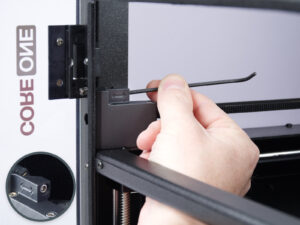
The Prusa CORE One/+ and Prusa CORE One L are enclosed printers with a door. It is necessary for the door to be closed for printing. The closed door improves the print quality,…