Prusa
  • SHOP
    • Latest products
    BY CATEGORY
    • 3D printersnew
    • 3D printer upgradesnew
    • Materials
    • Accessories
    • Spare parts
    • Courses
    • Merch
    • Get a price quote
    QUICK LINKS
    • Shipping & delivery
    • Returns & refunds
    • Payment & financing
    • Warranty
    • VAT & Customs fees
    • FAQ

    0 item in your cartitems in your cart

    Your cart is empty

    Go to cartShop 3D printers

    My profile

    Log in to see orders, saved items

    My profile

    Signed in as

    • Orders
    • Logout
  • 3D PRINTING
    • Explore 3D printing
    FOR BEGINNERS
    • 3D printing 101
    • How FDM printing works
    • Buying your first printer
    • 3D model catalog
    BY APPLICATION
    • Rapid prototyping
    • Manufacturing
    • Engineering
    • Research
    • Arts & design
    GO DEEPER
    • Materials guide
    • Courses
    • Webinars
    • Case studies
    • Custom 3D printing
  • 3D PRINTERS
    • All 3D printers
    FOR
    • Home or garageHobbyists, tinkerers and home printing
    • BusinessIn-house production for small teams
    • EnterpriseFleets, security and scale
    • Which Prusa is right for me
    SHOP & BROWSE
    • CORE One+new
    • CORE One+ INDXnew
    • CORE One L+new
    • CORE One L+ INDXnew
    • XL+new
    • MK4S
    • Prusa Pro HT90
    • Prusa Pro AFS
    • Prusa Pro SLX
    MORE FROM PRINTERS
    • Parts & upgradesnew
    • Critical infrastructure
    • Case studies
    • Signature Oak
    • Kits
  • MATERIALS
    • All materials
    BY USE
    • Every-day & design
    • Functional engineering
    • Composites
    • Pro speciality
    • SLA resins
    PRUSAMENT
    • PLA
    • PETG
    • ASA
    • PC
    • PA11
    • Flex
    • TPU
    MORE FROM MATERIALS
    • Materials guide
    • We make material in house
    • Sustainability
    • Order on the store
  • SOFTWARE
    • All software
    PREPARE THE PRINT
    • PrusaSlicer 3.0New
    PRINT & MONITOR
    • Prusa Connect
    • EasyPrint
    • iOS & Android app
    • Prusa Farm
    GET STARTED
    • Download & install
    • Knowledge base
    MORE FROM SOFTWARE
    • 3D model catalog
  • SUPPORT
    • Explore support
    FIND ANSWERS
    • Knowledge base
    • Troubleshooting
    • Courses
    • Webinars
    GET HELP
    • Contact us
    • Livechat
    • Shipping & delivery
    • Warranty
    • Returns & refunds
    • Service & spare parts
    • Service & Repair
    COMMUNITY
    • Forum
    • Reddit
    • Printables
  • TRUST CENTER
    • Trust Center overview
    BY TOPIC
    • GDPR
    • Certificates
    • Security
    • Compliance
    COMMITMENTS
    • Sustainability report
    TALK TO US
    • Contact the security team
  • COMPANY
    • About Prusa
    GET TO KNOW US
    • Our story
    • How we make printers
    • Open source
    • Brand & media kit
    NEWS
    • Blog
    • Newsroom
    • Events
    TRUST & PARTNERS
    • Sustainability
    • Resellers & distributors
    • Affiliate program
    • Contact
    • English
    • Čeština
    • Deutsch
    • Español
    • Français
    • Italiano
    • Polski
    • 日本語
  • Signed in as

    • Orders
    • Address
    • In-stock Alerts
    • My Courses
    • Subscription
    • Edit Account
    • Logout

Log in to see orders, saved items

Signed in as
  • Orders
  • Address
  • In-stock Alerts
  • My Courses
  • Subscription
  • Edit Account
  • English
  • Čeština
  • Deutsch
  • Español
  • Français
  • Italiano
  • Polski
  • 日本語
Shop

0 item in your cartitems in your cart

Your cart is empty

Go to cartShop 3D printers

My profile

Log in to see orders, saved items

My profile

Signed in as

  • Orders
  • Logout
SHOP
  • Latest products
BY CATEGORY
  • 3D printersnew
  • 3D printer upgradesnew
  • Materials
  • Accessories
  • Spare parts
  • Courses
  • Merch
  • Get a price quote
QUICK LINKS
  • Shipping & delivery
  • Returns & refunds
  • Payment & financing
  • Warranty
  • VAT & Customs fees
  • FAQ

Featured products

    Popular categories

      Trending searches

        Articles

          Blog

            Products

              Categories

                Suggested searches

                  Searching…
                  No results
                  Something went wrong.
                  ↑↓ Select↵ OpenEsc Close search
                  1. Support
                  2. Prusa CORE One+
                  3. Basic calibration
                  4. Idler screw tension
                   

                  Contents

                  • CORE One, MK4/S, MK3.9, XL
                  • MK2.5S/MK3S/MK3S+/MK3.5/MK3.5S
                  • MMU3 unit
                  • MMU2S unit
                  • MINI/MINI+
                  • MK3/MK2.5
                  • MK2S

                  Blog

                  • Print colorful and glowing Halloween decorations with our spooky offer
                  • Factorio Has Arrived on Printables
                  • Prusament PLA Lightweight: 65% lighter than regular PLA. Perfect choice for aircraft, cosplay, and more.

                  Newsletter

                  Signup and get our monthly squeeze on updates, blog, printables and much more.

                  By clicking, you agree to receive our newsletter.

                  This site is protected by reCAPTCHA Enterprise and the Google Privacy Policy and Terms of Service apply.

                  Factorio Transport Belts
                  E-shop
                  • 3D Printers
                  • Printer Upgrades
                  • Filaments
                  • Accessories
                  • Prusa Merchandise

                  © Prusa Research a.s.

                  Printables
                  • 3D Models
                  • Store
                  • Clubs
                  • 3D Design Contests
                  • Brands
                  Community
                  • World Map
                  • Forum
                  • User Groups
                  • Events
                  Help
                  • Prusa Help
                  • Prusa Academy
                  • 3D Printing Calculators
                  Software
                  • PrusaSlicer
                  • Prusa.app
                  • Prusa Connect
                  • Drivers and Software
                  Company
                  • About Us
                  • Blog
                  • Official Prusa Resellers
                  • Contact Us
                  • Certified for ISO 9001, ISO 14001, ISO 45001
                  • General Terms and Conditions
                  • General Terms and Conditions of Use of the PRUSA Websites
                  • Privacy Policy
                  • Information about cookies
                  • Customer Complaints Policy
                  • Status Page
                  • Do Not Sell or Share My Personal Information
                  • Supplemental Statements
                  • General Terms and Conditions
                  • General Terms and Conditions of Use of the PRUSA Websites
                  • Privacy Policy
                  • Information about cookies
                  • Customer Complaints Policy
                  • Status Page
                  • Do Not Sell or Share My Personal Information
                  • Supplemental Statements

                  © Prusa Research a.s.

                  JOSEF PRUSA®, PRUSA RESEARCH®, PRUSA POLYMERS®, PRUSA ORANGE®, PRUSA 3D ® AND PRUSAMENT® are registered trademarks of Prusa Development a.s. used by Prusa Research a.s. under licence from Prusa Development a.s.

                  Idler screw tension

                  Relevant for

                  CORE One family
                  MK4 family
                  XL family
                  MMU family
                  MINI family
                  +
                  24 comments
                  Article is also available in following languages
                  English
                  Čeština
                  Polski
                  Deutsch
                  Français
                  Español
                  Italiano
                  日本語

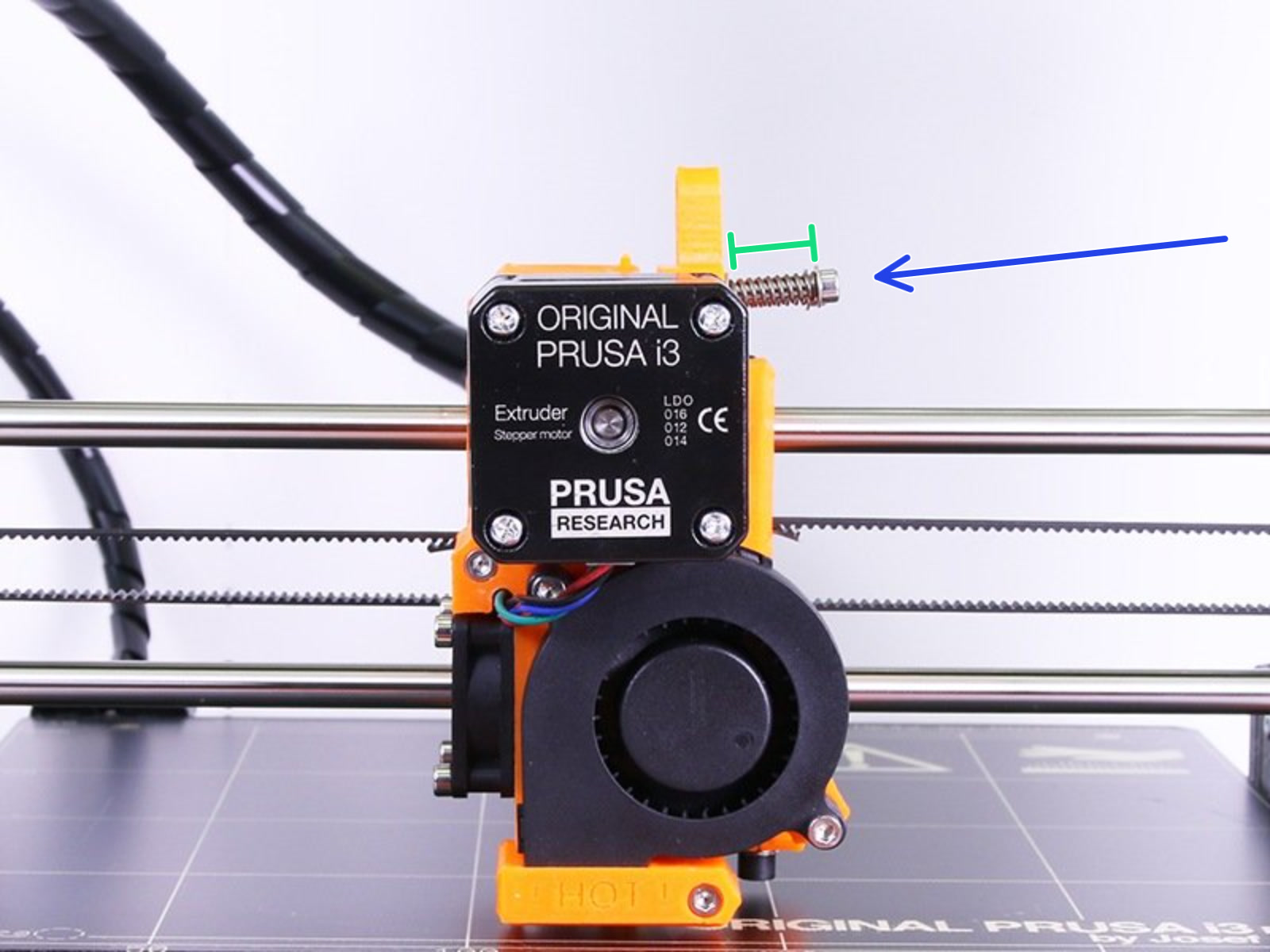
                  The Original Prusa FFF printers and upgrades use a screw(s) with a spring(s) to provide tension between the filament and the filament pulley. It is important to have this tension correct. If too loose the pulley will not be able to "grab" the filament, while if it is too tight the extruder motor can overexert itself and even start grinding the filament. With the exception of the MK2/S and MMU1, the correct tension remains the same across all of our printers. 

                  When printing flexible filaments (TPU/TPE) you want the screw even looser than what is depicted here. Please see Flexible materials for more information.

                  CORE One, MK4/S, MK3.9, XL

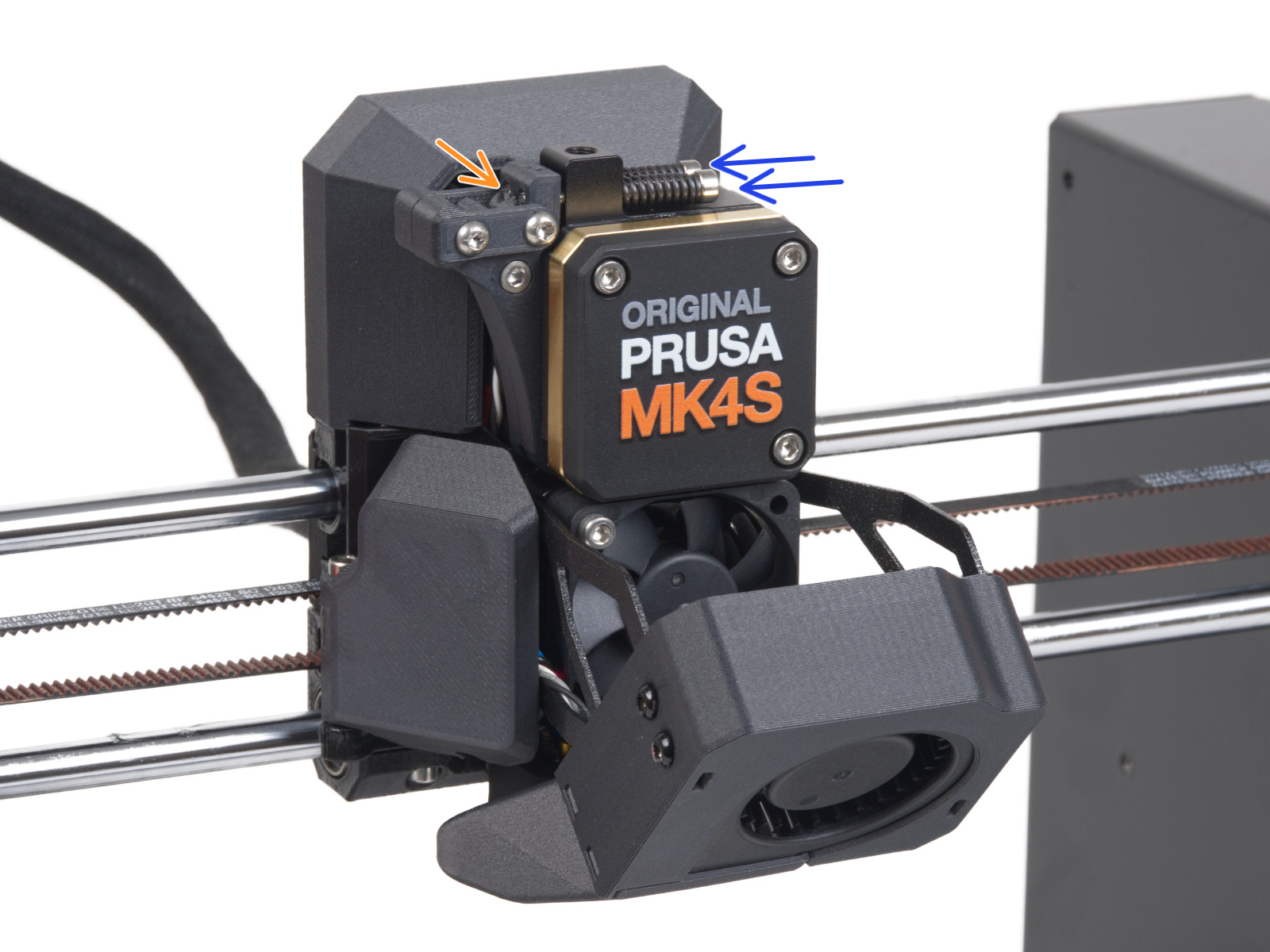
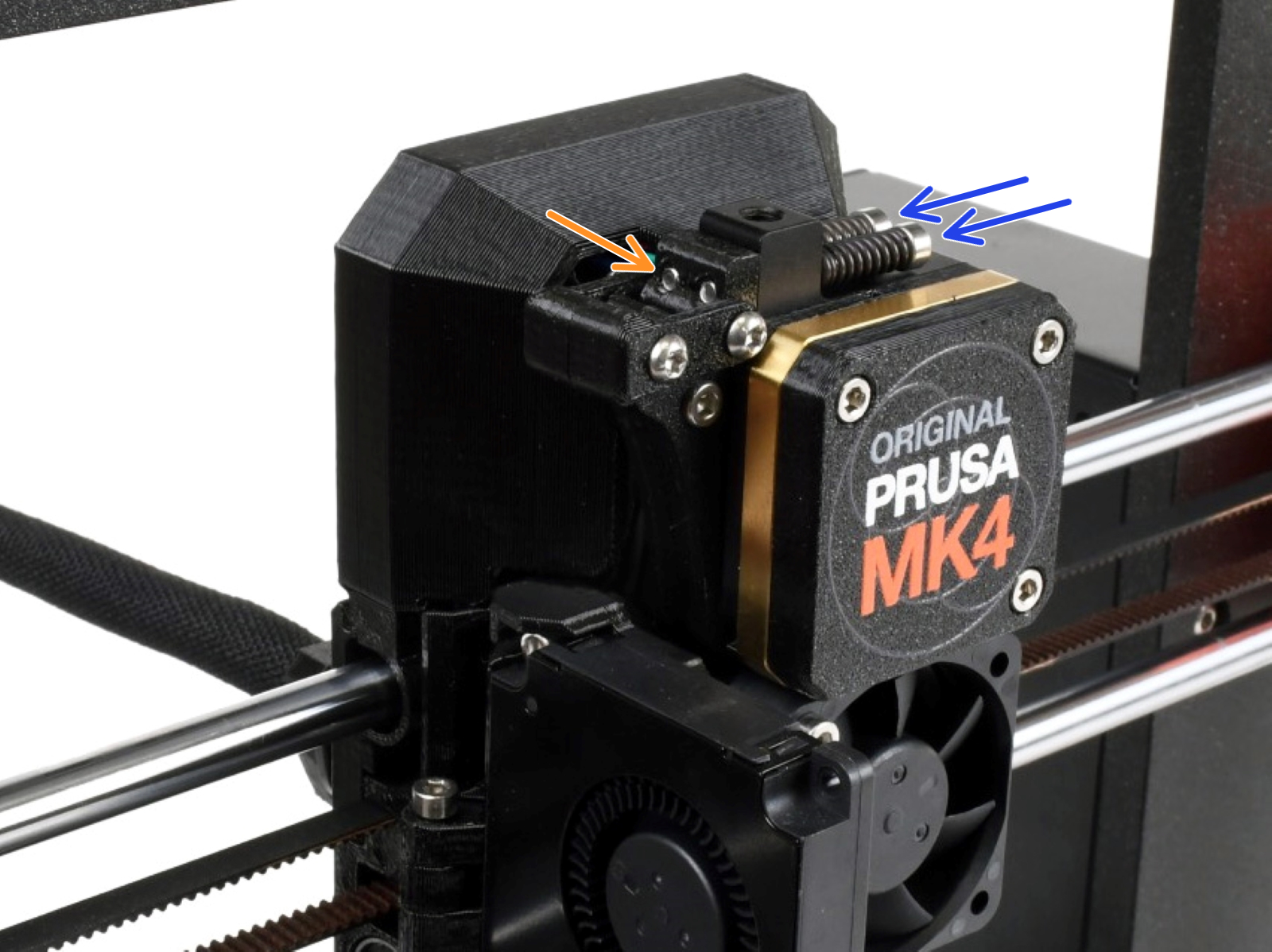
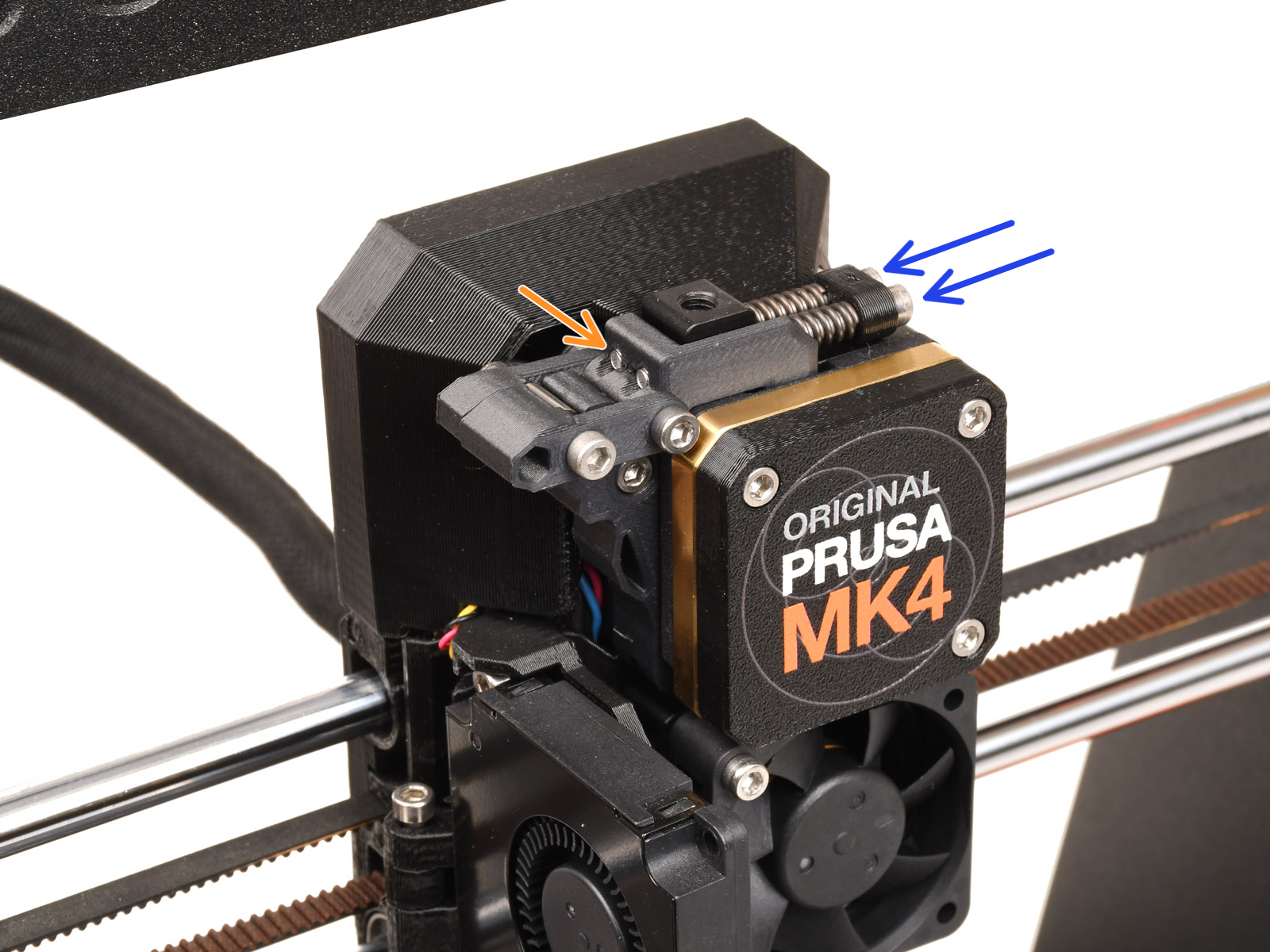
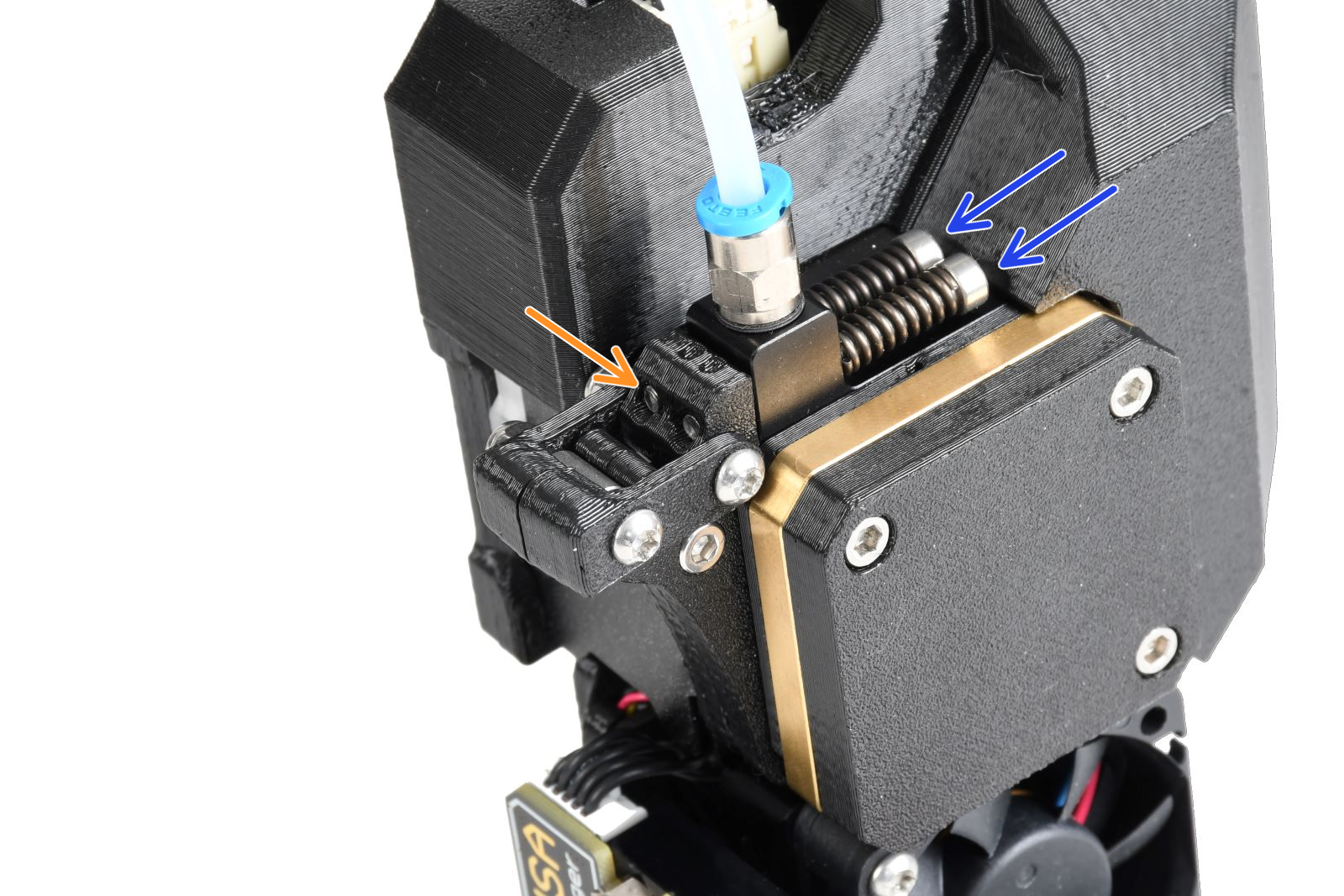
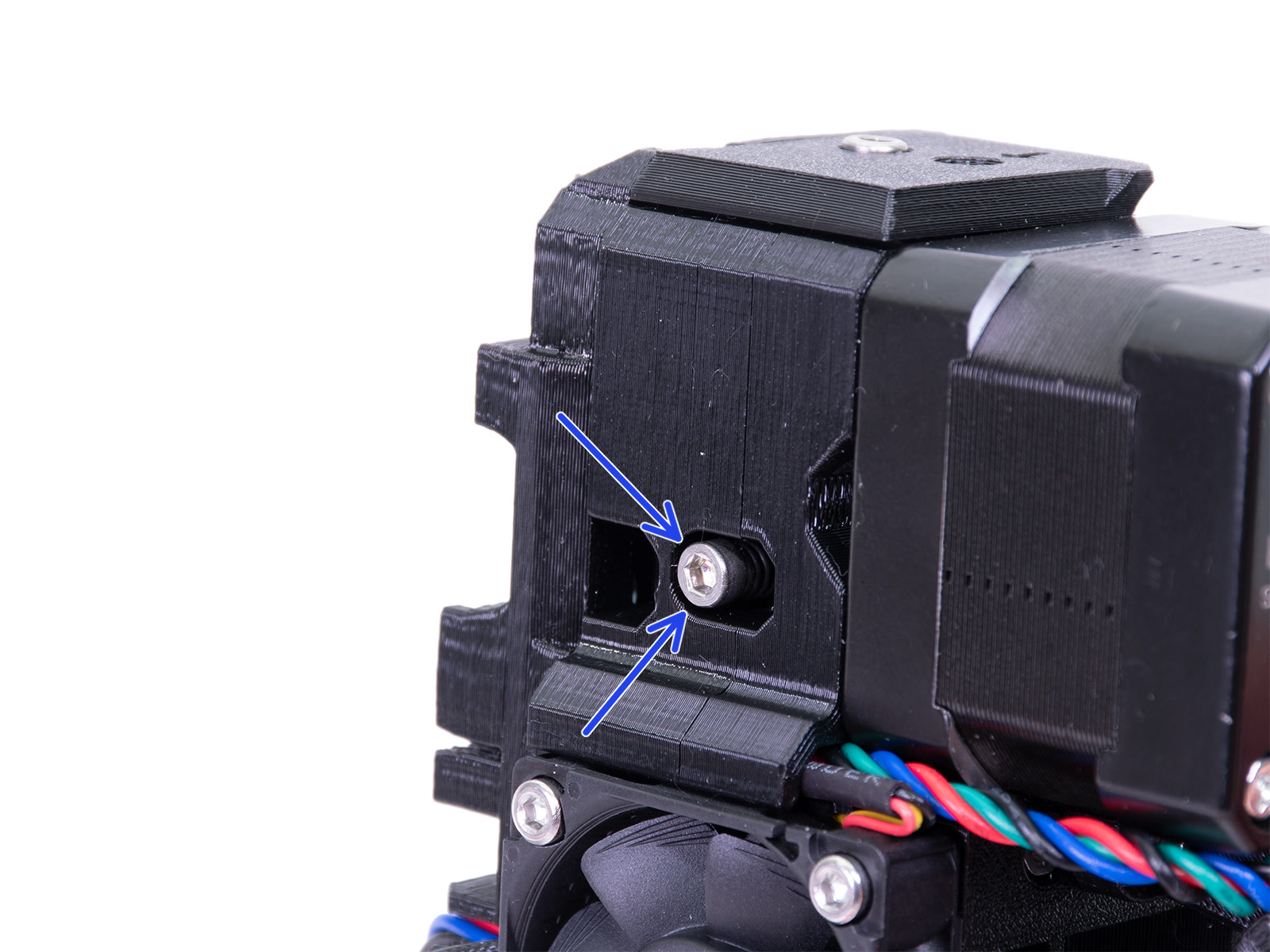
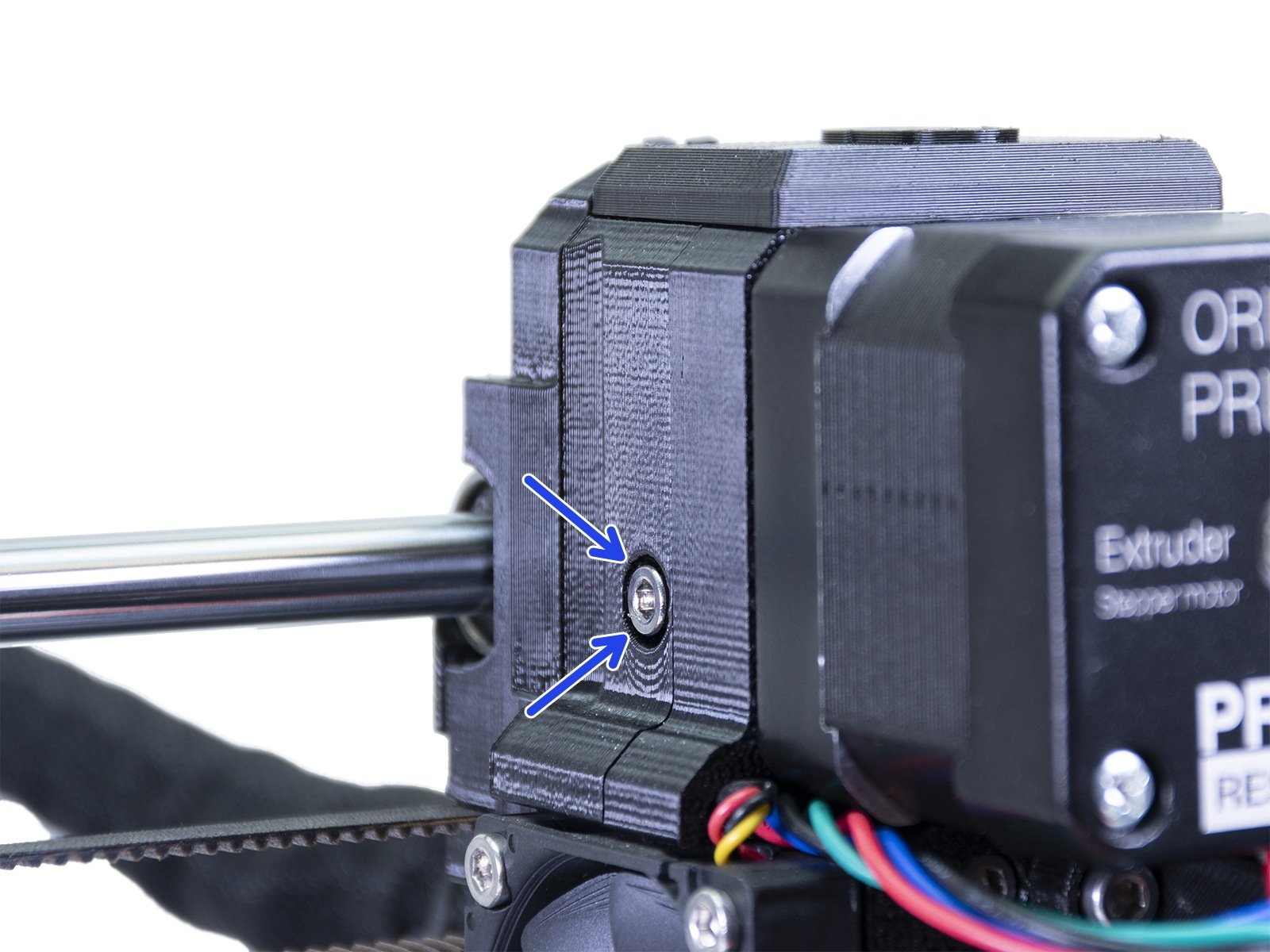
                  The Prusa CORE One, and the Original Prusa MK4/S, MK3.9/S, and XL have two idler screws, that are inserted into the Idler Nut. The Idler Nut keeps the Idler, the part that includes the two driven gears, in place. The tips of the screws must be aligned with the front surface of the Idler Nut. 
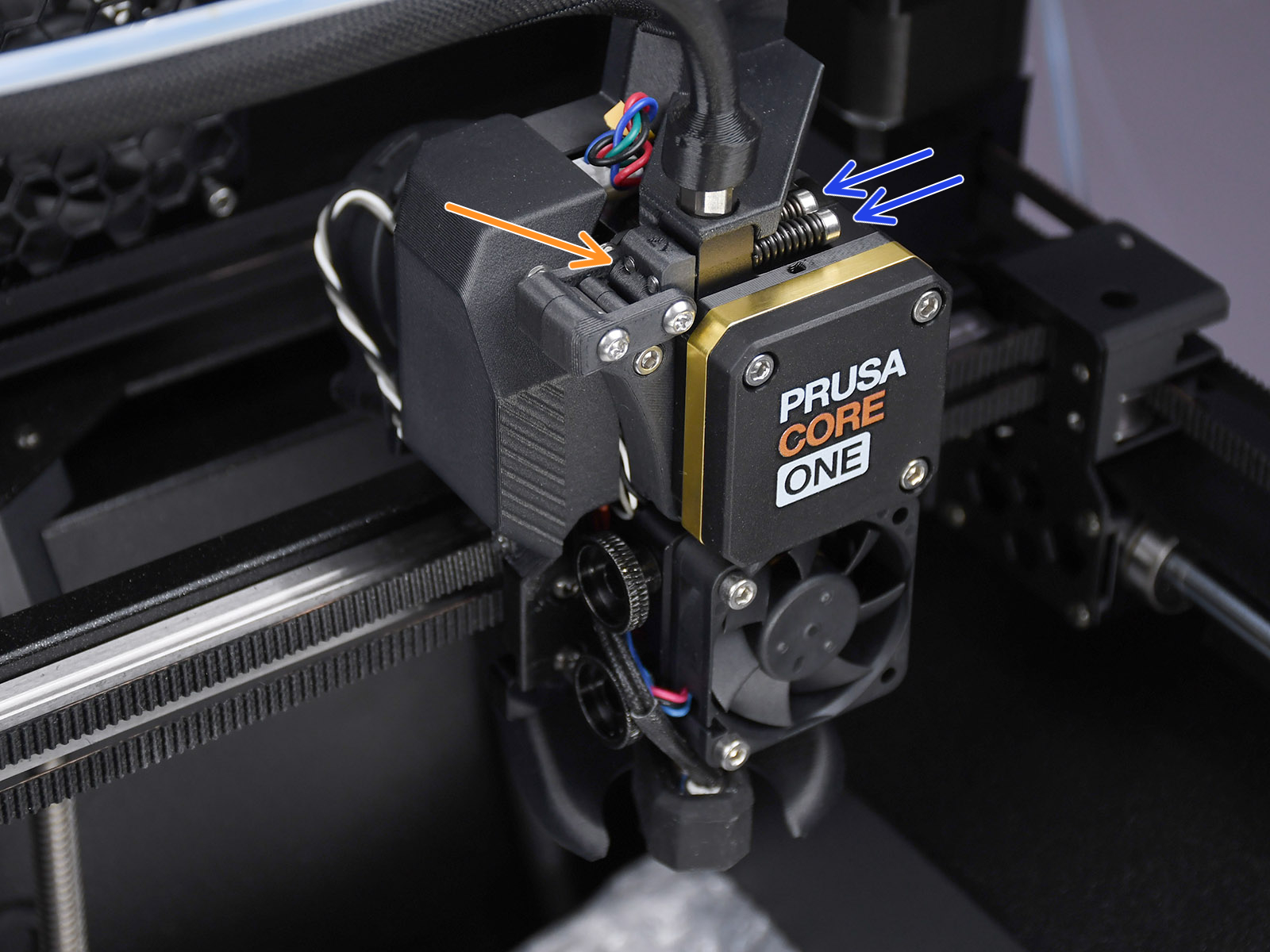
                  Prusa CORE One

                  Original Prusa MK4S, MK3.9SOriginal Prusa MK4, MK3.9


                  Original Prusa MK4 with MMU3-modified extruderOriginal Prusa XL

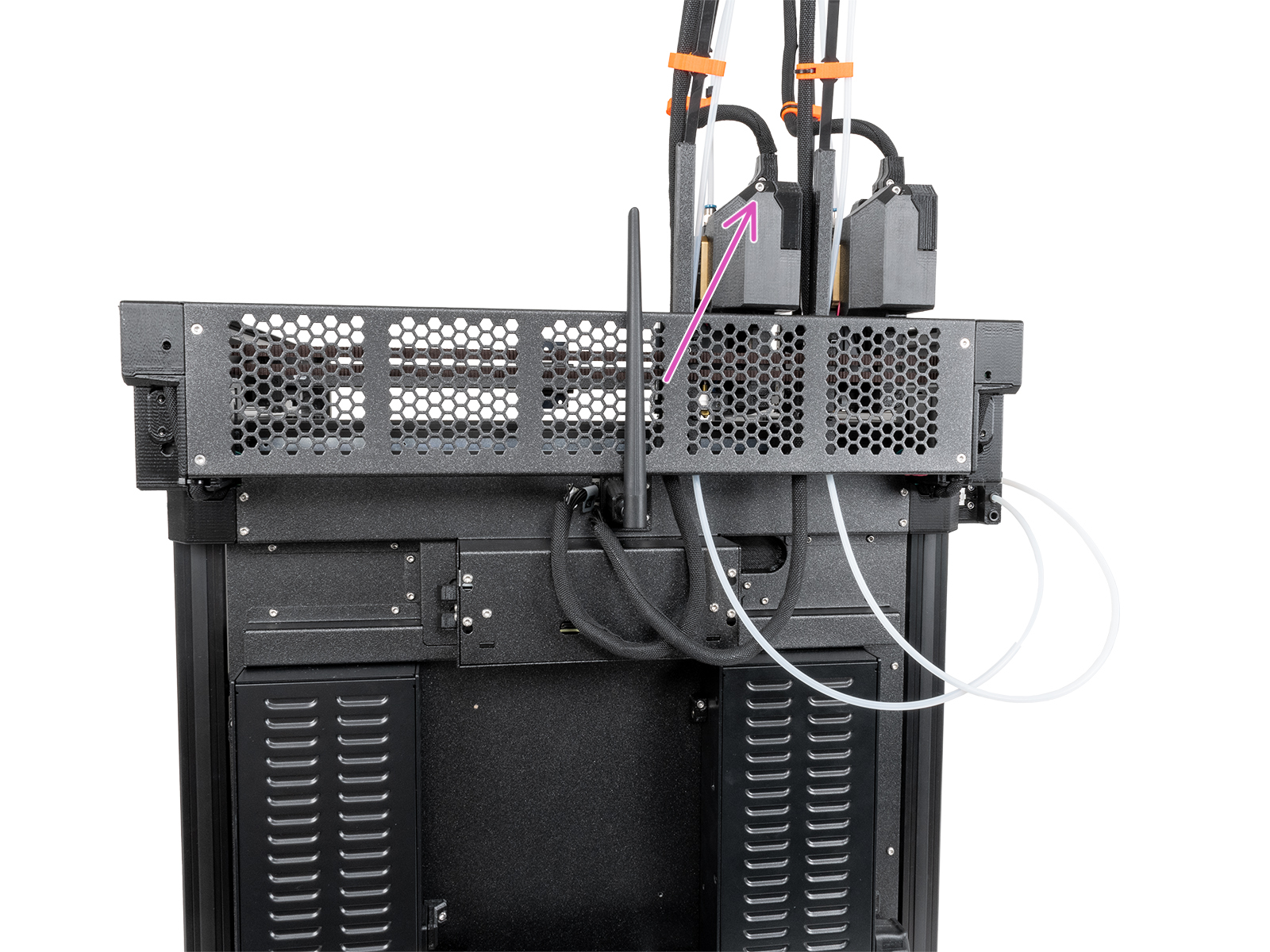
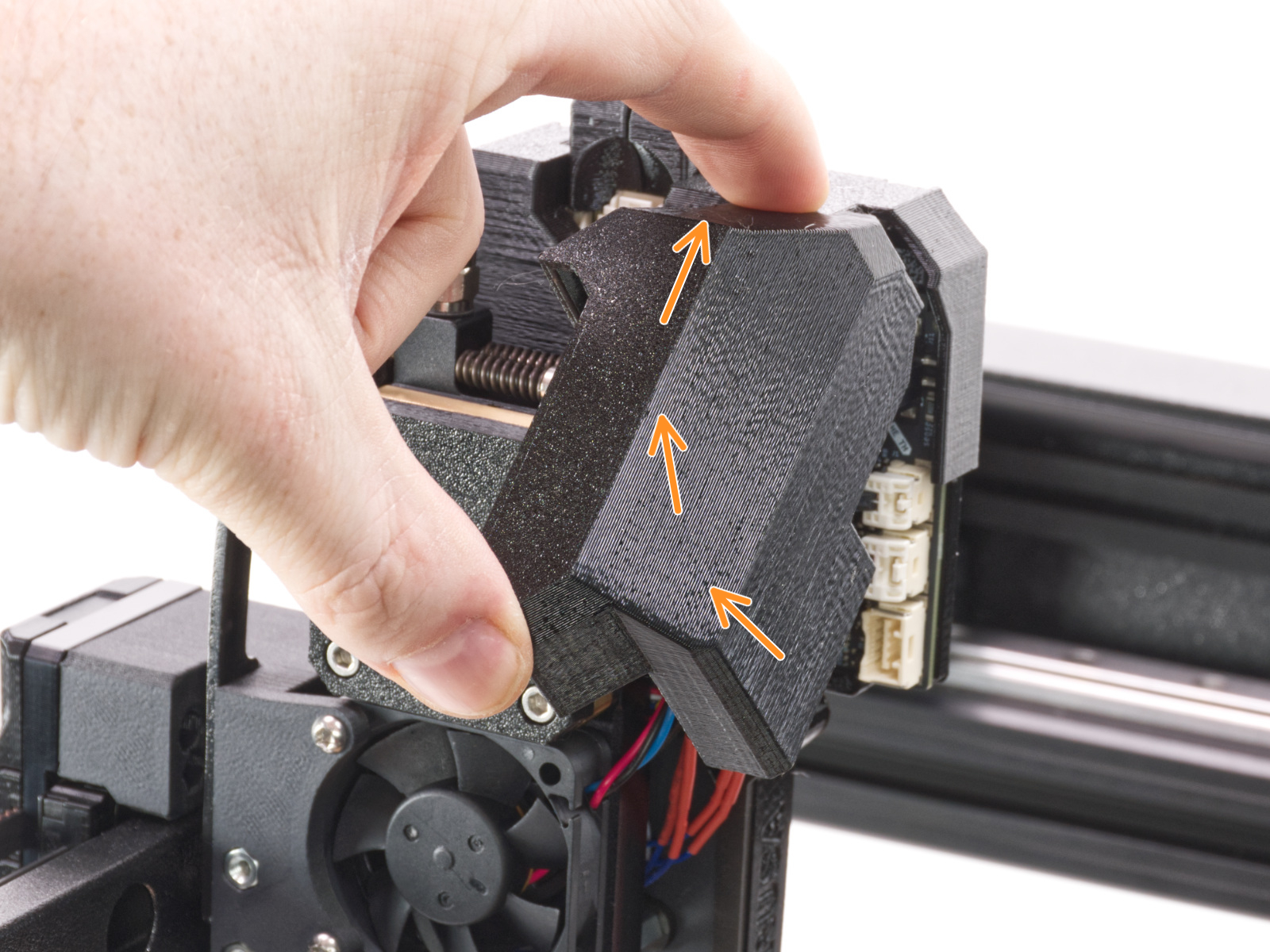
                  On the Original Prusa XL, the dwarf-cover-door prevents access to adjusting the idler tension screws. 

                  On single-head XL, it is possible to gain access by rotating the dwarf-cover-door. On dual-head and five-head XL, with the tool in the parked position, loosen the M3x12 bolt to remove the dwarf-cover-door. 
                  MK2.5S/MK3S/MK3S+/MK3.5/MK3.5S

                  The idler screw should be about flush to protruding 0.5 -1 mm with the plastic part when the filament is not loaded.
                  Original Prusa MK3SOriginal Prusa MK3S+

                  MMU3 unit

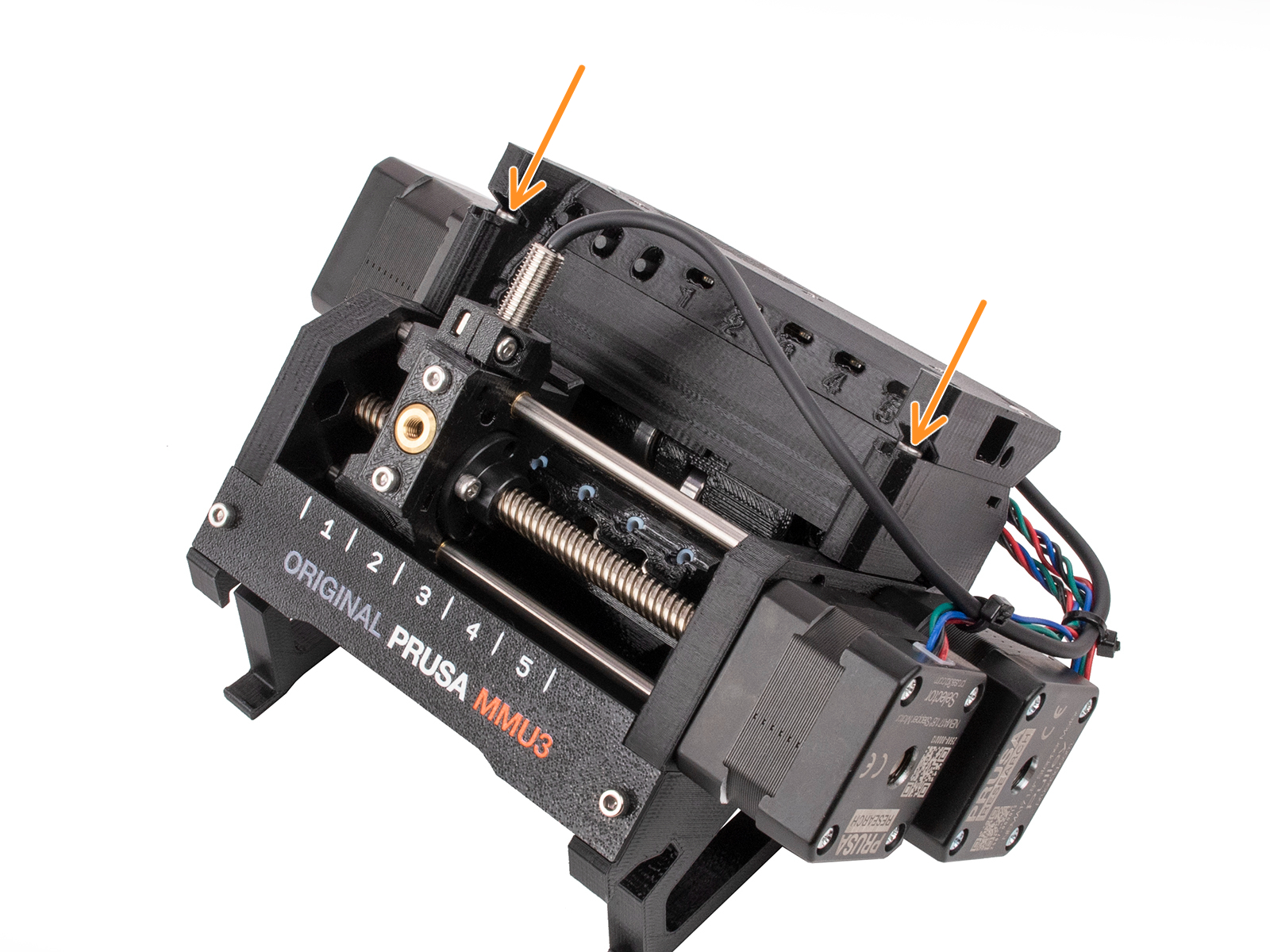
                  Both Idler tension screws should be adjusted so that the top of the screw head is flush or slightly above the top surface of the idler-body, as a default setting.
                  MMU2S unit

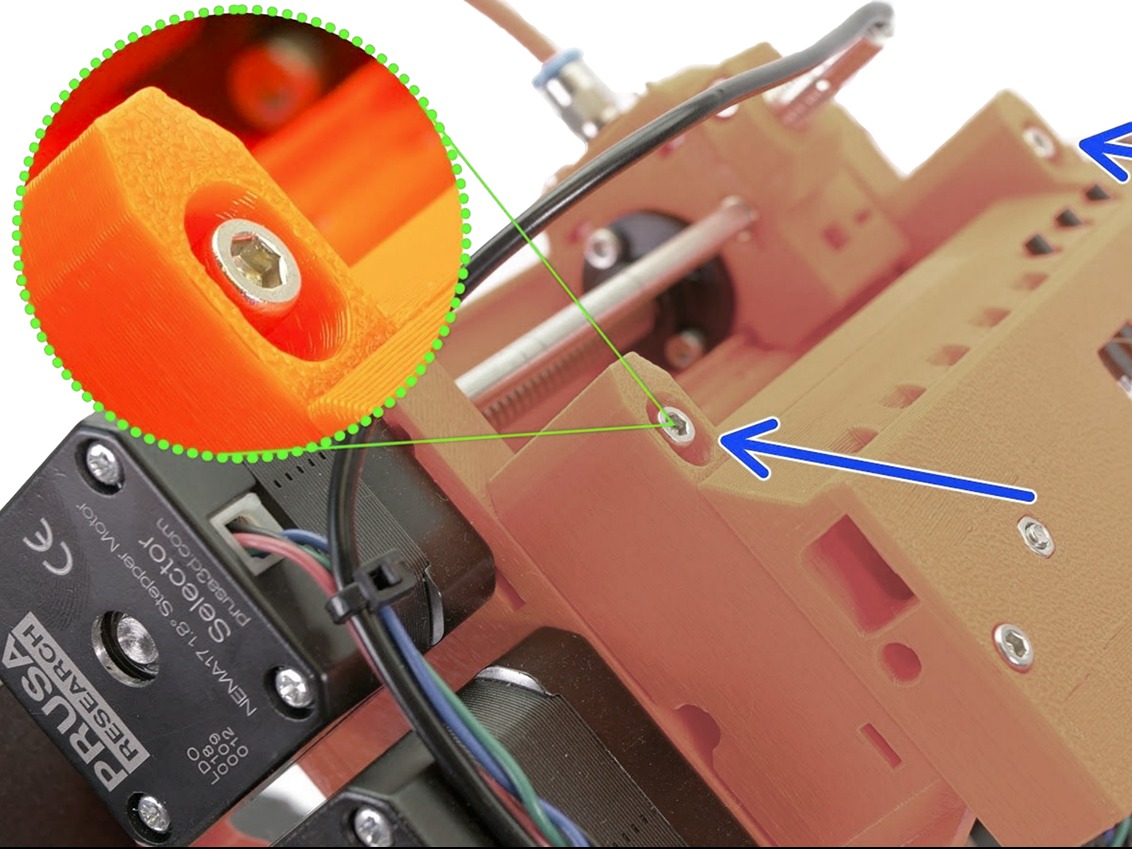
                  The MMU2S requires a slightly different extruder but also has 1 idler-screw on the left side of the extruder, like the picture above. Roughly the same tension should be applied but it should only be adjusted as a part of the IR filament sensor calibration.

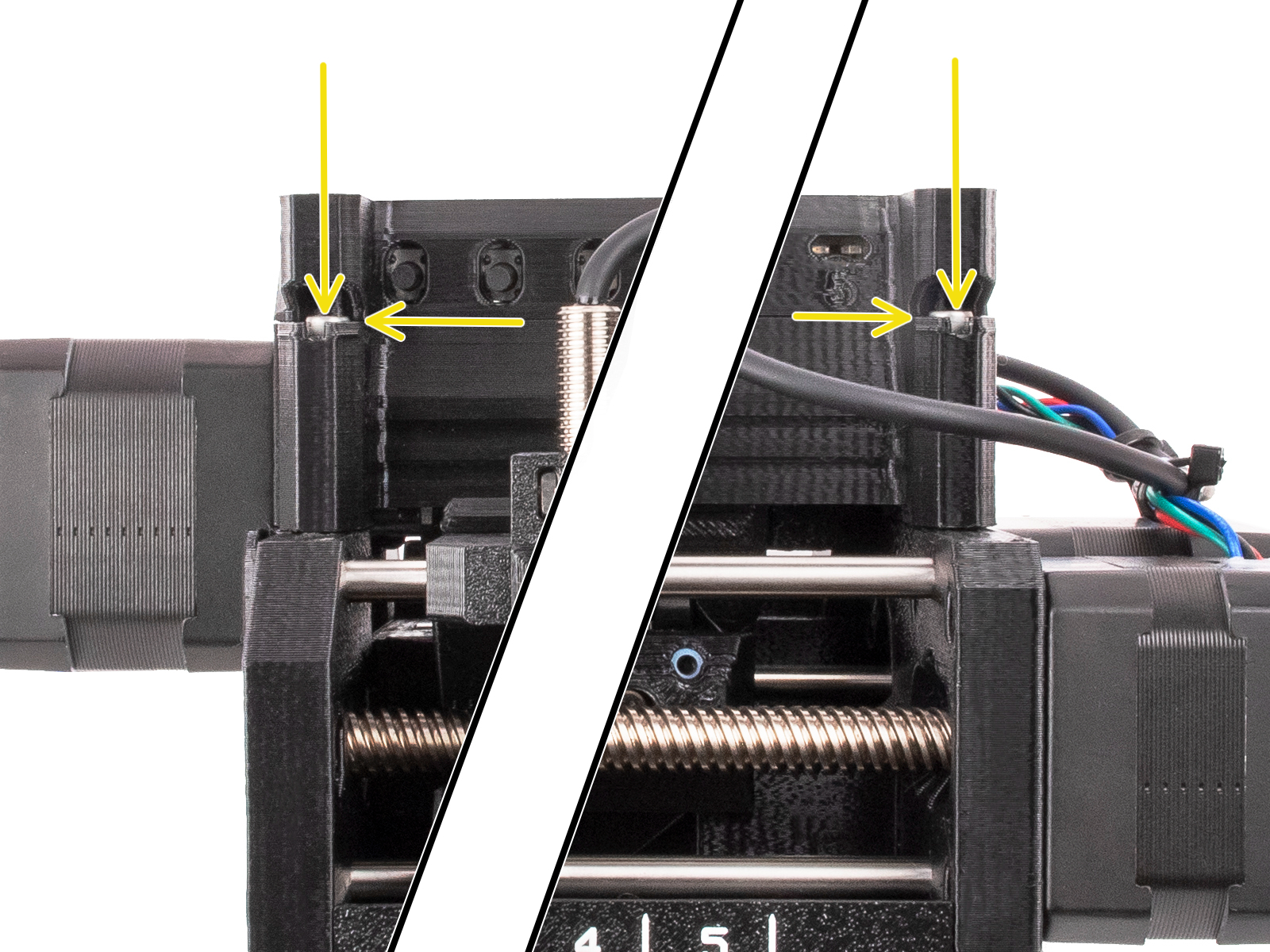
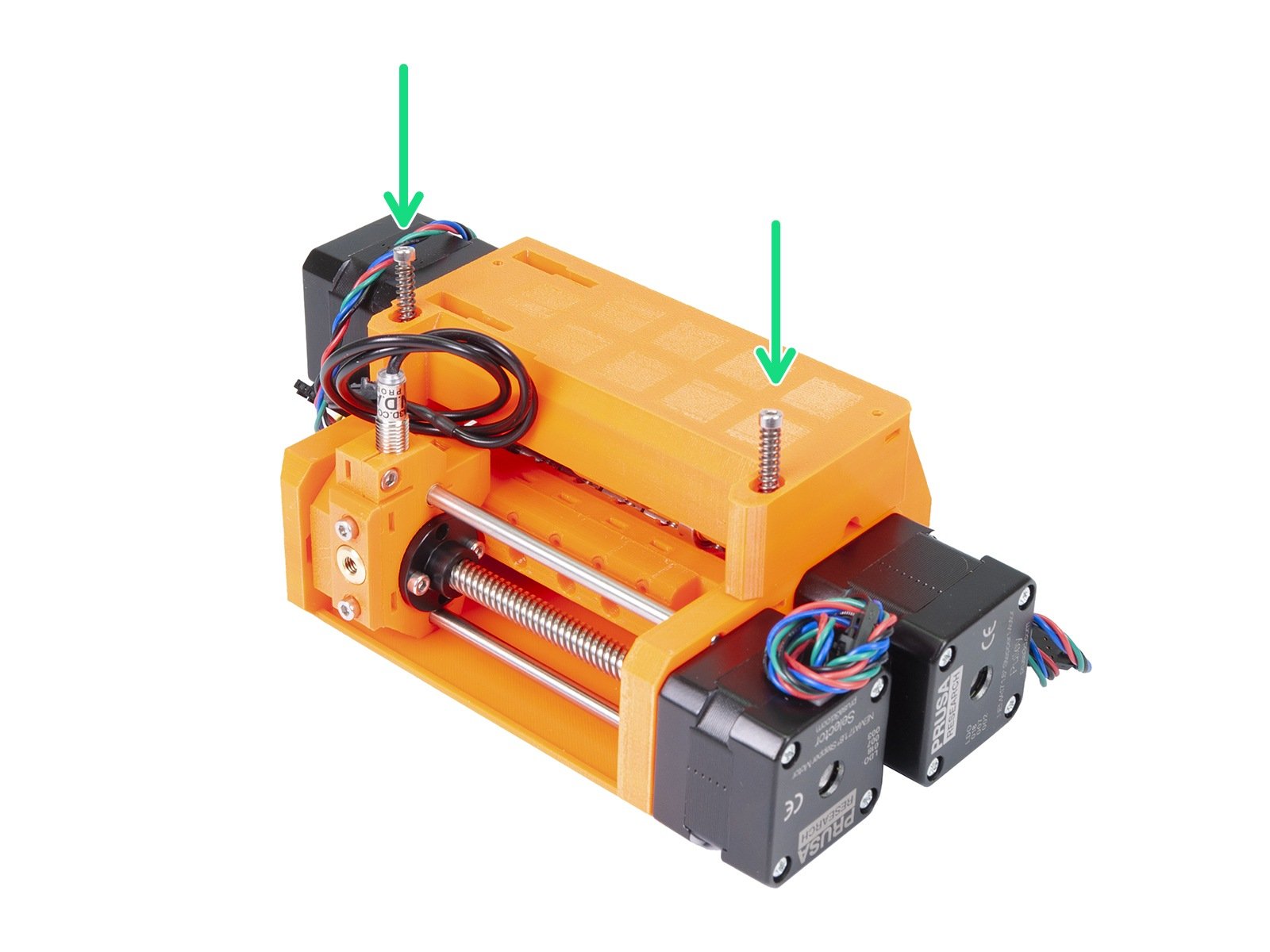
                  In addition to the screw on the extruder, the MMU2S unit itself has two tension screws on top (green arrows left picture), applying pressure to the filament upon load/unload. These should be slightly below the surface of the plastic part (about 1 millimeter) when the filament is not loaded to the nozzle (right picture).
                  MINI/MINI+

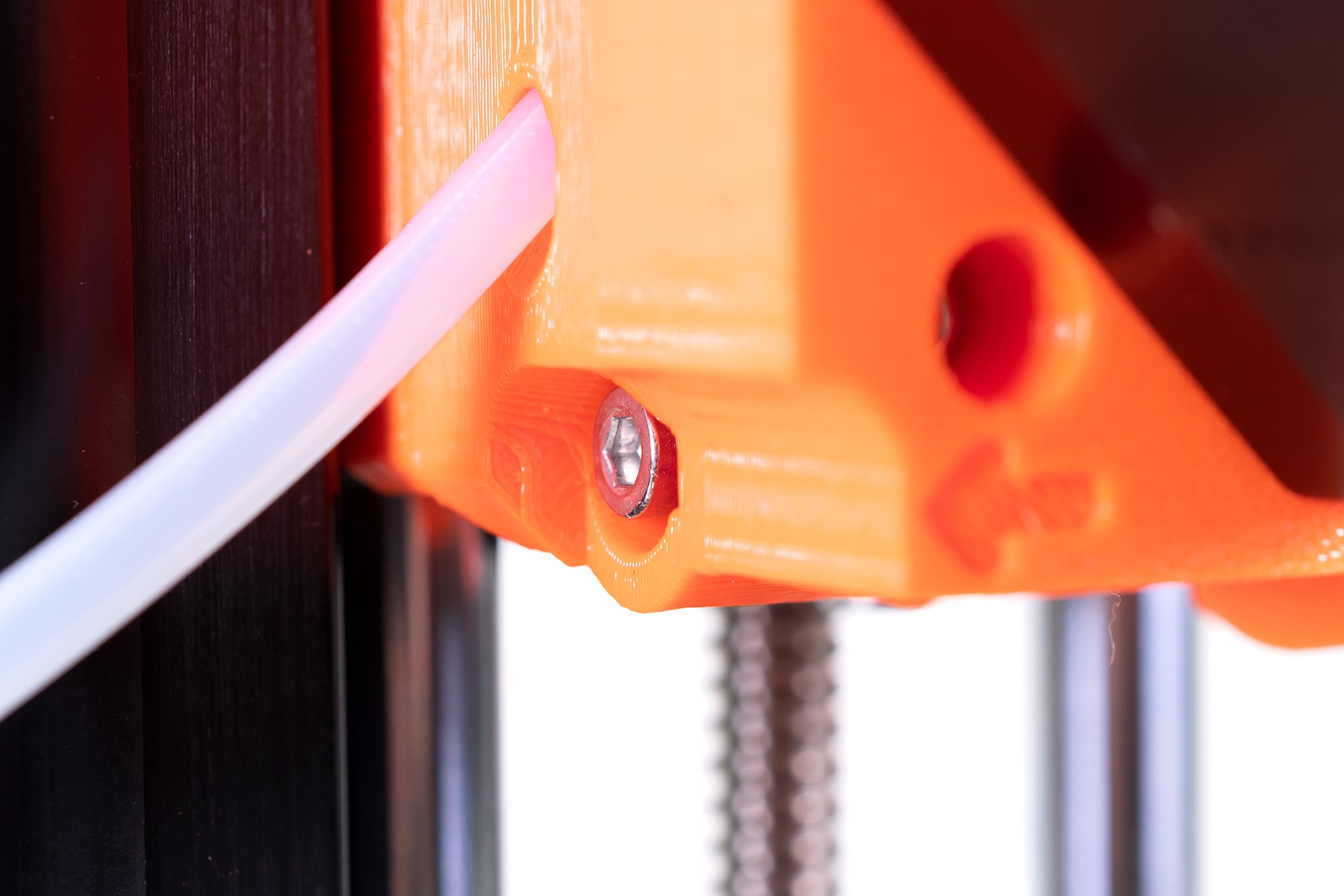
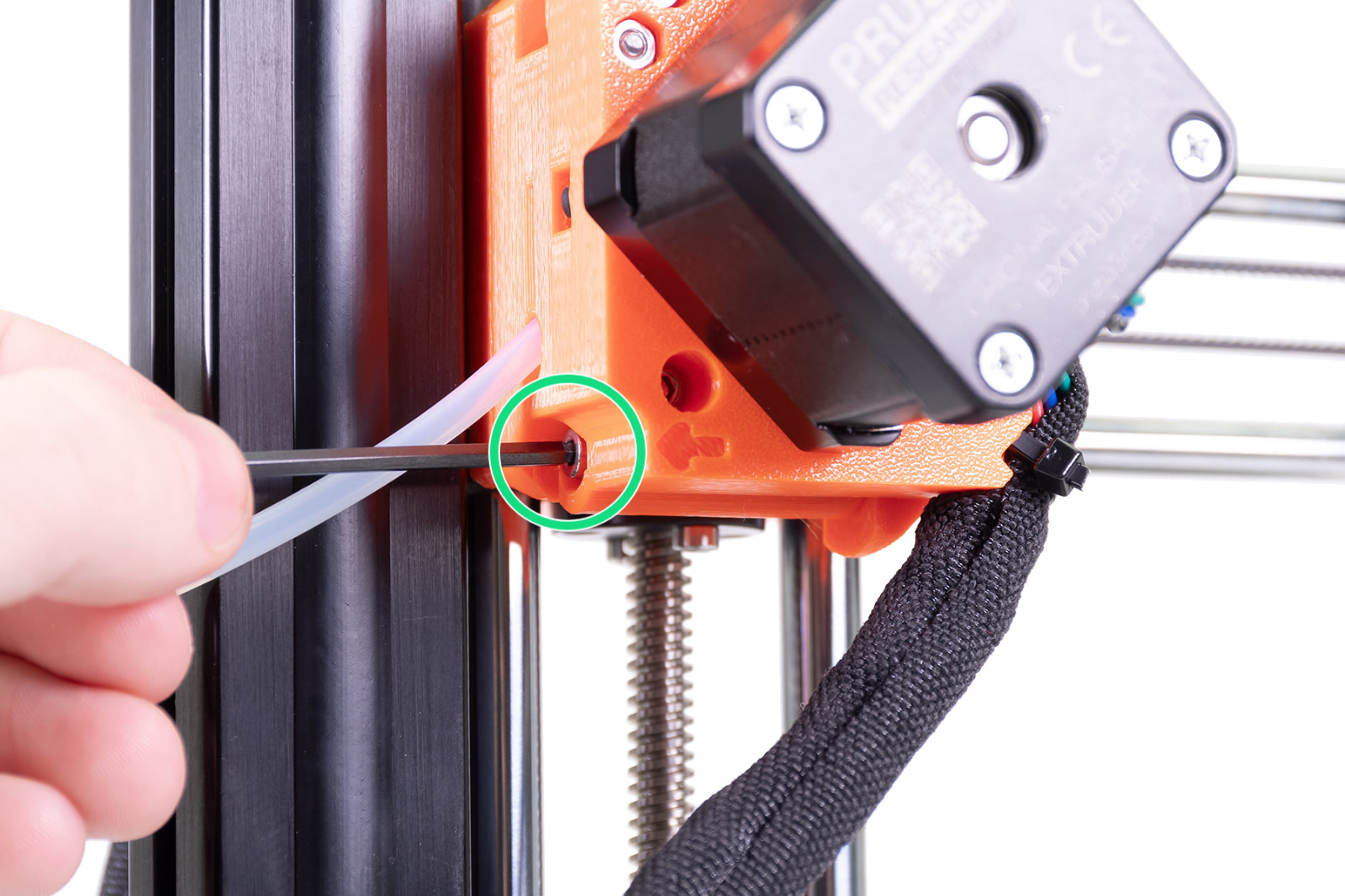
                  The Original Prusa MINI/+ has its idler screw on the bottom of the extruder, located on the Z-axis extrusion. This too should be about flush with the plastic, when the filament is not loaded.
                  MK3/MK2.5

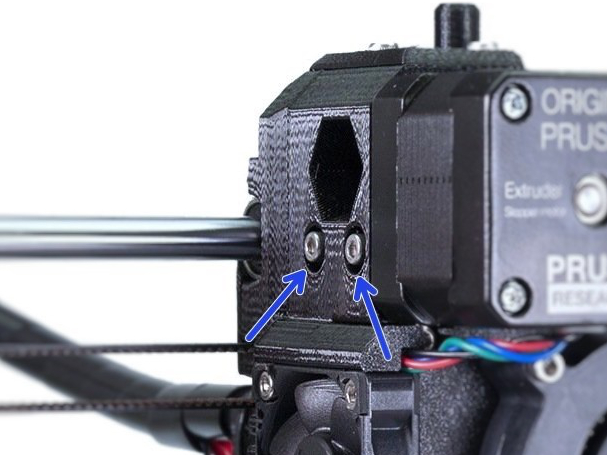
                  This extruder design has two idler screws. The head of the screw should be about flush to sticking out 1 - 1.5 mm when a filament is loaded.
                  MK2S

                  The Original Prusa MK2S had a different extruder design. It has two screws, where the length of the springs should be circa 13 mm when tightened. After some use, it is ok to tighten them a little bit more, but the two screws must be equal.
                  Was this article helpful?
                  This action is available only to registered users. Please log-in.

                  Topics

                  • Calibration
                    • Basic calibration
                      • Selftest failed (MK3/MK3S/MK3S+)
                      • Selftest failed (MK2/S, MK2.5, MK2.5S)
                      • MMU2S Setup and Inspection
                      • XYZ Calibration details
                      • Selftest failed (MINI/MINI+)
                      • Mesh bed leveling
                      • XYZ Calibration (MK3/MK3S/MK3S+)
                      • Full system refresh Original Prusa i3
                      • Temperature Calibration
                      • Failing Z calibration (MK3S/MK2.5S)
                      • Idler screw tension
                      • XYZ Calibration (MK2.5/MK2.5S)
                      • First Layer Calibration (MINI/MINI+)
                      • Selftest Failed (MK4/S, MK3.9/S)
                      • Gearbox alignment (CORE One L, CORE One, XL, MK4/S, MK3.9/S)
                      • Multi-tool manual calibration (XL)
                      • Selftest failed (MK3.5/S)
                      • MMU3 Setup and inspection
                      • Door sensor calibration (CORE One, CORE One L)
                      • First Layer Calibration (i3)
                    • Advanced calibration
                    • Calibration Error Messages

                  10 comments

                  Log in  to post a comment
                  Justin
                  •
                  Idler door on the MK4S is a pain. I can print better without it. No matter what tension it is set to and even when using the new parts provided in the MK4 -> MK4S kit the idler never has the right tension, its just too tight. Well behind the face and it still jams and causes skipping.

                  Nextruder feels like a regression from the rock solid MK3 which I pumped thousands of hours on. 530 hours on the Nextruder feels like I am fighting the thing to work.
                  Reply
                  Newtcat
                  •
                  Why the $#@@ dont they make a seperate manual for each printer? Vs having to wade through all the other crap that has nothing to do with the printer. Putting together the MK4s was easy compared to installing a pre built MUU3
                  Reply
                  Phil
                  •
                  I totally agree. Also, why can't Prusa offer a search that filters by printer model.
                  Reply
                  monosylabik
                  •
                  It looks like I did under tighten when assembling my Core One kit and got these clicking sounds while prints were ok. Decided to manage these constant clicks form the idler tensioner and did tighten the screws as shown in the picture — now extruder (or probably filament (PETG)) is screeching like hell. Had to under tighten the tensioner screws for about 3 full rotations - now it is nowhere near as pictured. Getting over extrusions now...
                  Reply
                  Triplehead
                  •
                  Just tighten it right.. I was assured that screeching is normal for PETG
                  Reply
                  Survival_man
                  •
                  Okay but when using 72D TPU, 64D, 95A, 90A, PETG, PC, etc... I'm pretty sure it has to be changed but there are no precise measurements here

                  What values should it be for the Prusa XL ?
                  Reply
                  volfion
                  •
                  I loose screws only for TPU, no other filament requires any tuning. IMHO one whole turn (or 1,5) should be enough. Works for me.
                  Reply
                  EG
                  •
                  I followed the cold pull steps where is asked to take out the screws for the idler door and now I can't screw in one of the screws (the one on the left). I can't find any information about how to solve this issue.
                  Reply
                  David
                  •

                  Hi! Just make sure the screw goesx against a nut in the idler door. Help it engage by pressing a nut towards the screw if neccessary :)

                  Reply