0 点の商品がカートに入っています点の商品がカートに入っています
カートは空です
マイプロフィール
ログイン すると注文や保存した商品を確認できます
ログイン中:
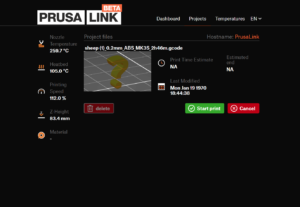
Via the web interface called PrusaLink, you can monitor and control your Original Prusa SL1/SL1S over your local network. You will be able to: Upload project files. Start and…
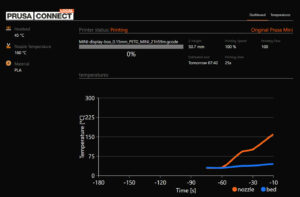
ATTENTION: この記事は廃止され、現在はメンテナンスされていません。MINI/MINI+ に最新ファームウェア を更新し、新しいウェブ user interface PrusaLink をご使用ください。 ファームウェア4.0.5より、Prusa Connect Localと呼ばれるウェブインターフェースを介して、ローカルネットワーク上でOriginal…
Prusa ConnectとPrusaLinkは、Prusaが独自に開発したリモートプリントソリューションです。その起源は、プラハ本社にある記録的な規模のプリントファームで使用されている管理システムにあります。 Prusa Connectはクラウドサービスで、どこからでも利用可能です。 PrusaLinkはプリンター上でローカルに動作し、ローカルネットワーク内でのみアクセス可能です。 Prusa…
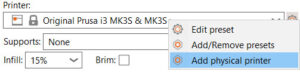
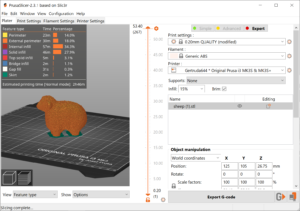
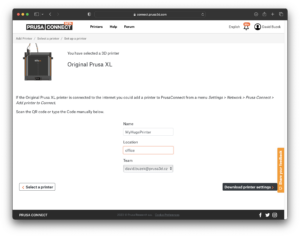
PrusaSlicerでは、Printerプロファイルからプリンタ接続設定を 物理プリンタプロファイル に分離しています。 プリンタプロファイルのセレクトボックスで プリンターの追加 をクリックするか、歯車のアイコンをクリックして 物理プリンターの追加 を選ぶと、新しい物理プロファイルを作成することができます。 物理プリンタダイアログでは、プリンタに名前を付け、1つまたは複数のプリンタプロファイルを割り当てることができます。例えばMMU2Sアップグレードを使用する場合、物理プリンターは1台だけ設定すればよいのですが、シングルモードとMMUの両方のプロファイルをリンクさせることができます。 ネットワーク情報が記入された物理プリンタを現在のプリンタとして選択している場合、生成されたGコードを直接デバイスに送信することができます。 PrusaConnect PrusaConnectでプリンタにファイルを送信する場合は、物理プリンタを追加するか、既存のプリンタを編集してください。 Host…
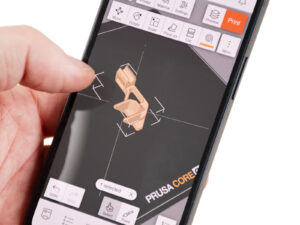
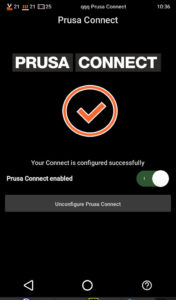
Prusaアプリの最初のバージョンでは、スマートフォンからPrusa Connectを使用するオプションを提供しています。 このアプリには、プリンタやチームの観察機能、基本的なダイレクトプリントオプション、NFCとの連携、通知機能などがあります。 ダウンロード Prusa アプリでできること プリンタ:プリンタとその現在のステータスを簡単にモニタリング ジョブ:現在および過去のプリントジョブの概要、最新状況の遠隔管理 通知:…
This article is intended for experienced users only! When using PrusaLink, you connect to your printer via its IP address, which is assigned to it by the DHCP server on your network.…
The Prusa Camera API lets you connect third-party cameras to Prusa Connect. You can link your camera to a printer, then upload images (snapshots) and camera information that show…
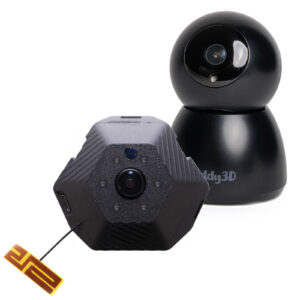
The Buddy3D camera features high-quality optics and IR illumination, allowing you to monitor your printer even in complete darkness. A USB-C connection can power the camera. The…
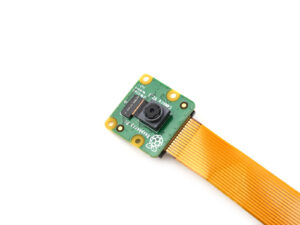
PrusaLink for Original Prusa MK2.5/S or MK3/S/+ printers is powered by an Raspberry Pi (RPi) board. A camera can be connected to it either using CSI or USB connection. Alternatively,…
何が起きているのか? Original Prusa MINI/+、MK4/S、MK3.9/S、MK3.5/SまたはXLで、Prusa Connectの設定中にエラーが発生し、プリンタに「Prusa Connectへの登録に失敗しました: ~」というメッセージが表示されることがあります。~の部分には、以下のリストから詳細なテキストが表示されます。表示されるテキストによって、原因と解決方法が異なります。 エラー名:…
This article is intended for experienced users only! During the regular RPi + PrusaLink operation, there should be no need to set up and use SSH. Since we develop neither Raspberry…
何が起こったのか? Original Prusa XLでPrusa Connectの設定中に、この設定でエラーが発生し、プリンタに「Prusa Connectへの登録が失敗しました:~」というメッセージが表示されることがあります。~の部分には、より詳細な説明テキストが表示されます。 エラー名:Connect登録失敗 エラーコード:#17401 どのように修正するか? Buddyファームウェアを搭載した当社のプリンタ共通のConnect登録失敗ガイドの指示に従ってください。このガイドには、このエラーの考えられる原因とその解決策についてのより詳細な情報が記載されています。
What happened? During the configuration of Prusa Connect on the Original Prusa MK3.5, an error on this configuration can occur and the printer shows the message "Registration…
What happened? During the configuration of Prusa Connect on the Original Prusa MINI/+, an error on this configuration can occur and the printer shows the message "Registration…
What happened? During the configuration of Prusa Connect on the Original Prusa MK3.9, an error on this configuration can occur and the printer shows the message "Registration…
Starting from firmware 1.8.0, the Original Prusa SL1/S can be added to Prusa Connect. There are three ways to do it. Touchscreen GUI on the printer Go to the printer menu to Settings…
It is possible to connect your Prusa Pro HT90 to PrusaConnect in order to print and monitor your printer remotely. Connecting Go to the printer menu to More -> Settings -> Prusa…