AA

おすすめ製品

    人気のカテゴリー

      急上昇ワード

        記事

          ブログ

            製品

              カテゴリー

                検索候補

                  検索中…
                  結果がありません
                  エラーが発生しました。
                  ↑↓ 選択↵ 開くEsc 検索を閉じる
                  • English
                  • Čeština
                  • Deutsch
                  • Español
                  • Français
                  • Italiano
                  • Polski
                  • 日本語
                  • 注文
                  • 住所
                  • 在庫ありのアラート
                  • 講座
                  • サブスクリプション
                  • アカウント編集
                  • 3Dプリンター9+▾

                    3Dプリンターnew

                    newPrusa CORE One Lさらに詳しく
                    newPrusa CORE One+さらに詳しく
                    newPrusa CORE One L+ INDX 8-ToolnewPrusa CORE One+ (Gen 2) INDX 8-ToolPrusa CORE One L: Critical InfrastructureOriginal Prusa MK4SnewOriginal Prusa XLOriginal Prusa XL:クリティカルインフラストラクチャー

                    プリンターのアップグレード

                    newCORE One/+ INDX Conversion KitnewMK3S/+ から MK4SnewXL - シリコンプリンティングツールヘッドnewMMU3 (Multi Material Upgrade)
                    Prusa 報酬プログラムシェアして、紹介して、特典をゲット。
                    3Dプリンターを選び方スペース・予算・用途に合わせて最適なマシンを選ぶための基本をご紹介します。
                    無料の電子書籍無料の電子ブック Basics of 3D Printing with Josef Prusa をダウンロードして、3Dプリンティングの世界への第一歩を踏み出しましょう。
                    Original Prusa のプリント可能なパーツOriginal Prusa 3Dプリンターとアップグレード用のプリント可能なスペアパーツコレクション。
                    配送情報プリンターの現在の生産量と納期に関する情報を定期的に更新しています。
                    カスタム3Dプリント様々な素材を使用したプロフェッショナルなカスタム3Dプリントサービス。
                  • マテリアル▾

                    フィラメント

                    PrusamentPLAPETGASA / ABSPCブレンドPA (Nylon)FlexComposites特別Materials clearance sale

                    レジン

                    Prusament Resin Tough柔軟性
                    フィラメントガイドプルサメントスプールをチェック
                    Prusament.com
                  • 部品 & アクセサリー▾

                    アクセサリー

                    エンクロージャーノズルスチールシート必須アクセサリーカメラ&アドオンツール&クラフト接着剤

                    補修部品

                    商品

                    スペアパーツ - すべてのプリンターCORE OneMK4/S & MK3.9/SMK3/MK3S/MK3S+XL
                    Merch
                  • 法人向け▾
                    Prusa Pro HT90Prusa Pro SLXPrusa Pro AFSPrusa Pro Medical OneOriginal Prusa XLOriginal Prusa XL:クリティカルインフラストラクチャー
                    Prusa CORE One+さらに詳しく
                    Prusa CORE One Lさらに詳しく
                    Prusa CORE One L: Critical Infrastructure Edition クリティカルインフラ版(高セキュリティ対応モデル)

                    3Dプリンティングの用途

                    製造と研究開発自動車産業ヘルスケア教育と学術研究建築家とデザイナー映画産業重要インフラ

                    3Dプリンティングのストーリー

                    No items yet.

                    プルサ正規販売代理店
                    サステナビリティ
                    Prusa Education
                    お問い合わせ・ご連絡
                    カスタム3Dプリント
                    ISO認証取得
                  • ソフトウェア▾
                    PrusaSlicer

                    PrusaSlicerPrusaSlicer

                    PrusaSlicer は、オープンソースで機能が豊富、頻繁に更新されるツールで、3Dプリンタ用の完璧なプリントファイルをエクスポートするために必要なものがすべて含まれています。ニュースやリリースログは Github で確認できます。

                    WindowsMacOSLinux
                    Prusa Connect

                    Prusa Connect

                    Prusa Connectは、3Dプリンターの遠隔操作と監視を可能にするクラウドサービスで、安全なデータの取り扱い、簡単なセットアップ、どこからでも複数のプリンターを管理できるサポートを提供します。

                    ログインして接続する
                    Prusa.app

                    Prusa.app

                    Prusa Connect技術を活用し、どこからでもリモートでプリンターを操作可能!Prusa.appは、AndroidおよびiOSデバイス向けに新たなPrusaプリンター体験を提供します。

                    今すぐお試しください!
                    ドライバー&ファームウェア3Dプリンタの最新のファームウェアとドライバをダウンロードしてください。
                    PrusaSlicer サポート
                    Prusa Connect サポート
                  • 3Dモデル▾
                    3Dプリンターアート&デザインホビー&メーカー日用雑貨テーブルトップミニチュアおもちゃ&ゲームPrintablesストア

                    人気の3Dモデル

                    • Strong garden hose holder
                    • Prusa Spool Bot
                    • Build Tray — Modular Organizer for Assembly, Disassembly and Maintenance
                    • Broom Holder
                    • Octagon Fabric
                    • Prusa CORE One ? (Mimic Skin)

                    デザインコンテスト

                    • Framework Laptop 12 Mainboard Re-Use2026/9/1 – 2026/9/30
                    • 🏆 Designer Challenge: Magic tricks!2026/9/1 – 2026/9/22
                    • Makeup Organizers2026/9/4 – 2026/9/20
                  • コミュニティ▾

                    イベント情報

                    • Maker Faire Tokyo 20262026/9/5 – 2026/9/6 · Tokyo, Japan · Prusa Team
                    • IFA 20262026/9/4 – 2026/9/8 · Berlin, Germany · Prusa Team
                    • 3D Printopia 20262026/9/26 – 2026/9/27 · Pennsylvania, United States · Prusa Team
                    • Maker Faire Bay Area2026/9/25 – 2026/9/27 · Kalifornie, United States · Prusa Team

                    プルサフォーラム

                    • Rough surface finish on one side of "top" (but not highest) layer?
                    • Help: How to clear a failed upload to Printer? Printer won't allow "STOP Transfer". Can't upload anything further through CONNECT.
                    • Printer dont transport Filament and Bricked the Nozzle
                    プルサワールドマッププルサワールドマップ地元の3Dプリントユーザーを見つけて、あなたの周りのコミュニティを探索してみてください。
                  • ヘルプ▾
                    ガイド & チュートリアルPrusaSlicerPrusa Connectマテリアル

                    プリンターモデル

                    CORE One INDXCORE One LCORE One+CORE One

                    ハードウェアのトラブルシューティング

                    • Selftest failed (CORE One/+)
                    • ホットエンドの詰まり (MK4)
                    • ベルトテンションの調整(CORE One L/CORE One)
                    • Prusa ConnectとPrusaLink について

                    ドライバー&ファームウェア

                    INDX familyCORE One familyMK4 familyXL familyMMU familyPRO family
                  • コース一覧▾

                    3Dプリンティングのエキスパートになろう

                    Prusa アカデミーでは、3Dプリンティングに関する様々なトピックのオンラインコースを提供しています。各コースの特徴:

                    • 多くの写真と短いビデオを含む読みやすいテキスト
                    • インスピレーションやさらなる学習のためのリンク
                    • 知識を試すためのテスト
                    • 修了証明書
                    Browse all coursesMy courses library
                    • 3D Modeling in Autodesk Fusion
                    • PrusaSlicerマスタークラス – 初心者から上級者まで
                    • Complete Guide to 3D Print Postprocessing, Painting, and Detailing
                    • Airbrush Your 3D Prints: From Basics to Advanced Tricks
                  • ブログ▾
                    • より高品質なプリントを、もっと簡単に:Prusa XL+、CORE One L+、CORE One+(Gen 2)― 大規模製品アップグレード
                    • Prusament PA11 Natural:極めて優れた機械的・耐薬品性を備えた素材 ギアや可動部品の造形に最適
                    • INDXの状況 ― 2026年7月アップデート:Founder’s Editionの出荷開始と今後の展開
                    電子書籍: 3Dプリンティングの基礎
                  • 会社概要▾

                    Prusa Research について

                    私たちは、ヨーロッパおよびアメリカ最大の3Dプリンターメーカーです。

                    Prusa Research は、チェコ出身のホビイスト/メイカー/発明家である Josef Prusa によって 2012 年に 1 人で立ち上げられました。そこからわずか 15 年で、従業員 1,200 名を超える企業へと成長しました。毎月、チェコ共和国プラハの本社および米国デラウェア州から、160 カ国以上のユーザーに向けて 10,000 台以上の革新的で安全な 3D プリンターを設計・製造・出荷しています。

                    動画をご覧になり、Prusa Research がどのように誕生し、わずか 10 年で何を達成したかをご確認ください!

                    Prusa Research についてタイムラインサステナビリティオープンソース
                    Prusa Research について
                    お問い合わせ
                    ロゴ・写真素材
                    ISO認証取得
                  1. サポート
                  2. Original Prusa i3 MK3S+
                  3. プリンターメンテナンス
                  4. Print surface preparation
                   

                  内容

                  • Choosing the right print sheet
                  • Cleaning the print surface
                  • Using the most common separation layers
                  • Removing the print

                  ブログ

                  • より高品質なプリントを、もっと簡単に:Prusa XL+、CORE One L+、CORE One+(Gen 2)― 大規模製品アップグレード
                  • Prusament PA11 Natural:極めて優れた機械的・耐薬品性を備えた素材 ギアや可動部品の造形に最適
                  • INDXの状況 ― 2026年7月アップデート:Founder’s Editionの出荷開始と今後の展開

                  ニュースレター

                  ご登録いただくと、毎月 新しいファームウェア、PrusaSlicerの新バージョン、3Dプリントプロジェクトの一般的なヒントなど、役立つ情報をお届けします。

                  クリックして、ニュースレターを受け取る。

                  このサイトはreCAPTCHA Enterpriseによって保護されており、Googleのプライバシーポリシーと利用規約が適用されます。

                  Strong garden hose holder
                  E-shop
                  • 3Dプリンター
                  • プリンターのアップグレード
                  • フィラメント
                  • アクセサリー
                  • Prusa 商品

                  © Prusa Research a.s.

                  Printables
                  • 3Dモデル
                  • Store
                  • Clubs
                  • 3Dデザインコンテスト
                  • Brands
                  コミュニティ
                  • ワールドマップ
                  • フォーラム
                  • ユーザーグループ
                  • イベント
                  ヘルプ
                  • Prusa ヘルプ
                  • Prusa アカデミー
                  • 3Dプリンティング計算機
                  ソフトウェア
                  • PrusaSlicer
                  • Prusa.app
                  • Prusa Connect
                  • ドライバーとソフトウェア
                  会社概要
                  • 私たちについて
                  • Blog
                  • プルサ正規販売代理店
                  • お問い合わせ
                  • ISO 9001・ISO 14001・ISO 45001 認証取得済み
                  • 一般利用規約
                  • PRUSAウェブサイト利用のための一般利用規約
                  • プライバシーポリシー
                  • クッキーに関する情報
                  • お客様の苦情対応に関する方針
                  • Webサイトのステータスページ
                  • Cookie 設定
                  • 一般利用規約
                  • PRUSAウェブサイト利用のための一般利用規約
                  • プライバシーポリシー
                  • クッキーに関する情報
                  • お客様の苦情対応に関する方針
                  • Webサイトのステータスページ
                  • Cookie 設定

                  © Prusa Research a.s.

                  JOSEF PRUSA®、PRUSA RESEARCH®、PRUSA POLYMERS®、PRUSA ORANGE®、PRUSA 3D ® および PRUSAMENT® は、Prusa Development a.s. の登録商標であり、Prusa Research a.s. が Prusa Development a.s. からのライセンスに基づき使用しています。

                  Print surface preparation

                  関連するもの

                  MK4 family
                  MK3 family
                  MK3.5 family
                  MK3.9 family
                  OLD PRODUCTS
                  記事 他の言語でもご覧になれます。
                  English
                  Čeština
                  Polski
                  Deutsch
                  Français
                  Español
                  Italiano
                  日本語

                  Before you start printing, you should know that various materials have different adhesions on various surfaces. It is crucial to pick the right steel sheet for your printer and prepare its surface properly. This article is about the most common types of print surfaces and how to prepare them for printing.
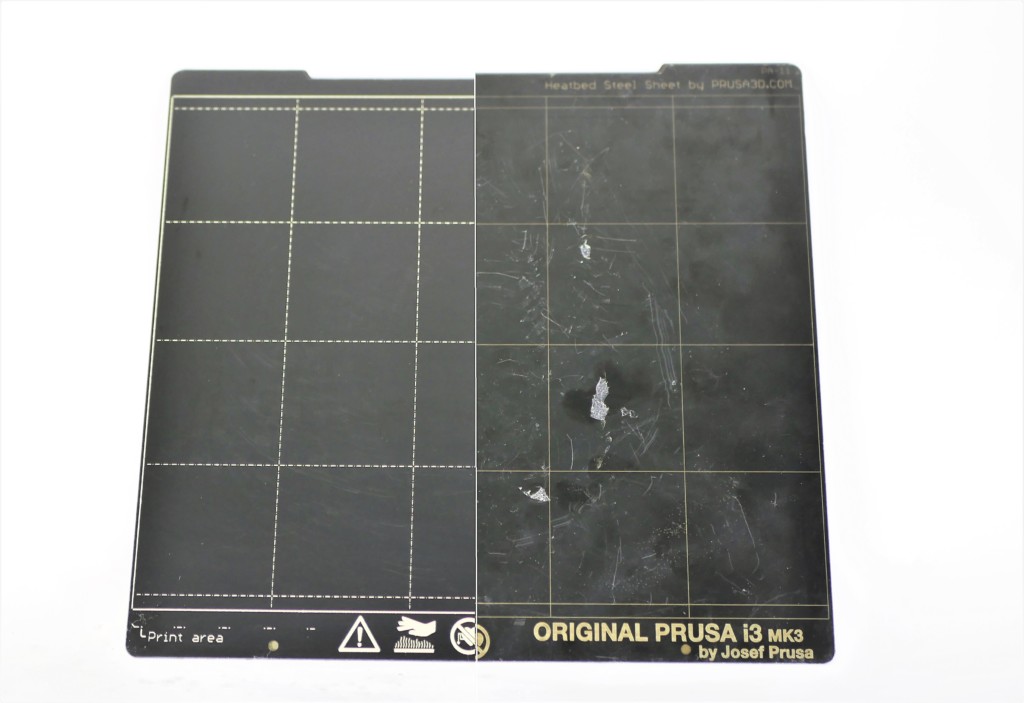
                  To kick it off with a quick (and most common) example: PETG filament has great adhesion to a clean, degreased, smooth PEI sheet, making it extremely hard to remove. Removing the print often leads to peeling off the PEI surface and irreversible damage to the sheet. This is why we recommend using another type of steel sheet or adding PVA glue as a separation layer on the print surface.

                  Steel sheet damaged by a PETG print

                  Choosing the right print sheet

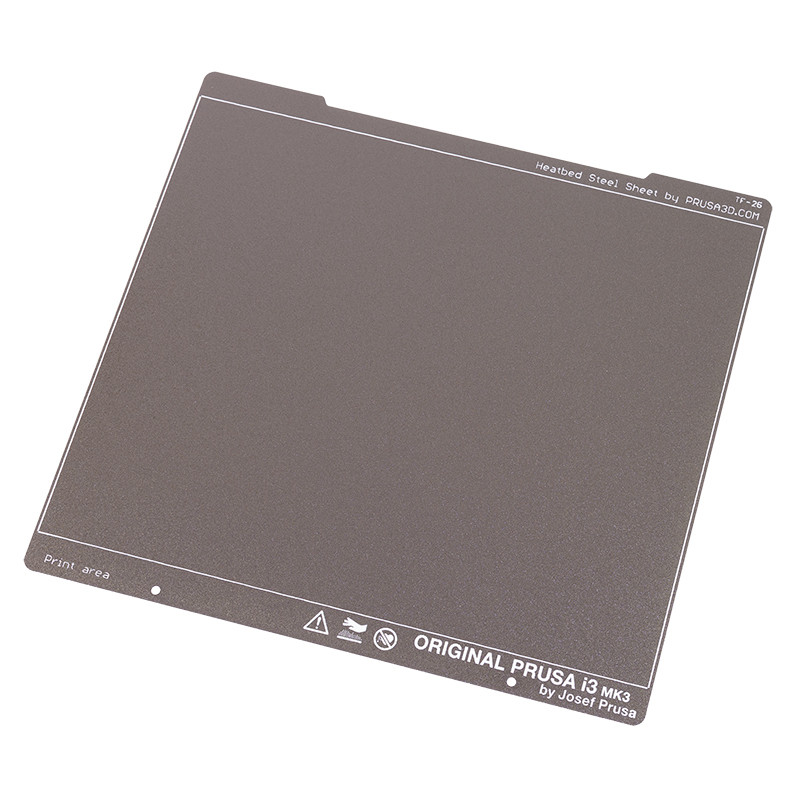
                  We offer 4 types of spring steel sheets, each has a different surface finish that leaves not only a specific texture on your print but also supports a variety of materials that can be printed on it.

                  Here’s a guidepost that provides the most information about the maintenance and properties of our three most common print sheets. Plus, here’s an article about our special PA Nylon steel sheet.
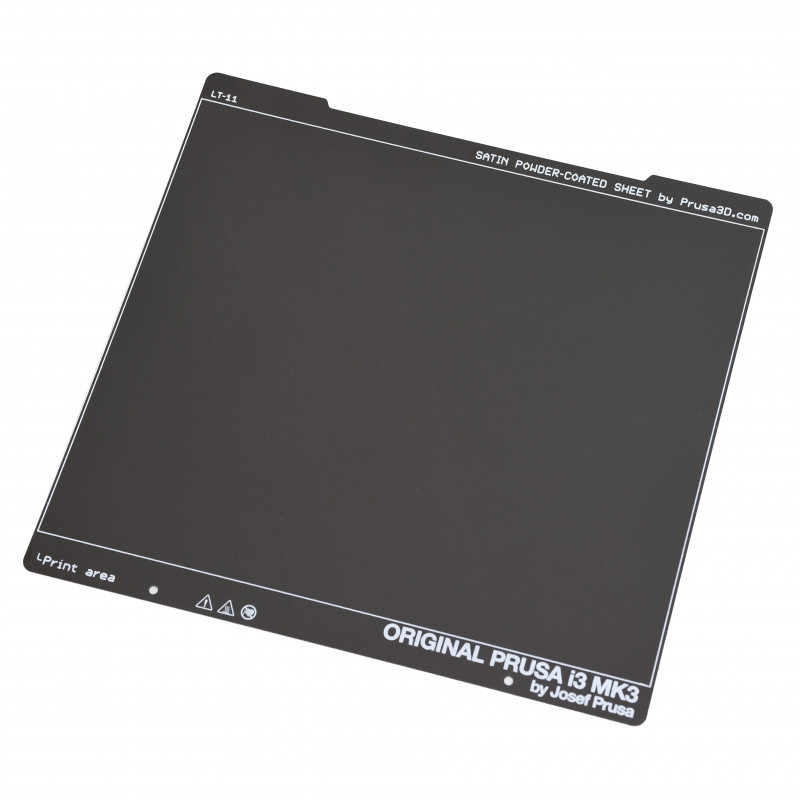
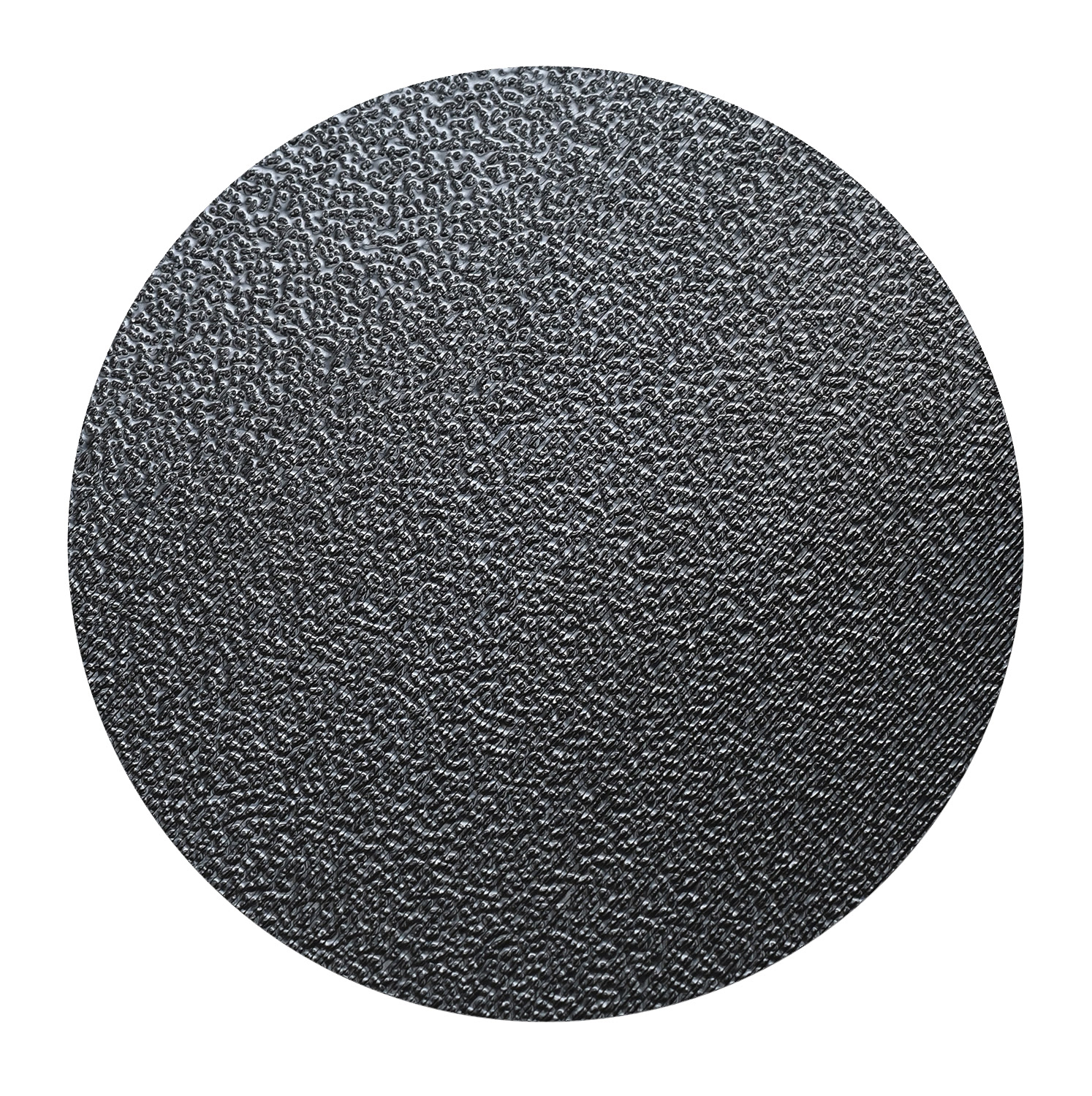
                  Smooth sheetTextured sheetSatin sheet

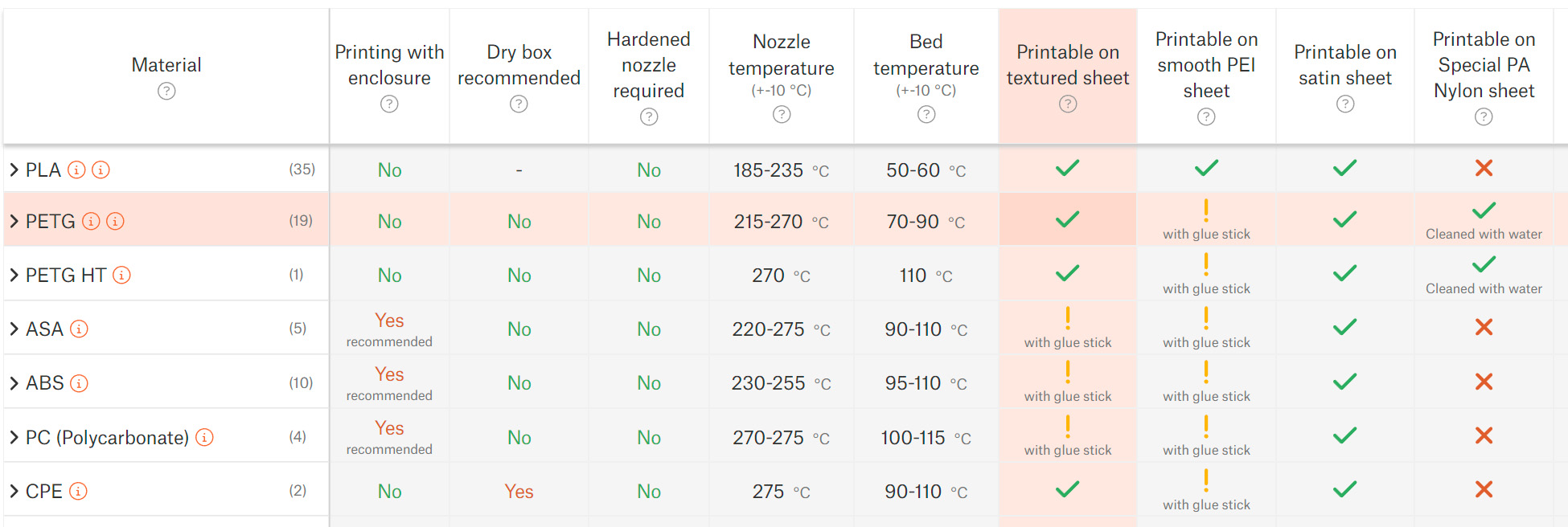
                  The best way to identify whether your sheet is suitable for the chosen material is by checking our Material table. If there’s a green check mark matching the selected sheet and material, you can simply degrease the print surface and you’re good to go. If there’s an exclamation mark, a separation layer of some sort is needed (see below). Failing to use the separation layer may lead to damaging your sheet!
                  Cleaning the print surface

                  This is an easy, yet crucial step you should perform before (almost) every print. We already described this in the 3D printing handbook and several other places but here’s a quick reminder:

                  Grease stains (fingerprints, etc.) often cause poor surface adhesion and, eventually, a print failure. To degrease the print sheet, spray some isopropyl alcohol (90% or stronger) or denatured ethyl alcohol on the cold print surface and wipe it with an unscented paper towel. Do not use any products for skin care: they usually contain oils that ruin adhesion!

                  There are some more specific rules for long-term sheet maintenance and you should definitely learn these but it reaches beyond this article’s purpose. Don’t forget to go through the steel sheet guidepost. Keep in mind that the special PA Nylon sheet has very different and highly specific rules for maintenance.

                  Alright, the print surface is clean, now the final checklist (see the material table):

                  1. Green check mark: Good to go!
                  2. Yellow exclamation mark: Use a separation layer (see below).
                  3. Red X: Do not print! The chosen material may damage your print sheet!

                  Using the most common separation layers

                  You may find various separation (or adhesive) layer materials on the market, some of those even in our e-shop. Every material has its benefits, but describing every single one of them is beyond the scope of this article. If you check our material table, you’ll find out that it all comes down to two most common separation layers: PVA glue stick and PP tape.

                  PVA (paper) glue is usually sold in the form of sticks that make the application easier. Usually, only a thin layer of glue is enough. Spreading a thick layer may leave various unsightly traces, bumps, and artifacts that will be imprinted onto your 3D print’s surface. However, if you want to print a mechanical part, where good looks are not as important as functionality and reliability, making the layer slightly thicker won’t hurt. Also, the PVA glue melts at relatively low temperatures, so we suggest applying it on a cold surface to avoid making an extra thick layer.
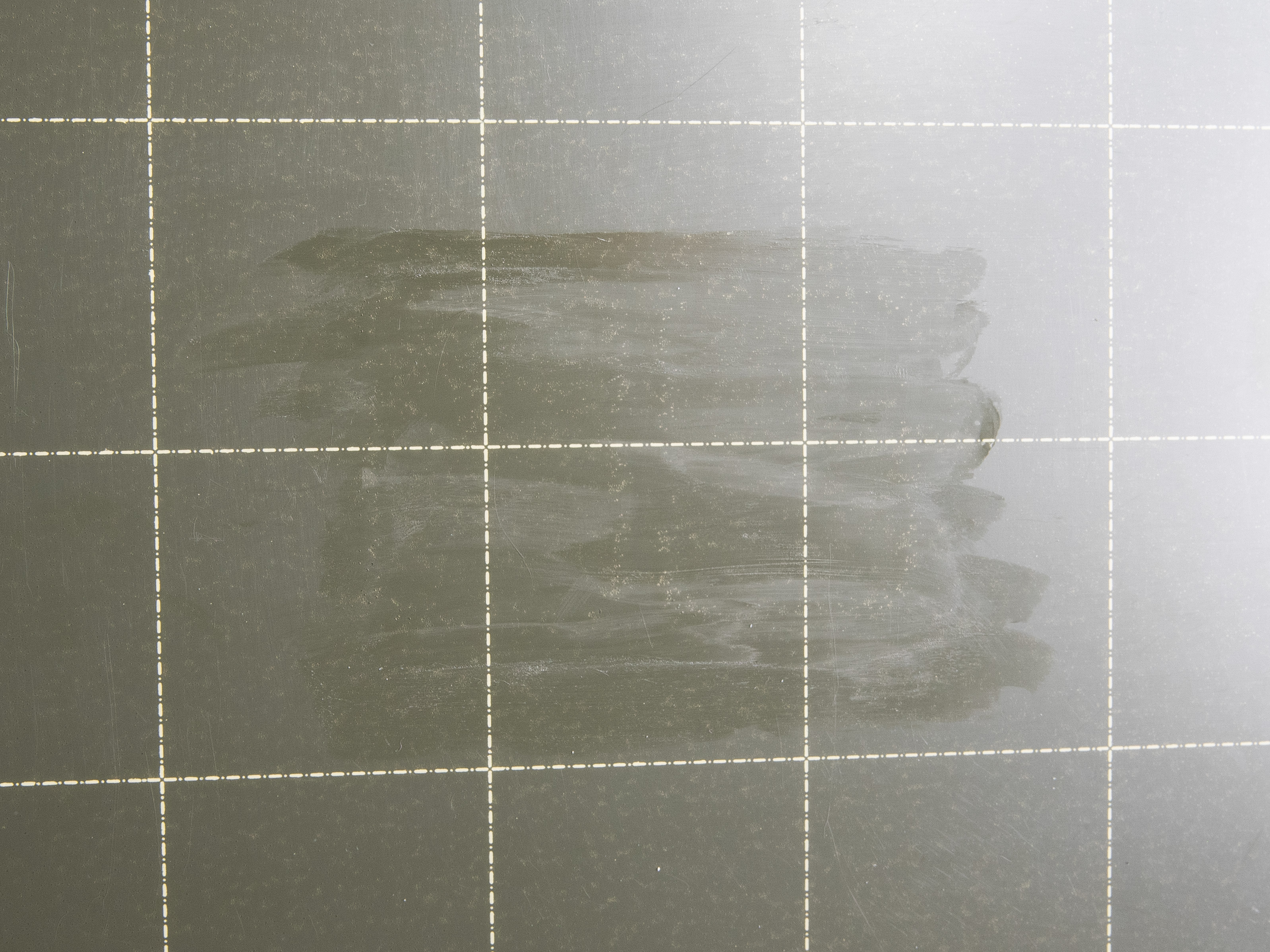
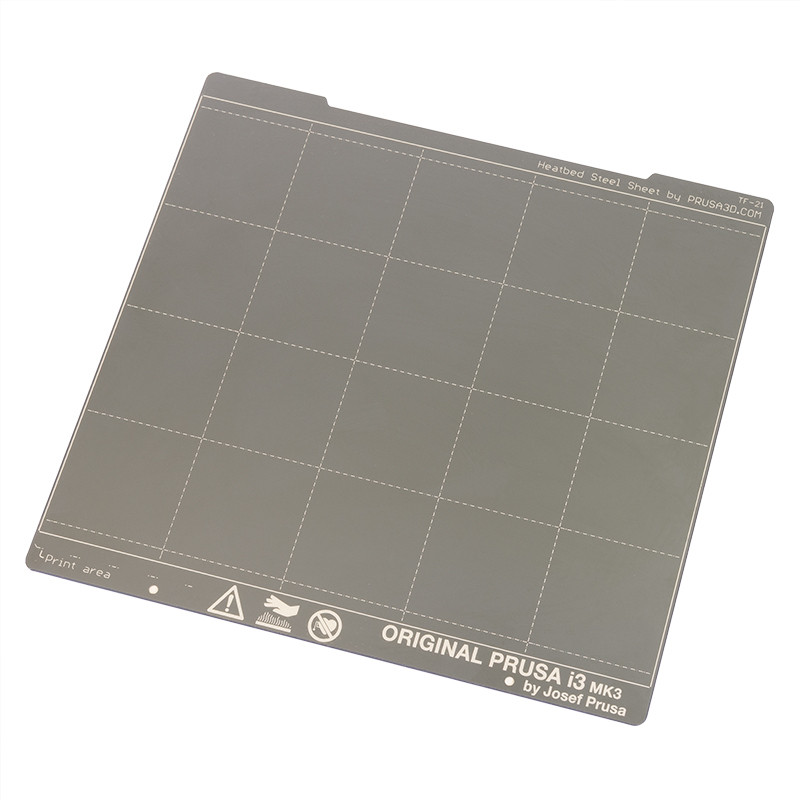
                  Tip: If you use the smooth print sheet, use the grid to guess the print size and position, then spread the glue only under the 3D print. You don’t need to spread the glue all over the whole sheet.

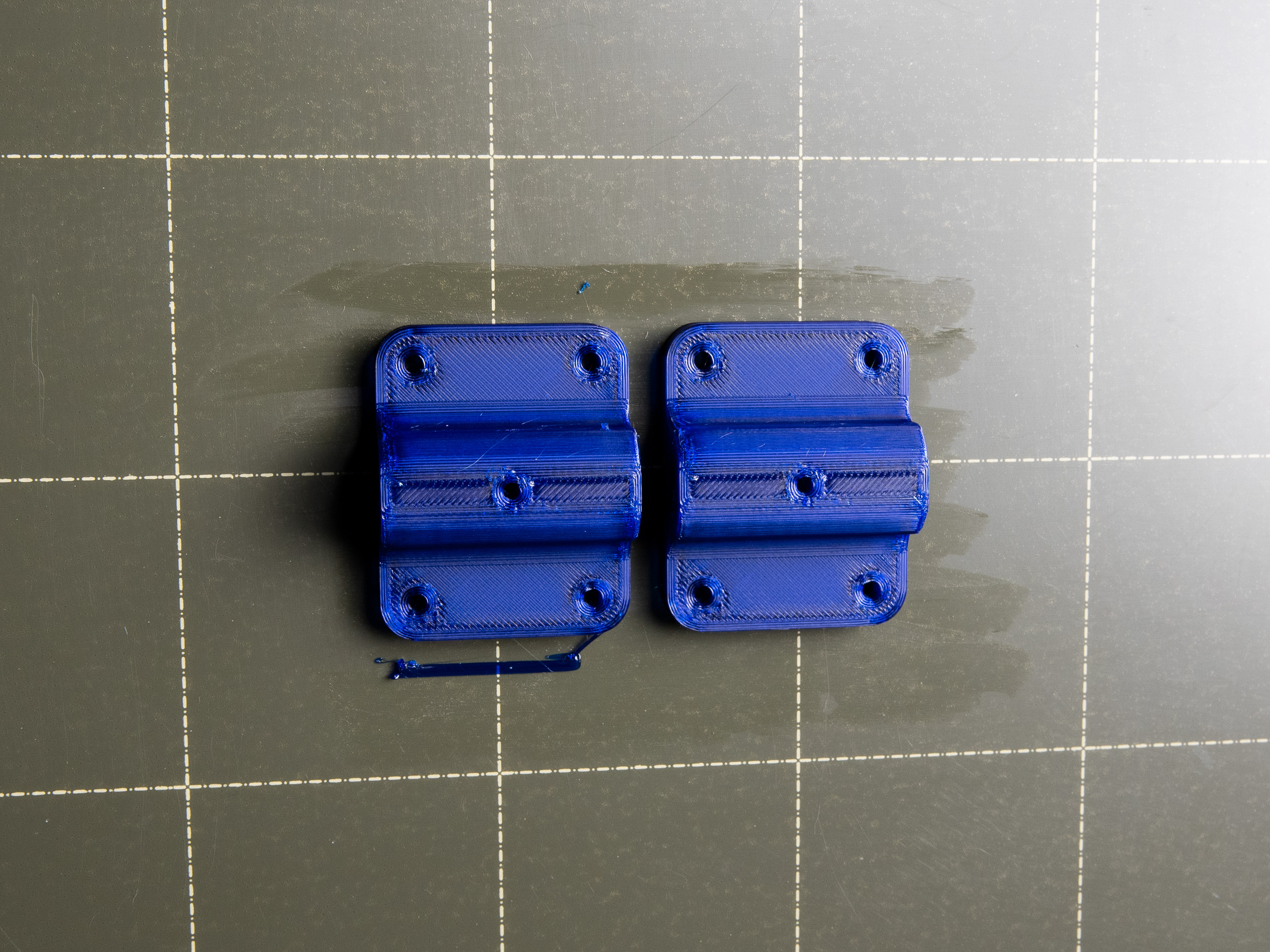
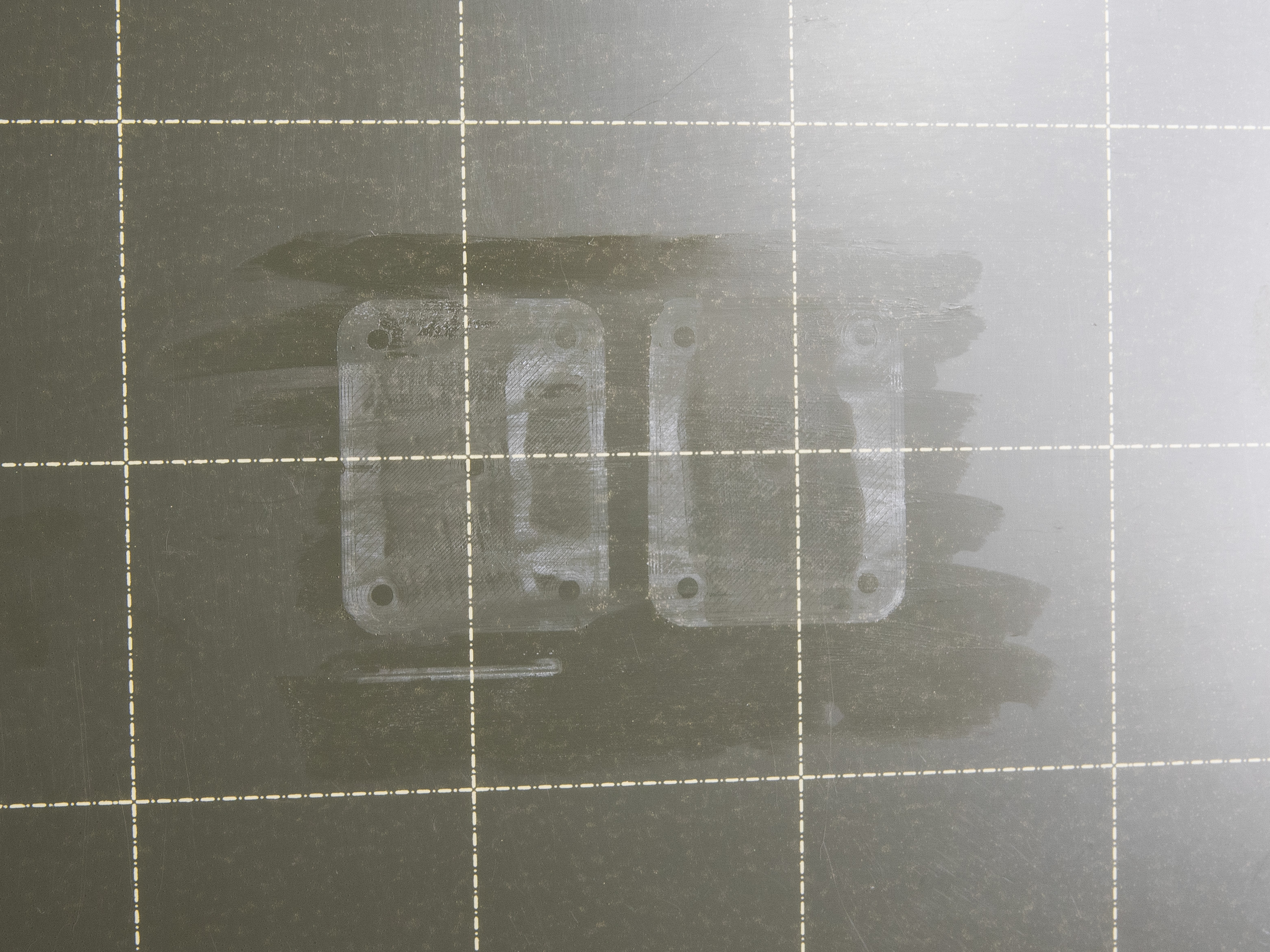
                  PVA glue separation layer, 3D printed PETG parts, and marks left after removing the print. Note that these marks are normal as they are only on a PVA glue layer and not on the print sheet surface. These marks disappear with the glue after washing.

                  Finally, the PP tape. You will most likely not use it, since it’s recommended only for printing PP (Polypropylene), which is quite rare material to print. However, you may decide to use some other tape - kapton tape, for example. For the best adhesion, it is recommended to use in combination with a smooth sheet, no matter which tape you are going to choose. The tape may leave some glue residuals after removing it from the print sheet surface. Usually, these can be washed with IPA or with water and dishwasher soap, but again, double-check the steel sheet maintenance articles before washing them.

                  If you decide to use other separation materials or adhesives, don’t forget to check compatibility with our print sheets. For example, ABS juice should not be used in combination with textured or satin sheets.

                  Removing the print

                  One last thing: always remove the prints by removing and bending the sheet only after they are cooled down. The print will go off easily without the necessity of using various spatulas, knives, or anything else.
                  この記事は役に立ちましたか?
                  この操作は登録ユーザーのみが利用できます。ログインしてください。
                  ログイン してコメントを投稿する
                  コメントなし

                  トピックス

                  • このプリンターを使用
                    • プリンターメンテナンス
                      • How to replace a hotend heatsink (MK4S / MK3.9S)
                      • Changing or replacing the Prusa Nozzle
                      • Installing or changing the Nextruder V6 Nozzle Adapter
                      • ノズルの変更・交換 (MK2.5/S, MK3/S/+, MK3.5/S)
                      • i3プリンターの定期的なメンテナンス
                      • 安全機能のテスト(MK3/MK3S)
                      • ファームウェアのアップデート方法 (MK3S+/MK3S/MK3)
                      • 頭が潰れてしまったネジの外し方
                      • SDカード・USBメモリ
                      • ベルト張力の調整 (MK4/S, MK3.9/S, MK3.5/S, MK3/S/+)
                      • ホットエンドの分解&ヒートシンクのヒートブレイクがスタック
                      • エクストルーダーからの手動によるフィラメントの取り出し
                      • ホットエンドサーミスターの交換 (MK3S/MK3S+)
                      • Bondtechギアのチェックとアラインメント調整 (MK3.5/S, MK3S/+, MK2.5S)
                      • Firmware updating (MK2.5S/MK2S)
                      • プリントファンの交換方法 (MK3S/MK3S+)
                      • ホットエンドの交換方法 (MK3S/MK3S+)
                      • IR-sensor の交換方法 (MK3S/MK3S+)
                      • P.I.N.D.A.センサーの交換方法 (MK3S)
                      • SuperPINDAセンサーの交換方法 (MK3S/MK3S+)
                      • Y軸ベアリングの交換方法 (MK3S+)
                      • X軸ベアリングの交換方法 (MK3S+)
                      • ホットエンドヒーターの交換方法 (MK3S/MK3S+)
                      • Community translations
                      • フィラメントガイドアドオン (MK4S/MK4)
                      • ネクストルーダーV6ノズルアダプター(MK4/MK3.9)の取り付け方法
                      • プリンタの定期メンテナンス (MK4/S, MK3.9/S)
                      • Prusaノズルの交換方法(MK4/MK3.9)
                      • Loveボードの交換方法 (MK4S/MK4/MK3.9S/MK3.9)
                      • 銀のPSUから黒いPSUへの交換方法
                      • ホットエンドヒーターの交換方法 (MK4/MK3.9)
                      • ホットエンドサーミスターの交換 (MK4/MK3.9)
                      • ホットエンドファンの交換方法 (MK4/MK3.9)
                      • xBuddyボードの交換方法 (MK4/MK3.9/MK3.5)
                      • プリントファンの交換方法 (MK4 / MK3.9)
                      • ホットエンドアッセンブリの交換方法 (MK4/MK3.9)
                      • How to replace a Heatbed Thermistor (MK4/S, MK3.9/S, MK3.5/S)
                      • Print surface preparation
                      • How to replace a hotend heatsink (MK4 / MK3.9)
                      • How to replace xLCD (MK4/MK3.9/MK3.5)
                      • Regular printer maintenance (MK3.5/S)
                      • How to replace the Prusa Nozzle (MK4S/MK3.9S)
                      • How to use accelerometer (MK3.5/S)
                      • How to replace a hotend assembly (MK4S / MK3.9S)
                      • Changing or replacing the Nextruder Hotend
                      • How to install the Nextruder V6 Nozzle Adapter (MK4S/MK3.9S)
                      • Maintenance warning #31117 (CORE One) #26117 (MK4S) #13117 (MK4) #27117 (MK3.9S) #21117 (MK3.9) #28117 (MK3.5S) #23117 (MK3.5)
                      • ヒートブレーク/ヒートシンク/ヒートブロックの交換方法 (MK3S+/MK3S/MK2.5S/MMU2S)
                      • PTFEチューブのトリミング方法 - マルチマテリアル
                      • How to replace a print fan (MK4S / MK3.9S)
                      • コールドプル (MK3/S/+, MK2.5/S, MK3.5/S)
                      • プリントパーツの後処理方法
                      • ヒートベッドサーミスターの交換方法 (MK3S+/MK3S/MK2.5S/MK2S)
                      • MK3のPSU(電源ユニット)の交換方法
                      • ホットエンドPTFEチューブの交換方法 (MK3S+/MK3S/MK2.5S/MMU2S)
                      • How to replace a hotend thermistor (MK2S)
                      • PTFEチューブのトリミング方法 - Original Prusa プリンター
                      • メンテナンスのコツ
                      • PEIシートの交換 (MK3S/MK3/MK2.5S/MK2.5)
                      • MK3シリーズのホットエンドガイド
                    • 3Dモデル
                    • 材料ガイド
                    • スライス処理
                    • Prusa Connect [進行中の翻訳]