Prusa
  • SHOP
    • Latest products
    BY CATEGORY
    • 3D printersnew
    • 3D printer upgradesnew
    • Materials
    • Accessories
    • Spare parts
    • Courses
    • Merch
    • Get a price quote
    QUICK LINKS
    • Shipping & delivery
    • Returns & refunds
    • Payment & financing
    • Warranty
    • VAT & Customs fees
    • FAQ

    0 item in your cartitems in your cart

    Your cart is empty

    Go to cartShop 3D printers

    My profile

    Log in to see orders, saved items

    My profile

    Signed in as

    • Orders
    • Logout
  • 3D PRINTING
    • Explore 3D printing
    FOR BEGINNERS
    • 3D printing 101
    • How FDM printing works
    • Buying your first printer
    • 3D model catalog
    BY APPLICATION
    • Rapid prototyping
    • Manufacturing
    • Engineering
    • Research
    • Arts & design
    GO DEEPER
    • Materials guide
    • Courses
    • Webinars
    • Case studies
    • Custom 3D printing
  • 3D PRINTERS
    • All 3D printers
    FOR
    • Home or garageHobbyists, tinkerers and home printing
    • BusinessIn-house production for small teams
    • EnterpriseFleets, security and scale
    • Which Prusa is right for me
    SHOP & BROWSE
    • CORE One+new
    • CORE One+ INDXnew
    • CORE One L+new
    • CORE One L+ INDXnew
    • XL+new
    • MK4S
    • Prusa Pro HT90
    • Prusa Pro AFS
    • Prusa Pro SLX
    MORE FROM PRINTERS
    • Parts & upgradesnew
    • Critical infrastructure
    • Case studies
    • Signature Oak
    • Kits
  • MATERIALS
    • All materials
    BY USE
    • Every-day & design
    • Functional engineering
    • Composites
    • Pro speciality
    • SLA resins
    PRUSAMENT
    • PLA
    • PETG
    • ASA
    • PC
    • PA11
    • Flex
    • TPU
    MORE FROM MATERIALS
    • Materials guide
    • We make material in house
    • Sustainability
    • Order on the store
  • SOFTWARE
    • All software
    PREPARE THE PRINT
    • PrusaSlicer 3.0New
    PRINT & MONITOR
    • Prusa Connect
    • EasyPrint
    • iOS & Android app
    • Prusa Farm
    GET STARTED
    • Download & install
    • Knowledge base
    MORE FROM SOFTWARE
    • 3D model catalog
  • SUPPORT
    • Explore support
    FIND ANSWERS
    • Knowledge base
    • Troubleshooting
    • Courses
    • Webinars
    GET HELP
    • Contact us
    • Livechat
    • Shipping & delivery
    • Warranty
    • Returns & refunds
    • Service & spare parts
    • Service & Repair
    COMMUNITY
    • Forum
    • Reddit
    • Printables
  • TRUST CENTER
    • Trust Center overview
    BY TOPIC
    • GDPR
    • Certificates
    • Security
    • Compliance
    COMMITMENTS
    • Sustainability report
    TALK TO US
    • Contact the security team
  • COMPANY
    • About Prusa
    GET TO KNOW US
    • Our story
    • How we make printers
    • Open source
    • Brand & media kit
    NEWS
    • Blog
    • Newsroom
    • Events
    TRUST & PARTNERS
    • Sustainability
    • Resellers & distributors
    • Affiliate program
    • Contact
    • English
    • Čeština
    • Deutsch
    • Español
    • Français
    • Italiano
    • Polski
    • 日本語
  • Signed in as

    • Orders
    • Address
    • In-stock Alerts
    • My Courses
    • Subscription
    • Edit Account
    • Logout

Log in to see orders, saved items

Signed in as
  • Orders
  • Address
  • In-stock Alerts
  • My Courses
  • Subscription
  • Edit Account
  • English
  • Čeština
  • Deutsch
  • Español
  • Français
  • Italiano
  • Polski
  • 日本語
Shop

0 item in your cartitems in your cart

Your cart is empty

Go to cartShop 3D printers

My profile

Log in to see orders, saved items

My profile

Signed in as

  • Orders
  • Logout
SHOP
  • Latest products
BY CATEGORY
  • 3D printersnew
  • 3D printer upgradesnew
  • Materials
  • Accessories
  • Spare parts
  • Courses
  • Merch
  • Get a price quote
QUICK LINKS
  • Shipping & delivery
  • Returns & refunds
  • Payment & financing
  • Warranty
  • VAT & Customs fees
  • FAQ

Featured products

    Popular categories

      Trending searches

        Articles

          Blog

            Products

              Categories

                Suggested searches

                  Searching…
                  No results
                  Something went wrong.
                  ↑↓ Select↵ OpenEsc Close search
                  1. Support
                  2. Printer description

                  Blog

                  • Print colorful and glowing Halloween decorations with our spooky offer
                  • Factorio Has Arrived on Printables
                  • Prusament PLA Lightweight: 65% lighter than regular PLA. Perfect choice for aircraft, cosplay, and more.

                  Newsletter

                  Signup and get our monthly squeeze on updates, blog, printables and much more.

                  By clicking, you agree to receive our newsletter.

                  This site is protected by reCAPTCHA Enterprise and the Google Privacy Policy and Terms of Service apply.

                  Factorio Transport Belts
                  E-shop
                  • 3D Printers
                  • Printer Upgrades
                  • Filaments
                  • Accessories
                  • Prusa Merchandise

                  © Prusa Research a.s.

                  Printables
                  • 3D Models
                  • Store
                  • Clubs
                  • 3D Design Contests
                  • Brands
                  Community
                  • World Map
                  • Forum
                  • User Groups
                  • Events
                  Help
                  • Prusa Help
                  • Prusa Academy
                  • 3D Printing Calculators
                  Software
                  • PrusaSlicer
                  • Prusa.app
                  • Prusa Connect
                  • Drivers and Software
                  Company
                  • About Us
                  • Blog
                  • Official Prusa Resellers
                  • Contact Us
                  • Certified for ISO 9001, ISO 14001, ISO 45001
                  • General Terms and Conditions
                  • General Terms and Conditions of Use of the PRUSA Websites
                  • Privacy Policy
                  • Information about cookies
                  • Customer Complaints Policy
                  • Status Page
                  • Do Not Sell or Share My Personal Information
                  • Supplemental Statements
                  • General Terms and Conditions
                  • General Terms and Conditions of Use of the PRUSA Websites
                  • Privacy Policy
                  • Information about cookies
                  • Customer Complaints Policy
                  • Status Page
                  • Do Not Sell or Share My Personal Information
                  • Supplemental Statements

                  © Prusa Research a.s.

                  JOSEF PRUSA®, PRUSA RESEARCH®, PRUSA POLYMERS®, PRUSA ORANGE®, PRUSA 3D ® AND PRUSAMENT® are registered trademarks of Prusa Development a.s. used by Prusa Research a.s. under licence from Prusa Development a.s.

                  Topics

                  • Printer description
                  • Printer features
                  • General Information

                  Printer description

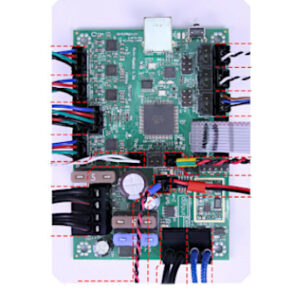
                  Einsy RAMBo electronics wiring (MK3/MK3S/MK3S+)

                  Einsy RAMBo electronics wiring (MK3/MK3S/MK3S+)

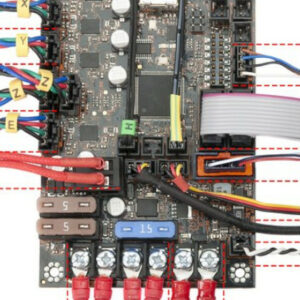
                  With our Original Prusa i3 MK3, we have introduced a logic board called Einsy RAMBo. It works on 24V and uses Trinamic drivers for motors, allowing for super silent printing and…

                  Combining materials (XL/+)

                  Combining materials (XL/+)

                  On the Original Prusa XL multi-tool, it is possible to combine different materials within the same print. The following aspects and considerations have to be kept in mind for a…

                  Flashing custom firmware (MINI/MINI+)

                  Flashing custom firmware (MINI/MINI+)

                  Every firmware version goes through intense testing to verify that every single feature works as it should. That applies especially to the safety features: for example, if the…

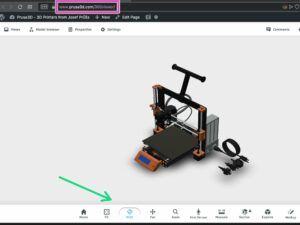
                  360 viewer

                  360 viewer

                  The 360 Viewer is a virtual tool you can use to inspect all parts of the Prusa printers. Rotate, zoom, hide layers, explode the model, and click on individual objects to see their…

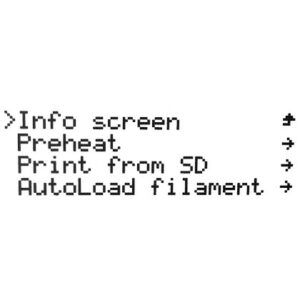
                  LCD menu (Original Prusa i3)

                  LCD menu (Original Prusa i3)

                  This article describes the menu introduced with firmware 3.13.0 for the Original Prusa i3 MK3S. Controlling the LCD screen is done by a single control element: a rotational knob…

                  Mini RAMBo electronics wiring (MK2S, MK2.5, MK2.5S)

                  Mini RAMBo electronics wiring (MK2S, MK2.5, MK2.5S)

                  Written as Mini-RAMBo, Mini Rambo, or Rambo mini, the logic board used in the Original Prusa MK2 series is very simple. Please refer to the image below regarding wire colors and…

                  xBuddy and LoveBoard electronics wiring (MK4/S, MK3.9/S)

                  xBuddy and LoveBoard electronics wiring (MK4/S, MK3.9/S)

                  The Original Prusa MK4/S and MK3.9/S are equipped with two proprietary boards: the xBuddy and the LoveBoard. The two are connected by a main cable. When replacing a part in the…

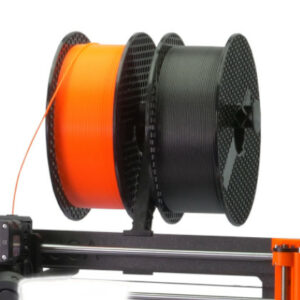
                  Spool placement

                  Spool placement

                  Where your spools are located can make the difference between trouble and smooth operation of the printer. It is also often desirable to reduce the footprint of the printer as…

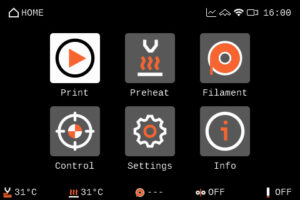
                  LCD menu (MK4/S, MK3.9/S)

                  LCD menu (MK4/S, MK3.9/S)

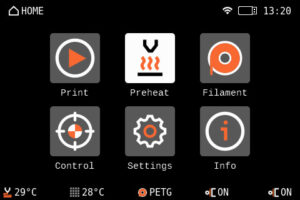
                  The Original Prusa MK4 and MK3.9 are equipped with a color LCD screen that, among other things, supports G-code thumbnails and QR codes. The footer of the main screen can be edited…

                  Experimental menu (MK3/S/+)

                  Experimental menu (MK3/S/+)

                  The components installed on your printer rely on firmware configuration. To facilitate the use of components sourced from third-party vendors, firmware version 3.9.1 introduced…

                  USB not detected (MINI/MINI+)

                  USB not detected (MINI/MINI+)

                  The Original Prusa MINI uses USB flash storage to read G-codes during printing. It can happen that the USB drive is not recognized when inserted and the display will say "No USB",…

                  LCD menu i3 (pre firmware 3.9.0)

                  LCD menu i3 (pre firmware 3.9.0)

                  This article describes the menu system BEFORE firmware 3.9.0 for the Original Prusa i3 MK3S. Controlling the LCD screen is done by a single control element: a rotational knob that…

                  LCD menu (MINI/MINI+)

                  LCD menu (MINI/MINI+)

                  Navigating the LCD menu is done by a single control element: a rotational knob that you press to confirm a selection. In addition, you have a Reset button which will reset the…

                  CW1/S - Basic use and LCD-menu

                  CW1/S - Basic use and LCD-menu

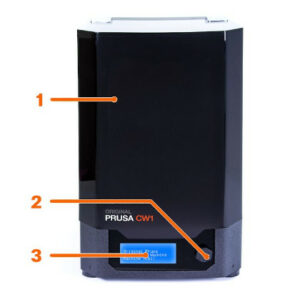
                  The Cure/Wash Station (CW1 or CW1S) is used to wash, dry, and cure your resin prints, all in one compact package. While your IPA tank is present, the CW1/S will automatically detect…

                  Using the CW1 - Washing

                  Using the CW1 - Washing

                  Connect the external power supply to the CW1 and plug it into the power source. To disconnect the cable, push the connector’s cover away from the CW1 to unlock the connector, then…

                  Info Screens (MINI/MINI+)

                  Info Screens (MINI/MINI+)

                  In the Original Prusa MINI and MINI+ menu, you can see the option Info. Here you will find different information on your printer. Within the Info menu, you have the following selection:  Network…

                  Using the CW1 - Drying and Curing

                  Using the CW1 - Drying and Curing

                  After you wash the object in isopropyl alcohol, we recommend rinsing it ​briefly under running water​ to remove the remnants of isopropyl alcohol. Then, dry it with a paper towel.…

                  Original Prusa SL1 vs. SL1S Speed

                  Original Prusa SL1 vs. SL1S Speed

                  With a brand new high-resolution monochrome LCD, larger print platform, and all cumulative updates from the entire lifespan of the SL1, the new SL1S SPEED is a lightning-fast machine…

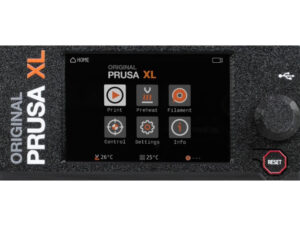
                  LCD menu (XL/+ Multi Tool)

                  LCD menu (XL/+ Multi Tool)

                  The Original Prusa XL/+ is equipped with a color LCD screen that, among other things, supports G-code thumbnails and QR codes. For the versions of the XL printer with a single…

                  Accessory connectors (MK4)

                  Accessory connectors (MK4)

                  This article describes connectors on the Original Prusa MK4, which can be used to connect your own or any 3rd party accessory.  Warning: Keep in mind the maximum allowable electric…

                  How to check your Buddy board version

                  How to check your Buddy board version

                  The Original Prusa MINI and MINI+ are equipped with a mainboard called the Buddy board. It may be necessary to check the version of your board if Customer support asks for it during…

                  Registers MMU (MMU3)

                  Registers MMU (MMU3)

                  Starting from firmware 3.0.0, the Original Prusa Multi-material upgrade (MMU) has a set of runtime variables called registers. You can use these to read or write values into the…

                  PrusA64 mainboard electronics wiring (SL1)

                  PrusA64 mainboard electronics wiring (SL1)

                  With the technology used in MSLA 3D printing, the Original Prusa SL1 has a different mainboard arrangement compared to our FFF printers. It uses two boards instead of one: PrusA64…

                  Top-bar Notifications (SL1/SL1S)

                  Top-bar Notifications (SL1/SL1S)

                  Starting from firmware 1.5.0, the Original Prusa SL1 will show top bar notifications. If you see an envelope on the top right of the screen near the time. To see the notifications…

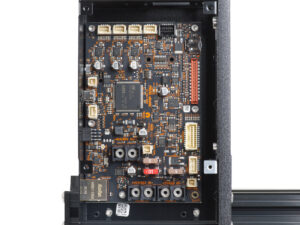
                  Original Prusa XL/+ electronics

                  Original Prusa XL/+ electronics

                  The Original Prusa XL/+ is equipped with multiple electronic boards. The number of boards depends on the number of tools.  The slots on the electronic boards have a label near…

                  How to use Prusa 360 model

                  How to use Prusa 360 model

                  LCD menu (XL/+ Single Tool)

                  LCD menu (XL/+ Single Tool)

                  The Original Prusa XL/+ is equipped with a color LCD screen that, among other things, supports G-code thumbnails and QR codes. For the versions of the XL printer with multiple…

                  Tune menu (XL)

                  Tune menu (XL)

                  Starting accidentally another action during the print (e.g. XYZ calibration, switching sheet profiles) can cause damage to the printer. This is why during the entire printing phase…

                  xBuddy status LEDs (MK4, MK3.9)

                  xBuddy status LEDs (MK4, MK3.9)

                  The main board on the Original Prusa MK4 and MK3.9 is the xBuddy board. The xBuddy board has ten status LEDs.  Error lights MMU overcurrent The MMU overcurrent light indicates…

                  Toolhead status LED explained (XL)

                  Toolhead status LED explained (XL)

                  Each XL toolhead is equipped with a Dwarf board, and a status LED with several possible colors. Below is an explanation of the meaning of each color.  Blue The Dwarf is in a "bootloader",…

                  LCD menu (HT90)

                  LCD menu (HT90)

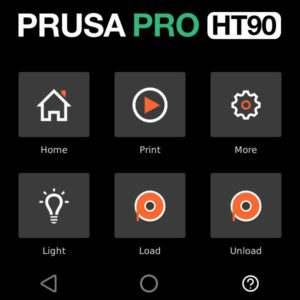
                  The Prusa Pro HT90 is operated via a touchscreen. The screen is used to operate the printer and shows images of the processes to be performed on it. Menu when idle Home Print Set…

                  HT90 - Power Consumption

                  HT90 - Power Consumption

                  The Prusa Pro HT90 features many elements, including among others an actively heated chamber, a high-performance heatbed, and a choice of high-flow or high-temperature hotend.  The…

                  LCD menu (MK3.5/S)

                  LCD menu (MK3.5/S)

                  The Original Prusa MK3.5S is equipped with a color LCD screen that, among other things, supports G-code thumbnails and QR codes. The footer of the main screen can be edited to…

                  LCD menu (CORE One/+)

                  LCD menu (CORE One/+)

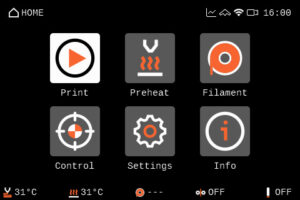
                  The Prusa CORE One/+ is equipped with a color LCD screen that, among other things, supports G-code thumbnails and QR codes. The footer of the main screen can be edited to show…

                  Prusa CORE One electronics

                  Prusa CORE One electronics

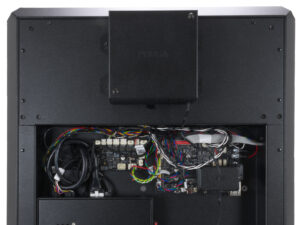
                  The Prusa CORE One is equipped with multiple electronic boards. The slots on the electronic boards have a label near them indicating the component to connect to each slot. xBuddy,…

                  Prusa CORE One L electronics

                  Prusa CORE One L electronics

                  The Prusa CORE One L/+ has multiple electronic boards. The slots on the electronic boards have a label near them indicating the component to connect to each slot.  xBuddy, xBuddy…

                  LCD menu (CORE One L)

                  LCD menu (CORE One L)

                  The Prusa CORE One L is equipped with a color LCD screen that, among other things, supports G-code thumbnails and QR codes. The footer of the main screen can be edited to show…

                  MK4S to CORE One+ Conversion kit - Old xLCD version

                  MK4S to CORE One+ Conversion kit - Old xLCD version

                  In early 2026, we discontinued the sale of MK4S to Prusa CORE One+ Conversion kit, compatible with the old version of xLCD.  This affects exclusively conversion kits for printers…

                  Assembling CORE One+ from a combined kit (C1 + upgrade pack)

                  Assembling CORE One+ from a combined kit (C1 + upgrade pack)

                  Thank you for purchasing the Prusa CORE One kit. Your package includes parts for both CORE One and CORE One+. If you want to assemble the CORE One+, this article will guide you…

                  LCD menu (CORE One INDX)

                  LCD menu (CORE One INDX)

                  The Prusa CORE One with INDX upgrade is equipped with a color LCD screen that, among other things, supports G-code thumbnails and QR codes. For the versions of the CORE One without…

                  Assemblling the Prusa INDX Core one with the Gen 2 upgrade

                  Assemblling the Prusa INDX Core one with the Gen 2 upgrade

                  If you received your Prusa CORE One INDX conversion kit with the Prusa CORE One+ Gen 2 upgrade, or bought the Gen 2 upgrade separately and want to install both at the same time,…

                  Telescopic Spoolholder

                  Telescopic Spoolholder

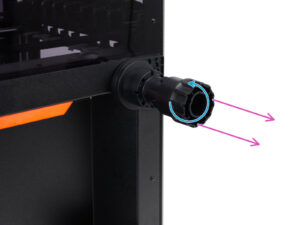
                  Prusa telescopic spoolholder, also known as Prusa bayonet spoolholder, is a spoolholder solution to fit in as many of our printers as possible, to which either spools or our USS…