English
Login

Uneven bed

#31111 (CORE One) #35111 (CORE One L)

Relevant for

CORE One
CORE One L
8 comments
Article is also available in following languages
English
Čeština
Polski
Deutsch
Français
Español
Italiano
日本語

What happened?

The printer is showing the message "The bed doesn't seem to be aligned properly. Run Z alignment procedure?" before printing.

Error name: Uneven bed

Error code: #31111 (CORE One) #35111 (CORE One L)

This message is shown when different parts of the print surface are not aligned with each other.

How to fix it?

Go to the printer menu to Control -> Calibrations & tests -> Z alignment calibration. After the calibration, the printer will ask if you wish to finish the tests, click on Quit.

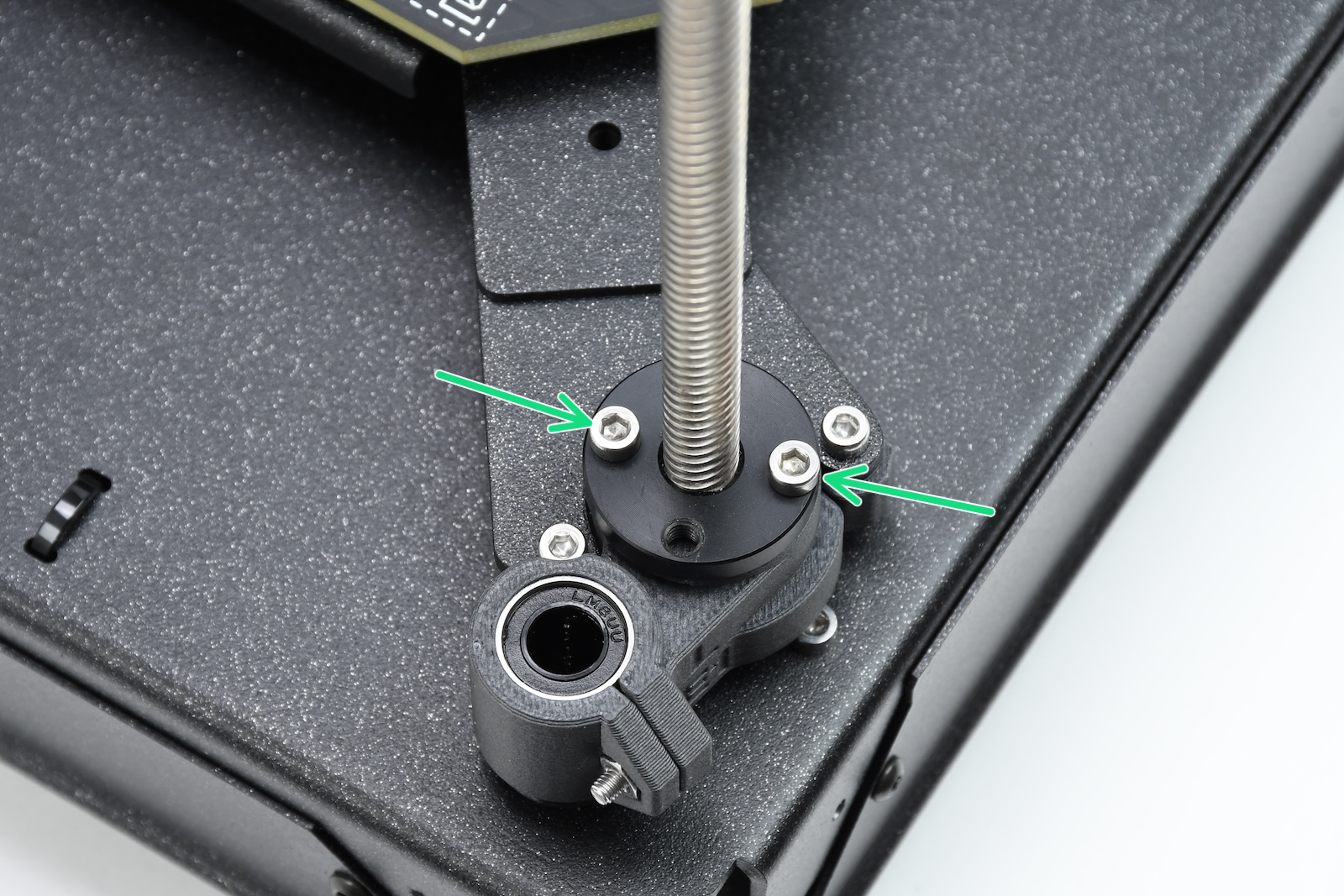
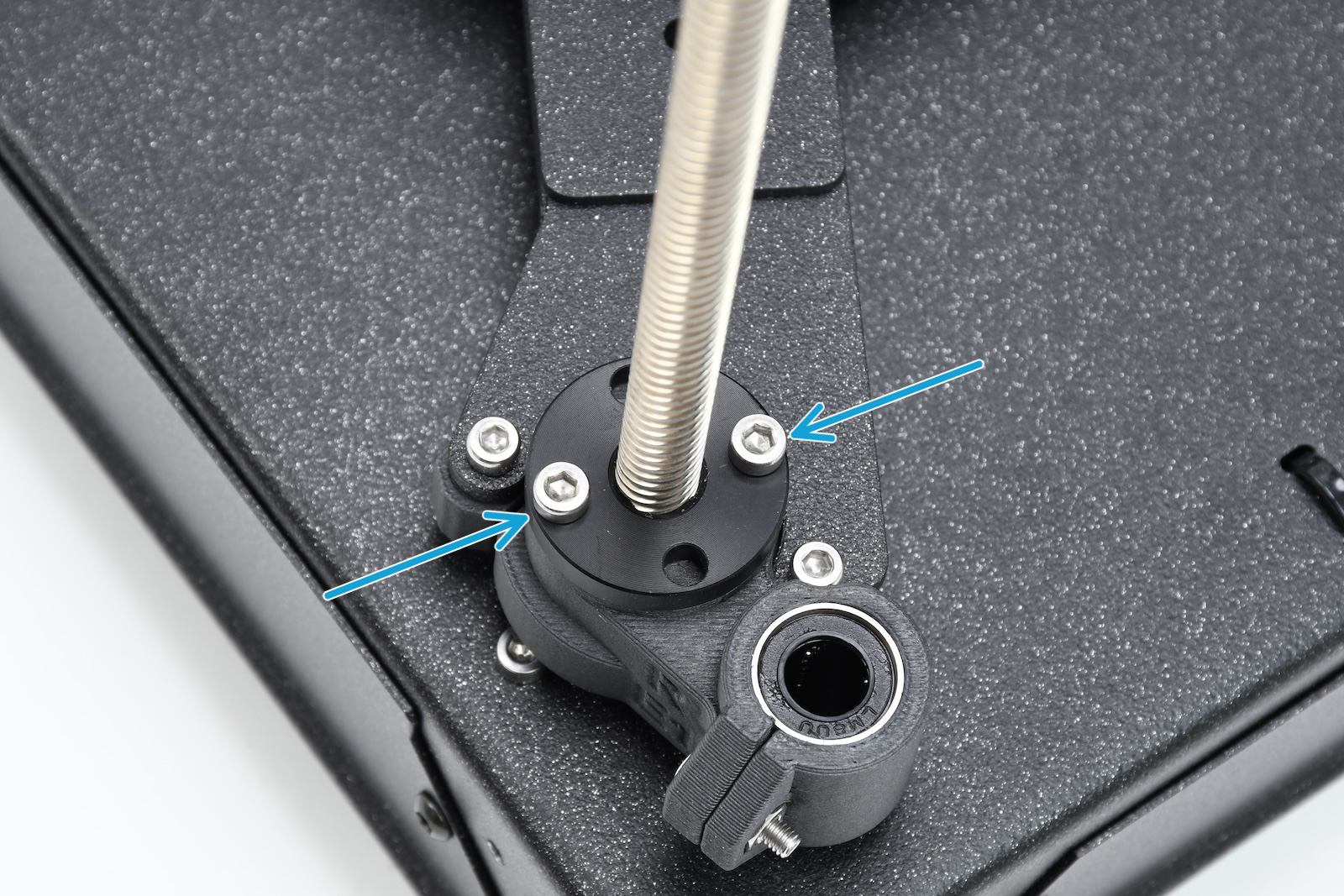
If the issue persists, move the bed down, open the trapezoid nuts, and check if they can move freely along the threaded rods.

It is also possible to lubricate the Z-axis lead screws as instructed in the printer's regular maintenance guide under "Axes check - Z-axis leadscrews"
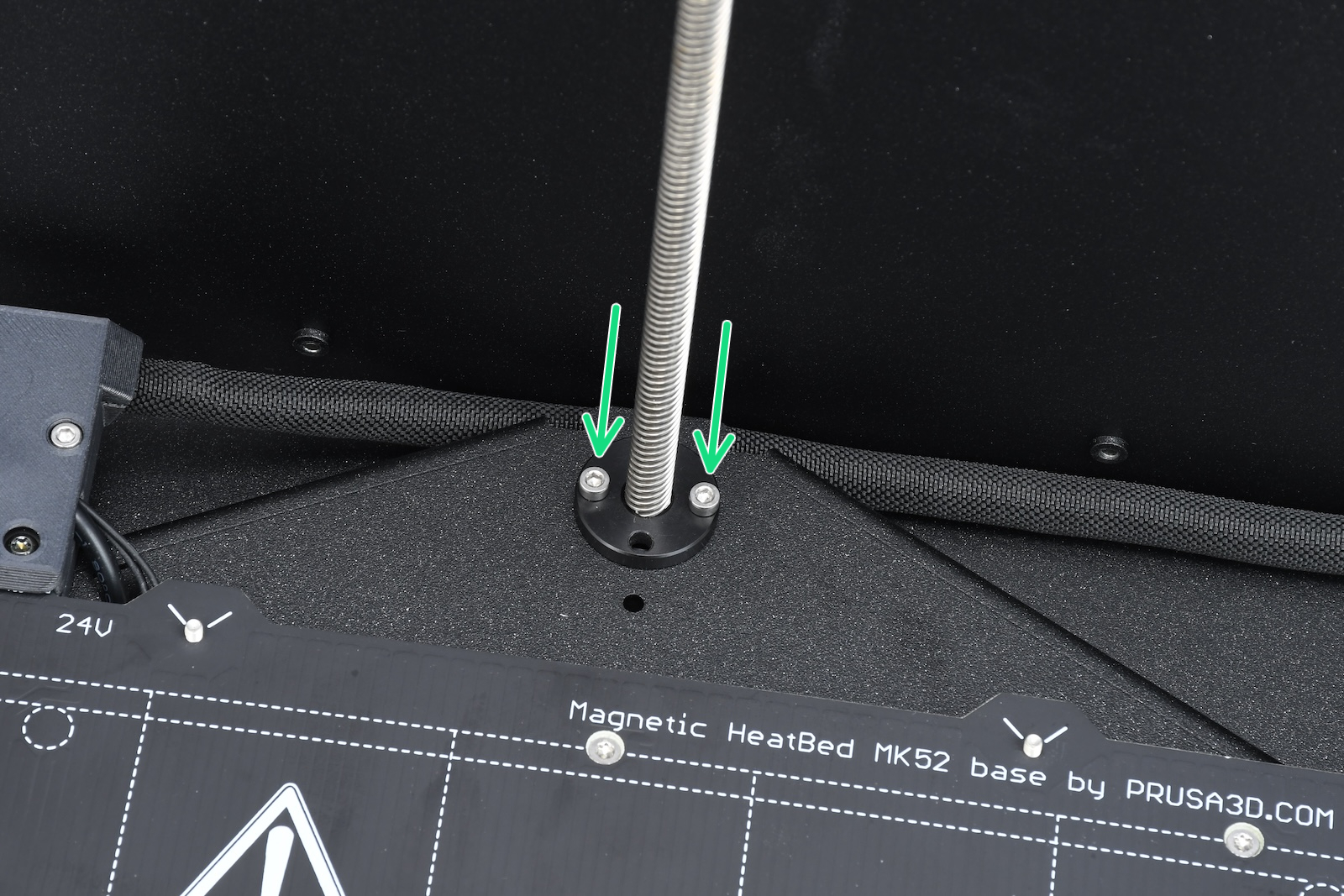
Rear motorFront left motorFront right motor
Was this article helpful?
This action is available only to registered users. Please log-in.
 

4 comments

Log in  to post a comment
Jeff Whaley
I have this error and this article didn't help fix it. I don't get the error when I print small things 1 x 2" for example, but when I try to print something over the whole bed, I get this error. I did some test prints and it actually seems to print fine over the full area of the print bed, so I'm using it and just skipping over the error when it happens.

I'd like to fix it though. Any ideas on what to try next? I saw someone on the forum was able to get the raw data out from the calibration, but I don't have a Raspberry Pi to do that.
Jeff Whaley
I did eventually fix this problem. I figured out the bed had a huge tilt with the back higher. That lead me to finding out the heater cable was binding when doing the Z calibration. Then I found out that I had installed the part on the bottom of the z leadscrew in the back middle backwards. There is a angled cutout to clear the cable and my part was backwards so hitting the cable and the z calibration was wrong. Flipped the part around and all works perfect.
Showcase
Since the part about z-axis lubrication has been removed, here's the link to an old article (thanks to koesterakis)
https://web.archive.org/web/20250407005103/https://help.prusa3d.com/article/regular-printer-maintenance-core-one_829710
Jan Kratochvíl
Hello. There is a reason why this step was removed. Lubricating Z-axis can cause uneven bed and incorrect first layer.
Mastakko
IF we have done so incorrectly should we remove as much lubricant as we can?
Jan Kratochvíl
I'm suggesting wipe them with paper towel. They don't have to be dry as Sahara desert, but wipe them thoroughly.
infradom
Maybe the cable obstructs the rear downward movement during the Z axis calibration. Moving the cable a bit backward when the bed was down before z-axis calibration may have solved my issue.
spicewiesel
After printing perfectely for 2 months I got bed levelling issues today. The right side of the bed is always ~1mm higher then the left, even after several z-alignment-calibrations. The trepezoid nuts can move freely, and the motor screws are all fastened, I checked that. The rods were lubricated and are clean. What can I do next?