Prusa
  • Acquista
    • Scopri di più
    • Tutte le offerte
    Stampanti 3D
    • CORE One+ (Gen2)
    • CORE One L+
    • XL+
    • MK4S
    • MINI+
    • HT90
    Materiali di consumo e merchandising
    • Prusament
    • Resina
    • Filamento Buddy
    • Merchandising
    • Accessories
  • ACQUISTA
    • Ultimi prodotti
    PER CATEGORIA
    • Stampanti 3Dnovità
    • Aggiornamentinovità
    • Materiali
    • Accessori
    • Ricambi
    • Corsi
    • Merch
    • Richiesta di informazioni commerciali e preventivo
    LINK RAPIDI
    • Informazioni sulla spedizione
    • Rimborsi e resi
    • Modalità di pagamento
    • Garanzia
    • IVA e dazi doganali
    • FAQ

    0 articolo nel carrelloarticoli nel carrello

    Il tuo carrello è vuoto

    Vai al carrelloAcquista stampanti 3D

    Il mio profilo

    Accedi per vedere ordini e articoli salvati

    Il mio profilo

    Accesso effettuato come

    • Ordini
    • Esci
  • STAMPA 3D
    • Esplora la stampa 3D
    PER PRINCIPIANTI
    • Stampa 3D 101
    • Tipi di stampanti (FDM/SLA)
    • Come scegliere una stampante 3D
    • Printables (modelli 3D)
    PER APPLICAZIONE
    • Prototipazione rapida
    • Produzione
    • Ingegneria
    • Ricerca
    • Arte e design
    APPROFONDISCI
    • Guida ai materiali
    • Corsi
    • Webinar
    • Casi di studio
    • Stampa 3D personalizzata
  • STAMPANTI 3D
    • Tutte le stampanti 3D
    per
    • Casa o garageAppassionati, inventori e stampa domestica
    • Negozio o ufficioProduzione interna per piccoli team
    • AziendeFlotte, sicurezza e scalabilità
    • Come scegliere una stampante 3D
    ACQUISTA E SFOGLIA
    • CORE One+novità
    • CORE One+ INDXnovità
    • CORE One L+novità
    • CORE One L+ INDXnovità
    • XL+novità
    • MK4S
    • Prusa Pro HT90
    • Prusa Pro AFS
    • Prusa Pro SLX
    ALTRO DALLA STAMPA
    • Aggiornamentinovità
    • Ricambi
    • Critical infrastructure
    • Casi di studio
    • Signature Oak
    • Kit
  • MATERIALI
    • Tutti i materiali
    PER UTILIZZO
    • Uso quotidiano e design
    • Ingegneria funzionale
    • Compositi
    • Specialità professionali
    • Resine SLA
    Prusament
    • PLA
    • PETG
    • ASA
    • PC
    • PA11
    • Flex
    • TPU
    ALTRO SUI MATERIALI
    • Guida ai materiali
    • Produciamo i materiali internamente
    • Sostenibilità
    • Ordina sul negozio
  • SOFTWARE
    • Tutti i software
    PREPARA LA STAMPA
    • PrusaSlicer 3.0novità
    STAMPA E MONITORAGGIO
    • Prusa Connect
    • EasyPrint
    • App iOS e Android
    • Prusa Farm
    INIZIA
    • Scarica e installa
    • Knowledge base
    ALTRO SUL SOFTWARE
    • Printables (modelli 3D)
  • SUPPORTO
    • Esplora il supporto
    TROVA RISPOSTE
    • Knowledge base
    • Risoluzione dei problemi
    • Corsi
    • Webinar
    OTTIENI AIUTO
    • Contattaci
    • Livechat
    • Informazioni sulla spedizione
    • Garanzia
    • Rimborsi e resi
    • Ricambi
    • Riparazione in fabbrica
    Community
    • Forum
    • Reddit
    • Printables
  • TRUST CENTER
    • Panoramica Trust Center
    PER ARGOMENTO
    • GDPR
    • Certificati
    • Sicurezza
    • Conformità
    IMPEGNI
    • Rapporto di sostenibilità
    CONTATTACI
    • Contatta il team di sicurezza
  • AZIENDA
    • Informazioni su Prusa
    SCOPRI CHI SIAMO
    • La nostra storia
    • Come produciamo le stampanti
    • Open source
    • Brand e media kit
    NOTIZIE
    • Blog
    • Sala stampa
    • Eventi
    TRUST & PARTNERS
    • Sostenibilità
    • Rivenditori e distributori
    • Programma di affiliazione
    • Contatto
    • English
    • Čeština
    • Deutsch
    • Español
    • Français
    • Italiano
    • Polski
    • 日本語
  • Accesso effettuato come

    • Ordini
    • Indirizzo
    • Avvisi di disponibilità
    • I miei corsi
    • Abbonamento
    • Modifica account
    • Esci

Accedi per vedere ordini e articoli salvati

Accesso effettuato come
  • Ordini
  • Indirizzo
  • Avvisi di disponibilità
  • I miei corsi
  • Abbonamento
  • Modifica account
  • English
  • Čeština
  • Deutsch
  • Español
  • Français
  • Italiano
  • Polski
  • 日本語
Acquista

0 articolo nel carrelloarticoli nel carrello

Il tuo carrello è vuoto

Vai al carrelloAcquista stampanti 3D

Il mio profilo

Accedi per vedere ordini e articoli salvati

Il mio profilo

Accesso effettuato come

  • Ordini
  • Esci
ACQUISTA
  • Ultimi prodotti
PER CATEGORIA
  • Stampanti 3Dnovità
  • Aggiornamentinovità
  • Materiali
  • Accessori
  • Ricambi
  • Corsi
  • Merch
  • Richiesta di informazioni commerciali e preventivo
LINK RAPIDI
  • Informazioni sulla spedizione
  • Rimborsi e resi
  • Modalità di pagamento
  • Garanzia
  • IVA e dazi doganali
  • FAQ

Prodotti in evidenza

    Categorie popolari

      Ricerche di tendenza

        Articoli

          Blog

            Prodotti

              Categorie

                Ricerche suggerite

                  Ricerca in corso…
                  Nessun risultato
                  Qualcosa è andato storto.
                  ↑↓ Seleziona↵ ApriEsc Chiudi la ricerca
                  1. Supporto
                  2. Informazioni generali
                  3. OpenPrintTag - NFC filaments with Prusa App
                   

                  Contenuti

                  • How to read data from filament
                  • Adding material from Material Database
                  • How to adjust data if printing on a printer without NFC or without automatic NFC writing
                  • How to correctly load refill material onto an empty NFC spool
                  • How to use empty NFC tag for 3rd party materials

                  Blog

                  • È arrivato l’Hotend HT da 400 °C! Inoltre: nuovi materiali e piastre per alte temperature per CORE One+/L+.
                  • Blender per la stampa 3D: guida in 5 minuti alla modifica dei file STL
                  • Prusament Pellets: Materiali grezzi per la stampa 3D di grandi dimensioni o per attività di ricerca e sviluppo sui polimeri su piccola scala

                  Newsletter

                  Registrati e ricevi il nostro concentrato mensile di informazioni utili sui nuovi firmware, sulle nuove versioni di PrusaSlicer e consigli generici per i progetti stampati in 3D.

                  Facendo clic, si accetta di ricevere la nostra newsletter.

                  Questo sito è protetto da reCAPTCHA Enterprise e vengono applicati l'Informativa sulla Privacy e i Termini di servizio di Google.

                  Heavy Duty Keyboard Holder (No Supports)
                  E-shop
                  • Stampanti 3D
                  • Aggiornamenti Stampante
                  • Filamenti
                  • Accessori
                  • Merchandise Prusa
                  Prusa

                  © Prusa Research a.s.

                  Printables
                  • Modelli 3D
                  • Store
                  • Clubs
                  • Concorsi di Modellazione 3D
                  • Brands
                  Comunità
                  • Mappa Mondiale
                  • Forum
                  • Gruppi di utenti
                  • Eventi
                  Aiuto
                  • Aiuto Prusa
                  • Prusa Academy
                  • Calcolatrici di Stampa 3D
                  Software
                  • PrusaSlicer
                  • Prusa.app
                  • Prusa Connect
                  • Drivers e Software
                  Azienda
                  • Chi siamo
                  • Blog
                  • Rivenditori ufficiali Prusa
                  • Contattaci
                  • Certificato secondo le norme ISO 9001, ISO 14001 e ISO 45001.
                  • Termini e Condizioni Generali
                  • Termini e condizioni generali di utilizzo dei siti web PRUSA
                  • Informativa sulla privacy
                  • Informazioni sui cookie
                  • Politica sui reclami dei clienti
                  • Pagina di stato dei siti web
                  • Impostazioni Cookie
                  Prusa
                  • Termini e Condizioni Generali
                  • Termini e condizioni generali di utilizzo dei siti web PRUSA
                  • Informativa sulla privacy
                  • Informazioni sui cookie
                  • Politica sui reclami dei clienti
                  • Pagina di stato dei siti web
                  • Impostazioni Cookie

                  © Prusa Research a.s.

                  JOSEF PRUSA®, PRUSA RESEARCH®, PRUSA POLYMERS®, PRUSA ORANGE®, PRUSA 3D ® E PRUSAMENT® sono marchi registrati di Prusa Development a.s. utilizzati da Prusa Research a.s. su licenza di Prusa Development a.s.

                  OpenPrintTag - NFC filaments with Prusa App

                  Rilevante per

                  MK4 family
                  XL family
                  MK3.9 family
                  MK3.5 family
                  MINI family
                  +
                  Articolo è anche disponibile nelle seguenti lingue
                  English
                  Čeština
                  Polski
                  Deutsch
                  Français
                  Español
                  Italiano
                  日本語

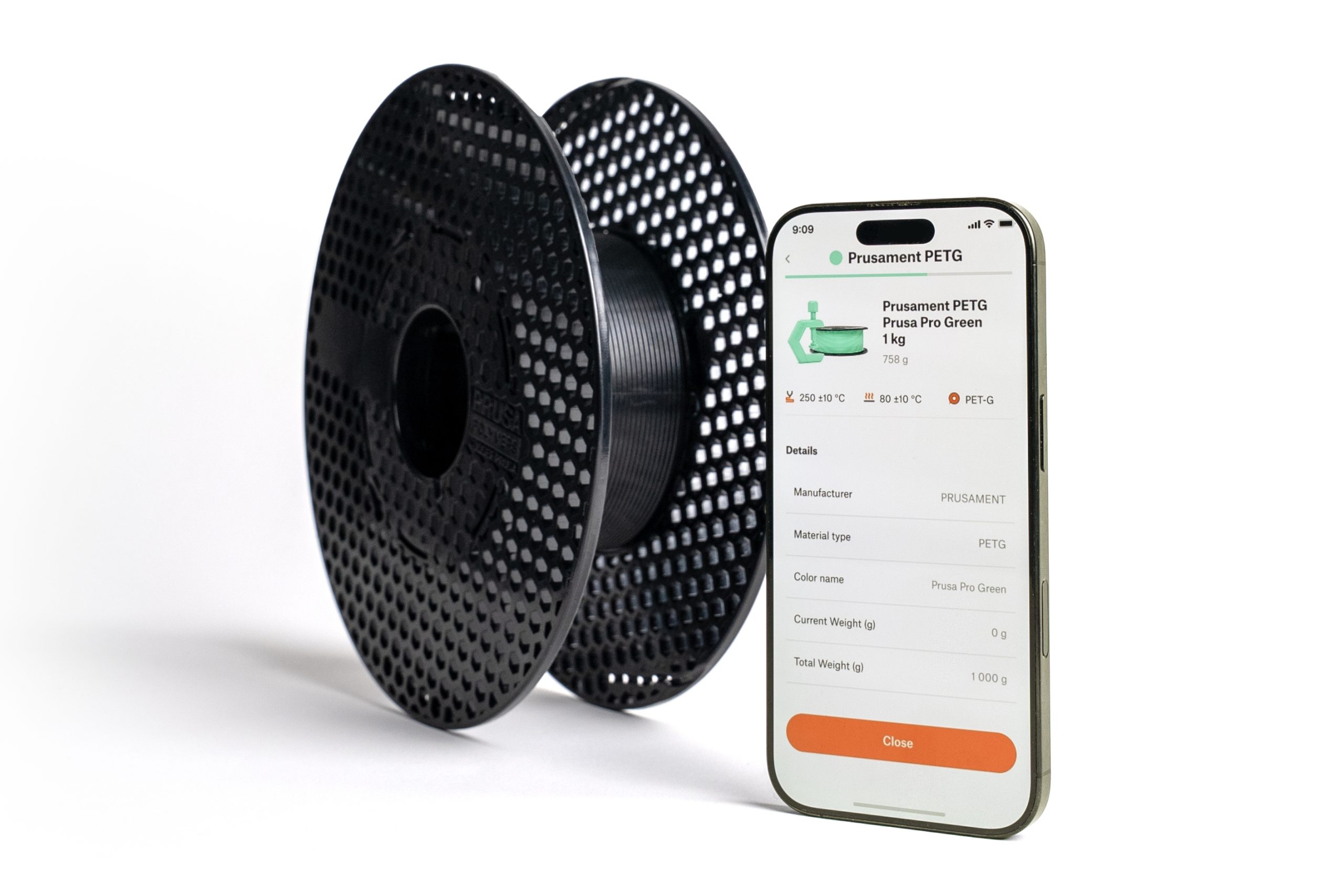
                  Our PrusaApp supports reading and writing NFC tag data for OpenPrintTag spools. 

                  How to read data from filament

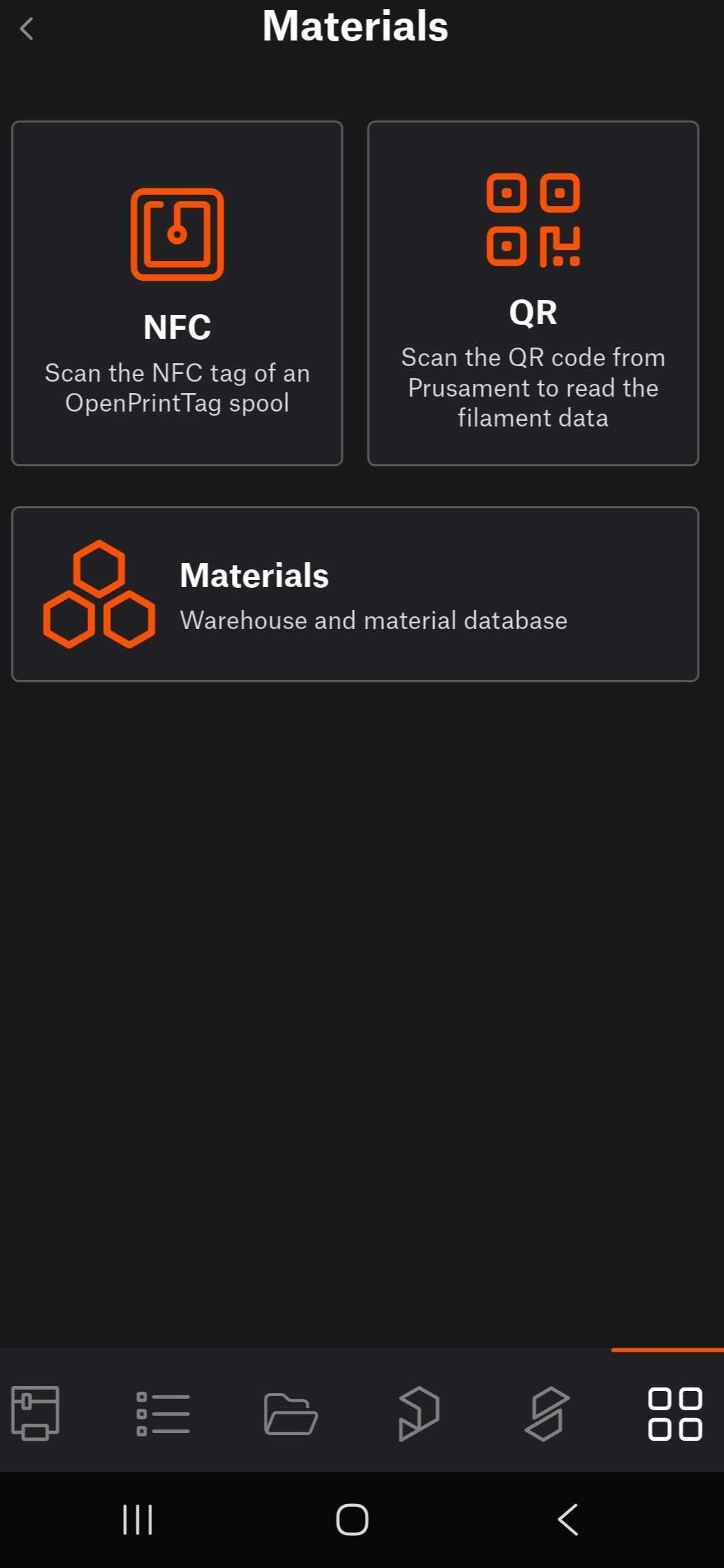
                  Navigate to the app's menu. Tap on Materials. 
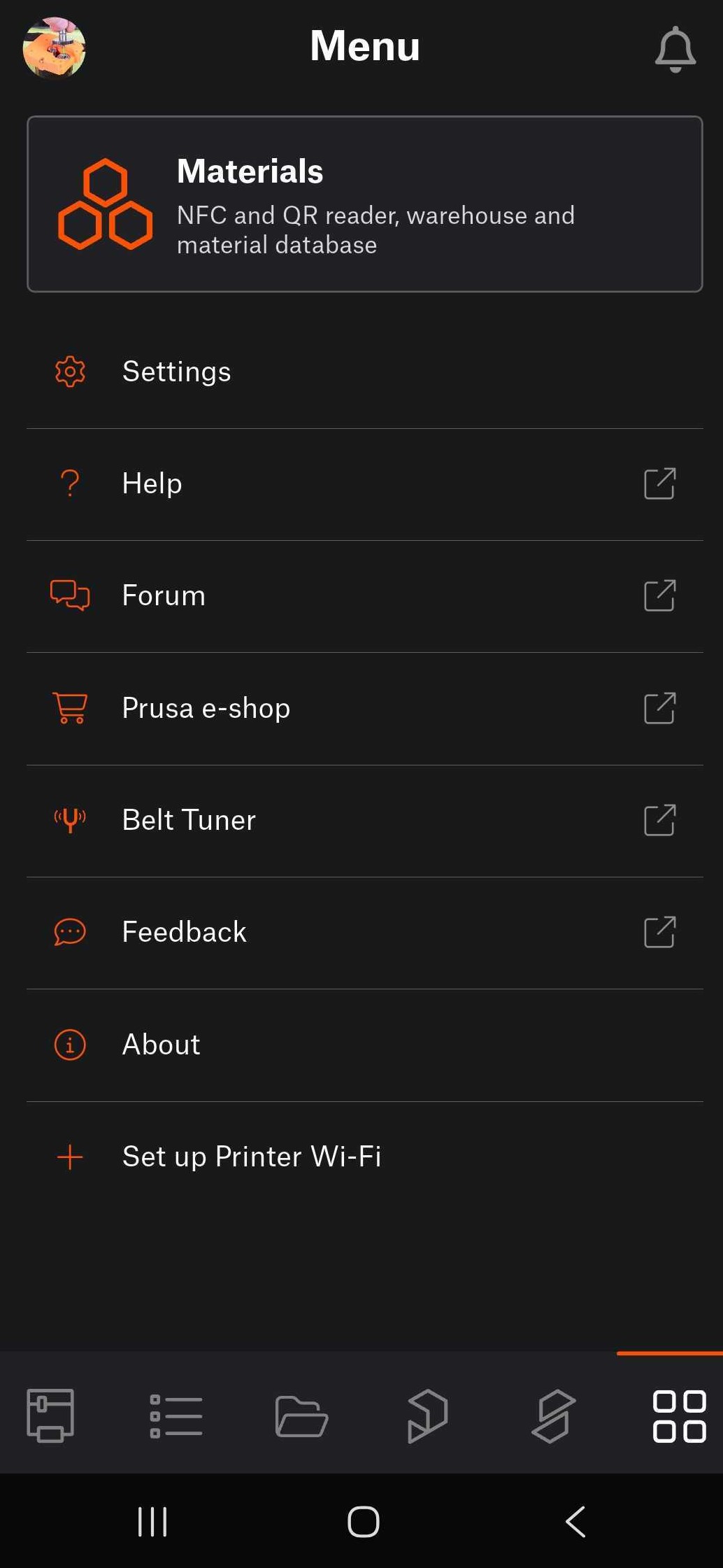
                  If the spool is equipped with NFC tag, tap on NFC, to scan the NFC tag of an OpenPrintTag spool. Hold the device close to the NFC tag on the spool. 
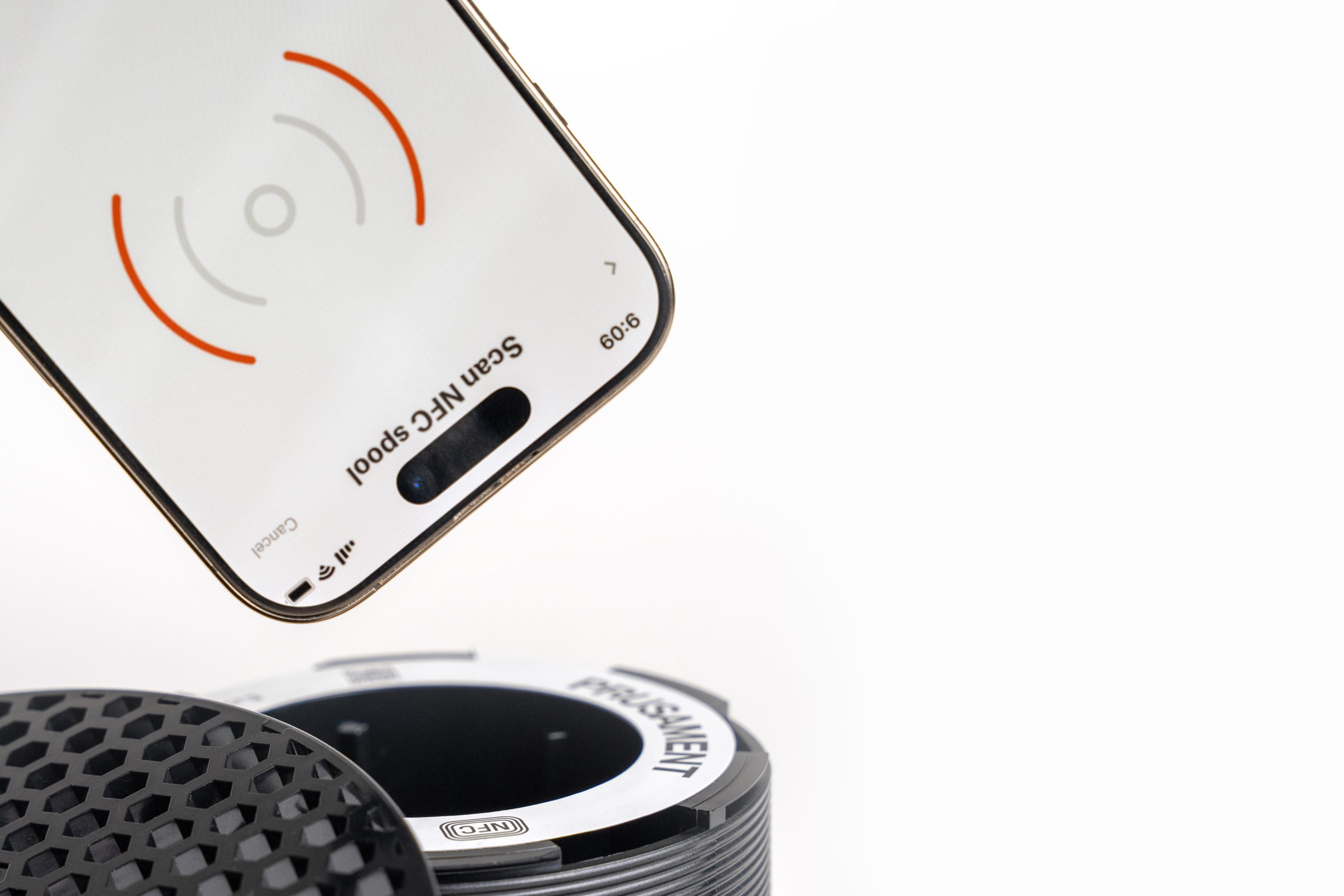
                  Depending on the phone model, the phone might need to lie flat against the side of the spool where the tag is located. For that reason, in such case, it is necessary to scan the tag with the filament outside of the spoolhoder. 

                  Alternatively, for Prusament spool equipped with QR code, tap on QR. This opens the device's camera to scan the QR code from the spool. 

                  Any loaded to the printer is visible and tracked in both Prusa Connect and Prusa App.

                  Adding material from Material Database

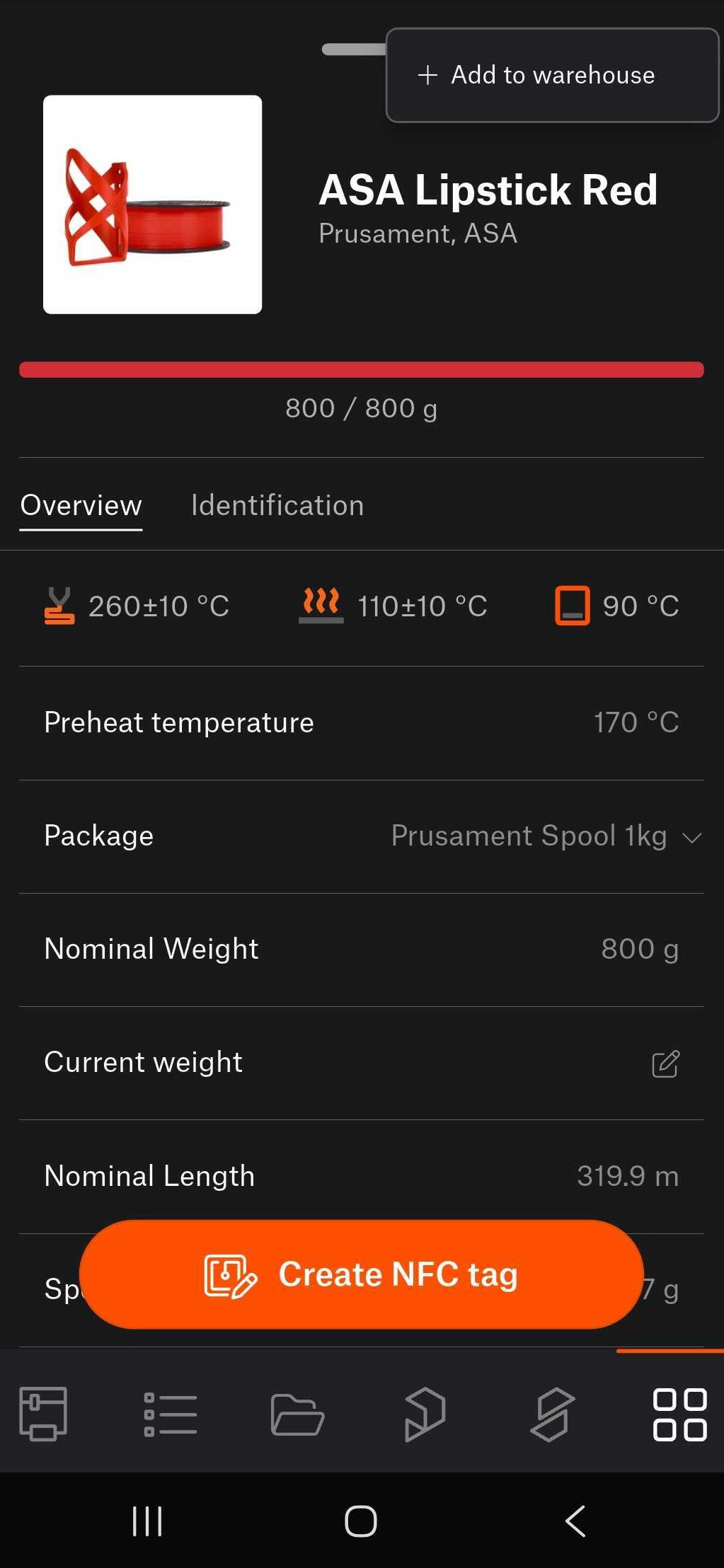
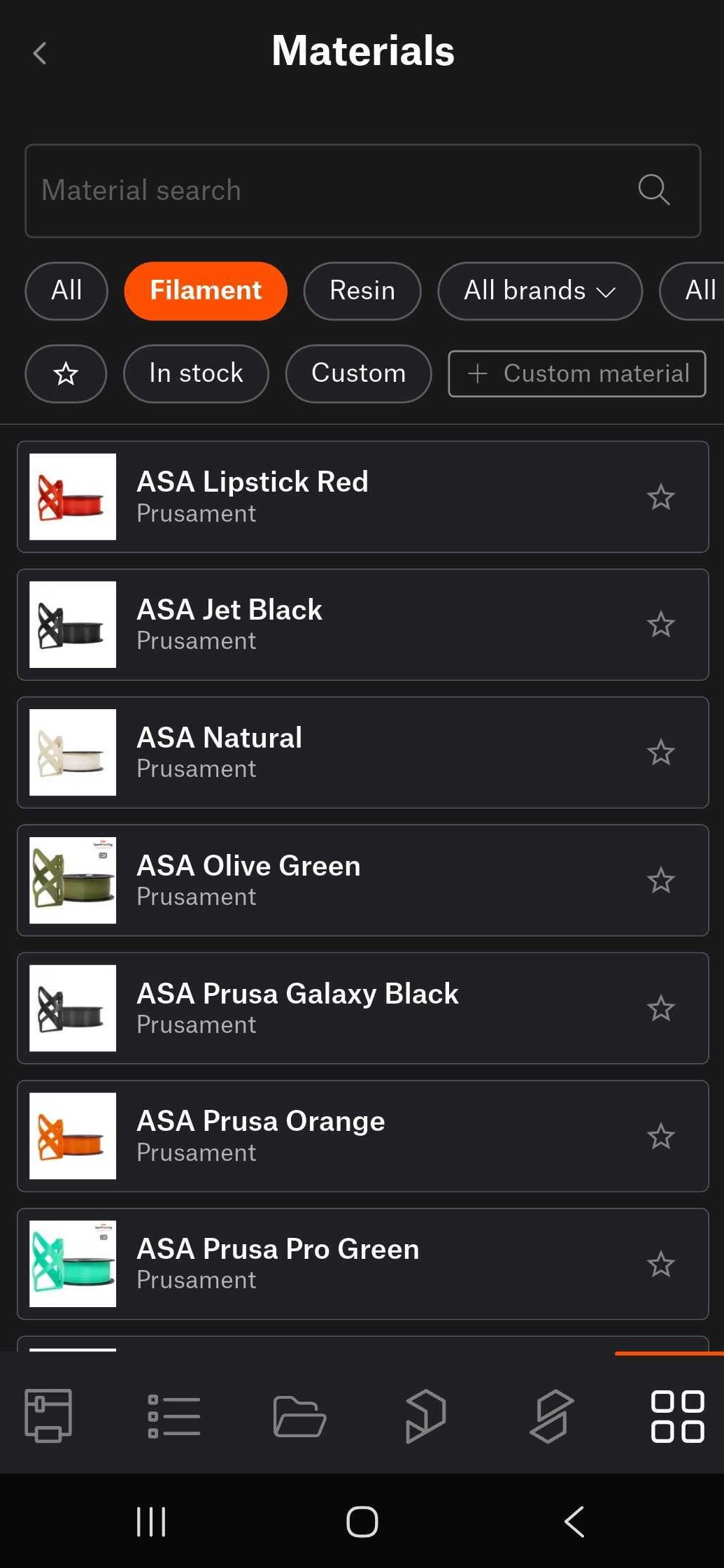
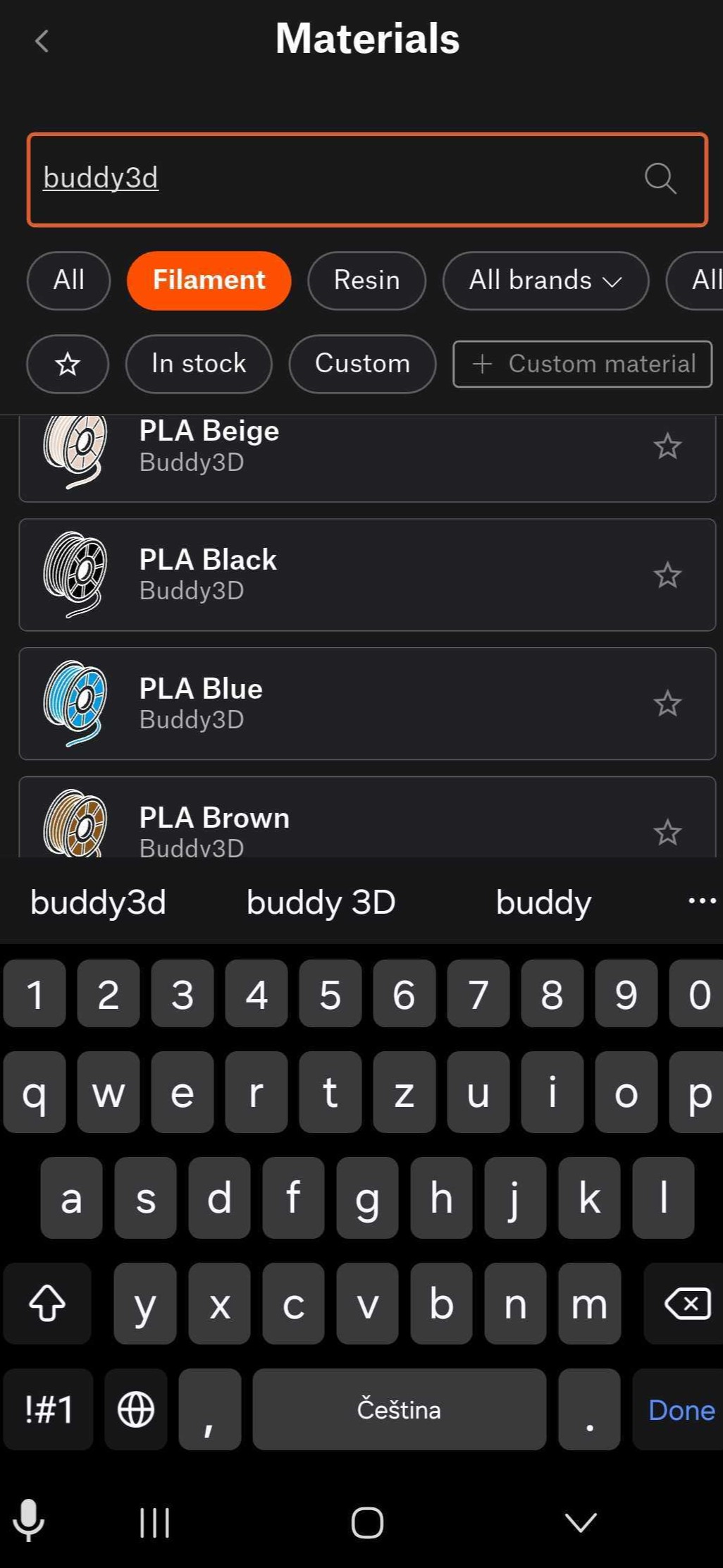
                  It is possible to save within the app materials that represent your spools. Navigate to Menu > Materials >Materials, to access our Material Database.

                  From there, select a spool by tapping it, then tap the top-right three button Add to warehouse. 
                  How to adjust data if printing on a printer without NFC or without automatic NFC writing

                  A printer equipped with NFC antenna and automatic NFC writing automatically reads the filament data as soon as it's loaded. 

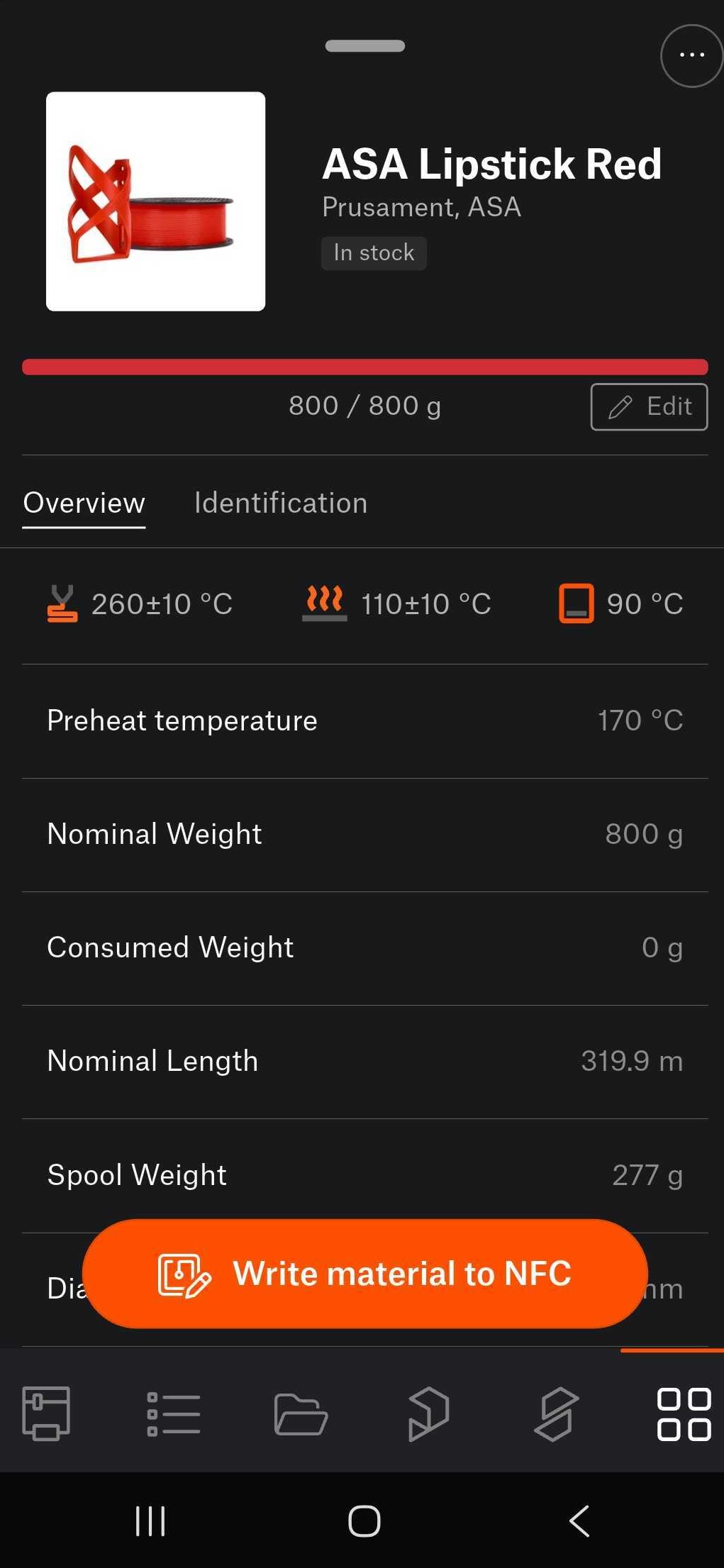
                  Manual adjustments are possible through the Material Database, accessible on Menu > Materials >Materials  

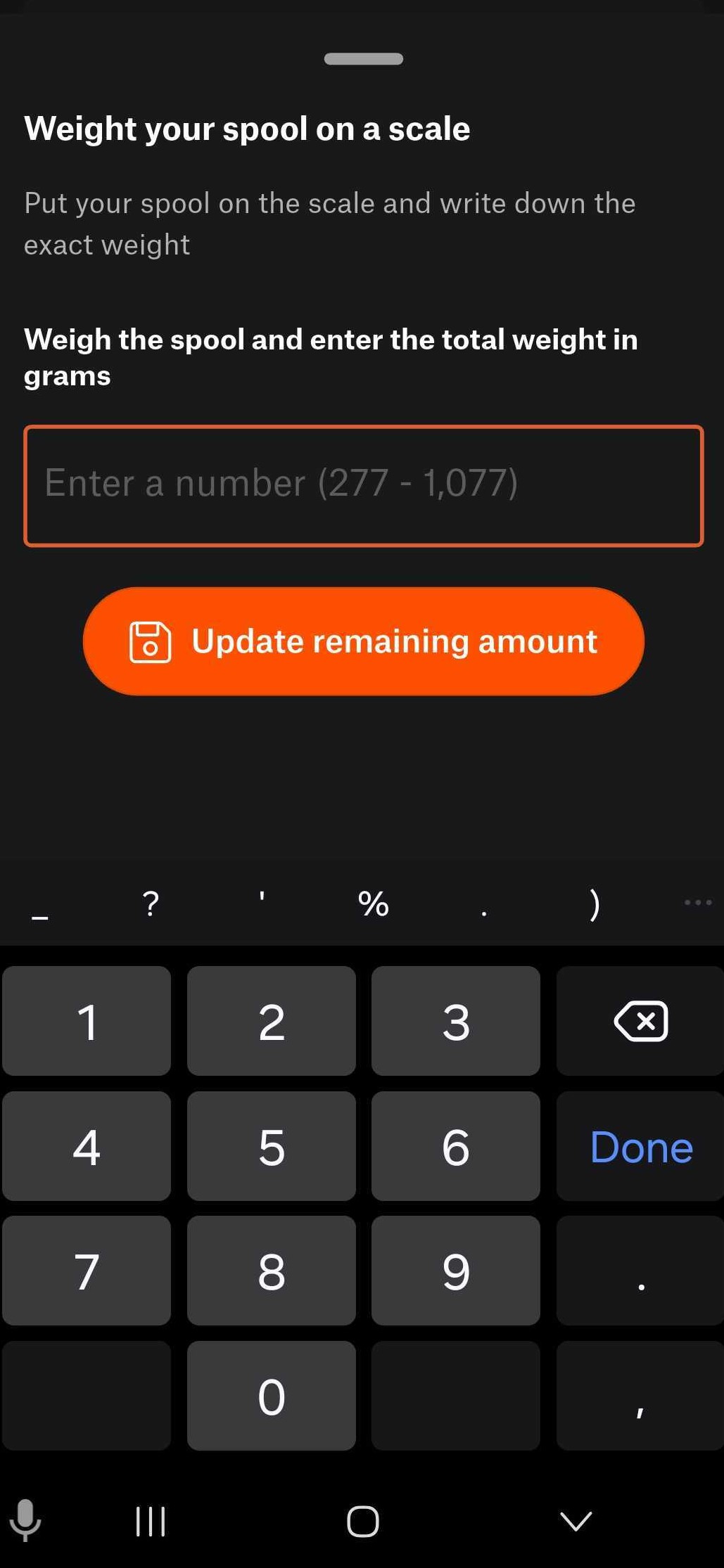
                  From there, navigate to a saved spool, select the spool, and tap the edit button. Weigh the material on a scale, and write the weight on the in-app field, to update it. 
                  How to correctly load refill material onto an empty NFC spool

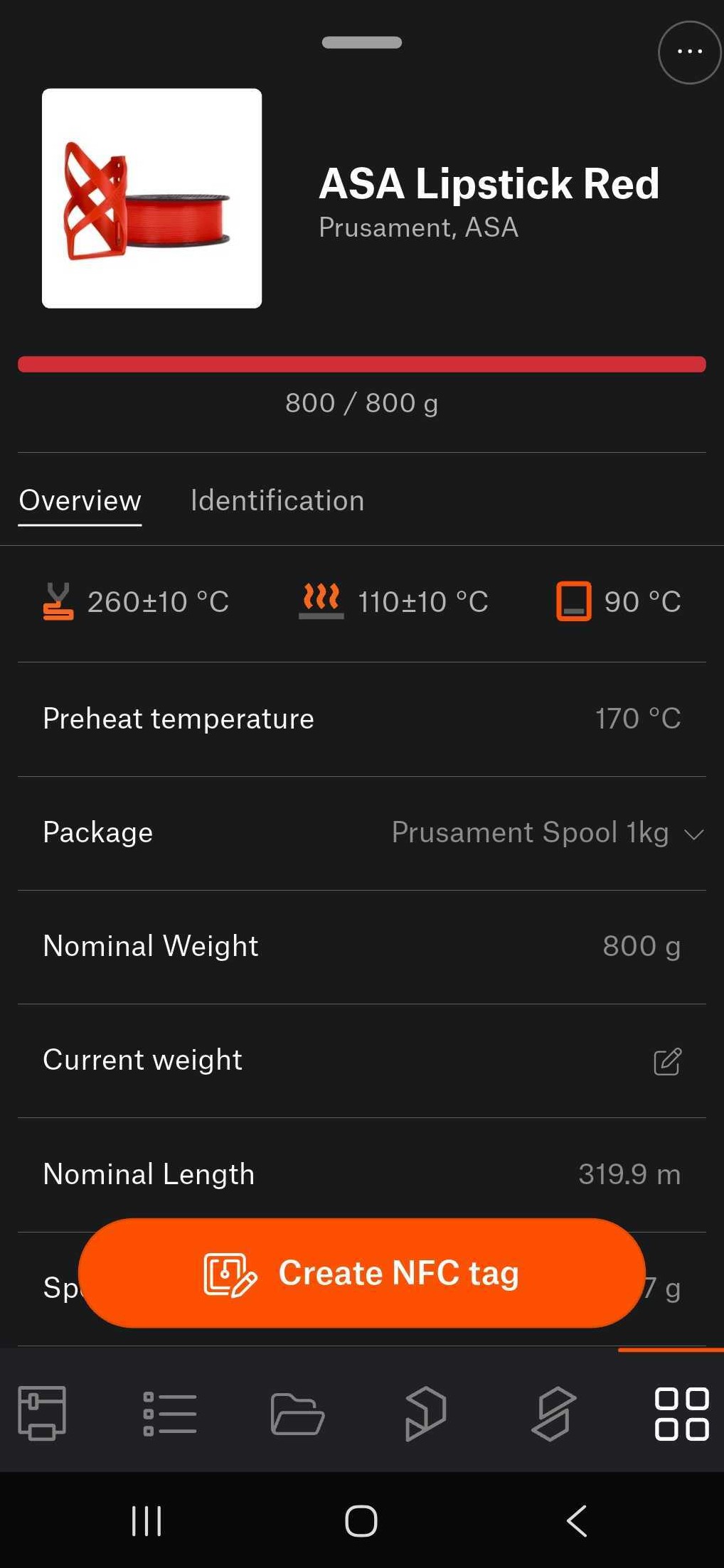
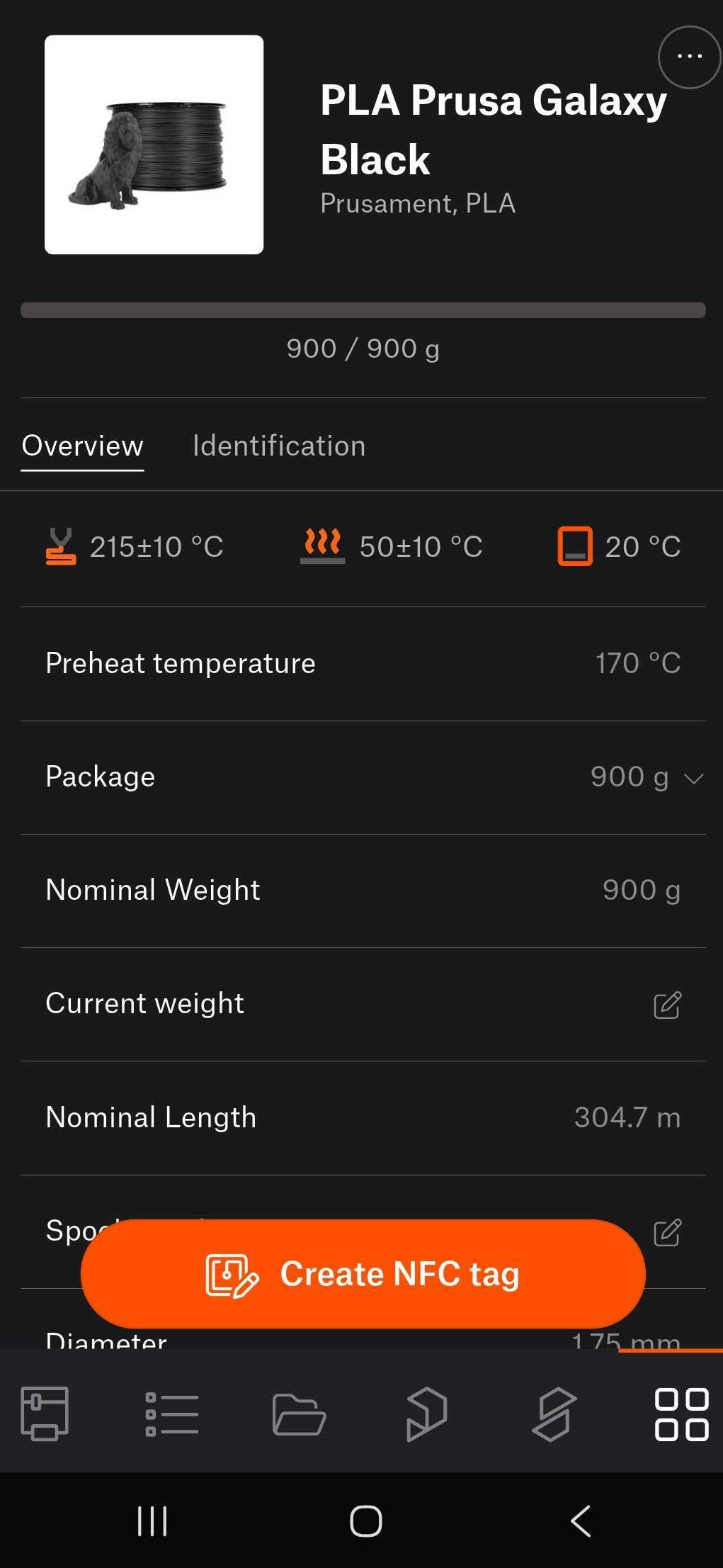
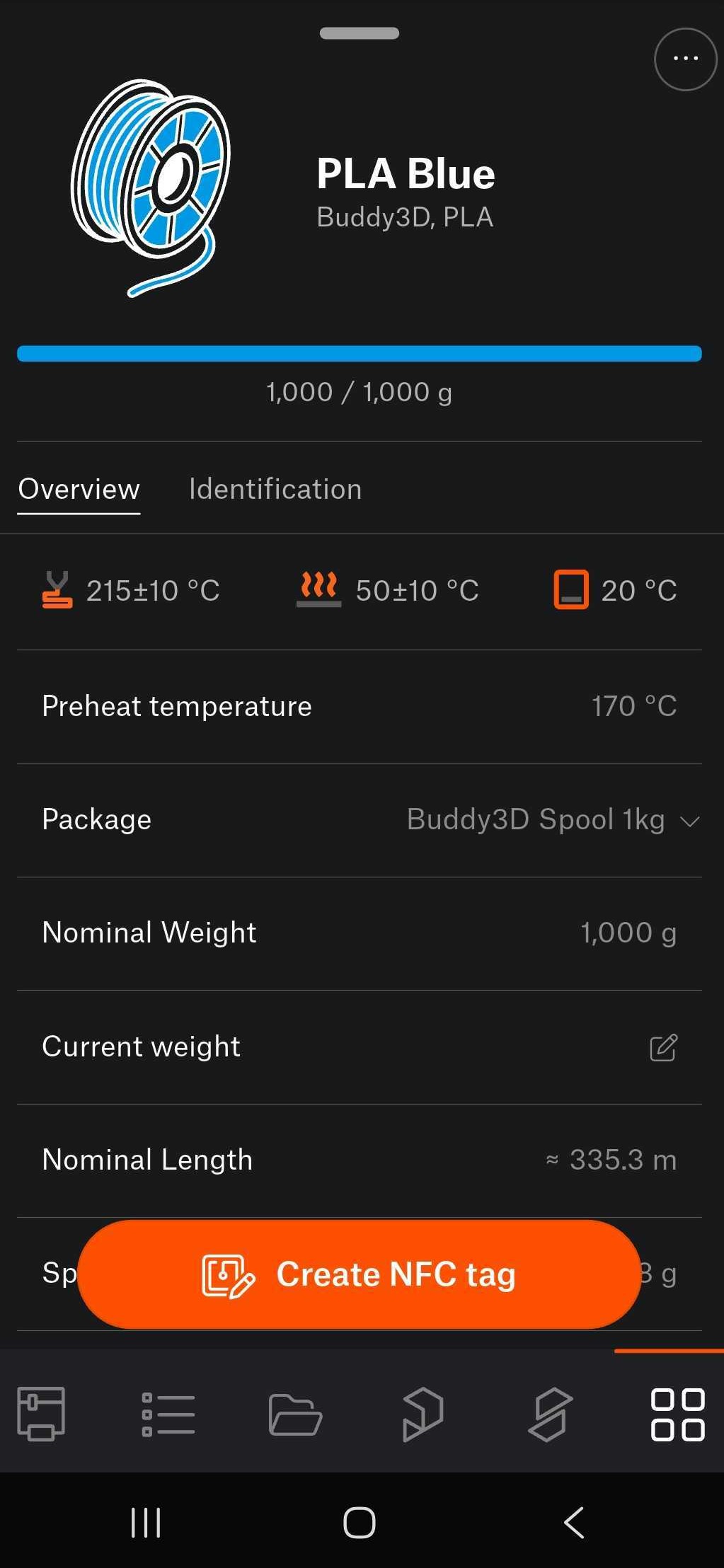
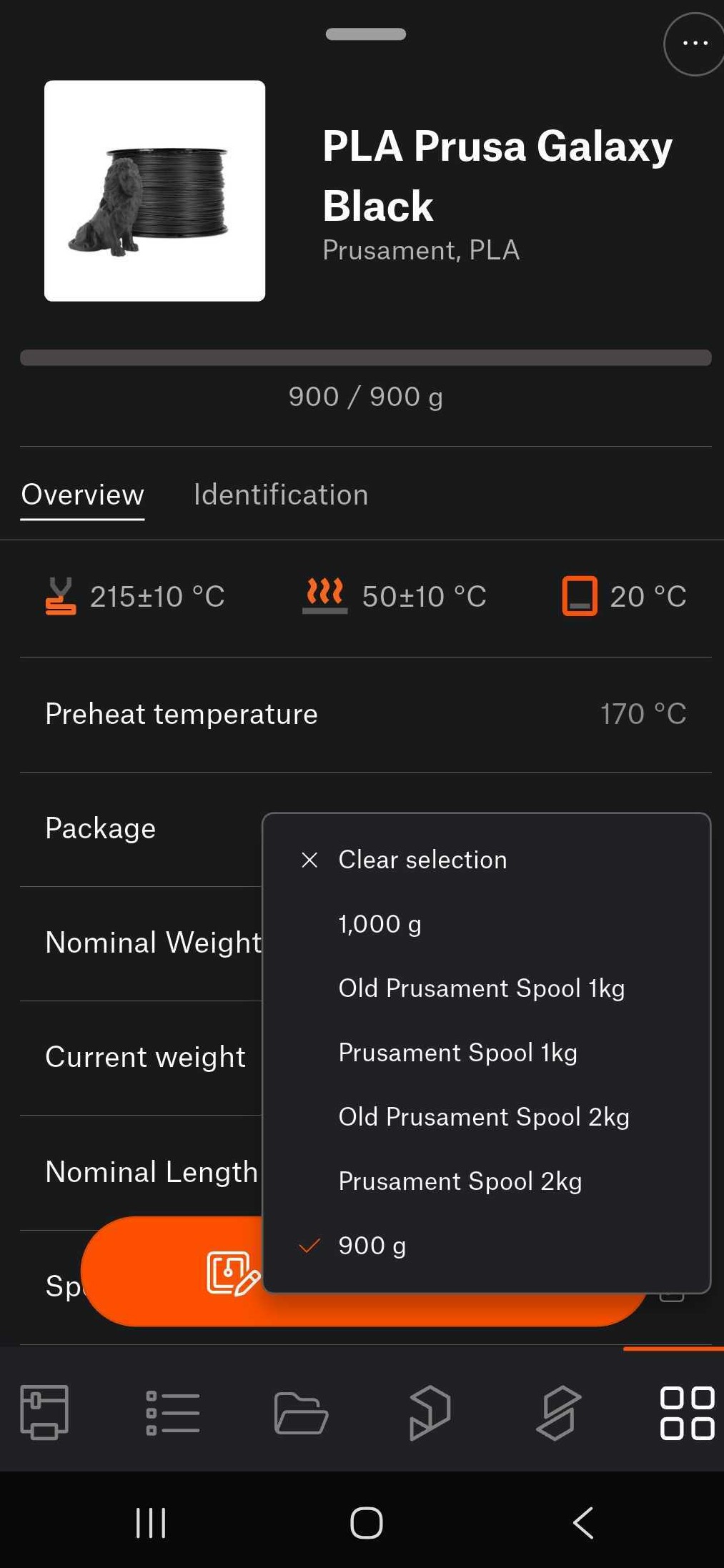
                  To load a refill spool on an empty NFC spool, navigate in the app in Menu >Materials >QR to scan the QR code of the refill material. Once the QR code is scanned, data from the refill is shown, choose as Package the weight of the refill filament, and tap on Create NFC tag to store the info on the spool's NFC tag. 
                  How to use empty NFC tag for 3rd party materials 

                  Access the material database, select the material, tap on Create NFC tag, bring the device close to the empty NFC tag. This writes the data from the selected material into the empty NFC tag. 
                  Questo articolo è stato utile?
                  Questa azione è disponibile solo per gli utenti registrati. Per favore accedi.
                  Accedi  per inviare un commento
                  Nessun commento

                  Argomenti

                  • Informazioni sulla tua stampante
                    • Informazioni generali
                      • IVA (imposta sul valore aggiunto) e tasse doganali
                      • FAQ - Domande frequenti
                      • Resi & rimborsi
                      • Servizio clienti
                      • Garanzia
                      • Percorsi di aggiornamento di CORE One
                      • Documentazione foto e video
                      • OpenPrintTag - NFC filaments with Prusa App
                      • Tipi di stampanti e le loro differenze
                      • Manuali stampante
                      • Opzioni di pagamento
                      • Ordinare dal Regno Unito
                      • Filamento non compatibile #13854 (MK4) #26854 (MK4S) #31854 (CORE One) #36854 (CORE One INDX) #35854 (CORE One L) #37854 (CORE One L INDX) #23854 (MK3.5) #28854 (MK3.5S) #12854 (MINI) #17854 (XL) #41854 (XL+)
                      • Gruppo di continuità per la stampante
                      • Riparazione in fabbrica
                      • Creazione ordine sull'e-shop
                      • Input Shaper (MK4/S, MK3.9/S, MK3.5/S, XL, MINI/+)
                      • Buoni/Sconti
                      • Centri di riparazione stampanti
                      • Aggiornamento a Prusa CORE One
                      • Certificazioni del prodotto
                      • Global-e
                      • OpenPrintTag
                      • Prusa USS Drybox
                      • Glossario XL
                      • Opzioni di caricamento del filamento MMU
                      • Utilizzare l'Hotend HT
                      • Informazioni di spedizione
                    • Descrizione stampante
                    • Funzioni stampante