AA

おすすめ製品

    人気のカテゴリー

      急上昇ワード

        記事

          ブログ

            製品

              カテゴリー

                検索候補

                  検索中…
                  結果がありません
                  エラーが発生しました。
                  ↑↓ 選択↵ 開くEsc 検索を閉じる
                  • English
                  • Čeština
                  • Deutsch
                  • Español
                  • Français
                  • Italiano
                  • Polski
                  • 日本語
                  • 注文
                  • 住所
                  • 在庫ありのアラート
                  • 講座
                  • サブスクリプション
                  • アカウント編集
                  • 3Dプリンター9+▾

                    3Dプリンターnew

                    newPrusa CORE One Lさらに詳しく
                    newPrusa CORE One+さらに詳しく
                    newPrusa CORE One L+ INDX 8-ToolnewPrusa CORE One+ (Gen 2) INDX 8-ToolPrusa CORE One L: Critical InfrastructureOriginal Prusa MK4SnewOriginal Prusa XLOriginal Prusa XL:クリティカルインフラストラクチャー

                    プリンターのアップグレード

                    newCORE One/+ INDX Conversion KitnewMK3S/+ から MK4SnewXL - シリコンプリンティングツールヘッドnewMMU3 (Multi Material Upgrade)
                    Prusa 報酬プログラムシェアして、紹介して、特典をゲット。
                    3Dプリンターを選び方スペース・予算・用途に合わせて最適なマシンを選ぶための基本をご紹介します。
                    無料の電子書籍無料の電子ブック Basics of 3D Printing with Josef Prusa をダウンロードして、3Dプリンティングの世界への第一歩を踏み出しましょう。
                    Original Prusa のプリント可能なパーツOriginal Prusa 3Dプリンターとアップグレード用のプリント可能なスペアパーツコレクション。
                    配送情報プリンターの現在の生産量と納期に関する情報を定期的に更新しています。
                    カスタム3Dプリント様々な素材を使用したプロフェッショナルなカスタム3Dプリントサービス。
                  • マテリアル▾

                    フィラメント

                    PrusamentPLAPETGASA / ABSPCブレンドPA (Nylon)FlexComposites特別Materials clearance sale

                    レジン

                    Prusament Resin Tough柔軟性
                    フィラメントガイドプルサメントスプールをチェック
                    Prusament.com
                  • 部品 & アクセサリー▾

                    アクセサリー

                    エンクロージャーノズルスチールシート必須アクセサリーカメラ&アドオンツール&クラフト接着剤

                    補修部品

                    商品

                    スペアパーツ - すべてのプリンターCORE OneMK4/S & MK3.9/SMK3/MK3S/MK3S+XL
                    Merch
                  • 法人向け▾
                    Prusa Pro HT90Prusa Pro SLXPrusa Pro AFSPrusa Pro Medical OneOriginal Prusa XLOriginal Prusa XL:クリティカルインフラストラクチャー
                    Prusa CORE One+さらに詳しく
                    Prusa CORE One Lさらに詳しく
                    Prusa CORE One L: Critical Infrastructure Edition クリティカルインフラ版(高セキュリティ対応モデル)

                    3Dプリンティングの用途

                    製造と研究開発自動車産業ヘルスケア教育と学術研究建築家とデザイナー映画産業重要インフラ

                    3Dプリンティングのストーリー

                    No items yet.

                    プルサ正規販売代理店
                    サステナビリティ
                    Prusa Education
                    お問い合わせ・ご連絡
                    カスタム3Dプリント
                    ISO認証取得
                  • ソフトウェア▾
                    PrusaSlicer

                    PrusaSlicerPrusaSlicer

                    PrusaSlicer は、オープンソースで機能が豊富、頻繁に更新されるツールで、3Dプリンタ用の完璧なプリントファイルをエクスポートするために必要なものがすべて含まれています。ニュースやリリースログは Github で確認できます。

                    WindowsMacOSLinux
                    Prusa Connect

                    Prusa Connect

                    Prusa Connectは、3Dプリンターの遠隔操作と監視を可能にするクラウドサービスで、安全なデータの取り扱い、簡単なセットアップ、どこからでも複数のプリンターを管理できるサポートを提供します。

                    ログインして接続する
                    Prusa.app

                    Prusa.app

                    Prusa Connect技術を活用し、どこからでもリモートでプリンターを操作可能!Prusa.appは、AndroidおよびiOSデバイス向けに新たなPrusaプリンター体験を提供します。

                    今すぐお試しください!
                    ドライバー&ファームウェア3Dプリンタの最新のファームウェアとドライバをダウンロードしてください。
                    PrusaSlicer サポート
                    Prusa Connect サポート
                  • 3Dモデル▾
                    3Dプリンターアート&デザインホビー&メーカー日用雑貨テーブルトップミニチュアおもちゃ&ゲームPrintablesストア

                    人気の3Dモデル

                    • Strong garden hose holder
                    • Prusa Spool Bot
                    • Build Tray — Modular Organizer for Assembly, Disassembly and Maintenance
                    • Broom Holder
                    • Octagon Fabric
                    • Prusa CORE One ? (Mimic Skin)

                    デザインコンテスト

                    • Framework Laptop 12 Mainboard Wiederverwendung2026/9/1 – 2026/9/30
                    • 🏆 Designer Herausforderung: Zaubertricks!2026/9/1 – 2026/9/22
                    • Make-up Aufbewahrungslösungen2026/9/4 – 2026/9/20
                  • コミュニティ▾

                    イベント情報

                    • IFA 20262026/9/4 – 2026/9/8 · Berlin, Germany · Prusa Team
                    • Maker Faire Bay Area2026/9/25 – 2026/9/27 · Kalifornie, United States · Prusa Team
                    • 3D Printopia 20262026/9/26 – 2026/9/27 · Pennsylvania, United States · Prusa Team
                    • Hobby Messe2026/10/2 – 2026/10/4 · Sachsen, Germany · Prusa Team

                    プルサフォーラム

                    • Index Layer Shifts?
                    • firmware error - screen freeze
                    • Nozzle stuck with filament
                    プルサワールドマッププルサワールドマップ地元の3Dプリントユーザーを見つけて、あなたの周りのコミュニティを探索してみてください。
                  • ヘルプ▾
                    ガイド & チュートリアルPrusaSlicerPrusa Connectマテリアル

                    プリンターモデル

                    CORE One INDXCORE One LCORE One+CORE One

                    ハードウェアのトラブルシューティング

                    • Selftest failed (CORE One/+)
                    • ホットエンドの詰まり (MK4)
                    • ベルトテンションの調整(CORE One L/CORE One)
                    • Prusa ConnectとPrusaLink について

                    ドライバー&ファームウェア

                    INDX familyCORE One familyMK4 familyXL familyMMU familyPRO family
                  • コース一覧▾

                    3Dプリンティングのエキスパートになろう

                    Prusa アカデミーでは、3Dプリンティングに関する様々なトピックのオンラインコースを提供しています。各コースの特徴:

                    • 多くの写真と短いビデオを含む読みやすいテキスト
                    • インスピレーションやさらなる学習のためのリンク
                    • 知識を試すためのテスト
                    • 修了証明書
                    Browse all coursesMy courses library
                    • 3D Modeling in Autodesk Fusion
                    • PrusaSlicerマスタークラス – 初心者から上級者まで
                    • Complete Guide to 3D Print Postprocessing, Painting, and Detailing
                    • Airbrush Your 3D Prints: From Basics to Advanced Tricks
                  • ブログ▾
                    • より高品質なプリントを、もっと簡単に:Prusa XL+、CORE One L+、CORE One+(Gen 2)― 大規模製品アップグレード
                    • Prusament PA11 Natural:極めて優れた機械的・耐薬品性を備えた素材 ギアや可動部品の造形に最適
                    • INDXの状況 ― 2026年7月アップデート:Founder’s Editionの出荷開始と今後の展開
                    電子書籍: 3Dプリンティングの基礎
                  • 会社概要▾

                    Prusa Research について

                    私たちは、ヨーロッパおよびアメリカ最大の3Dプリンターメーカーです。

                    Prusa Research は、チェコ出身のホビイスト/メイカー/発明家である Josef Prusa によって 2012 年に 1 人で立ち上げられました。そこからわずか 15 年で、従業員 1,200 名を超える企業へと成長しました。毎月、チェコ共和国プラハの本社および米国デラウェア州から、160 カ国以上のユーザーに向けて 10,000 台以上の革新的で安全な 3D プリンターを設計・製造・出荷しています。

                    動画をご覧になり、Prusa Research がどのように誕生し、わずか 10 年で何を達成したかをご確認ください!

                    Prusa Research についてタイムラインサステナビリティオープンソース
                    Prusa Research について
                    お問い合わせ
                    ロゴ・写真素材
                    ISO認証取得
                  1. サポート
                  2. Original Prusa SL1
                  3. 材料ガイド
                  4. Prusament Resin Model Color Kit
                   

                  内容

                  • Introduction
                  • Preparing the workspace
                  • Few useful tips:
                  • Calculating the amounts
                  • Here’s an example:
                  • Measuring the resin
                  • Mixing the resin
                  • Printing
                  • Post-processing

                  ブログ

                  • より高品質なプリントを、もっと簡単に:Prusa XL+、CORE One L+、CORE One+(Gen 2)― 大規模製品アップグレード
                  • Prusament PA11 Natural:極めて優れた機械的・耐薬品性を備えた素材 ギアや可動部品の造形に最適
                  • INDXの状況 ― 2026年7月アップデート:Founder’s Editionの出荷開始と今後の展開

                  ニュースレター

                  ご登録いただくと、毎月 新しいファームウェア、PrusaSlicerの新バージョン、3Dプリントプロジェクトの一般的なヒントなど、役立つ情報をお届けします。

                  クリックして、ニュースレターを受け取る。

                  このサイトはreCAPTCHA Enterpriseによって保護されており、Googleのプライバシーポリシーと利用規約が適用されます。

                  Strong garden hose holder
                  E-shop
                  • 3Dプリンター
                  • プリンターのアップグレード
                  • フィラメント
                  • アクセサリー
                  • Prusa 商品

                  © Prusa Research a.s.

                  Printables
                  • 3Dモデル
                  • Store
                  • Clubs
                  • 3Dデザインコンテスト
                  • Brands
                  コミュニティ
                  • ワールドマップ
                  • フォーラム
                  • ユーザーグループ
                  • イベント
                  ヘルプ
                  • Prusa ヘルプ
                  • Prusa アカデミー
                  • 3Dプリンティング計算機
                  ソフトウェア
                  • PrusaSlicer
                  • Prusa.app
                  • Prusa Connect
                  • ドライバーとソフトウェア
                  会社概要
                  • 私たちについて
                  • Blog
                  • プルサ正規販売代理店
                  • お問い合わせ
                  • ISO 9001・ISO 14001・ISO 45001 認証取得済み
                  • 一般利用規約
                  • PRUSAウェブサイト利用のための一般利用規約
                  • プライバシーポリシー
                  • クッキーに関する情報
                  • お客様の苦情対応に関する方針
                  • Webサイトのステータスページ
                  • Cookie 設定
                  • 一般利用規約
                  • PRUSAウェブサイト利用のための一般利用規約
                  • プライバシーポリシー
                  • クッキーに関する情報
                  • お客様の苦情対応に関する方針
                  • Webサイトのステータスページ
                  • Cookie 設定

                  © Prusa Research a.s.

                  JOSEF PRUSA®、PRUSA RESEARCH®、PRUSA POLYMERS®、PRUSA ORANGE®、PRUSA 3D ® および PRUSAMENT® は、Prusa Development a.s. の登録商標であり、Prusa Research a.s. が Prusa Development a.s. からのライセンスに基づき使用しています。

                  Prusament Resin Model Color Kit

                  関連するもの

                  SL1
                  CW1
                  SL1S SPEED
                  CW1S
                  記事 他の言語でもご覧になれます。
                  English
                  Čeština
                  Polski
                  Deutsch
                  Français
                  Español
                  Italiano
                  日本語

                  Introduction

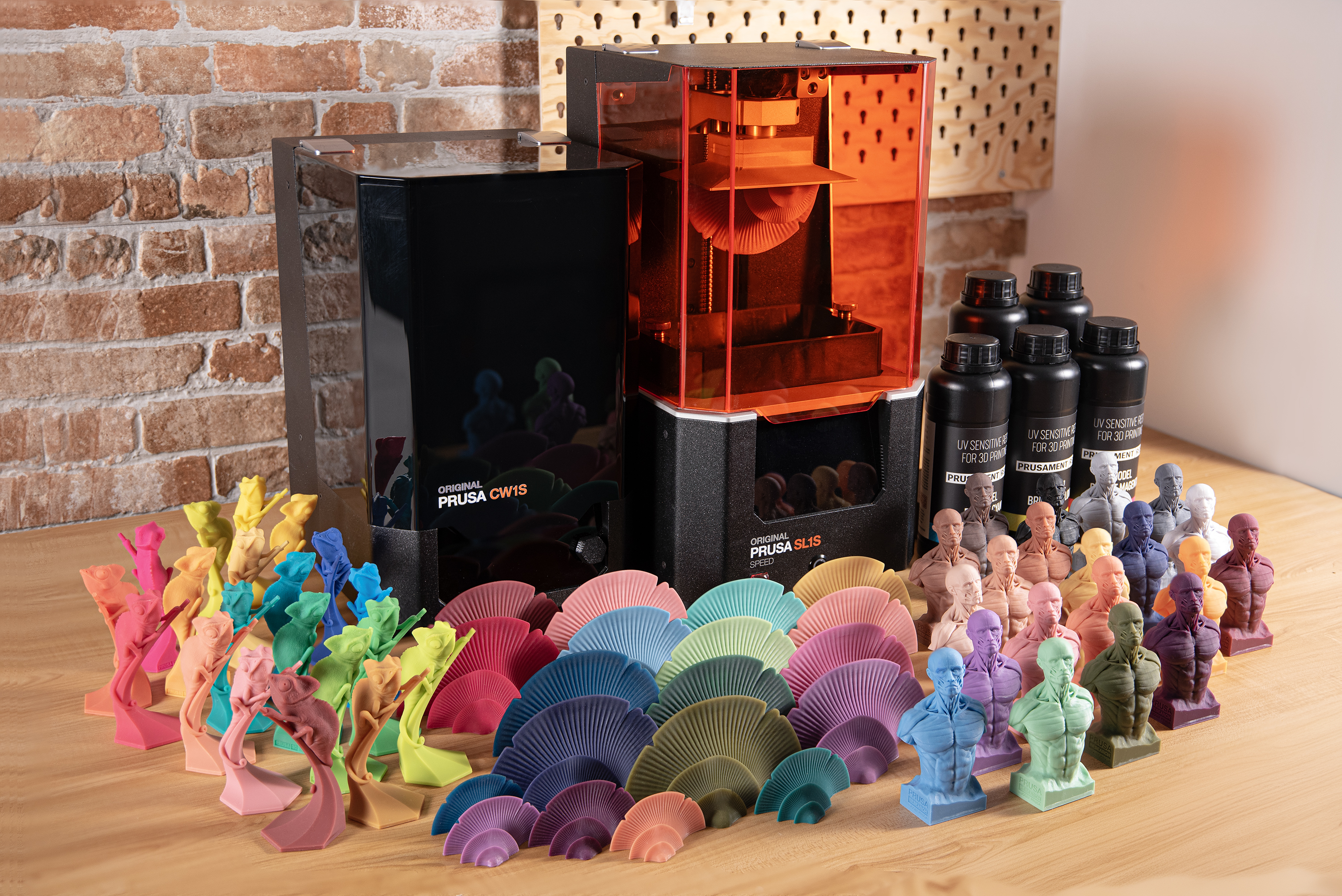
                  In this article, you will learn everything you need to know when mixing resin colors using the Prusament Model Resin Color Kit - either with the help of the Sample Book that comes with the kit or using your own recipes. We include step-by-step instructions and also some practical tips.
                  Preparing the workspace

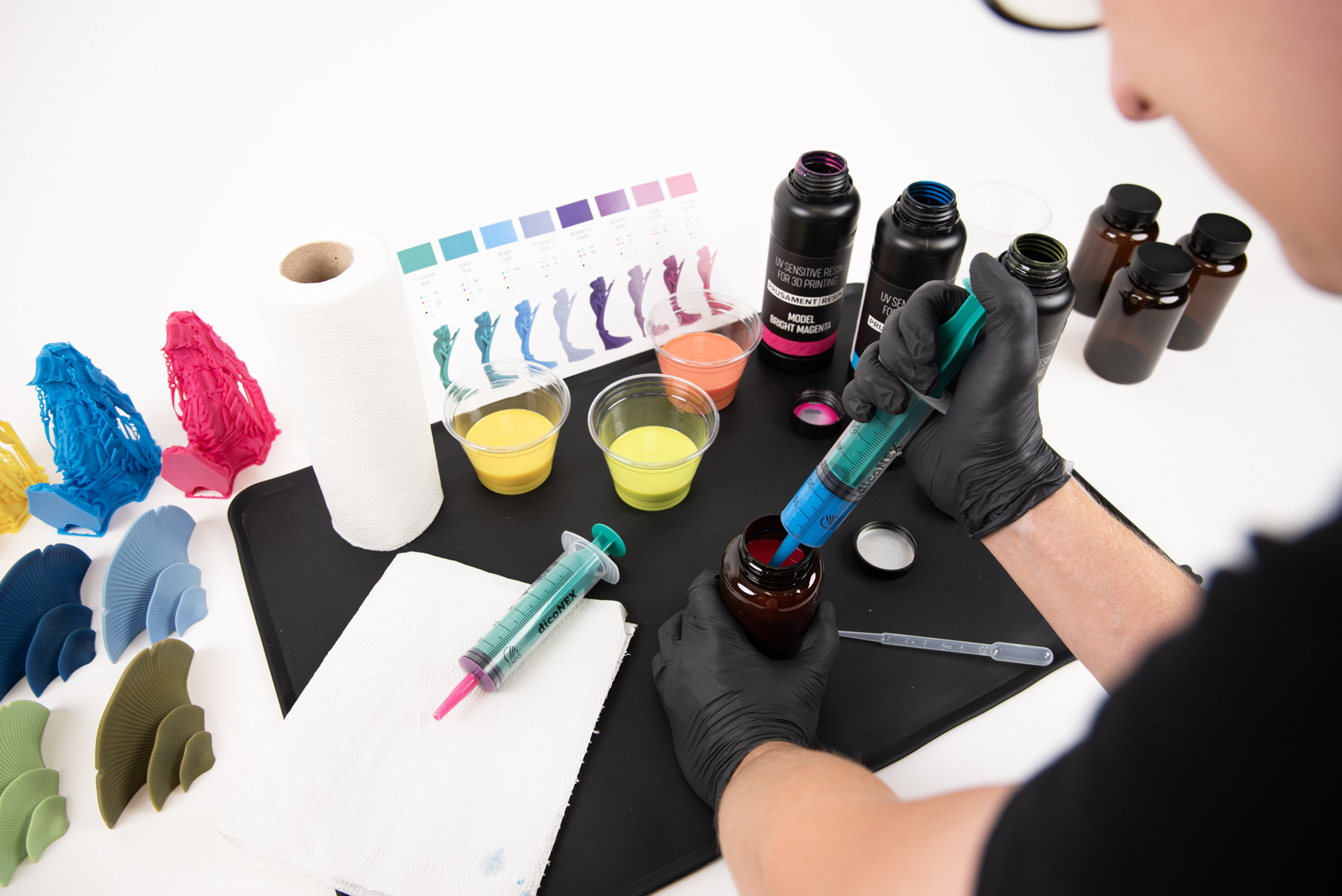
                  Note that mixing the resins necessarily comes with a higher risk of spilling. Make sure your workplace is easy to clean if any accident should happen. Always wear protective equipment - not only rubber gloves but also goggles and a lab coat (or similar clothing) that would protect you from splashes. We also recommend ensuring proper ventilation of your workspace to prevent inhaling fumes. Preferably, don’t expose the resin to any traces of UV light (i.e. through windows letting in natural light).
                  Few useful tips:

                  • Set up your workplace over a silicone mat (tray). These mats can be bought at pet stores as they are used as rugs for cat litterboxes. They are easy to clean and their raised edges prevent leaking.
                  • Always have paper towels and isopropyl alcohol nearby to quickly clean any spills.
                  • If you plan to weigh the mixture on scales, make sure your scales measure up to 0.1 g precision. Regular kitchen scales may not be sufficient for small amounts of resin as some of them measure just with a 1-2 g precision.
                  • For measuring by volume, you can use various syringes, pipettes, or cups, such as those included with the Color Kit, or available separately on our e-shop.

                  Calculating the amounts

                  For calculating the amount of ingredients, you can use the calculator on the Color Kit product page or any simple calculator (such as the app on your phone or computer).

                  The first thing you need to know is the total amount of resin needed for your project (including the pad and supports). Once you slice the model, the total will be calculated by PrusaSlicer (or any other slicer of your choice), both as volume and weight.
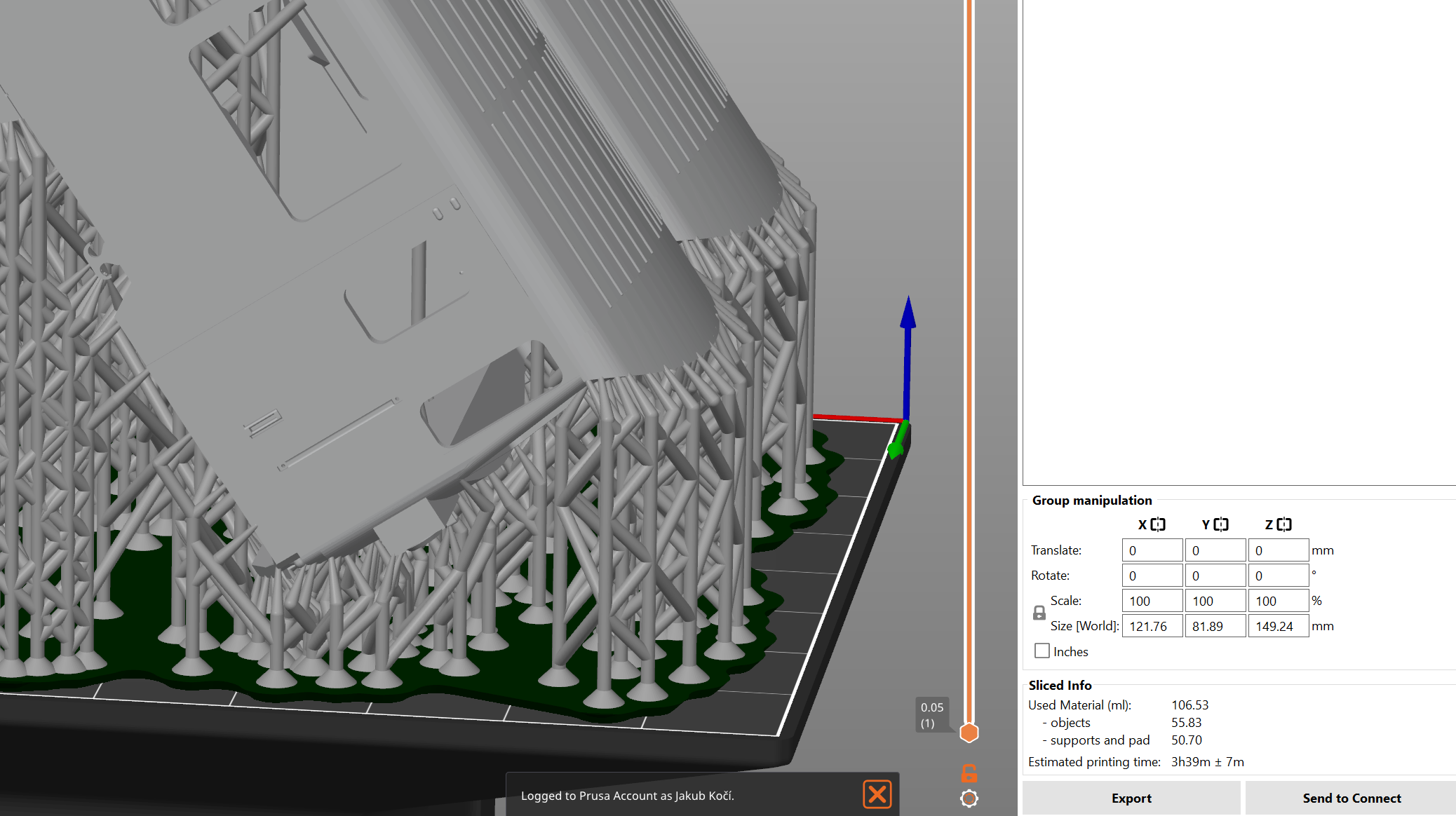
                  After slicing, the resin volume calculated by PrusaSlicer is on the right side, above the Export button.

                  Choose which of the two numbers you prefer to use: depending on whether you want to use scales (weight); or pipettes and syringes (volume). If you need to convert the weight to volume and vice versa, keep in mind that resin is about 10% heavier than water, i.e. 10 ml of resin would weigh 11 grams.

                  Make sure you always mix enough resin to cover the bottom of the resin tank - that means you will need to add a little extra to the amount calculated by the slicer. For the Original Prusa SL1S printer, an extra 30 ml would do.

                  Look up the ratios from the Color Kit sample book (or any other homebrew recipe you find online, etc.). Count the volumes according to this equation: prescribed ratio × (total amount / 100) = measured amount.

                  Here’s an example:

                  1. The PrusaSlicer calculated 240 ml of resin needed for our (hypothetical) model
                  2. The total volume with the extra amount to keep the bottom of the tank flooded would be 270 ml.
                  3. Let’s print for example the sky blue color. The recipe says C: 35, M: 5, W: 60. Here’s the equation for used colors:

                    Cyan: 35 x 270 / 100 = 94,5 ml (103,95 g)
                    Magenta: 5 x 270 / 100 = 13,5 ml (14,85 g)
                    White: 60 x 270 / 100 = 162 ml (178,2 g)

                  Or, simply use your calculator and multiply 270 by 35% (cyan), then by 5% (magenta), and finally by 60% (white).
                  When preparing your own recipes, keep in mind that black is very “strong” and even a very small amount would shift the shade considerably.

                  Of course, you can use the calculator on the Color Kit product page for our tested colors...
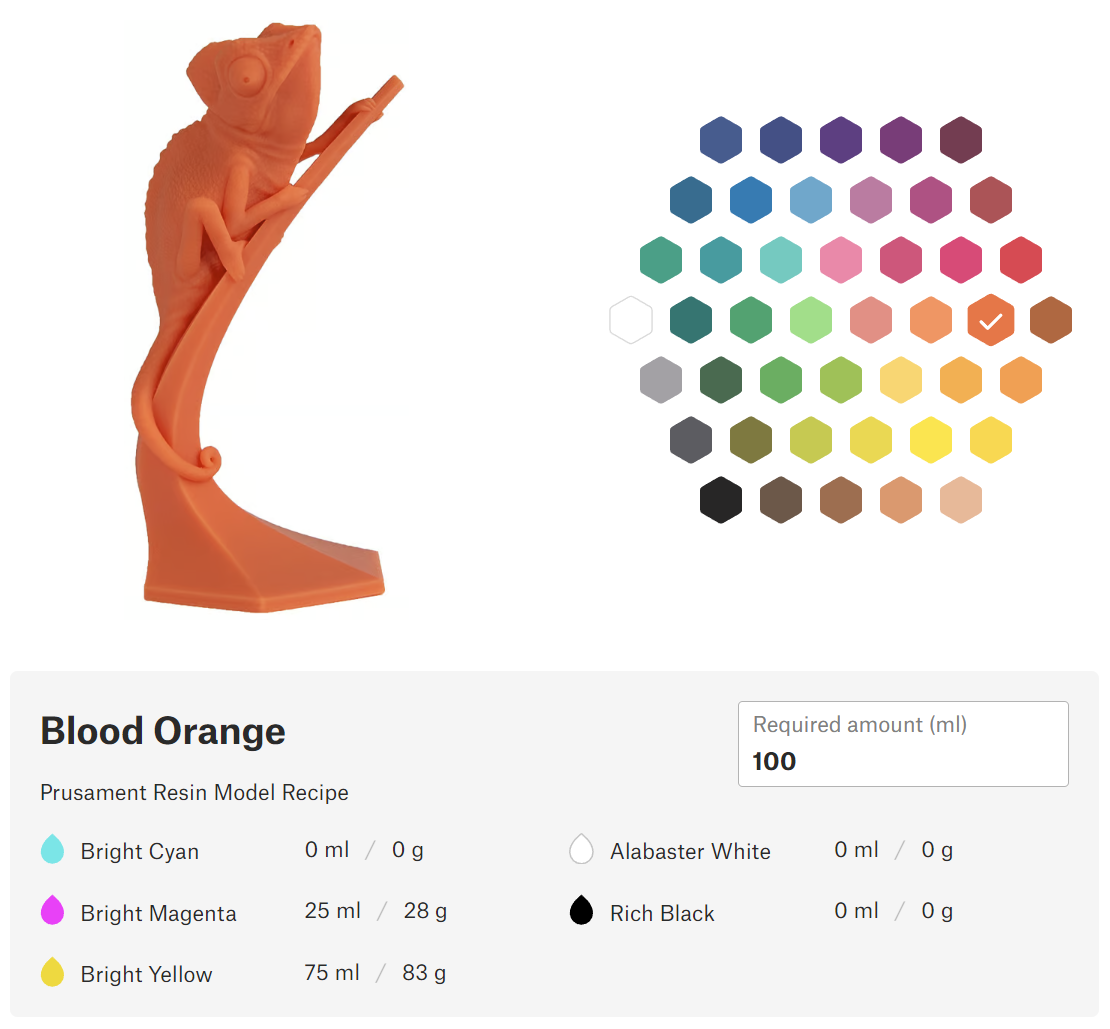
                  Prusament resin color calculator on the Color Kit product page

                  Also, when mixing your own colors, keep in mind that both white and black not only lighten/darken the shade but also desaturate it. Adding black will result in a more earthy, natural tone while adding white will create a subdued, pastel color.

                  Measuring the resin

                  To achieve the desired result, take your time and stir all the ingredients very thoroughly before you start mixing them. The pigment in Prusament Resin is very rich and lightfast (i.e. colors won’t bleach over time). However, when left idle for a longer period, the particles tend to sit at the bottom of the bottle (or later in the resin tank!). This effect is most noticeable with the white pigment.

                  To measure volumes in the order of ml, it is advisable to use a 5 ml syringe with 0.2 ml marks. For larger volumes in the order of tens to low hundreds of ml, a 50 ml syringe with 1 ml marks is suitable.

                  Excess resin that adheres to the submerged end of the syringe should be wiped off immediately after measuring the required volume. If you measure several resins of different colors with one syringe, it is always necessary to remove the remnants of the previous resin by thoroughly washing them with alcohol and wiping the corners with a paper tissue. This also applies to other tools used.

                  When using the syringes, be careful - pressing the piston against the bottom of the syringe may cause a splash.

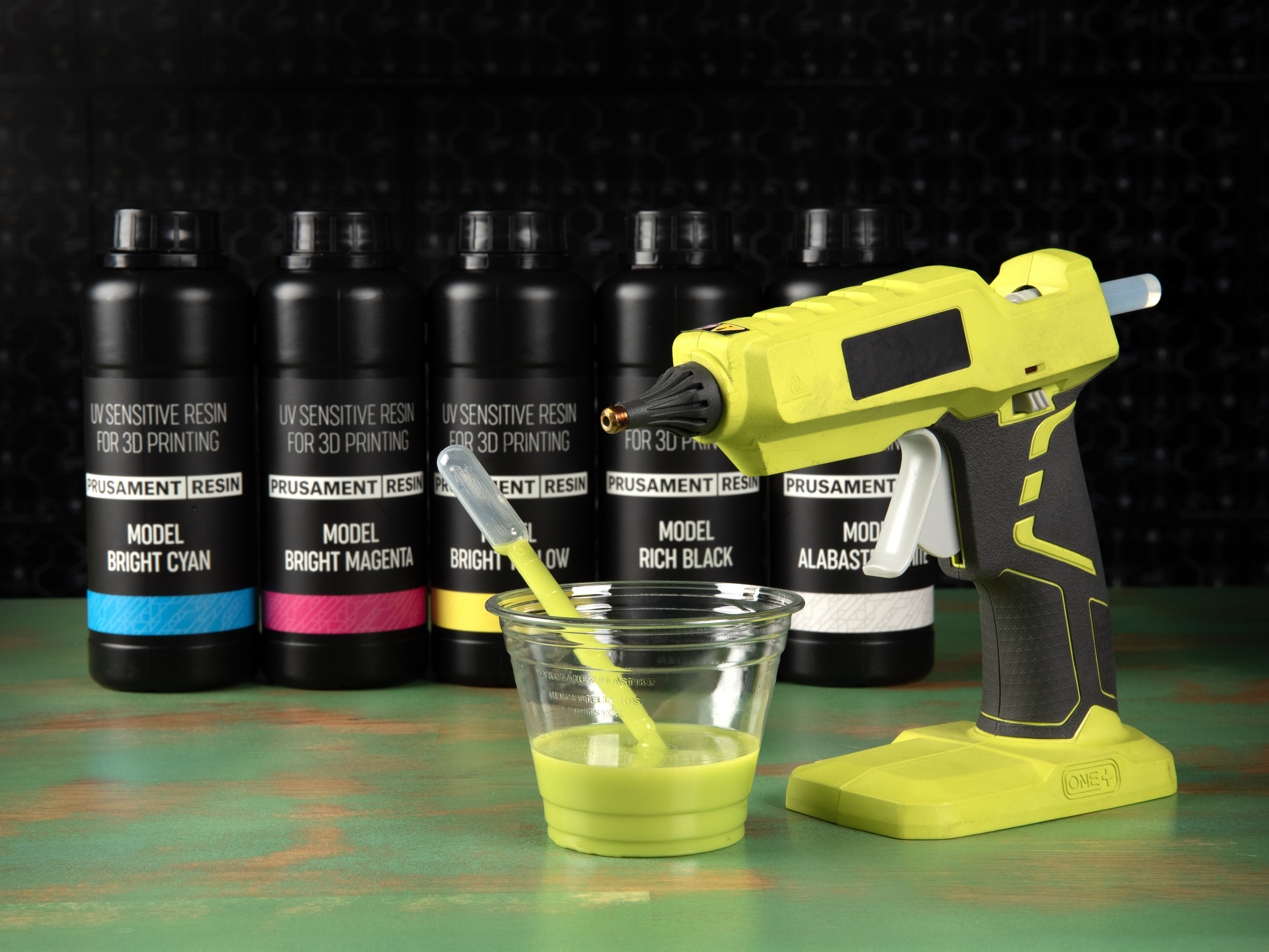
                  On the other hand, the pipettes are more gentle but also less precise. You can use them for stirring the mix as well.

                  It is better to pour the resin first into a cup, not stick the pipette or syringe directly into the resin bottle.

                  Note that the bigger the total amount, the more accurate your measuring will be. Therefore, if you want to achieve an exact color, consider mixing a larger batch than needed.
                  Mixing the resin

                  You can mix the resin right in a cup, and stir it for example with a pipette.

                  However, for more thorough mixing, it is better to pour the mixture directly into a dark, resealable bottle of appropriate volume, which can be used for further storage as well. The Color Kit includes a few 250 ml PET bottles for this purpose. You can also use any empty resin bottles, thoroughly washed with IPA.
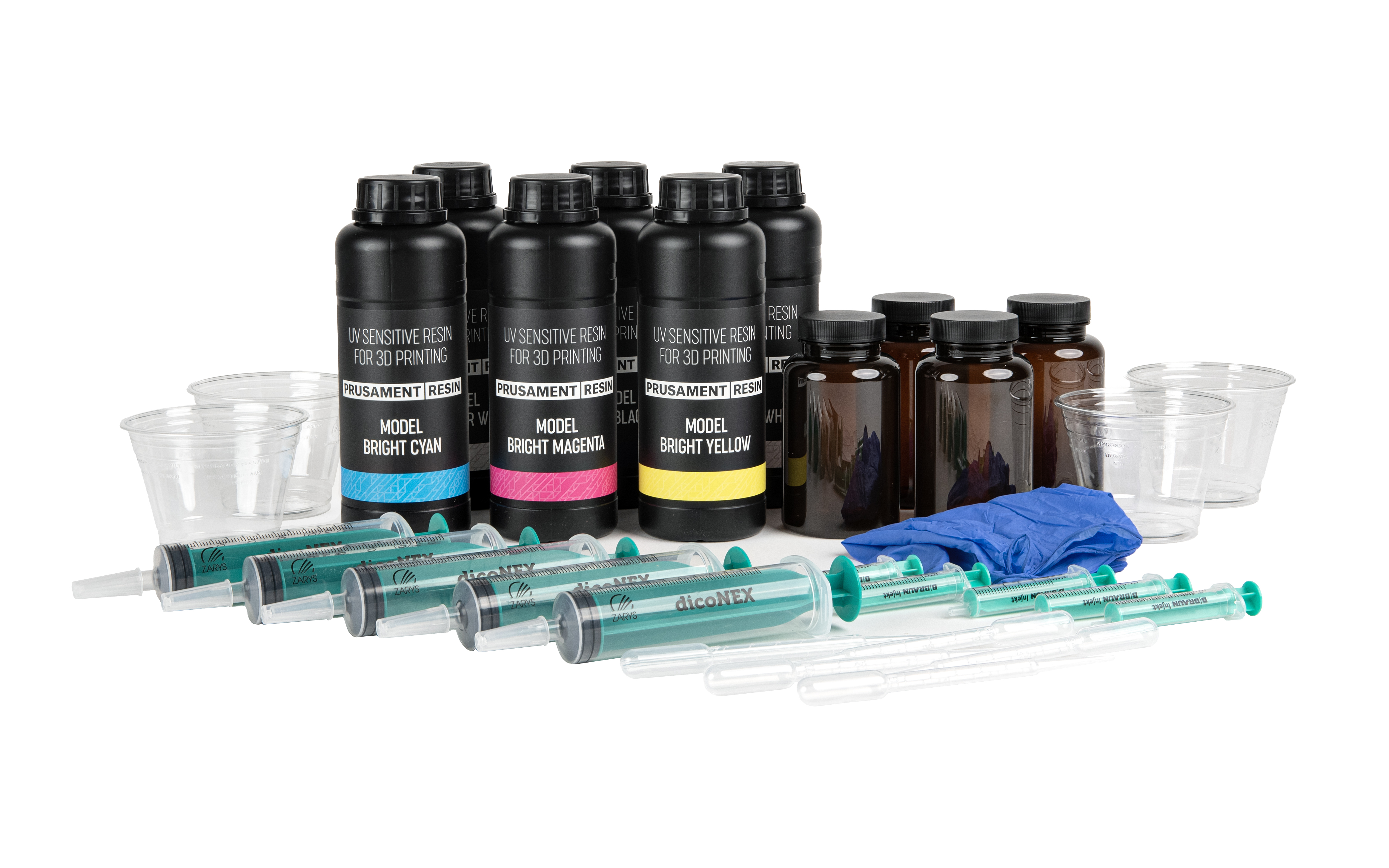
                  Mixing of the resins can be facilitated by heating to a temperature of 30 ~ 40 °C, for example, using the “resin preheat feature” of the Original Prusa CW1S.

                  Intensive mixing or shaking would induce foam, so it is advisable to let the mixture stand for a few minutes before printing.

                  Printing

                  For all the color mixes, you can use the same exposure time as a baseline (basically the same as for the individual Prusament Model Resin Alabaster White). For the Original Prusa SL1S SPEED printer, it is 25/2.2 seconds for a 0.05 mm layer height. If you would like to fine-tune the exposure of a particular color mix, consider printing calibration objects. A guide for the SL1S printer is available here.

                  Post-processing

                  The process is the same as with regular Prusament Model Resin: wash the prints in an IPA bath (use two separate baths for super clean results). If you’re not familiar with the washing process, learn more about it in a dedicated article.

                  Cure the washed prints with UV light. Using the Original Prusa CW1S, 3 minutes of curing will be sufficient. Turn the prints around to achieve an evenly colored surface.

                  You might experience a slight yellowing of the print surface, especially with pale colors, and/or when curing the prints for a prolonged period. This effect will mostly diminish over time (48 hours at room temperature). You can accelerate it by heating the prints (for example using the CW1S "resin preheat function" for one hour at 60 °C).
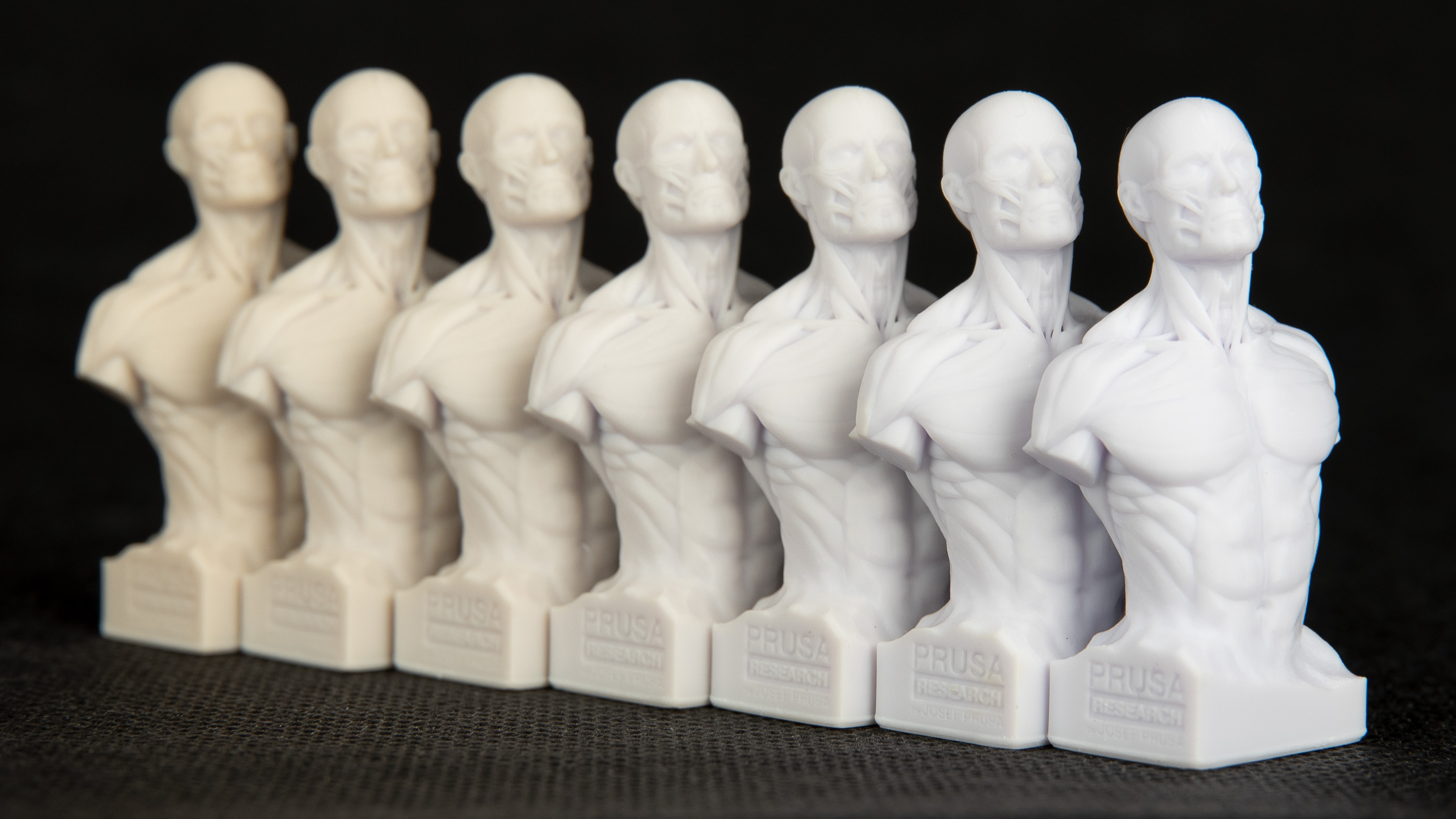
                  If you want to achieve a more evenly colored surface, consider turning the print around during the curing process, so the exposure to the UV light is as even as possible.

                  Again, there is a dedicated article on the topic of resin yellowing. 

                  Out of resin or accessories? You can get more at prusa3d.com:

                  Full Prusament Resin Model Color Kit

                  Prusament Resin Model Color Kit accessories

                  Prusament Resin Model

                  この記事は役に立ちましたか?
                  この操作は登録ユーザーのみが利用できます。ログインしてください。
                  ログイン してコメントを投稿する
                  コメントなし

                  トピックス

                  • このプリンターを使用
                    • 材料ガイド
                      • テスト済みのレジン
                      • レジン
                      • Resin yellowing and how to reduce it
                      • Prusament Resin Model Color Kit
                    • 3Dモデル
                    • スライス処理
                    • プリンターメンテナンス
                    • Prusa Connect [進行中の翻訳]