0 点の商品がカートに入っています点の商品がカートに入っています
カートは空です
マイプロフィール
ログイン すると注文や保存した商品を確認できます
ログイン中:
2025-03-11T15:04:55+00:00
2026-08-28T08:24:38+00:00
2021-11-23T21:46:36+00:00
The Original Prusa SL1 has an update-server, which is checking for updates automatically. There is no need to do it manually, but this option is still possible. Starting from firmware…
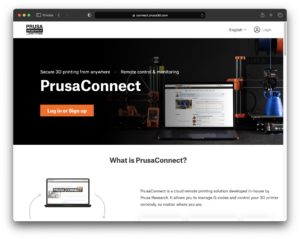
Starting from firmware 1.8.0, the Original Prusa SL1/S can be added to Prusa Connect. There are three ways to do it. Touchscreen GUI on the printer Go to the printer menu to Settings…
これは、エラー画面を表示するための高度なシステムで、ユーザーにより有用な情報を提供します。問題が発生した場合、プリンターはエラーの名前に続いて簡単な説明とQRコードを表示します。スマートフォンを取り出してコードをスキャンすると、プリンターに何が起こったのか、そしてその問題をどのように解決するかを詳しく説明する記事に即座にリダイレクトされます。 QRコードを表示するプリンターは、GitHubページで確認できます。古いファームウェアバージョンでは外観が異なる場合があることに注意してください。 エラーコードの使用方法 プリンターがエラー画面を表示した場合、記事にアクセスする方法は複数あります: スマートフォンやタブレットを使用してプリンター画面のQRコードをスキャンする 画面に表示されているリンクを使用する(例:help.prusa3d.com/en/12201) help.prusa3d.comを開き、エラーを検索する(例:12201) 何が問題で、どのように修正するかを説明する記事に従ってください。一部のエラーでは、プリンターの破損した部品の交換が必要になる場合があることに注意してください。交換が必要な場合は、記事の下部にサービスガイドへのリンクがあります。 エラーコードの説明 各コードはどのように作成されているのでしょうか?再び例としてエラー#12201を使用しましょう。コードは5つの数字で構成され、以下のパターンに従っています:XXYZZ #…
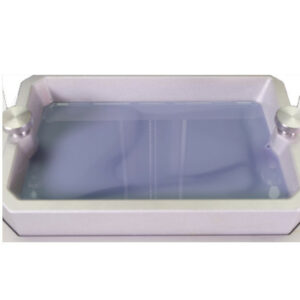
If the print does not appear on the printing platform, nor at the bottom of the resin tank, there are a couple of possible causes: Highly insufficient exposure times Old or separated…
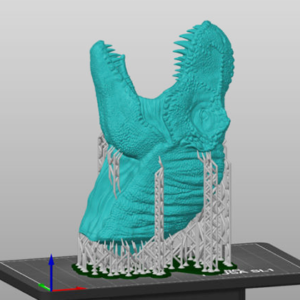
Broken supports (or missing parts of supports) are usually caused by incorrect settings in the PrusaSlicer. The supports are either too thin or the exposure time is set to a value…