Prusa
  • SKLEP
    • Najnowsze produkty
    WEDŁUG KATEGORII
    • Drukarki 3Dnowość
    • Upgrade drukarek 3Dnowość
    • Materiały
    • Akcesoria
    • Części zamienne
    • Kursy
    • Merch
    • Uzyskaj wycenę
    SZYBKIE LINKI
    • Wysyłka i dostawa
    • Zwroty i refundacje
    • Płatności i finansowanie
    • Gwarancja
    • VAT i opłaty celne
    • FAQ

    0 szt. w koszykuszt. w koszyku

    Twój koszyk jest pusty

    Przejdź do koszykaKup drukarki 3D

    Mój profil

    Zaloguj się i zobacz zamówienia oraz zapisane produkty

    Mój profil

    Zalogowano jako

    • Zamówienia
    • Wyloguj się
  • Druk 3D
    • Odkryj druk 3D
    DLA POCZĄTKUJĄCYCH
    • Podstawy Druku 3D
    • Jak działa druk FDM
    • Zakup pierwszej drukarki
    • Katalog modeli 3D
    WEDŁUG ZASTOSOWANIA
    • Szybkie prototypowanie
    • Produkcja
    • Inżynieria
    • Badania
    • Sztuka i design
    PRZEJDŹ DALEJ
    • Przewodnik po materiałach
    • Kursy
    • Webinary
    • Studia przypadków
    • Druk 3D na zamówienie
  • DRUKARKI 3D
    • Wszystkie drukarki 3D
    DLA
    • Dom lub garażHobbyści, majsterkowicze i domowe drukowanie
    • BiznesProdukcja we własnym zakresie dla małych zespołów
    • PrzedsiębiorstwoFloty, bezpieczeństwo i skalowanie
    • Która Prusa jest dla mnie odpowiednia
    KUPUJ I PRZEGLĄDAJ
    • CORE One+nowość
    • CORE One+ INDXnowość
    • CORE One L+nowość
    • CORE One L+ INDXnowość
    • XL+nowość
    • MK4S
    • Prusa Pro HT90
    • Prusa Pro AFS
    • Prusa Pro SLX
    WIĘCEJ DRUKAREK
    • Części i upgradenowość
    • Infrastruktura krytyczna
    • Studia przypadków
    • Signature Oak
    • Zestawy
  • MATERIAŁY
    • Wszystkie materiały
    WG ZASTOSOWANIA
    • Codzienne i projektowe
    • Inżynieria funkcjonalna
    • Kompozyty
    • Specjalistyczne zastosowania Pro
    • Żywice SLA
    PRUSAMENT
    • PLA
    • PETG
    • ASA
    • PC
    • PA11
    • Flex
    • TPU
    WIĘCEJ MATERIAŁÓW
    • Przewodnik po materiałach
    • Produkujemy materiały we własnym zakresie
    • Zrównoważony rozwój
    • Zamówienie w sklepie
  • OPROGRAMOWANIE
    • Wszystkie programy
    PRZYGOTUJ WYDRUK
    • PrusaSlicer 3.0Nowość
    DRUKUJ I MONITORUJ
    • Prusa Connect
    • EasyPrint
    • Aplikacja iOS i Android
    • Farma Prusa
    ROZPOCZNIJ
    • Pobierz i zainstaluj
    • Baza Wiedzy
    WIĘCEJ OPROGRAMOWANIA
    • Katalog modeli 3D
  • WSPARCIE
    • Przeglądaj wsparcie
    ZNAJDŹ ODPOWIEDZI
    • Baza Wiedzy
    • Rozwiązywanie problemów
    • Kursy
    • Webinary
    UZYSKAJ POMOC
    • Skontaktuj się z nami
    • Czat na żywo
    • Wysyłka i dostawa
    • Gwarancja
    • Zwroty i refundacje
    • Serwis i części zamienne
    • Serwis i naprawa
    SPOŁECZNOŚĆ
    • Forum
    • Reddit
    • Printables
  • CENTRUM ZAUFANIA
    • Przegląd Centrum Zaufania
    WEDŁUG TEMATU
    • RODO
    • Certyfikaty
    • Bezpieczeństwo
    • Zgodność
    ZOBOWIĄZANIA
    • Raport zrównoważonego rozwoju
    POROZMAWIAJMY
    • Skontaktuj się z zespołem ds. bezpieczeństwa
  • FIRMA
    • O firmie Prusa
    POZNAJ NAS
    • Nasza historia
    • Jak produkujemy drukarki
    • Open source
    • Zasoby dla mediów i branding
    AKTUALNOŚCI
    • Blog
    • Newsroom
    • Wydarzenia
    ZAUFANIE I PARTNERZY
    • Zrównoważony rozwój
    • Sprzedawcy i dystrybutorzy
    • Program partnerski
    • Kontakt
    • English
    • Čeština
    • Deutsch
    • Español
    • Français
    • Italiano
    • Polski
    • 日本語
  • Zalogowano jako

    • Zamówienia
    • Adres
    • Powiadomienia o dostępności
    • Moje kursy
    • Subskrypcja
    • Edytuj konto
    • Wyloguj się

Zaloguj się i zobacz zamówienia oraz zapisane produkty

Zalogowano jako
  • Zamówienia
  • Adres
  • Powiadomienia o dostępności
  • Moje kursy
  • Subskrypcja
  • Edytuj konto
  • English
  • Čeština
  • Deutsch
  • Español
  • Français
  • Italiano
  • Polski
  • 日本語
Sklep

0 szt. w koszykuszt. w koszyku

Twój koszyk jest pusty

Przejdź do koszykaKup drukarki 3D

Mój profil

Zaloguj się i zobacz zamówienia oraz zapisane produkty

Mój profil

Zalogowano jako

  • Zamówienia
  • Wyloguj się
SKLEP
  • Najnowsze produkty
WEDŁUG KATEGORII
  • Drukarki 3Dnowość
  • Upgrade drukarek 3Dnowość
  • Materiały
  • Akcesoria
  • Części zamienne
  • Kursy
  • Merch
  • Uzyskaj wycenę
SZYBKIE LINKI
  • Wysyłka i dostawa
  • Zwroty i refundacje
  • Płatności i finansowanie
  • Gwarancja
  • VAT i opłaty celne
  • FAQ

Polecane produkty

    Popularne kategorie

      Popularne wyszukiwania

        Artykuły

          Blog

            Produkty

              Kategorie

                Sugerowane wyszukiwania

                  Wyszukiwanie…
                  Brak wyników
                  Coś poszło nie tak.
                  ↑↓ Wybierz↵ OtwórzEsc Zamknij wyszukiwanie
                  1. Wsparcie
                  2. PrusaSlicer
                  3. Cięcie pod multi-material
                  4. ColorMix
                   

                  Spis treści

                  • Compatibility
                  • ColorMix painting in PrusaSlicer
                  • Physical extruders preset
                  • Setting up virtual extruders
                  • Assigning (virtual) colors and painting
                  • Print settings
                  • Opening a ColorMix model
                  • Practical tips
                  • Examples of ColorMix models
                  • References

                  Blog

                  • Wydrukuj kolorowe i świecące ozdoby na Halloween dzięki naszej upiornej promocji
                  • Factorio jest na Printables
                  • Prusament PLA Lightweight: o 65% lżejszy od zwykłego PLA. Idealny wybór do modeli lotniczych, cosplayu i wielu innych zastosowań.

                  Newsletter

                  Zapisz się i otrzymuj nasz miesięczny newsletter zawierający przydatne informacje o nowym firmware, nowych wersjach PrusaSlicer i ogólne wskazówki dotyczące projektów do druku 3D.

                  Klikając, zgadzasz się na otrzymywanie naszego newslettera.

                  Ta strona jest chroniona przez reCAPTCHA Enterprise i obowiązują na niej zasady Polityki prywatności Google oraz Warunkami korzystania z usług.

                  Factorio Transport Belts
                  Sklep internetowy
                  • Drukarki 3D
                  • Modernizacje drukarek
                  • Filamenty
                  • Akcesoria
                  • Gadżety Prusa

                  © Prusa Research a.s.

                  Printables
                  • Modele 3D
                  • Store
                  • Clubs
                  • Konkursy na projekty 3D
                  • Brands
                  Społeczność
                  • Mapa świata
                  • Forum
                  • Grupy użytkowników
                  • Wydarzenia
                  Pomoc
                  • Pomoc Prusa
                  • Prusa Academy
                  • Kalkulatory druku 3D
                  Oprogramowanie
                  • PrusaSlicer
                  • Prusa.app
                  • Prusa Connect
                  • Sterowniki i oprogramowanie
                  Firma
                  • O nas
                  • Blog
                  • Oficjalni dystrybutorzy Prusa
                  • Kontakt
                  • Certyfikowane zgodnie z normami ISO 9001, ISO 14001 i ISO 45001.
                  • Ogólne warunki i zasady
                  • Ogólne warunki i zasady korzystania z witryn internetowych PRUSA
                  • Polityka Prywatności
                  • Informacja o plikach Cookie
                  • Polityka Reklamacji
                  • Status witryn
                  • Ustawienia plików cookie
                  • Ogólne warunki i zasady
                  • Ogólne warunki i zasady korzystania z witryn internetowych PRUSA
                  • Polityka Prywatności
                  • Informacja o plikach Cookie
                  • Polityka Reklamacji
                  • Status witryn
                  • Ustawienia plików cookie

                  © Prusa Research a.s.

                  JOSEF PRUSA®, PRUSA RESEARCH®, PRUSA POLYMERS®, PRUSA ORANGE®, PRUSA 3D ® ORAZ PRUSAMENT® są zastrzeżonymi znakami towarowymi firmy Prusa Development a.s. używanymi przez Prusa Research a.s. na podstawie licencji firmy Prusa Development a.s.

                  ColorMix

                  Dotyczy

                  XL family
                  MMU family
                  PrusaSlicer
                  INDX family
                  Artykuł jest dostępny również w językach:
                  English
                  Čeština
                  Polski
                  Deutsch
                  Français
                  Español
                  Italiano
                  日本語

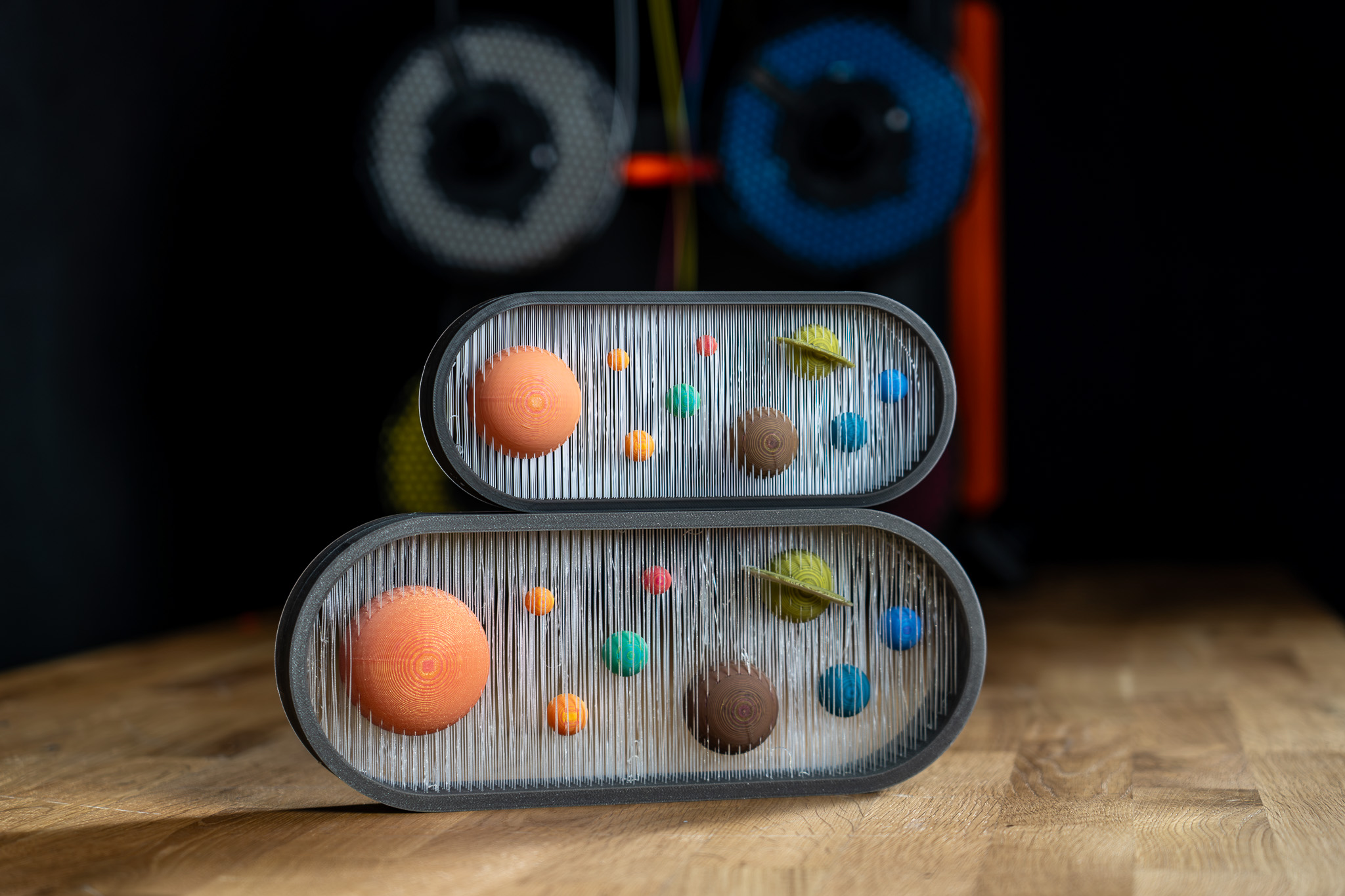
                  The ColorMix is as a feature in PrusaSlicer and  EasyPrint. Using any multi-color printer, it allows you to create additional color tones from the loaded filaments. It works similarly to inkjet 2D printing. There, thanks to a method called Halftoning, all colors are printed from just Cyan, Magenta, Yellow, and Black (CMYK) ink in a varying pattern of dots. 

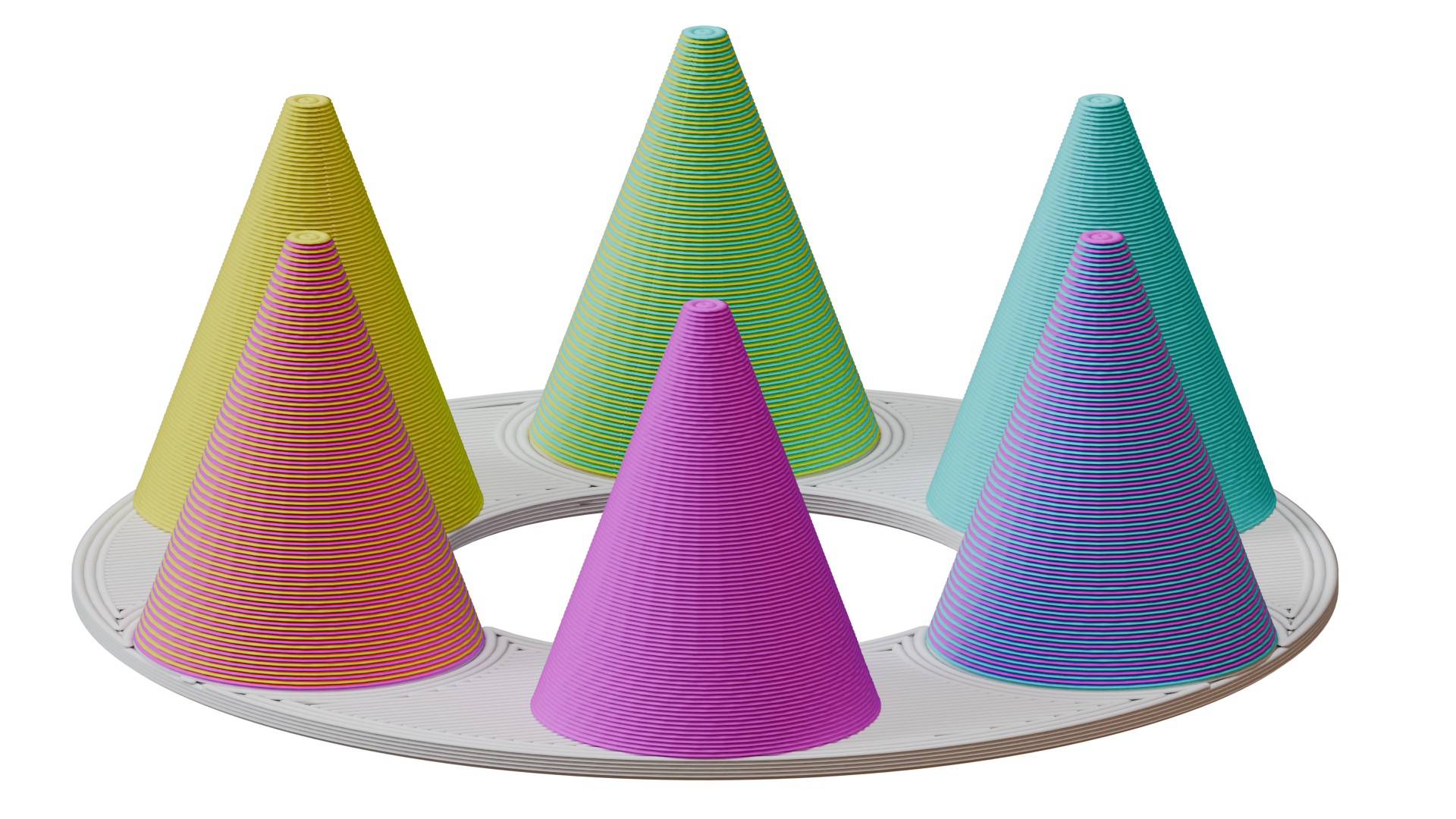
                  In 3D printing, the colors alternate by layers. For example, a 50% cyan, 50% yellow combination creates green when viewed from a normal viewing distance. 

                  This article explains how to set it up in PrusaSlicer and use it to color and print ColorMix models. 
                  Compatibility 

                  ColorMix printing is possible on any multi-color 3D printer: any printer equipped with the MMU, XL/+ in a 2T or 5T version, CORE One+/L with the INDX upgrade, or any other multi-filament system available on the market. 

                  Because the mixed colors require many tool changes, these prints produce more waste than classical colored models. It is significantly more efficient to print them using the INDX toolchanger. 

                  The slicer feature is available in EasyPrint and in PrusaSlicer from version 2.9.6. 

                  We demonstrate the feature with the Prusament ColorMix PLA bundle, but it is not dependent on these colors nor on PLA as a material. Any colors of any material can be combined in this way, and even different materials can be combined if they are printable together. 

                  ColorMix painting in PrusaSlicer 

                  Physical extruders preset 

                  Open PrusaSlicer and select your multi-color printer. Change the preview colors of the filaments to match your spools. You can change the color assigned to an extruder by clicking on the color box next to the profile name in the Filament profile selection. 
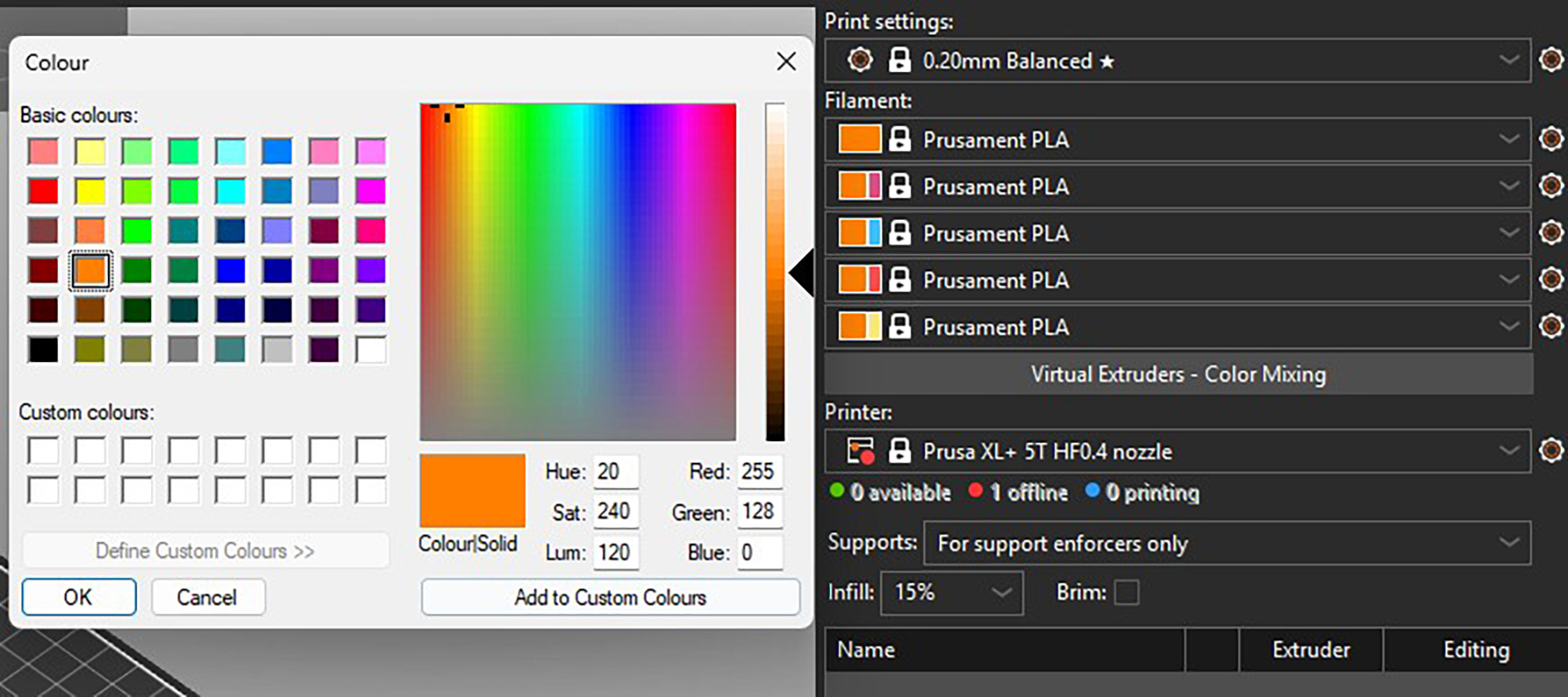
                  Recommended: All the models designed for the ColorMix filament that we share have them loaded in the following order: Cyan, Magenta, Yellow, White, Black, Gold, and Silver. The order is the same whether the printer has four, five, or eight tools. You can set this in PrusaSlicer and save it as a preset. Always sticking to the same order helps to avoid remapping the G-code extruders before every print.  

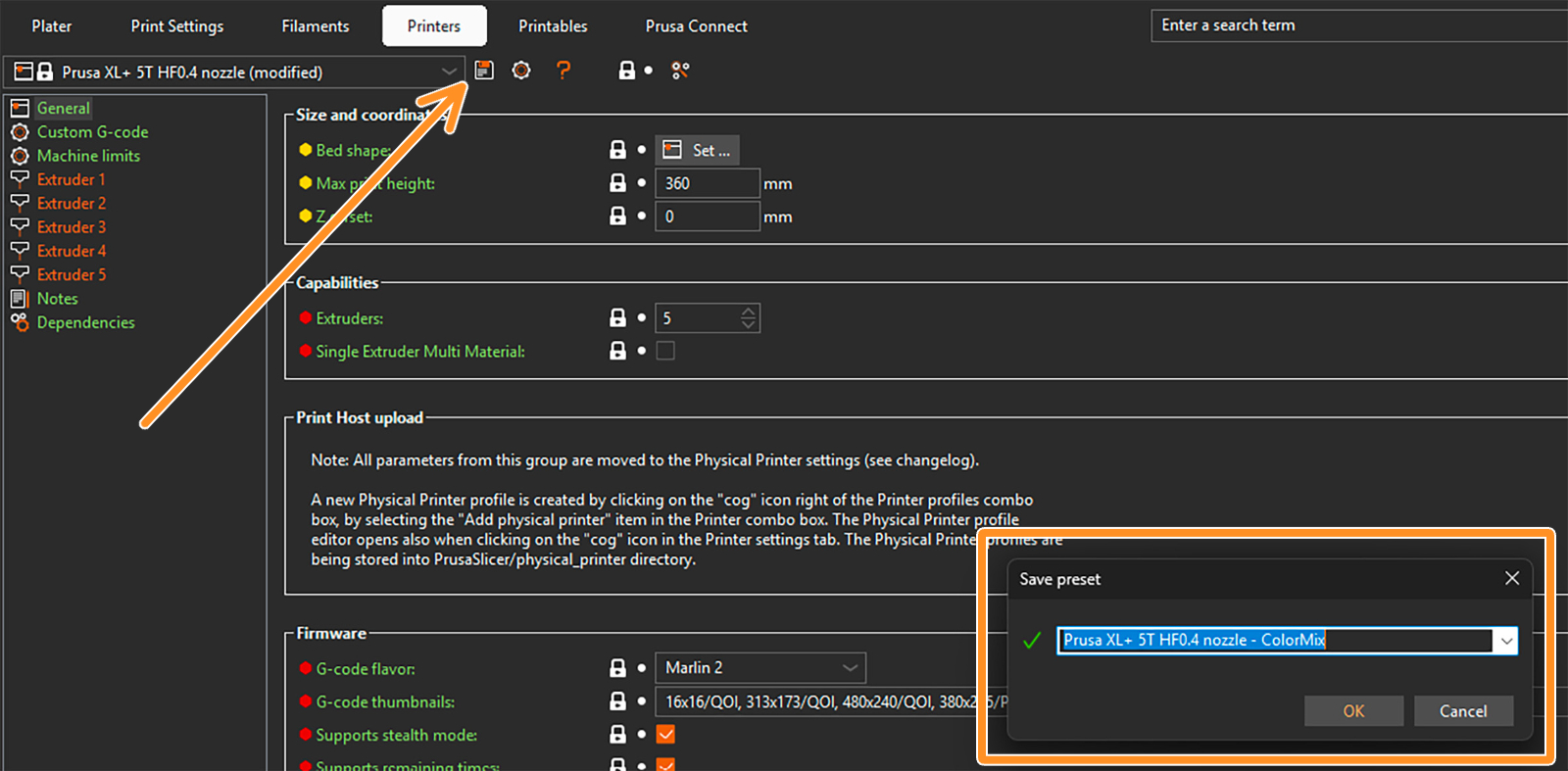
                  To save a preset, click on the gear next to the printer profile and select Edit preset. Then click on the Save preset icon (orange arrow), and in the pop-up window, save the preset with the word "ColorMix" in the name. 
                  Setting up virtual extruders 

                  The ColorMix colors are represented by so-called virtual extruders. You can set them up under the filament profiles. The following window opens. 
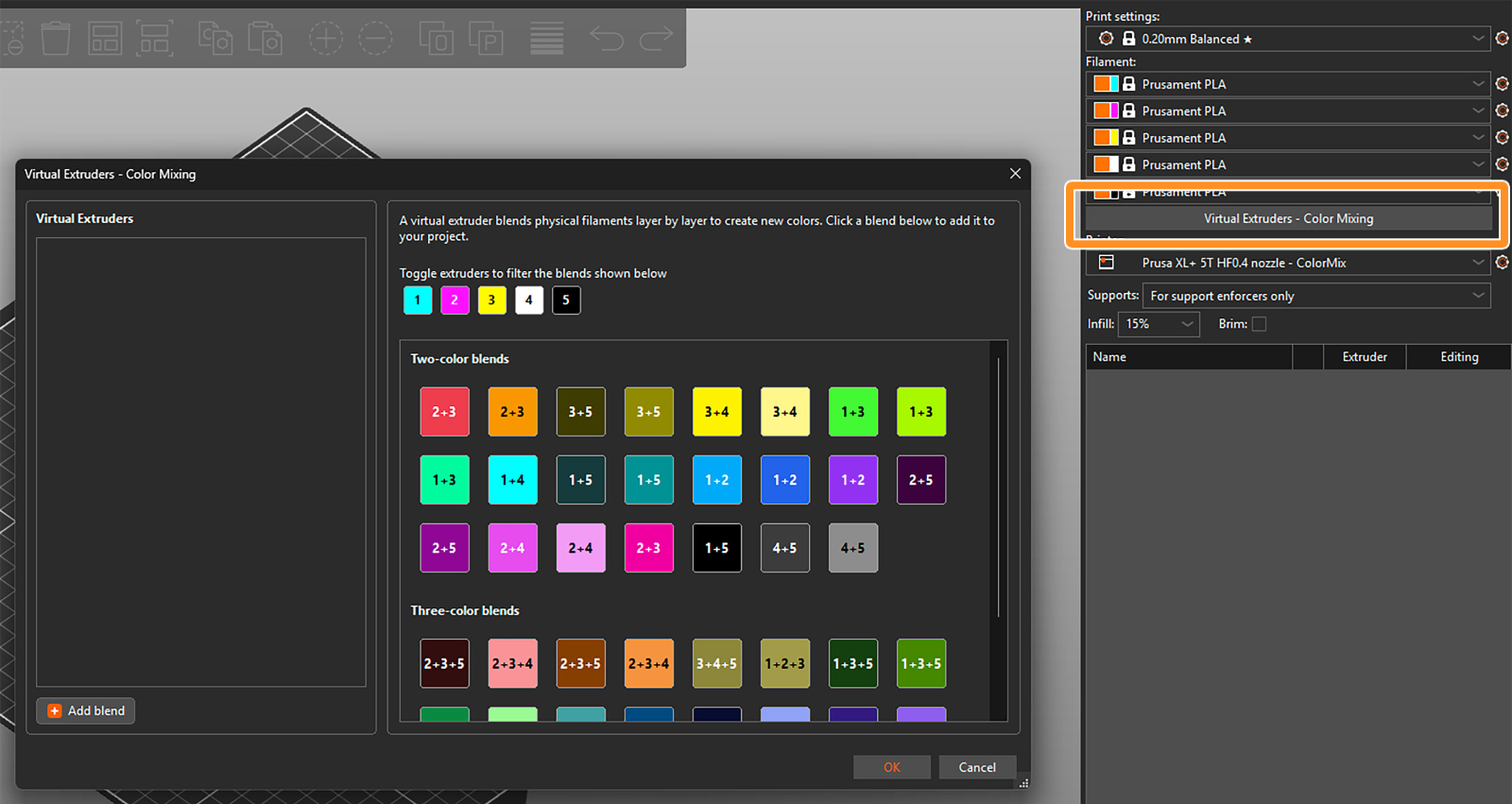
                  There are two ways to assign the virtual extruders. Firstly, you can select them from the blends available on the right side of the widow. The selected ones appear in the list of virtual extruders on the left side. 

                  Toggle the available extruders and filter the blends shown in the section. 
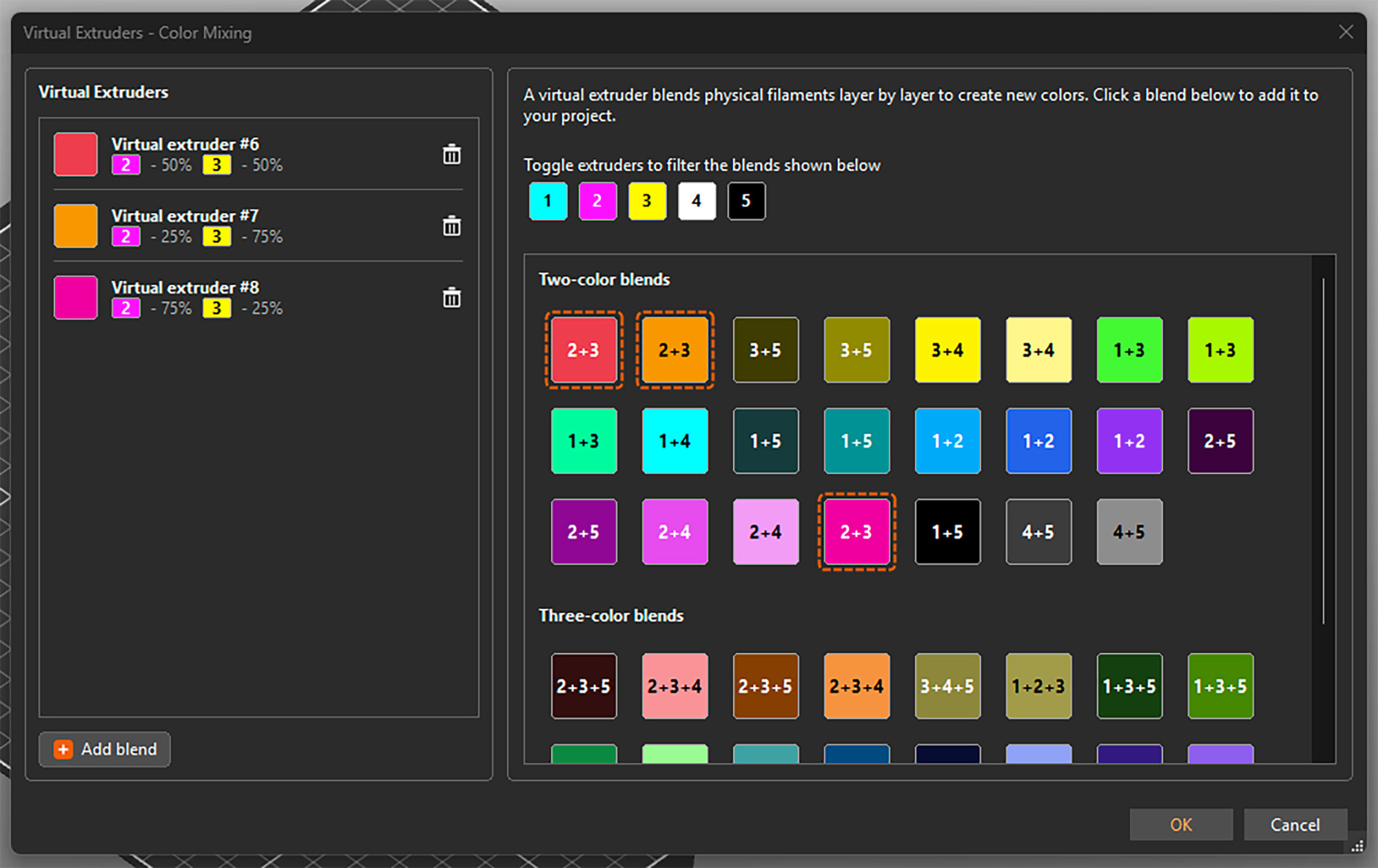
                  Alternatively, you can add them by clicking Add blend in the bottom left corner and manually setting up the ratio of the colors. This adds the virtual extruder to the list and also directly opens its settings on the right side. 
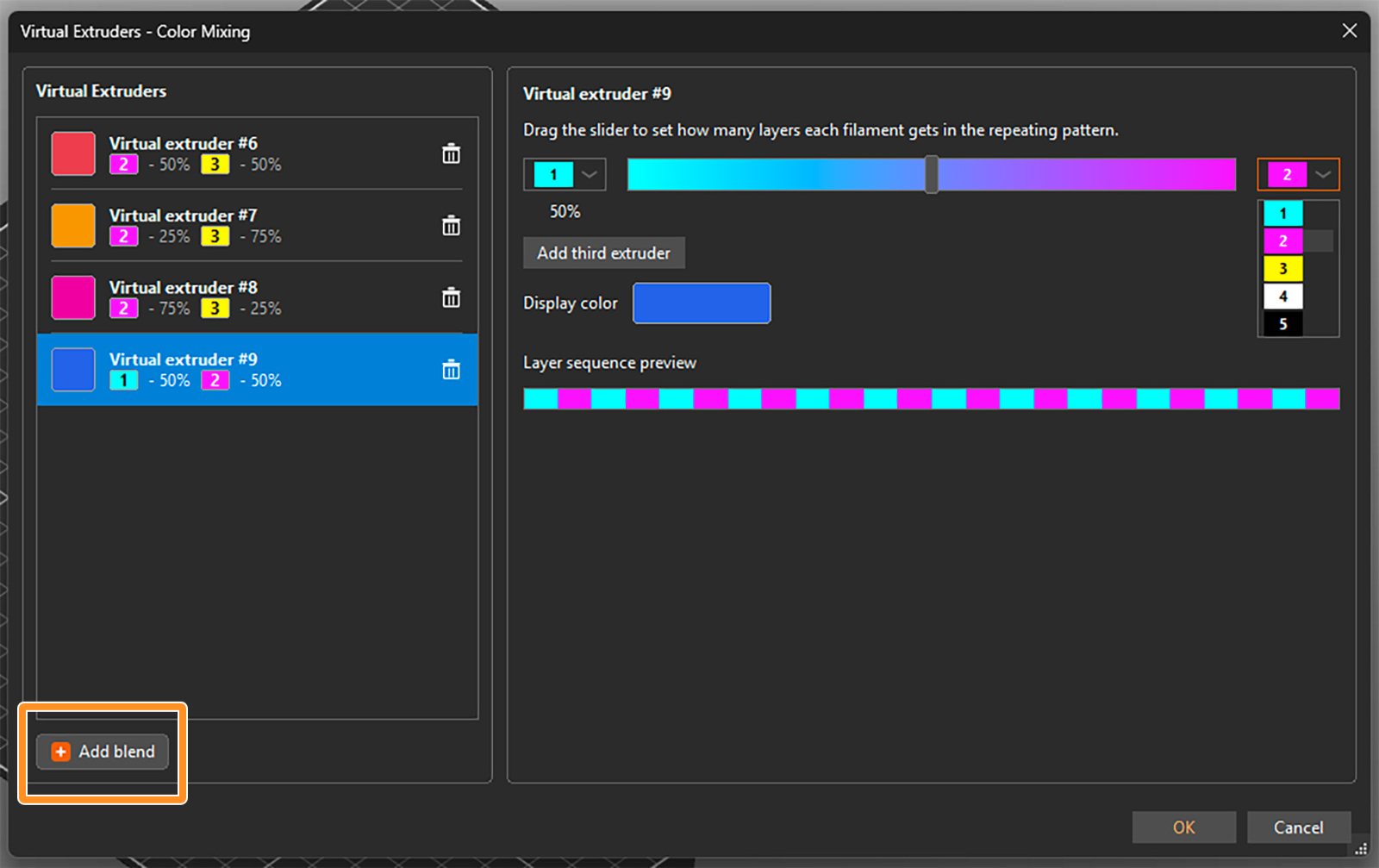
                  You can select the two filaments to be mixed from drop-down menus and set their ratio using a slider. An estimated display color is shown, but you can click on it and change it if you need. The layer sequence shows how the filaments are alternated to appear as the virtual color. 

                  For a three-color blend, click on Add third extruder. Then you can again select the extruders from the drop-down menus and change their relative ratio by dragging the grey circle inside the color triangle. 
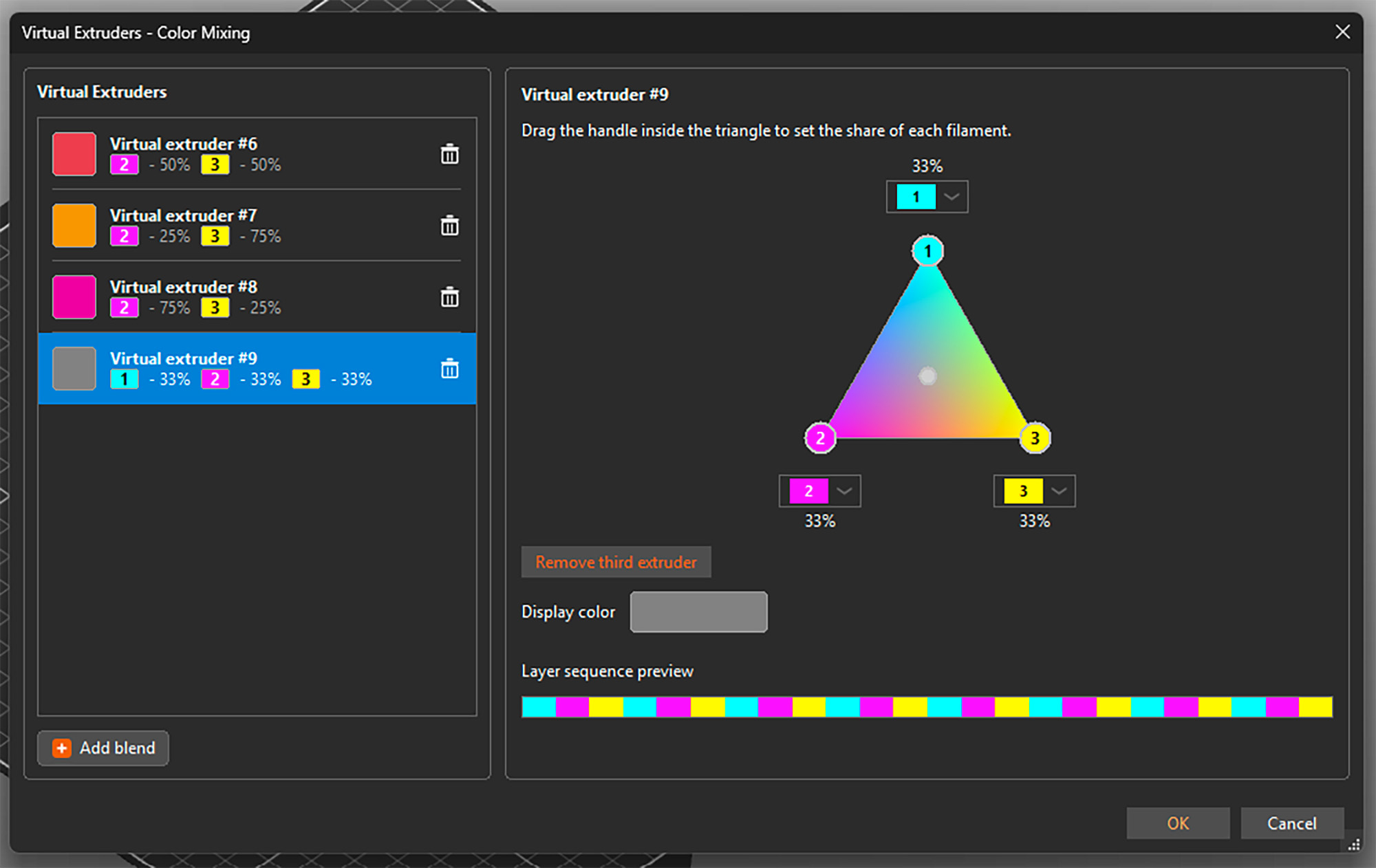
                  You can open the setting by selecting any virtual extruder on the left side and adjust its properties. You can also delete any of them by clicking the trashcan icon. See that besides a display color, each virtual extruder is assigned a number 

                  Once you're all set, confirm all virtual extruders and close the window by clicking OK in the bottom right corner. You can reopen it and add or change extruders at any point, even if they are already used for painting the model. 

                  Important: The tested and reasonable ratios for two-color blends are 25% : 75%, 50% : 50%, and 75% : 25%. For three-color blends, the optimal mix is 33% : 33% : 33%. 

                  Assigning (virtual) colors and painting

                  When the virtual extruders are set up as shown above, PrusaSlicer works with them just the same as with the physical ones. This means you can assign colors to different models and their parts and use all multi-material painting tools, such as brushes or Smart fill. 

                  The only difference is that the virtual extruders appear with a [V] in the drop-down menus. 
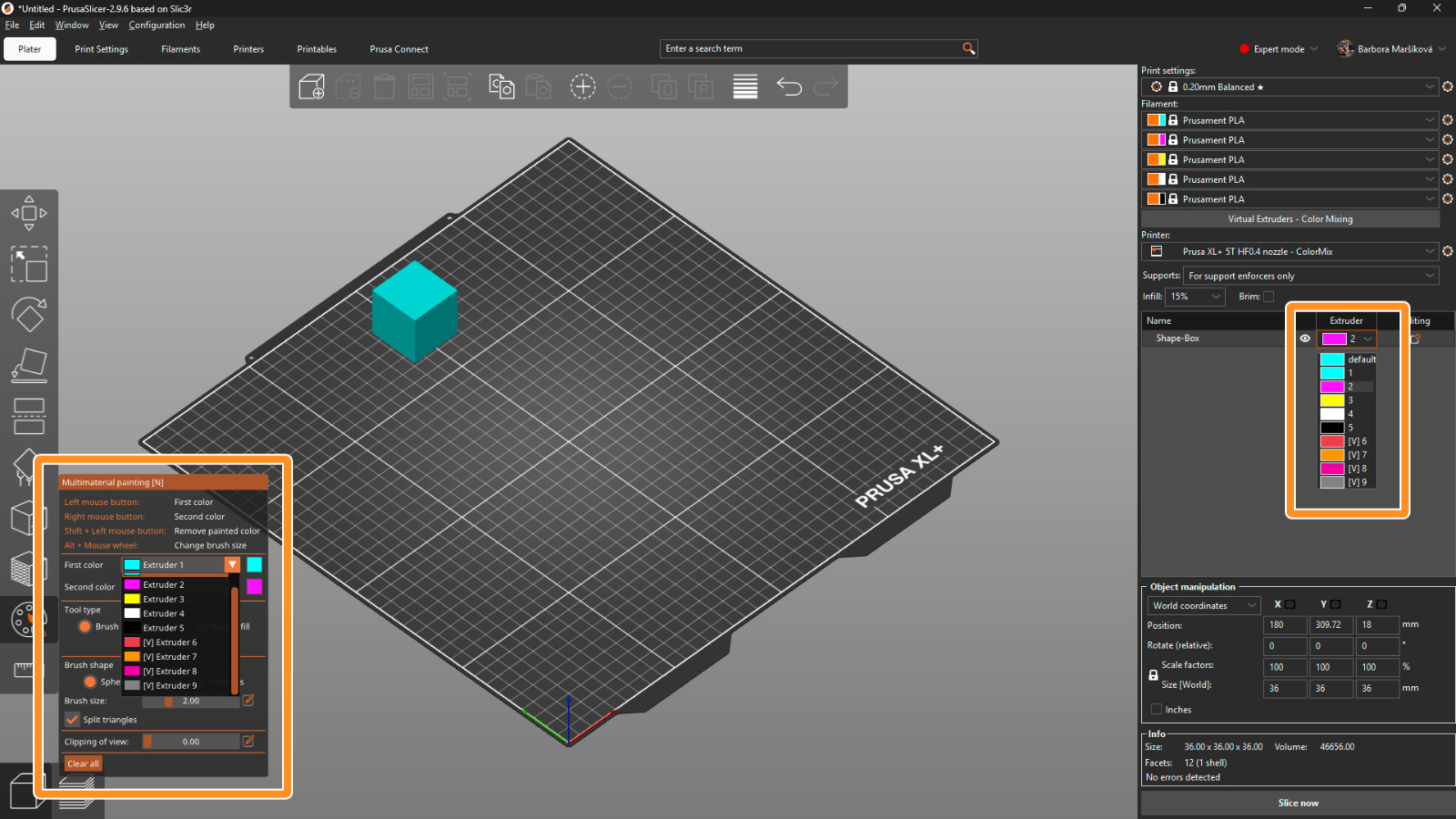
                  Print settings 

                  For optimal results, use a layer height of a maximum of 0.15 mm. For a perfect outcome, 0.1 mm layer height would be even better, but it adds a lot of printing time, and usually it’s not necessary.

                  The recommended infill type is gyroid with 5-10% density, depending on the model’s geometry. Because of the translucency, the infill might sometimes be visible, and this way the structure is uniform. 

                  The mixing itself is done by PrusaSlicer automatically whenever you use a virtual extruder. Simply slice the model, upload the G-code to the printer, and make sure that the correct extruder colors are assigned with respect to the loaded filaments. 

                  Opening a ColorMix model 

                  To open a model that was colored using the virtual extruders, always use File → Open Project (Ctrl + O). If you use Import, all virtual extruders will be merged into the last physical one. 
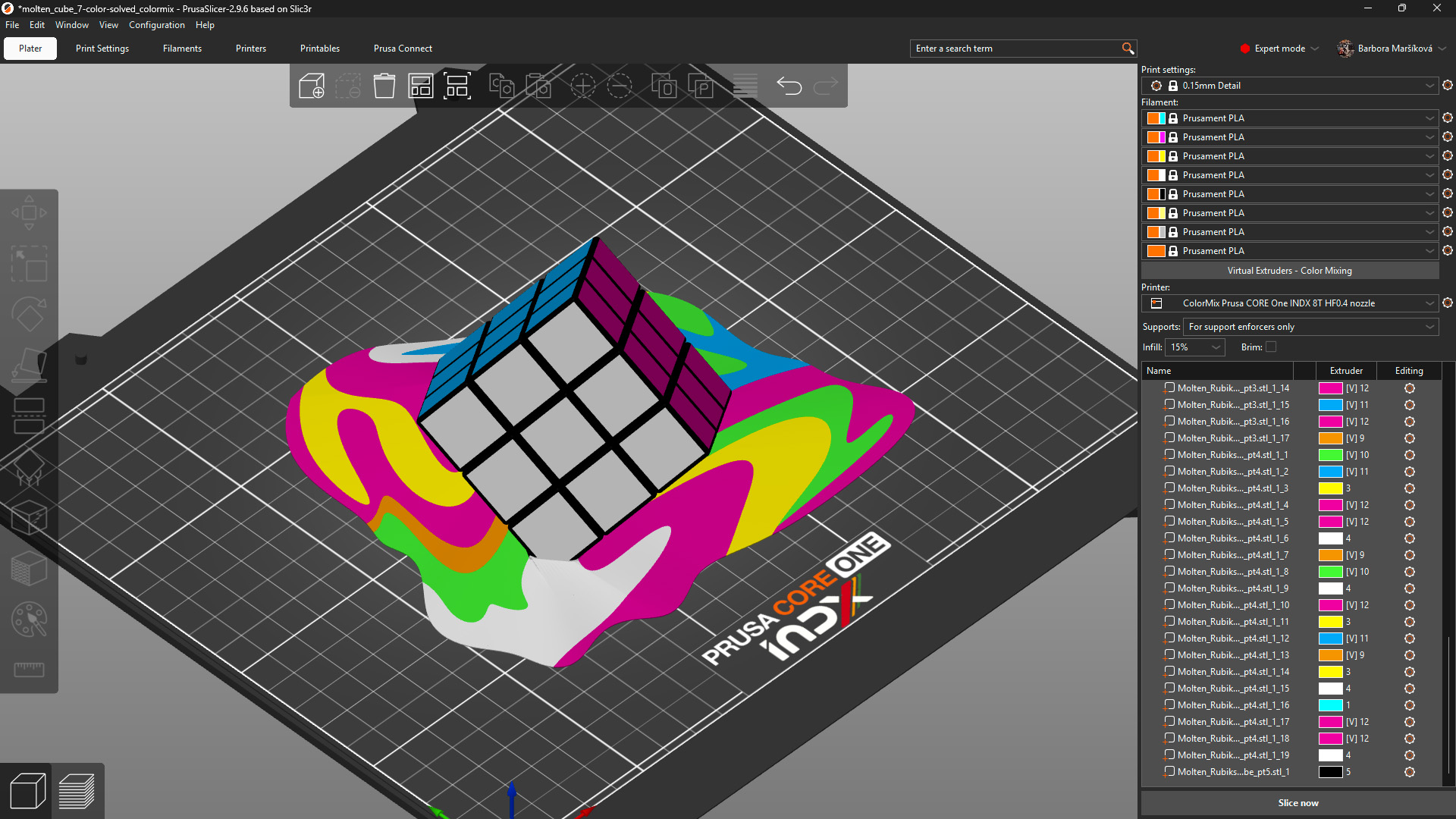
                  Model: Solved ColorMix Rubik's cube by MrFlippant. 

                  Practical tips 

                  Even with the semi-translucent Prusament PLA ColorMix, the mixing effect works the best on vertical and almost vertical surfaces.

                  See the printed molten cube below. The parts on the cube itself, which are printed under a steep angle, appear in a mixed color with only a slightly stripy pattern. The melting colors visibly show the different layers printed from different filaments. 
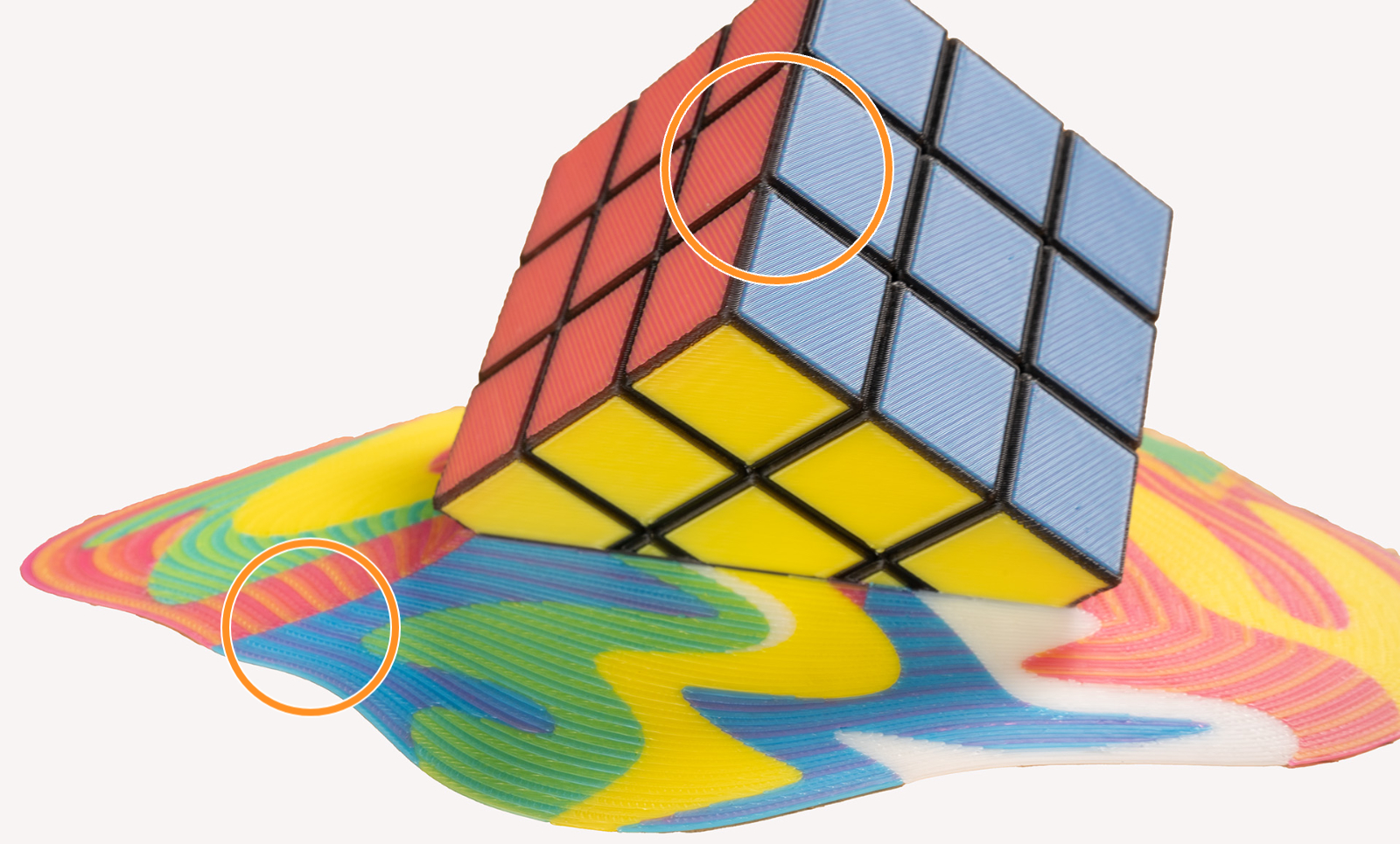
                  This effect is even more visible when using filament of highly saturated colors. It is a physical limitation of the method itself, not a printing error. Consider this when painting and printing your models. 

                  To visualize the colors, you can print a test model such as the ColorMix Calibration Cones or this ColorMix Test palette. 
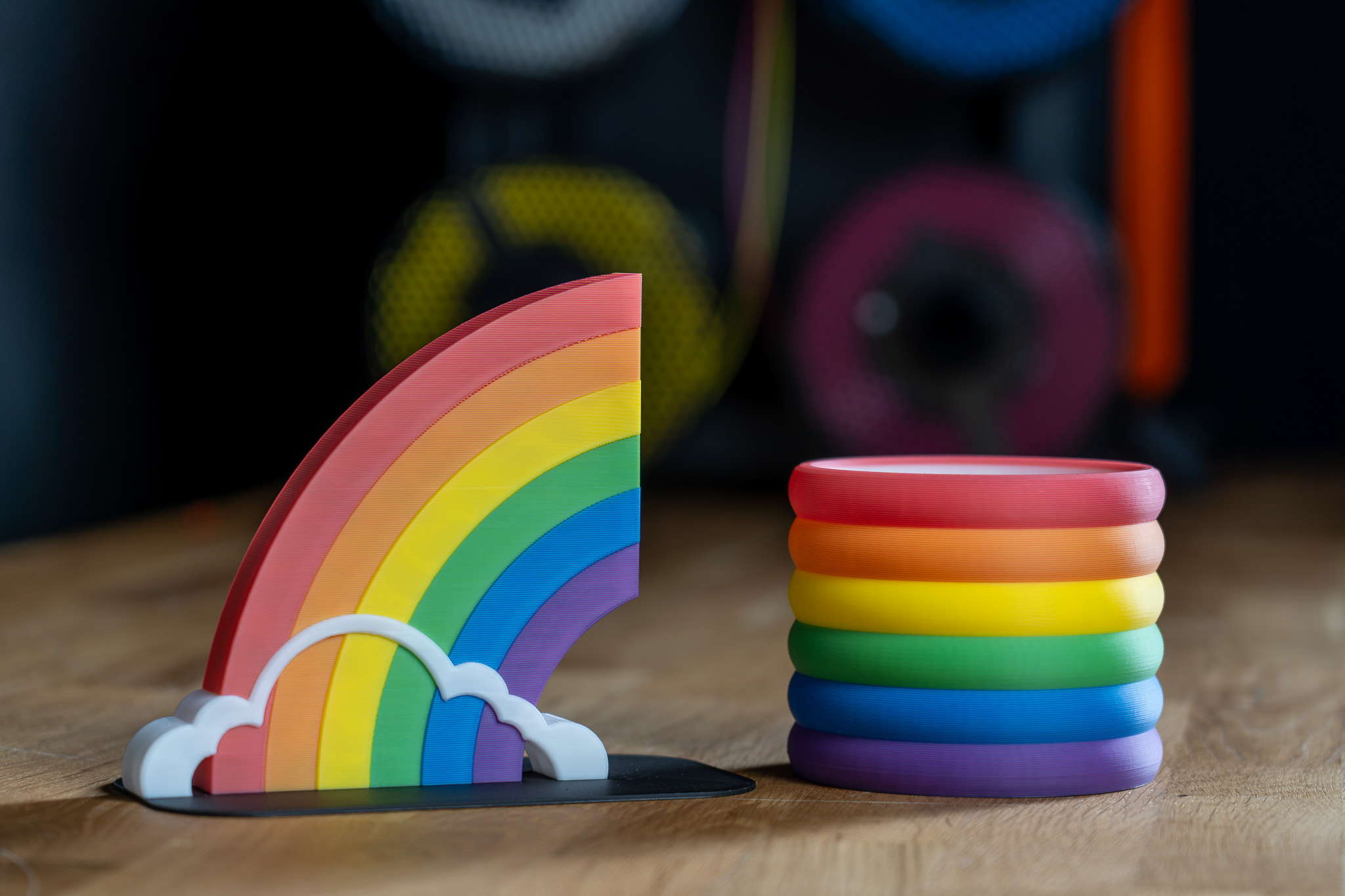
                  Examples of ColorMix models 

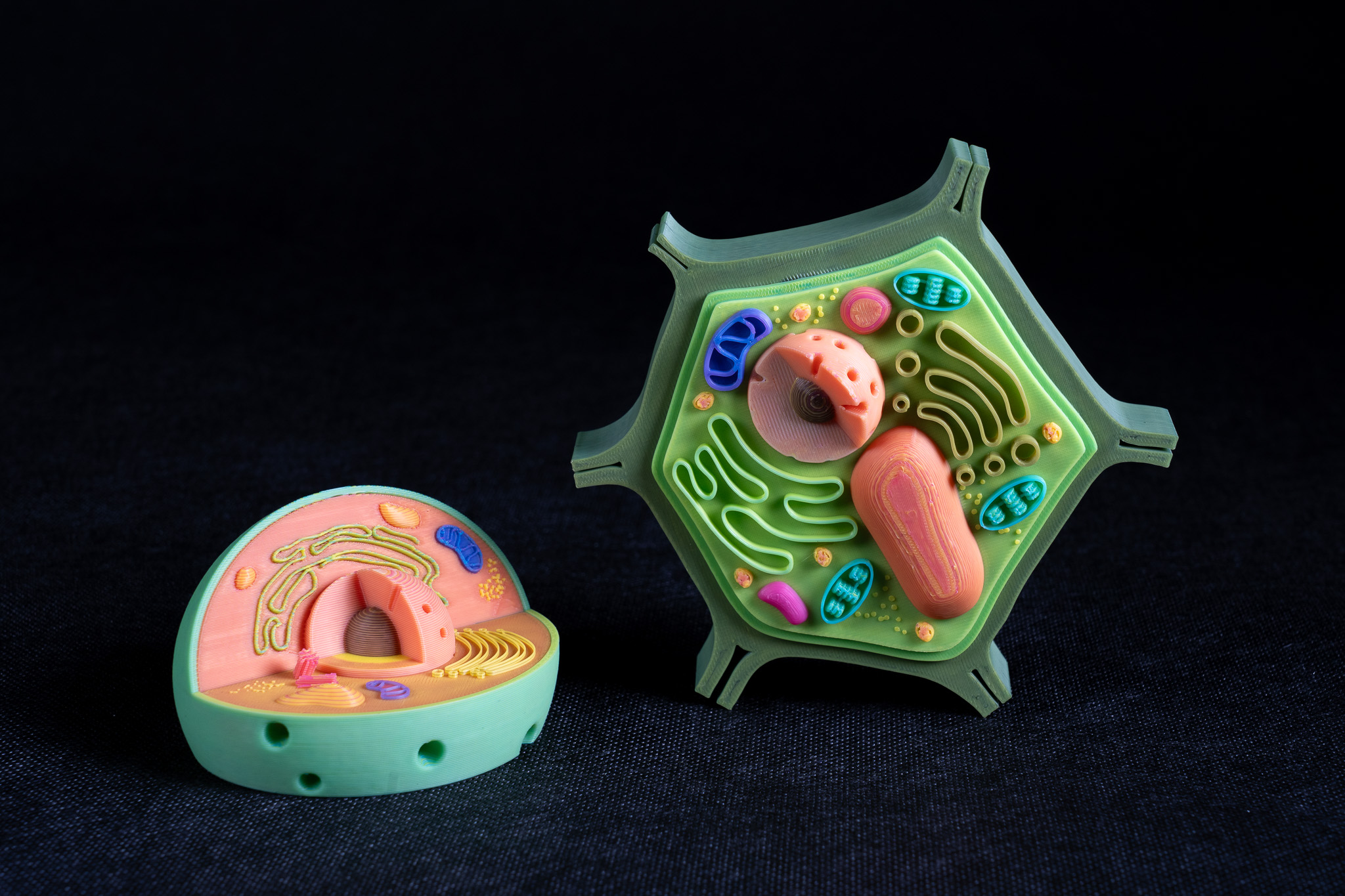
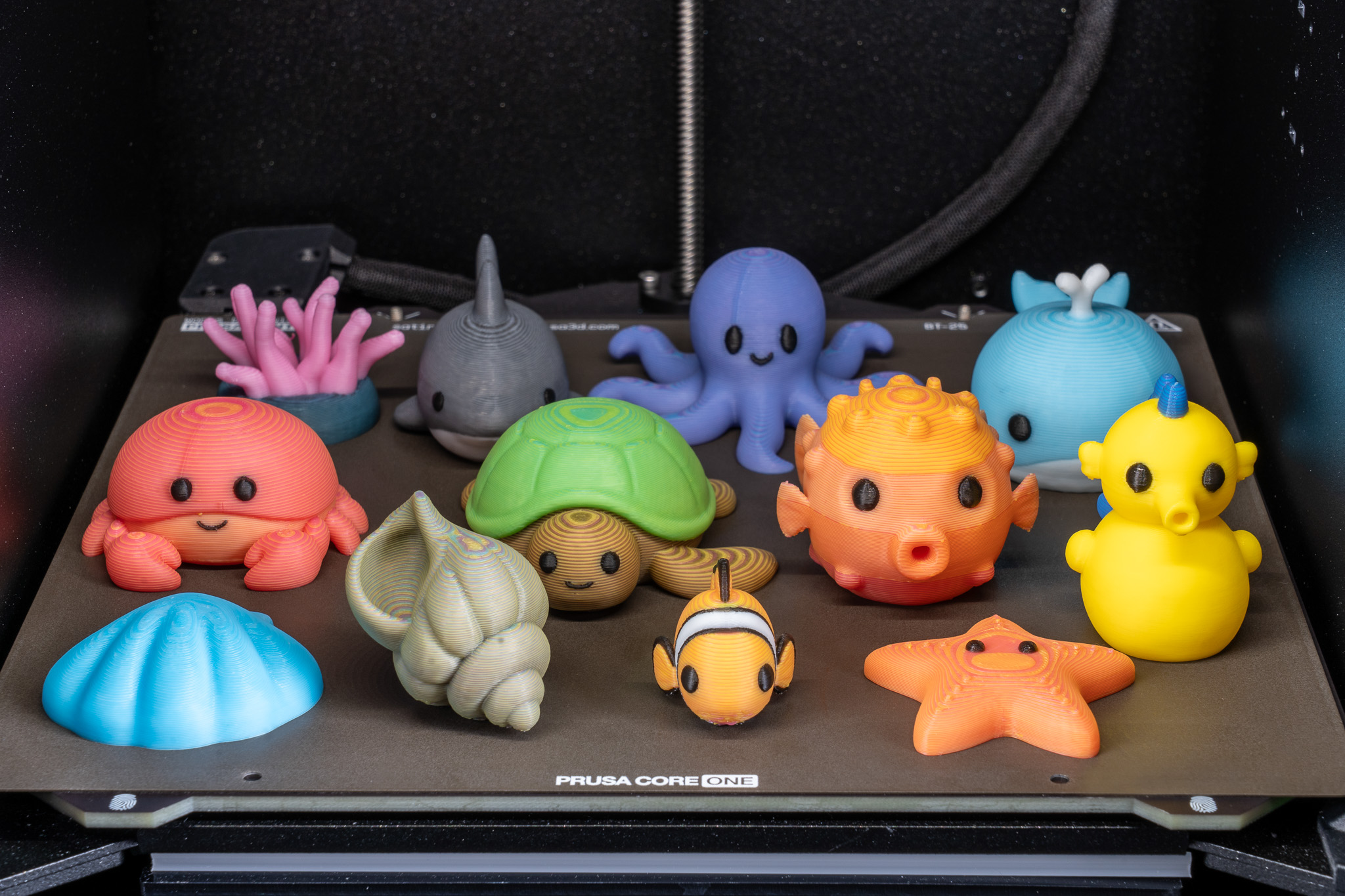
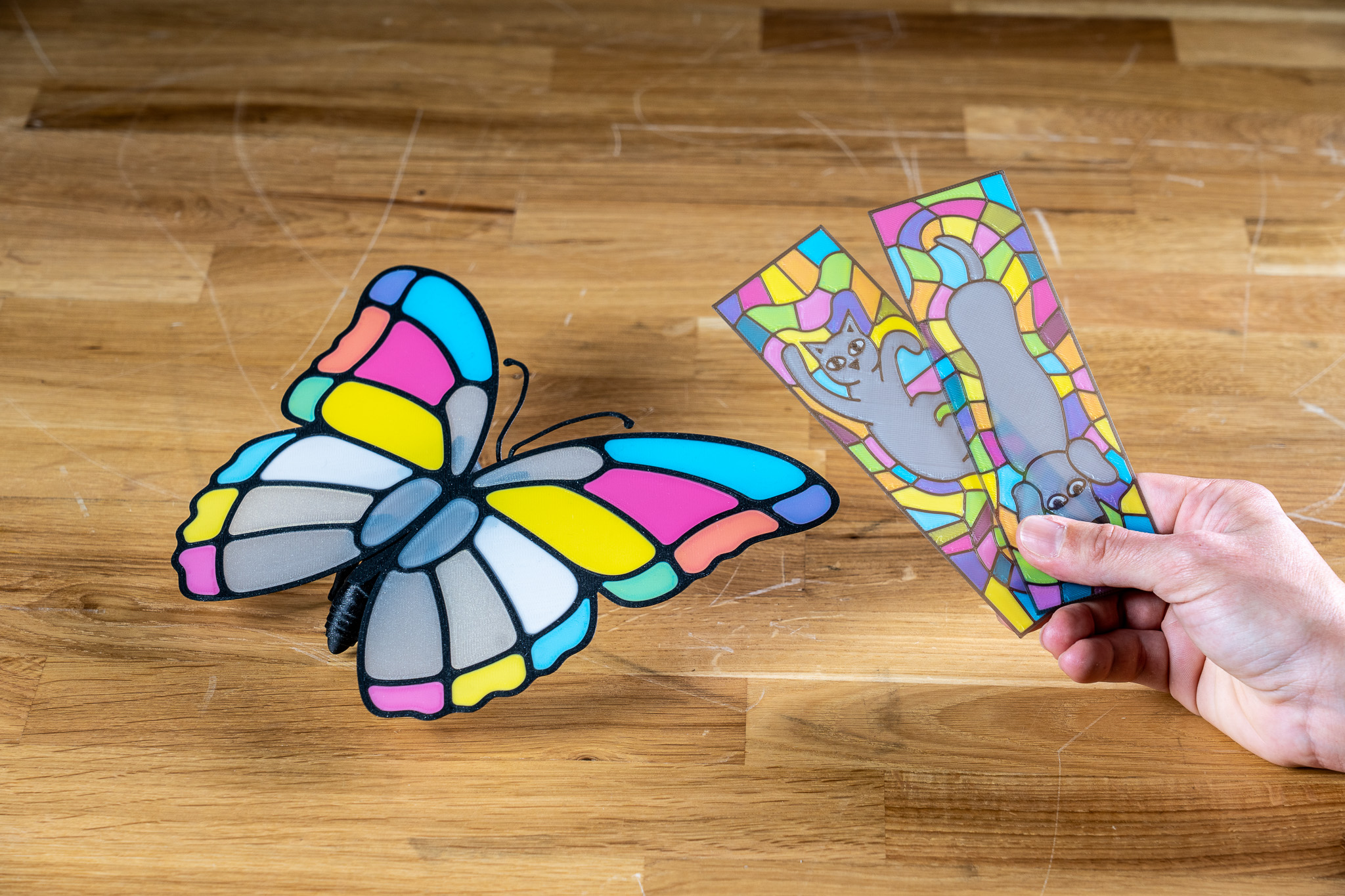
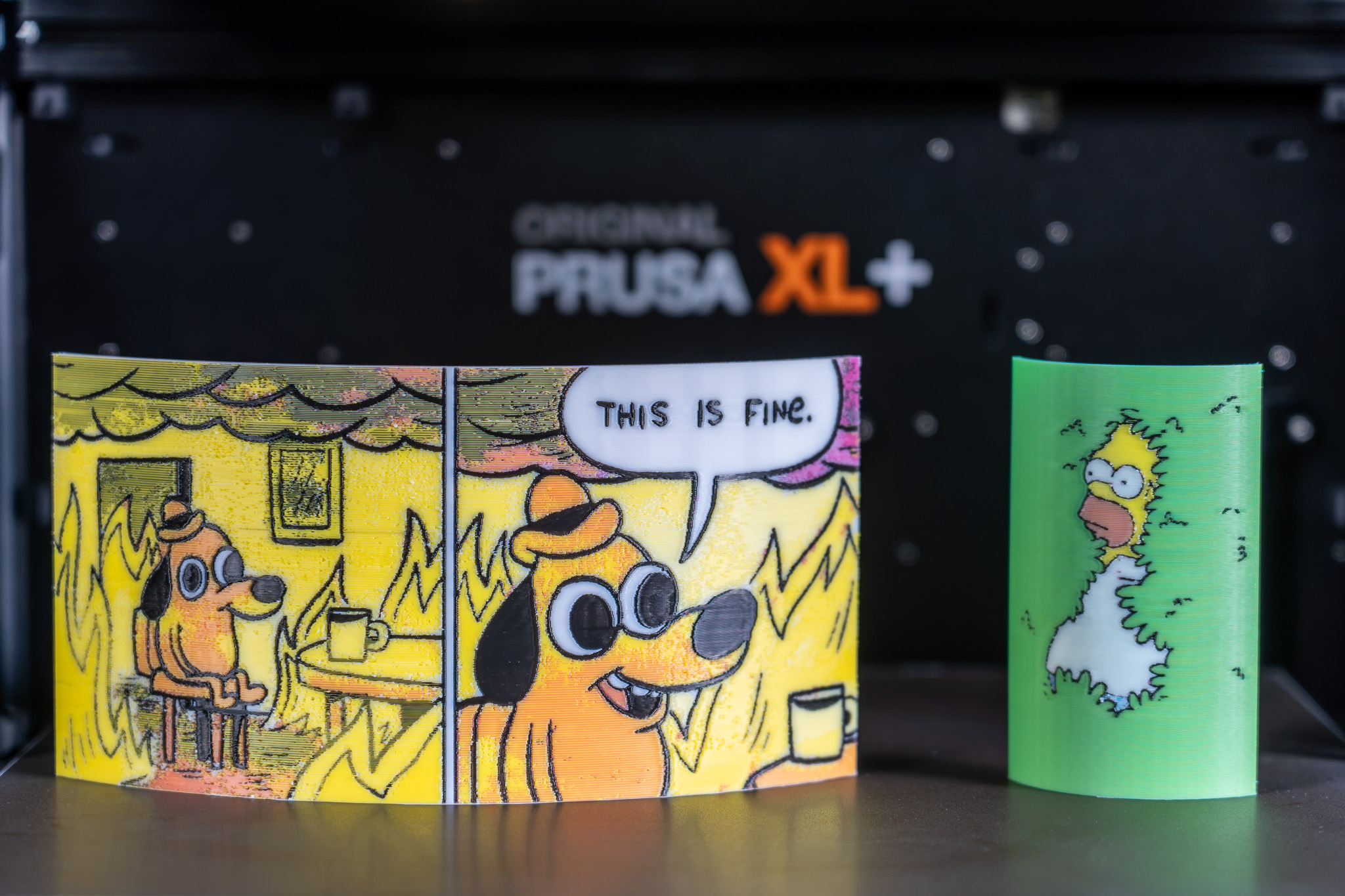
                  All displayed models are available on Printables and they were printed using the ColorMix filament bundle. 

                  References 

                  To learn more about the ColorMix and see more examples of printed models, see the release article and the filament announcement. 

                  The ColorMix feature is based on the works of the 3D printing community. Ratdoux’s OrcaSlicer-FullSpectrum showed how virtual mixed-color filaments could be created by alternating thin layers of differently colored materials. Justin H. Rahb’s filament-mixer helped predict what those colors might look like, and projects like PeggyPalette made it easier to compare and share results.

                  Czy ten artykuł był przydatny?
                  Ta akcja jest dostępna tylko dla zarejestrowanych użytkowników. Proszę zaloguj się.
                  Zaloguj się , aby dodać komentarz
                  Brak komentarzy

                  Tematy

                  • PrusaSlicer 2.9 (Legacy)
                    • Cięcie pod multi-material
                      • Importowanie modelu wielomateriałowego
                      • Sekwencja - zmiana koloru
                      • Przypisywanie narzędzi / kolorów / ekstruderów
                      • ColorPrint z MMU
                      • Wieża czyszcząca
                      • Objętości czyszczenia (MMU)
                      • Malowanie multi-material
                      • Eksperymentalne drukowanie dyszami o różnych średnicach
                      • Ustawienia dla druku z użyciem kilku ekstruderów, przeplatanie i zaawansowane łączenie materiałów
                      • ColorMix
                    • O PrusaSlicer
                    • Konfiguracja i profile
                    • Interfejs użytkownika
                    • Wejście/wyjście
                    • Lewy pasek narzędzi
                    • Górny pasek narzędzi
                    • Ustawienia druku
                    • Ustawienia filamentu
                    • Ustawienia drukarki
                    • Funkcje zaawansowane
                    • Cięcie dla SLA
                    • Inne (PrusaSlicer)