Prusa
  • Acquista
    • Scopri di più
    • Tutte le offerte
    Stampanti 3D
    • CORE One+ (Gen2)
    • CORE One L+
    • XL+
    • MK4S
    • MINI+
    • HT90
    Materiali di consumo e merchandising
    • Prusament
    • Resina
    • Filamento Buddy
    • Merchandising
    • Accessori
  • ACQUISTA
    • Ultimi prodotti
    PER CATEGORIA
    • Stampanti 3D
    • Aggiornamenti
    • Materiali
    • Accessori
    • Ricambi
    • Corsi
    • Merch
    • Richiesta di informazioni commerciali e preventivo
    LINK RAPIDI
    • Informazioni sulla spedizione
    • Rimborsi e resi
    • Modalità di pagamento
    • Garanzia
    • IVA e dazi doganali
    • FAQ

    0 articolo nel carrelloarticoli nel carrello

    Il tuo carrello è vuoto

    Vai al carrelloAcquista stampanti 3D

    Il mio profilo

    Accedi per vedere ordini e articoli salvati

    Il mio profilo

    Accesso effettuato come

    • Ordini
    • Esci
  • STAMPA 3D
    • Esplora la stampa 3D
    PER PRINCIPIANTI
    • Stampa 3D 101
    • Tipi di stampanti (FDM/SLA)
    • Come scegliere una stampante 3D
    • Printables (modelli 3D)
    PER APPLICAZIONE
    • Prototipazione rapida
    • Produzione
    • Ingegneria
    • Ricerca
    • Arte e design
    APPROFONDISCI
    • Guida ai materiali
    • Corsi
    • Webinar
    • Casi di studio
    • Stampa 3D personalizzata
  • STAMPANTI 3D
    • Tutte le stampanti 3D
    per
    • Casa o garageAppassionati, inventori e stampa domestica
    • Negozio o ufficioProduzione interna per piccoli team
    • AziendeFlotte, sicurezza e scalabilità
    • Come scegliere una stampante 3D
    ACQUISTA E SFOGLIA
    • CORE One+
    • CORE One+ INDX
    • CORE One L+
    • CORE One L+ INDX
    • XL+
    • MK4S
    • Prusa Pro HT90
    • Prusa Pro AFS
    • Prusa Pro SLX
    ALTRO DALLA STAMPA
    • Aggiornamenti
    • Ricambi
    • Critical infrastructure
    • Casi di studio
    • Signature Oak
    • Kit
  • MATERIALI
    • Tutti i materiali
    PER UTILIZZO
    • Uso quotidiano e design
    • Ingegneria funzionale
    • Compositi
    • Specialità professionali
    • Resine SLA
    Prusament
    • PLA
    • PETG
    • ASA
    • PC
    • PA11
    • Flex
    • TPU
    ALTRO SUI MATERIALI
    • Guida ai materiali
    • Produciamo i materiali internamente
    • Sostenibilità
    • Ordina sul negozio
  • SOFTWARE
    • Tutti i software
    PREPARA LA STAMPA
    • PrusaSlicer
    STAMPA E MONITORAGGIO
    • Prusa Connect
    • EasyPrint
    • App iOS e Android
    • Prusa Farm
    INIZIA
    • Scarica e installa
    • Knowledge base
    ALTRO SUL SOFTWARE
    • Printables (modelli 3D)
  • SUPPORTO
    • Esplora il supporto
    TROVA RISPOSTE
    • Knowledge base
    • Risoluzione dei problemi
    • Corsi
    • Webinar
    OTTIENI AIUTO
    • Contattaci
    • Livechat
    • Informazioni sulla spedizione
    • Garanzia
    • Rimborsi e resi
    • Ricambi
    • Riparazione in fabbrica
    Community
    • Forum
    • Reddit
    • Printables
  • TRUST CENTER
    • Panoramica Trust Center
    PER ARGOMENTO
    • GDPR
    • Certificati
    • Sicurezza
    • Conformità
    IMPEGNI
    • Rapporto di sostenibilità
    CONTATTACI
    • Contatta il team di sicurezza
  • AZIENDA
    • Informazioni su Prusa
    SCOPRI CHI SIAMO
    • La nostra storia
    • Come produciamo le stampanti
    • Open source
    • Brand e media kit
    NOTIZIE
    • Blog
    • Sala stampa
    • Eventi
    TRUST & PARTNERS
    • Sostenibilità
    • Rivenditori e distributori
    • Programma di affiliazione
    • Contatto
    • English
    • Čeština
    • Deutsch
    • Español
    • Français
    • Italiano
    • Polski
    • 日本語
  • Accesso effettuato come

    • Ordini
    • Indirizzo
    • Avvisi di disponibilità
    • I miei corsi
    • Abbonamento
    • Modifica account
    • Esci

Accedi per vedere ordini e articoli salvati

Accesso effettuato come
  • Ordini
  • Indirizzo
  • Avvisi di disponibilità
  • I miei corsi
  • Abbonamento
  • Modifica account
  • English
  • Čeština
  • Deutsch
  • Español
  • Français
  • Italiano
  • Polski
  • 日本語
Acquista

0 articolo nel carrelloarticoli nel carrello

Il tuo carrello è vuoto

Vai al carrelloAcquista stampanti 3D

Il mio profilo

Accedi per vedere ordini e articoli salvati

Il mio profilo

Accesso effettuato come

  • Ordini
  • Esci
ACQUISTA
  • Ultimi prodotti
PER CATEGORIA
  • Stampanti 3D
  • Aggiornamenti
  • Materiali
  • Accessori
  • Ricambi
  • Corsi
  • Merch
  • Richiesta di informazioni commerciali e preventivo
LINK RAPIDI
  • Informazioni sulla spedizione
  • Rimborsi e resi
  • Modalità di pagamento
  • Garanzia
  • IVA e dazi doganali
  • FAQ

Prodotti in evidenza

    Categorie popolari

      Ricerche di tendenza

        Articoli

          Blog

            Prodotti

              Categorie

                Ricerche suggerite

                  Ricerca in corso…
                  Nessun risultato
                  Qualcosa è andato storto.
                  ↑↓ Seleziona↵ ApriEsc Chiudi la ricerca
                  1. Supporto
                  2. Manutenzione della stampante
                  3. Manutenzione regolare della stampante (CORE One INDX)
                   

                  Contenuti

                  • Useful tools
                  • Frequent maintenance
                  • Sporadic maintenance
                  • Annual maintenance

                  Blog

                  • Il Black Friday 2026 di Prusa è arrivato! Approfitta delle migliori offerte dell’anno
                  • È arrivato l’Hotend HT da 400 °C! Inoltre: nuovi materiali e piastre per alte temperature per CORE One+/L+.
                  • Blender per la stampa 3D: guida in 5 minuti alla modifica dei file STL

                  Newsletter

                  Registrati e ricevi il nostro concentrato mensile di informazioni utili sui nuovi firmware, sulle nuove versioni di PrusaSlicer e consigli generici per i progetti stampati in 3D.

                  Facendo clic, si accetta di ricevere la nostra newsletter.

                  Questo sito è protetto da reCAPTCHA Enterprise e vengono applicati l'Informativa sulla Privacy e i Termini di servizio di Google.

                  Heavy Duty Keyboard Holder (No Supports)
                  E-shop
                  • Stampanti 3D
                  • Aggiornamenti Stampante
                  • Filamenti
                  • Accessori
                  • Merchandise Prusa
                  Prusa

                  © Prusa Research a.s.

                  Printables
                  • Modelli 3D
                  • Store
                  • Clubs
                  • Concorsi di Modellazione 3D
                  • Brands
                  Comunità
                  • Mappa Mondiale
                  • Forum
                  • Gruppi di utenti
                  • Eventi
                  Aiuto
                  • Aiuto Prusa
                  • Prusa Academy
                  • Calcolatrici di Stampa 3D
                  Software
                  • PrusaSlicer
                  • Prusa.app
                  • Prusa Connect
                  • Drivers e Software
                  Azienda
                  • Chi siamo
                  • Blog
                  • Rivenditori ufficiali Prusa
                  • Contattaci
                  • Certificato secondo le norme ISO 9001, ISO 14001 e ISO 45001.
                  • Termini e Condizioni Generali
                  • Termini e condizioni generali di utilizzo dei siti web PRUSA
                  • Informativa sulla privacy
                  • Informazioni sui cookie
                  • Politica sui reclami dei clienti
                  • Pagina di stato dei siti web
                  • Impostazioni Cookie
                  Prusa
                  • Termini e Condizioni Generali
                  • Termini e condizioni generali di utilizzo dei siti web PRUSA
                  • Informativa sulla privacy
                  • Informazioni sui cookie
                  • Politica sui reclami dei clienti
                  • Pagina di stato dei siti web
                  • Impostazioni Cookie

                  © Prusa Research a.s.

                  JOSEF PRUSA®, PRUSA RESEARCH®, PRUSA POLYMERS®, PRUSA ORANGE®, PRUSA 3D ® E PRUSAMENT® sono marchi registrati di Prusa Development a.s. utilizzati da Prusa Research a.s. su licenza di Prusa Development a.s.

                  Manutenzione regolare della stampante

                  (CORE One INDX)

                  Rilevante per

                  CORE One INDX
                  Articolo è anche disponibile nelle seguenti lingue
                  English
                  Čeština
                  Polski
                  Deutsch
                  Français
                  Español
                  Italiano
                  日本語

                  It is recommended to regularly take some time to maintain your Prusa CORE One INDX. This should be done even if the printer is working perfectly. 

                  Useful tools

                  Besides the usual tools, such as Allen keys, needle-nose pliers, and IPA (Isopropyl Alcohol) + paper towels, you might need:

                  • Compressed air: also known as canned air. Be sure not to hold it upside down while spraying - otherwise, you could damage any electronic components while trying to clean them.
                  • Brass Nozzle Brush: a small brass brush is useful for cleaning the nozzle. If you don't have a brass brush, any brush with hard bristles will do the job.
                  • Prusa Lubricant: used to lubricate the smooth rods with linear bearings and to lubricate the Z-axis leadscrews. DO NOT use Prusa Lubricant on the linear rail! 
                  • Linear rail lubrication set: a set that includes Microlube GL 261, Dosing needle SSS15 2, Cartridge with manual piston 2/2,5mm, and two nitrile gloves. 
                  • Alcohol-free cleaner: used to clean the printer panels. DO NOT use alcohol products, including IPA, to clean the panels. 

                  Frequent maintenance 

                  The following points should be checked before every print. 

                  Keeping the printer clean

                  After several hours of printing, various kinds of debris may start to accumulate around the printer parts or under the heatbed - pieces of filament, dust, scraps, broken supports, etc. Always make sure that the parts of the printer are clean. You can use a brush, a small broom, or a vacuum to remove debris. 

                  Flexible print sheet

                  Acetone should be used sparingly for cleaning and only be used on the Smooth print sheet! Never use acetone on the Textured or Satin print sheet, as the surface will be permanently damaged.

                  Never clean the special PA Nylon sheet with acetone, IPA (isopropyl alcohol), or other alcohol-based solvents (window cleaners, Windex, etc.)! This will damage the surface. 

                  All flexible print sheets should be cleaned regularly to ensure adhesion, but the exact methods and washing solutions can differ depending on your type of sheet.

                  You can find more information on how to take care of your flexible print sheet in this articlein this article.

                  Sporadic maintenance

                  The following checks should be done every 200 hours of printing time. Cleaning the nozzle can be performed as needed, or every 200 hours of printing time, whichever occurs first. 

                  Cleaning the nozzle - Cold pull

                  Do not touch the nozzle during this procedure - it is hot, and there is a risk of burning yourself!
                  To better access the nozzle during cleaning, lower the heatbed using the LCD menu -> Control ->
                  Movement -> Z Axis option.

                  Never heat the nozzle with an external heat source! This could cause irreversible damage to the nozzle. 

                  A cold pull clears carbonized plastic, debris, and partial or full clogs from the nozzle.
                   
                  1. Prepare a piece of light-colored PLA filament. Light colors are ideal because any trapped debris and residues from the nozzle will be clearly visible on the pulled filament.
                  2. Select the INDX Tool with the clogged nozzle in the printer menu. The INDX Toolhead will automatically pick it up.
                  3. Heat the nozzle to the temperature of the currently loaded material or slightly above.
                  4. Remove the PTFE tube from the INDX Toolhead and insert the PLA filament into the filament entry point. Push the filament down manually until it starts coming out of the nozzle, or until you meet firm resistance if the nozzle is completely clogged.
                  5. Turn off the nozzle heating and continue applying light downward pressure on the filament until it solidifies. Once the temperature drops to 100 °C, slowly and steadily pull the filament straight upwards and check the tip for removed impurities.
                  6. Repeat the process if necessary until the pulled filament comes out completely clean and free of any visible residues. At that point, the nozzle is successfully cleared.

                  Axes check - Linear Rail (X-axis)

                  Ensure that there is no debris or dust on the (X-axis) linear rail. If there is, clean it with a clean tissue or a clean cloth, no degreaser or chemicals, as these might damage the rubber in the carriage. 

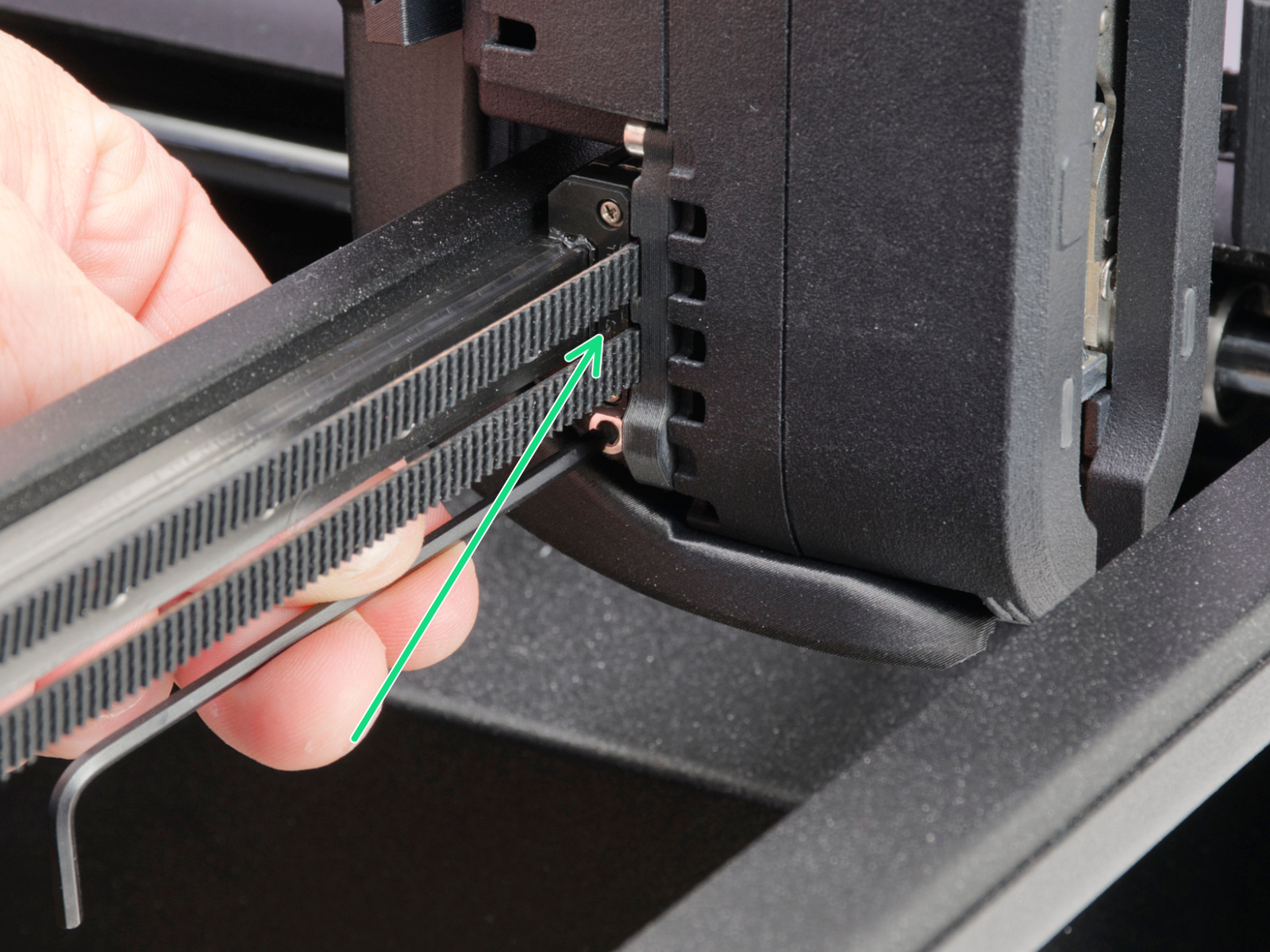
                  We recommend lubricating the linear rail every 3-6 months, using the dedicated linear rail lubrication set at the spots shown below.
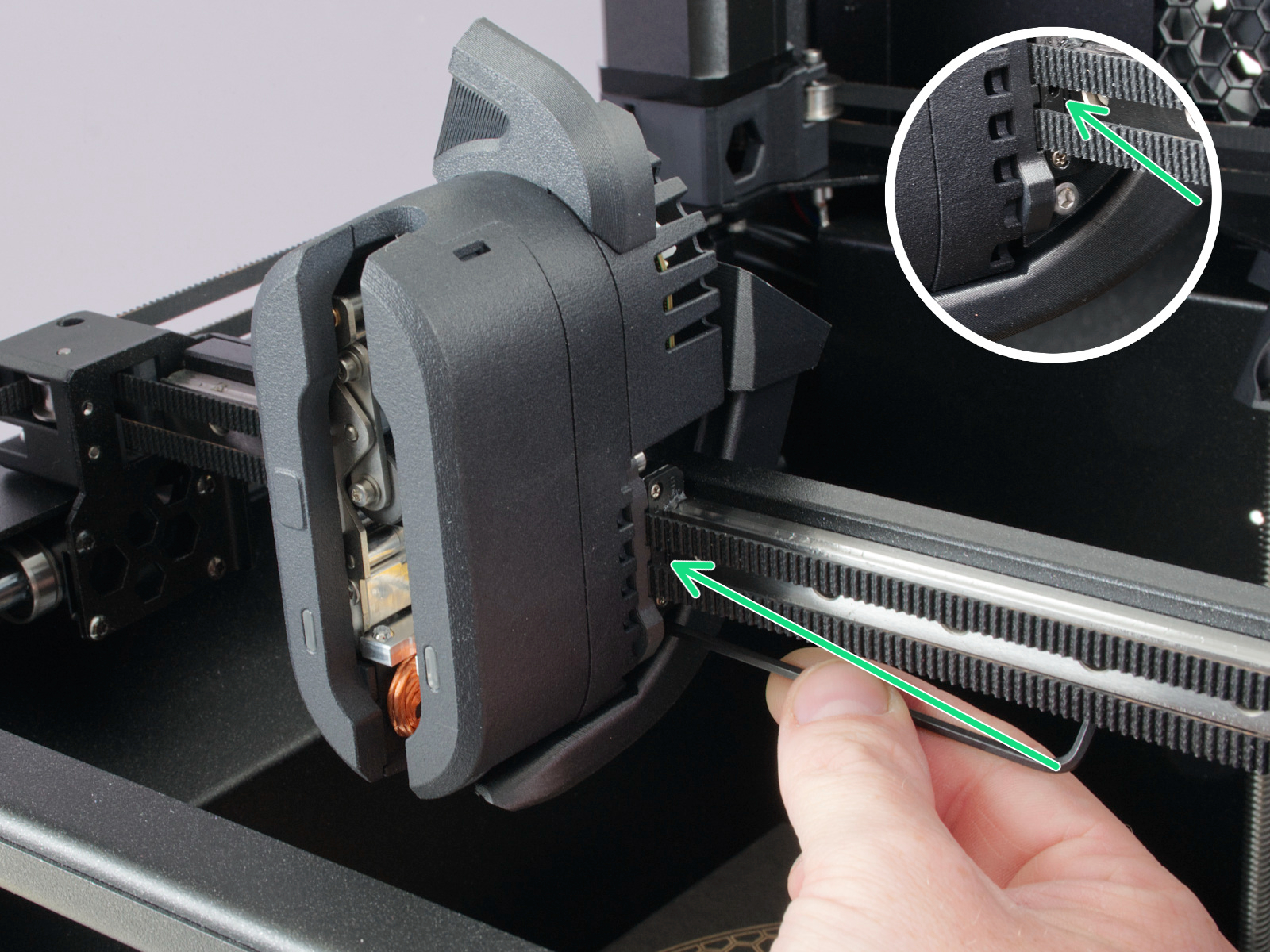
                  On linear rails, DO NOT use Prusa Lubricant or any products not part of the linear rails lubrication set. 

                  Axes check - Smooth Rods and Linear Bearings (Y-axis)

                  Clean the (Y-axis) smooth rods with a clean paper towel, and lubricate them using a small amount of Prusa Lubricant.

                  Only in case you feel the axis is not running smoothly anymore, even after recently cleaning and lubricating the smooth rods, the bearings can be taken out, cleaned with alcohol, and greased on the inside, still using a small amount of Prusa Lubricant. 

                  Axes check - Belt

                  Over a long printing time, the belt can slightly loosen, causing issues such as layer shifting or bad printing quality. The easiest way to check the belt tension is to print a circular object. If the result is not perfectly round, a belt adjustment is needed. 

                  Extruder Feeding Gear

                  The feeding gear in the extruder does not need any lubricant. However, over time, a filament powder deposit may form in the grooves, causing poor extrusion of filament. Remove the debris using compressed air. Small plastic threads can be carefully removed with tweezers.

                  Panels cleaning 

                  Use an alcohol-free cleaner or soapy water to clean the printer panels. 

                  DO NOT use products that contain alcohol, including IPA. Repeat exposure will weaken the panels, causing them to become brittle over time. 

                  Annual maintenance

                  Electronics

                  Before touching the electrical connections, please make sure that the printer is off, and unplugged from the main power source.

                  It is a good practice to check and optionally reconnect the electrical connectors on the xBuddy board, INDX Toolhead, heatbed, PSU, and xLCD every 600-800 hours of printing. 

                  In particular, ensure that the screw-attached connectors are fully tightened, and the Molex-attached connectors are properly connected. 

                  CAUTION: for Molex-attached connectors, it is necessary to press the latch before disconnecting. Otherwise, the connector may get damaged. 

                  Questo articolo è stato utile?
                  Questa azione è disponibile solo per gli utenti registrati. Per favore accedi.
                  Accedi  per inviare un commento
                  Nessun commento

                  Argomenti

                  • Utilizzo della stampante
                    • Manutenzione della stampante
                      • Manutenzione regolare della stampante (CORE One INDX)
                      • Come aggiornare il firmware (CORE One L, CORE One, CORE One INDX, MK4/S, MK3.9/S, MK3.5/S, XL)
                      • Come sostituire il Piano Riscaldato (CORE One)
                      • Come sostituire il Termistore del Piano Riscaldato (CORE One)
                      • Installazione della fotocamera Buddy3D per CORE One
                      • Come sostituire i motori Z (CORE One)
                      • Come invertire l'orientamento dello sportello (CORE One)
                      • Come installare il sistema di filtrazione avanzato (CORE One)
                      • Come sostituire i cavi di alimentazione del piano riscaldato (CORE One)
                      • Come sostituire la puleggia del tendicinghia (CORE One)
                      • Come sostituire il tendicinghia sinistro (CORE One)
                      • Come sostituire il tendicinghia destro (CORE One)
                      • Come sostituire il sensore dello sportello (CORE One)
                    • Modelli 3D
                    • Guida ai materiali
                    • Slicing
                    • Prusa Connect & PrusaLink