Prusa
  • SHOP
    • Latest products
    BY CATEGORY
    • 3D printersnew
    • 3D printer upgradesnew
    • Materials
    • Accessories
    • Spare parts
    • Courses
    • Merch
    • Get a price quote
    QUICK LINKS
    • Shipping & delivery
    • Returns & refunds
    • Payment & financing
    • Warranty
    • VAT & Customs fees
    • FAQ

    0 item in your cartitems in your cart

    Your cart is empty

    Go to cartShop 3D printers

    My profile

    Log in to see orders, saved items

    My profile

    Signed in as

    • Orders
    • Logout
  • 3D PRINTING
    • Explore 3D printing
    FOR BEGINNERS
    • 3D printing 101
    • How FDM printing works
    • Buying your first printer
    • 3D model catalog
    BY APPLICATION
    • Rapid prototyping
    • Manufacturing
    • Engineering
    • Research
    • Arts & design
    GO DEEPER
    • Materials guide
    • Courses
    • Webinars
    • Case studies
    • Custom 3D printing
  • 3D PRINTERS
    • All 3D printers
    FOR
    • Home or garageHobbyists, tinkerers and home printing
    • BusinessIn-house production for small teams
    • EnterpriseFleets, security and scale
    • Which Prusa is right for me
    SHOP & BROWSE
    • CORE One+new
    • CORE One+ INDXnew
    • CORE One L+new
    • CORE One L+ INDXnew
    • XL+new
    • MK4S
    • Prusa Pro HT90
    • Prusa Pro AFS
    • Prusa Pro SLX
    MORE FROM PRINTERS
    • Parts & upgradesnew
    • Critical infrastructure
    • Case studies
    • Signature Oak
    • Kits
  • MATERIALS
    • All materials
    BY USE
    • Every-day & design
    • Functional engineering
    • Composites
    • Pro speciality
    • SLA resins
    PRUSAMENT
    • PLA
    • PETG
    • ASA
    • PC
    • PA11
    • Flex
    • TPU
    MORE FROM MATERIALS
    • Materials guide
    • We make material in house
    • Sustainability
    • Order on the store
  • SOFTWARE
    • All software
    PREPARE THE PRINT
    • PrusaSlicer 3.0New
    PRINT & MONITOR
    • Prusa Connect
    • EasyPrint
    • iOS & Android app
    • Prusa Farm
    GET STARTED
    • Download & install
    • Knowledge base
    MORE FROM SOFTWARE
    • 3D model catalog
  • SUPPORT
    • Explore support
    FIND ANSWERS
    • Knowledge base
    • Troubleshooting
    • Courses
    • Webinars
    GET HELP
    • Contact us
    • Livechat
    • Shipping & delivery
    • Warranty
    • Returns & refunds
    • Service & spare parts
    • Service & Repair
    COMMUNITY
    • Forum
    • Reddit
    • Printables
  • TRUST CENTER
    • Trust Center overview
    BY TOPIC
    • GDPR
    • Certificates
    • Security
    • Compliance
    COMMITMENTS
    • Sustainability report
    TALK TO US
    • Contact the security team
  • COMPANY
    • About Prusa
    GET TO KNOW US
    • Our story
    • How we make printers
    • Open source
    • Brand & media kit
    NEWS
    • Blog
    • Newsroom
    • Events
    TRUST & PARTNERS
    • Sustainability
    • Resellers & distributors
    • Affiliate program
    • Contact
    • English
    • Čeština
    • Deutsch
    • Español
    • Français
    • Italiano
    • Polski
    • 日本語
  • Signed in as

    • Orders
    • Address
    • In-stock Alerts
    • My Courses
    • Subscription
    • Edit Account
    • Logout

Log in to see orders, saved items

Signed in as
  • Orders
  • Address
  • In-stock Alerts
  • My Courses
  • Subscription
  • Edit Account
  • English
  • Čeština
  • Deutsch
  • Español
  • Français
  • Italiano
  • Polski
  • 日本語
Shop

0 item in your cartitems in your cart

Your cart is empty

Go to cartShop 3D printers

My profile

Log in to see orders, saved items

My profile

Signed in as

  • Orders
  • Logout
SHOP
  • Latest products
BY CATEGORY
  • 3D printersnew
  • 3D printer upgradesnew
  • Materials
  • Accessories
  • Spare parts
  • Courses
  • Merch
  • Get a price quote
QUICK LINKS
  • Shipping & delivery
  • Returns & refunds
  • Payment & financing
  • Warranty
  • VAT & Customs fees
  • FAQ

Featured products

    Popular categories

      Trending searches

        Articles

          Blog

            Products

              Categories

                Suggested searches

                  Searching…
                  No results
                  Something went wrong.
                  ↑↓ Select↵ OpenEsc Close search
                  1. Support
                  2. Original Prusa MK3.9S
                  3. Material guide
                  4. PETG
                   

                  Contents

                  • Basic info
                  • Description
                  • Best use
                  • Tips for successful printing
                  • Postprocessing
                  • Sample prints

                  Blog

                  • Print colorful and glowing Halloween decorations with our spooky offer
                  • Factorio Has Arrived on Printables
                  • Prusament PLA Lightweight: 65% lighter than regular PLA. Perfect choice for aircraft, cosplay, and more.

                  Newsletter

                  Signup and get our monthly squeeze on updates, blog, printables and much more.

                  By clicking, you agree to receive our newsletter.

                  This site is protected by reCAPTCHA Enterprise and the Google Privacy Policy and Terms of Service apply.

                  Factorio Transport Belts
                  E-shop
                  • 3D Printers
                  • Printer Upgrades
                  • Filaments
                  • Accessories
                  • Prusa Merchandise

                  © Prusa Research a.s.

                  Printables
                  • 3D Models
                  • Store
                  • Clubs
                  • 3D Design Contests
                  • Brands
                  Community
                  • World Map
                  • Forum
                  • User Groups
                  • Events
                  Help
                  • Prusa Help
                  • Prusa Academy
                  • 3D Printing Calculators
                  Software
                  • PrusaSlicer
                  • Prusa.app
                  • Prusa Connect
                  • Drivers and Software
                  Company
                  • About Us
                  • Blog
                  • Official Prusa Resellers
                  • Contact Us
                  • Certified for ISO 9001, ISO 14001, ISO 45001
                  • General Terms and Conditions
                  • General Terms and Conditions of Use of the PRUSA Websites
                  • Privacy Policy
                  • Information about cookies
                  • Customer Complaints Policy
                  • Status Page
                  • Do Not Sell or Share My Personal Information
                  • Supplemental Statements
                  • General Terms and Conditions
                  • General Terms and Conditions of Use of the PRUSA Websites
                  • Privacy Policy
                  • Information about cookies
                  • Customer Complaints Policy
                  • Status Page
                  • Do Not Sell or Share My Personal Information
                  • Supplemental Statements

                  © Prusa Research a.s.

                  JOSEF PRUSA®, PRUSA RESEARCH®, PRUSA POLYMERS®, PRUSA ORANGE®, PRUSA 3D ® AND PRUSAMENT® are registered trademarks of Prusa Development a.s. used by Prusa Research a.s. under licence from Prusa Development a.s.

                  PETG

                  Relevant for

                  MK4 family
                  XL family
                  MMU family
                  MINI family
                  MK3 family
                  +
                  70 comments
                  Article is also available in following languages
                  English
                  Čeština
                  Polski
                  Deutsch
                  Français
                  Español
                  Italiano
                  日本語

                  Basic info

                  PETG is one of the most easily printable materials, it is inexpensive and suitable for beginners. Relatively high tenacity and temperature resistance make it suitable for printing technical parts (for example parts of our printers).
                   
                  Recommended nozzle temperature: 230 °C for the first layer, 240 °C for the other layers
                   
                  Recommended bed temperature: 85 °C for the first layer, 90 °C for the other layers
                   
                  Heatbed: Using powder-coated TXT or satin sheet is highly recommended. Printing on smooth PEI surface might damage the sheet.

                  Description

                  PETG (Polyethylene Terephthalate modified with Glycol) is a commonly used technical material, popular among 3D printer users for its low price and good printability. It’s tenacious, with good temperature resistance; PETG is most commonly used for printing various mechanical parts, holders, clamps, and waterproof parts (thanks to great layer adhesion).

                  PETG has a glossy surface, adheres greatly to a print sheet, and does not shrink or warp (it has very little thermal expansion), therefore it’s suitable for printing large models. Plus, its high tenacity and flexibility often prevent it from breaking. Due to good temperature resistance, PETG parts are suitable both for interior and most exterior use (with temperatures below 80 °C). Parts of our printers are made of PETG!

                  The letter G in PETG means that it’s modified with glycol during the manufacturing process. Glycol makes PET less brittle, easier to print, and more transparent for translucent prints. Of course, you can print also with PET filaments without glycol. However, printing with only PET is challenging and does not offer any advantage whatsoever.

                  Even though PETG in itself may be considered food-safe, it consists of layers, as every 3D print, in which bacteria can grow over time. You can prevent this by applying a food-safe(epoxy) coating. Also, a stainless-steel nozzle should be used for if food is the intended application.

                  Although PETG is frequently used in food industry and is considered food-safe, we do not recommend it (or any other filament) for printing dishes or other stuff that comes into direct contact with food. The main reason is tiny print layer surface grooves that can support numerous bacterial colonies. But if you still want 3D printed dishes, we suggest applying a special layer that seals the surface (food-safe coating) and printing with a clean steel nozzle.

                  Some of the manufacturers enrich PETG with various additives and sell these materials under different names. For example, Spoolworks EDGE by E3D is modified PET/Copolyester Blend with additives. The goal is to acquire better visual qualities, surface and layer adhesion, etc.

                  To compare supported material properties, see our material table.

                  Pros

                  Cons

                  ✔ Easy to print

                  ✖ Possibility of stringing

                  ✔ Good layer adhesion

                  ✖ Poor bridging and overhangs

                  ✔ Tough and durable

                  ✖ Not great for printing detailed parts

                  ✔ Low warping

                  ✖ Bonds strongly to the print surface

                  ✔ High temperature-resistance

                  ✖ Soluble in dangerous chemicals

                  ✔ Water and humidity resistant

                  ✖ Supports are hard to remove

                  Best use

                  PETG is used universally but is especially suitable for mechanical parts for both indoor and outdoor use. We use PETG to print parts for our printers! Plastic bottles are also made from this kind of material.

                  Tips for successful printing

                  Temperature settings and cooling

                  Unlike PLA, PETG requires a heated bed (85 °C). Its bridging- and overhang-behavior is usually worse, plus it is prone to stringing. Stringing can be moderated with higher retractions and lower nozzle temperature, but we suggest using the PrusaSlicer profiles that should work fine. It’s important to cool the PETG print - this helps to keep the model detailed and prevents stringing and oozing. But if you want the model to be as tough as possible, try to turn off the print fan. Higher filament temperature improves merging between layers which leads to better mechanical resistance. Otherwise, we recommend printing the first few layers with the print fan off to prevent deformation, then with the fan running at half its power.

                  Do not print on the smooth PEI sheet as the adhesion may be too strong!

                  Print surface preparation

                  Make sure the print surface is clean, as described in our dedicated article. It is advisable to use one of the powder-coated print sheets. Do not print on the smooth PEI sheet as the adhesion may be too strong! If you decide to use the smooth PEI sheet anyway, apply a glue stick on it before printing.

                  Adding more perimeters for more solid parts

                  If you want to print truly solid parts, try to increase the number of perimeters instead of adding more infill.

                  Postprocessing

                  PETG can be easily sanded both dry and wet.

                  Dissolving PETG

                  Dissolving and smoothing PETG is possible only in a laboratory by skilled lab workers using dangerous chemicals (Dichloromethane).
                  Sample prints

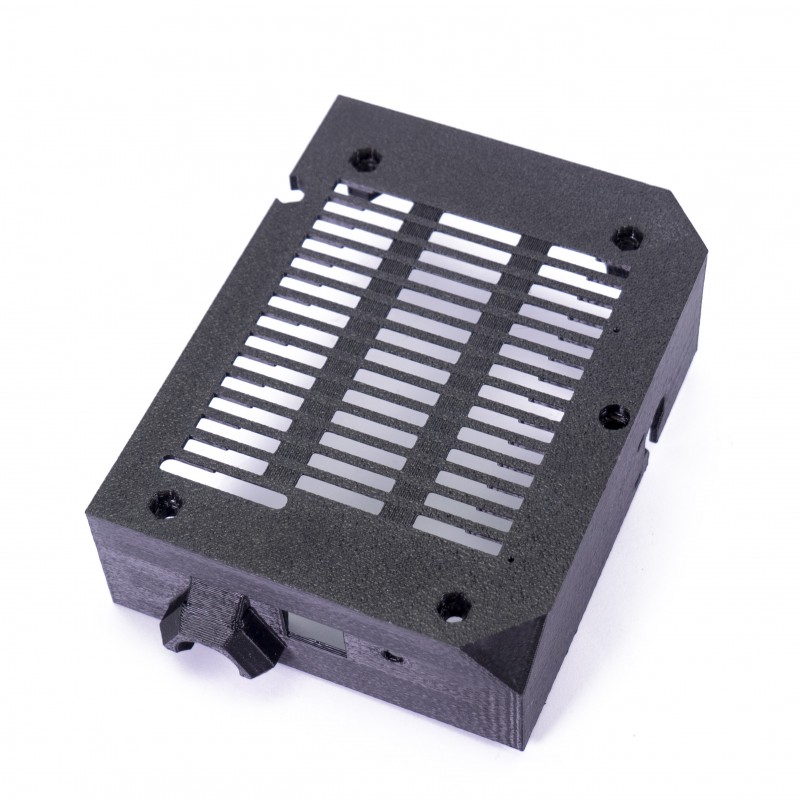
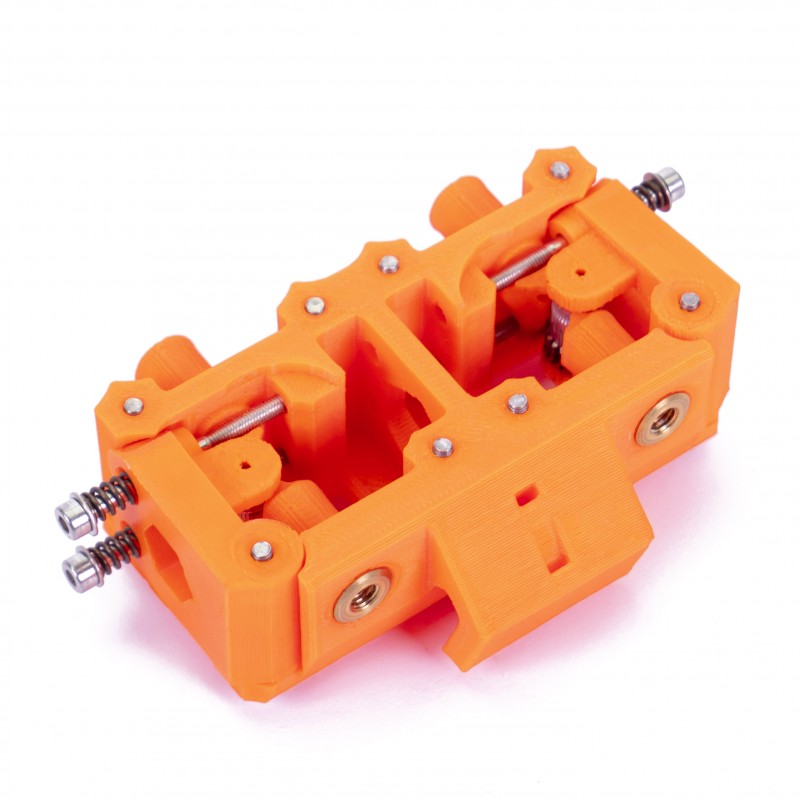
                  MMU (Multi-Material Unit)Electronics cover and other printer parts
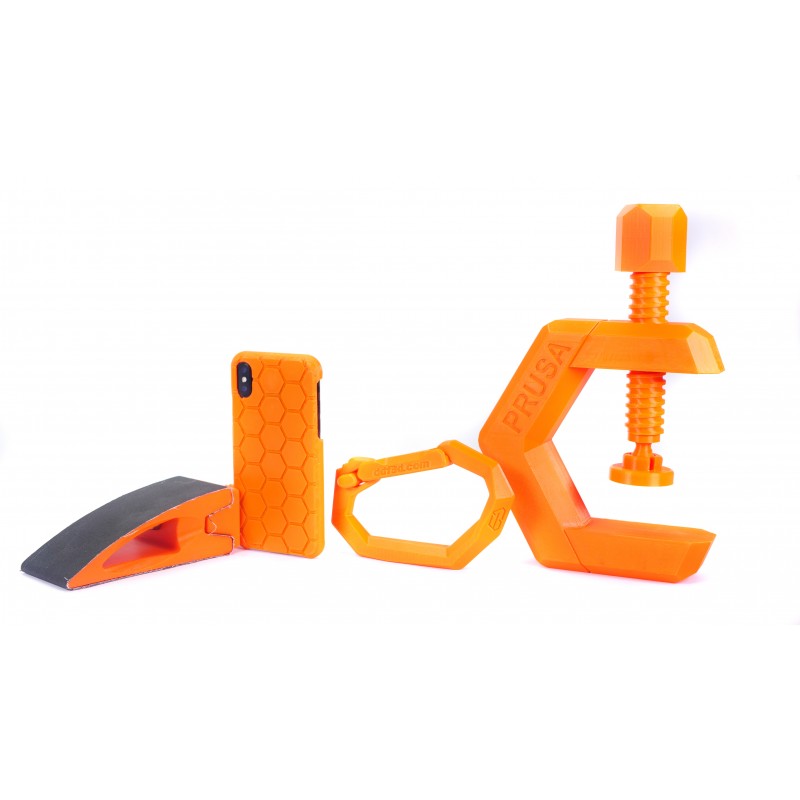
                  UkuleleVarious mechanical parts
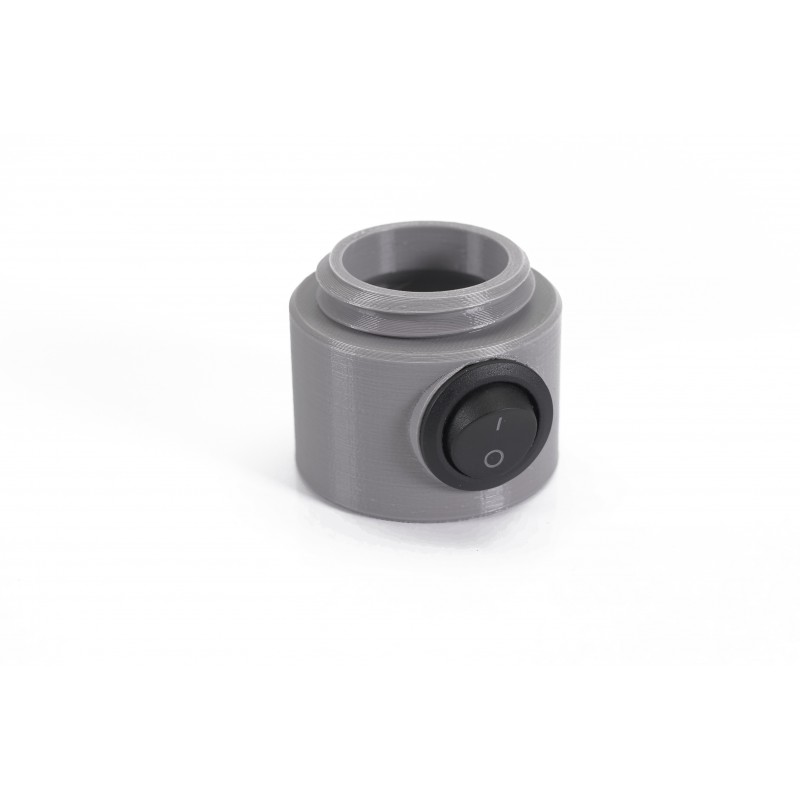
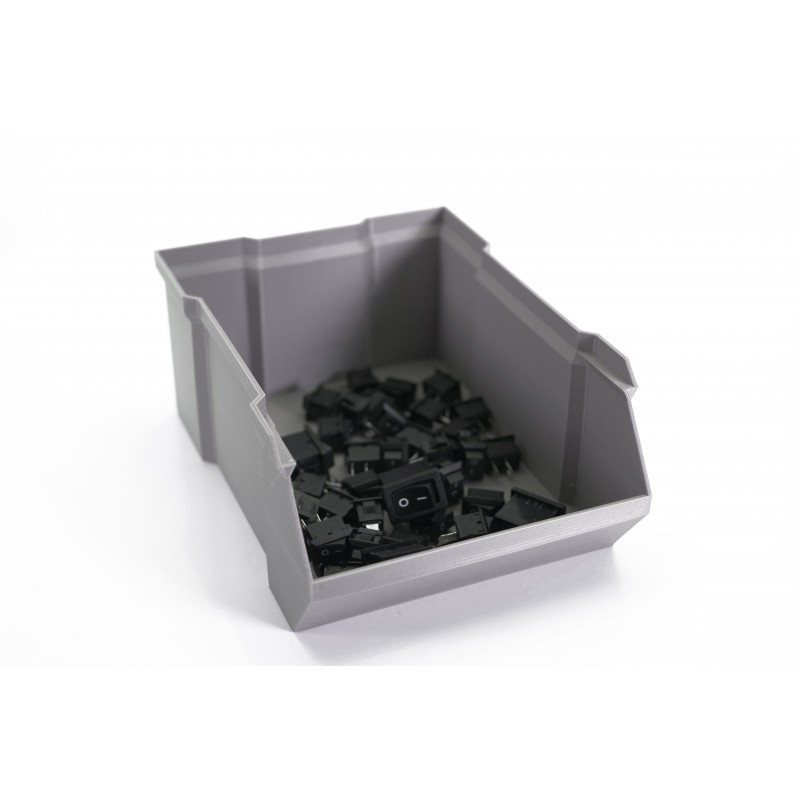
                  Electronic partsBoxes and organizers
                  Was this article helpful?
                  This action is available only to registered users. Please log-in.

                  Topics

                  • Using the printer
                    • Material guide
                      • ASA
                      • Flexible materials
                      • ABS
                      • PETG
                      • PLA
                      • Polycarbonate (PC)
                      • Composite materials (with metal or wood particles)
                      • CPE
                      • Water soluble (BVOH/PVA)
                      • HIPS
                      • Polypropylene (PP)
                      • NGEN
                      • Polyamide (Nylon)
                      • Composite materials (filled with carbon, kevlar or glass)
                      • PVB
                      • LW PLA
                      • Drying filament
                      • How to use Prusament refill 1kg
                      • HueForge filament transparency values and HexCodes
                      • Prusament TPU 95A material guide
                      • Prusament PETG Ultraglow troubleshooting
                      • Prusament Woodfill
                    • 3D models
                    • Slicing
                    • Printer maintenance
                    • Prusa Connect & PrusaLink

                  28 comments

                  Log in  to post a comment
                  BoxedFrog
                  •
                  The defaults on PrusaSlicer for 2.9.4 puts Prusament PetG at 250C and other layers at 250C. For the bed, first layer at 85 and other layers at 85.

                  The article above has different values. Should the values in PrusaSlicer be adjusted or is the recommendation to leave the newest defaults alone?

                  (I am using the newest firmware available - 6.4.0 / 3.0.3 (MMU3))
                  Reply
                  vladertel
                  •
                  Hey, Prusa Team!

                  I would really like to know why the values in this article are different vs prusament presets. Maybe it's a good idea to put that into F.A.Q.
                  Reply
                  dkaparelis
                  •
                  printing with petg on my prusa xl
                  for some reason the default prusament filament settings on petg is 250 first layer and the rest layers
                  for generic petg is 240
                  My problem is that printing with petg the materials sticking on the bed but sticks some material at the nozzle of the printer
                  Reply
                  Jakob Kürschner
                  •
                  I´m printing on the Original Prusa XL 3D Drucker with the PETG Jet Black. I use 60°C for the bed and 225°C for the nozzle. First layer is a little bit lower but I´m not sure what temp. exactly. If it sticks to the bed then just make sure to clean it frequently. I print a lot of stuff with these settings and hardly have any problems.
                  Reply
                  StuSchreurs
                  •
                  Printing with Prusa PETG-CF blend.  Used supports for overhangs.  Nozzle temp = 265C.  %fill at 99% as I need high strength.  It printed okay, outside the support material, but when I peeled away the support material, I found that the print had a melted look and had poor dimensionability.  Looking for advice.
                  Reply
                  Jan Kratochvíl
                  •

                  Hello. You can try increasing the fan speed for the overhangs. For more help, try contacting our support team directly, or ask for help on our forum.

                  Reply
                  Carter
                  •
                  Hi I am having problems with too much oozing using PETG on a MK4 (assembled) and what appears to happen is that a blob will form and stick to the print. When the nozzle next sweeps that area it is enough to stall the axis and cause a significant layer shift (as much as 10mm at times) I have been trying to print a bed full of small parts. The first time I got 3 layer shifts, 2 on the x axis (4mm & 10mm and 1 on the y axis (0.6mm). On the second attempt (watching more carefully this time) I noticed a large layer shift immediately after passing a deposited blob.
                  Reply
                  Shane
                  •

                  for cases like this, it would be best to contact support directly by either useing the chat now buttong in the lower right, or via email at [email protected] so that way you can show picutres of the prints and first layer so they can see what you are and better assist you with this. 

                  Reply
                  mikkol
                  •
                  This is my phenomenon, exactly, too. I seem to have overcome it by decreasing print speed, lowering nozzle temperature and upping the fan.
                  Reply
                  gilep
                  •
                  I have a Mini printer and have no problem printing with PLA.
                  Trying to print using PETG the filament does not adhere well to the print surface (I use the Satin powder-coated sheet) and the filament is moving together with the print head, creating a complete mess.
                  Using the first layer calibration I get a perfect print.
                  The PETG filament is not by Prusa and in the Prusa slicer I tried to use both the Prusa PETG and the General PETG.
                  Any ideas?
                  Reply
                  Marina Curzi - Official Prusa CS
                  •

                  Take pictures of the first layer and the issue you are having, and contact our support.

                  Reply
                  johndom123
                  •
                  Make sure you've done the Z-axis adjustment well. As it prints the zigzag line, lower the nozzle until it looks good, and try picking the print off. You can do this as it goes. If it's easy to remove the nozzle isn't low enough!Wash the sheet in hot soapy water (washing up liquid). If it runs off in balls there's still grease so wash more. Dry with a new kitchen towel. Do NOT touch the print area afterwards! Beware - it'll stick really well after this :-) Let the bed cool right down after printing, remove it and flex in multiple directions to break the print off. If you're stuck - and careful - a NEW stanley blade can be used to get under the print at a shallow angle. But be careful not to cut the bed or yourself!
                  Reply