Prusa
  • SHOP
    • Latest products
    BY CATEGORY
    • 3D printersnew
    • 3D printer upgradesnew
    • Materials
    • Accessories
    • Spare parts
    • Courses
    • Merch
    • Get a price quote
    QUICK LINKS
    • Shipping & delivery
    • Returns & refunds
    • Payment & financing
    • Warranty
    • VAT & Customs fees
    • FAQ

    0 item in your cartitems in your cart

    Your cart is empty

    Go to cartShop 3D printers

    My profile

    Log in to see orders, saved items

    My profile

    Signed in as

    • Orders
    • Logout
  • 3D PRINTING
    • Explore 3D printing
    FOR BEGINNERS
    • 3D printing 101
    • How FDM printing works
    • Buying your first printer
    • 3D model catalog
    BY APPLICATION
    • Rapid prototyping
    • Manufacturing
    • Engineering
    • Research
    • Arts & design
    GO DEEPER
    • Materials guide
    • Courses
    • Webinars
    • Case studies
    • Custom 3D printing
  • 3D PRINTERS
    • All 3D printers
    FOR
    • Home or garageHobbyists, tinkerers and home printing
    • BusinessIn-house production for small teams
    • EnterpriseFleets, security and scale
    • Which Prusa is right for me
    SHOP & BROWSE
    • CORE One+new
    • CORE One+ INDXnew
    • CORE One L+new
    • CORE One L+ INDXnew
    • XL+new
    • MK4S
    • Prusa Pro HT90
    • Prusa Pro AFS
    • Prusa Pro SLX
    MORE FROM PRINTERS
    • Parts & upgradesnew
    • Critical infrastructure
    • Case studies
    • Signature Oak
    • Kits
  • MATERIALS
    • All materials
    BY USE
    • Every-day & design
    • Functional engineering
    • Composites
    • Pro speciality
    • SLA resins
    PRUSAMENT
    • PLA
    • PETG
    • ASA
    • PC
    • PA11
    • Flex
    • TPU
    MORE FROM MATERIALS
    • Materials guide
    • We make material in house
    • Sustainability
    • Order on the store
  • SOFTWARE
    • All software
    PREPARE THE PRINT
    • PrusaSlicer 3.0New
    PRINT & MONITOR
    • Prusa Connect
    • EasyPrint
    • iOS & Android app
    • Prusa Farm
    GET STARTED
    • Download & install
    • Knowledge base
    MORE FROM SOFTWARE
    • 3D model catalog
  • SUPPORT
    • Explore support
    FIND ANSWERS
    • Knowledge base
    • Troubleshooting
    • Courses
    • Webinars
    GET HELP
    • Contact us
    • Livechat
    • Shipping & delivery
    • Warranty
    • Returns & refunds
    • Service & spare parts
    • Service & Repair
    COMMUNITY
    • Forum
    • Reddit
    • Printables
  • TRUST CENTER
    • Trust Center overview
    BY TOPIC
    • GDPR
    • Certificates
    • Security
    • Compliance
    COMMITMENTS
    • Sustainability report
    TALK TO US
    • Contact the security team
  • COMPANY
    • About Prusa
    GET TO KNOW US
    • Our story
    • How we make printers
    • Open source
    • Brand & media kit
    NEWS
    • Blog
    • Newsroom
    • Events
    TRUST & PARTNERS
    • Sustainability
    • Resellers & distributors
    • Affiliate program
    • Contact
    • English
    • Čeština
    • Deutsch
    • Español
    • Français
    • Italiano
    • Polski
    • 日本語
  • Signed in as

    • Orders
    • Address
    • In-stock Alerts
    • My Courses
    • Subscription
    • Edit Account
    • Logout

Log in to see orders, saved items

Signed in as
  • Orders
  • Address
  • In-stock Alerts
  • My Courses
  • Subscription
  • Edit Account
  • English
  • Čeština
  • Deutsch
  • Español
  • Français
  • Italiano
  • Polski
  • 日本語
Shop

0 item in your cartitems in your cart

Your cart is empty

Go to cartShop 3D printers

My profile

Log in to see orders, saved items

My profile

Signed in as

  • Orders
  • Logout
SHOP
  • Latest products
BY CATEGORY
  • 3D printersnew
  • 3D printer upgradesnew
  • Materials
  • Accessories
  • Spare parts
  • Courses
  • Merch
  • Get a price quote
QUICK LINKS
  • Shipping & delivery
  • Returns & refunds
  • Payment & financing
  • Warranty
  • VAT & Customs fees
  • FAQ

Featured products

    Popular categories

      Trending searches

        Articles

          Blog

            Products

              Categories

                Suggested searches

                  Searching…
                  No results
                  Something went wrong.
                  ↑↓ Select↵ OpenEsc Close search
                  1. Support
                  2. Basic calibration
                  3. XYZ Calibration (MK2/S)
                   

                  Contents

                  • Calibration walkthrough
                  • Improving calibration

                  Blog

                  • Prusament Pellets: Raw material batches for large-format 3D printing or small-scale polymer research & development
                  • Print colorful and glowing Halloween decorations with our spooky offer
                  • Factorio Has Arrived on Printables

                  Newsletter

                  Signup and get our monthly squeeze on updates, blog, printables and much more.

                  By clicking, you agree to receive our newsletter.

                  This site is protected by reCAPTCHA Enterprise and the Google Privacy Policy and Terms of Service apply.

                  Factorio Transport Belts
                  E-shop
                  • 3D Printers
                  • Printer Upgrades
                  • Filaments
                  • Accessories
                  • Prusa Merchandise

                  © Prusa Research a.s.

                  Printables
                  • 3D Models
                  • Store
                  • Clubs
                  • 3D Design Contests
                  • Brands
                  Community
                  • World Map
                  • Forum
                  • User Groups
                  • Events
                  Help
                  • Prusa Help
                  • Prusa Academy
                  • 3D Printing Calculators
                  Software
                  • PrusaSlicer
                  • Prusa.app
                  • Prusa Connect
                  • Drivers and Software
                  Company
                  • About Us
                  • Blog
                  • Official Prusa Resellers
                  • Contact Us
                  • Certified for ISO 9001, ISO 14001, ISO 45001
                  • General Terms and Conditions
                  • General Terms and Conditions of Use of the PRUSA Websites
                  • Privacy Policy
                  • Information about cookies
                  • Customer Complaints Policy
                  • Status Page
                  • Do Not Sell or Share My Personal Information
                  • Supplemental Statements
                  • General Terms and Conditions
                  • General Terms and Conditions of Use of the PRUSA Websites
                  • Privacy Policy
                  • Information about cookies
                  • Customer Complaints Policy
                  • Status Page
                  • Do Not Sell or Share My Personal Information
                  • Supplemental Statements

                  © Prusa Research a.s.

                  JOSEF PRUSA®, PRUSA RESEARCH®, PRUSA POLYMERS®, PRUSA ORANGE®, PRUSA 3D ® AND PRUSAMENT® are registered trademarks of Prusa Development a.s. used by Prusa Research a.s. under licence from Prusa Development a.s.

                  XYZ Calibration (MK2/S)

                  Relevant for

                  MK2S
                  5 comments
                  Article is also available in following languages
                  English
                  Čeština
                  Polski
                  Deutsch
                  Français
                  Español
                  Italiano
                  日本語

                  XYZ calibration is a procedure that will tell you how well you have assembled your printer. Essentially, it measures the skew of your X/Y axis and compensates for any imperfections. It may indicate two sets of error messages [compromised/failed]. See below for a detailed description. 

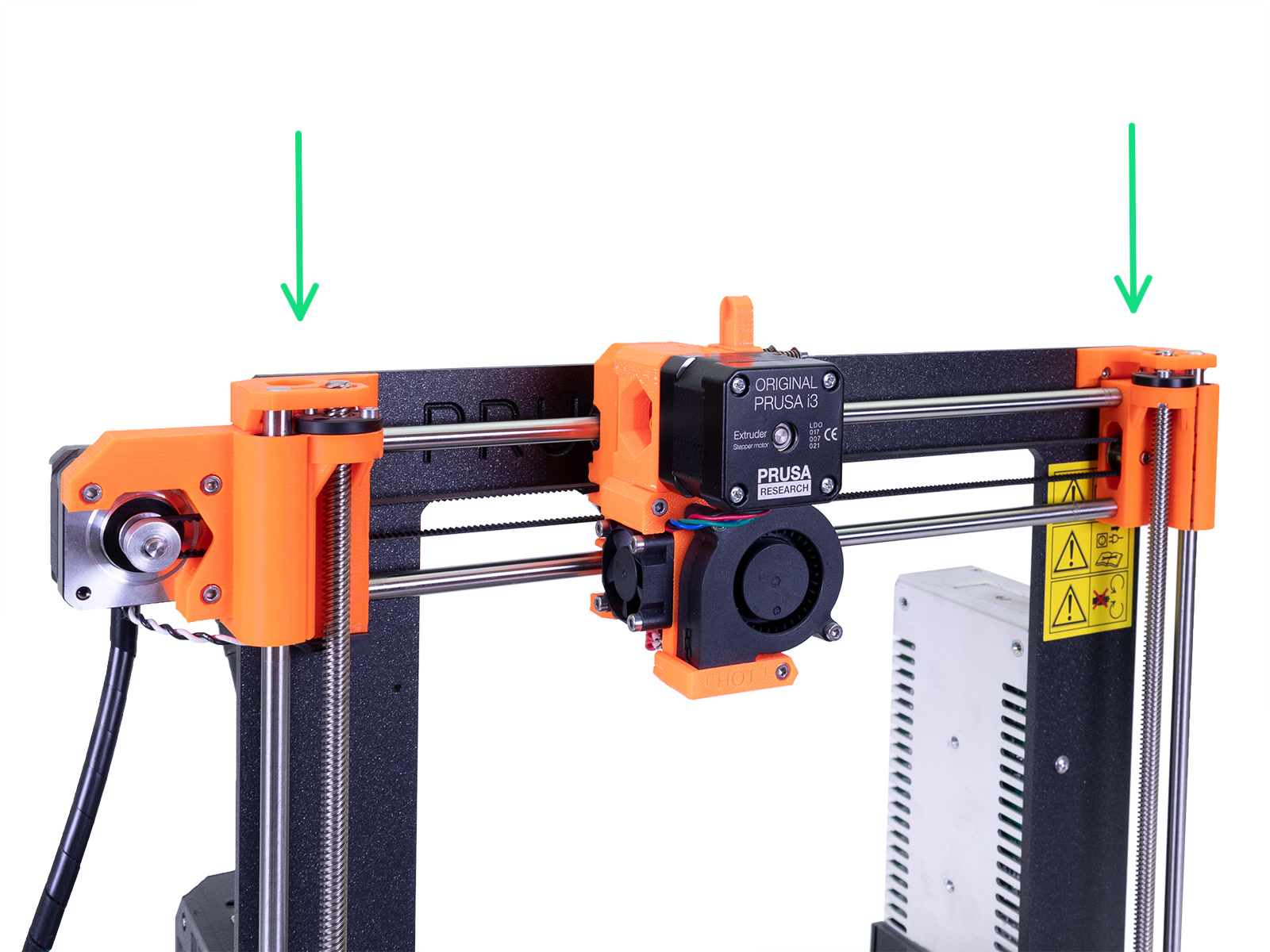
                  Make sure the Z-axis is moved all the way to the top.

                  Calibration walkthrough

                  During the initial process, only four main points are being measured - Front, Right, Rear and Left. 

                  In the second round, all nine points are being measured. All of the compensations are then stored in non-volatile memory. This routine is called Mesh-bed leveling. 

                  Click here for what each of the error messages means!

                  If you ended up with "XYZ Calibration / Bed leveling failed..." please follow the instructions below.

                  Improving calibration

                  If you encounter any of these error messages, then there is usually something wrong with the assembly of your printer.

                  Go through the following tasks:

                  1. Make sure that you have followed the instructions on the LCD screen precisely. Especially make sure that your X-axis was moved to the very top. Otherwise, your X-axis might not be perfectly level. 
                  2. Make sure there is nothing blocking or reducing the movement of any of the axes, like:
                      • Unlubricated smooth rods/bearings.
                      • Pulleys are secure, aligned, and free of any filament debris.
                      • Belt tension too tight or too loose.
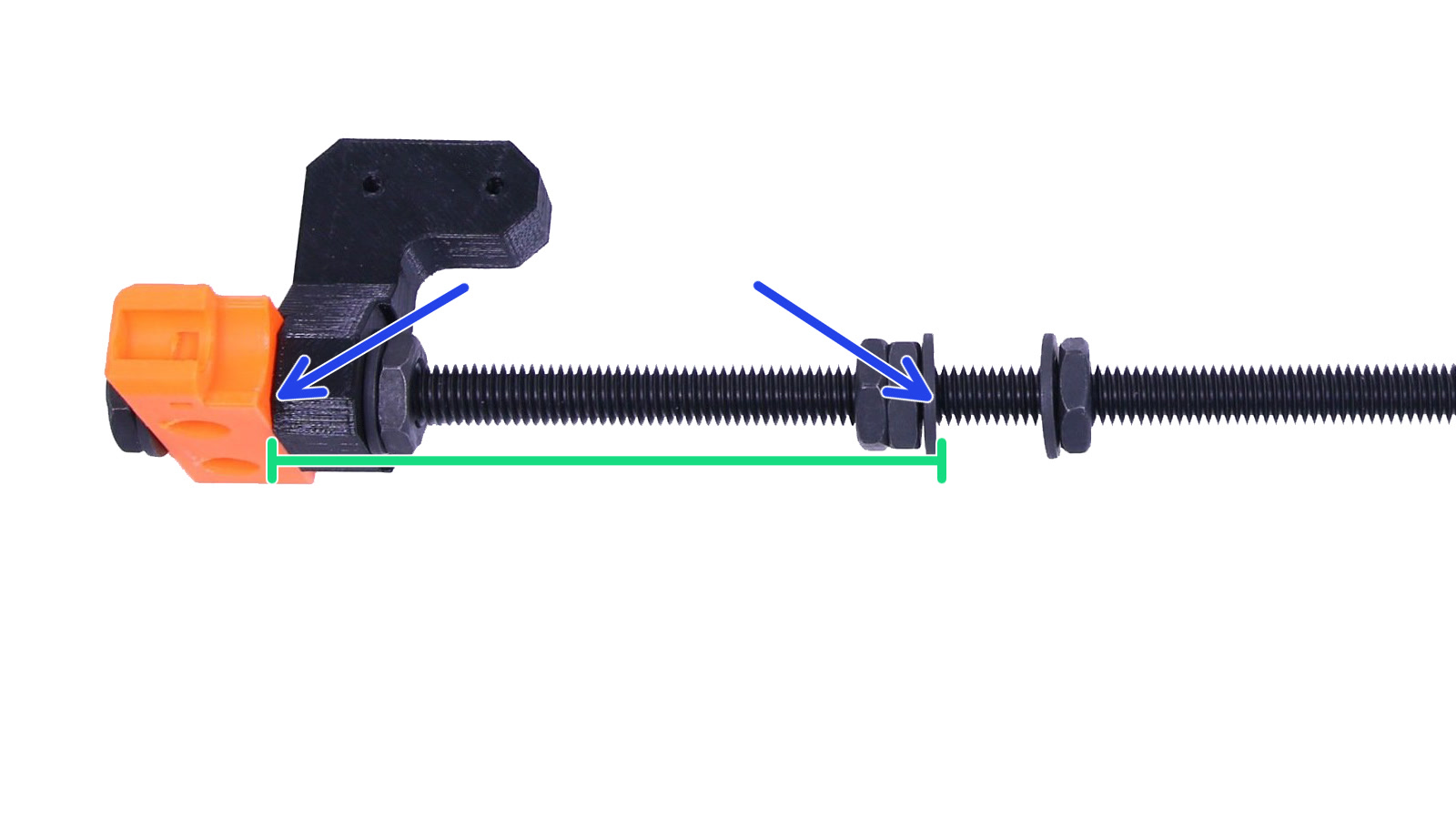
                  3. Double-check that there's a 100mm (3.937inches) distance between the Y-corners and the frame.
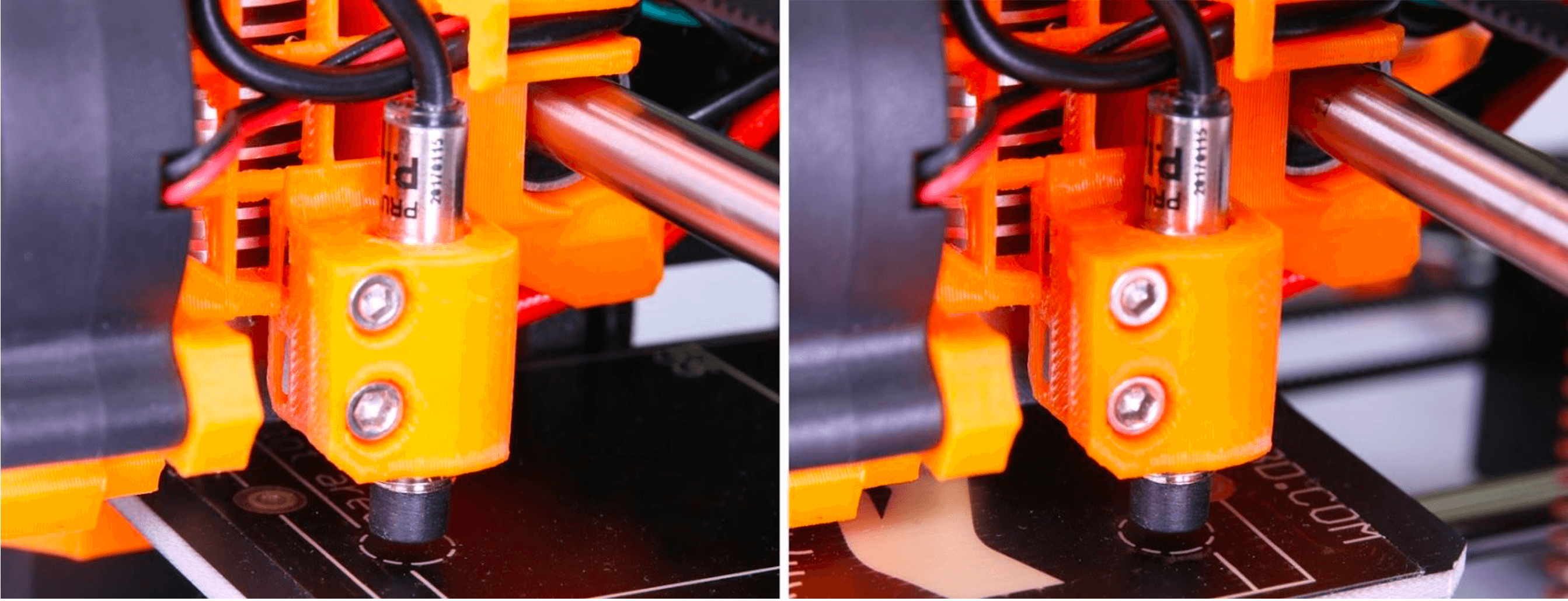
                  4. Navigate to LCD menu - Calibration - Auto-home. The P.I.N.D.A. sensor must stop right in the center of the 1st and also the last calibration point (please refer to photos below). Also, make sure that the P.I.N.D.A. sensor is roughly 1mm higher than the tip of the nozzle.
                  5. It is rather unlikely, but there is a small possibility that your P.I.N.D.A. sensor could be defective. The easiest way to check for potential issues is to go to the LCD Menu - Calibration - Show endstops. While placing anything metal (e.g. a spatula) under the P.I.N.D.A. sensor. The endstop reading should change from 0 to 1. More information can be found in P.I.N.D.A./SuperPINDA Sensor testing.
                  If your PINDA sensor did not end up perfectly within the circle, it means that there is a shift on the X/Y axis. For detailed information on how to proceed please see Misaligned PINDA Sensor (MK2/S).
                  If you have just recently updated your Firmware version, and XYZ calibration is failing without any logical reason, go to LCD Menu - Calibration - Reset calibration. Once it's done, simply restart the calibration process and see if it makes any difference. 
                  Was this article helpful?
                  This action is available only to registered users. Please log-in.

                  Topics

                  • Calibration
                    • Basic calibration
                      • Mesh bed leveling
                      • XYZ Calibration (MK2/S)
                      • Full system refresh Original Prusa i3
                      • Temperature Calibration
                      • First Layer Calibration (i3)
                    • Advanced calibration
                    • Calibration Error Messages

                  3 comments

                  Log in  to post a comment
                  sphink
                  •
                  I discovered that on my 2.5, the new firmwares moves the PINDA home 2mm less on the Y axis on autohome, so my frame got to be 102mm from the Y corner for the PINDA to be centered after the autohome (as stated on https://help.prusa3d.com/en/article/misaligned-pinda-sensor-mk2-s_2016/ )
                  Reply
                  Just Don
                  •
                  Help! I updated the firmware on my Mk2. Soon after I did so I started getting errors in the mesh bed leveling process with the sensor failed or broken wire error. After carefully looking for flaws in the wiring, and testing the PINDA with a piece of metal to be sure it was sensing properly, I followed the instruction here to reset calibration and restart the calibration process.To say it went poorly would be an understatement. When the wizard goes through the self test everything is fine. When it goes into the X-Y-Z calibration, the X and Y axes are fine. When it got to the Z axis, it looked like it was starting fine through the first point. Starting with the second point, though, the print head moved up about half an inch above the print bed. It did the same thing through the next two points. It then went through two more iterations of that (point one seeming fine, other three separated by about half an inch) before failing entirely and requiring a reboot of the printer.What is going on here?
                  Reply
                  Marek V.
                  •
                  Hi, sometimes helps just connecting and disconnecting the PINDA. You can also do a factory reset and reflash the firmware, because sometimes after flashing a new firmware, there could stay some residue of the previous one, which mixes with the new one. For this case, I would also suggest you to ask on our livechat, because you can send them video of it happening.
                  Reply
                  Don Jensen
                  •
                  Something seems off here those images are not of MK2 printers and are not of any help.
                  Reply
                  William H. - Official Prusa
                  •
                  Thank you. We are looking to update a lot of pictures. For now imagine that picture had an orange extruder and it serves its purpose perfectly. Have been cleared for now.
                  Reply