Deutsch
Login
3D-Drucker
Materialien
Teile & Zubehör
Für Unternehmen
Software
3D Modelle
Community
Hilfe
Kurse
Blog
Unternehmen
Support
Prusa CORE One L
Drucker-Wartung
How to replace the Buddy3D camera cable (CORE One L) | Montage beginnen
1. Montage beginnen
Schritt 1 von 51 (Kapitel 7 von 17)
Inhalt
Kommentare
Schwierigkeit
Schwer
Verfügbare Sprachen
Montage beginnen
Inhalt
Drucker-Wartung
Installation des Nextruder V6 Düsenadapters (CORE One L)
Auswechseln der Prusa-Düse (CORE One L)
Auswechseln der Hotend-Baugruppe (CORE One L)
Auswechseln des Hotend-Lüfters (CORE One L)
Austausch des seitlichen Filament-Sensors (CORE One L)
Installation Fortschrittliches Filtersystem (CORE One L)
Auswechseln des Buddy3D Kamerakabels (CORE One L)
Montage beginnen
Einleitung
Benötigte Werkzeuge für diese Anleitung
Vorbereiten des Druckers
Trennen der Kamera
Removing the door panel
Removing the plexiglass cover
Abnehmen der metallenen Seitenabdeckung
Schutz des Heizbettes
Accessing the corner profile screw
Removing the corner profile (Part 1)
Removing the corner profile (Part 2)
Reattaching the LCD panel
Abnehmen des LED-Panels
Accessing the cables (part 1)
Accessing the cables (part 2)
Removing the Wi-Fi module
Removing the electronics covers
Lösen der Kabel
Disconnecting the PSU cables
Überprüfen der Kabel
Removing the heatbed cables
Detaching the back panel
Removing the back panel (part 1)
Removing the back panel (part 2)
Removing the back panel (part 3)
Removing the cable clamps
Entfernen des USB-C Kabels
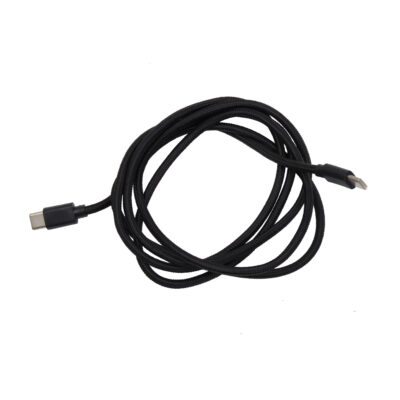
Vorbereitung der Teile: Buddy3D Kamera USB-C Kabel
Anbringen des neuen USB-C Kabels
Reattaching the back panel (part 1)
Reattaching the back panel (part 2)
Reattaching the back panel (part 3)
Reconnecting the xBuddy power cables
Reconnecting the main FE cable
Reattaching the heatbed cables
Reconnecting the cables (part 1)
Reconnecting the cables (part 2)
Checking the cable length
Abdeckung der Elektronik
Reattaching the Wi-Fi module
Reattaching the cable clamps (part 1)
Reattaching the cable clamps (part 2)
Reattaching the LED and the door sensor
Reattaching the corner profile
Reattaching the LCD panel
Attaching the side panel
Attaching the door panel
Wiederanschließen der Kamera
Testen der Kamera
Gut gemacht!
Auswechseln der Hotend-Heizung (CORE One L)
Auswechseln des Hotend-Thermistors (CORE One L)
Austausch des Nextruder Filament Sensors (CORE One L)
Auswechseln des Druck-Kühl-Lüfters (CORE One L)
Auswechseln des Accelerometer (CORE One L)
Auswechseln der Hotend-Kühlkörpers (CORE One L)
Umkehr des Türanschlags (CORE One L)
Auswechseln des Loveboards (CORE One L)
Auswechseln des Hotend-Thermistors (CORE One L)
Auswechseln des weißen LED-Streifens (CORE One L)
Kommentare
Einloggen
um einen Kommentar zu schreiben
Keine Kommentare