Prusa
  • SHOP
    • Latest products
    BY CATEGORY
    • 3D printersnew
    • 3D printer upgradesnew
    • Materials
    • Accessories
    • Spare parts
    • Courses
    • Merch
    • Get a price quote
    QUICK LINKS
    • Shipping & delivery
    • Returns & refunds
    • Payment & financing
    • Warranty
    • VAT & Customs fees
    • FAQ

    0 item in your cartitems in your cart

    Your cart is empty

    Go to cartShop 3D printers

    My profile

    Log in to see orders, saved items

    My profile

    Signed in as

    • Orders
    • Logout
  • 3D PRINTING
    • Explore 3D printing
    FOR BEGINNERS
    • 3D printing 101
    • How FDM printing works
    • Buying your first printer
    • 3D model catalog
    BY APPLICATION
    • Rapid prototyping
    • Manufacturing
    • Engineering
    • Research
    • Arts & design
    GO DEEPER
    • Materials guide
    • Courses
    • Webinars
    • Case studies
    • Custom 3D printing
  • 3D PRINTERS
    • All 3D printers
    FOR
    • Home or garageHobbyists, tinkerers and home printing
    • BusinessIn-house production for small teams
    • EnterpriseFleets, security and scale
    • Which Prusa is right for me
    SHOP & BROWSE
    • CORE One+new
    • CORE One+ INDXnew
    • CORE One L+new
    • CORE One L+ INDXnew
    • XL+new
    • MK4S
    • Prusa Pro HT90
    • Prusa Pro AFS
    • Prusa Pro SLX
    MORE FROM PRINTERS
    • Parts & upgradesnew
    • Spare parts
    • Critical infrastructure
    • Case studies
    • Signature Oak
    • Kits
  • MATERIALS
    • All materials
    BY USE
    • Every-day & design
    • Functional engineering
    • Composites
    • Pro speciality
    • SLA resins
    PRUSAMENT
    • PLA
    • PETG
    • ASA
    • PC
    • PA11
    • Flex
    • TPU
    MORE FROM MATERIALS
    • Materials guide
    • We make material in house
    • Sustainability
    • Order on the store
  • SOFTWARE
    • All software
    PREPARE THE PRINT
    • PrusaSlicer 3.0New
    PRINT & MONITOR
    • Prusa Connect
    • EasyPrint
    • iOS & Android app
    • Prusa Farm
    GET STARTED
    • Download & install
    • Knowledge base
    MORE FROM SOFTWARE
    • 3D model catalog
  • SUPPORT
    • Explore support
    FIND ANSWERS
    • Knowledge base
    • Troubleshooting
    • Courses
    • Webinars
    GET HELP
    • Contact us
    • Livechat
    • Shipping & delivery
    • Warranty
    • Returns & refunds
    • Service & spare parts
    • Service & Repair
    COMMUNITY
    • Forum
    • Reddit
    • Printables
  • TRUST CENTER
    • Trust Center overview
    BY TOPIC
    • GDPR
    • Certificates
    • Security
    • Compliance
    COMMITMENTS
    • Sustainability report
    TALK TO US
    • Contact the security team
  • COMPANY
    • About Prusa
    GET TO KNOW US
    • Our story
    • How we make printers
    • Open source
    • Brand & media kit
    NEWS
    • Blog
    • Newsroom
    • Events
    TRUST & PARTNERS
    • Sustainability
    • Resellers & distributors
    • Affiliate program
    • Contact
    • English
    • Čeština
    • Deutsch
    • Español
    • Français
    • Italiano
    • Polski
    • 日本語
  • Signed in as

    • Orders
    • Address
    • In-stock Alerts
    • My Courses
    • Subscription
    • Edit Account
    • Logout

Log in to see orders, saved items

Signed in as
  • Orders
  • Address
  • In-stock Alerts
  • My Courses
  • Subscription
  • Edit Account
  • English
  • Čeština
  • Deutsch
  • Español
  • Français
  • Italiano
  • Polski
  • 日本語
Shop

0 item in your cartitems in your cart

Your cart is empty

Go to cartShop 3D printers

My profile

Log in to see orders, saved items

My profile

Signed in as

  • Orders
  • Logout
SHOP
  • Latest products
BY CATEGORY
  • 3D printersnew
  • 3D printer upgradesnew
  • Materials
  • Accessories
  • Spare parts
  • Courses
  • Merch
  • Get a price quote
QUICK LINKS
  • Shipping & delivery
  • Returns & refunds
  • Payment & financing
  • Warranty
  • VAT & Customs fees
  • FAQ

Featured products

    Popular categories

      Trending searches

        Articles

          Blog

            Products

              Categories

                Suggested searches

                  Searching…
                  No results
                  Something went wrong.
                  ↑↓ Select↵ OpenEsc Close search
                  1. Support
                  2. Original Prusa i3 MK3S+
                  3. Calibration Error Messages
                  4. Check Axis Length X/Y/Z (MK3S)
                   

                  Contents

                  • Possible causes for X/Y-axis
                  • Possible causes for Z-axis
                  • Lubrication

                  Blog

                  • Prusament Pellets: Raw material batches for large-format 3D printing or small-scale polymer research & development
                  • Print colorful and glowing Halloween decorations with our spooky offer
                  • Factorio Has Arrived on Printables

                  Newsletter

                  Signup and get our monthly squeeze on updates, blog, printables and much more.

                  By clicking, you agree to receive our newsletter.

                  This site is protected by reCAPTCHA Enterprise and the Google Privacy Policy and Terms of Service apply.

                  Heavy Duty Keyboard Holder (No Supports)
                  E-shop
                  • 3D Printers
                  • Printer Upgrades
                  • Filaments
                  • Accessories
                  • Prusa Merchandise
                  Prusa

                  © Prusa Research a.s.

                  Printables
                  • 3D Models
                  • Store
                  • Clubs
                  • 3D Design Contests
                  • Brands
                  Community
                  • World Map
                  • Forum
                  • User Groups
                  • Events
                  Help
                  • Prusa Help
                  • Prusa Academy
                  • 3D Printing Calculators
                  Software
                  • PrusaSlicer
                  • Prusa.app
                  • Prusa Connect
                  • Drivers and Software
                  Company
                  • About Us
                  • Blog
                  • Official Prusa Resellers
                  • Contact Us
                  • Certified for ISO 9001, ISO 14001, ISO 45001
                  • General Terms and Conditions
                  • General Terms and Conditions of Use of the PRUSA Websites
                  • Privacy Policy
                  • Information about cookies
                  • Customer Complaints Policy
                  • Status Page
                  • Do Not Sell or Share My Personal Information
                  • Supplemental Statements
                  Prusa
                  • General Terms and Conditions
                  • General Terms and Conditions of Use of the PRUSA Websites
                  • Privacy Policy
                  • Information about cookies
                  • Customer Complaints Policy
                  • Status Page
                  • Do Not Sell or Share My Personal Information
                  • Supplemental Statements

                  © Prusa Research a.s.

                  JOSEF PRUSA®, PRUSA RESEARCH®, PRUSA POLYMERS®, PRUSA ORANGE®, PRUSA 3D ® AND PRUSAMENT® are registered trademarks of Prusa Development a.s. used by Prusa Research a.s. under licence from Prusa Development a.s.

                  Check Axis Length X/Y/Z (MK3S)

                  Relevant for

                  MK3
                  MK3S
                  MMU2S
                  MK3S+
                  MMU3
                  54 comments
                  Article is also available in following languages
                  English
                  Čeština
                  Polski
                  Deutsch
                  Français
                  Español
                  Italiano
                  日本語

                  This error can appear during the Self-test or the XYZ-calibration when the firmware detects a shorter distance of axis travel than expected. The exact length of each axis is stored in the printer's memory. Depending on where it is triggered, it will name the running process (Selftest, XYZ calibration, etc.) and will state the message "Please check: Axis length" on the display and the letter for the problematic axis, in the bottom right ("X/Y/Z").
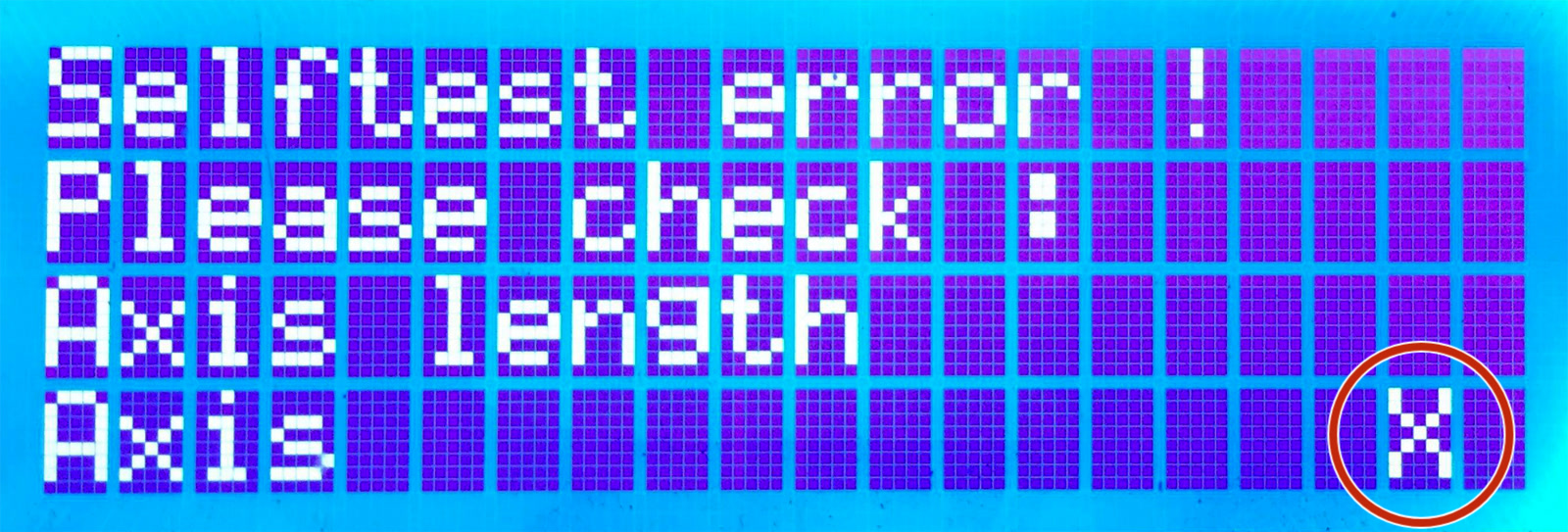
                  The length of the respective axis is determined on the Original Prusa MK3/MK3S/MK3S+ and MMU2S printers using the Trinamic stepper-drivers, which are detecting the end of each axis by the rise of the current going to the motor. In rare scenarios, the printer movement may not indicate an issue, while the test fails.

                  Possible causes for X/Y-axis

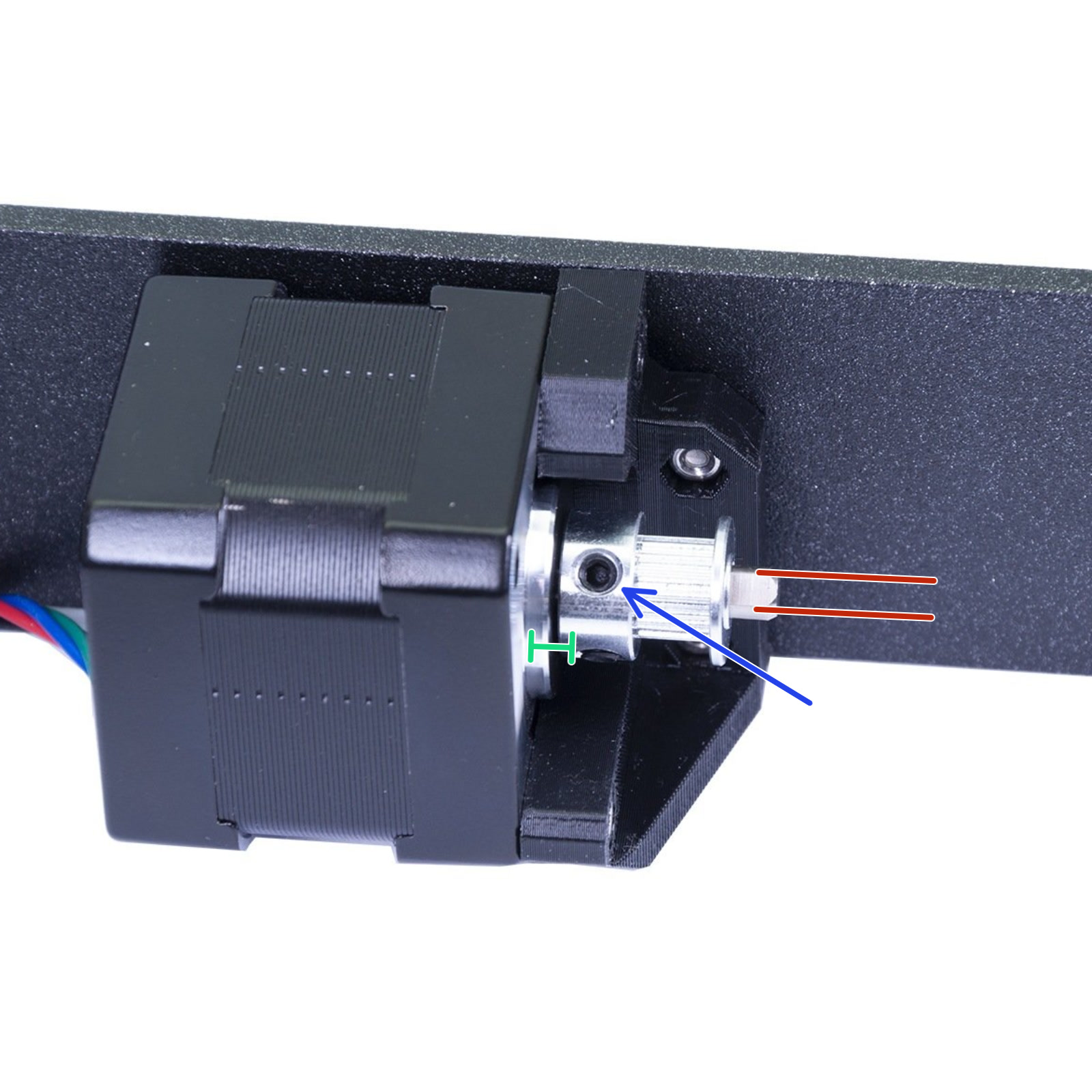
                  Most often it indicates an issue on the hardware level, and as it is the same method used for Crash detection on the Original Prusa MK3/MK3S/MK3S+ printers, the issue should initially be troubleshot the same way. Check that belts and pulleys are installed as is shown in the Assembly manual, and make sure the axis can move smoothly along the full length of the axis, in both directions. Nothing should be loose. Make sure the pulley set-screw is secured on the flat side of the motor shaft. See Crash detection for more information.
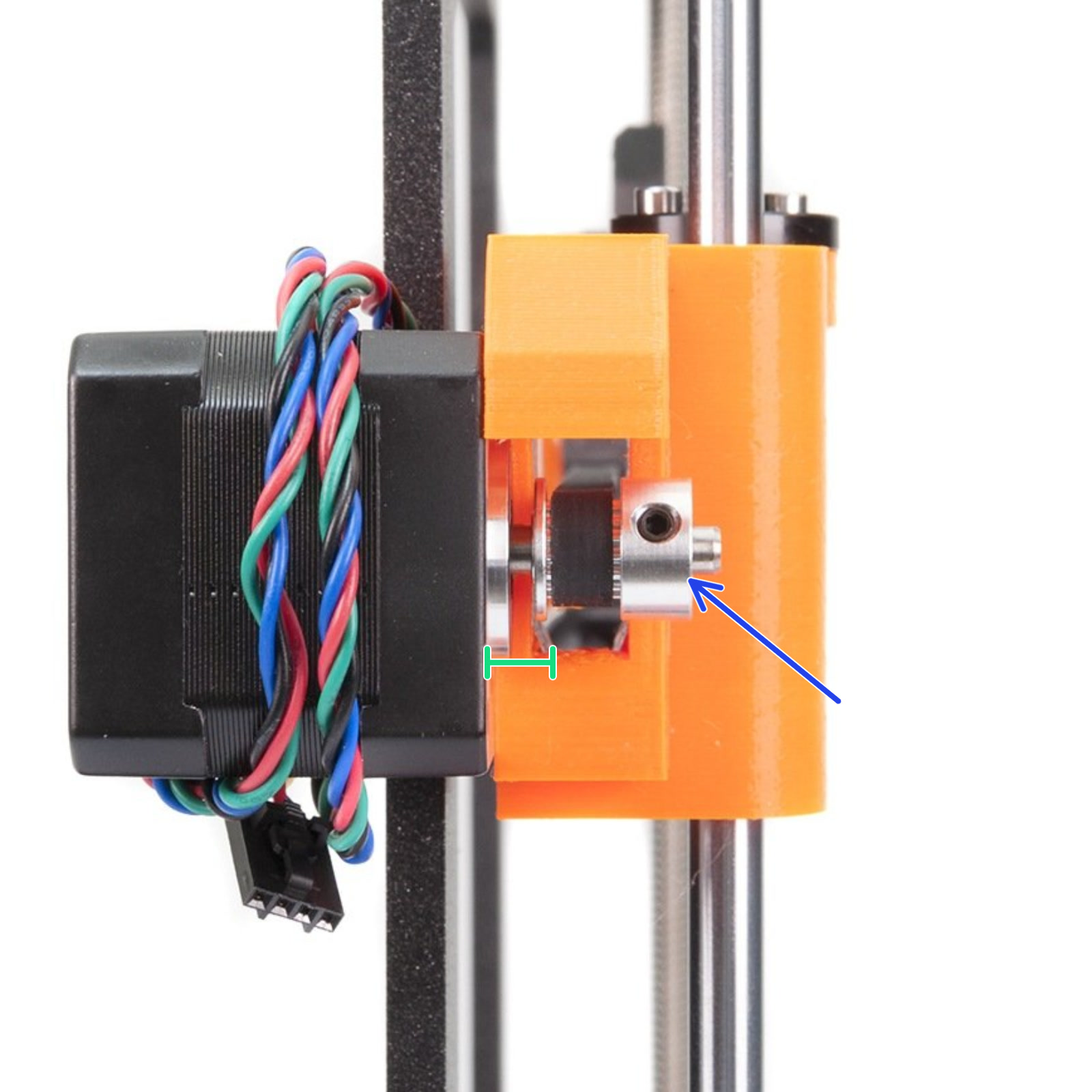
                  Correct X-axis pulley orientation and position.Correct Y-axis pulley orientation and position.

                  Take a look at the extruder from behind, make sure that the cable bundle with the textile sleeve (or spiral wrap) isn't too wide, and touching the frame of the printer before the extruder can move to the initial position.

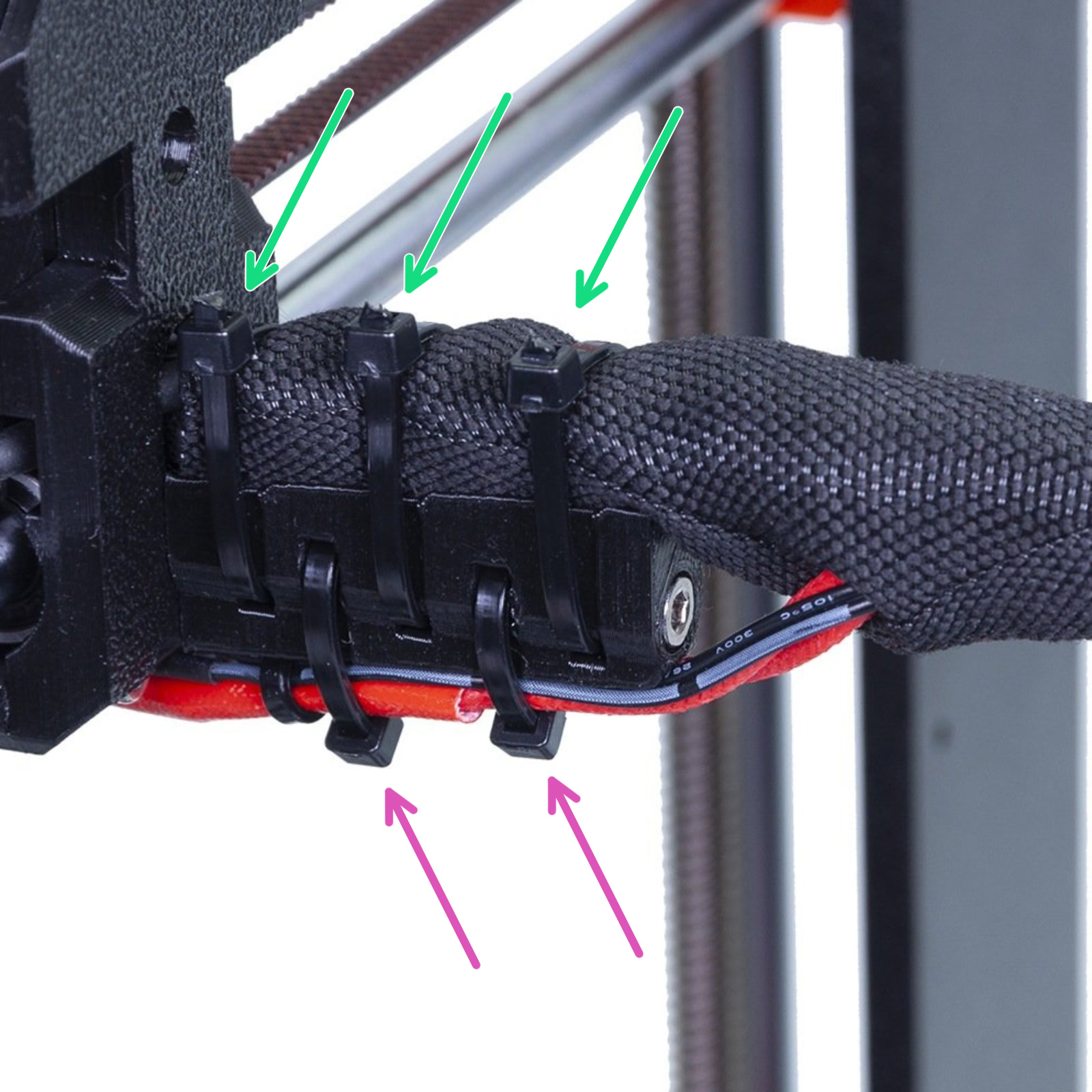
                  Position of zip ties on the cable-holder

                  Make sure the zip ties are situated exactly like instructed in the assembly manual. You want the top zip ties on the very top (green arrows) or cleanly against the printed cable-holder. Zip ties must not interfere with either end of the axis Einsy-door or the PSU. Move the extruder to each end and check if the zip ties are touching either end.

                  In general, always make sure your cable management and assembly of the extruder is exactly as instructed in all steps of the assembly manual.

                  The bottom zip ties holding the heater and thermistor cable must also be positioned so they do not interfere with the ends of the axis (purple arrows), but also do not touch the Heatbed-cable-cover. Make sure they are cut flush with the head of the zip tie.
                  Possible causes for Z-axis

                  The main end-stop of the Z-axis is the P.I.N.D.A. sensor, so you should first make sure this is not set too high or not working correctly. See P.I.N.D.A./SuperPINDA Sensor testing for more information.

                  However, more often there is an issue with your assembly, which interferes with the distance traveled. You need to look over your assembly and pay extra attention to the orientation of the Trapezoid nuts (Z lead screw). A section of its threads should be inside the printed part, not protruding up from the printed part. The highest point should be the M3 bolts securing the Trapezoid nuts. Also, if the error occurs during calibration, make sure nothing is touching the bed, i.e. a zip-tie on the bundle of cables.
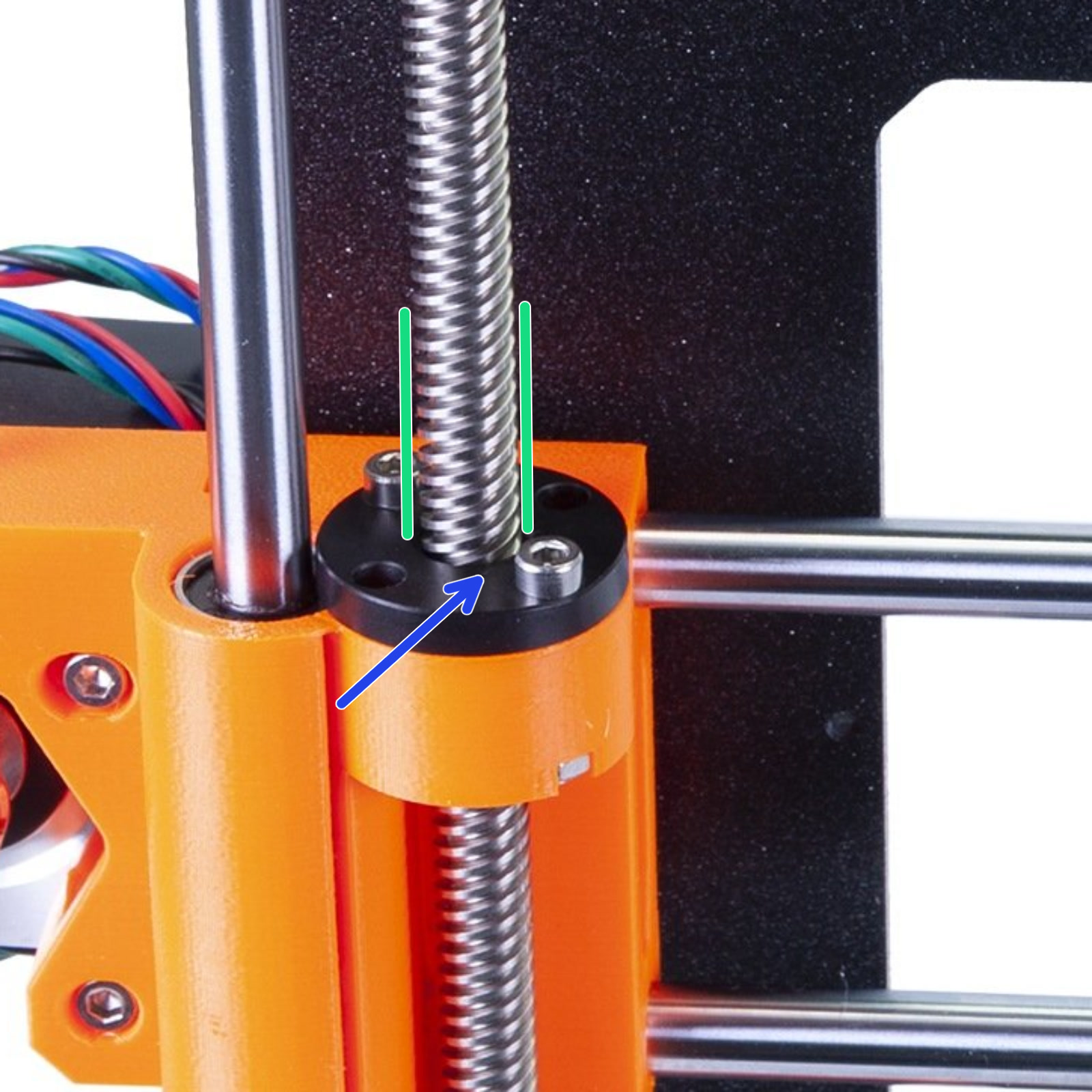
                  Correct orientation of the Trapezoid nut (Z lead screw).

                  Another possible cause is that you have loaded an incorrect version of the firmware. For instance, the extruder for the Original Prusa MK3 and MK3S/MK3S+ are of different size, and therefore have a different length of expected travel. Always make sure you are using the correct firmware.

                  For more info on issues with the Z-axis, please see Failing Z calibration (MK3S/MK2.5S).

                  Lubrication

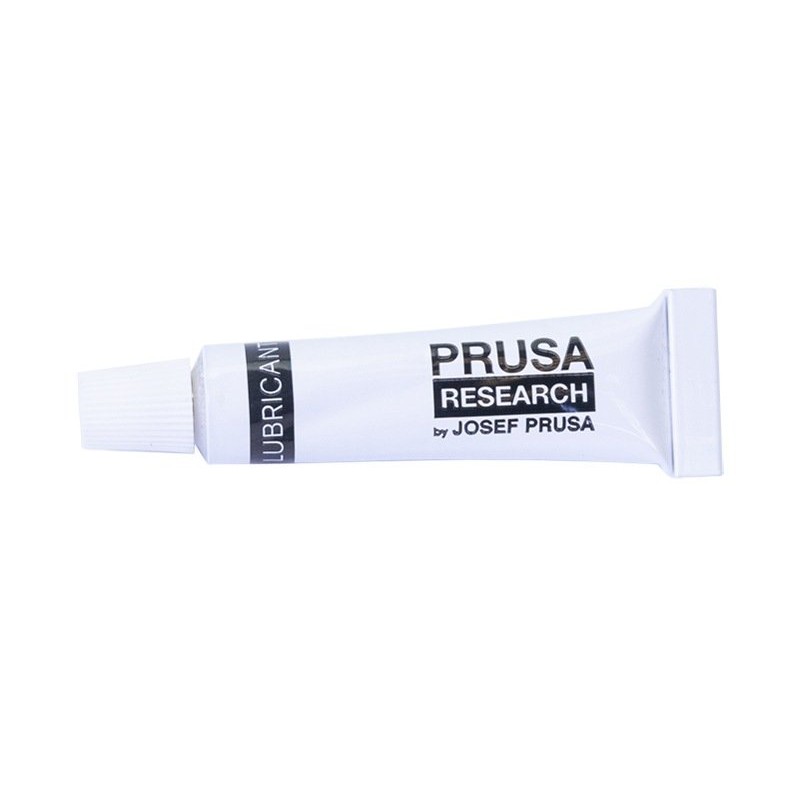
                  Try to lubricate the smooth rods, as instructed in Maintenance tips. The Original Prusa MK3S/MK3S+ is supplied with a tube of lubricant.
                  Was this article helpful?
                  This action is available only to registered users. Please log-in.

                  Topics

                  • Calibration
                    • Calibration Error Messages
                      • Calibration failed
                      • Distance between tip of the nozzle and the bed surface has not been set yet
                      • Static memory has been overwritten
                      • Printer has not been calibrated yet
                      • XYZ-calibration error-messages (MK3/MK3S/MK3S+)
                      • Check Axis Length X/Y/Z (MK3S)
                    • Basic calibration
                    • Advanced calibration

                  25 comments

                  Log in  to post a comment
                  barjammar
                  •
                  I solved the problem.  When I tried to move the bed by hand it jammed.  Turns out the was a black plastic printed part stuck in the y axis motion mechanism.  I must have dropped it while assembling the articulating raspberry pi camera mount from printables.  The black was difficult to see!
                  Reply
                  karthikvjit
                  •
                  I have been facing the issue of Y-Axis length error during the self test. 
                  I have tried:
                  1. Lubricating the Y axis rods
                  2. Ensuring to move the pulley away from the motor head as suggested above.
                  I could not resolve the Y-axis length error inspite of above changes. If anyone has inputs on what else could have went wrong in my assembly, please let me know.
                  Reply
                  Alessandro Pantaleo
                  •

                  Hello! Thank you for the message and sorry for the late response here. If this is still an issue, I'd recommend contacting our Customer Support, so that we can see some videos of the failed test to see all movements from start to fail and better evaluate from there. 

                  Other common causes could be related with the pulley: not only we'd need to leave a small space between pulley and motor, but also we'd need to ensure that one of the set screws on the motor pulley is aligned with the flat part of the motor shaft. The other set screw, not aligned with the flat part of the motor shaft, should also be sufficiently tight, though not excessively. 

                  Another very common cause is related with the belt tension. A slightly too tight or too loose belt tension could cause the length error. Here we have a detailed article on belt tension and how to adjust it. 

                  Reply
                  edwinm
                  •
                  I used my printer for years, but had to replace an item. After assembling, it wouldn't pass the XYZ calibration. Tried many times.
                  It passed when I turned off the printer, moved the carriage to the left, turned on the printer and redid the calibration.
                  Reply
                  Same Old Shane
                  •
                  it might be a few different things, but in cases where troubleshooting is needed and you need assistance, you might want to contact our help desk directly either via email ( [email protected]  ) or via our online chat located on the main site, in the lower right hand corner of the web site
                  Reply
                  WPolk
                  •
                  Thank you, I had the same issue and your solution worked for me!
                  Reply
                  Foggie133
                  •
                  trying to run my first selftest so i can finally start using my printer. getting a "axis length" error , axis x. im including a link to the video if anyone is willing to take a look.
                   
                  https://photos.app.goo.gl/2WHwtELhRLj9xjvk9
                   
                   
                  thanks for any help you can offer
                  Reply
                  Giuliano - Official Prusa CS
                  •
                  Hello. Errors on the axis are usually due to assembly mistakes like incorrect belt tension or some cable in the way. Better contact the tech support via email or live chat for troubleshooting.
                  Reply
                  Joshua C
                  •
                  My Y-Axis error was caused because I had placed the pulley to close to the face of the motor. It worked when the movements were going in a consistent direction, but when the print started to make complex moves this caused binding. When I moved the pulley away slightly, it fixed the problem.
                  Reply