No items yet.
PrusaSlicer is an open-source, feature-rich, frequently updated tool that contains everything you need to export the perfect print files for your 3D printer.
Prusa Connect is a cloud service enabling remote control and monitoring of your 3D printers, offering secure data handling, easy setup, and support for managing multiple printers from anywhere.
Control your printer/s remotely from anywhere using the Prusa Connect technology behind. Prusa.app brings a new level of Prusa printer experience to Android and iOS phones.
Prusa Academy offers online courses on various 3D printing related topics. Each course features:
We are the largest maker of 3D printers in Europe and the United States.
Founded as a one-man startup in 2012 by Josef Prusa, a Czech hobbyist, maker, and inventor. In just 15 years, we've grown into a company of more than 1,200 people. Every month, we design, build, and ship over 10,000 innovative and secure 3D printers from our headquarters in Prague, Czech Republic, and Delaware, USA, to users in more than 160 countries.
Watch a video and find out how Prusa Research was born and what we achieved within only 10 years!
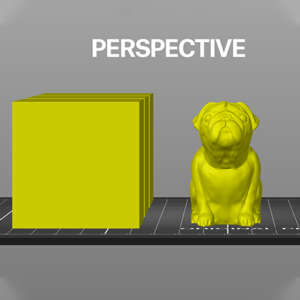
パースカメラとオルソグラフィックカメラは、「K」を使って、または上部ツールバーの「設定」-「環境設定」-「パースカメラを使用」にチェックを入れて、素早く切り替えることができます。どちらのカメラにも利点があり、ニーズに応じて切り替えると効果的です。 パースペクティブカメラ(初期設定) パースペクティブカメラでは、奥行きに関する情報がより多く得られ、遠くにあるオブジェクトは近くにあるオブジェクトよりも小さくなります。パースペクティブビューとは、現実世界で人間の目によって見られるような景色に近くなります。 オルソグラフィックカメラ オルソグラフィックカメラは、工学の分野でよく使われるカメラです。すべての物体が同じ縮尺で表示され、平行線は平行のまま、長さの単位は図面上のどこでも同じ長さに見えるようになります。このため、相対的な大きさの判断やモデルの位置合わせが容易になります。
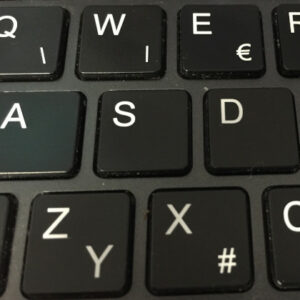
Almost every function of PusaSlicer can be accessed via a keyboard shortcut. In addition to that, many functions have an alternative mode that can be accessed with a modifier key.…
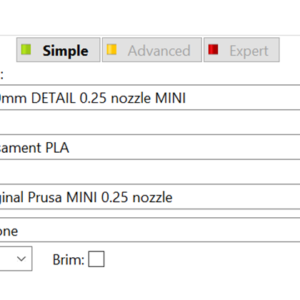
ユーザーインターフェースは、モードによって外観が変化します。右上のドロップダウンメニューでモードを切り替えることができます。 シンプルモードがある理由は、初心者やカジュアルユーザーのために、設定できる項目を取捨選択しているためです。モディファイアメッシュのような複雑な機能は隠され、ユーザーにはパラメータの基本的なサブセットのみが表示されます。 アドバンスモードでは、より多くのパラメータが表示され、エキスパートモードでは、PrusaSlicerのすべての機能にアクセスすることができます。パラメータの学習を容易にするために、パラメータを色分けしています。 緑…