0 点の商品がカートに入っています点の商品がカートに入っています
カートは空です
マイプロフィール
ログイン すると注文や保存した商品を確認できます
ログイン中:
安定したリリース PrusaSlicerの最新の安定版リリースは、常に DRIVERS & APPSパッケージ にあり、Windows、Mac OS X、およびLinuxで利用できます。パッケージにはテストオブジェクトとプリンタードライバーも含まれていますが、PrusaSlicerのみのインストールを選択することができます。 PrusaSlicerのイントロダクションとダウンロードまたは私たちのGitHubから、コンピューターのスタンドアロンインストーラーをダウンロードすることもできます。 安定版リリースとは、可能な限り徹底的にテストされ、多数の公開アルファバージョンおよびベータバージョンを経たバージョンです。 アルファとベータリリース PrusaSlicerの急速な開発ペースについていきたいですか?開発ビルドには、最新の機能とバグ修正が含まれています。ただし、不安定になったり、クラッシュしたり、予期しない動作をしたりする可能性があります。本番環境で開発ビルドを使用することはお勧めしません。ダウンロードと詳細については、私たちのGitHub…
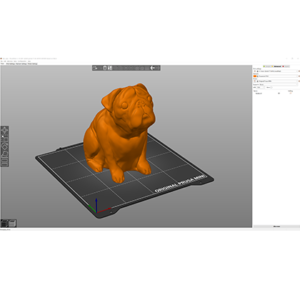
初めてPrusaSlicerを使用してプリント用のgcodeまたはbgcodeを生成する場合、以下の手順に従ってください。 利用可能な機能の詳細については、リンクをクリックしてください。 以下の画像は古いPrusaSlicerバージョンのものかもしれませんが、インターフェースが異なっていても機能は同じです。 モデルのインポート まず、モデルをインポートする必要があります。PrusaSlicerウィンドウに直接ドラッグアンドドロップするか、上部ツールバーの追加ボタンを使用するか、ファイル…
Q: PrusaSlicerは無料ですか? A: はい。また、オープンソースであるため、誰でも開発に貢献することができます。私たちのGitHubをチェックしてみてください。 Q: 他のプリンタ(純正品以外)でも使用できますか? A: はい。コミュニティでは、多くのメーカーのプリンタ用のプロファイルを作成されています。その多くはPrusaSlicerに組み込まれており、設定ウィザードで追加することができます。まだ組み込まれていないプリンタについては、そのプリンタのFacebookグループやフォーラムをチェックするとプロファイルが作成されている可能性がありますので、それをダウンロードし、手動でインポートすることで使用することができます。 Q:…