Prusa
  • SHOP
    • Learn more
    • All deals
    3D printers
    • CORE One+ (Gen2)
    • CORE One L+
    • XL+
    • MK4S
    • Mini+
    • HT90
    Consumables and Merch
    • Prusament
    • Resin
    • Buddy filament
    • Merch
    • Accessories
  • BOUTIQUE
    • Derniers produits
    PAR CATÉGORIE
    • Imprimantes 3Dnouveau
    • Upgradesnouveau
    • Matériaux
    • Accessoires
    • Pièces de rechange
    • Cours
    • Produits dérivés
    • Sales inquiry & Price quote
    LIENS RAPIDES
    • Shipping information
    • Refunds & returns
    • Payment options
    • Garantie
    • TVA et frais de douane
    • FAQ

    0 article au panierarticles au panier

    Votre panier est vide

    Voir le panierImprimantes 3D

    Mon profil

    Se connecter pour voir vos commandes et articles enregistrés

    Mon profil

    Connecté en tant que

    • Commandes
    • Déconnexion
  • Impression 3D
    • Explorer l'impression 3D
    POUR LES DÉBUTANTS
    • Impression 3D : les bases
    • Types of printers (FDM/SLA)
    • How to choose a 3D Printer
    • Printables (3D models)
    PAR APPLICATION
    • Prototypage rapide
    • fabrication
    • Ingénierie
    • Recherche
    • Arts et design
    ALLER PLUS LOIN
    • Guide des matériaux
    • Cours
    • Webinaires
    • Études de cas
    • Impression 3D personnalisée
  • Imprimantes 3D
    • Toutes les imprimantes 3D
    pour
    • Maison ou garageAmateurs, bricoleurs et impression à domicile
    • Shop or studioProduction interne pour les petites équipes
    • EntrepriseFlottes, sécurité et échelle
    • How to choose a 3D Printer
    ACHETER ET NAVIGUER
    • CORE One+nouveau
    • CORE One+ INDXnouveau
    • CORE One L+nouveau
    • CORE One L+ INDXnouveau
    • XL+nouveau
    • MK4S
    • Prusa PRO HT90
    • Prusa Pro AFS
    • Prusa PRO SLX
    PLUS D'IMPRIMANTES
    • Upgradesnouveau
    • Spare parts
    • Infrastructure critique
    • Études de cas
    • Chêne Signature
    • Kits
  • Matériaux
    • Tous les matériaux
    PAR UTILISATION
    • Quotidien et design
    • Ingénierie fonctionnelle
    • Composites
    • Spécialité pro
    • Résines SLA
    Prusament
    • PLA
    • PETG
    • ASA
    • PC
    • PA11
    • Flex
    • TPU
    PLUS DE MATÉRIAUX
    • Guide des matériaux
    • Nous fabriquons nos matériaux en interne
    • Durabilité
    • Commander sur la boutique
  • Logiciel
    • Tous les logiciels
    PRÉPARER L'IMPRESSION
    • PrusaSlicer 3.0nouveau
    IMPRIMER ET SURVEILLER
    • Prusa Connect
    • EasyPrint
    • Application iOS et Android
    • Ferme Prusa
    COMMENCER
    • Télécharger et installer
    • Base de connaissances
    PLUS DE LOGICIELS
    • Printables (3D models)
  • ASSISTANCE
    • Explorer l'assistance
    TROUVER DES RÉPONSES
    • Base de connaissances
    • Dépannage
    • Cours
    • Webinaires
    OBTENIR DE L'AIDE
    • Contactez-nous
    • Chat en direct
    • Shipping information
    • Garantie
    • Refunds & returns
    • Spare parts
    • Factory repair
    Communauté
    • Forum
    • Reddit
    • Printables
  • Centre de confiance
    • Aperçu du Trust Center
    PAR SUJET
    • RGPD
    • Certificats
    • Sécurité
    • Conformité
    ENGAGEMENTS
    • Rapport de durabilité
    PARLEZ-NOUS
    • Contacter l'équipe de sécurité
  • Entreprise
    • À propos de Prusa
    APPRENEZ À NOUS CONNAÎTRE
    • Notre histoire
    • Comment nous fabriquons les imprimantes
    • Open source
    • Kit de marque et de médias
    ACTUALITÉS
    • Blog
    • Salle de presse
    • Événements
    CONFIANCE ET PARTENAIRES
    • Durabilité
    • Revendeurs et distributeurs
    • Programme d'affiliation
    • Contact
    • English
    • Čeština
    • Deutsch
    • Español
    • Français
    • Italiano
    • Polski
    • 日本語
  • Connecté en tant que

    • Commandes
    • Adresse
    • Alertes de stock
    • Mes cours
    • Abonnement
    • Modifier le compte
    • Déconnexion

Se connecter pour voir vos commandes et articles enregistrés

Connecté en tant que
  • Commandes
  • Adresse
  • Alertes de stock
  • Mes cours
  • Abonnement
  • Modifier le compte
  • English
  • Čeština
  • Deutsch
  • Español
  • Français
  • Italiano
  • Polski
  • 日本語
Boutique

0 article au panierarticles au panier

Votre panier est vide

Voir le panierImprimantes 3D

Mon profil

Se connecter pour voir vos commandes et articles enregistrés

Mon profil

Connecté en tant que

  • Commandes
  • Déconnexion
BOUTIQUE
  • Derniers produits
PAR CATÉGORIE
  • Imprimantes 3Dnouveau
  • Upgradesnouveau
  • Matériaux
  • Accessoires
  • Pièces de rechange
  • Cours
  • Produits dérivés
  • Sales inquiry & Price quote
LIENS RAPIDES
  • Shipping information
  • Refunds & returns
  • Payment options
  • Garantie
  • TVA et frais de douane
  • FAQ

Produits en vedette

    Catégories populaires

      Recherches populaires

        Articles

          Blog

            Produits

              Catégories

                Recherches suggérées

                  Recherche…
                  Aucun résultat
                  Une erreur est survenue.
                  ↑↓ Sélectionner↵ OuvrirEsc Fermer la recherche
                  1. Support
                  2. Informations générales
                  3. OpenPrintTag - NFC filaments with Prusa App
                   

                  Contenu

                  • How to read data from filament
                  • Adding material from Material Database
                  • How to adjust data if printing on a printer without NFC or without automatic NFC writing
                  • How to correctly load refill material onto an empty NFC spool
                  • How to use empty NFC tag for 3rd party materials

                  Blog

                  • La Hotend HT 400°C est sortie ! Plus : Nouveaux matériaux et plaque HighTemp pour les CORE One+/L+.
                  • Blender pour l’impression 3D : Guide en 5 minutes pour l’édition de fichiers STL
                  • Granulés Prusament : lots de matières premières pour l’impression 3D grand format ou la recherche et le développement de polymères à petite échelle

                  Newsletter

                  Abonnez-vous et obtenez notre dose mensuelle d'informations utiles au sujet des nouveaux firmware, des nouvelles versions de PrusaSlicer et des conseils généraux pour les projets d'impression 3D.

                  En cliquant, vous acceptez de recevoir notre newsletter.

                  Ce site est protégé par reCAPTCHA Enterprise et la Politique de confidentialité et les Conditions d'utilisation de Google s'appliquent.

                  Heavy Duty Keyboard Holder (No Supports)
                  Boutique en ligne
                  • Imprimantes 3D
                  • Mises à niveau d'Imprimante
                  • Filaments
                  • Accessoires
                  • Merchandising Prusa
                  Prusa

                  © Prusa Research a.s.

                  Printables
                  • Modèles 3D
                  • Store
                  • Clubs
                  • Concours de Design 3D
                  • Brands
                  Communauté
                  • Carte du Monde
                  • Forum
                  • Groupes d'Utilisateurs
                  • Événements
                  Aide
                  • Aide Prusa
                  • Prusa Academy
                  • Calculatrices d'Impression 3D
                  Logiciel
                  • PrusaSlicer
                  • Prusa.app
                  • Prusa Connect
                  • Pilotes et Logiciels
                  Société
                  • À Propos de Nous
                  • Blog
                  • Revendeurs officiels Prusa
                  • Nous Contacter
                  • Certifiée selon les normes ISO 9001, ISO 14001 et ISO 45001
                  • Conditions Générales
                  • Conditions Générales d'Utilisation des sites web PRUSA
                  • Politique de confidentialité
                  • Informations sur les cookies
                  • Politique de traitement des réclamations clients
                  • Page d'état des sites web
                  • Paramètres des cookies
                  Prusa
                  • Conditions Générales
                  • Conditions Générales d'Utilisation des sites web PRUSA
                  • Politique de confidentialité
                  • Informations sur les cookies
                  • Politique de traitement des réclamations clients
                  • Page d'état des sites web
                  • Paramètres des cookies

                  © Prusa Research a.s.

                  JOSEF PRUSA®, PRUSA RESEARCH®, PRUSA POLYMERS®, PRUSA ORANGE®, PRUSA 3D ® ET PRUSAMENT® sont des marques déposées de Prusa Development a.s. utilisées par Prusa Research a.s. sous licence de Prusa Development a.s.

                  OpenPrintTag - NFC filaments with Prusa App

                  Pertinent pour

                  MK4 family
                  XL family
                  MK3.9 family
                  MK3.5 family
                  MINI family
                  +
                  Article est également disponible dans les langues suivantes
                  English
                  Čeština
                  Polski
                  Deutsch
                  Français
                  Español
                  Italiano
                  日本語

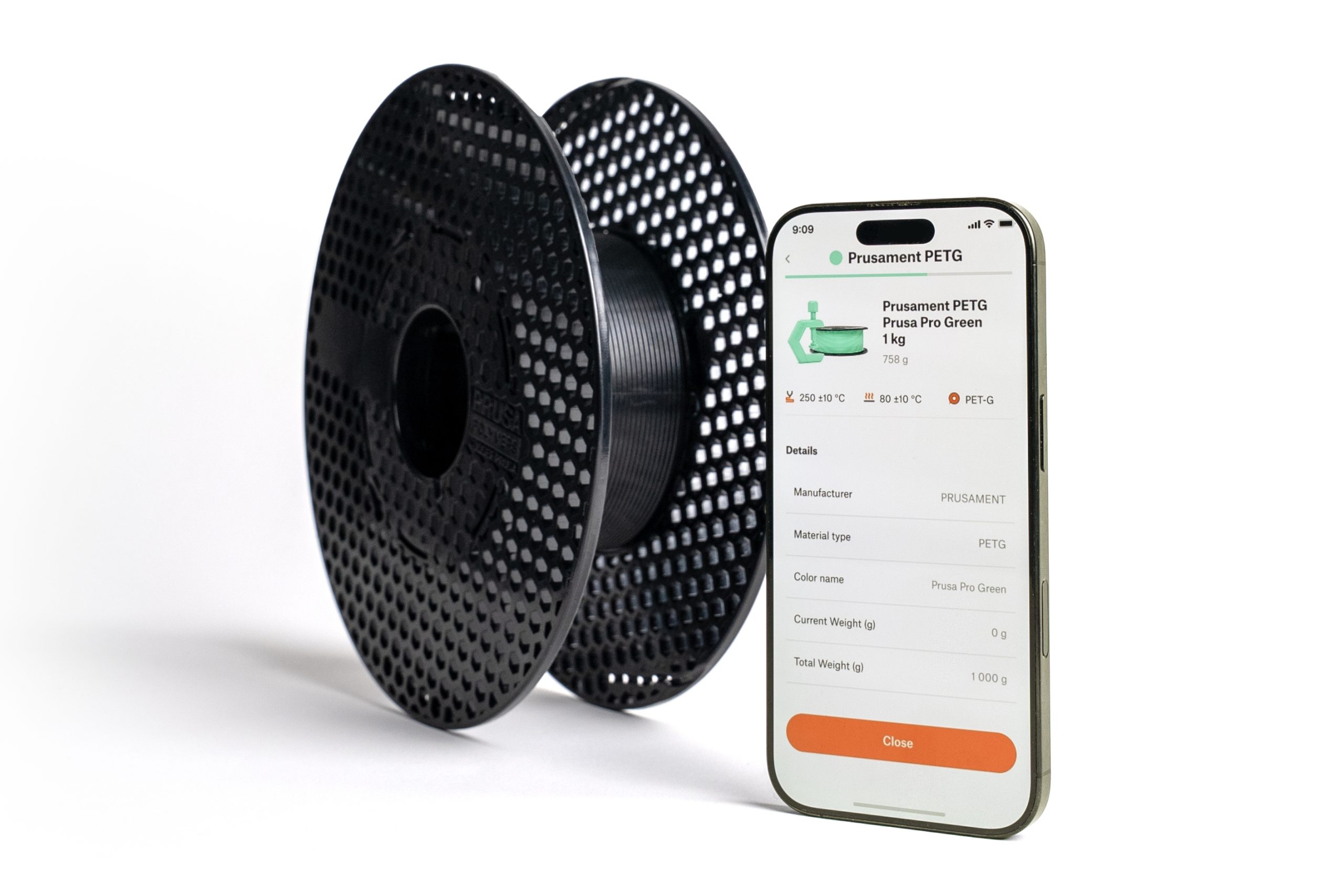
                  Our PrusaApp supports reading and writing NFC tag data for OpenPrintTag spools. 

                  How to read data from filament

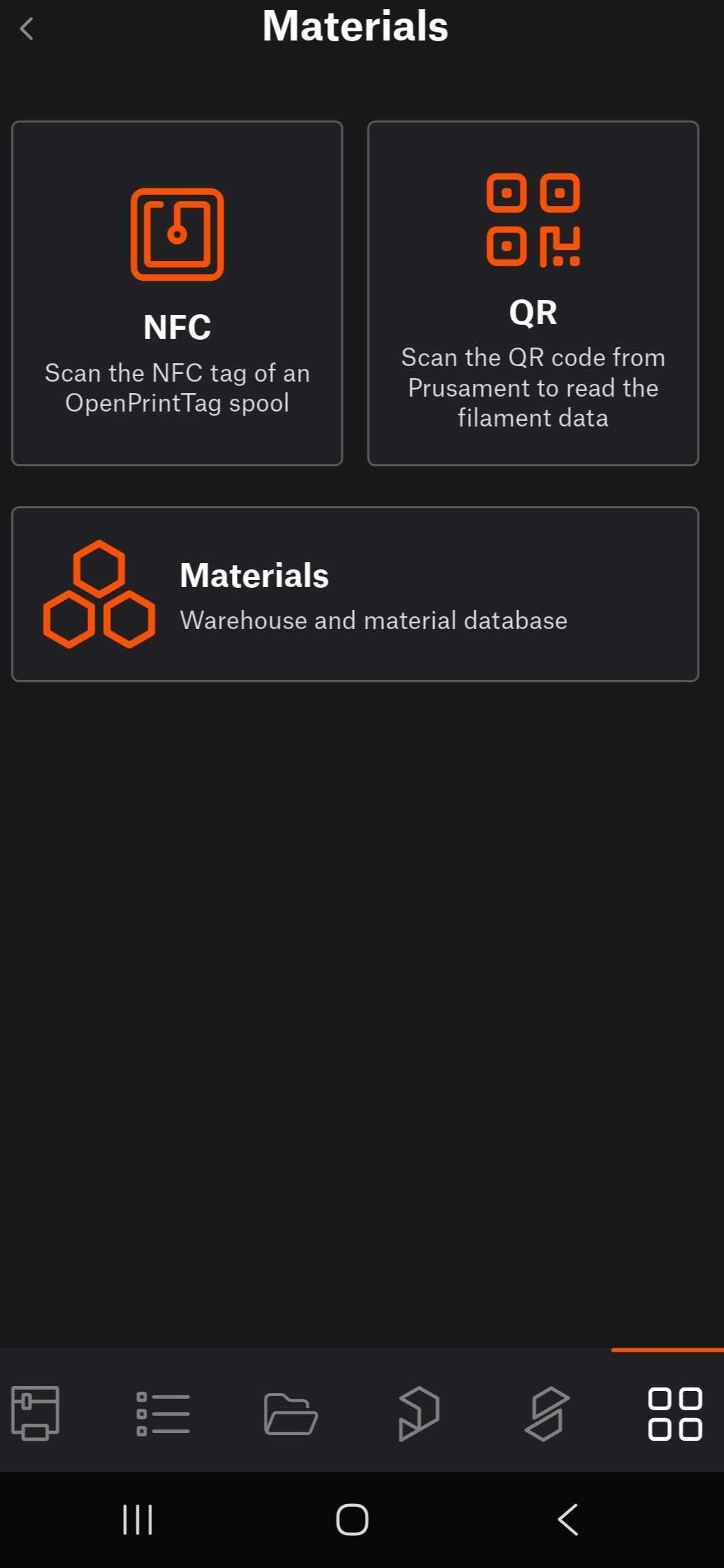
                  Navigate to the app's menu. Tap on Materials. 
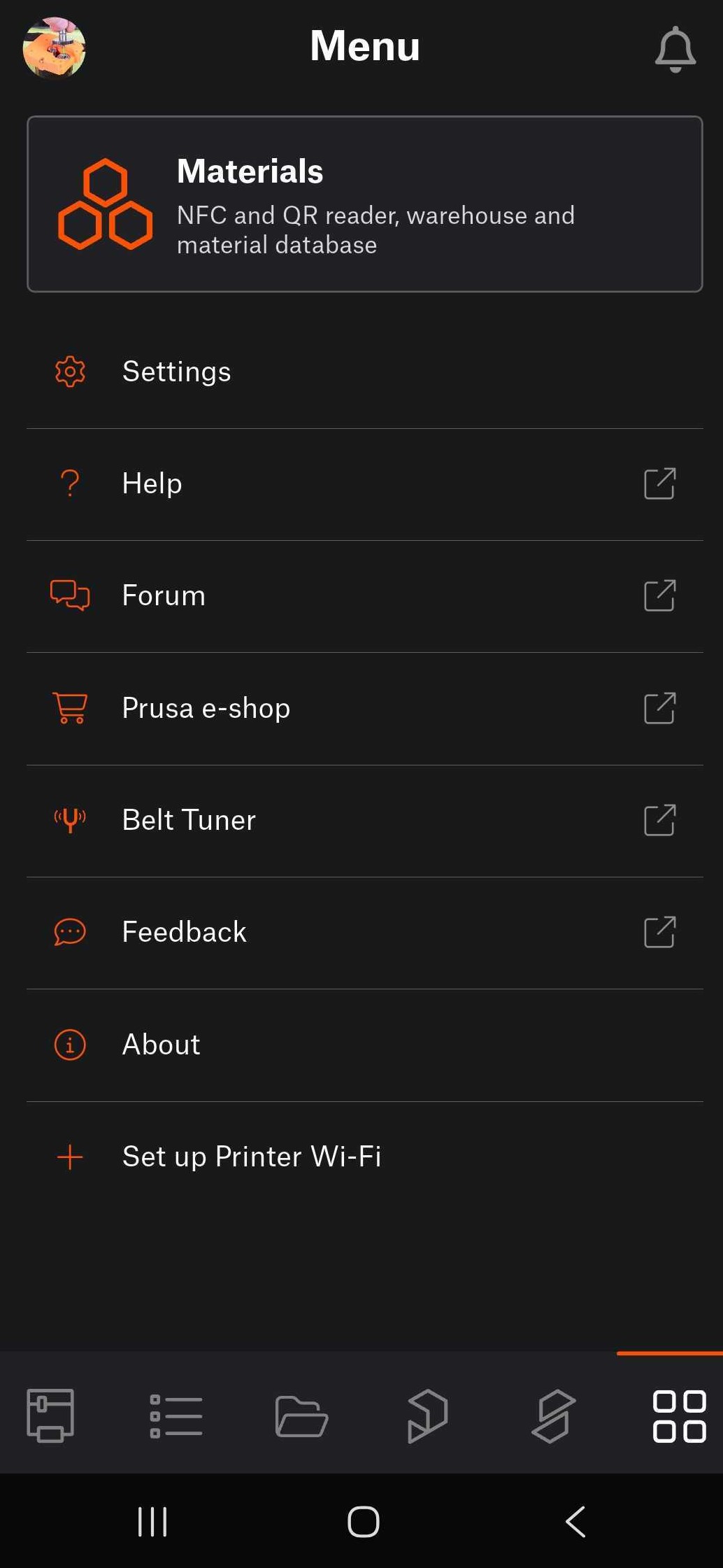
                  If the spool is equipped with NFC tag, tap on NFC, to scan the NFC tag of an OpenPrintTag spool. Hold the device close to the NFC tag on the spool. 
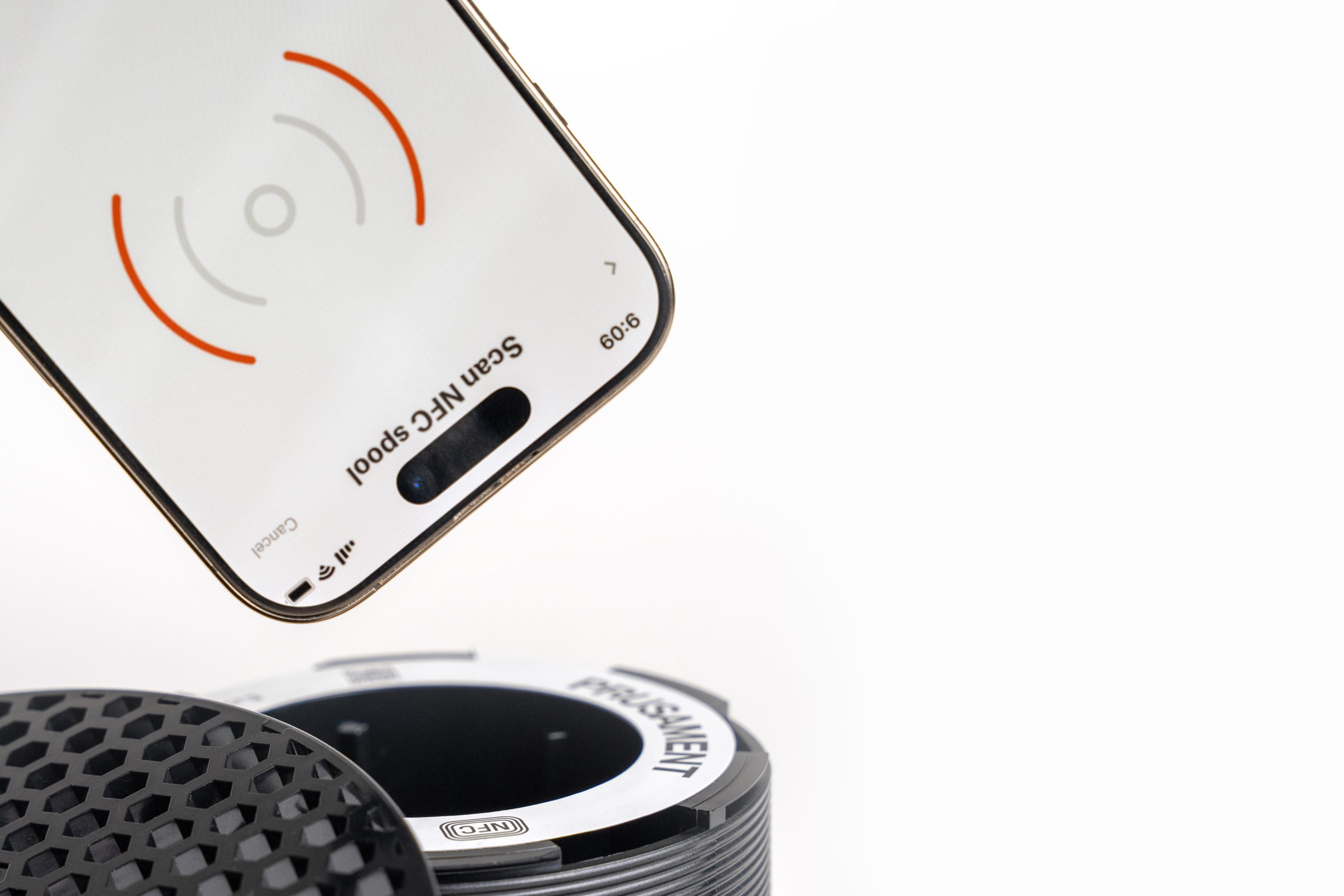
                  Depending on the phone model, the phone might need to lie flat against the side of the spool where the tag is located. For that reason, in such case, it is necessary to scan the tag with the filament outside of the spoolhoder. 

                  Alternatively, for Prusament spool equipped with QR code, tap on QR. This opens the device's camera to scan the QR code from the spool. 

                  Any loaded to the printer is visible and tracked in both Prusa Connect and Prusa App.

                  Adding material from Material Database

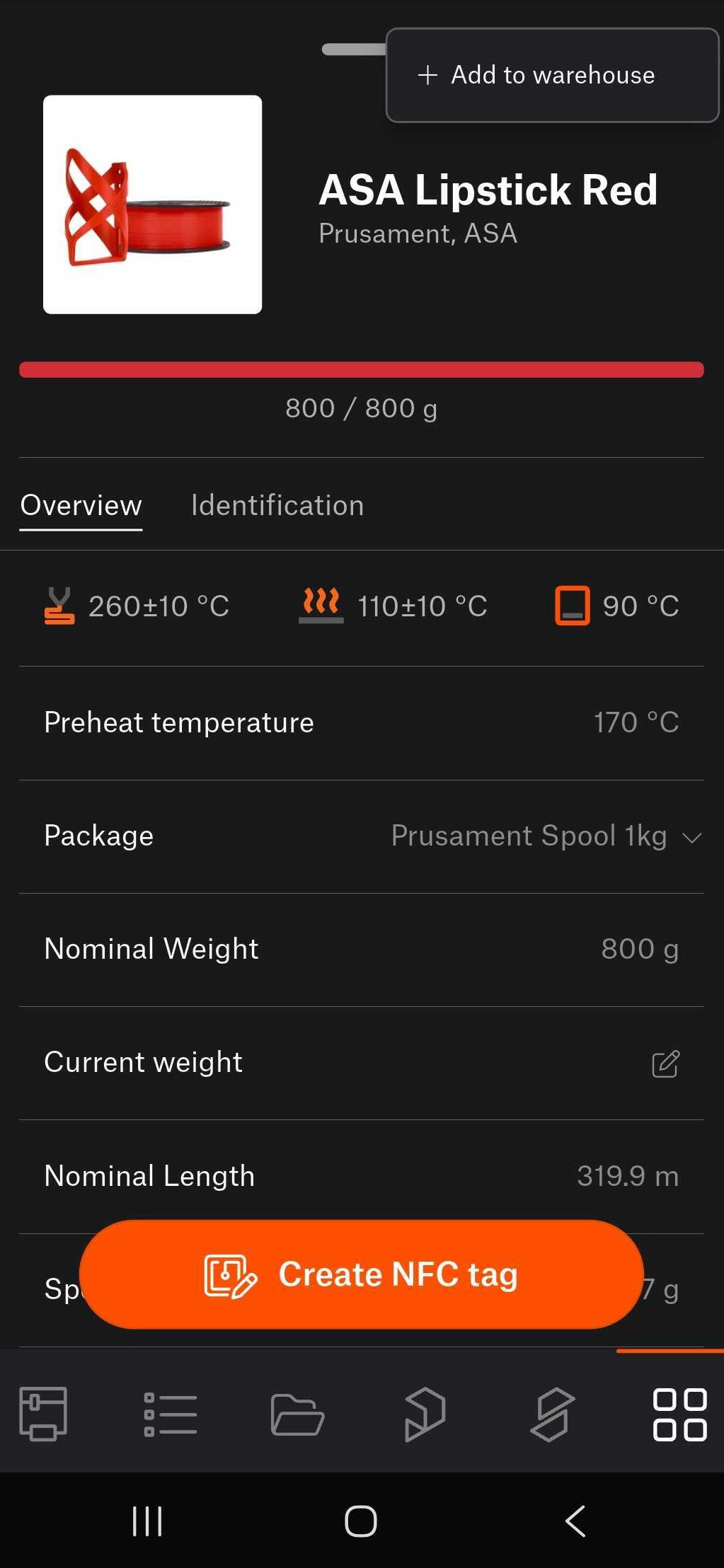
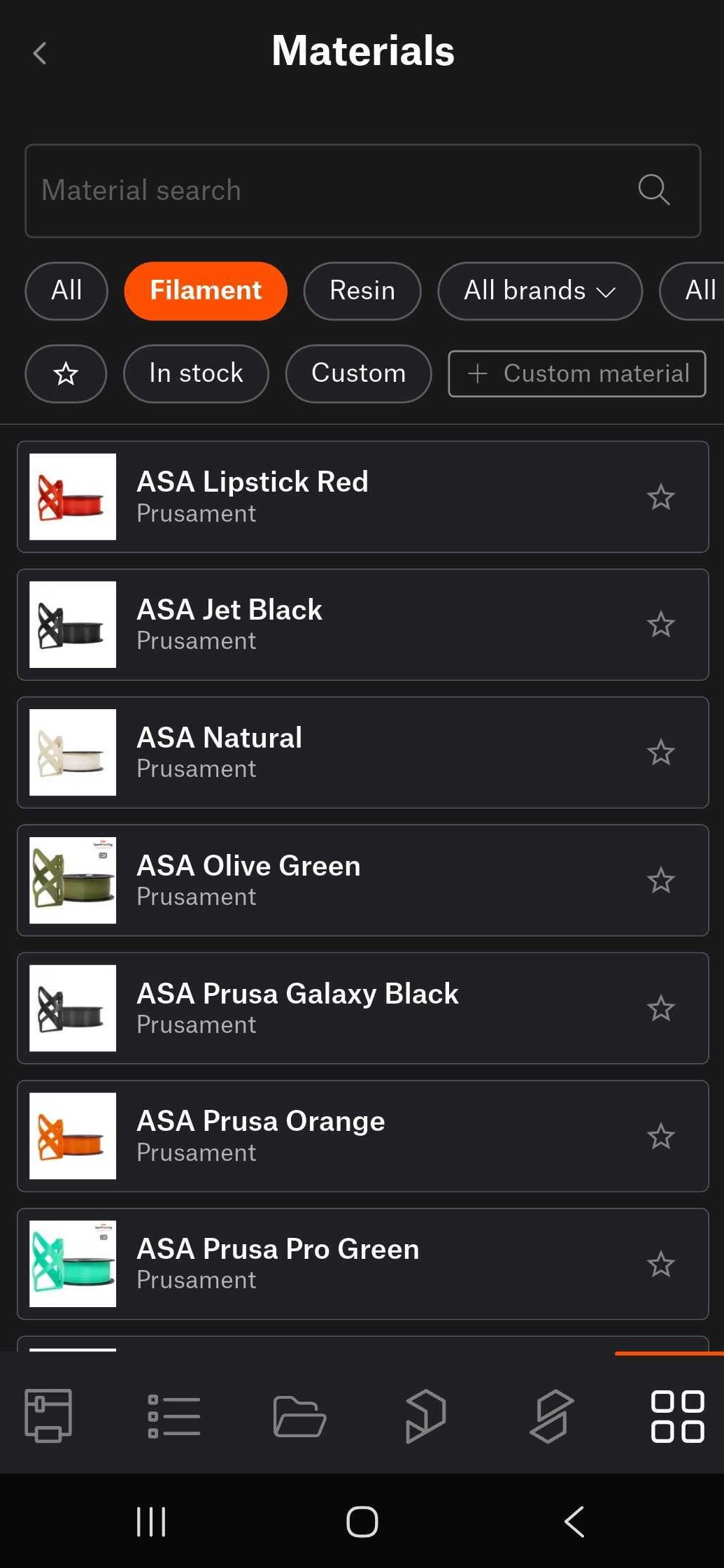
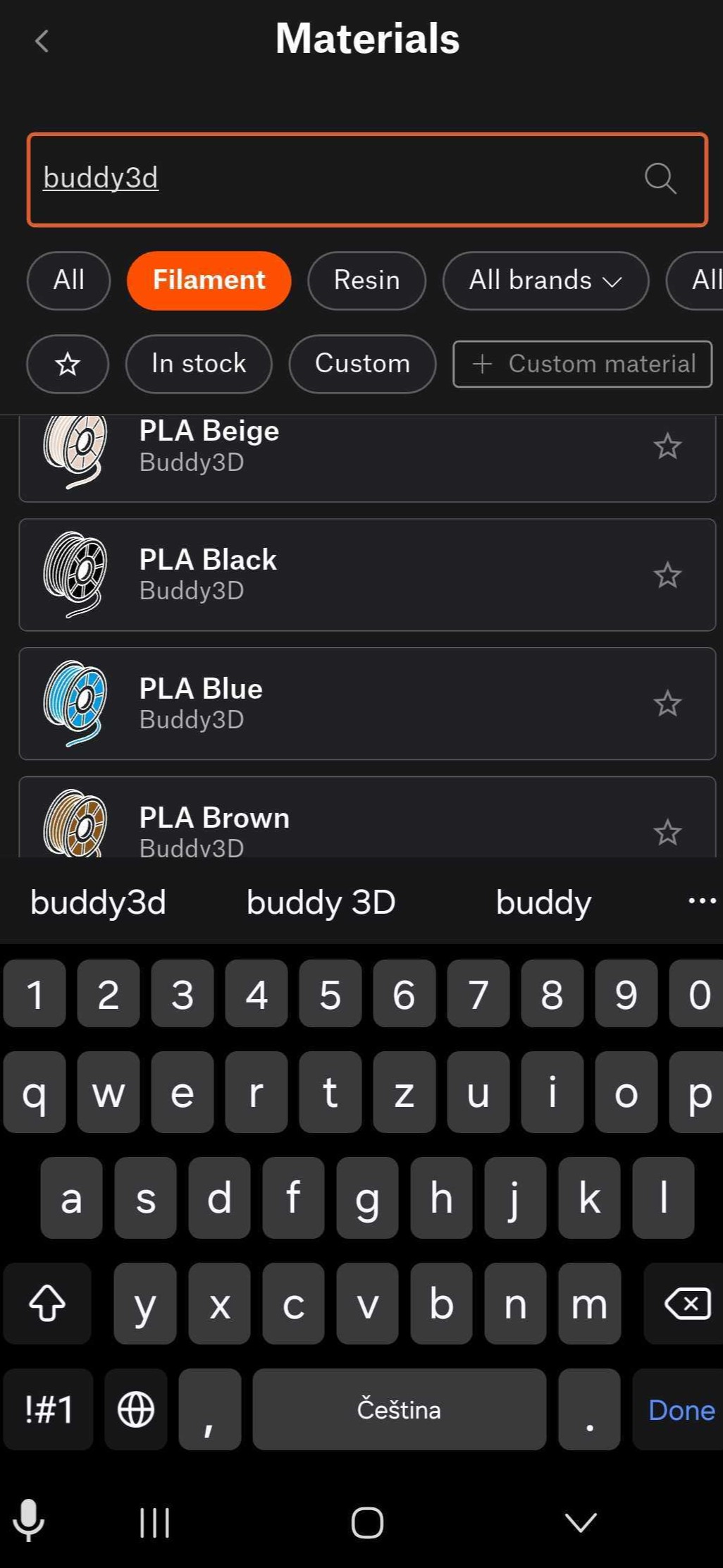
                  It is possible to save within the app materials that represent your spools. Navigate to Menu > Materials >Materials, to access our Material Database.

                  From there, select a spool by tapping it, then tap the top-right three button Add to warehouse. 
                  How to adjust data if printing on a printer without NFC or without automatic NFC writing

                  A printer equipped with NFC antenna and automatic NFC writing automatically reads the filament data as soon as it's loaded. 

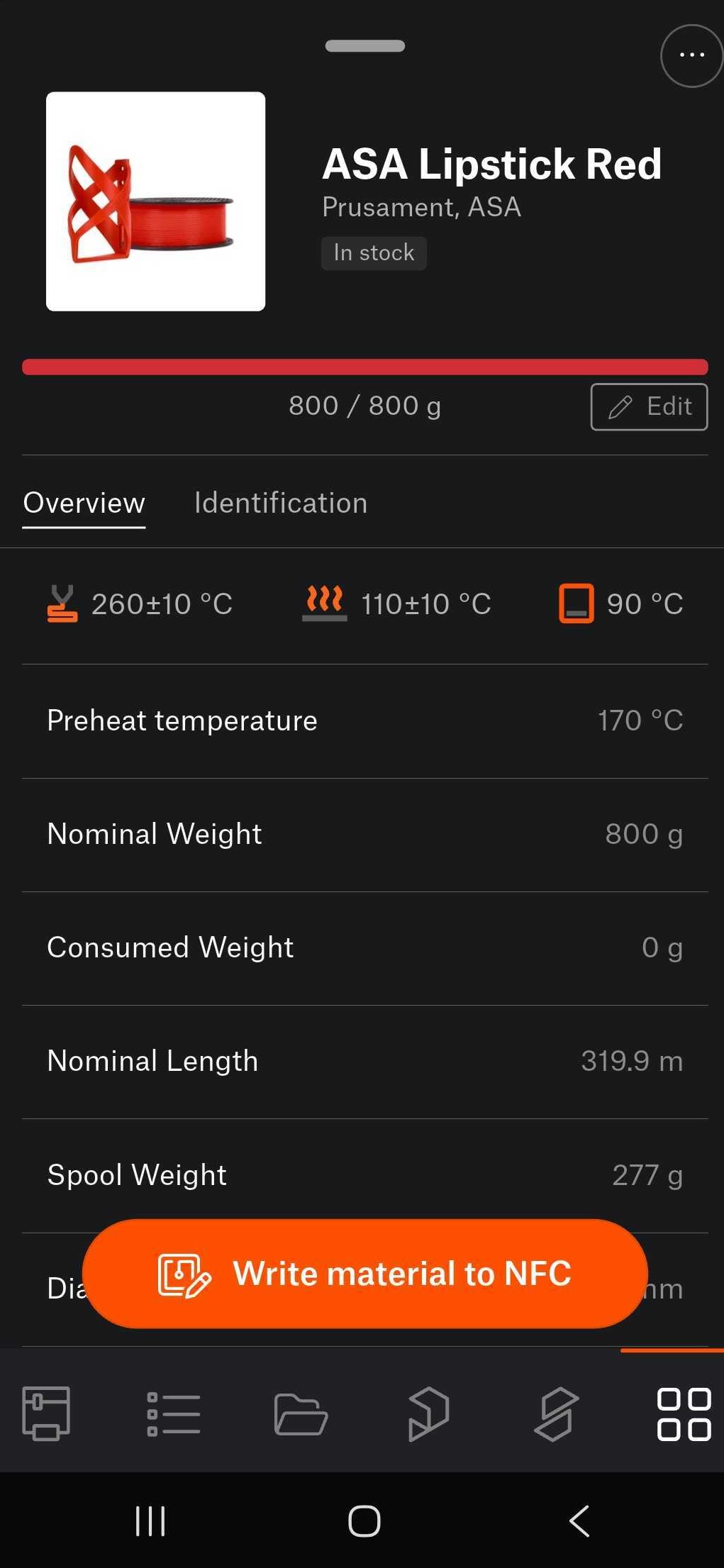
                  Manual adjustments are possible through the Material Database, accessible on Menu > Materials >Materials  

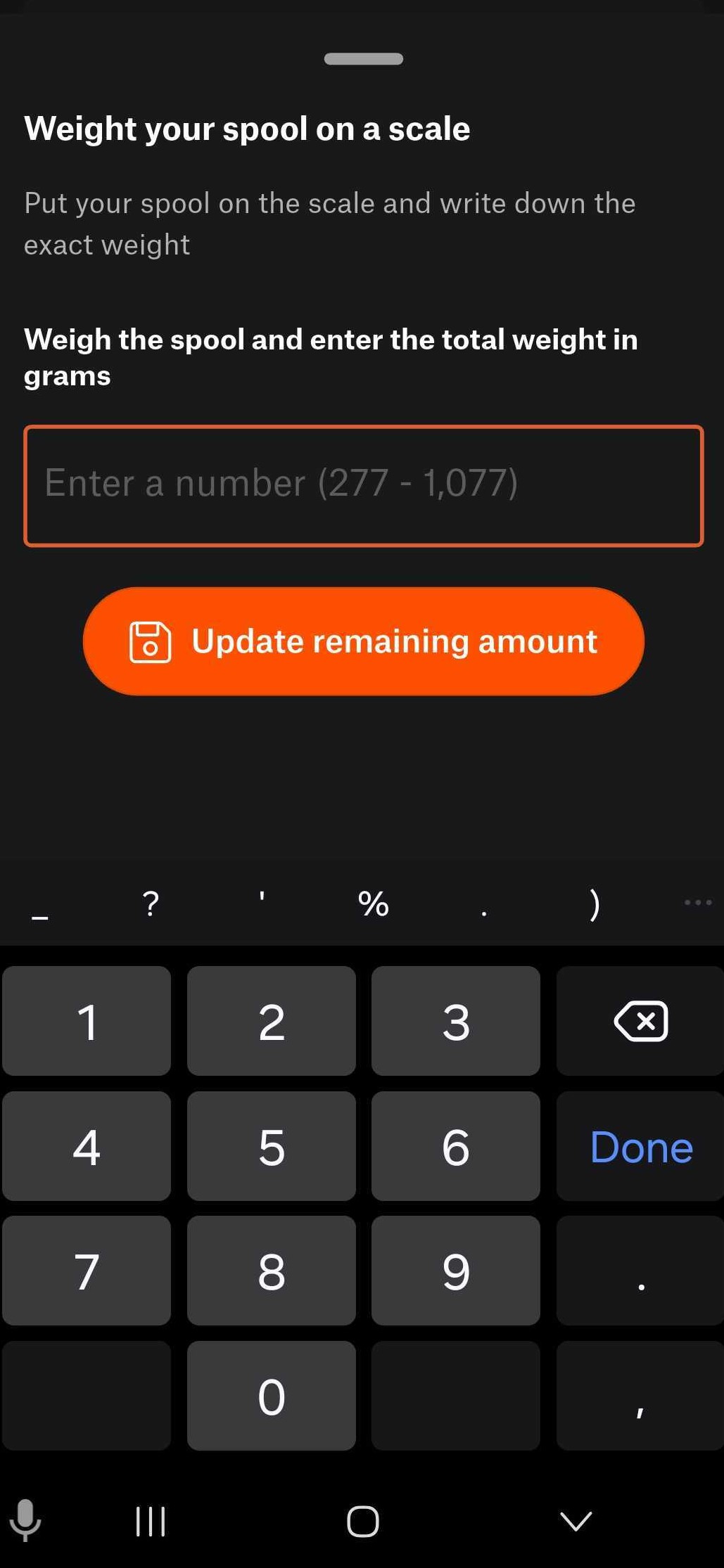
                  From there, navigate to a saved spool, select the spool, and tap the edit button. Weigh the material on a scale, and write the weight on the in-app field, to update it. 
                  How to correctly load refill material onto an empty NFC spool

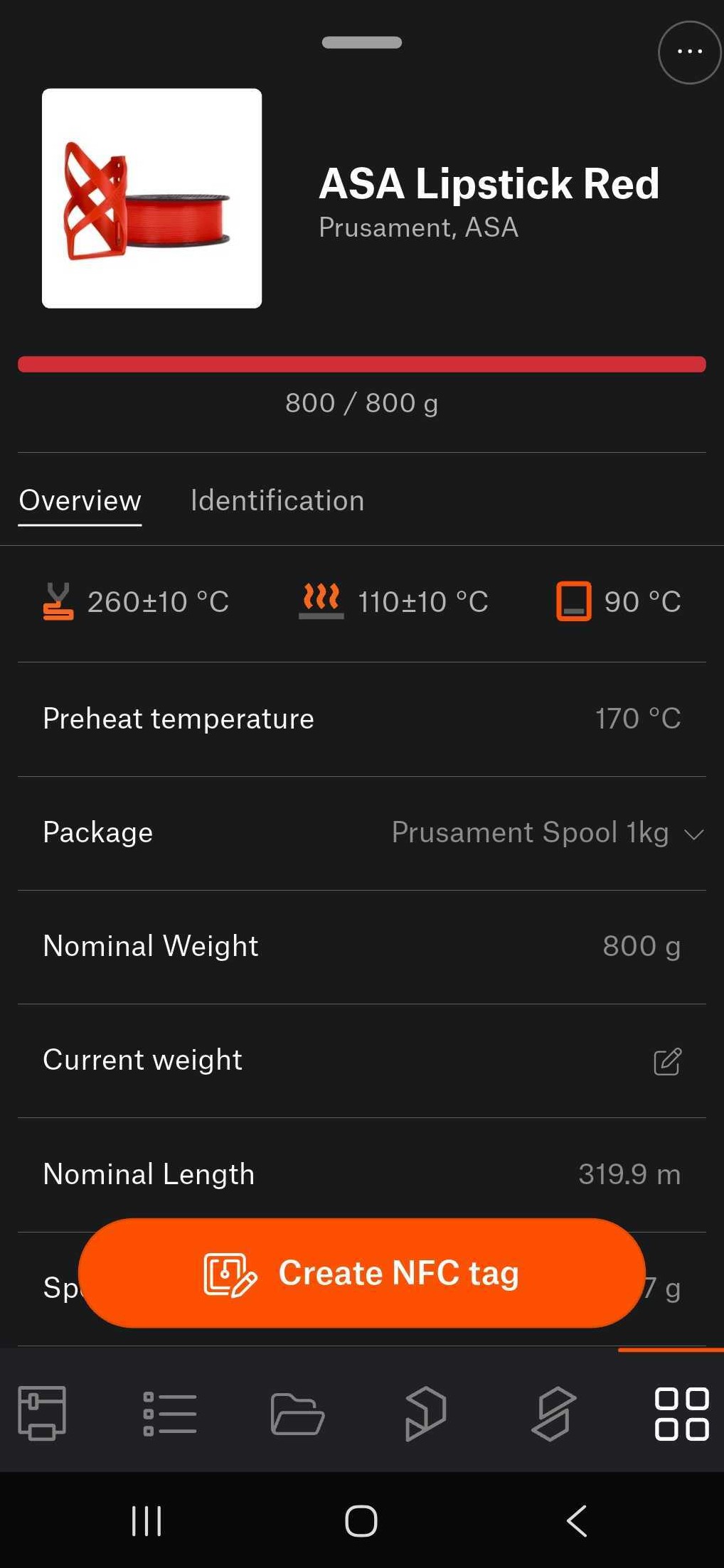
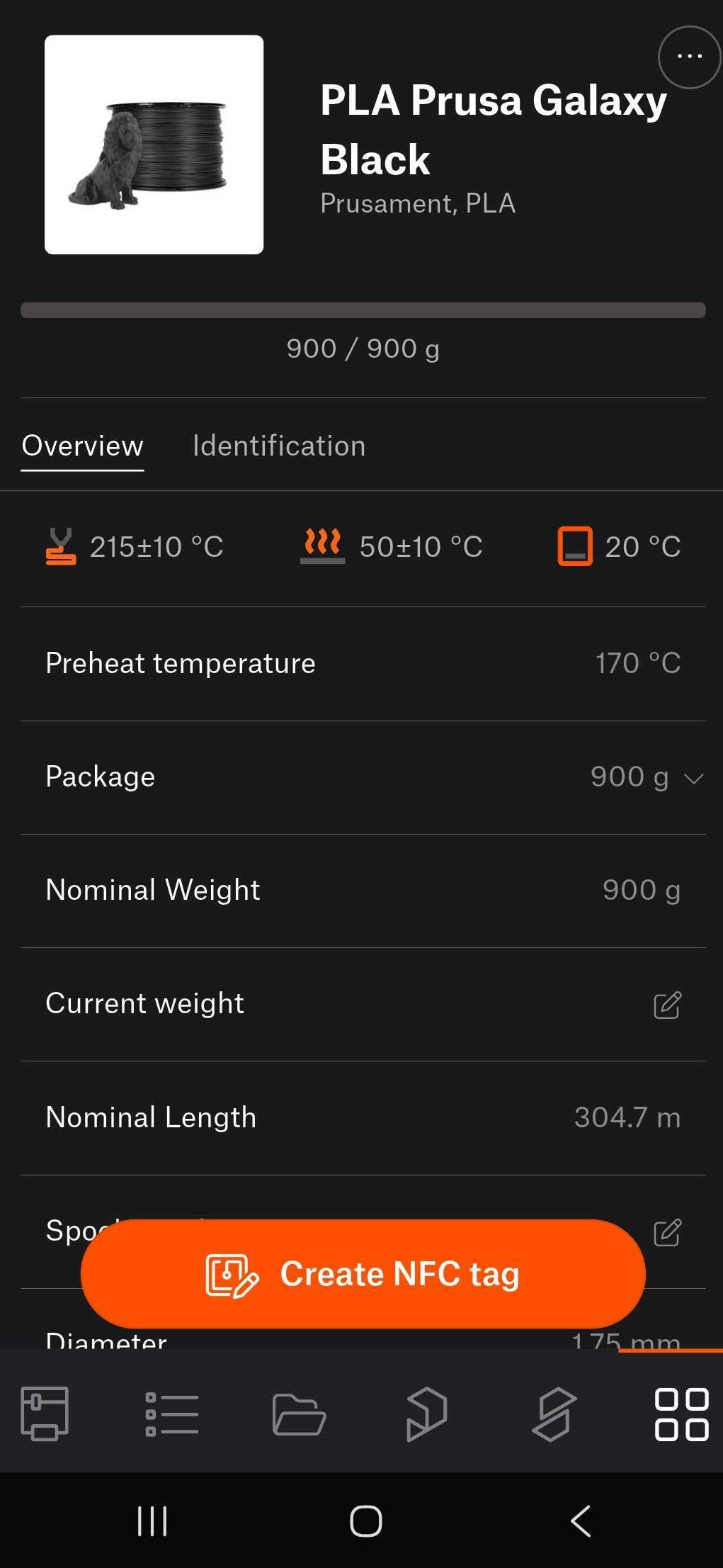
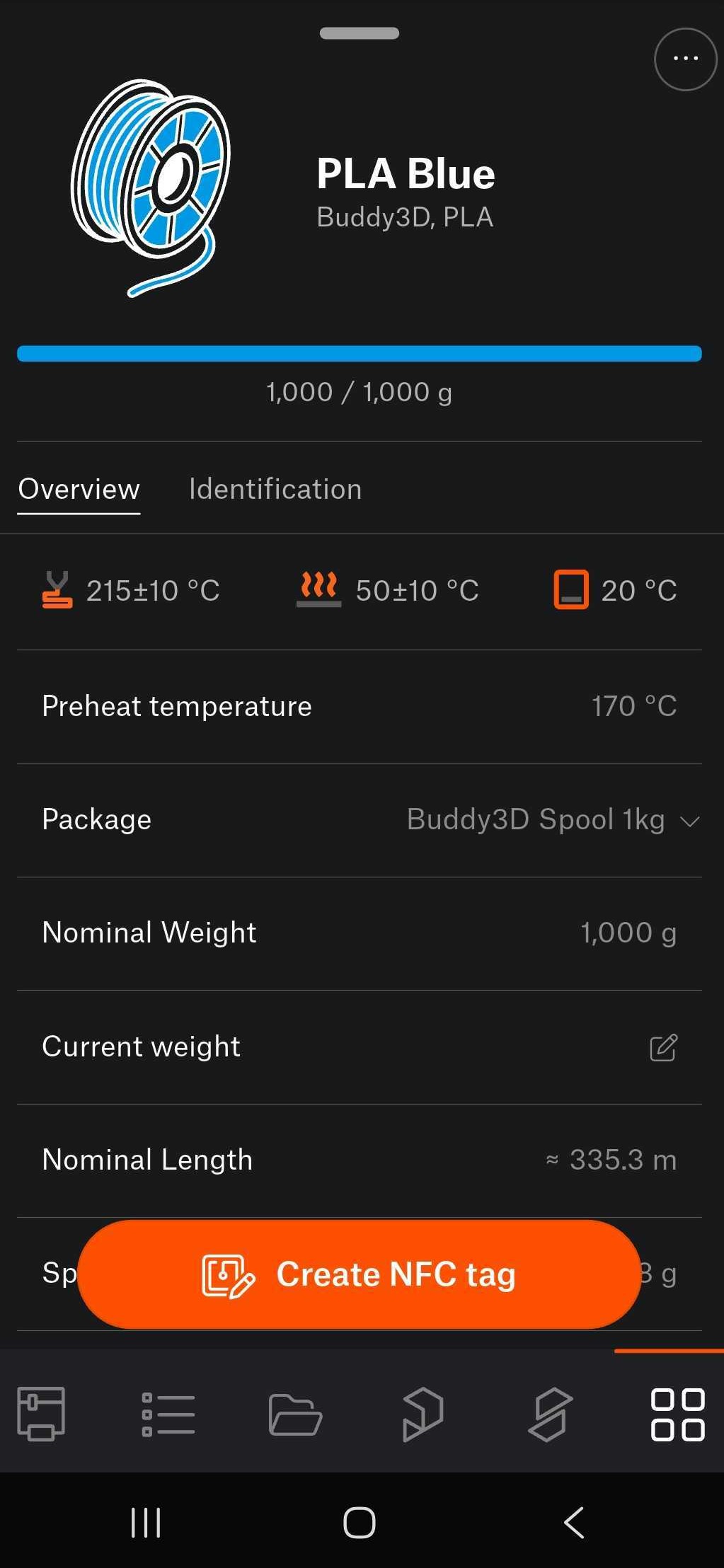
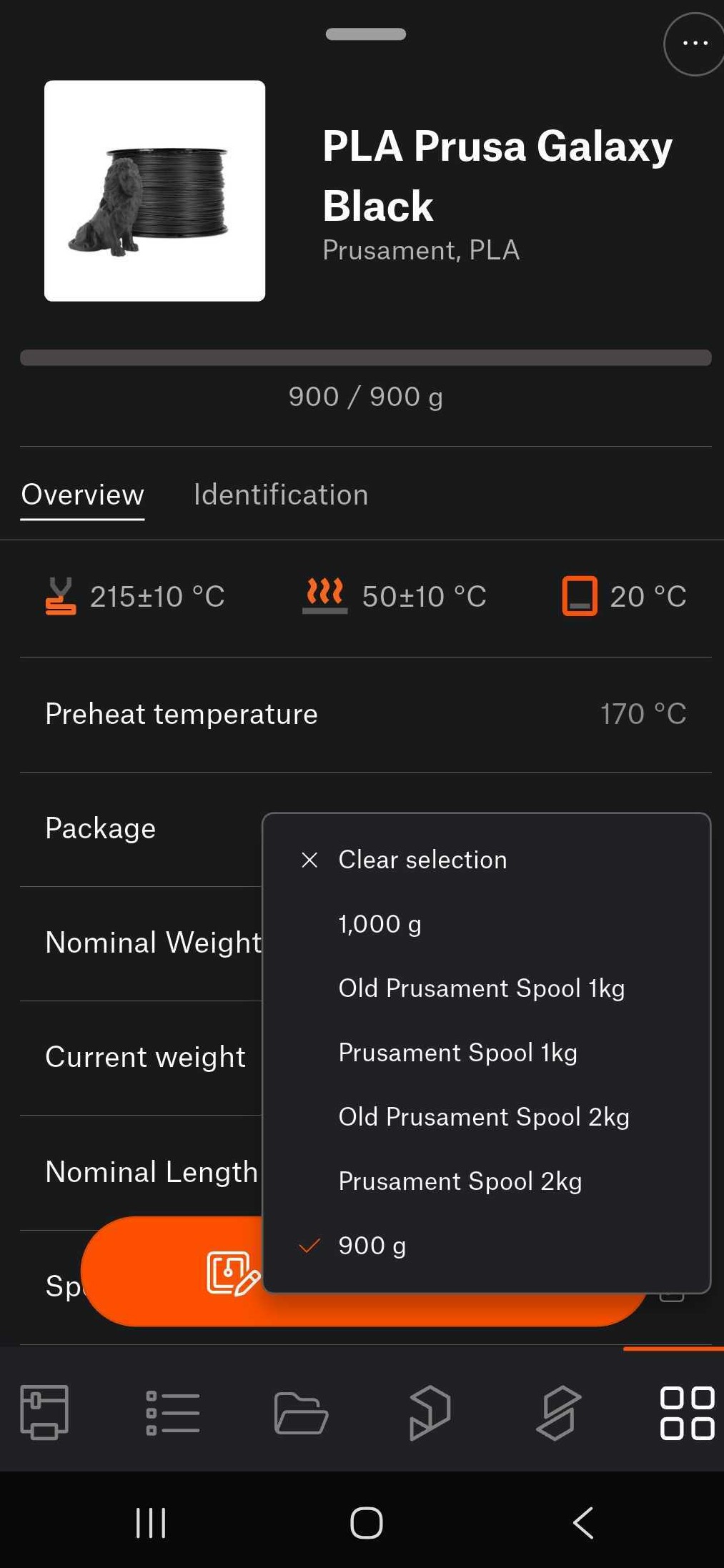
                  To load a refill spool on an empty NFC spool, navigate in the app in Menu >Materials >QR to scan the QR code of the refill material. Once the QR code is scanned, data from the refill is shown, choose as Package the weight of the refill filament, and tap on Create NFC tag to store the info on the spool's NFC tag. 
                  How to use empty NFC tag for 3rd party materials 

                  Access the material database, select the material, tap on Create NFC tag, bring the device close to the empty NFC tag. This writes the data from the selected material into the empty NFC tag. 
                  Cet article vous a-t-il été utile ?
                  Cette action n'est disponible que pour les utilisateurs enregistrés. Veuillez vous connecter.
                  Se connecter  pour poster un commentaire
                  Aucun commentaire

                  Thèmes

                  • À propos de votre imprimante
                    • Informations générales
                      • TVA (Taxe sur la Valeur Ajoutée) & Frais de douane
                      • FAQ - Foire Aux Questions
                      • Remboursements et retours
                      • Support client
                      • Garantie
                      • CORE One upgrade paths
                      • Documentation photo et vidéo
                      • OpenPrintTag - NFC filaments with Prusa App
                      • Types d'imprimantes et leurs différences
                      • Manuels d'impression
                      • Options de paiement
                      • Commandes au Royaume-Uni
                      • Incompatible filament #13854 (MK4) #26854 (MK4S) #31854 (CORE One) #36854 (CORE One INDX) #35854 (CORE One L) #37854 (CORE One L INDX) #23854 (MK3.5) #28854 (MK3.5S) #12854 (MINI) #17854 (XL) #41854 (XL+)
                      • Onduleur de secours pour votre imprimante
                      • Réparation en usine
                      • Création d'une commande sur la boutique en ligne
                      • Input Shaper (MK4/S, MK3.9/S, MK3.5/S, XL, MINI/+)
                      • Bons d'achat/Réductions
                      • Centres de réparation d'imprimantes
                      • Upgrade to Prusa CORE One
                      • Certifications des produits
                      • Global-e
                      • OpenPrintTag
                      • Prusa USS Drybox
                      • Glossaire de la XL
                      • Options de chargement des filaments du MMU
                      • Using the HT Hotend
                      • Informations concernant les expéditions
                    • Description de l'imprimante
                    • Fonctionnalités de l'imprimante