Prusa
  • SHOP
    • Latest products
    BY CATEGORY
    • 3D printersnew
    • 3D printer upgradesnew
    • Materials
    • Accessories
    • Spare parts
    • Courses
    • Merch
    • Get a price quote
    QUICK LINKS
    • Shipping & delivery
    • Returns & refunds
    • Payment & financing
    • Warranty
    • VAT & Customs fees
    • FAQ

    0 item in your cartitems in your cart

    Your cart is empty

    Go to cartShop 3D printers

    My profile

    Log in to see orders, saved items

    My profile

    Signed in as

    • Orders
    • Logout
  • 3D PRINTING
    • Explore 3D printing
    FOR BEGINNERS
    • 3D printing 101
    • How FDM printing works
    • Buying your first printer
    • 3D model catalog
    BY APPLICATION
    • Rapid prototyping
    • Manufacturing
    • Engineering
    • Research
    • Arts & design
    GO DEEPER
    • Materials guide
    • Courses
    • Webinars
    • Case studies
    • Custom 3D printing
  • 3D PRINTERS
    • All 3D printers
    FOR
    • Home or garageHobbyists, tinkerers and home printing
    • BusinessIn-house production for small teams
    • EnterpriseFleets, security and scale
    • Which Prusa is right for me
    SHOP & BROWSE
    • CORE One+new
    • CORE One+ INDXnew
    • CORE One L+new
    • CORE One L+ INDXnew
    • XL+new
    • MK4S
    • Prusa Pro HT90
    • Prusa Pro AFS
    • Prusa Pro SLX
    MORE FROM PRINTERS
    • Parts & upgradesnew
    • Spare parts
    • Critical infrastructure
    • Case studies
    • Signature Oak
    • Kits
  • MATERIALS
    • All materials
    BY USE
    • Every-day & design
    • Functional engineering
    • Composites
    • Pro speciality
    • SLA resins
    PRUSAMENT
    • PLA
    • PETG
    • ASA
    • PC
    • PA11
    • Flex
    • TPU
    MORE FROM MATERIALS
    • Materials guide
    • We make material in house
    • Sustainability
    • Order on the store
  • SOFTWARE
    • All software
    PREPARE THE PRINT
    • PrusaSlicer 3.0New
    PRINT & MONITOR
    • Prusa Connect
    • EasyPrint
    • iOS & Android app
    • Prusa Farm
    GET STARTED
    • Download & install
    • Knowledge base
    MORE FROM SOFTWARE
    • 3D model catalog
  • SUPPORT
    • Explore support
    FIND ANSWERS
    • Knowledge base
    • Troubleshooting
    • Courses
    • Webinars
    GET HELP
    • Contact us
    • Livechat
    • Shipping & delivery
    • Warranty
    • Returns & refunds
    • Service & spare parts
    • Service & Repair
    COMMUNITY
    • Forum
    • Reddit
    • Printables
  • TRUST CENTER
    • Trust Center overview
    BY TOPIC
    • GDPR
    • Certificates
    • Security
    • Compliance
    COMMITMENTS
    • Sustainability report
    TALK TO US
    • Contact the security team
  • COMPANY
    • About Prusa
    GET TO KNOW US
    • Our story
    • How we make printers
    • Open source
    • Brand & media kit
    NEWS
    • Blog
    • Newsroom
    • Events
    TRUST & PARTNERS
    • Sustainability
    • Resellers & distributors
    • Affiliate program
    • Contact
    • English
    • Čeština
    • Deutsch
    • Español
    • Français
    • Italiano
    • Polski
    • 日本語
  • Signed in as

    • Orders
    • Address
    • In-stock Alerts
    • My Courses
    • Subscription
    • Edit Account
    • Logout

Log in to see orders, saved items

Signed in as
  • Orders
  • Address
  • In-stock Alerts
  • My Courses
  • Subscription
  • Edit Account
  • English
  • Čeština
  • Deutsch
  • Español
  • Français
  • Italiano
  • Polski
  • 日本語
Shop

0 item in your cartitems in your cart

Your cart is empty

Go to cartShop 3D printers

My profile

Log in to see orders, saved items

My profile

Signed in as

  • Orders
  • Logout
SHOP
  • Latest products
BY CATEGORY
  • 3D printersnew
  • 3D printer upgradesnew
  • Materials
  • Accessories
  • Spare parts
  • Courses
  • Merch
  • Get a price quote
QUICK LINKS
  • Shipping & delivery
  • Returns & refunds
  • Payment & financing
  • Warranty
  • VAT & Customs fees
  • FAQ

Featured products

    Popular categories

      Trending searches

        Articles

          Blog

            Products

              Categories

                Suggested searches

                  Searching…
                  No results
                  Something went wrong.
                  ↑↓ Select↵ OpenEsc Close search
                  1. Support
                  2. Original Prusa i3 MK3S+
                  3. Prusa Connect & PrusaLink
                  4. Camera compatibility (RPi + PrusaLink)
                   

                  Contents

                  • Compatible RPi cameras connected via CSI (MIPI):
                  • Compatible USB cameras:

                  Blog

                  • Prusament Pellets: Raw material batches for large-format 3D printing or small-scale polymer research & development
                  • Print colorful and glowing Halloween decorations with our spooky offer
                  • Factorio Has Arrived on Printables

                  Newsletter

                  Signup and get our monthly squeeze on updates, blog, printables and much more.

                  By clicking, you agree to receive our newsletter.

                  This site is protected by reCAPTCHA Enterprise and the Google Privacy Policy and Terms of Service apply.

                  Heavy Duty Keyboard Holder (No Supports)
                  E-shop
                  • 3D Printers
                  • Printer Upgrades
                  • Filaments
                  • Accessories
                  • Prusa Merchandise
                  Prusa

                  © Prusa Research a.s.

                  Printables
                  • 3D Models
                  • Store
                  • Clubs
                  • 3D Design Contests
                  • Brands
                  Community
                  • World Map
                  • Forum
                  • User Groups
                  • Events
                  Help
                  • Prusa Help
                  • Prusa Academy
                  • 3D Printing Calculators
                  Software
                  • PrusaSlicer
                  • Prusa.app
                  • Prusa Connect
                  • Drivers and Software
                  Company
                  • About Us
                  • Blog
                  • Official Prusa Resellers
                  • Contact Us
                  • Certified for ISO 9001, ISO 14001, ISO 45001
                  • General Terms and Conditions
                  • General Terms and Conditions of Use of the PRUSA Websites
                  • Privacy Policy
                  • Information about cookies
                  • Customer Complaints Policy
                  • Status Page
                  • Do Not Sell or Share My Personal Information
                  • Supplemental Statements
                  Prusa
                  • General Terms and Conditions
                  • General Terms and Conditions of Use of the PRUSA Websites
                  • Privacy Policy
                  • Information about cookies
                  • Customer Complaints Policy
                  • Status Page
                  • Do Not Sell or Share My Personal Information
                  • Supplemental Statements

                  © Prusa Research a.s.

                  JOSEF PRUSA®, PRUSA RESEARCH®, PRUSA POLYMERS®, PRUSA ORANGE®, PRUSA 3D ® AND PRUSAMENT® are registered trademarks of Prusa Development a.s. used by Prusa Research a.s. under licence from Prusa Development a.s.

                  Camera compatibility

                  (RPi + PrusaLink)

                  Relevant for

                  MK2.5
                  MK2.5S
                  MK3
                  MK3S
                  MK3S+
                  17 comments
                  Article is also available in following languages
                  English
                  Čeština
                  Polski
                  Deutsch
                  Français
                  Español
                  Italiano
                  日本語

                  PrusaLink for Original Prusa MK2.5/S or MK3/S/+ printers is powered by an Raspberry Pi (RPi) board. A camera can be connected to it either using CSI or USB connection.

                  Alternatively, the same camera setup is also compatible with RPi + Octoprint on MK4 / MK3.9 / XL printers. Note that PrusaLink itself running on MK3.9, MK4 and XL printers doesn’t support any cameras. You can use Prusa Connect, where it is possible to assign a camera to any of the supported Original Prusa printers.
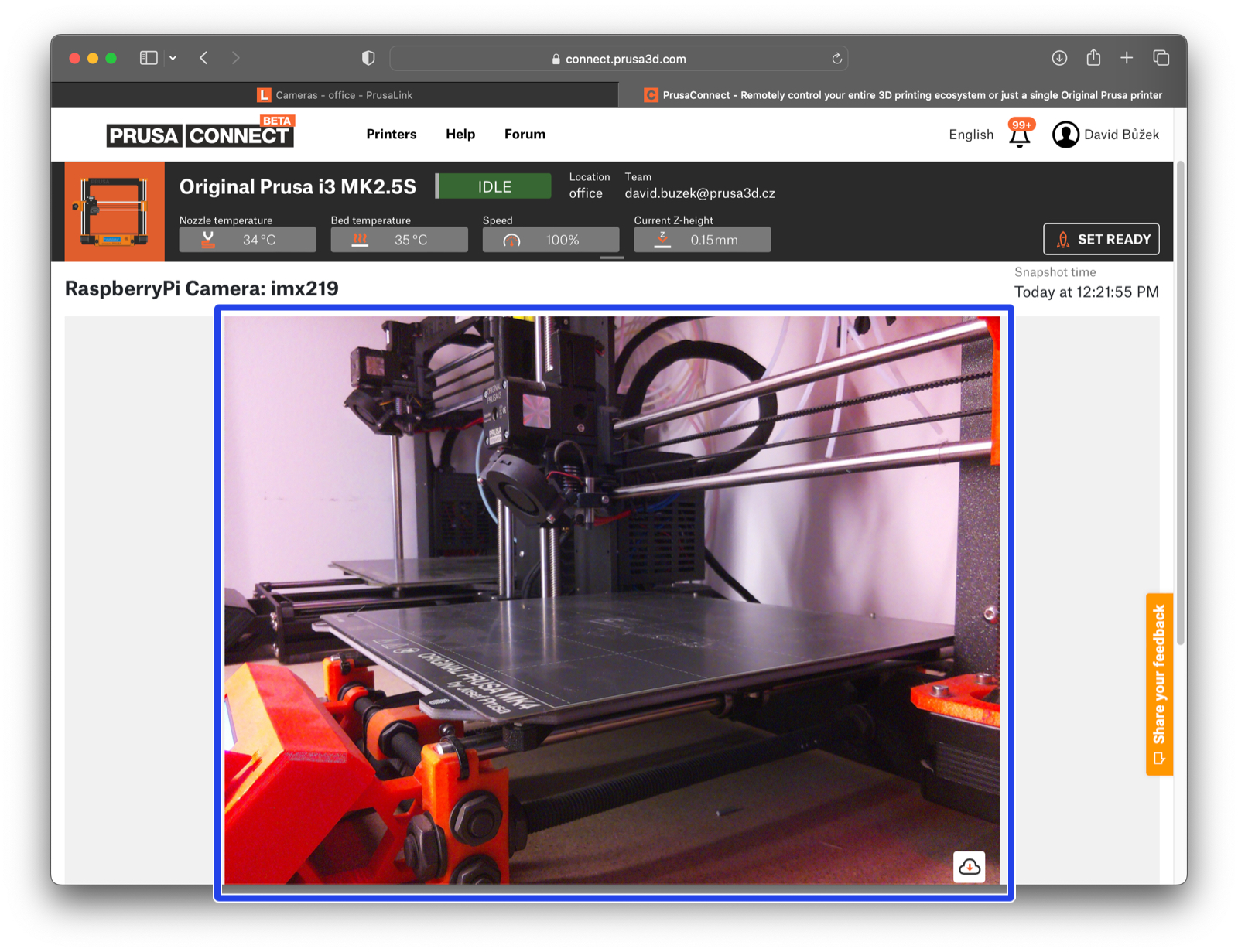
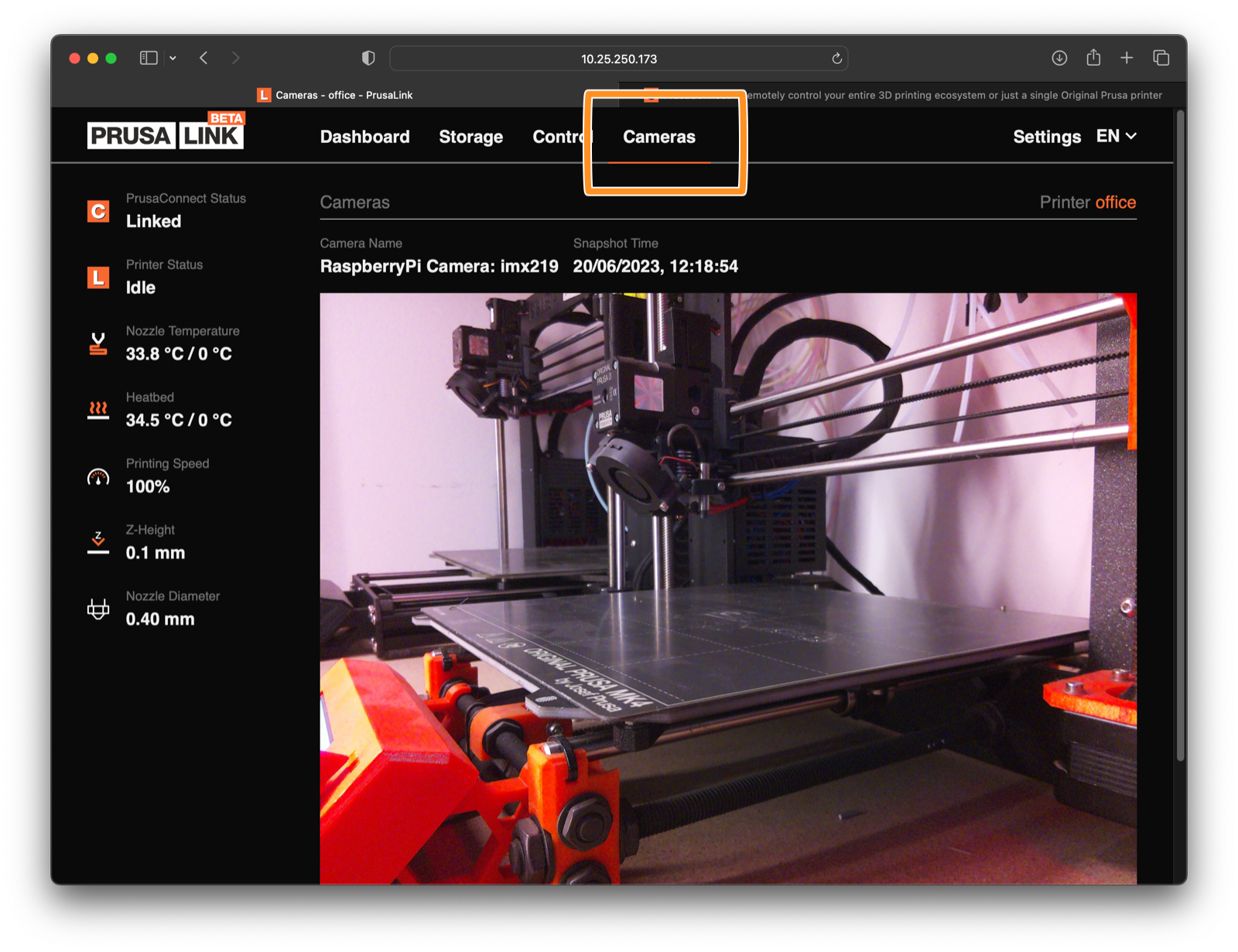
                  • For more info on how to connect a camera, visit the Camera setup for PrusaLink / Prusa Connect article.
                  • For more info about Prusa remote connectivity services, visit the Prusa Connect and PrusaLink explained article.

                  Compatible RPi cameras connected via CSI (MIPI):

                  All the official RPi cameras in the list below have been tested and are compatible. PrusaLink uses a "whitelist" for CSI cameras. For example, if you connect RPi camera 3, it identifies to the RPi as "imx708" (according to the actual camera sensor it uses). The Wide-angle variant of the same camera identifies as  "imx708_wide". If you use a camera that would identify differently than any of the whitelisted ones, it won’t show up in PrusaLink.

                  There are also other compatible cameras than the ones listed below, such as some Arducam models. However, we haven’t tested them and can’t guarantee they will work as expected or will not cause any issues.

                  If your CSI camera doesn’t seem to work - and you are an experienced user, you can connect to PrusaLink using SSH, or connect a keyboard + monitor to the RPi and use the following command to find out if the camera is detected and what it identifies as:

                  Note that due to limited computing capabilities of the Raspberry Pi Zero, the resolution might be limited to 1920px in both axes on this RPi model.

                  Do not connect the cameras while the PrusaLink is running. Turn off the printer or disconnect the power before you connect the camera.
                  Camera modelSensor typeResolutionNotes
                  PiCamera 1.3OV56472592x1944 
                  PiCamera 2 / 2.1IMX2193280x2464https://www.raspberrypi.com/products/camera-module-v2/
                  PiCamera 2 NoIR 3280x2464 
                  PiCamera 3IMX7084608x2592https://www.raspberrypi.com/products/camera-module-3/
                  PiCamera 3 NoIR 4608x2592 
                  PiCamera 3 Wide 4608x2592 
                  PiCamera 3 Wide NoIR 4608x2592 

                  Compatible USB cameras:

                  The RPi board also allows you to use a USB webcam. 
                  Following USB cameras were tested. There are also other compatible cameras than the ones listed below. However, we haven’t tested them and can’t guarantee they will work as expected.

                  Camera modelIlluminationResolutionNotes
                  Arducam B0200 1920x10802Mpx IMX291 USB Low Light 100° Camera Module V2.0
                  Arducam B0205Yes, IR1920x10802MP OV2710 1080p USB 2.0
                  Arducam B0202 1920x1080 
                  Arducam B0233 2592x1944 
                  Eternico Webcam ET101 HD 1280x720 
                  Trust Exis Webcam 1280x1024 
                  Trust SpotLight Webcam ProYes1280x1024 
                  SriHome SH003   
                  SriHome SH001   
                  C-TECH CAM-11FHD   
                  Eternico Webcam ET201 Full HD   
                  Logitech HD Pro Webcam C920   
                  Niceboy STREAM PRO   
                  Niceboy STREAM 1280x720 
                  Logitech C270  !!!!!  Doesn’t work properly  !!!!!
                   
                  If you get to test out other camera models, feel free to share your findings in the comment section below.
                  Was this article helpful?
                  This action is available only to registered users. Please log-in.

                  Topics

                  • Using the printer
                    • Prusa Connect & PrusaLink
                      • PrusaLink and Prusa Connect setup (MK3/S/+)
                      • Buddy3D Camera
                      • Prusa Mobile App
                      • PrusaLink / Prusa Connect with RPi 3/4 USB (MK2.5/S MK3/S/+)
                      • Camera setup for PrusaLink / Prusa Connect
                      • Prusa Connect - Telegram notifications setup
                      • Prusa Connect - Discord notifications setup
                      • Prusa Connect - Slack notifications setup
                      • Prusa Connect - Camera API
                      • How to update PrusaLink (MK2.5/S MK3/S/+)
                      • Camera compatibility (RPi + PrusaLink)
                      • How to connect to RPi via SSH
                      • Sending files from PrusaSlicer to PrusaLink
                      • Printing on MK3/S/+ via PrusaLink
                      • Prusa Connect and PrusaLink explained
                      • ESP Camera for Prusa Connect
                    • 3D models
                    • Material guide
                    • Slicing
                    • Printer maintenance

                  15 comments

                  Log in  to post a comment
                  Viv
                  •
                  I got an Arducam B0205 off Amazon:
                  https://www.amazon.com/dp/B0829HZ3Q7?ref=ppx_yo2ov_dt_b_fed_asin_title
                  and it was never recognized on a Pi4 with Prusalink. I tried all 4 USB ports, multiple boot-ups, etc.

                  Even though it says it doesn't work properly, I had a Logitech C270 and plugged that in, and it works just fine.
                  Reply
                  Paul
                  •
                  Logitech Brio 100 works well
                  Reply
                  jhoff80
                  •
                  The Logitech Brio 4k is detected, but doesn't show video.
                  Reply
                  Shiloh24
                  •
                  I'm using an ONN brand webcam from walmart, it works just fine once I figured out how to navigate the Prusa Connect app camera settings.
                  Reply
                  Rene
                  •
                  The Logitech C270 works without any issues for me. However, the list indicates that it causes problems?
                  Reply