日本語
Login

Selector cannot move

#04116 (MMU)

関連するもの

MMU2S
MMU3
記事 他の言語でもご覧になれます。
English
Čeština
Polski
Deutsch
Français
Español
Italiano
日本語

What happened?

For printing with MMU, it is fundamental that all parts move freely and correctly. If the selector cannot move properly, the following message appears: "The selector cannot move properly. Check for anything blocking its movement. Check the wiring is correct".

How to fix it?

The error message indicates that the MMU selector isn't moving properly. The main items to check are:
  • Check for any debris or residue that might be blocking the selector's movement.
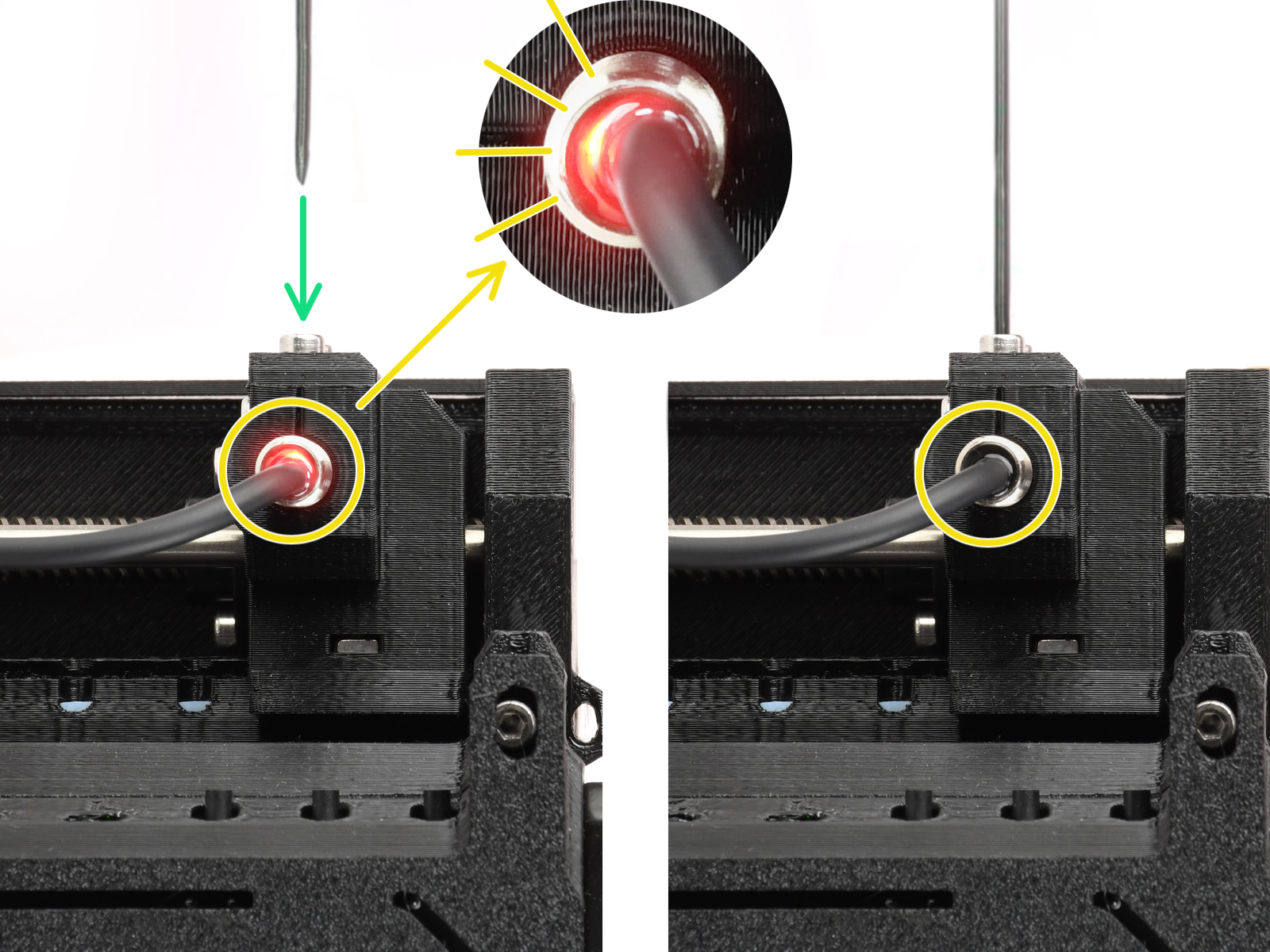
  • Check the light on the FINDA, as the selector will only move if the light is on. If the light is off, redo the SuperFINDA calibration.

Check this guide for more details: MMU2Sセレクターが動かない.

この記事は役に立ちましたか?
この操作は登録ユーザーのみが利用できます。ログインしてください。