Prusa
  • KOUPIT
    • Zjistit více
    • Všechny nabídky
    3D tiskárny
    • CORE One+ (Gen2)
    • CORE One L+
    • XL+
    • MK4S
    • MINI+
    • HT90
    Materiály, příslušenství a merch
    • Prusamenty
    • Resin
    • Filamenty Buddy
    • Merch
    • Příslušenství
  • KOUPIT
    • Nejnovější produkty
    PODLE KATEGORIE
    • 3D tiskárny
    • Upgrady
    • Materiály
    • Příslušenství
    • Náhradní díly
    • Kurzy
    • Merch
    • Poptávky a cenové nabídky
    RYCHLÉ ODKAZY
    • Doručovací lhůty
    • Reklamace a vrácení peněz
    • Možnosti platby
    • Záruka
    • DPH a celní poplatky
    • Často kladené dotazy

    0 ks v košíkuks v košíku

    Váš košík je prázdný

    Přejít do košíkuKoupit 3D tiskárnu

    Můj profil

    Přihlásit se pro zobrazení objednávek a uložených položek

    Můj profil

    Jste přihlášeni jako

    • Objednávky
    • Odhlásit se
  • 3D TISK
    • Poznejte svět 3D tisku
    PRO ZAČÁTEČNÍKY
    • Základy 3D tisku
    • Typy tiskáren (FDM/SLA)
    • Jak si vybrat tu správnou 3D tiskárnu
    • Printables (3D modely)
    PODLE POUŽITÍ
    • Rychlé prototypování
    • Výroba
    • Strojírenství
    • Výzkum
    • Umění a design
    PRO POKROČILÉ
    • Průvodce materiály
    • Kurzy
    • Webináře
    • Případové studie
    • Zakázkový 3D tisk
  • 3D tiskárny
    • Všechny 3D tiskárny
    pro
    • Domácnost a dílnaNadšenci, kutilové a domácí uživatelé
    • Kanceláře a studiaVlastní výroba v malých týmech
    • Velké podnikyTiskové farmy, zabezpečení a škálování
    • Jak si vybrat tu správnou 3D tiskárnu
    NAKUPUJTE A PROHLÍŽEJTE
    • CORE One+
    • CORE One+ INDX
    • CORE One L+
    • CORE One L+ INDX
    • XL+
    • MK4S
    • Prusa Pro HT90
    • Prusa Pro AFS
    • Prusa Pro SLX
    VÍCE K TISKÁRNÁM
    • Upgrady
    • Náhradní díly
    • Kritická infrastruktura
    • Případové studie
    • Signature Oak
    • Stavebnice
  • Materiály
    • Všechny materiály
    PODLE POUŽITÍ
    • Každodenní použití a design
    • Funkční díly
    • Kompozity
    • Pro speciality
    • SLA resiny
    Prusament
    • PLA
    • PETG
    • ASA
    • PC
    • PA11
    • Flex
    • TPU
    VÍCE O MATERIÁLECH
    • Průvodce materiály
    • Vlastní výroba materiálů
    • Udržitelnost
    • Objednat v obchodě
  • Software
    • Veškerý software
    TISKOVÁ PŘÍPRAVA
    • PrusaSlicer
    TISK A MONITORING
    • Prusa Connect
    • EasyPrint
    • Aplikace pro iOS a Android
    • 3D tisková farma na klíč
    JAK ZAČÍT
    • Ovladače a software
    • Centrum podpory
    VÍCE O SOFTWARU
    • Printables (3D modely)
  • PODPORA
    • Zákaznická podpora
    NAJDĚTE ODPOVĚDI
    • Návody a články
    • Odstraňování problémů
    • Kurzy
    • Webináře
    POTŘEBUJETE PORADIT?
    • Napište nám
    • Živý chat
    • Doprava a doručení
    • Záruka
    • Reklamace a vrácení peněz
    • Náhradní díly
    • Tovární opravy
    Komunita
    • Fórum
    • Reddit
    • Printables
  • Bezpečnost
    • Proč nám můžete věřit
    PODLE TÉMATU
    • GDPR
    • Certifikáty
    • Zabezpečení
    • Předpisy
    ZÁVAZKY
    • Zpráva o udržitelnosti
    KONTAKTUJTE NÁS
    • Bezpečnostní tým
  • Společnost
    • O společnosti Prusa
    O NÁS
    • Náš příběh
    • Jak vyrábíme tiskárny
    • Open source
    • Kariéra
    • Materiály pro média
    NOVINKY
    • Blog
    • Newsroom
    • Události
    Důvěra a partneři
    • Udržitelnost
    • Prodejci a distributoři
    • Partnerský program
    • Kontakt
    • English
    • Čeština
    • Deutsch
    • Español
    • Français
    • Italiano
    • Polski
    • 日本語
  • Jste přihlášeni jako

    • Objednávky
    • Adresa
    • Upozornění na dostupnost zboží
    • Moje kurzy
    • Předplatné
    • Upravit účet
    • Odhlásit se

Přihlásit se pro zobrazení objednávek a uložených položek

Jste přihlášeni jako
  • Objednávky
  • Adresa
  • Upozornění na dostupnost zboží
  • Moje kurzy
  • Předplatné
  • Upravit účet
  • English
  • Čeština
  • Deutsch
  • Español
  • Français
  • Italiano
  • Polski
  • 日本語
Obchod

0 ks v košíkuks v košíku

Váš košík je prázdný

Přejít do košíkuKoupit 3D tiskárnu

Můj profil

Přihlásit se pro zobrazení objednávek a uložených položek

Můj profil

Jste přihlášeni jako

  • Objednávky
  • Odhlásit se
KOUPIT
  • Nejnovější produkty
PODLE KATEGORIE
  • 3D tiskárny
  • Upgrady
  • Materiály
  • Příslušenství
  • Náhradní díly
  • Kurzy
  • Merch
  • Poptávky a cenové nabídky
RYCHLÉ ODKAZY
  • Doručovací lhůty
  • Reklamace a vrácení peněz
  • Možnosti platby
  • Záruka
  • DPH a celní poplatky
  • Často kladené dotazy

Doporučené produkty

    Oblíbené kategorie

      Populární vyhledávání

        Články

          Blog

            Produkty

              Kategorie

                Navrhovaná hledání

                  Vyhledávám…
                  Žádné výsledky
                  Něco se pokazilo.
                  ↑↓ Vybrat↵ OtevřítEsc Zavřít hledání
                  1. Podpora
                  2. Multi-material slicování
                  3. ColorMix
                   

                  Obsah

                  • Compatibility
                  • ColorMix painting in PrusaSlicer
                  • Physical extruders preset
                  • Setting up virtual extruders
                  • Assigning (virtual) colors and painting
                  • Print settings
                  • Opening a ColorMix model
                  • Practical tips
                  • Examples of ColorMix models
                  • References

                  Blog

                  • Prusa Black Friday 2026 je tady! Využijte nejvyšší letošní slevy
                  • 400°C HT Hotend je tady! A navíc přidáváme nové materiály a HighTemp tiskové pláty pro CORE One+/L+
                  • Blender pro 3D tisk: Pětiminutový návod na úpravu STL souborů

                  Novinky e-mailem

                  Přihlaste se k odběru našeho měsíčního přehledu užitečných informací o novém firmware, nových verzích PrusaSliceru a zajímavých tipů na 3D tiskařské projekty.

                  Kliknutím udělujete souhlas se zasíláním newsletteru.

                  Tato stránka je chráněna pomocí reCAPTCHA Enterprise a uplatňuje tedy Ochranu osobních údajů a Podmínky použití společnosti Google.

                  Heavy Duty Keyboard Holder (No Supports)
                  E-shop
                  • 3D tiskárny
                  • Upgrady tiskáren
                  • Filamenty
                  • Příslušenství
                  • Prusa Merch
                  Prusa

                  © Prusa Research a.s.

                  Printables
                  • 3D modely
                  • Store
                  • Clubs
                  • Designerské soutěže
                  • Brands
                  Komunita
                  • Mapa světa
                  • Fórum
                  • Uživatelské skupiny
                  • Výstavy a akce
                  Podpora
                  • Prusa Help
                  • Prusa Academy
                  • Kalkulačky
                  Software
                  • PrusaSlicer
                  • Prusa.app
                  • Prusa Connect
                  • Ovladače a software
                  Firma
                  • O nás
                  • Blog
                  • Oficiální prodejci Prusa
                  • Kontakty
                  • Certifikováno podle norem ISO 9001, ISO 14001 a ISO 45001
                  • Volná místa
                  • Všeobecné obchodní podmínky
                  • Obecné podmínky používání internetových stránek PRUSA
                  • Zásady ochrany soukromí
                  • Informace o cookies
                  • Proces řešení stížností zákazníků
                  • Stavová stránka webu
                  • Nastavení cookies
                  • Recyklace 3D tiskárny
                  Prusa
                  • Všeobecné obchodní podmínky
                  • Obecné podmínky používání internetových stránek PRUSA
                  • Zásady ochrany soukromí
                  • Informace o cookies
                  • Proces řešení stížností zákazníků
                  • Stavová stránka webu
                  • Nastavení cookies
                  • Recyklace 3D tiskárny

                  © Prusa Research a.s.

                  JOSEF PRUSA®, PRUSA RESEARCH®, PRUSA POLYMERS®, PRUSA ORANGE®, PRUSA 3D ® A PRUSAMENT® jsou registrované ochranné známky společnosti Prusa Development a.s., které používá společnost Prusa Research a.s. na základě licence od společnosti Prusa Development a.s.

                  ColorMix

                  Relevantní pro

                  XL family
                  MMU family
                  PrusaSlicer
                  INDX family
                  Článek Tento článek je také dostupný v následujících jazycích:
                  English
                  Čeština
                  Polski
                  Deutsch
                  Français
                  Español
                  Italiano
                  日本語

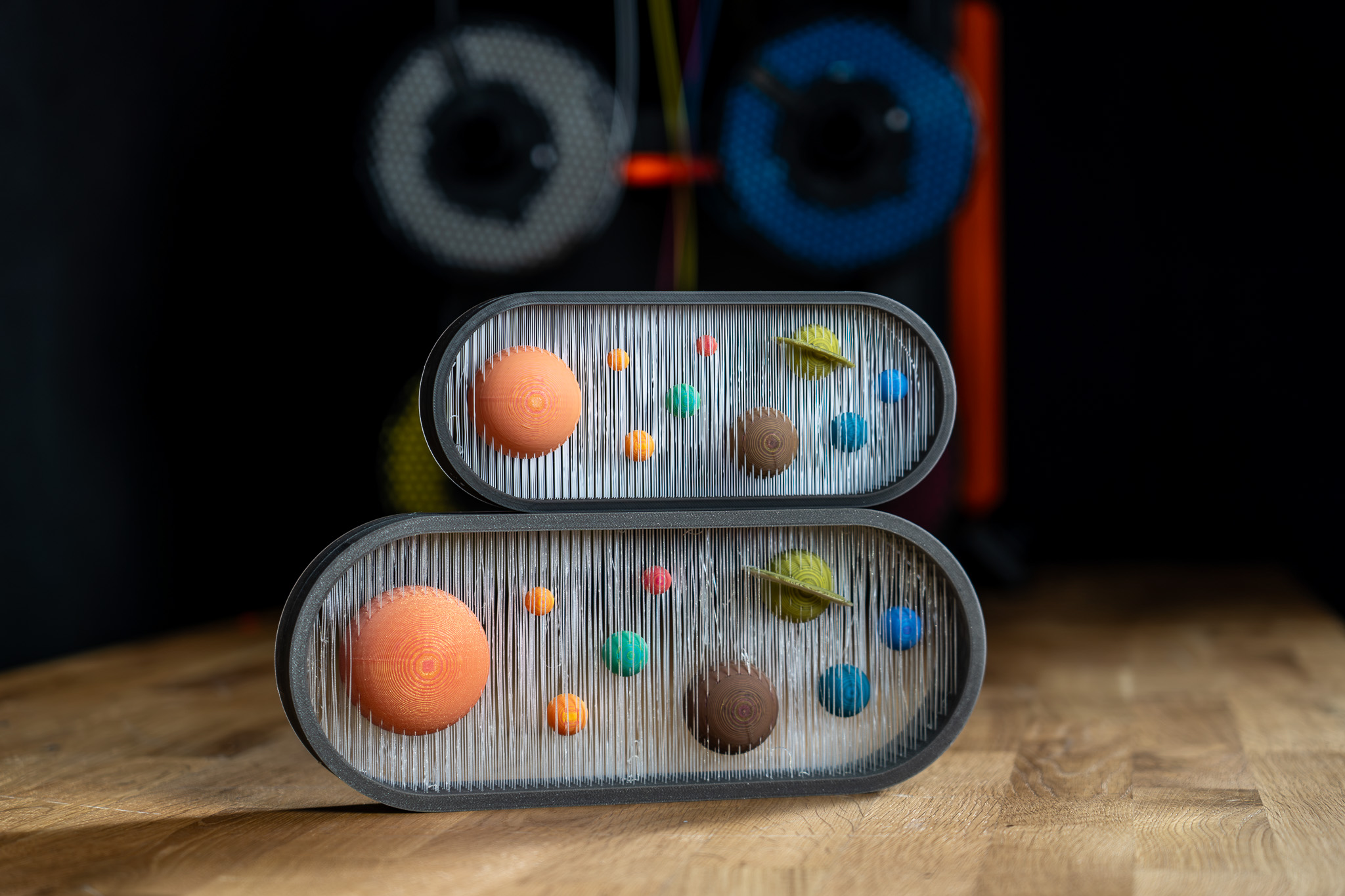
                  The ColorMix is as a feature in PrusaSlicer and  EasyPrint. Using any multi-color printer, it allows you to create additional color tones from the loaded filaments. It works similarly to inkjet 2D printing. There, thanks to a method called Halftoning, all colors are printed from just Cyan, Magenta, Yellow, and Black (CMYK) ink in a varying pattern of dots. 

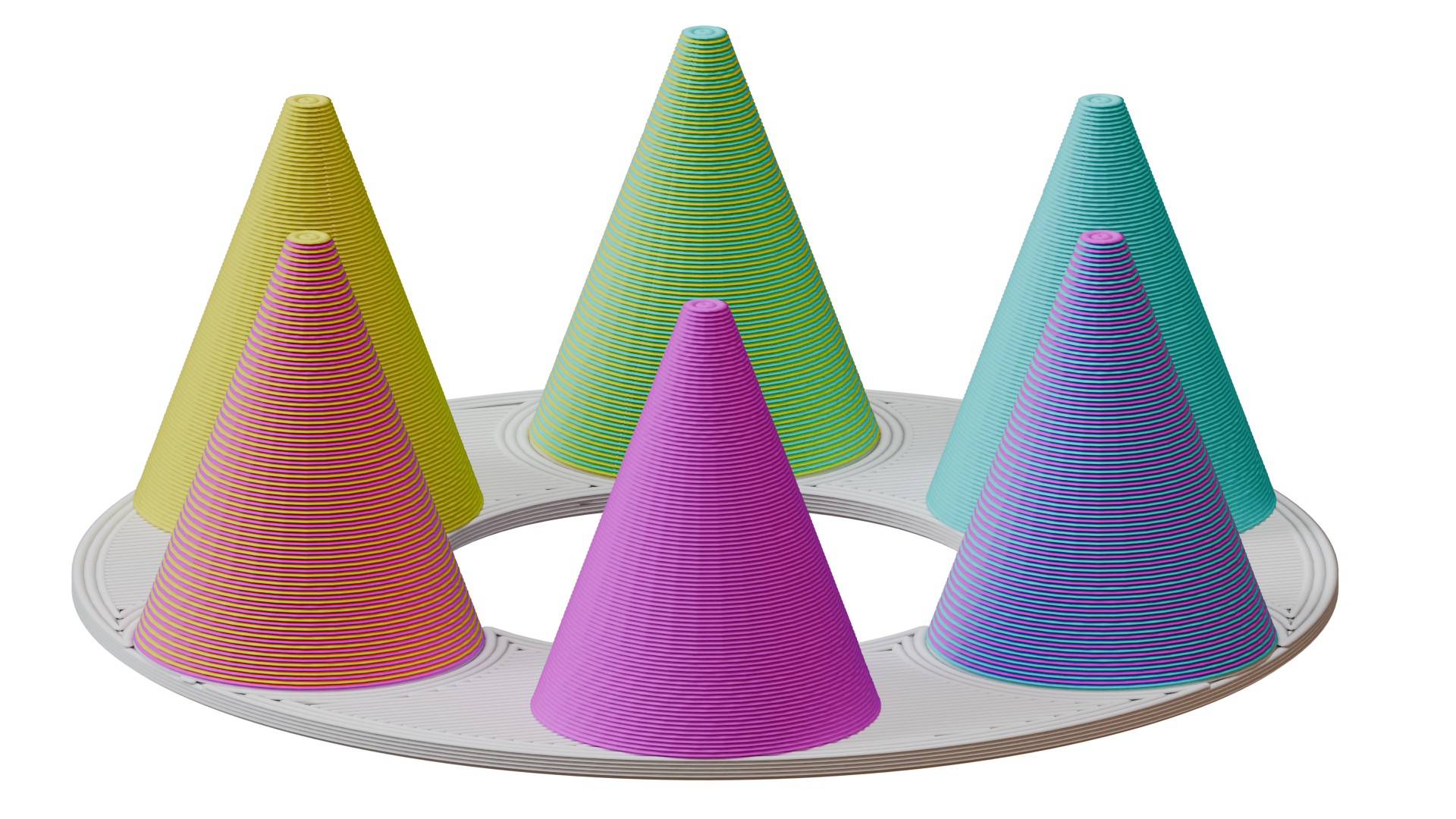
                  In 3D printing, the colors alternate by layers. For example, a 50% cyan, 50% yellow combination creates green when viewed from a normal viewing distance. 

                  This article explains how to set it up in PrusaSlicer and use it to color and print ColorMix models. 
                  Compatibility 

                  ColorMix printing is possible on any multi-color 3D printer: any printer equipped with the MMU, XL/+ in a 2T or 5T version, CORE One+/L with the INDX upgrade, or any other multi-filament system available on the market. 

                  Because the mixed colors require many tool changes, these prints produce more waste than classical colored models. It is significantly more efficient to print them using the INDX toolchanger. 

                  The slicer feature is available in EasyPrint and in PrusaSlicer from version 2.9.6. 

                  We demonstrate the feature with the Prusament ColorMix PLA bundle, but it is not dependent on these colors nor on PLA as a material. Any colors of any material can be combined in this way, and even different materials can be combined if they are printable together. 

                  ColorMix painting in PrusaSlicer 

                  Physical extruders preset 

                  Open PrusaSlicer and select your multi-color printer. Change the preview colors of the filaments to match your spools. You can change the color assigned to an extruder by clicking on the color box next to the profile name in the Filament profile selection. 
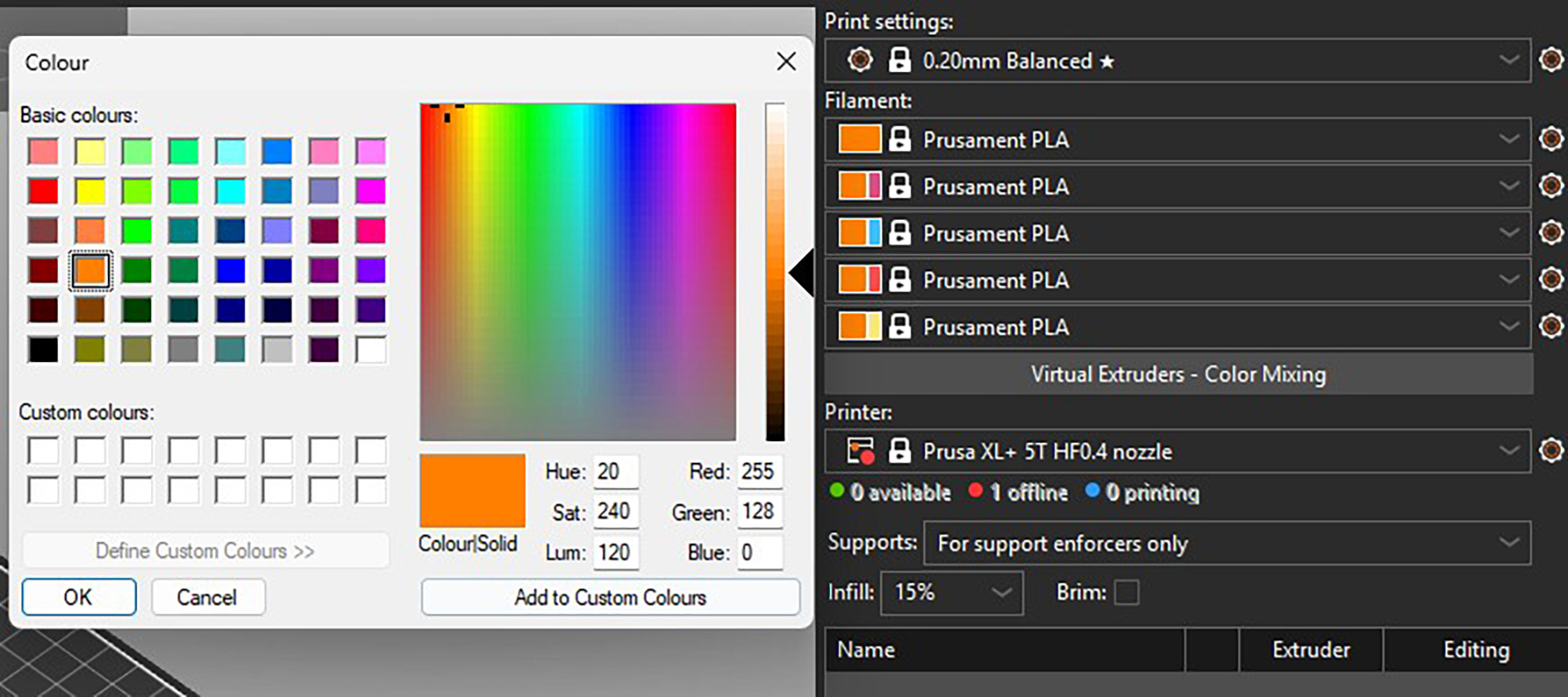
                  Recommended: All the models designed for the ColorMix filament that we share have them loaded in the following order: Cyan, Magenta, Yellow, White, Black, Gold, and Silver. The order is the same whether the printer has four, five, or eight tools. You can set this in PrusaSlicer and save it as a preset. Always sticking to the same order helps to avoid remapping the G-code extruders before every print.  

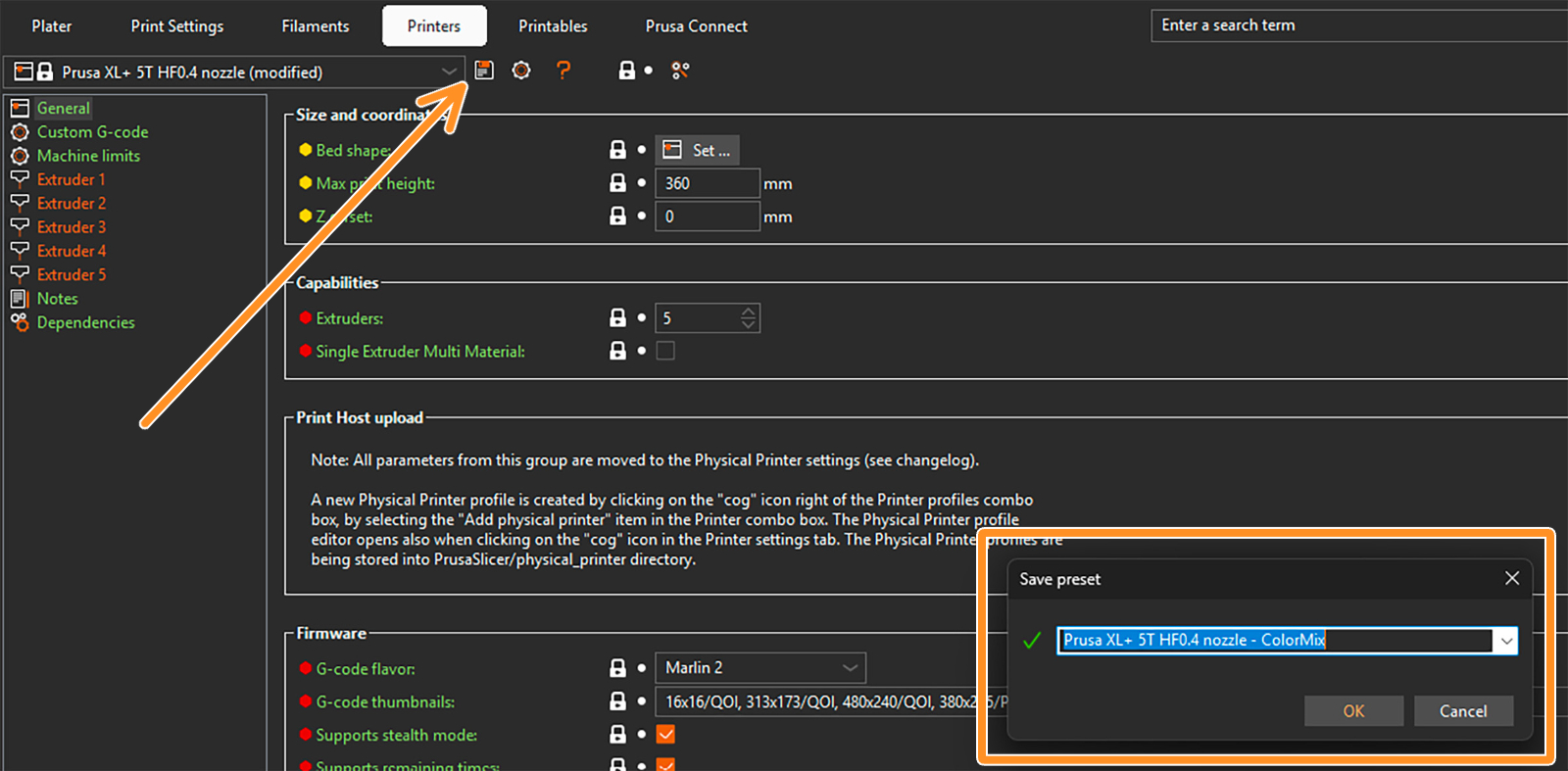
                  To save a preset, click on the gear next to the printer profile and select Edit preset. Then click on the Save preset icon (orange arrow), and in the pop-up window, save the preset with the word "ColorMix" in the name. 
                  Setting up virtual extruders 

                  The ColorMix colors are represented by so-called virtual extruders. You can set them up under the filament profiles. The following window opens. 
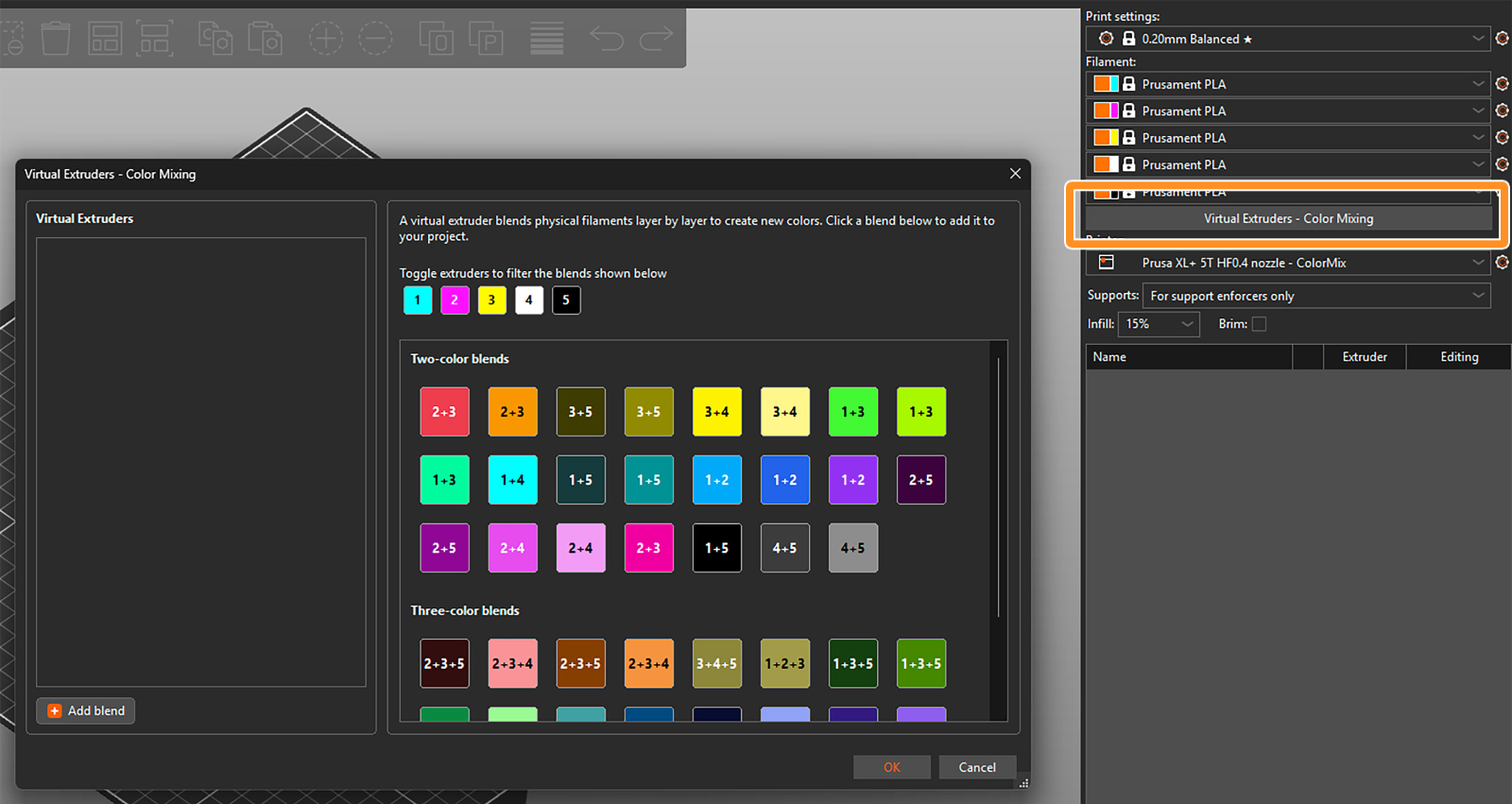
                  There are two ways to assign the virtual extruders. Firstly, you can select them from the blends available on the right side of the widow. The selected ones appear in the list of virtual extruders on the left side. 

                  Toggle the available extruders and filter the blends shown in the section. 
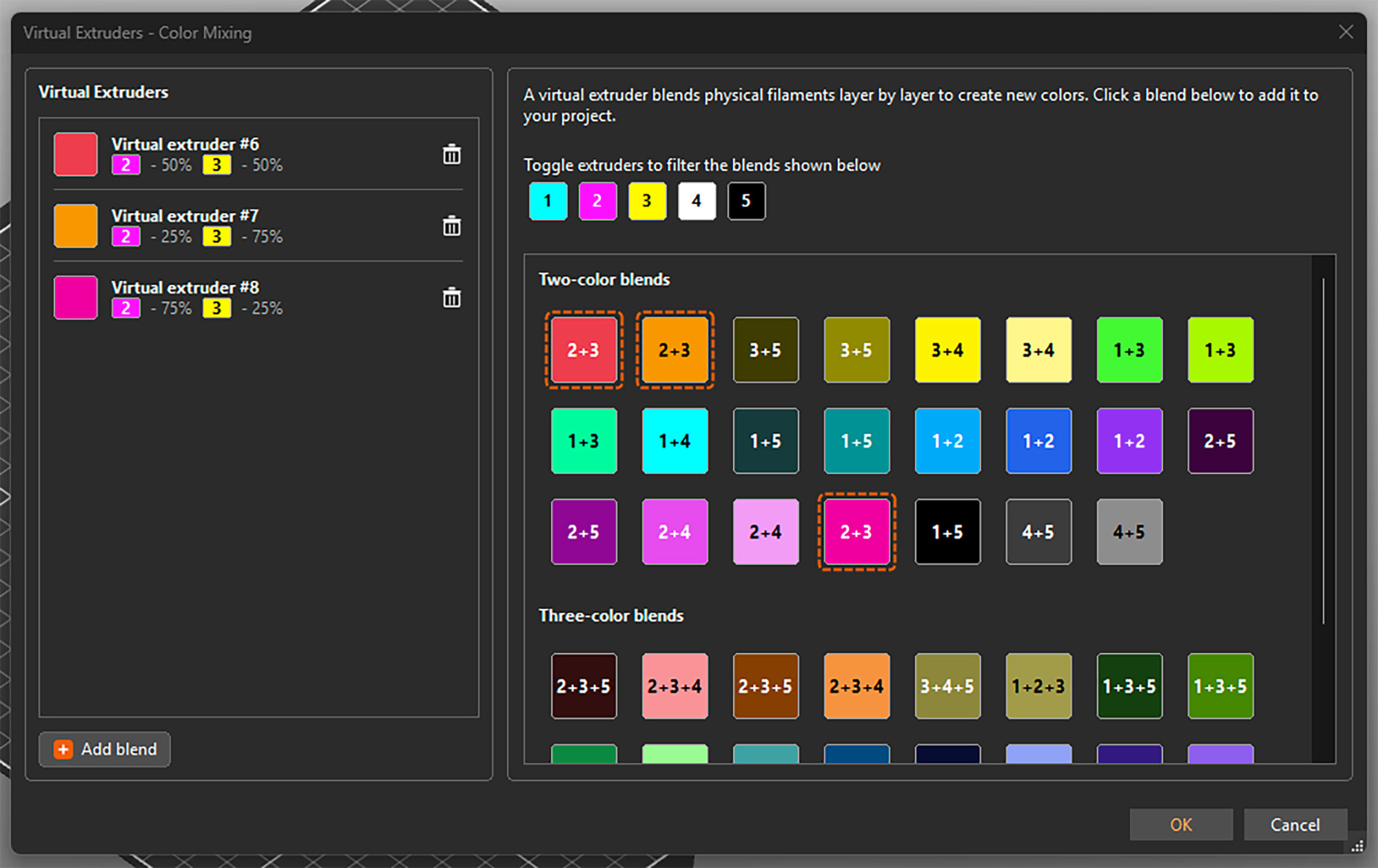
                  Alternatively, you can add them by clicking Add blend in the bottom left corner and manually setting up the ratio of the colors. This adds the virtual extruder to the list and also directly opens its settings on the right side. 
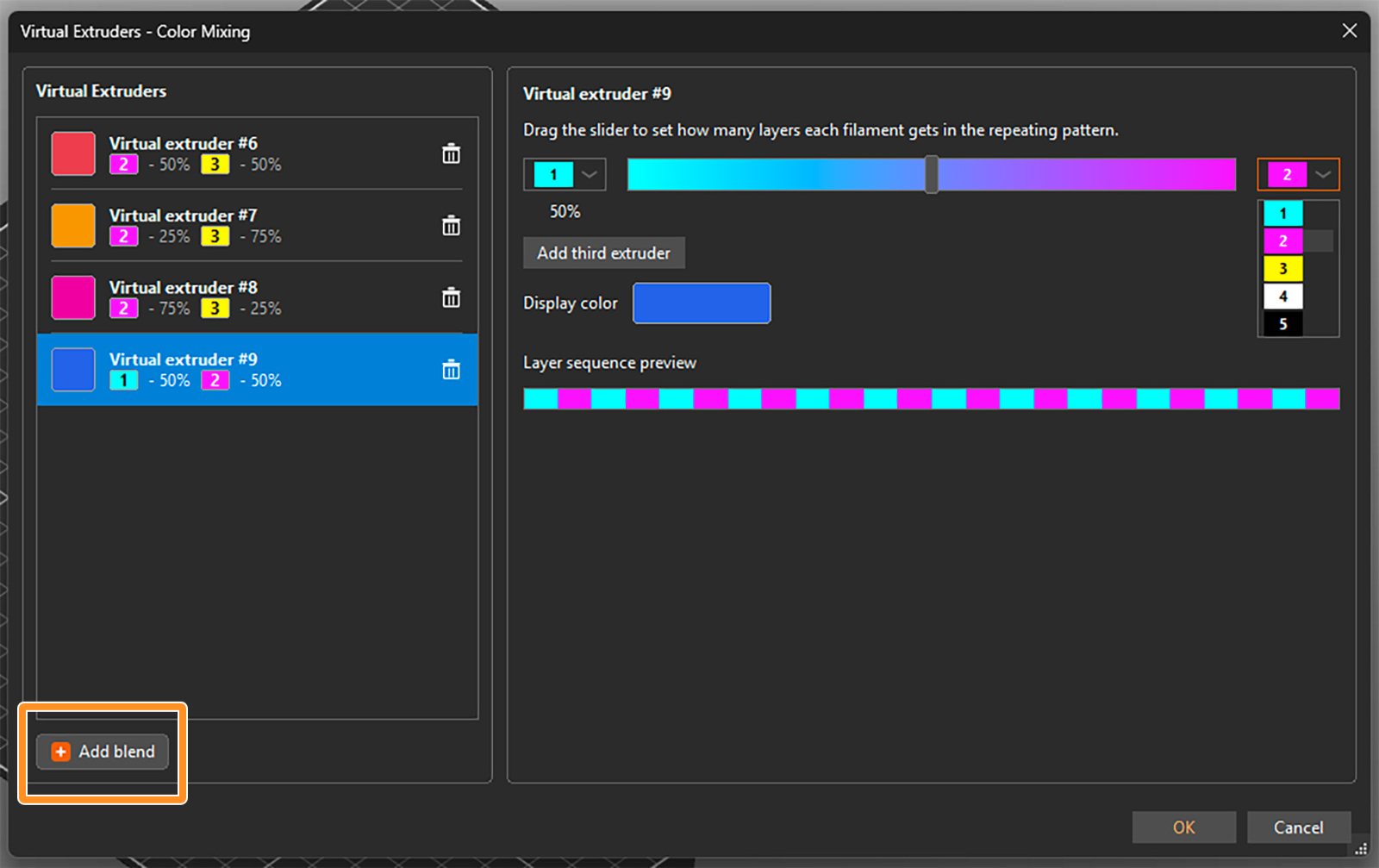
                  You can select the two filaments to be mixed from drop-down menus and set their ratio using a slider. An estimated display color is shown, but you can click on it and change it if you need. The layer sequence shows how the filaments are alternated to appear as the virtual color. 

                  For a three-color blend, click on Add third extruder. Then you can again select the extruders from the drop-down menus and change their relative ratio by dragging the grey circle inside the color triangle. 
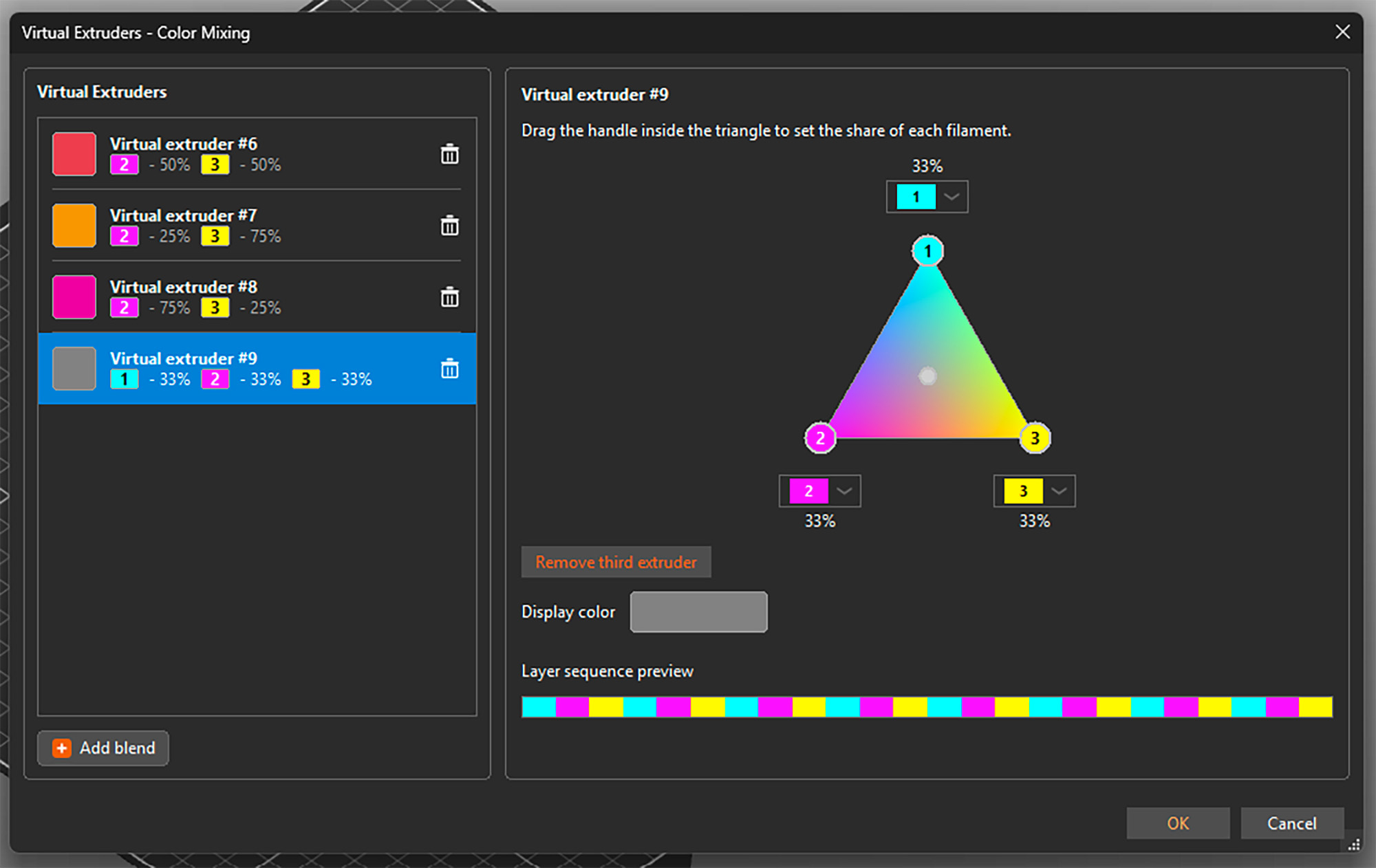
                  You can open the setting by selecting any virtual extruder on the left side and adjust its properties. You can also delete any of them by clicking the trashcan icon. See that besides a display color, each virtual extruder is assigned a number 

                  Once you're all set, confirm all virtual extruders and close the window by clicking OK in the bottom right corner. You can reopen it and add or change extruders at any point, even if they are already used for painting the model. 

                  Important: The tested and reasonable ratios for two-color blends are 25% : 75%, 50% : 50%, and 75% : 25%. For three-color blends, the optimal mix is 33% : 33% : 33%. 

                  Assigning (virtual) colors and painting

                  When the virtual extruders are set up as shown above, PrusaSlicer works with them just the same as with the physical ones. This means you can assign colors to different models and their parts and use all multi-material painting tools, such as brushes or Smart fill. 

                  The only difference is that the virtual extruders appear with a [V] in the drop-down menus. 
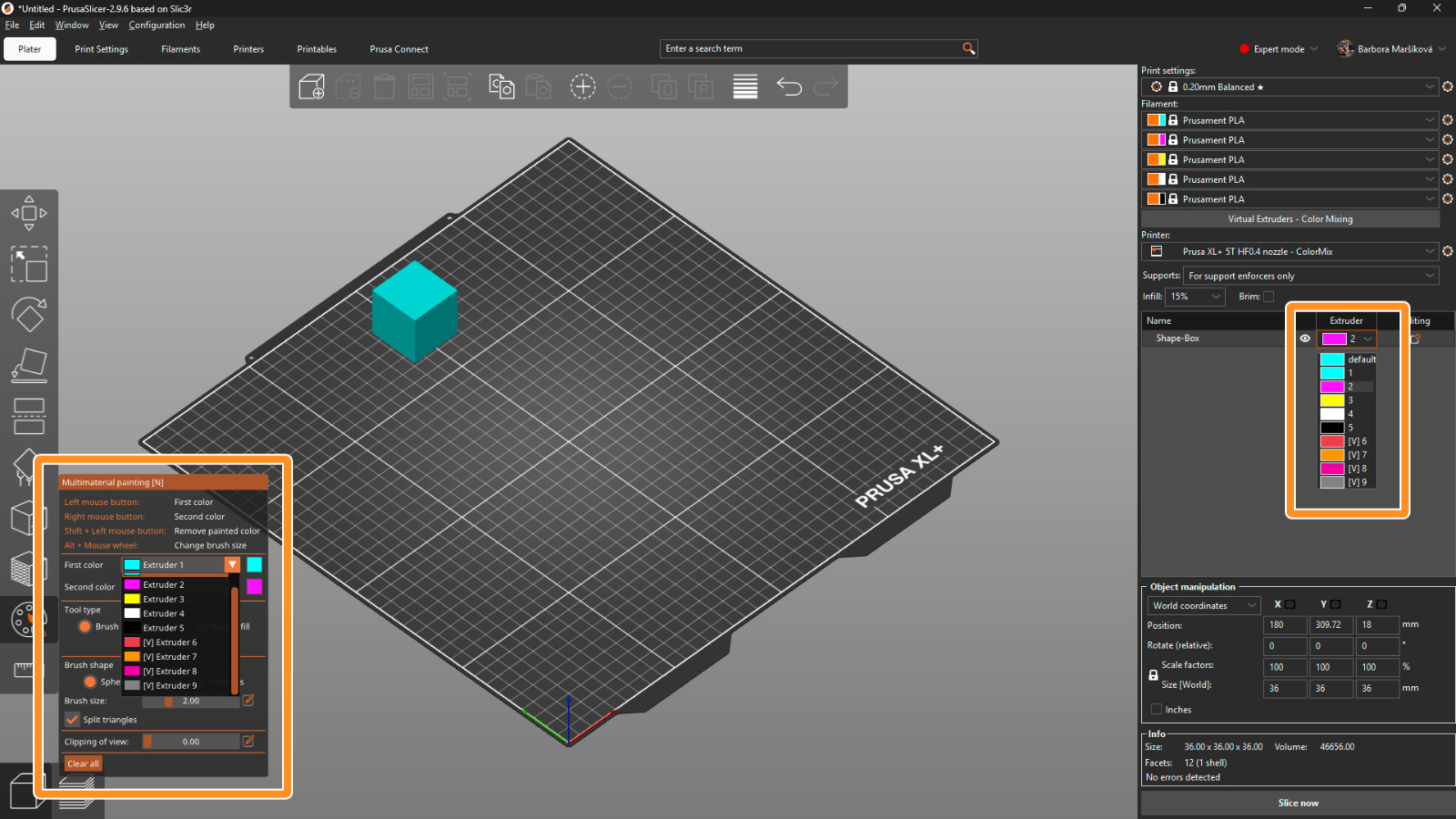
                  Print settings 

                  For optimal results, use a layer height of a maximum of 0.15 mm. For a perfect outcome, 0.1 mm layer height would be even better, but it adds a lot of printing time, and usually it’s not necessary.

                  The recommended infill type is gyroid with 5-10% density, depending on the model’s geometry. Because of the translucency, the infill might sometimes be visible, and this way the structure is uniform. 

                  The mixing itself is done by PrusaSlicer automatically whenever you use a virtual extruder. Simply slice the model, upload the G-code to the printer, and make sure that the correct extruder colors are assigned with respect to the loaded filaments. 

                  Opening a ColorMix model 

                  To open a model that was colored using the virtual extruders, always use File → Open Project (Ctrl + O). If you use Import, all virtual extruders will be merged into the last physical one. 
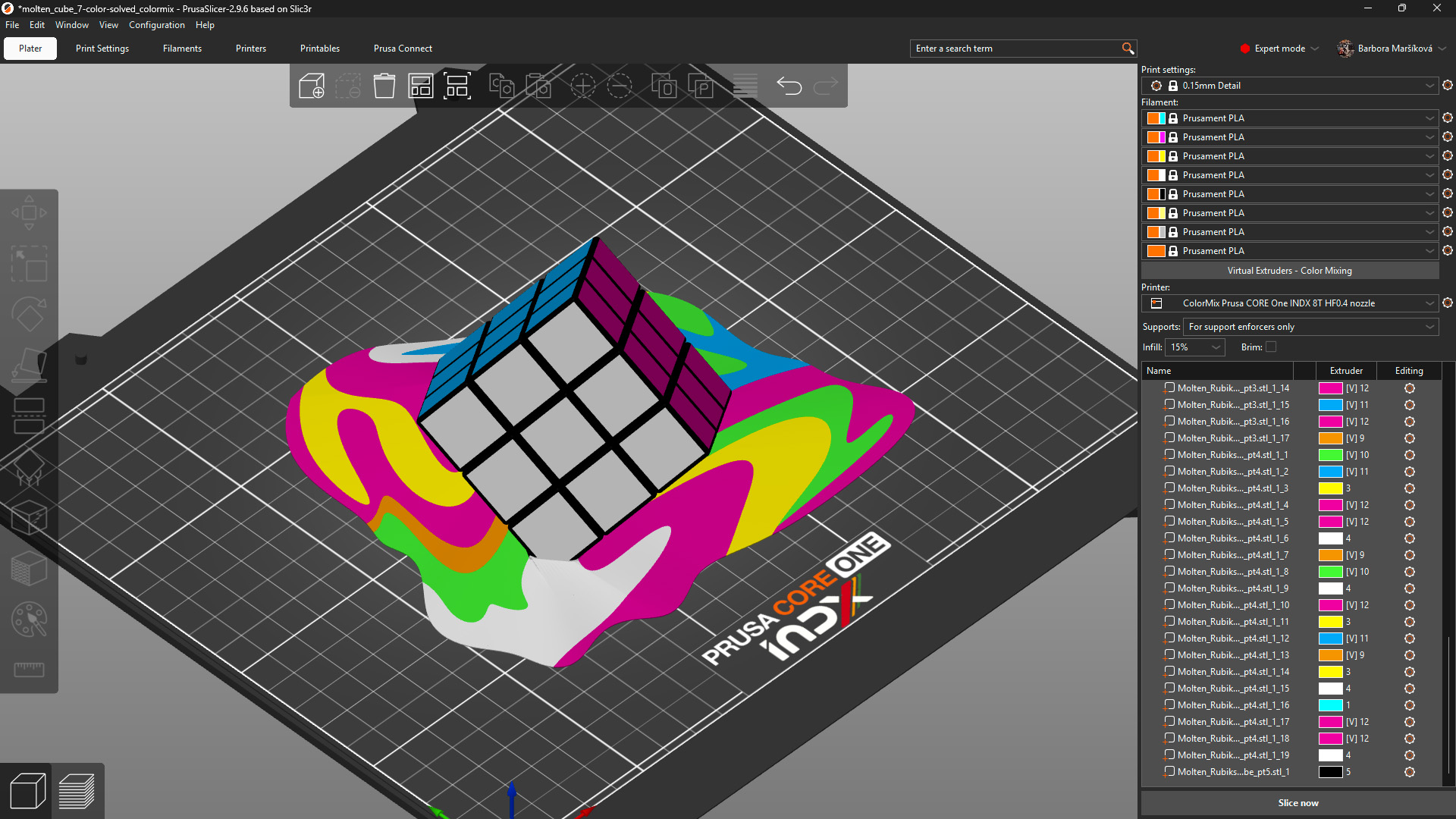
                  Model: Solved ColorMix Rubik's cube by MrFlippant. 

                  Practical tips 

                  Even with the semi-translucent Prusament PLA ColorMix, the mixing effect works the best on vertical and almost vertical surfaces.

                  See the printed molten cube below. The parts on the cube itself, which are printed under a steep angle, appear in a mixed color with only a slightly stripy pattern. The melting colors visibly show the different layers printed from different filaments. 
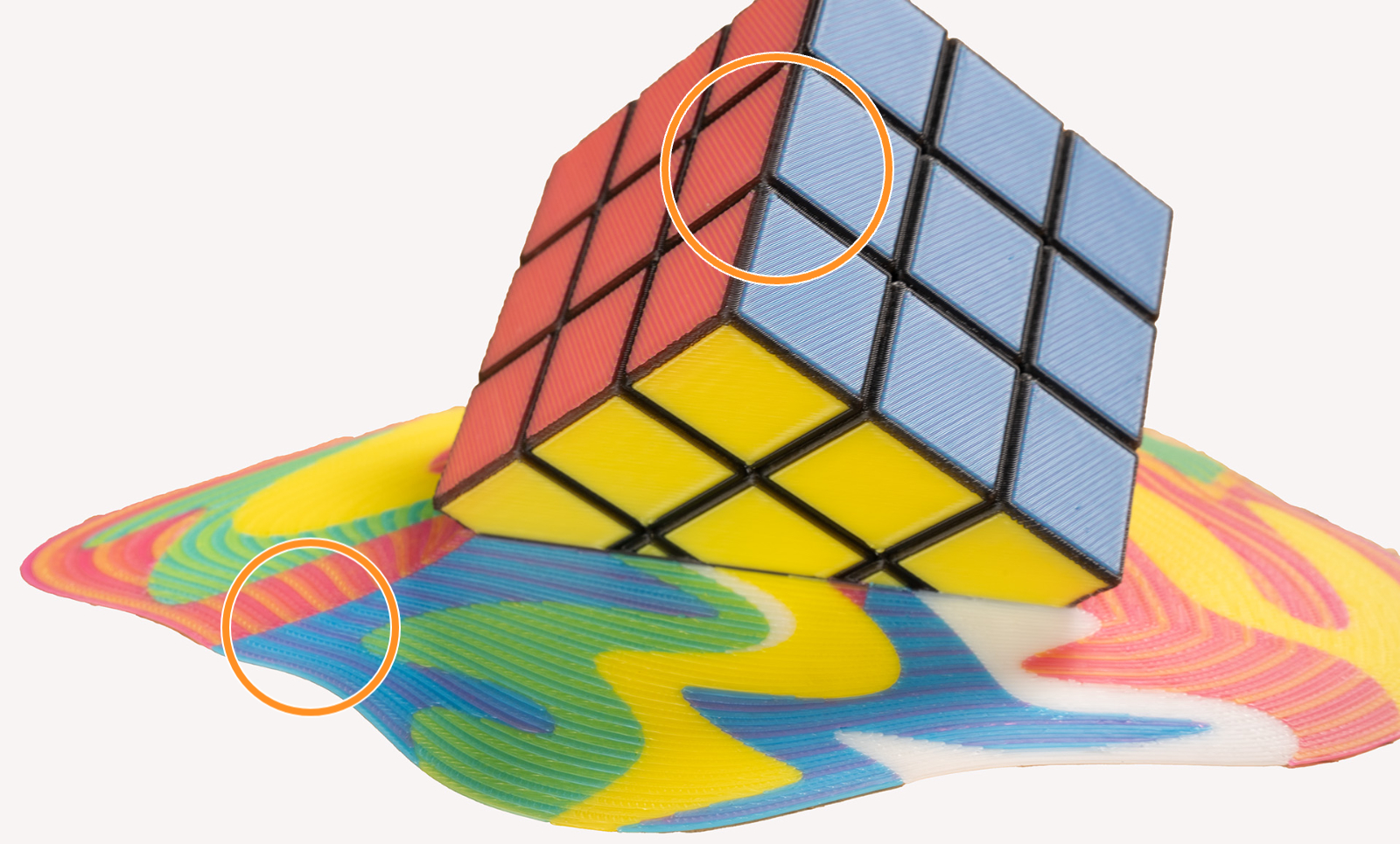
                  This effect is even more visible when using filament of highly saturated colors. It is a physical limitation of the method itself, not a printing error. Consider this when painting and printing your models. 

                  To visualize the colors, you can print a test model such as the ColorMix Calibration Cones or this ColorMix Test palette. 
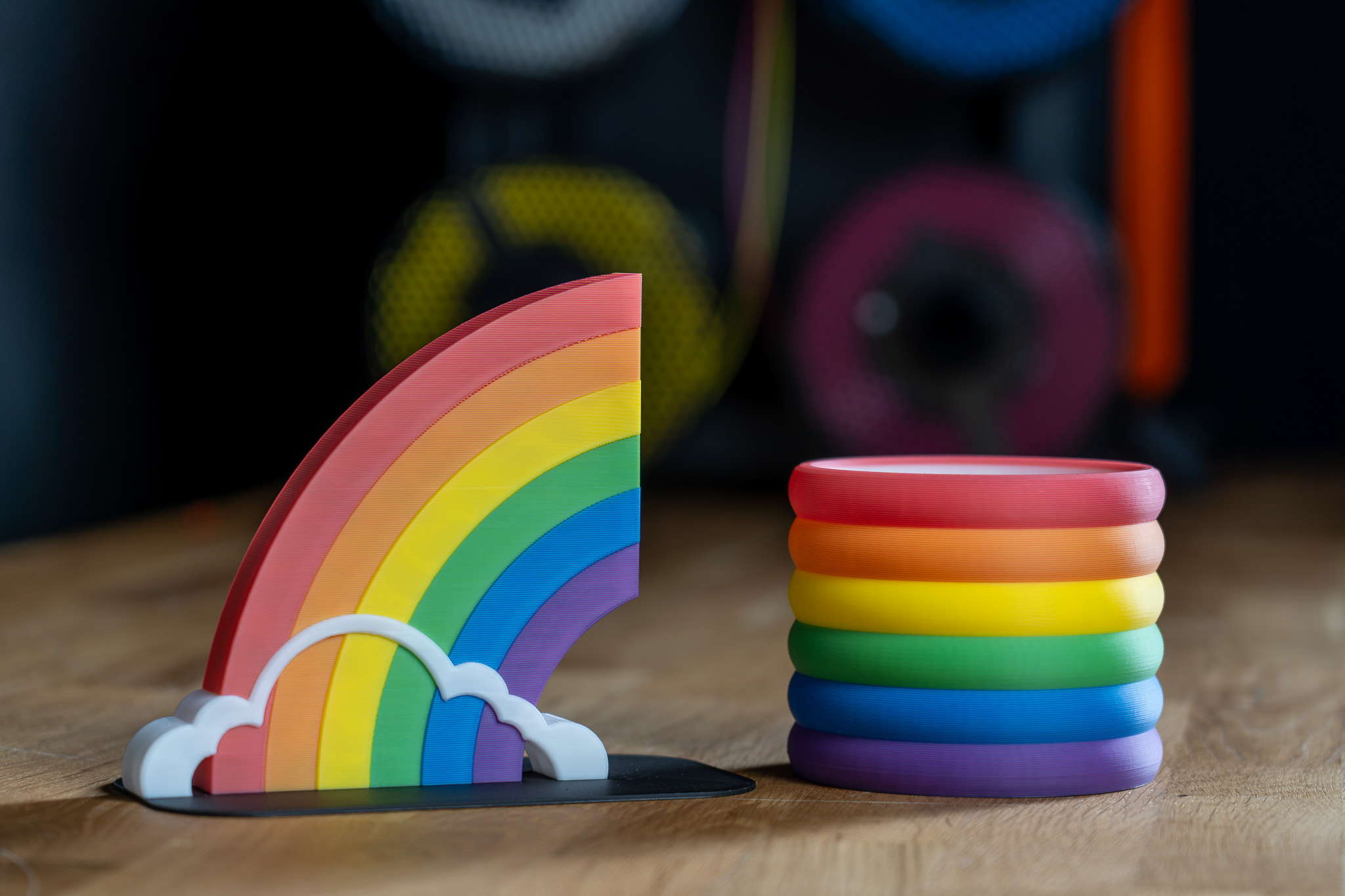
                  Examples of ColorMix models 

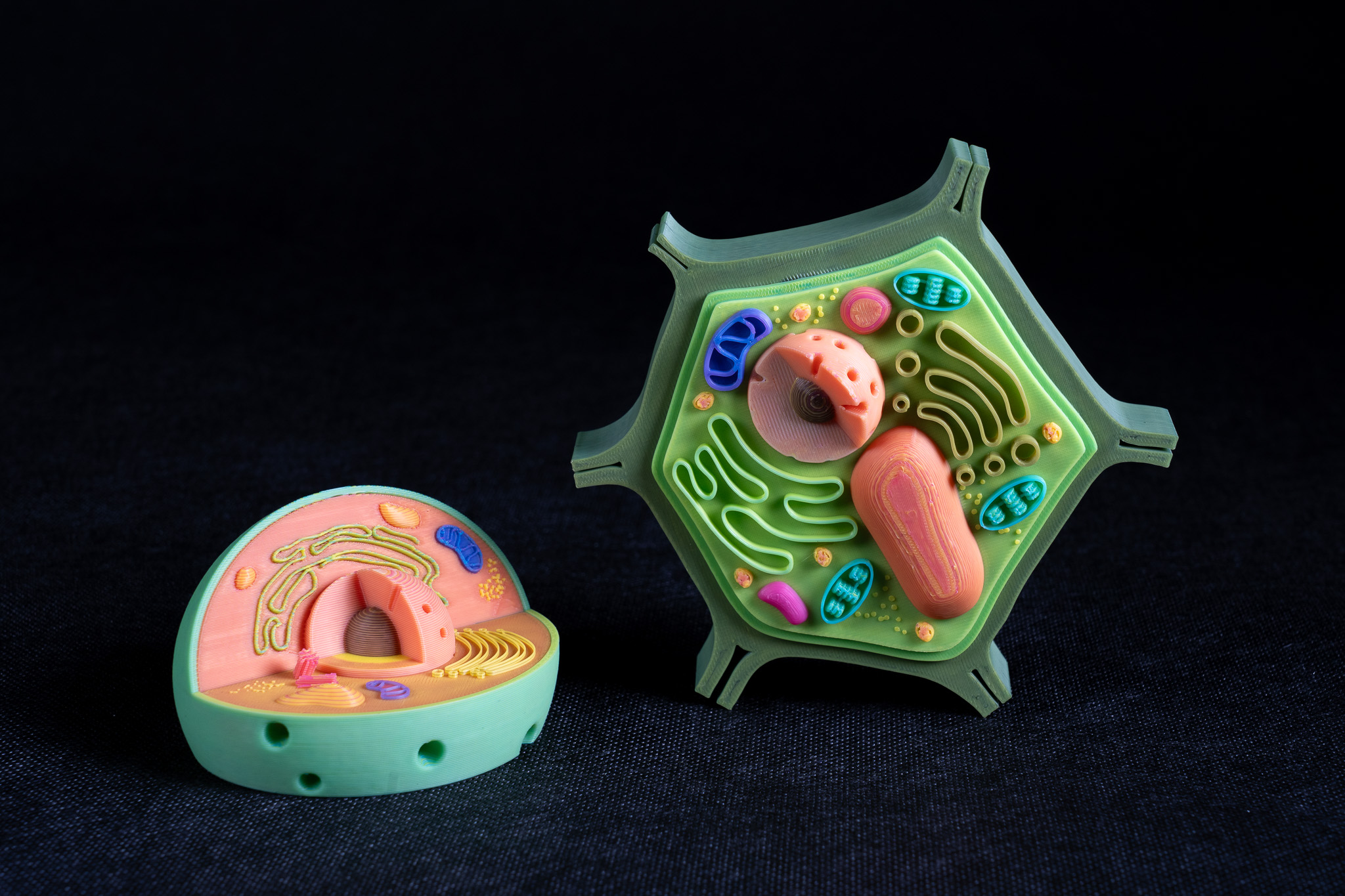
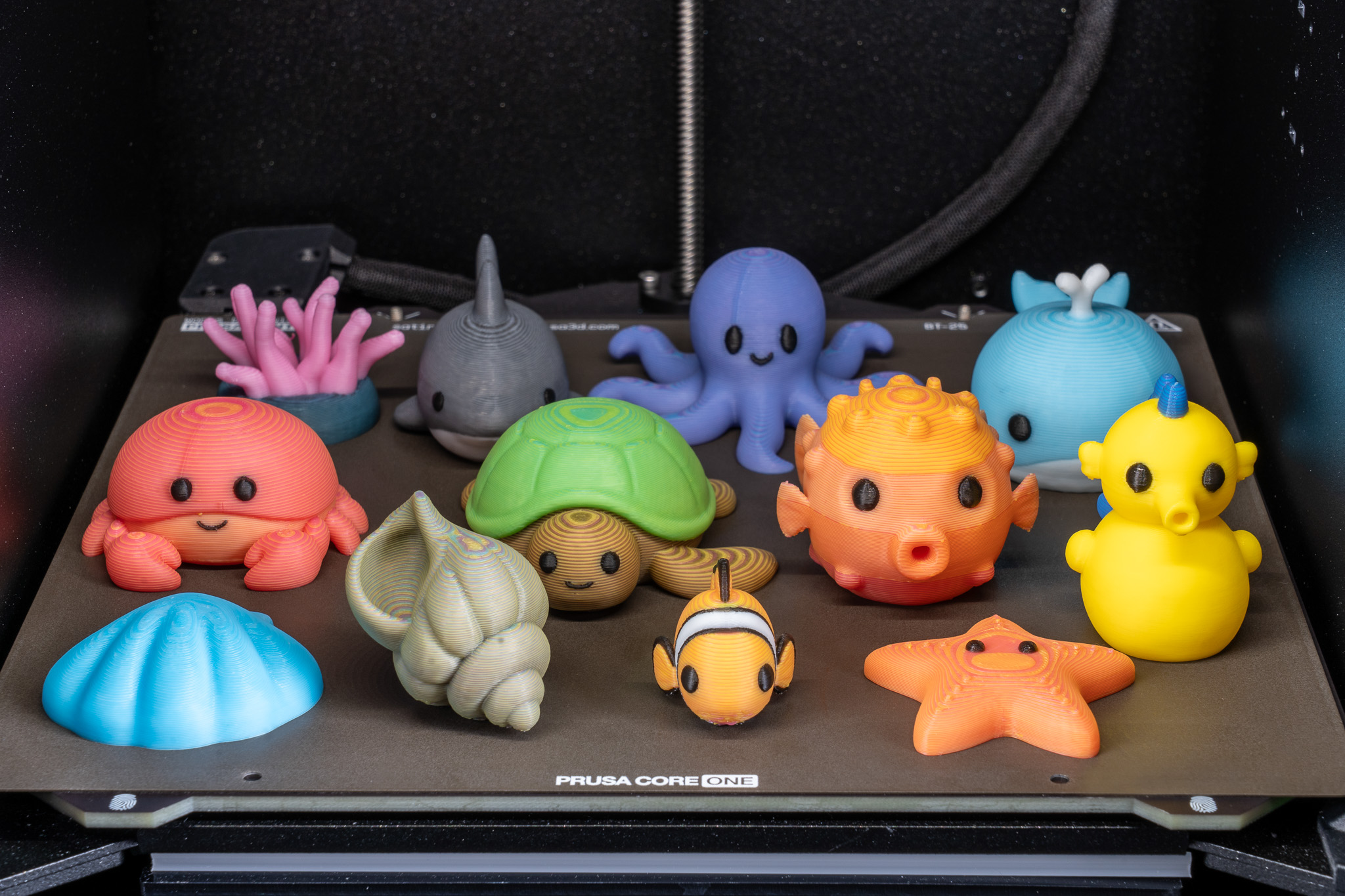
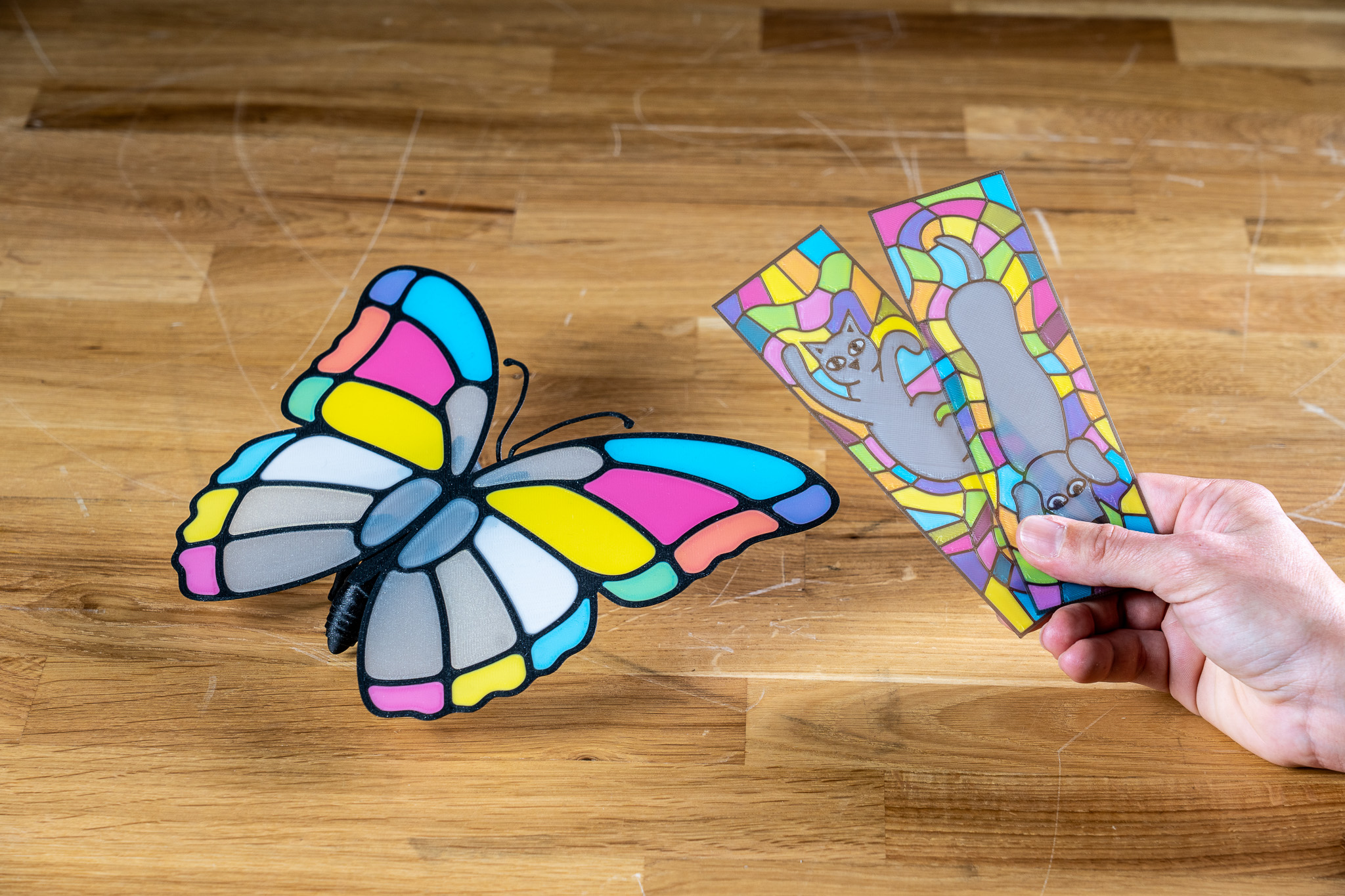
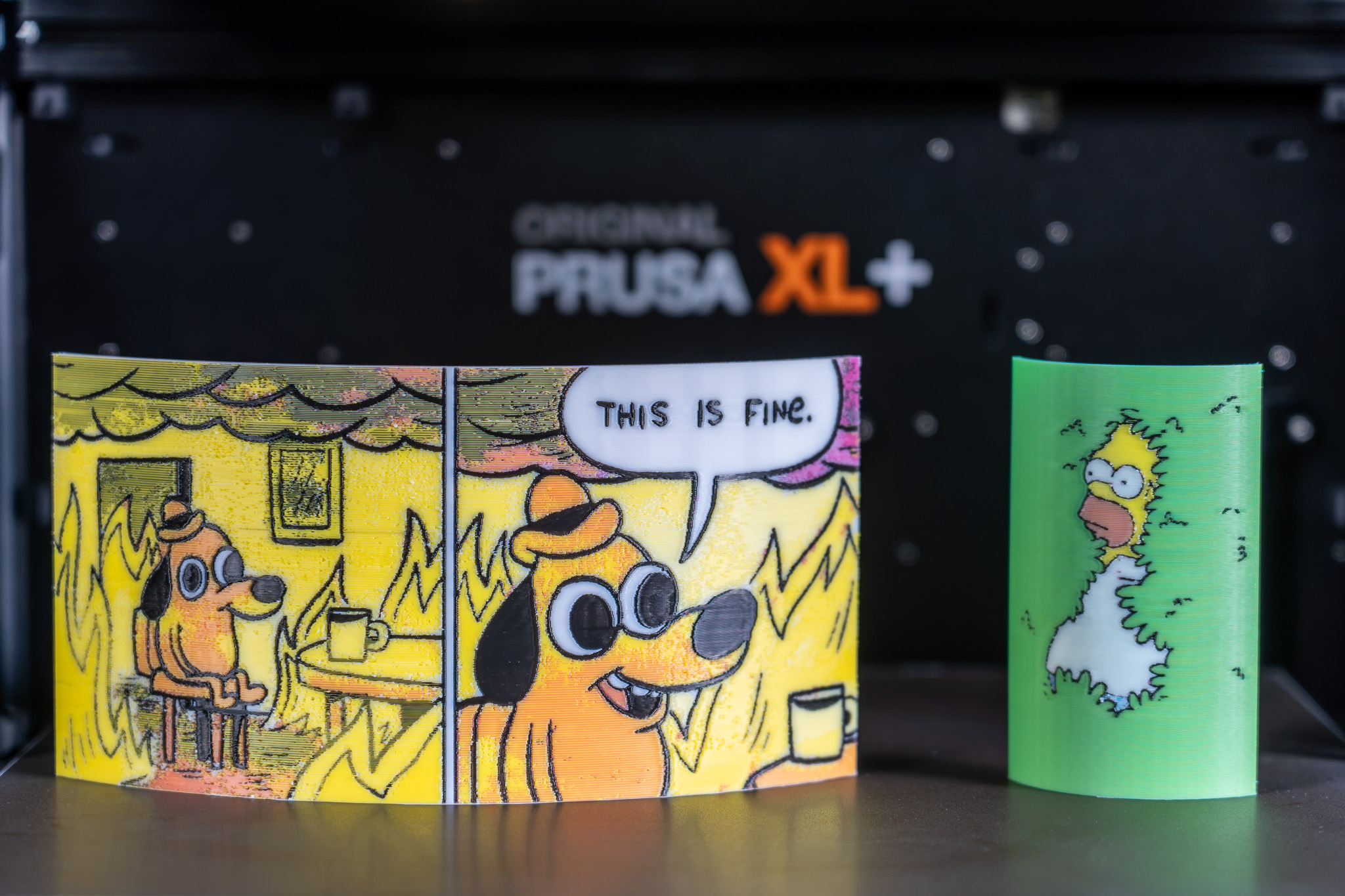
                  All displayed models are available on Printables and they were printed using the ColorMix filament bundle. 

                  References 

                  To learn more about the ColorMix and see more examples of printed models, see the release article and the filament announcement. 

                  The ColorMix feature is based on the works of the 3D printing community. Ratdoux’s OrcaSlicer-FullSpectrum showed how virtual mixed-color filaments could be created by alternating thin layers of differently colored materials. Justin H. Rahb’s filament-mixer helped predict what those colors might look like, and projects like PeggyPalette made it easier to compare and share results.

                  Byl tento článek užitečný?
                  Tato akce je dostupná pouze registrovaným uživatelům. Prosím přihlaste se.
                  Pro přidání kometáře se prosím přihlaste 
                  Zatím žádné komentáře

                  Témata

                  • PrusaSlicer 2.9 (Legacy)
                    • Multi-material slicování
                      • Import Multi Material modelu
                      • Vzory - nastavit pořadí extruderů
                      • Přiřazování nástrojů / barev / extruderů
                      • ColorPrint s MMU
                      • Chytrá čistící věž
                      • Objemy čištění (MMU)
                      • Multimateriálové malování
                      • Experimentální tisk s tryskami různých průměrů
                      • Nastavení více extruderů, Interlocking & Pokročilé spojování
                      • ColorMix
                    • O PrusaSliceru
                    • Konfigurace a profily
                    • Uživatelské rozhraní
                    • Vstup/výstup
                    • Levý panel nástrojů
                    • Horní lišta nástrojů
                    • Nastavení tisku
                    • Nastavení filamentu
                    • Nastavení tiskárny
                    • Pokročilé funkce
                    • SLA slicování
                    • Ostatní (PrusaSlicer)