Tool falsely detected during Dock Calibration (INDX)
関連するもの
CORE One INDX
記事 他の言語でもご覧になれます。
In a rare occurrence, the printer can incorrectly detect a tool in the print head, when it is physically not picked, causing impossibility of completing Dock Calibration.
Troubleshooting steps
Attempt docking the falsely detected tool, navigating to LCD Menu -> Control -> Pick/Park tool.
If this is not possible or unsuccessful, attempt using the release stuck nozzle function, in LCD Menu -> Control -> Release stuck tool.
Check whether any temperature is shown on the display's footer, and in that case note it in case of contacting our technical support.
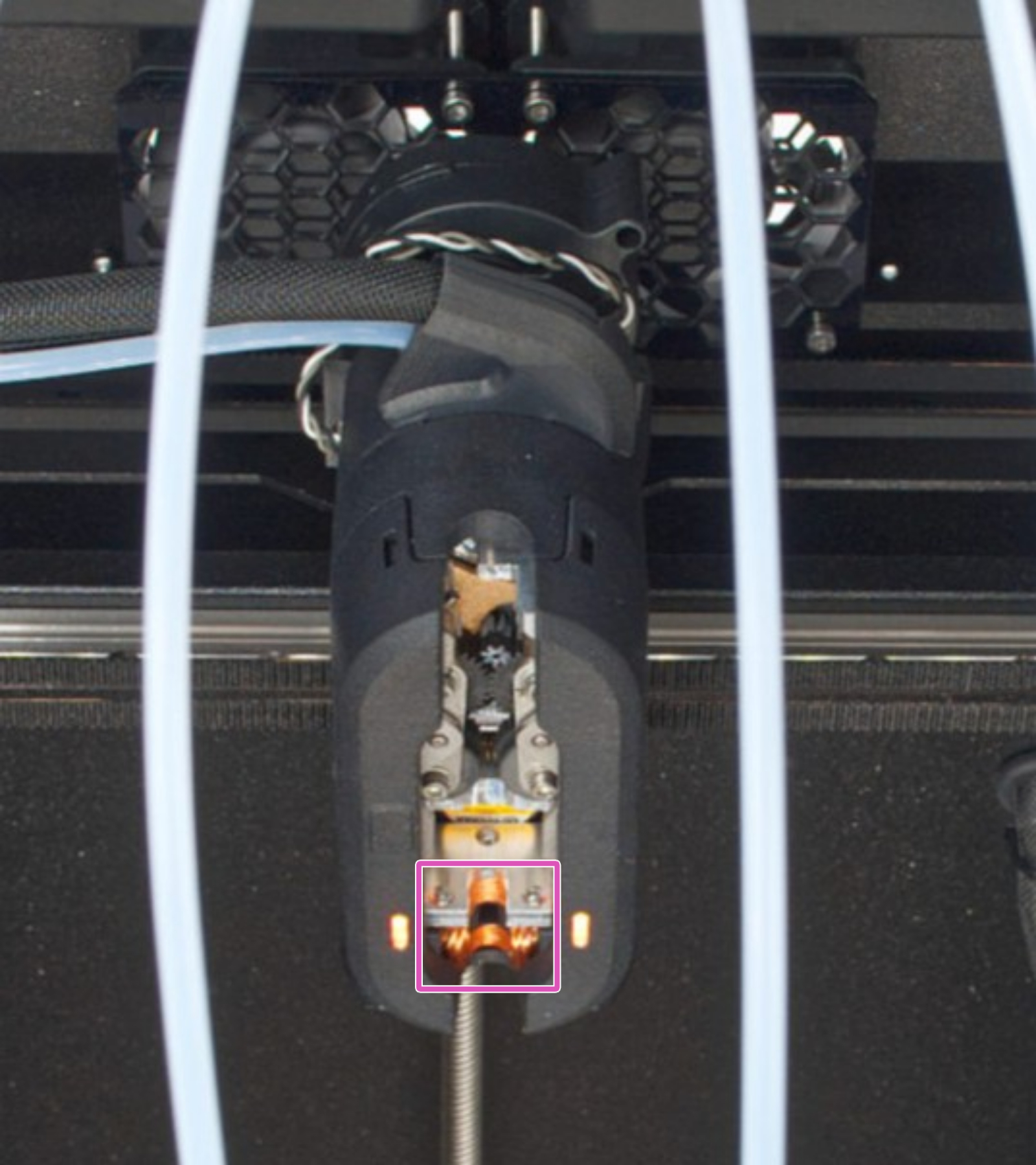
Check the visible state of the coil in the toolchanger. The coil must be clean, without grease traces, without scratches or pinches, and without any mechanical damage to the coil such as worn spots, cut copper wire or split coil. Feel free to take a few pictures of this, in preparation of contacting our technical support.
Use light movements for the next step, there is a risk of damaging the copper coils otherwise. After the operation, do not power on the printer for at least 30 minutes.
If you have it at hand, use a soft cotton material such as a cotton ear swab with a small amount of IPA (IsoPropyl Alcohol), to gently clean the grease and surrounding residue on the coils. Use light movements, stronger movements can push the grease deeper into the coil or cause damage. We recommend repeating this a few times. After cleaning, keep the printer off for at least 30 minutes, so that all IPA residue can safely evaporate. Once done, power on the printer and reattempt the Dock Calibration.
Before selecting and starting the following hard reset process, it is necessary to connect a USB drive to the printer, with a compatible firmware file in its root folder.
If none of the previous steps has worked, we recommend performing a Hard reset (USB with FW needed) found in LCD Menu -> Settings -> System -> Factory Reset, as it is possible that it might result in the detection to change. Hard reset causes all calibrations to be lost. More info on this procedure is on the 工場出荷時の状態へのリセット (CORE One, MK4/S, MK3.9/S, MK3.5/S, MINI/+, XL) article.
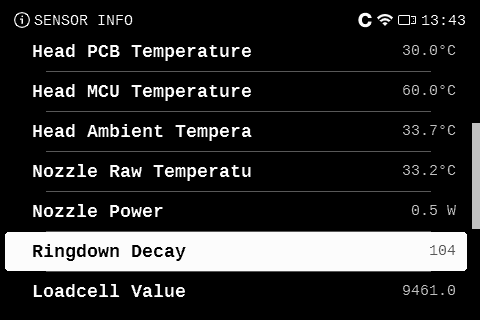
If this has not worked, check the Ringdown Decay value, found in LCD menu -> Info -> Sensor info -> Ringdown decay. The value changes depending on whether the tool is physically picked or parked. Ideally, attempt manually picking a tool and check the values with and without the tool inside the INDX head. If the printer is unable to pick up the tool, you can gently get the tool closer to the INDX head, without necessarily locking, to see whether the value changes.
A value smaller than 40 indicates no tool is picked.
A value greater than 95 indicates a tool is picked.
A value between 40 and 95 is inconclusive.
Do not hesitate to reach out at any time our 24/7 technical support if your printer is in this situation, with the information found going through the steps in this article, we will take it from here.