Pertinent pour


During multicolor printing, the Prusa CORE One INDX wipes the nozzle along the side of the print area, shedding excess filament pellets into a collection container.
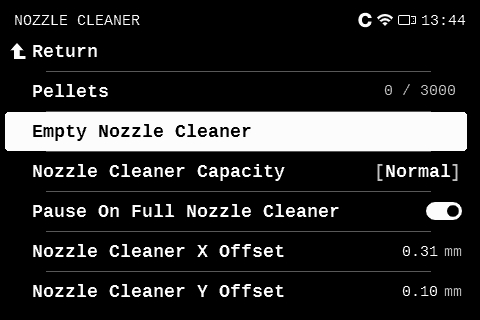
The standard container holds up to 3,000 pellets, tracking the count with every nozzle wipe. Once the container reaches capacity, the printer pauses and prompts you to empty it.
Before a print begins, the system will warn you if the job requires enough tool changes to fill the container. You can empty the container immediately or proceed and clear it mid-print.
Note: The printer lacks a physical pellet sensor and relies solely on tool-change calculations. Resetting the counter without emptying the container risks an overflow, which can damage the print.
To access the nozzle cleaner options, navigate to LCD menu -> Settings -> Nozzle cleaner, or Tune -> Nozzle cleaner while printing.
You can set the Nozzle Cleaner Capacity to Normal (standard container, 3,000 pellets) or Extended (150,000 pellets, used with a larger bucket).
Selecting Empty nozzle cleaner resets the counter to zero.
You can also view the X and Y offsets established during Nozzle cleaner calibration.
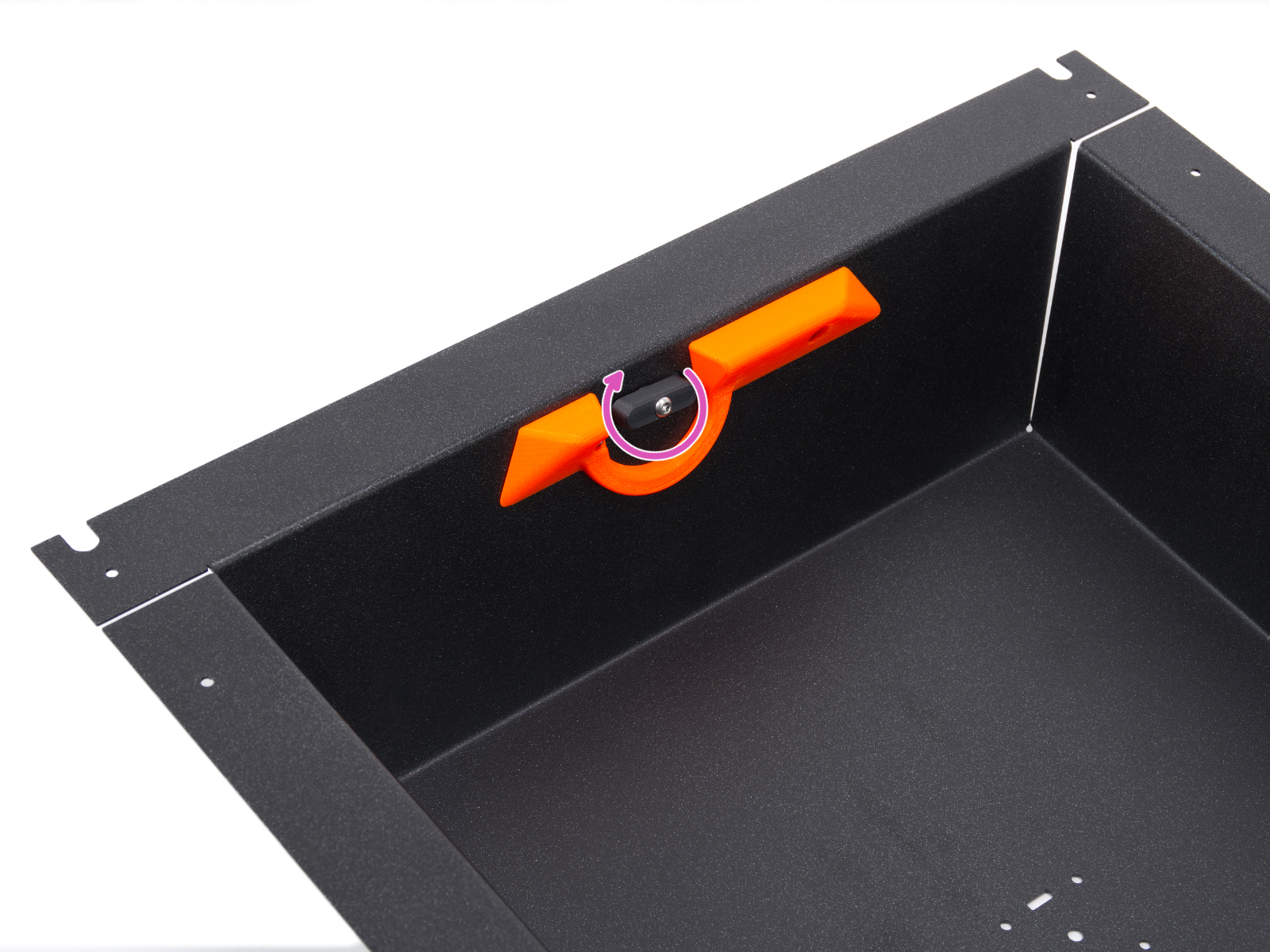
Locate the wiper lock on the right side of the printer. Twist the lock to detach the container from the side panel, keeping it upright to prevent spills. Once emptied, reinstall the container and lock it back into place. After that, you will see that the counter returns to zero.