English
Login
3D printers
Materials
Parts & Accessories
For Business
Software
3D Models
Community
Help
Courses
Blog
Company
Support
Original Prusa i3 MK2.5
Printer maintenance
Replacing the PEI sheet on the (MK3S/MK3/MK2.5S/MK2.5) | Begin assembly
1. Begin assembly
Step 1 of 21 (Chapter 7 of 7)
Contents
Comments
Difficulty
Difficult
Available languages
Begin assembly
Download guide as PDF
Contents
Printer maintenance
How to replace a heatbreak/heaterblock/heatsink (MK3/MK2.5)
How to replace a PTFE tube (MK3/MK2.5)
How to trim PTFE tube - Multi Material
How to post-process the printed parts
How to replace a hotend thermistor (MK2S)
How to trim PTFE tube - Original Prusa printers
Replacing the PEI sheet on the (MK3S/MK3/MK2.5S/MK2.5)
Begin assembly
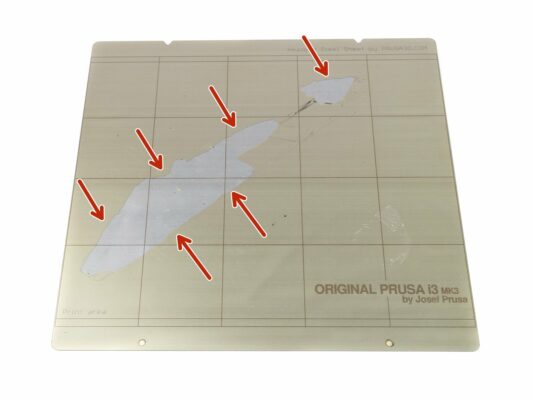
Damaged PEI surface
Shopping list (part 1)
Shopping list (part 2)
Other compatible products
Freezing the damaged PEI surface
Removing the PEI sheet
Glue removal - placing the PAPER towels
Glue removal - it is Limonene time
Glue removal - letting the Limonene work
Glue removal - removing the plastic bag
Glue removal - scrapping the glue
Glue removal - looking for "dirty" spots
Cleaning the steel sheet (water)
Cleaning the steel sheet (IPA)
The PEI sheet preparation
Gluing the new PEI sheet
Bonding the PEI and steel sheet
Applying the PEI sheet near the edges
Trimming the edges
ALL DONE!
Comments
Log in
to post a comment
No comments