No items yet.
PrusaSlicer is an open-source, feature-rich, frequently updated tool that contains everything you need to export the perfect print files for your 3D printer.
Prusa Connect is a cloud service enabling remote control and monitoring of your 3D printers, offering secure data handling, easy setup, and support for managing multiple printers from anywhere.
Control your printer/s remotely from anywhere using the Prusa Connect technology behind. Prusa.app brings a new level of Prusa printer experience to Android and iOS phones.
Prusa Academy offers online courses on various 3D printing related topics. Each course features:
We are the largest maker of 3D printers in Europe and the United States.
Founded as a one-man startup in 2012 by Josef Prusa, a Czech hobbyist, maker, and inventor. In just 15 years, we've grown into a company of more than 1,200 people. Every month, we design, build, and ship over 10,000 innovative and secure 3D printers from our headquarters in Prague, Czech Republic, and Delaware, USA, to users in more than 160 countries.
Watch a video and find out how Prusa Research was born and what we achieved within only 10 years!
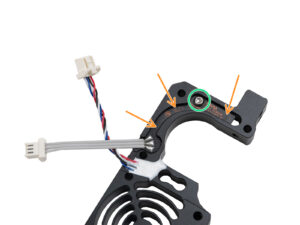
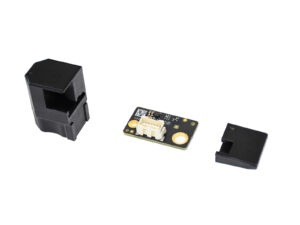
Prusa CORE One、Original Prusa MK4/S、Original Prusa MK3.9/S、およびOriginal Prusa XLの各ツールに搭載されているNextruderフィラメントセンサーは、フィラメントの有無やフィラメント切れを検知します。センサーはホールセンサーで、バネ・マグネット・ボールから構成される機構によって作動します。 MK4/SやMK3.9/SをOriginal…
Prusa CORE One、Original Prusa XL、MK4/S、MK3.9/S、およびMK3.5/Sは、xLCDをナビゲートするためにタッチを使用できます。ただし、ターゲット温度を手動で設定したり、いずれかの軸を動かしている間など、一部の機能にはまだノブが必要であることに注意してください。この機能はファームウェア6.0.0以降のバージョンで利用可能です。 最新のファームウェアがインストールされていることを確認してください。 タッチ機能の有効化 タッチ機能は手動で有効にする必要があります。そのために、プリンターメニューの設定…
Prusa CORE One、Original Prusa XL、MK4/S、MK3.9/Sにはロードセルセンサーが装備されています。このコンポーネントのおかげで、ファームウェア6.0.0以降、プリンタはフィラメントが詰まって動かなくなっているかどうかを検出できます。例えば、ノズルが詰まった場合などです。 これが検出されると、プリントが一時停止し、プリンターは次のメッセージを表示します:"Stuck…