日本語
Login
3Dプリンター
マテリアル
部品 & アクセサリー
法人向け
ソフトウェア
3Dモデル
コミュニティ
ヘルプ
コース一覧
ブログ
会社概要
サポート
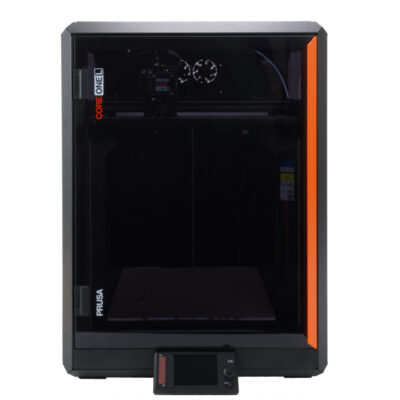
Prusa CORE One L
プリンターメンテナンス
How to pack CORE One L for return | 組み立てを始める
1. 組み立てを始める
ステップ 1 / 21 (章 18 / 18)
内容
コメント
難易度
簡単
利用可能な言語
組み立てを始める
内容
プリンターメンテナンス
How to install the Nextruder V6 nozzle adapter (CORE One L)
How to replace the Prusa Nozzle (CORE One L)
How to replace a hotend assembly (CORE One L)
How to replace the hotend fan (CORE One L)
How to replace the side filament sensor (CORE One L)
How to install the Advanced Filtration (CORE One L)
How to replace the Buddy3D camera cable (CORE One L)
How to replace a Hotend Heater (CORE One L)
How to replace a Hotend Thermistor (CORE One L)
How to replace Nextruder Filament Sensor (CORE One L)
How to replace the print fan (CORE One L)
How to replace the Accelerometer (CORE One L)
How to replace Hotend Heatsink (CORE One L)
How to reverse the door orientation (CORE One L)
How to replace Loveboard (CORE One L)
How to replace a Hotend Thermistor (CORE One L)
How to replace the White LED strip (CORE One L)
How to pack CORE One L for return [進行中の翻訳]
組み立てを始める
Introduction
Original packaging
Prerequisites
Tools necessary for this guide
Preparing the printer
Removing the spoolholder
Disconnecting the Buddy3D camera
Securing the heatbed
Removing the LCD panel
Parts preparation: LCD panel padding
Securing the LCD panel (part 1)
Securing the LCD panel (part 2)
Securing the X-Axis
Securing the door
Packing the acessories
Adding the bottom cardboard
Placing the printer into the box
Sealing the printer box
Securing the printer box
Sealing the main box
コメント
ログイン
してコメントを投稿する
コメントなし