Español
Login
Impresoras 3D
Materiales
Piezas y accesorios
Para Empresas
Software
Modelos 3D
Comunidad
Ayuda
Cursos
Blog
Empresa
Soporte
Prusa CORE One L
Mantenimiento de la impresora
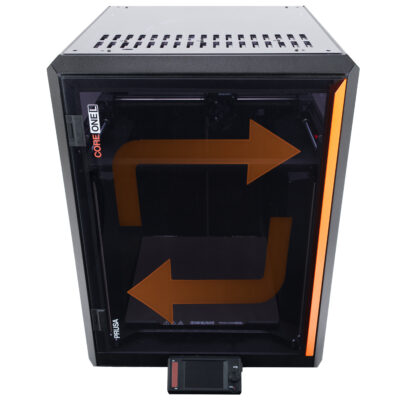
How to reverse the door orientation (CORE One L) | Comenzar el montaje
1. Comenzar el montaje
Paso 1 de 13 (Capítulo 14 de 18)
Contenidos
Comentarios
Dificultad
Fácil
Idiomas disponibles
Comenzar el montaje
Contenidos
Mantenimiento de la impresora
How to install the Nextruder V6 nozzle adapter (CORE One L)
How to replace the Prusa Nozzle (CORE One L)
How to replace a hotend assembly (CORE One L)
How to replace the hotend fan (CORE One L)
How to replace the side filament sensor (CORE One L)
How to install the Advanced Filtration (CORE One L)
How to replace the Buddy3D camera cable (CORE One L)
How to replace a Hotend Heater (CORE One L)
How to replace a Hotend Thermistor (CORE One L)
How to replace Nextruder Filament Sensor (CORE One L)
How to replace the print fan (CORE One L)
How to replace the Accelerometer (CORE One L)
How to replace Hotend Heatsink (CORE One L)
How to reverse the door orientation (CORE One L) [Traducción en desarrollo]
Comenzar el montaje
Introduction
Herramientas necesarias para este capitulo
Retirando el panel de la puerta.
Removing the hinges
Soportes imanes: preparación de las piezas
Instalando los imanes de puertas
Bisagras de la puerta: preparación de las piezas
Installing the inner hinges
Installing the outer hinges
Panel de la puerta: preparación de las piezas
Montando el panel de la puerta
Well done!
How to replace Loveboard (CORE One L)
How to replace a Hotend Thermistor (CORE One L)
How to replace the White LED strip (CORE One L)
Cómo embalar la CORE One L para devolución
Comentarios
Inicia sesión
para publicar un comentario
Sin comentarios